{ "cells": [ { "cell_type": "markdown", "id": "4e0c7be6", "metadata": {}, "source": [ " \"Introduction
\n", "

Introduction to Programming With Python

\n", "
notebook by Jeffrey N. A. Aryee (PhD)

\n", "

\"Programming without an overall architecture or design in mind is like exploring a cave with only a flashlight: You don’t know where you’ve been, you don’t know where you’re going, and you don’t know quite where you are.\" — Danny Thorpe

\n" ] }, { "cell_type": "markdown", "id": "14d2ed03", "metadata": { "tags": [ "PROFILE" ] }, "source": [ "
\n", "\n", "\n", "
\n", "

\n", " YouTube: https://www.youtube.com/channel/UCIjBRO4kq2a8sGOjZ1qM0wg
\n", " Facebook: https://www.facebook.com/honourable.gyerph.7/
\n", "LinkedIn: https://www.linkedin.com/in/jnaaryee/
\n", "Google Scholar: https://scholar.google.com/citations?user=awGdXUsAAAAJ&hl=en
\n", "ResearchGate: https://www.researchgate.net/profile/Jeffrey-Aryee
\n", "ORCID: https://orcid.org/0000-0002-4481-1441
\n", "E-mail: jnaaryee@knust.edu.gh / metdata.knust@gmail.com\n", "

\n", "
" ] }, { "cell_type": "markdown", "id": "f50005f5", "metadata": {}, "source": [ "

Few Caveats

\n", "
\n", "
*1*: We have limited Time. Participants are advised to ask questions where necessary and to provide feedback for the success of this training.
\n", "
*2*: This is a fundamental course and seeks to build foundational knowledge in Python Programming.
" ] }, { "cell_type": "markdown", "id": "56f17ee7", "metadata": {}, "source": [ "
\n", "

List of Packages that will be useful for this training

\n", "
\n", "\n", "
" ] }, { "cell_type": "markdown", "id": "f1d506c8", "metadata": {}, "source": [ "

HELPFUL RESOURCES FOR PYTHON HELP AND SELF-STUDY

\n", "" ] }, { "cell_type": "markdown", "id": "09cd050d", "metadata": {}, "source": [ "\n", "

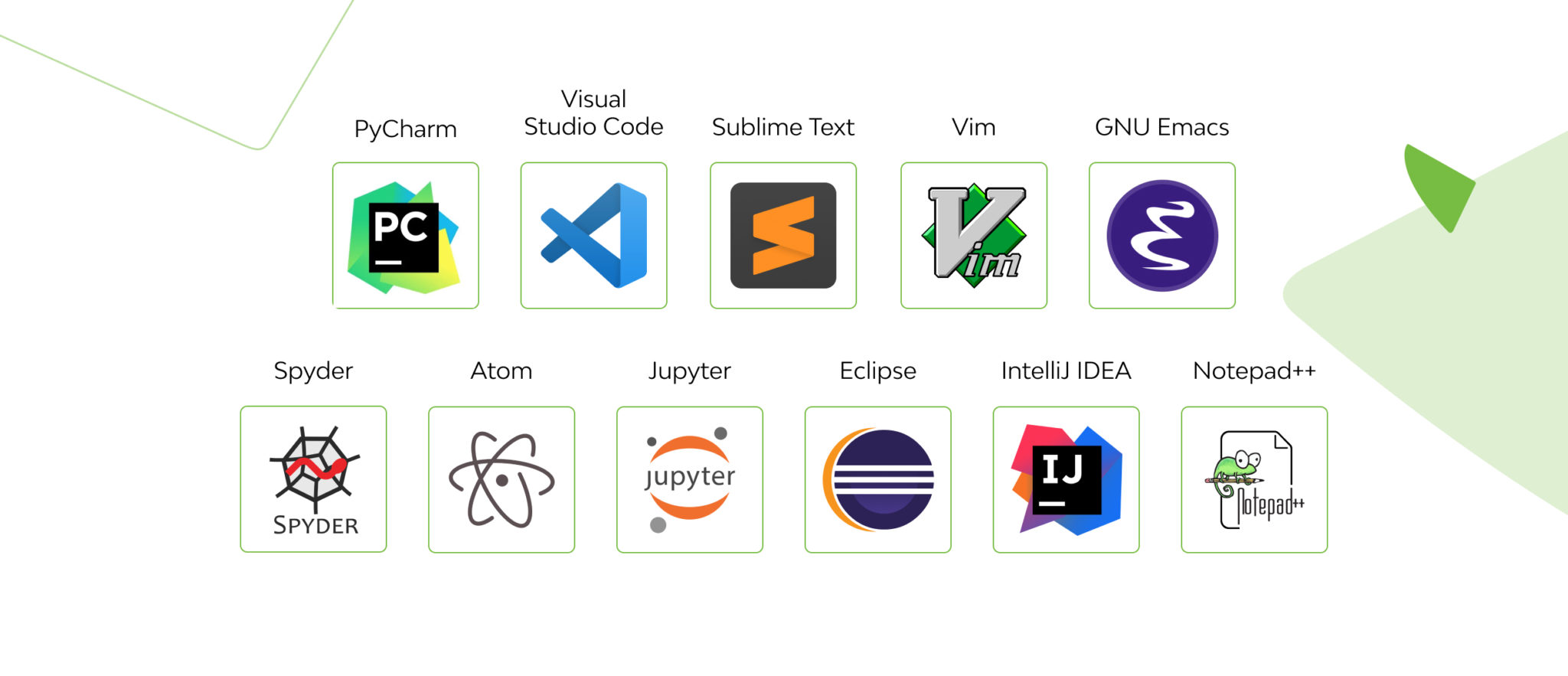
Python Interactive Development Environment (IDE)

\n" ] }, { "cell_type": "markdown", "id": "b0b0dee5", "metadata": {}, "source": [ "
\n", "

Study Objectives

\n", "At the end of this lesson, participants should be able to:
\n", "\n", "
" ] }, { "cell_type": "markdown", "id": "234374df", "metadata": {}, "source": [ "Content\n", "--\n", "[What is Scientific Computing?]
\n", "[Why Python?](#Why-Python?)
\n", "[Comments in Python](#Comments)
\n", "[Input and Outputs (I/O)](#I/O)
\n", "[Printing onto the terminal in Python](#I/O)
\n", "[Input method](#Input)
\n", "[Variable Assignment](#Variable-Assignment)
\n", "[type() method](#type)
\n", "[Introduction to Python Data types](#Python-Data-Types)
\n", "[String Data Type](#String-Data-Types)
\n", "[Handling Numbers](#Handling-Numbers)
\n", "[Boolean Data Type](#Boolean)
\n", "[Lists](#Lists)
\n", "[Tuples](#Tuples)
\n", "[Sets](#Sets)
\n", "[Dictionary Data Type](#Dictionary)
\n", "[Conditions In Python (IF Statements)](#conditions)
\n", "[One-Liner Conditions](#one-liner-conditions)
\n", "[]()
" ] }, { "cell_type": "markdown", "id": "1426e189", "metadata": { "tags": [ "Scientific-Computing" ] }, "source": [ "
\n", "

\n", "

What is Scientific Computing?

\n", "

Scientific computing is the use of computer-based applications and programming tools to perform various science-based data \n", "assessment, manipulation and visualization. The goal at the end is to make meaningful scientific information out of the raw data that \n", "was initially available.

\n", "
\n", "\n", "There are numerous programming tools, languages or packages that can be used for scientific computing. These are based on \n", "user preference and ease of use. A classical example of such tools is python, which to me, is most suited for this purpose \n", "(other programming communities will disagree!!!) \n", "
\n", "\n", "

\n", "In this class, the main aim is to teach fundamentals of Python programming language, their usage and application. Over the coming days, we shall try to explore the usefulness of the Python language, along with its benefits in Data Applications and Statistics. \n", "

" ] }, { "cell_type": "markdown", "id": "531e98b4", "metadata": { "tags": [ "Why-Python?" ] }, "source": [ "

Why Python?

\n", "

Python (programming language) Python is an interpreted, high-level, general-purpose programming language. Created by Guido van Rossum and first released in 1991, Python's design philosophy emphasizes code readability with its notable use of significant whitespace.\n", "Since most modern OS are written in C, compilers/interpreters for modern high-level languages are also written in C. Python is not an exception - its most popular/\"traditional\" implementation is called CPython and is written in C.\n", "As python is object-oriented, it has its own garbage collector whereas in C user has to manage memory on his own. C has compiled language. The complete source code is converted into a machine language which is easier for a computer to understand. Python on other hand is interpreted.

\n", "

Python can be integrated with other languages such as C, C++, and Java. This means that a programmer can take advantage of work already done in another language while using Python. It also means that he or she can leverage the strengths of other languages, such as the extra speed that C or C++ can offer, while still enjoying the ease of development that's a hallmark of Python programming. (M. Dawson, 2003, Python Programming for the Absolute Beginner)\n", "

\n", "

The advantages of Python programming spans, but is not limited to the following:

\n", "\n", "

This is just a little information on the above subject matter


\n", "\n", "

Let's Get Started!!! :)

" ] }, { "cell_type": "markdown", "id": "bd75ce9b", "metadata": { "tags": [ "Comments" ] }, "source": [ "

Comments in Python

\n", "Comments, although added to a line of code, is a non-executable part of the code. In simple terms, though they exist as part\n", "of the code, they have no effect on the code's execution. It only allows for readability of the code, and with ease. Python uses # for single line comments, and keeps multiple line comments in three opened and closed single or double quotes (''' ''' or \"\"\" \"\"\"). For example:
\n", "

#this is a single line comment

\n", "

'''
\n", "This is a multiple line comment.
\n", "The entire block between the quotes are the comments, and have no effect on the code.
\n", "'''

" ] }, { "cell_type": "code", "execution_count": 25, "id": "308dc6b1", "metadata": {}, "outputs": [], "source": [ "#This is a single line comment" ] }, { "cell_type": "code", "execution_count": 26, "id": "cfd147e2", "metadata": {}, "outputs": [ { "data": { "text/plain": [ "5" ] }, "execution_count": 26, "metadata": {}, "output_type": "execute_result" } ], "source": [ "2+3 #This line does a simple summation of 2 numbers." ] }, { "cell_type": "code", "execution_count": 29, "id": "7fe39c36", "metadata": {}, "outputs": [ { "data": { "text/plain": [ "5" ] }, "execution_count": 29, "metadata": {}, "output_type": "execute_result" } ], "source": [ "'''\n", "This block of code is a multi-line comment.\n", "All these parts are useful for readability but they play no specific part in the code run.\n", "'''\n", "2+3" ] }, { "cell_type": "markdown", "id": "6c6d42fc", "metadata": { "tags": [ "I/O" ] }, "source": [ "Input and Outputs (I/O)\n", "--\n", "\n", "

Printing onto the terminal in Python

\n", "

It is a crucial step to look at, since over the course of study, we will be using this function a lot. Execution of the print function has the syntax print(variable), which prints the variable onto the terminal. Sample examples are given in the cell below. Try it out and see how it works.\n", "


\n" ] }, { "cell_type": "code", "execution_count": 4, "id": "a767cd05", "metadata": {}, "outputs": [ { "name": "stdout", "output_type": "stream", "text": [ "Hello World\n" ] } ], "source": [ "print('Hello World')" ] }, { "cell_type": "code", "execution_count": 5, "id": "788fa11b", "metadata": {}, "outputs": [ { "name": "stdout", "output_type": "stream", "text": [ "5\n" ] } ], "source": [ "print(2+3)" ] }, { "cell_type": "code", "execution_count": 6, "id": "c94d78d0", "metadata": {}, "outputs": [ { "name": "stdout", "output_type": "stream", "text": [ "\n" ] } ], "source": [ "print() #This simply prints an empty line and works similar to the next 2 lines" ] }, { "cell_type": "code", "execution_count": 7, "id": "66f9973a", "metadata": {}, "outputs": [ { "name": "stdout", "output_type": "stream", "text": [ "\n" ] } ], "source": [ "print('')" ] }, { "cell_type": "code", "execution_count": 8, "id": "0c4c3fe2", "metadata": {}, "outputs": [ { "name": "stdout", "output_type": "stream", "text": [ "\n", "\n" ] } ], "source": [ "print('\\n')" ] }, { "cell_type": "markdown", "id": "b95be5a5", "metadata": { "tags": [ "Input" ] }, "source": [ "Input method\n", "--\n", "\n", "Data can be requested from users using the input() method, as shown below. By default, data retrieved by the input method is a string which can be treated in many ways.
\n", "\n", "Eg.
\n", "a = input() %This gives no prompt. The only indicator will be a flickering mouse-pointer.\n", "\n", "On the other hand, to prompt the user, a string can be parsed within the input which will be echoed as-is.
\n", "\n", "text = input('Enter a double-digit value')" ] }, { "cell_type": "code", "execution_count": 9, "id": "cc28c01a", "metadata": {}, "outputs": [ { "name": "stdout", "output_type": "stream", "text": [ "Enter a double-digit value: 23\n" ] } ], "source": [ "text = input('Enter a double-digit value: ')" ] }, { "cell_type": "markdown", "id": "06bf3485", "metadata": { "tags": [ "Variable-Assignment" ] }, "source": [ "

Variable Assignment

\n", "These are approaches for passing value to a variable. The value assigned the variable could be of any data type. Assignments are achieved by using the \"=\" sign. The main ways to assign values to a variable are by initialization (=), input and passing from a sub-process. Multiple assignments (passing an assigned variable as value to a new variable) are also possible.
\n", "\n", "Examples are illustrated below." ] }, { "cell_type": "code", "execution_count": 10, "id": "2f4a2866", "metadata": {}, "outputs": [ { "data": { "text/plain": [ "[3, 1, 6, -20, 8, 7, 0, -5, 2, 3]" ] }, "execution_count": 10, "metadata": {}, "output_type": "execute_result" } ], "source": [ "a=[3,1,6,-20,8,7,0,-5,2,3]\n", "a" ] }, { "cell_type": "code", "execution_count": 11, "id": "c9c53f02", "metadata": {}, "outputs": [ { "data": { "text/plain": [ "50" ] }, "execution_count": 11, "metadata": {}, "output_type": "execute_result" } ], "source": [ "class_size=50\n", "class_size" ] }, { "cell_type": "markdown", "id": "f8747d3a", "metadata": { "tags": [ "type" ] }, "source": [ "

type() method

\n", "The type() method is used to identify the data type for a defined variable. \n", "In order to find the type of a particular variable, simply use the code, type(variable).

For example: type('hello world') produces str, type(2) produces int, type(2.0) produces float, etc.\n", "


" ] }, { "cell_type": "code", "execution_count": 12, "id": "721bae63", "metadata": {}, "outputs": [ { "name": "stdout", "output_type": "stream", "text": [ "Enter a double-digit value: 2\n" ] }, { "data": { "text/plain": [ "str" ] }, "execution_count": 12, "metadata": {}, "output_type": "execute_result" } ], "source": [ "text = input('Enter a double-digit value: ')\n", "type(text)" ] }, { "cell_type": "code", "execution_count": 13, "id": "a0cbae29", "metadata": {}, "outputs": [ { "data": { "text/plain": [ "list" ] }, "execution_count": 13, "metadata": {}, "output_type": "execute_result" } ], "source": [ "type( [1,2,3] )" ] }, { "cell_type": "code", "execution_count": 14, "id": "4737907d", "metadata": {}, "outputs": [ { "data": { "text/plain": [ "str" ] }, "execution_count": 14, "metadata": {}, "output_type": "execute_result" } ], "source": [ "type('Hello world')" ] }, { "cell_type": "code", "execution_count": 15, "id": "0c7d2319", "metadata": {}, "outputs": [ { "data": { "text/plain": [ "int" ] }, "execution_count": 15, "metadata": {}, "output_type": "execute_result" } ], "source": [ "type(2)" ] }, { "cell_type": "code", "execution_count": 16, "id": "4ae2bf06", "metadata": {}, "outputs": [ { "data": { "text/plain": [ "float" ] }, "execution_count": 16, "metadata": {}, "output_type": "execute_result" } ], "source": [ "type(2.0)" ] }, { "cell_type": "markdown", "id": "561147e4", "metadata": { "tags": [ "Python-Data-Types", "String-Data-Types" ] }, "source": [ "\n", "

Introduction to Python Data types

\n", "Python works with various data types, which include strings, integers, floats, boolean, arrays, lists, tuple, etc.\n", "\n", "\n", "\n", "
\n", "

i. String Data Type

\n", "These are data types that are kept in either single- or double- quotes. eg., 'python', 'today', 'first_name', \"surname\", \"password\".\n", "It is inappropriate to close a single quote with a double-, or vice-versa. The opening and closing quotes must be same.\n", "In appropriate string types include \"here', 'class\", etc.\n", "
\n" ] }, { "cell_type": "code", "execution_count": 17, "id": "3ebd57cb", "metadata": {}, "outputs": [ { "data": { "text/plain": [ "str" ] }, "execution_count": 17, "metadata": {}, "output_type": "execute_result" } ], "source": [ "type('Here')" ] }, { "cell_type": "code", "execution_count": 18, "id": "0fc0a46a", "metadata": {}, "outputs": [ { "data": { "text/plain": [ "str" ] }, "execution_count": 18, "metadata": {}, "output_type": "execute_result" } ], "source": [ "x = 'A string variable'\n", "type(x)" ] }, { "cell_type": "code", "execution_count": 19, "id": "0cc8db66", "metadata": {}, "outputs": [ { "name": "stdout", "output_type": "stream", "text": [ "This string has a single (') and a double (\") quote.\n" ] } ], "source": [ "print('''This string has a single (') and a double (\") quote.''')" ] }, { "cell_type": "markdown", "id": "ab8a5fb6", "metadata": {}, "source": [ "String Subsetting\n", "--\n", "Strings can be subset using the square brackets containing the starting index, ending index and step.\n", "\n", "\n", "N/B: Python indexing starts from zero (0).\n", "\n", "When left empty, the default starting index is 0, the ending index is equivalent to the length of the string and the step is 1, by default." ] }, { "cell_type": "code", "execution_count": 20, "id": "4c184f35", "metadata": {}, "outputs": [ { "data": { "text/plain": [ "'A'" ] }, "execution_count": 20, "metadata": {}, "output_type": "execute_result" } ], "source": [ "x[0]" ] }, { "cell_type": "code", "execution_count": 21, "id": "ee7df33d", "metadata": {}, "outputs": [ { "data": { "text/plain": [ "'string variable'" ] }, "execution_count": 21, "metadata": {}, "output_type": "execute_result" } ], "source": [ "x[2:] #This line extracts the 3rd indexed item to the end." ] }, { "cell_type": "code", "execution_count": 22, "id": "80a622b7", "metadata": {}, "outputs": [ { "data": { "text/plain": [ "'Asrn aibe'" ] }, "execution_count": 22, "metadata": {}, "output_type": "execute_result" } ], "source": [ "x[::2] #This extracts the even indices of the string" ] }, { "cell_type": "markdown", "id": "3cecf385", "metadata": {}, "source": [ "
the len() method
\n", "The len() method gives the total length of the variable. The len() method, when used with a string variable, gives the number of characters in the given variable (spaces included).\n", "
" ] }, { "cell_type": "code", "execution_count": 23, "id": "acf8def5", "metadata": {}, "outputs": [ { "data": { "text/plain": [ "17" ] }, "execution_count": 23, "metadata": {}, "output_type": "execute_result" } ], "source": [ "x = 'A string variable'\n", "len(x)" ] }, { "cell_type": "code", "execution_count": 24, "id": "3f845160", "metadata": {}, "outputs": [ { "data": { "text/plain": [ "1" ] }, "execution_count": 24, "metadata": {}, "output_type": "execute_result" } ], "source": [ "len(x[0])" ] }, { "cell_type": "code", "execution_count": 25, "id": "93582774", "metadata": {}, "outputs": [ { "data": { "text/plain": [ "9" ] }, "execution_count": 25, "metadata": {}, "output_type": "execute_result" } ], "source": [ "len(x[::2])" ] }, { "cell_type": "markdown", "id": "0865b7e7", "metadata": {}, "source": [ "
String concatenation
\n", "String concatenation is achieved by simply using the '+' symbol. On interactive interfaces, 'Hello '+'World' will output \n", "'Hello World', however, for core interfaces, one has to print out the result in order to have it show, using the print() function.\n", "
" ] }, { "cell_type": "code", "execution_count": 26, "id": "4456c410", "metadata": {}, "outputs": [ { "name": "stdout", "output_type": "stream", "text": [ "Hello World\n" ] } ], "source": [ "print('Hello '+'World')" ] }, { "cell_type": "code", "execution_count": 27, "id": "0b6db224", "metadata": {}, "outputs": [ { "name": "stdout", "output_type": "stream", "text": [ "OneQuantum Ghana\n" ] } ], "source": [ "a = 'One'\n", "b = 'Quantum '\n", "c = 'Ghana'\n", "print(a+b+c)" ] }, { "cell_type": "markdown", "id": "d1060ee1", "metadata": {}, "source": [ "
String repetition
\n", "String repetition is possible in Python by simply multiplying the text with your number of times to be repeated (count). For example, 'Hello'*3 produces 'HelloHelloHello'. \n", "
" ] }, { "cell_type": "code", "execution_count": 28, "id": "1641a7d7", "metadata": {}, "outputs": [ { "name": "stdout", "output_type": "stream", "text": [ "HelloHelloHello\n" ] } ], "source": [ "print('Hello'*3)" ] }, { "cell_type": "code", "execution_count": 29, "id": "a0eb602d", "metadata": {}, "outputs": [ { "name": "stdout", "output_type": "stream", "text": [ "Python Python Python Python Python Python Python Python Python Python \n" ] } ], "source": [ "print('Python '*10)" ] }, { "cell_type": "markdown", "id": "9dc75e8f", "metadata": {}, "source": [ "
String Escapes
\n", "String escapes are used to tweak texts. For example, skipping to the next line ('\\n'), tabbing ('\\t'), etc....

\n", "\n", "

SELECTED ESCAPE SEQUENCES

\n", "\n", " \n", " \n", " \n", " \n", "
\n", " \n", " \n", " \n", " \n", " \n", " \n", " \n", " \n", " \n", " \n", " \n", " \n", " \n", " \n", " \n", " \n", " \n", " \n", " \n", " \n", " \n", " \n", "

Sequence / Syntax

Name

Description

\\\\
Backslash
Prints one backslash.
\\'
Single quote
Prints a single quote.
\\\"
Double quote
Prints a double quote.
\\a
Bell
Sounds (rings) the system bell.
\\b
Backspace
Moves cursor back one space.
\\n
Newline
Moves cursor to beginning of next line.
\\t
Horizontal Tab
Moves cursor forward one tab stop.
\n" ] }, { "cell_type": "code", "execution_count": 30, "id": "4e933799", "metadata": {}, "outputs": [ { "name": "stdout", "output_type": "stream", "text": [ "\n", "\n" ] } ], "source": [ "print('\\n') #This produces a newline." ] }, { "cell_type": "code", "execution_count": 31, "id": "da32e5dd", "metadata": {}, "outputs": [ { "name": "stdout", "output_type": "stream", "text": [ "Hello \n", "\n" ] } ], "source": [ "print('Hello \\n') #This leaves a new line after printing Hello" ] }, { "cell_type": "code", "execution_count": 18, "id": "1a6ba26c", "metadata": {}, "outputs": [ { "name": "stdout", "output_type": "stream", "text": [ "Here's to Greatness\n" ] } ], "source": [ "print('Here\\'s to Greatness') #\\' produces a single quote and does not conflict with the string identifier." ] }, { "cell_type": "code", "execution_count": 33, "id": "17f38139", "metadata": {}, "outputs": [ { "name": "stdout", "output_type": "stream", "text": [ "Here's to Greatness\n" ] } ], "source": [ "print(\"Here's to Greatness\")" ] }, { "cell_type": "code", "execution_count": 34, "id": "a8237cb7", "metadata": {}, "outputs": [ { "name": "stdout", "output_type": "stream", "text": [ "Place \t Tabs \t Between \t The \t Texts\n" ] } ], "source": [ "print('Place \\t Tabs \\t Between \\t The \\t Texts')" ] }, { "cell_type": "code", "execution_count": 35, "id": "fae9687b", "metadata": {}, "outputs": [ { "name": "stdout", "output_type": "stream", "text": [ "\"OneQuantum Ghana is here to stay\", the president said.\n" ] } ], "source": [ "print('\\\"OneQuantum Ghana is here to stay\\\", the president said.')" ] }, { "cell_type": "code", "execution_count": 36, "id": "d662ec8a", "metadata": {}, "outputs": [ { "name": "stdout", "output_type": "stream", "text": [ "This string has a single (') and a double (\") quote.\n" ] } ], "source": [ "print('''This string has a single (') and a double (\") quote.''')" ] }, { "cell_type": "markdown", "id": "fcee7ba0", "metadata": {}, "source": [ "String Cases\n", "Here, we focus on some methods to format strings. These include:" ] }, { "cell_type": "code", "execution_count": 37, "id": "7a357a6e", "metadata": {}, "outputs": [ { "name": "stdout", "output_type": "stream", "text": [ "ACCRA\n" ] } ], "source": [ "#The upper() method changes a string to uppercase\n", "print('accra'.upper())" ] }, { "cell_type": "code", "execution_count": 38, "id": "442ff60b", "metadata": {}, "outputs": [ { "name": "stdout", "output_type": "stream", "text": [ "intensity produces short-term result; consistency yields longterm results\n" ] } ], "source": [ "#The lower() method changes a string to uppercase\n", "print('INTENSITY PRODUCES SHORT-TERM RESULT; CONSISTENCY YIELDS LONGTERM RESULTS'.lower())" ] }, { "cell_type": "code", "execution_count": 39, "id": "42141285", "metadata": {}, "outputs": [ { "name": "stdout", "output_type": "stream", "text": [ "Intensity produces short-term result; consistency yields longterm results\n" ] } ], "source": [ "#The capitalize() method changes a string to uppercase\n", "print('INTENSITY PRODUCES SHORT-TERM RESULT; CONSISTENCY YIELDS LONGTERM RESULTS'.capitalize())" ] }, { "cell_type": "code", "execution_count": 40, "id": "67a55ee8", "metadata": {}, "outputs": [ { "name": "stdout", "output_type": "stream", "text": [ "['INTENSITY', 'PRODUCES', 'SHORT-TERM', 'RESULT;', 'CONSISTENCY', 'YIELDS', 'LONGTERM', 'RESULTS']\n" ] } ], "source": [ "#The split() method splits a string along the given separator\n", "x = 'INTENSITY PRODUCES SHORT-TERM RESULT; CONSISTENCY YIELDS LONGTERM RESULTS'\n", "print(x.split(' '))" ] }, { "cell_type": "code", "execution_count": 41, "id": "71019568", "metadata": {}, "outputs": [ { "data": { "text/plain": [ "['IN',\n", " 'ENSI',\n", " 'Y PRODUCES SHOR',\n", " '-',\n", " 'ERM RESUL',\n", " '; CONSIS',\n", " 'ENCY YIELDS LONG',\n", " 'ERM RESUL',\n", " 'S']" ] }, "execution_count": 41, "metadata": {}, "output_type": "execute_result" } ], "source": [ "x.split('T')" ] }, { "cell_type": "code", "execution_count": 42, "id": "2481f2b1", "metadata": {}, "outputs": [ { "data": { "text/plain": [ "['INTENSI', ' PRODUCES SHORT-TERM RESULT; CONSISTENCY YIELDS LONGTERM RESULTS']" ] }, "execution_count": 42, "metadata": {}, "output_type": "execute_result" } ], "source": [ "#Methods can also be nested for optimized result\n", "x.split( 'ty'.upper() ) " ] }, { "cell_type": "code", "execution_count": 43, "id": "50f8ed5c", "metadata": {}, "outputs": [ { "data": { "text/plain": [ "2" ] }, "execution_count": 43, "metadata": {}, "output_type": "execute_result" } ], "source": [ "len( x.split( 'ty'.upper() ) )" ] }, { "cell_type": "code", "execution_count": 44, "id": "0796b59d", "metadata": {}, "outputs": [ { "data": { "text/plain": [ "['Hello ', 'All ', 'Welcome to OneQuantum Ghana']" ] }, "execution_count": 44, "metadata": {}, "output_type": "execute_result" } ], "source": [ "#splitlines() returns a list of split strings along new lines/\n", "x = 'Hello \\nAll \\nWelcome to OneQuantum Ghana'\n", "x.splitlines()" ] }, { "cell_type": "code", "execution_count": 45, "id": "1b6dd0c7", "metadata": {}, "outputs": [ { "data": { "text/plain": [ "3" ] }, "execution_count": 45, "metadata": {}, "output_type": "execute_result" } ], "source": [ "len( x.splitlines())" ] }, { "cell_type": "code", "execution_count": 46, "id": "a047c11a", "metadata": {}, "outputs": [ { "name": "stdout", "output_type": "stream", "text": [ "Hi \n", "All \n", "Welcome to OneQuantum Ghana\n" ] } ], "source": [ "#Replace() is used to replace a given string by a new one\n", "print(x.replace('Hello', 'Hi'))" ] }, { "cell_type": "code", "execution_count": 47, "id": "0efa5fd7", "metadata": {}, "outputs": [ { "data": { "text/plain": [ "1" ] }, "execution_count": 47, "metadata": {}, "output_type": "execute_result" } ], "source": [ "#find() finds the first position of the searched variable/term from the string. Eg.\n", "x.find('e')" ] }, { "cell_type": "code", "execution_count": 48, "id": "9576918a", "metadata": {}, "outputs": [ { "data": { "text/plain": [ "25" ] }, "execution_count": 48, "metadata": {}, "output_type": "execute_result" } ], "source": [ "#rfind() finds the last position of the searched variable/term from the string. Eg.\n", "x.rfind('e')" ] }, { "cell_type": "markdown", "id": "fa8582a0", "metadata": {}, "source": [ "String Formatting in Python\n", "--\n", "\n", "The format() method formats the specified value(s) and insert them inside the string's placeholder.\n", "The placeholder is defined using curly brackets: {}. The format() method returns the formatted string.\n", "The placeholders can be identified using named indexes {name}, numbered indexes {0}, or even empty placeholders {}" ] }, { "cell_type": "code", "execution_count": 4, "id": "21dbe1c4", "metadata": {}, "outputs": [ { "data": { "text/plain": [ "'Welcome to the 2022 Python Programming organized by OneQuantum Ghana'" ] }, "execution_count": 4, "metadata": {}, "output_type": "execute_result" } ], "source": [ "first = \"Welcome to the {year} {prog} organized by {organizers}\".format(year = 2022, organizers = 'OneQuantum Ghana', prog = 'Python Programming')\n", "first" ] }, { "cell_type": "code", "execution_count": 9, "id": "9e6df773", "metadata": {}, "outputs": [ { "data": { "text/plain": [ "\"My name is Jeffrey, I'm 174cm tall\"" ] }, "execution_count": 9, "metadata": {}, "output_type": "execute_result" } ], "source": [ "second = \"My name is {0}, I'm {1}cm tall\".format(\"Jeffrey\",174)\n", "second" ] }, { "cell_type": "code", "execution_count": 15, "id": "ccadb65e", "metadata": {}, "outputs": [ { "data": { "text/plain": [ "'Ghana attained its independence on 6th March, 1957'" ] }, "execution_count": 15, "metadata": {}, "output_type": "execute_result" } ], "source": [ "third = \"{} attained its independence on {}th March, 1957\".format(\"Ghana\",6)\n", "third" ] }, { "cell_type": "markdown", "id": "69c4f3d6", "metadata": {}, "source": [ "`Trial Examples:`
\n", "Create a string variable and subset by the following descriptions:\n", "
    \n", "
  1. First 5 elements
  2. \n", "
  3. Odd-indexed elements
  4. \n", "
  5. All elements from start to end with a step of 3
  6. \n", "
" ] }, { "cell_type": "code", "execution_count": null, "id": "7e7fb88f", "metadata": {}, "outputs": [], "source": [] }, { "cell_type": "markdown", "id": "c74d6870", "metadata": {}, "source": [ "`Trial Examples:`
\n", "For the defined string above,
\n", "
    \n", "
  1. Find the length of the string
  2. \n", "
  3. Replace the spaces ( ) with underscores (_)
  4. \n", "
  5. Split the string along the spaces and capitalize each word.
  6. \n", "
" ] }, { "cell_type": "code", "execution_count": null, "id": "4fb29407", "metadata": {}, "outputs": [], "source": [] }, { "cell_type": "markdown", "id": "ea2e16b3", "metadata": { "tags": [ "Handling-Numbers" ] }, "source": [ "

ii. Handling Numbers

\n", "\n", "Python has various representations of numbers. For a start, the basic ones we will be dealing with are integers and floats. You might be thinking, \"Numbers are numbers. What's the big deal?\" But integers and floats can act a little differently under special circumstances, as you'll see.

\n", "\n", "

Integers

\n", "Integers are non-decimal digits, whereas floats have both whole and decimal portions. Examples of integers are 2, 4, -10, 0, etc...\n", "
\n", "In Python 3, there is effectively no limit to how long an integer value can be. Of course, it is constrained by the amount of memory your system has, as are all things, but beyond that an integer can be as long as you need it to be:
\n", "\n", "\n", "

Floating-Point Numbers

\n", "The float type in Python designates a floating-point number. Float values are specified with a decimal point. Examples of floats are 2.1, 4.0, -21.5, -0., etc. Optionally, the character e or E followed by a positive or negative integer may be appended to specify scientific notation: (for example .4e7)
\n", "\n", "

Complex Numbers

\n", "Complex numbers are represented by “ x + yj “. Python converts the real numbers x and y into complex using the function complex (x,y). The real part can be accessed using the function real () and imaginary part can be represented by imag ()." ] }, { "cell_type": "code", "execution_count": 49, "id": "ede1d064", "metadata": {}, "outputs": [ { "name": "stdout", "output_type": "stream", "text": [ "\n" ] } ], "source": [ "print(type(0.))" ] }, { "cell_type": "code", "execution_count": 50, "id": "82f84be0", "metadata": {}, "outputs": [ { "name": "stdout", "output_type": "stream", "text": [ "\n" ] } ], "source": [ "print(type(0))" ] }, { "cell_type": "code", "execution_count": 51, "id": "43f3e47d", "metadata": {}, "outputs": [ { "data": { "text/plain": [ "complex" ] }, "execution_count": 51, "metadata": {}, "output_type": "execute_result" } ], "source": [ "type(4 + 2j)" ] }, { "cell_type": "code", "execution_count": 52, "id": "0499a4fb", "metadata": {}, "outputs": [ { "data": { "text/plain": [ "(2+3j)" ] }, "execution_count": 52, "metadata": {}, "output_type": "execute_result" } ], "source": [ "complex(2,3)" ] }, { "cell_type": "markdown", "id": "13b92b82", "metadata": {}, "source": [ "`Trial Question: `
\n", "Question: What is the difference between 2 and 2.0?" ] }, { "cell_type": "code", "execution_count": null, "id": "6af65fd4", "metadata": {}, "outputs": [], "source": [] }, { "cell_type": "markdown", "id": "49739ba8", "metadata": {}, "source": [ "

Basic Arithmetic

\n", "Numbers, in Python, can be subjected to various computational forms, such as basic arithmetic (+, -, /, *, powers, mod, etc...)\n", "\n", "By default, using both float and integer in a singular arithmetic action returns a float result. (eg. 2 + 0.5). There are a few exceptions to this statement (just so you know).\n", "\n", "" ] }, { "cell_type": "code", "execution_count": 53, "id": "b75a5720", "metadata": {}, "outputs": [ { "data": { "text/plain": [ "5.2" ] }, "execution_count": 53, "metadata": {}, "output_type": "execute_result" } ], "source": [ "2 + 3.2 #Addition" ] }, { "cell_type": "code", "execution_count": 54, "id": "10006fef", "metadata": {}, "outputs": [ { "data": { "text/plain": [ "9.3" ] }, "execution_count": 54, "metadata": {}, "output_type": "execute_result" } ], "source": [ "3 * 3.1 #Multiplication" ] }, { "cell_type": "code", "execution_count": 55, "id": "724aa83d", "metadata": {}, "outputs": [ { "data": { "text/plain": [ "4.0" ] }, "execution_count": 55, "metadata": {}, "output_type": "execute_result" } ], "source": [ "4.9 - 0.9 #Subtraction" ] }, { "cell_type": "code", "execution_count": 56, "id": "3cc56a14", "metadata": {}, "outputs": [ { "data": { "text/plain": [ "1.3333333333333333" ] }, "execution_count": 56, "metadata": {}, "output_type": "execute_result" } ], "source": [ "4/3 #Division" ] }, { "cell_type": "code", "execution_count": 57, "id": "d7189b88", "metadata": { "scrolled": true }, "outputs": [ { "data": { "text/plain": [ "1.0" ] }, "execution_count": 57, "metadata": {}, "output_type": "execute_result" } ], "source": [ "4.1//2.1 #Floor Division" ] }, { "cell_type": "code", "execution_count": 58, "id": "807d1b71", "metadata": {}, "outputs": [ { "data": { "text/plain": [ "2" ] }, "execution_count": 58, "metadata": {}, "output_type": "execute_result" } ], "source": [ "5%3 #Modulus (%)" ] }, { "cell_type": "code", "execution_count": 59, "id": "adcda1df", "metadata": {}, "outputs": [ { "data": { "text/plain": [ "9" ] }, "execution_count": 59, "metadata": {}, "output_type": "execute_result" } ], "source": [ "3**2 #Exponentiation" ] }, { "cell_type": "code", "execution_count": 60, "id": "e7e389f3", "metadata": {}, "outputs": [ { "data": { "text/plain": [ "9.0" ] }, "execution_count": 60, "metadata": {}, "output_type": "execute_result" } ], "source": [ "3**2. #Exponentiation" ] }, { "cell_type": "code", "execution_count": 61, "id": "d69aad9f", "metadata": {}, "outputs": [ { "data": { "text/plain": [ "3" ] }, "execution_count": 61, "metadata": {}, "output_type": "execute_result" } ], "source": [ "3^0" ] }, { "cell_type": "markdown", "id": "c0fb887e", "metadata": { "tags": [ "Boolean" ] }, "source": [ "

Boolean Data Type

\n", "

\n", " This comprises of only two variables (True or False). They mostly occur when an action is expected to return any of the two stated outputs. However, they can also be assigned to a variable by the user. Let's try to check their type below and find what the output is.\n", "

" ] }, { "cell_type": "code", "execution_count": 62, "id": "10ffbfe5", "metadata": {}, "outputs": [ { "data": { "text/plain": [ "bool" ] }, "execution_count": 62, "metadata": {}, "output_type": "execute_result" } ], "source": [ "type(True)" ] }, { "cell_type": "code", "execution_count": 63, "id": "5a6eb2c3", "metadata": {}, "outputs": [ { "data": { "text/plain": [ "bool" ] }, "execution_count": 63, "metadata": {}, "output_type": "execute_result" } ], "source": [ "type(False)" ] }, { "cell_type": "code", "execution_count": 64, "id": "4e406377", "metadata": {}, "outputs": [ { "data": { "text/plain": [ "bool" ] }, "execution_count": 64, "metadata": {}, "output_type": "execute_result" } ], "source": [ "type(2>3)" ] }, { "cell_type": "markdown", "id": "81a4a494", "metadata": { "tags": [ "Lists" ] }, "source": [ "

Lists

\n", "

\n", "\n", "Lists are created by placing all the items (elements) inside square brackets [], separated by commas. It can have any number of items and they may be of different types (integer, float, string etc.). Lists need not be homogeneous always which makes it the most powerful tool in Python. A single list may contain DataTypes like Integers, Strings, as well as Objects. Lists are mutable, and hence, they can be altered even after their creation.\n", " \n", "`A list can also have another list as an item. This is called a nested list.`" ] }, { "cell_type": "code", "execution_count": 65, "id": "b1043bf2", "metadata": {}, "outputs": [ { "data": { "text/plain": [ "list" ] }, "execution_count": 65, "metadata": {}, "output_type": "execute_result" } ], "source": [ "a = [1,2,3,4]\n", "type(a)" ] }, { "cell_type": "markdown", "id": "ca09ed43", "metadata": {}, "source": [ "List Subsetting\n", "--\n", "List subsetting is similar to the string subsetting. Lists can be subset using the square brackets containing the starting index, ending index and step.\n", "\n", "N/B: Python indexing starts from zero (0).\n", "\n", "When left empty, the default starting index is 0, the ending index is equivalent to the length of the string and the step is 1, by default." ] }, { "cell_type": "code", "execution_count": 20, "id": "2ece1a9f", "metadata": {}, "outputs": [ { "data": { "text/plain": [ "list" ] }, "execution_count": 20, "metadata": {}, "output_type": "execute_result" } ], "source": [ "names = ['Abel','Emma','Quantum','Legendre','Ghana']\n", "type(names)" ] }, { "cell_type": "code", "execution_count": 67, "id": "878e395e", "metadata": {}, "outputs": [ { "data": { "text/plain": [ "'Abel'" ] }, "execution_count": 67, "metadata": {}, "output_type": "execute_result" } ], "source": [ "names[0] #List elements at the first index" ] }, { "cell_type": "code", "execution_count": 68, "id": "1d12fdf5", "metadata": {}, "outputs": [ { "data": { "text/plain": [ "['Emma', 'Quantum']" ] }, "execution_count": 68, "metadata": {}, "output_type": "execute_result" } ], "source": [ "names[1:3] #List elements from the 2nd to 3rd index" ] }, { "cell_type": "code", "execution_count": 69, "id": "9250c7cb", "metadata": {}, "outputs": [ { "data": { "text/plain": [ "['Abel', 'Quantum', 'Ghana']" ] }, "execution_count": 69, "metadata": {}, "output_type": "execute_result" } ], "source": [ "names[::2] #List elements at the odd index" ] }, { "cell_type": "code", "execution_count": 70, "id": "dc6d3ab8", "metadata": {}, "outputs": [ { "data": { "text/plain": [ "['Emma', 'Legendre']" ] }, "execution_count": 70, "metadata": {}, "output_type": "execute_result" } ], "source": [ "names[1::2] #List elements at the even index" ] }, { "cell_type": "markdown", "id": "074ec756", "metadata": {}, "source": [ "List data types are mutable: They can be altered. " ] }, { "cell_type": "code", "execution_count": 71, "id": "1a331bad", "metadata": {}, "outputs": [ { "data": { "text/plain": [ "['New Name', 'Emma', 'Quantum', 'Legendre', 'Ghana']" ] }, "execution_count": 71, "metadata": {}, "output_type": "execute_result" } ], "source": [ "names[0] = 'New Name'\n", "names" ] }, { "cell_type": "code", "execution_count": 72, "id": "43392d73", "metadata": {}, "outputs": [ { "data": { "text/plain": [ "['Ghana', 'Legendre', 'Quantum', 'Emma', 'New Name']" ] }, "execution_count": 72, "metadata": {}, "output_type": "execute_result" } ], "source": [ "names[::-1] #This reverses the list elements" ] }, { "cell_type": "code", "execution_count": 73, "id": "29b4f80b", "metadata": {}, "outputs": [ { "data": { "text/plain": [ "['Ghana', 'Quantum', 'New Name']" ] }, "execution_count": 73, "metadata": {}, "output_type": "execute_result" } ], "source": [ "names[::-2] #This reverses the list elements, producing elements at locations from the end to the front with a step of 2." ] }, { "cell_type": "markdown", "id": "d43dd3cf", "metadata": {}, "source": [ "

Appending to a List

\n", "

\n", "New items can be added to a list using the append() method." ] }, { "cell_type": "code", "execution_count": 75, "id": "e8aeeb78", "metadata": {}, "outputs": [ { "data": { "text/plain": [ "['New Name', 'Emma', 'Quantum', 'Legendre', 'Ghana', 'Michael']" ] }, "execution_count": 75, "metadata": {}, "output_type": "execute_result" } ], "source": [ "names.append('Michael')\n", "names" ] }, { "cell_type": "markdown", "id": "eb65998d", "metadata": {}, "source": [ "

Removing an item from a List

\n", "

\n", "Items can be removed/dropped from a list using the remove() method." ] }, { "cell_type": "code", "execution_count": 76, "id": "47bc825d", "metadata": {}, "outputs": [ { "data": { "text/plain": [ "['New Name', 'Emma', 'Quantum', 'Legendre', 'Ghana']" ] }, "execution_count": 76, "metadata": {}, "output_type": "execute_result" } ], "source": [ "names.remove('Michael')\n", "names" ] }, { "cell_type": "markdown", "id": "9e75aae6", "metadata": {}, "source": [ "Other Built-In List Methods\n", "--" ] }, { "cell_type": "code", "execution_count": 77, "id": "fed25bda", "metadata": {}, "outputs": [ { "data": { "text/plain": [ "1" ] }, "execution_count": 77, "metadata": {}, "output_type": "execute_result" } ], "source": [ "names.count('Emma') #Gives the count of the set variable in the list" ] }, { "cell_type": "code", "execution_count": 78, "id": "3a8e79fa", "metadata": {}, "outputs": [ { "data": { "text/plain": [ "2" ] }, "execution_count": 78, "metadata": {}, "output_type": "execute_result" } ], "source": [ "names.append('Emma')\n", "names.count('Emma')" ] }, { "cell_type": "code", "execution_count": 79, "id": "84e0a19a", "metadata": {}, "outputs": [ { "data": { "text/plain": [ "2" ] }, "execution_count": 79, "metadata": {}, "output_type": "execute_result" } ], "source": [ "names.index('Quantum') #Gives the first index of the given variable from the list" ] }, { "cell_type": "code", "execution_count": 80, "id": "0888ca81", "metadata": {}, "outputs": [ { "data": { "text/plain": [ "['New Name', 'Emma', 'InsertedName', 'Quantum', 'Legendre', 'Ghana', 'Emma']" ] }, "execution_count": 80, "metadata": {}, "output_type": "execute_result" } ], "source": [ "names.insert(2, 'InsertedName') #Insert a new variable at the given index of the defined list.\n", "names" ] }, { "cell_type": "code", "execution_count": 81, "id": "95fb45c3", "metadata": {}, "outputs": [ { "data": { "text/plain": [ "['Emma', 'Emma', 'Ghana', 'InsertedName', 'Legendre', 'New Name', 'Quantum']" ] }, "execution_count": 81, "metadata": {}, "output_type": "execute_result" } ], "source": [ "sorted(names) #Sorting the list items using the sorted() method" ] }, { "cell_type": "markdown", "id": "71492cf9", "metadata": { "tags": [ "Tuples" ] }, "source": [ "

Tuples

\n", "

\n", "\n", "Tuples are used to store multiple items in a single variable. Tuple is one of 4 built-in data types in Python used to store collections of data, the other 3 are List, Set, and Dictionary, all with different qualities and usage. A tuple is a collection which is ordered and unchangeable. Tuples are written with round brackets \"( )\"." ] }, { "cell_type": "code", "execution_count": 82, "id": "62d363ae", "metadata": {}, "outputs": [ { "data": { "text/plain": [ "tuple" ] }, "execution_count": 82, "metadata": {}, "output_type": "execute_result" } ], "source": [ "a = (1,2,3,4,5)\n", "type(a)" ] }, { "cell_type": "code", "execution_count": 83, "id": "6fa31cab", "metadata": {}, "outputs": [ { "data": { "text/plain": [ "1" ] }, "execution_count": 83, "metadata": {}, "output_type": "execute_result" } ], "source": [ "#Tuple Subsetting\n", "a[0]" ] }, { "cell_type": "code", "execution_count": 84, "id": "b5dccd39", "metadata": {}, "outputs": [ { "data": { "text/plain": [ "(1, 3, 5)" ] }, "execution_count": 84, "metadata": {}, "output_type": "execute_result" } ], "source": [ "a[::2]" ] }, { "cell_type": "markdown", "id": "b7b8fc5a", "metadata": {}, "source": [ "Tuples are immutable: They cannot be altered." ] }, { "cell_type": "markdown", "id": "2cf7cc61", "metadata": {}, "source": [ "" ] }, { "cell_type": "code", "execution_count": 85, "id": "ff4f6173", "metadata": {}, "outputs": [ { "ename": "TypeError", "evalue": "'tuple' object does not support item assignment", "output_type": "error", "traceback": [ "\u001b[1;31m---------------------------------------------------------------------------\u001b[0m", "\u001b[1;31mTypeError\u001b[0m Traceback (most recent call last)", "\u001b[1;32m~\\AppData\\Local\\Temp/ipykernel_40152/2869727665.py\u001b[0m in \u001b[0;36m\u001b[1;34m\u001b[0m\n\u001b[1;32m----> 1\u001b[1;33m \u001b[0ma\u001b[0m\u001b[1;33m[\u001b[0m\u001b[1;36m0\u001b[0m\u001b[1;33m]\u001b[0m \u001b[1;33m=\u001b[0m \u001b[1;36m3\u001b[0m\u001b[1;33m\u001b[0m\u001b[1;33m\u001b[0m\u001b[0m\n\u001b[0m", "\u001b[1;31mTypeError\u001b[0m: 'tuple' object does not support item assignment" ] } ], "source": [ "a[0] = 3" ] }, { "cell_type": "code", "execution_count": 22, "id": "31914792", "metadata": {}, "outputs": [ { "ename": "TypeError", "evalue": "'str' object does not support item assignment", "output_type": "error", "traceback": [ "\u001b[1;31m---------------------------------------------------------------------------\u001b[0m", "\u001b[1;31mTypeError\u001b[0m Traceback (most recent call last)", "\u001b[1;32m~\\AppData\\Local\\Temp/ipykernel_65088/2547586298.py\u001b[0m in \u001b[0;36m\u001b[1;34m\u001b[0m\n\u001b[1;32m----> 1\u001b[1;33m \u001b[1;34m'Here'\u001b[0m\u001b[1;33m[\u001b[0m\u001b[1;36m0\u001b[0m\u001b[1;33m]\u001b[0m \u001b[1;33m=\u001b[0m \u001b[1;34m'T'\u001b[0m \u001b[1;31m#Similarly, strings are immutable\u001b[0m\u001b[1;33m\u001b[0m\u001b[1;33m\u001b[0m\u001b[0m\n\u001b[0m", "\u001b[1;31mTypeError\u001b[0m: 'str' object does not support item assignment" ] } ], "source": [ "'Here'[0] = 'T' #Similarly, strings are immutable" ] }, { "cell_type": "code", "execution_count": null, "id": "d437dc1e", "metadata": {}, "outputs": [], "source": [ "a.count(3) #This gives the count of the set item in the defined tuple." ] }, { "cell_type": "code", "execution_count": null, "id": "3076f59a", "metadata": {}, "outputs": [], "source": [ "a.index(5) #Produces the index of the set item in the defined tuple." ] }, { "cell_type": "markdown", "id": "7117495e", "metadata": { "tags": [ "Sets" ] }, "source": [ "

Sets

\n", "

\n", "\n", " \n", "Sets are used to store multiple items in a single variable.\n", "\n", "Set is one of 4 built-in data types in Python used to store collections of data, the other 3 are List, Tuple, and Dictionary, all with different qualities and usage.\n", "\n", "A set is unordered, unchangeable*, and unindexed." ] }, { "cell_type": "code", "execution_count": null, "id": "3acf1c08", "metadata": {}, "outputs": [], "source": [ "a = {1,2,3}\n", "type(a)" ] }, { "cell_type": "code", "execution_count": null, "id": "01e50109", "metadata": {}, "outputs": [], "source": [ "#There are no duplicates in a set.\n", "a1 = {1,2,3,1,'Hi'}\n", "a1" ] }, { "cell_type": "code", "execution_count": null, "id": "def9dc1a", "metadata": {}, "outputs": [], "source": [ "#Sets are unindexed.\n", "a1[0]" ] }, { "cell_type": "code", "execution_count": null, "id": "08e401d1", "metadata": {}, "outputs": [], "source": [ "#Sets are immutable: They cannot be changed.\n", "a1[0] = 2" ] }, { "cell_type": "code", "execution_count": null, "id": "96e84fc8", "metadata": {}, "outputs": [], "source": [ "#Adding a new item to the end of a set.\n", "a1.add('New')\n", "a1" ] }, { "cell_type": "code", "execution_count": null, "id": "4a2832a6", "metadata": {}, "outputs": [], "source": [ "a1.add('Item')\n", "a1" ] }, { "cell_type": "code", "execution_count": null, "id": "5f09088d", "metadata": {}, "outputs": [], "source": [ "#Updating a Set. This adds the item in no particular order\n", "a1.update(['This','There'])\n", "a1" ] }, { "cell_type": "markdown", "id": "f936b625", "metadata": {}, "source": [ "Frozen Sets\n", "--\n", "Python provides another built-in type called a frozenset, which is in all respects exactly like a set, except that a frozenset is immutable. You can perform non-modifying operations on a frozenset:\n", "\n" ] }, { "cell_type": "code", "execution_count": null, "id": "354607f1", "metadata": {}, "outputs": [], "source": [ "x = frozenset(['1', '2', '3'])\n", "type(x)" ] }, { "cell_type": "code", "execution_count": null, "id": "ea1c1811", "metadata": {}, "outputs": [], "source": [ "x.union({1,2,5}) #Produces a Union Set of x with the new set." ] }, { "cell_type": "markdown", "id": "261eb8cf", "metadata": { "tags": [ "Dictionary" ] }, "source": [ "

Dictionary Data Type

\n", "

\n", "\n", "Dictionaries are used to store data values in key:value pairs.\n", "A dictionary is mutable but does not allow duplicates.\n", "Dictionaries are written with curly brackets, and have keys and values:" ] }, { "cell_type": "code", "execution_count": null, "id": "75740039", "metadata": {}, "outputs": [], "source": [ "a = {\n", " \"Name\": \"OneQuantum Ghana\",\n", " \"Country\": \"Ghana\",\n", " \"Course\": \"Introduction to Programming with Python\",\n", " \"Year\": 2022\n", "}\n", "\n", "type(a)" ] }, { "cell_type": "code", "execution_count": null, "id": "a7867fef", "metadata": {}, "outputs": [], "source": [ "#You can access the items of a dictionary by referring to its key name, inside square brackets:\n", "a['Year']" ] }, { "cell_type": "code", "execution_count": null, "id": "02968ad7", "metadata": {}, "outputs": [], "source": [ "#Alternatively, you can use the get() method.\n", "a.get(\"Name\")" ] }, { "cell_type": "code", "execution_count": null, "id": "2745a656", "metadata": {}, "outputs": [], "source": [ "a.items() #Produces the items (keys and values) stored in the dictionary" ] }, { "cell_type": "code", "execution_count": null, "id": "4eb73357", "metadata": {}, "outputs": [], "source": [ "a.keys() #Produces the keys in the dictionary" ] }, { "cell_type": "code", "execution_count": null, "id": "bf1f6909", "metadata": {}, "outputs": [], "source": [ "a.values() #Produces the values stored in the dictionary" ] }, { "cell_type": "markdown", "id": "db2edb75", "metadata": { "tags": [ "conditions" ] }, "source": [ "

Conditions In Python (IF Statements)

\n", "

\n", "\n", "

Conditional statement consist of a test and one or more actions to be executed. The action in these action statement execute when the test evalutes to be True. However, in Python every value can be interpreted as a boolean value, regardless of its data type. i.e., when you test a condition, and your test is of a value that is not True or False, it will still be interpreted as either True or False.

\n", "

Comparisons

\n", "

Comparison is one of the common boolean expressions and it consist of two values with a comparison operator between them. This expression evalutes to True or False

\n", "\n", "\n", "\n", "

Logical Operators

\n", "

Boolean expressions can be combined with logical operators and used in an if construct. There are three logical operators;

\n", "\n", "\n", "

\n", " Decision making is anticipation of conditions occurring while execution of the program and specifying actions taken according to the conditions. Decision structures evaluate multiple expressions which produce TRUE or FALSE as outcome. You need to determine which action to take or which statements to execute if outcome is TRUE or FALSE otherwise.\n", "

\n", "\n", "

The advantages of Python programming spans, but is not limited to the following:

\n", "\n", "\n", "# One way Decision" ] }, { "cell_type": "code", "execution_count": 86, "id": "6eba8c18", "metadata": {}, "outputs": [ { "name": "stdout", "output_type": "stream", "text": [ "x equals 5\n" ] } ], "source": [ "# Examples\n", "x = 5\n", "if x == 5: \n", " print( \"x equals 5\" )" ] }, { "cell_type": "code", "execution_count": 87, "id": "db9eb27e", "metadata": {}, "outputs": [ { "name": "stdout", "output_type": "stream", "text": [ "x is greater than 4\n" ] } ], "source": [ "if x > 4:\n", " print( \"x is greater than 4\" )" ] }, { "cell_type": "code", "execution_count": 88, "id": "97ef4c0e", "metadata": {}, "outputs": [ { "name": "stdout", "output_type": "stream", "text": [ "x is less than or equal to 5\n" ] } ], "source": [ "if x <= 5:\n", " print( \"x is less than or equal to 5\" )" ] }, { "cell_type": "code", "execution_count": 89, "id": "b87dd6eb", "metadata": {}, "outputs": [ { "name": "stdout", "output_type": "stream", "text": [ "x does not equal 6\n" ] } ], "source": [ "if x != 6 :\n", " print( \"x does not equal 6\" )" ] }, { "cell_type": "markdown", "id": "c74660f1", "metadata": {}, "source": [ "# Two way Decision & Multiple Decision\n", "Often a decision branches, e.g., if a certain condition arises, you want to take a particular action, but if it does not arise, you want to take another action. This is supported by Python in the form of an expansion to the if statement that adds an else branch. In other cases too there are lots of decision which need to be taken." ] }, { "cell_type": "code", "execution_count": 91, "id": "19e49dca", "metadata": { "scrolled": true }, "outputs": [ { "name": "stdout", "output_type": "stream", "text": [ "enter a your name: John\n", "You are welcome John\n", "Two decision execution complete\n", "####################################\n", "Next is Multiple Decision\n" ] } ], "source": [ "# syntax involves if,elif and else\n", "# with multiple decision the number of elif depends on the number of decision to be taken\n", "\n", "###############################################\n", "####### Two way Decision ####################\n", "###############################################\n", "\n", "Name = input(\"enter a your name: \")\n", "if Name == 'John':\n", " print(\"You are welcome\",Name) \n", "else:\n", " print (\" I don't know you please\")\n", " \n", "\n", "print(\"Two decision execution complete\")\n", "print(\"####################################\")\n", "print(\"Next is Multiple Decision\")" ] }, { "cell_type": "code", "execution_count": 92, "id": "0da4452d", "metadata": {}, "outputs": [ { "name": "stdout", "output_type": "stream", "text": [ "enter a number pls: 7\n", "num is between 0 and 20\n" ] } ], "source": [ "###############################################\n", "##### Multiple Decision with if ########\n", "###############################################\n", "num = int(input(\"enter a number pls: \"))\n", "if num == 0:\n", " print(\"num is zero\") \n", "elif num > 0 and num < 20:\n", " print (\"num is between 0 and 20\") \n", "elif num > 20 and num < 45:\n", " print (\"num is between 20 and 45\") \n", "else:\n", " print (\" I don't know the number\")" ] }, { "cell_type": "markdown", "id": "59e5c3ca", "metadata": {}, "source": [ "# Nested If Statements" ] }, { "cell_type": "code", "execution_count": 90, "id": "76430f9d", "metadata": { "scrolled": true }, "outputs": [ { "name": "stdout", "output_type": "stream", "text": [ "\tStudent scored a passing grade\n", "\tpassed with A\n", "\tpassed with A+\n" ] } ], "source": [ "grade = 100\n", "if grade > 60:\n", " print(\"\\tStudent scored a passing grade\")\n", " if grade >= 90:\n", " print(\"\\tpassed with A\")\n", " if grade >= 96:\n", " print(\"\\tpassed with A+\")" ] }, { "cell_type": "markdown", "id": "5161d44f", "metadata": { "tags": [ "one-liner-conditions" ] }, "source": [ "One-Liner Conditions\n", "--\n", "\n", "`Syntax:`
\n", "action_for_true if condition_True else action_for_false" ] }, { "cell_type": "code", "execution_count": 93, "id": "8f169fbc", "metadata": {}, "outputs": [ { "data": { "text/plain": [ "'Yes'" ] }, "execution_count": 93, "metadata": {}, "output_type": "execute_result" } ], "source": [ "'Yes' if 5>2 else 'No'" ] }, { "cell_type": "code", "execution_count": 94, "id": "664c1878", "metadata": {}, "outputs": [ { "data": { "text/plain": [ "'Yes'" ] }, "execution_count": 94, "metadata": {}, "output_type": "execute_result" } ], "source": [ "'Even' if 5%2==0 else ('Yes' if 5>2 else 'No') " ] }, { "cell_type": "markdown", "id": "ac62fec0", "metadata": {}, "source": [ "One-Liners are very useful ways of refactoring codes. They tend to optimize your code and make them easy to read and interpret. Once done right, they save you a tonne of work. On subsequent days, we will look at some more one-liner options of various constructs.
\n", "\n", "Let's try our hands on a few more examples from what we have learnt today." ] }, { "cell_type": "markdown", "id": "aa3f38c2", "metadata": {}, "source": [ "`Trial Example: `
\n" ] }, { "cell_type": "markdown", "id": "9f6bfc16", "metadata": {}, "source": [ "
\n", "

RECAP OF ITEMS STUDIED

\n", "
\n", "\n", "
\n", "

END OF DAY ONE

\n" ] } ], "metadata": { "celltoolbar": "Tags", "kernelspec": { "display_name": "Python 3 (ipykernel)", "language": "python", "name": "python3" }, "language_info": { "codemirror_mode": { "name": "ipython", "version": 3 }, "file_extension": ".py", "mimetype": "text/x-python", "name": "python", "nbconvert_exporter": "python", "pygments_lexer": "ipython3", "version": "3.8.12" } }, "nbformat": 4, "nbformat_minor": 5 }