
# jev-chat
### The chat decision assistant
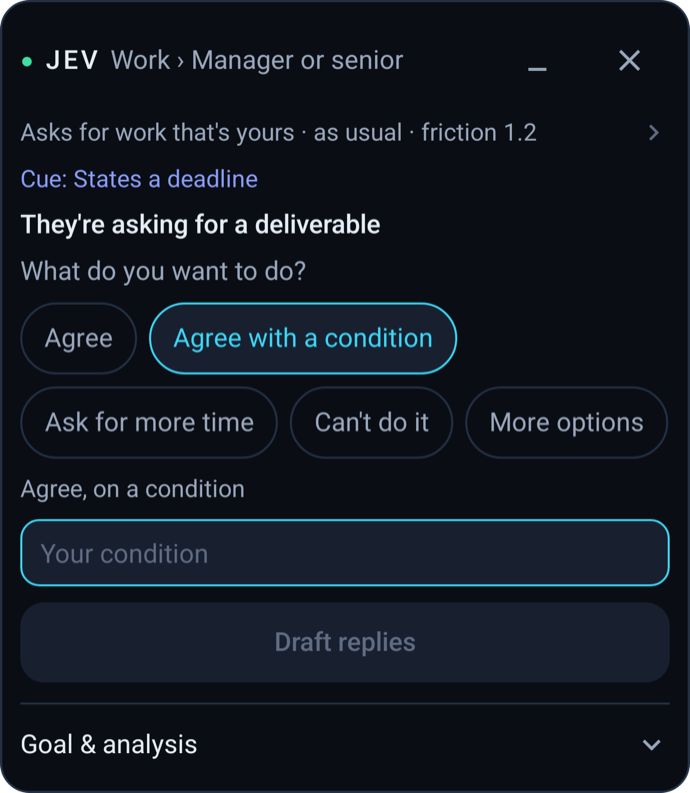
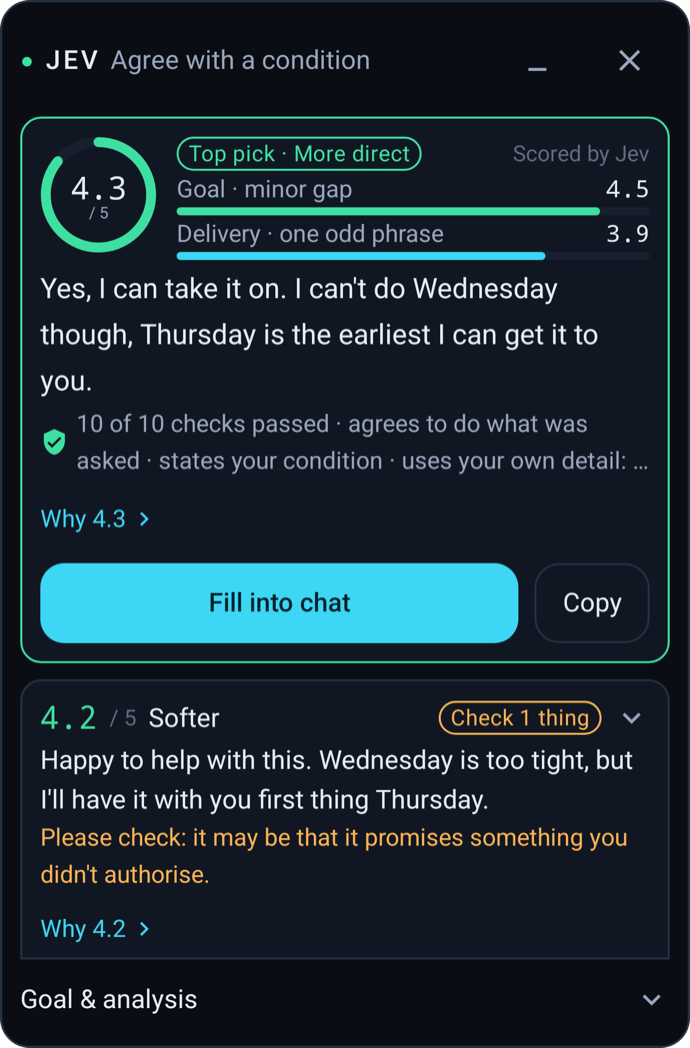
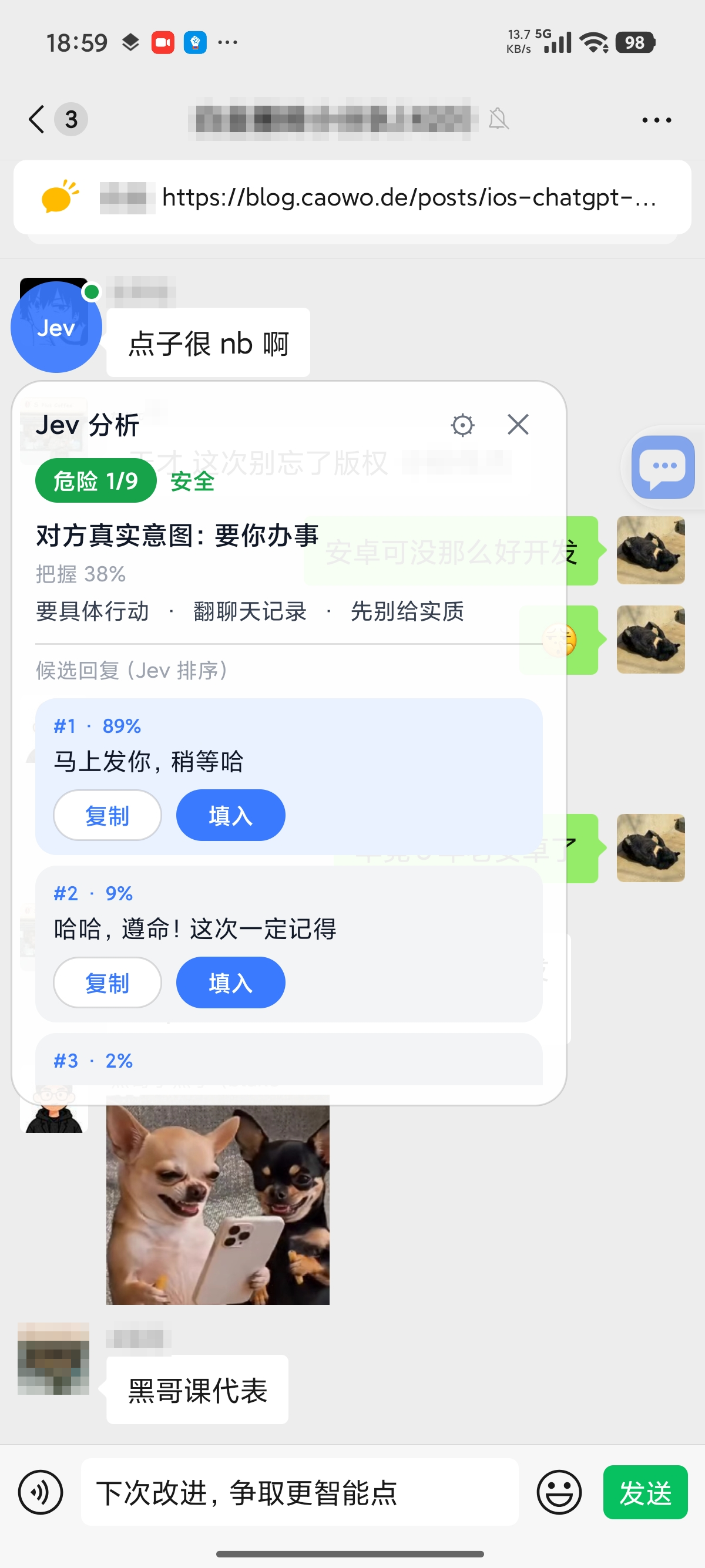
**Read them first, then reply. Before you answer, Jev works out what the other person really means, how risky the moment is and how to respond, then drafts replies you can fill in with one tap. Whether to send is always up to you.**
[](https://github.com/jev-chat/jev-chat-jarvis/stargazers)
[](#download--installation)
[](../LICENSE)
### 🌐 Official website: **[chatjevs.com](https://chatjevs.com)**
English | [简体中文](README.zh-CN.md) | [Tiếng Việt](README.vi.md) | [Releases](https://github.com/jev-chat/jev-chat-jarvis/releases)
**[Download](#download--installation) · [Products](#products) · [How It Works](#how-it-works) · [Privacy](#privacy-and-risk) · [Community](#community-and-feedback)**
## ❤️Sponsors
> [Interested in sponsoring the project?](#community-and-feedback)



 |
|  |
|  |
## Download & Installation
### System Requirements
- **Android**: Android 11 or later (the Chinese edition needs an ARM64 phone)
- **Windows**: Windows 10 1903 or later, or Windows 11
- **macOS**: macOS 13 or later on Apple Silicon
- **iOS**: build it yourself with Xcode
### Android Users
| | Global edition | Chinese edition |
| :--- | :--- | :--- |
| For | Chats in English on WhatsApp | Chats in Chinese on QQ, Feishu, X and WhatsApp |
| Download | [jev-whatsapp-v0.1.0-release.apk](https://github.com/jev-chat/jev-chat-jarvis/releases/download/global-v0.1.0/jev-whatsapp-v0.1.0-release.apk) | [jev-assistant-v1.7-release.apk](https://raw.githubusercontent.com/jev-chat/jev-chat-jarvis/main/cn/apk/jev-assistant-v1.7-release.apk) |
| Guide | [Global edition README](../global/README.md) | [Chinese edition README](../cn/README.en.md) |
Both can be installed on the same phone. After installing, open the app and follow its guide to turn on the accessibility service and the overlay permission. The global edition is built by [@smgonthebeat](https://github.com/smgonthebeat).
### Windows Users
Download the latest version from the [Releases](https://github.com/jev-chat/jev-chat-windows/releases) page. See the [project README](https://github.com/jev-chat/jev-chat-windows) for setup.
### macOS Users
Download the latest version from the [Releases](https://github.com/jev-chat/jev-chat-jarvis-mac/releases) page. Apple Silicon only. See the [project README](https://github.com/jev-chat/jev-chat-jarvis-mac) for setup.
### iOS Users
There is no App Store build yet. Build the keyboard from [source](https://github.com/jev-chat/jev-chat-jarvis-ios) with Xcode.
## How It Works
1. **Read.** Jev reads the conversation on your screen: through the accessibility service on Android, the chat window on desktop (screenshots with on-device OCR, or system text APIs), and the message you copy on iOS. It does not modify the chat app or log in to it.
2. **Judge first.** Before any reply is written, a judgment model works out what the other person really wants, how risky the moment is and the best way to respond.
3. **Draft, check, rank.** Jev drafts replies, checks them against that judgment and ranks them. Tap one to fill it into the message box. You press send.
## Privacy and Risk
- Android: chat text, plus any background you turn on, goes only to the model provider you configure, with your own key. We run no server and never receive your chats. Screenshots used for OCR never leave the phone.
- Windows, macOS and iOS: see each project's README for how it handles data.
- Privacy policies (Android): [global edition](../global/PRIVACY.md) · [Chinese edition](../cn/PRIVACY.md)
> **Use at your own risk:** Using Jev inside third-party apps such as QQ, Feishu, X, or WhatsApp may not comply with those apps' terms of service, and your account could be restricted or banned. Decide for yourself whether to use it.
## Community and Feedback
- Problems with the global edition: [report them with the WhatsApp bug template](https://github.com/jev-chat/jev-chat-jarvis/issues/new?template=whatsapp-assistant-bug.md).
- Anything else: [open an issue](https://github.com/jev-chat/jev-chat-jarvis/issues).
- Pull requests are welcome. For a new feature, open an issue first so we can talk it through.
- If Jev helps you, a **Star** on this repository helps us keep going.
**Please get in touch by messaging the WeChat official account.** Use it for partnerships, sponsorships or feedback. Messages sent elsewhere may be missed.
|
## Download & Installation
### System Requirements
- **Android**: Android 11 or later (the Chinese edition needs an ARM64 phone)
- **Windows**: Windows 10 1903 or later, or Windows 11
- **macOS**: macOS 13 or later on Apple Silicon
- **iOS**: build it yourself with Xcode
### Android Users
| | Global edition | Chinese edition |
| :--- | :--- | :--- |
| For | Chats in English on WhatsApp | Chats in Chinese on QQ, Feishu, X and WhatsApp |
| Download | [jev-whatsapp-v0.1.0-release.apk](https://github.com/jev-chat/jev-chat-jarvis/releases/download/global-v0.1.0/jev-whatsapp-v0.1.0-release.apk) | [jev-assistant-v1.7-release.apk](https://raw.githubusercontent.com/jev-chat/jev-chat-jarvis/main/cn/apk/jev-assistant-v1.7-release.apk) |
| Guide | [Global edition README](../global/README.md) | [Chinese edition README](../cn/README.en.md) |
Both can be installed on the same phone. After installing, open the app and follow its guide to turn on the accessibility service and the overlay permission. The global edition is built by [@smgonthebeat](https://github.com/smgonthebeat).
### Windows Users
Download the latest version from the [Releases](https://github.com/jev-chat/jev-chat-windows/releases) page. See the [project README](https://github.com/jev-chat/jev-chat-windows) for setup.
### macOS Users
Download the latest version from the [Releases](https://github.com/jev-chat/jev-chat-jarvis-mac/releases) page. Apple Silicon only. See the [project README](https://github.com/jev-chat/jev-chat-jarvis-mac) for setup.
### iOS Users
There is no App Store build yet. Build the keyboard from [source](https://github.com/jev-chat/jev-chat-jarvis-ios) with Xcode.
## How It Works
1. **Read.** Jev reads the conversation on your screen: through the accessibility service on Android, the chat window on desktop (screenshots with on-device OCR, or system text APIs), and the message you copy on iOS. It does not modify the chat app or log in to it.
2. **Judge first.** Before any reply is written, a judgment model works out what the other person really wants, how risky the moment is and the best way to respond.
3. **Draft, check, rank.** Jev drafts replies, checks them against that judgment and ranks them. Tap one to fill it into the message box. You press send.
## Privacy and Risk
- Android: chat text, plus any background you turn on, goes only to the model provider you configure, with your own key. We run no server and never receive your chats. Screenshots used for OCR never leave the phone.
- Windows, macOS and iOS: see each project's README for how it handles data.
- Privacy policies (Android): [global edition](../global/PRIVACY.md) · [Chinese edition](../cn/PRIVACY.md)
> **Use at your own risk:** Using Jev inside third-party apps such as QQ, Feishu, X, or WhatsApp may not comply with those apps' terms of service, and your account could be restricted or banned. Decide for yourself whether to use it.
## Community and Feedback
- Problems with the global edition: [report them with the WhatsApp bug template](https://github.com/jev-chat/jev-chat-jarvis/issues/new?template=whatsapp-assistant-bug.md).
- Anything else: [open an issue](https://github.com/jev-chat/jev-chat-jarvis/issues).
- Pull requests are welcome. For a new feature, open an issue first so we can talk it through.
- If Jev helps you, a **Star** on this repository helps us keep going.
**Please get in touch by messaging the WeChat official account.** Use it for partnerships, sponsorships or feedback. Messages sent elsewhere may be missed.