# DSH Request Privacy
[中文](README.md) · English
One switch to reduce extra correlation metadata in DeepSeek Harness chat requests.
**On:** use a `private-client` identity and omit Harness user, session and compaction headers.
**Off:** restore native headers on the next request. Chatting continues normally, including existing sessions.
> This is not an official training opt-out. It cannot guarantee that a provider will not retain, filter or train on data. API keys, chat content and tool descriptions are still sent. File uploads, telemetry and other providers are outside its scope. [Privacy limits](https://deepseek.com/harness/en/data-processing/)
**Version: 0.4.2-rc.2 · DSH 0.1.2-rc.1 · Linux x86-64** · [npm](https://www.npmjs.com/package/dsh-request-privacy)
## Install in three steps
Do this **on the machine running DSH**. Let active replies finish, then stop DSH. For a terminal launch, return to that terminal and press `Ctrl+C`.
### 1. Check your DSH version
Run `dsh --version`. If it reports `0.1.2-rc.1`, continue to the next step.
Do not have DSH installed yet?
Install [Node.js 24](https://nodejs.org/), open a terminal, then run:
```sh
npm install -g pnpm@11.7.0 @deepseek-ai/dsh@0.1.2-rc.1 --registry=https://registry.npmmirror.com
```
Already using DSH? Check with `dsh --version`. Other DSH versions and operating systems have not been verified; do not blindly overwrite another version you use.
### 2. Install and restart
Run these commands in a terminal. No manual download is needed:
```sh
dsh plugin --profile web add dsh-request-privacy@0.4.1-rc.1 --registry=https://registry.npmjs.org/ --ignore-scripts
dsh --profile web
```
The first command installs the plugin; the second starts the WebUI. No source checkout, compilation or manual configuration is required.
This is a public prebuilt package: users do not need an npm account or publishing token. The official registry avoids mirror synchronization delays for a new release. Do not substitute `npm install -g dsh-request-privacy`: DSH needs the bundle in its profile.
For file-based installation, download the `.tgz` from [GitHub Releases](https://github.com/jhckevin/dsh-request-privacy/releases) and replace `dsh-request-privacy@0.4.2-rc.2` in the command with the local file path. Do not extract it.
**Restart DSH once after first installation. A browser refresh is not enough.** Install and start using the same profile. This guide uses the standard `web` profile; if you use a custom profile, replace both occurrences of `web`.
### 3. Open settings
Open the URL printed by DSH → **Settings** at the bottom left → **Request Privacy**.
Toggle **Minimize request headers** and wait for the saved confirmation. Keep using your usual DeepSeek model; stored credentials, model and endpoint settings are reused.
The page follows the global DSH language: it is Chinese when DSH is set to Chinese and switches to English with the global preference. There is no separate plugin language setting.
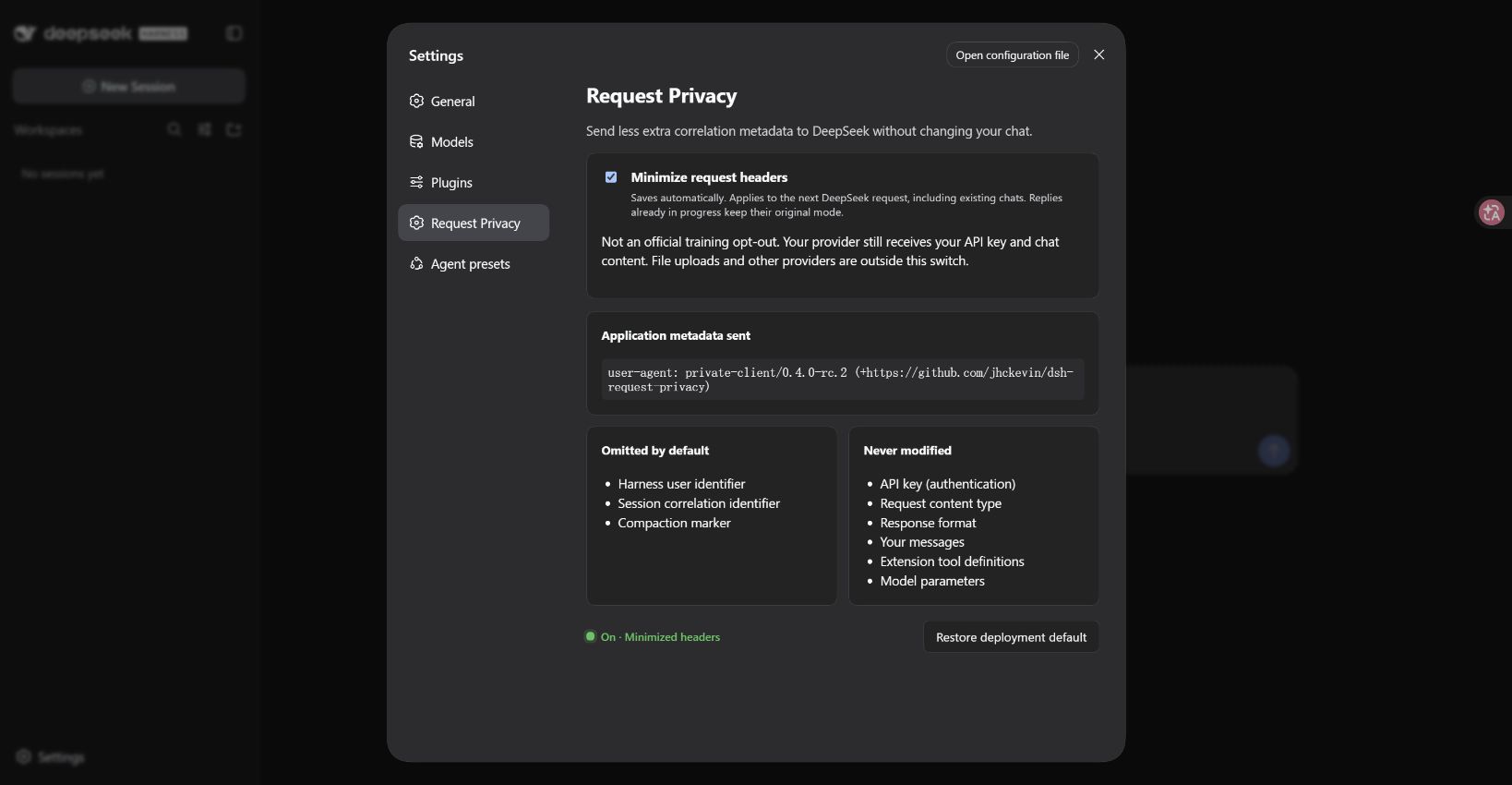
The npm command installs the published `0.4.1-rc.1`. The `0.4.2-rc.2` candidate described here is available from [GitHub Releases](https://github.com/jhckevin/dsh-request-privacy/releases/tag/v0.4.2-rc.2), not npm yet. Download its tarball and install with:
```sh
dsh plugin --profile web add ./dsh-request-privacy-0.4.2-rc.2.tgz --ignore-scripts
dsh --profile web
```
## When does the switch take effect?
| Action | Result |
| --- | --- |
| Enable successfully | The next DeepSeek request uses minimized headers, including new messages in existing chats |
| Disable successfully | The next request restores native headers; chatting still works |
| Toggle during a reply | The active request keeps its mode; the next request uses the new setting |
| Refresh or restart DSH | Saved settings are retained |
**The switch saves automatically and needs no restart after installation.** The next request also includes later model calls in the same turn and title/compaction calls using the same DeepSeek route. Previously sent data cannot be recalled; existing history is not scrubbed.
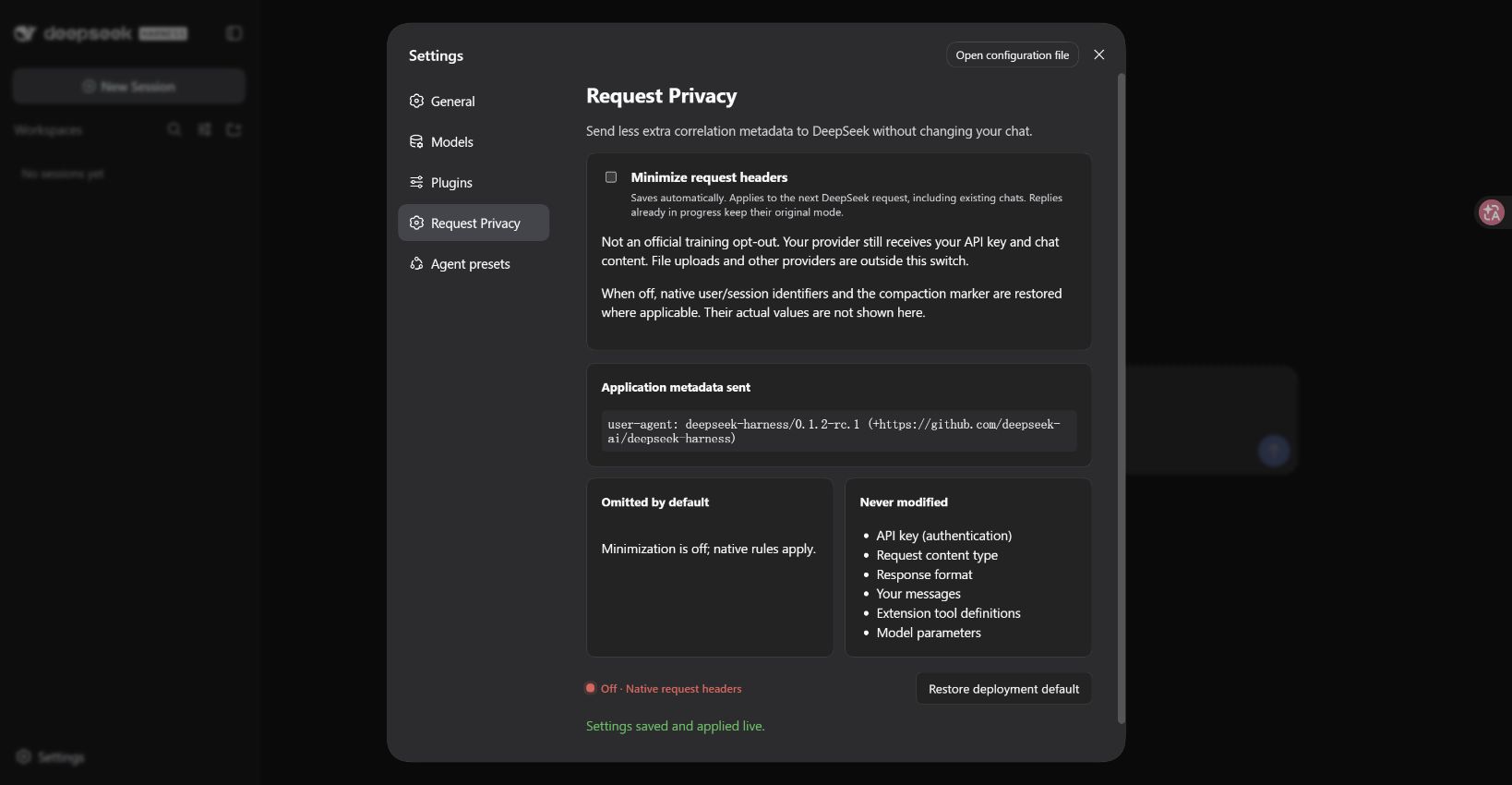
## Cannot find the settings entry?
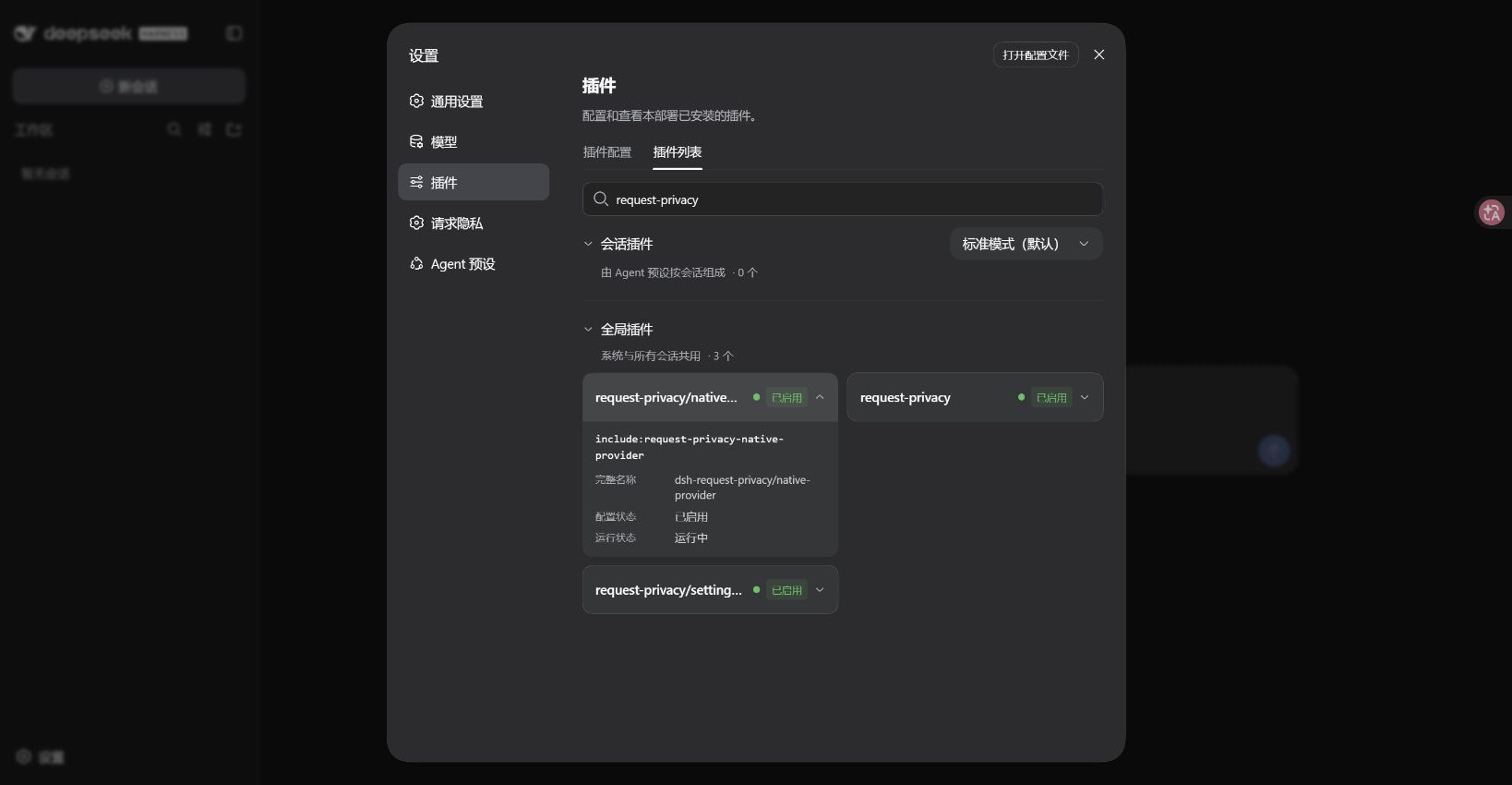
1. Check that installation succeeded. If the version is not found, use the official registry command above.
2. Use the same profile for installation and startup, and fully restart DSH.
3. Refresh the page. In Settings, search the plugin list for `request-privacy`. All three components should show `running`.
If you see `pnpm: command not found`, run `npm install -g pnpm@11.7.0 --registry=https://registry.npmmirror.com`, then retry.
If DSH runs on a server, install the plugin there. Use your existing secure connection to its WebUI; do not expose a new public port just for this plugin. Startup URLs may contain login tokens: do not share them.
## Update or uninstall
Update: check DSH compatibility, stop DSH, repeat `dsh plugin --profile web add` with the new version, then restart. Prereleases use the npm `next` tag; prefer the pinned version above rather than upgrading across DSH versions blindly.
To uninstall, stop DSH first, then run:
```sh
dsh plugin --profile web remove dsh-request-privacy
dsh --profile web
```
This restores the official DeepSeek adapter.
Advanced configuration and limitations
- Covers the native `deepseek-official` route. The legacy `deepseek-private` route remains compatible, but new users do not need it.
- Only integrated DeepSeek chat requests are covered; other providers and third-party adapters are unchanged.
- Regular UI settings need no migration. Handwritten YAML on the original `llm-deepseek` row needs migration: see [advanced notes](docs/architecture.md).
- API keys, IP addresses and content may still correlate requests. This is not anonymization or a guaranteed training opt-out.
- Uses the official DSH [profile plugin mechanism](https://github.com/deepseek-ai/deepseek-harness/blob/dsh-v0.1.2-rc.1/apps/cli/src/plugin.ts) without modifying host files.
## License
MIT licensed. Retained upstream code is credited in [third-party notices](THIRD_PARTY_NOTICES.md).