# How to Run Your Own Ethereum Node on A Raspberry Pi
[ **Intro** ] -- [ [Set Up RasPi](pi_setup.md) ] -- [ [Install Go](go_install.md) ] -- [ [Install Geth](geth_install.md) ] -- [ [Run Geth](geth_run.md) ] -- [ [FAQ](faq.md) ] -- [ [Updates](raspi_updates.md) ]
-----
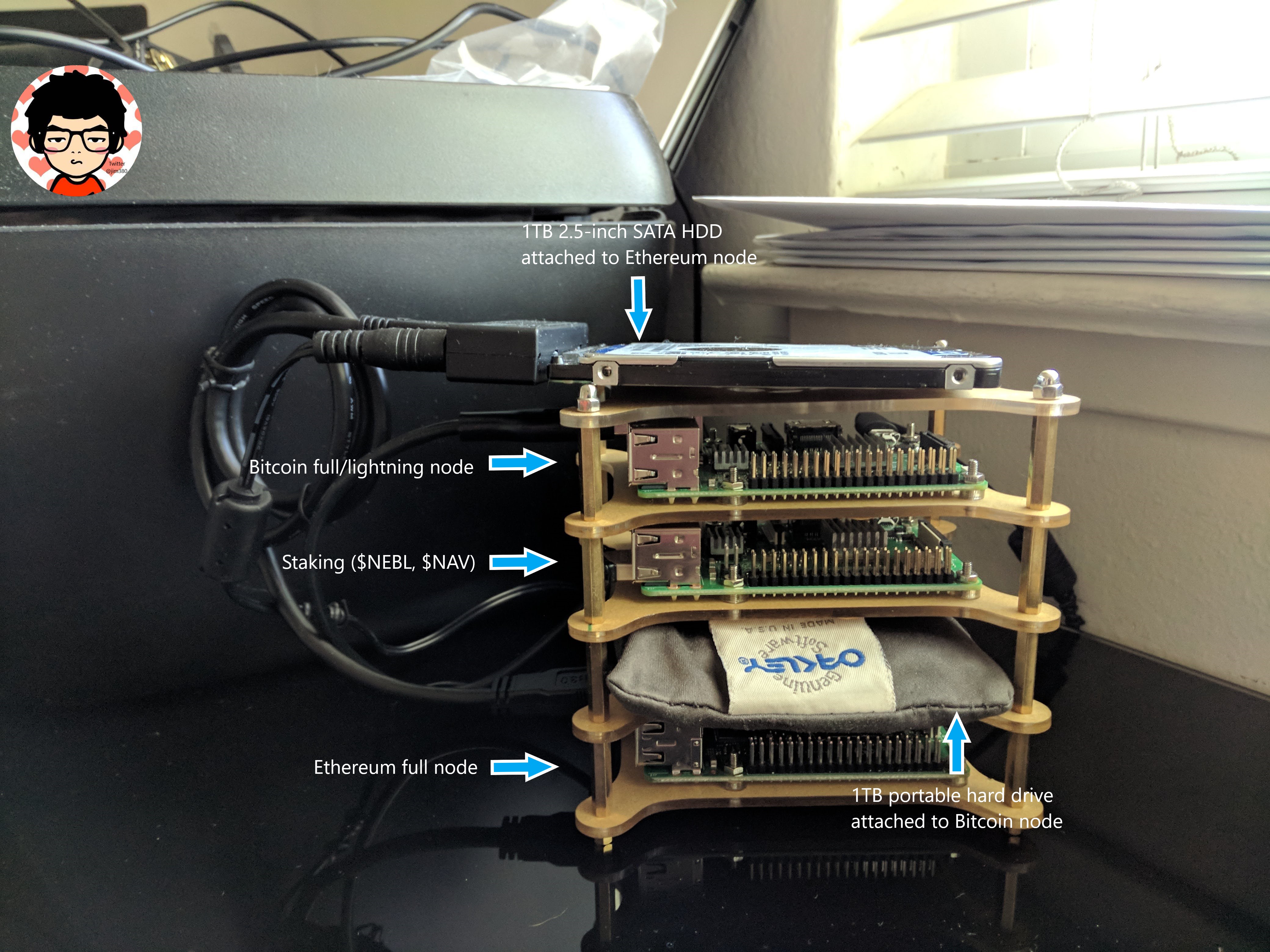
## Why run an Ethereum node?
- Help out the Ethereum network (Though I personally believe there are already enough nodes for network security, the network will need more nodes to support light clients (e.g. digital wallets) and just to have more node redundancy)
- Instead of connecting to another node using RPC connection, you have direct access to Ethereum blockchain by running a node
- Verify your own transactions. You are your own bank!
- 100X your cool points
## Why I chose the Raspberry Pi?
- Low cost
- Low power consumption
- Noise free
- It looks cool
- Got a few for free from past projects. Might as well lol
## Why this tutorial?
- Encourage people to actually interact with the Ethereum technology
- Most tutorials that are already available online are either for other operating platforms (i.e. Windows, MacOS etc.), or not up to date
## Tutorial Structure
**If you don't have a Raspi and want to install on another Linux Distro, simply skip Step 2**
1. Intro (this page)
2. [Set Up RasPi:](pi_setup.md) set up and configure the Pi as a secure Linux server.
3. [Install Go:](go_install.md) download Go binary discribution and install.
4. [Install Geth:](geth_install.md) build Geth from source code
5. [Run Geth:](geth_run.md) run Geth client, and learn Geth commands
6. [Updates:](raspi_updates.md) keep track of changes
### Disclaimer
Not a financial advisor. [Cypher Core](http://cyphercore.io) to the moon though. *hint hint*
### Special thanks
This tutorial would not have possible without these amazing people:
- The Ethereum team (https://github.com/ethereum)
- Raspnode (http://raspnode.com/)
- Go Ethereum (https://geth.ethereum.org/)
- Stadicus (https://github.com/Stadicus)
- David Busby (https://gist.github.com/Oneiroi)
and more
### If I helped you, give me a handshake on Twitter @jim380. Or if you insist,
BTC: 1D5eE8FVF5R4JcvSArh4s1UiVnuwvp3j8R
ETH: 0xfb0f38F077E13F72eBf8248F03866743355A146B
---
Let's get started: [Set Up RasPi](pi_setup.md)