> [!IMPORTANT]
> RailsDevs is gone but the code will live forever.
> Note that the code itself is licensed under MIT but everything else (IP, copy, assets, etc.) is not.
> [Send me an email](mailto:joe@masilotti.com) if you have any questions.
# RailsDevs
The reverse job board for Rails developers.
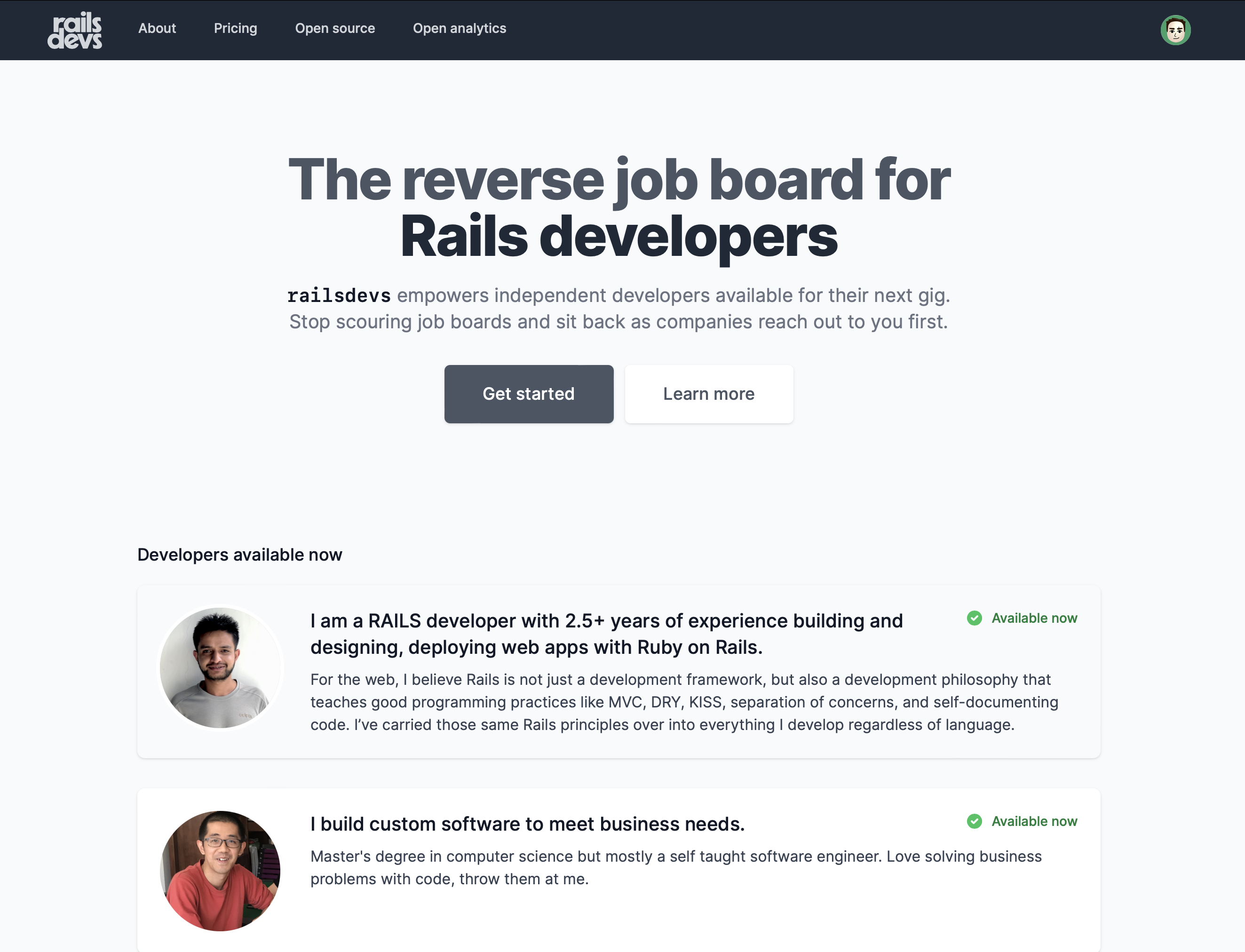
RailsDevs empowers independent developers available for their next gig. It is being built around [three core values](https://railsdevs.com/about):
1. Empowering the independent developer
1. Doing everything in public
1. Creating a safe, inclusive environment
---
## Getting started
### Requirements
You will need a few non-Ruby packages installed. Install these at once via:
```bash
brew bundle install --no-upgrade
```
...or manually:
* Ruby 3.2.3
* [libpq](https://www.postgresql.org/docs/9.5/libpq.html) - `brew install libpq`
* `libpg` is needed to use the native `pg` gem without Rosetta on M1 macs
* [postgresql](https://www.postgresql.org) - `brew install postgresql`
* Note 1: PostgreSQL 13+ is required
* Note 2: In case you're on Debian 11 and you have multiple versions (e.g. 9.x, 12.x, 14.x) of PostgreSQL installed, make sure that the server of the right version (13+) is listening on port `5432`. One could check/modify that in the `postgresql.conf` file, e.g. in case of version 13: `/etc/postgresql/13/main/postgresql.conf`.
* [node](https://nodejs.org/en/) - `brew install node`
* [Yarn](https://yarnpkg.com) - `brew install yarn`
* [Redis](https://redis.io) - `brew install redis`
* [Imagemagick](https://imagemagick.org) - `brew install imagemagick`
* [libvips](https://www.libvips.org) - `brew install vips`
* [Stripe CLI](https://stripe.com/docs/stripe-cli) - `brew install stripe/stripe-cli/stripe`
* [foreman](https://github.com/ddollar/foreman) - `gem install foreman`
* Google Chrome + Chromedriver for system tests - `brew install --cask google-chrome chromedriver`
### Initial setup
Start the PostgreSQL server.
```bash
brew services start postgresql
```
Start the Redis server.
```bash
brew services start redis
```
An installation script is included with the repository that will automatically get the application set up.
```bash
bin/setup
```
## Development
Run the following to start the server and automatically build assets.
* Requires `foreman` or `overmind`
* Requires `stripe`
```bash
bin/dev
```
### Seeds
Seeding the database, either via `rails db:seed` or during `bin/setup`, creates a few accounts. Most importantly, use `developer@example.com` and `business@example.com` with password `password`.
More information is in [the docs on seeds](docs/seeds.md).
### Stripe
You will need to configure Stripe or do a mock configuration (ie set dummy values for the last step listed below) if you are working on anything related to payments.
1. [Register for Stripe](https://dashboard.stripe.com/register) and add an account
1. Download the Stripe CLI via `brew install stripe/stripe-cli/stripe`
1. Login to the Stripe CLI via `stripe login`
1. Configure your development credentials
1. [Create a Stripe secret key for test mode](https://dashboard.stripe.com/test/apikeys)
1. Run `stripe listen --forward-to localhost:3000/pay/webhooks/stripe` in order to generate your webhook signing secret.
1. [Create a product](https://dashboard.stripe.com/test/products/create) with a recurring, monthly price
1. Generate your editable development credentials file via `EDITOR="mate --wait" bin/rails credentials:edit --environment development`. You may need to install and provide terminal access to the editor first (mate, subl, and atom should all work). If you run the code above and receive the message "New credentials encrypted and saved", without having had the opportunity to edit the file first, things have gone astray. You will need to troubleshoot this step based on your OS and desired editor, to ensure you can edit the development.yml file before it is encoded and saved. [See here for more details.](https://stackoverflow.com/questions/52370065/issue-to-open-credentials-file)
1. Add the secret key, the price, and your webhook signing secret to your development credentials in the following format, and save/close the file:
```
stripe:
private_key: sk_test_YOUR_TEST_STRIPE_KEY
signing_secret: whsec_YOUR_SIGNING_SECRET
price_ids:
part_time: price_YOUR_PRODUCT_PRICE_ID
full_time: price_ANOTHER_PRODUCT_PRICE_ID
```
## Monitoring
Application monitoring is powered by [Scout APM](https://scoutapm.com). This helps identify N+1 queries, slow queries, memory bloats, and more. Scout APM is free for open source.
## Testing
* Run `rails test` to run unit/integration tests.
* Run `rails test:system` to run system tests, using `headless_chrome`.
* Run `HEADFUL=1 rails test:system` to run system tests, using `headful_chrome`.
* Run `bin/rails verify_mailer_previews` to verify mailer previews.
## Changelog
Significant changes and product updates are documented in the [changelog](CHANGELOG.md).
## License
All code and documentation are copyright 2023 Joe Masilotti [under the MIT license](LICENSE).
All other resources including, but not limited to, images, copy, and branding, are copyright 2023 Joe Masilotti and used by permission for this project only.
## Open source support
RailsDevs uses a free or discounted open-source plan from the following companies. Thank you for the support!
### Scout APM – application monitoring
 ### Papertrail – log management
