
Ten agents.
Ten branches.
One afternoon.
Dispatch AI coding agents in parallel, each in its own worktree.
Review the diffs, merge the wins, toss the rest.
Works with Claude Code, Codex, OpenCode, Copilot, and Antigravity · Every change isolated in its own git worktree · Free, open source, no extra platform fee





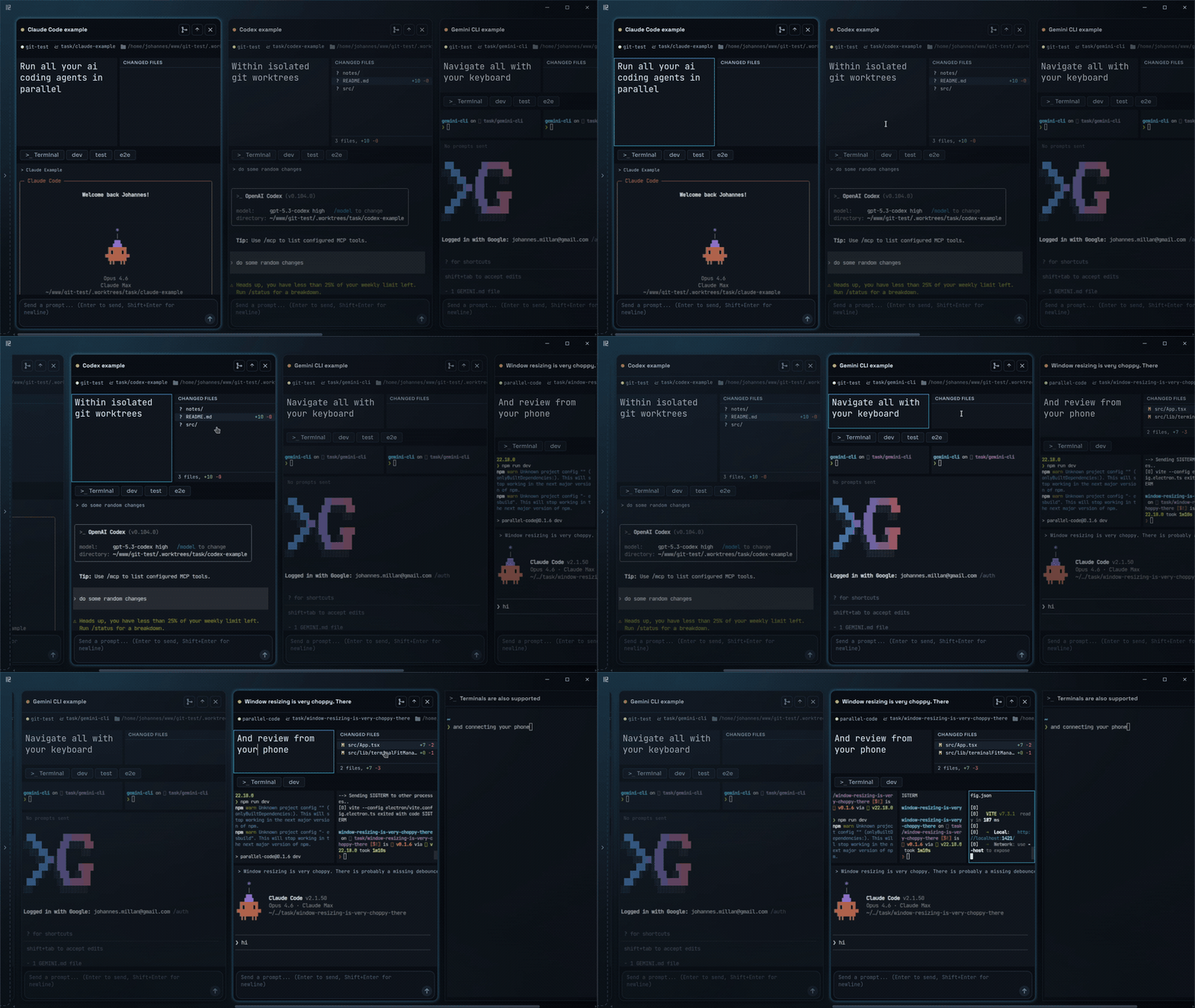
## How it works
1. **Start a task.** Describe it and pick an agent. Parallel Code creates a branch and a [git worktree](https://git-scm.com/docs/git-worktree), links `node_modules` and other git-ignored directories into it, and starts the agent there.
2. **Start the next one.** The Board sorts every task by what it needs from you: Needs you, Stopped, Working, In pull request. `Ctrl+Tab` jumps to the next task that is waiting for you.
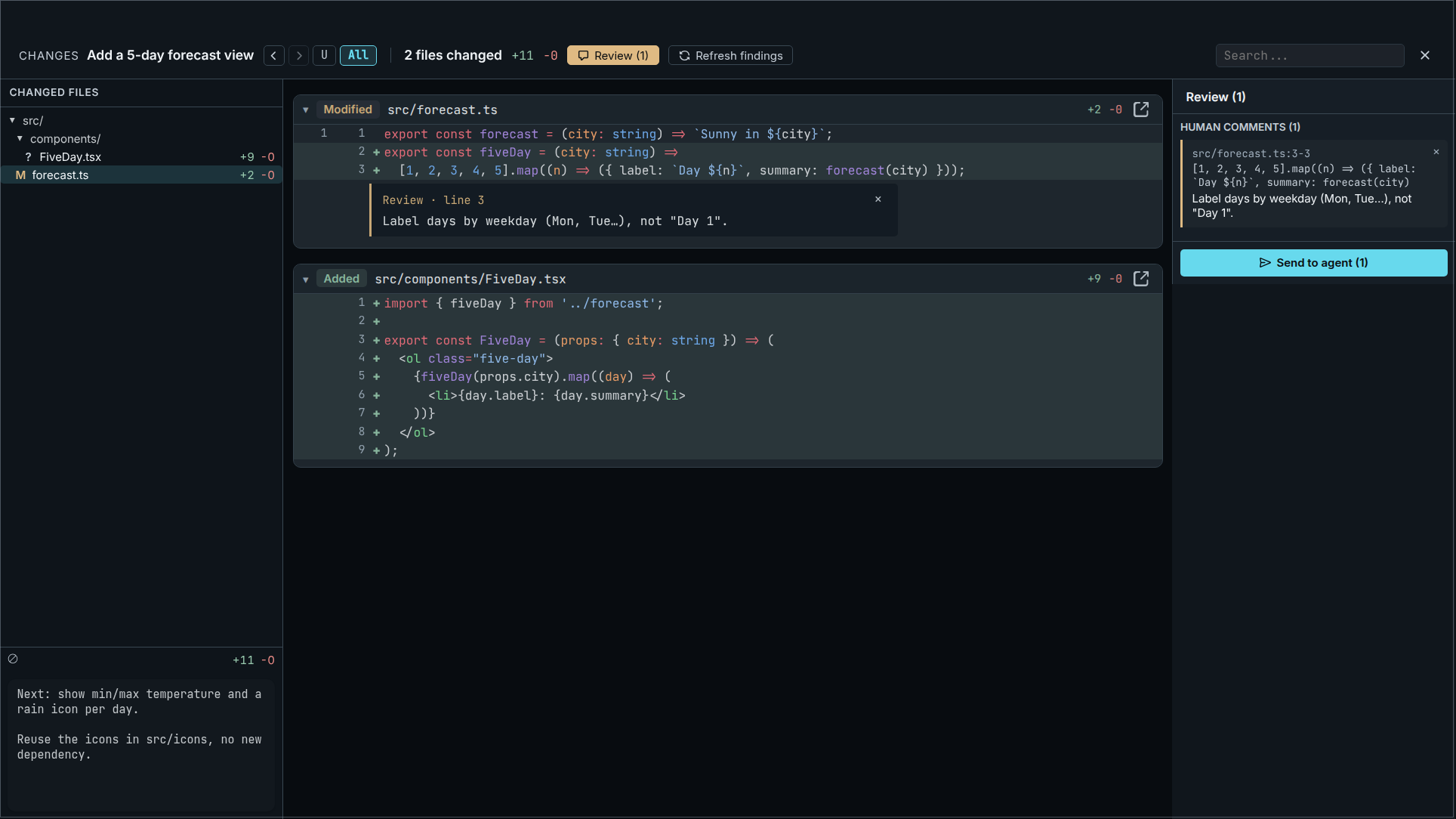
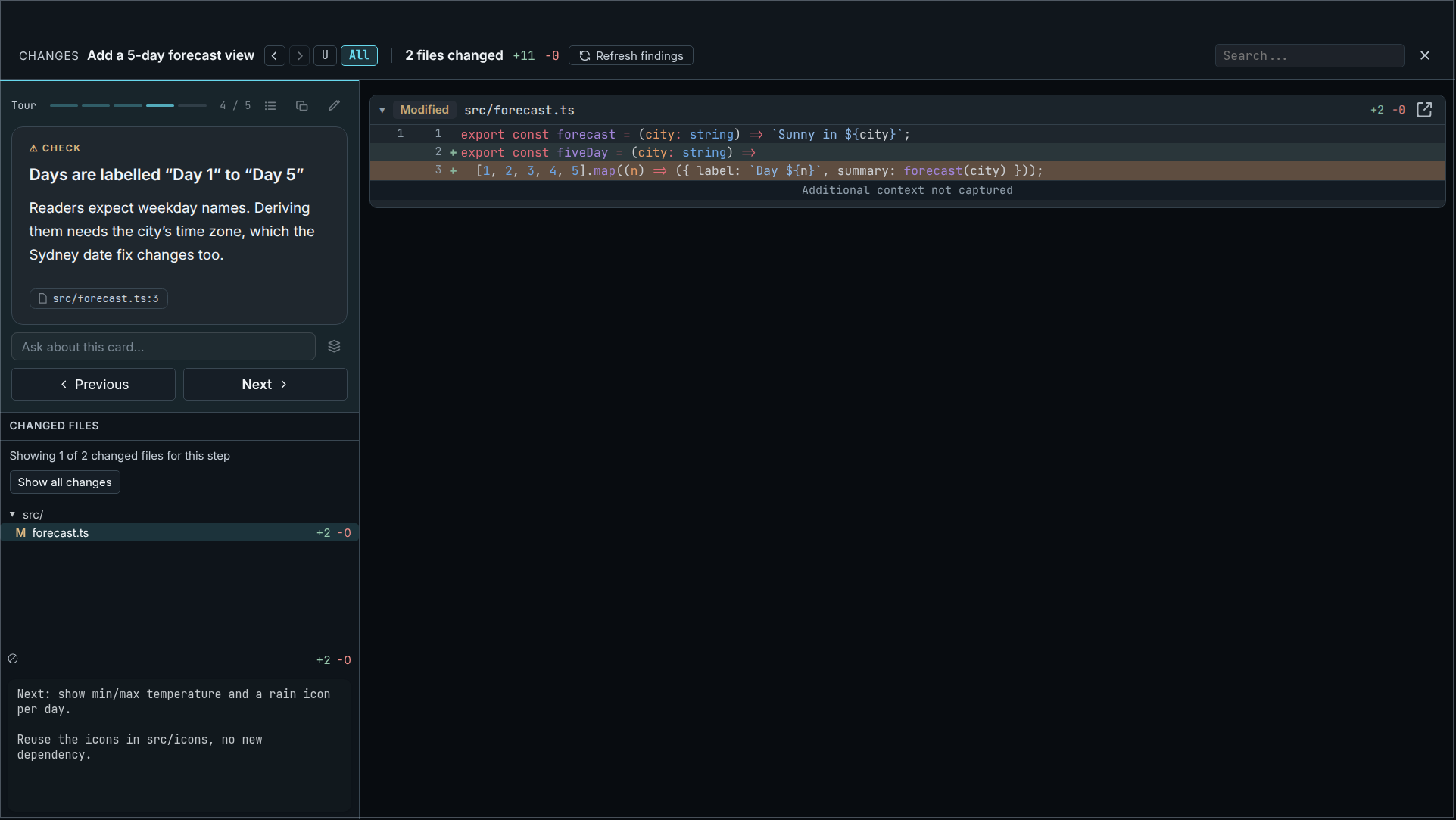
3. **Review the diff.** Comment on lines and send the comments back to the agent, or ask for a guided tour of what changed.
4. **Merge it or toss it.** Finish merges the branch or pushes it for a pull request. Closing a task removes its worktree.
That is the core loop. Everything else is optional and stays out of the way until you use it.
## Screenshots
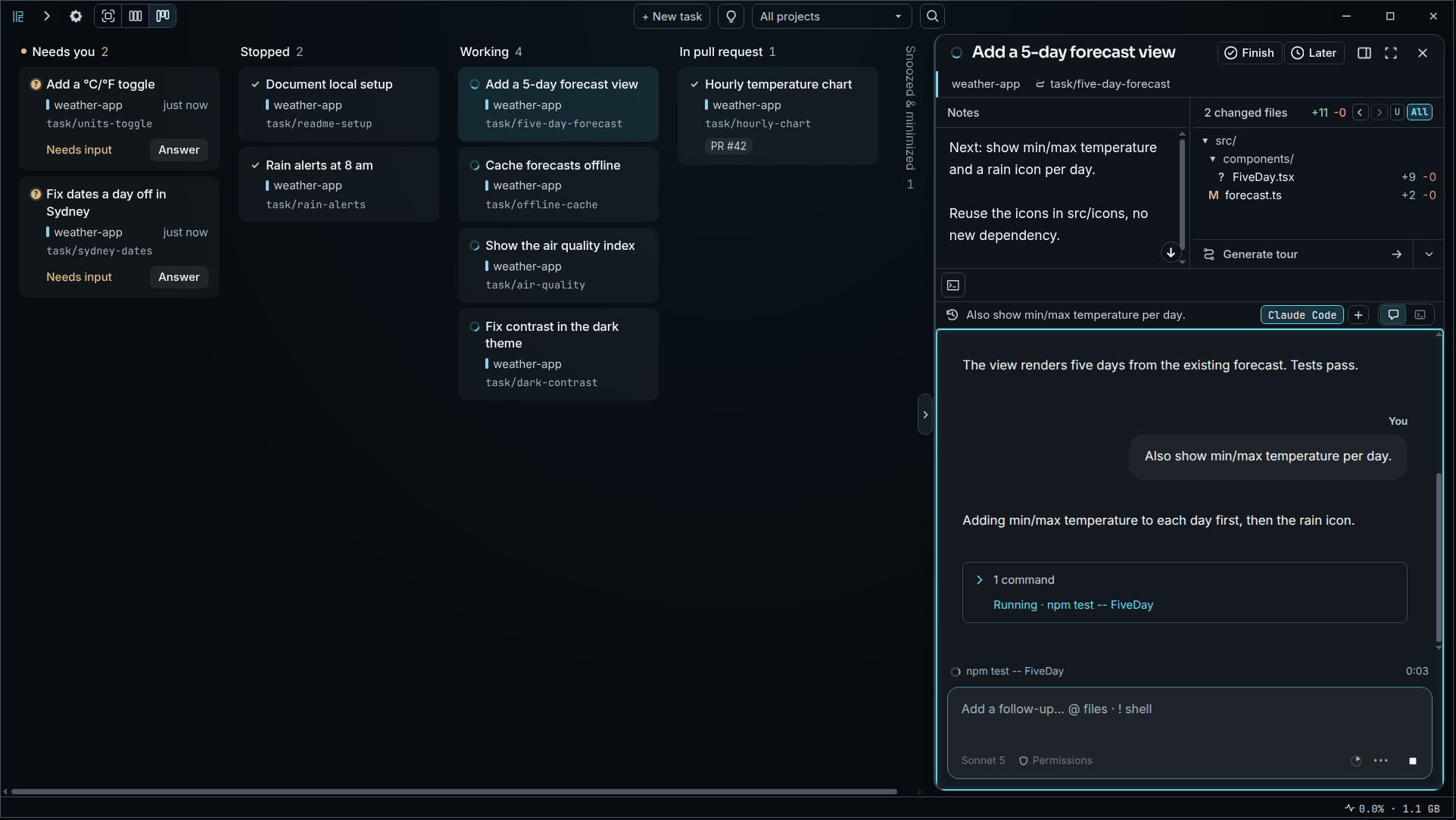
Ten agents across Claude Code, Codex, Gemini and Copilot, sorted by what they need from you
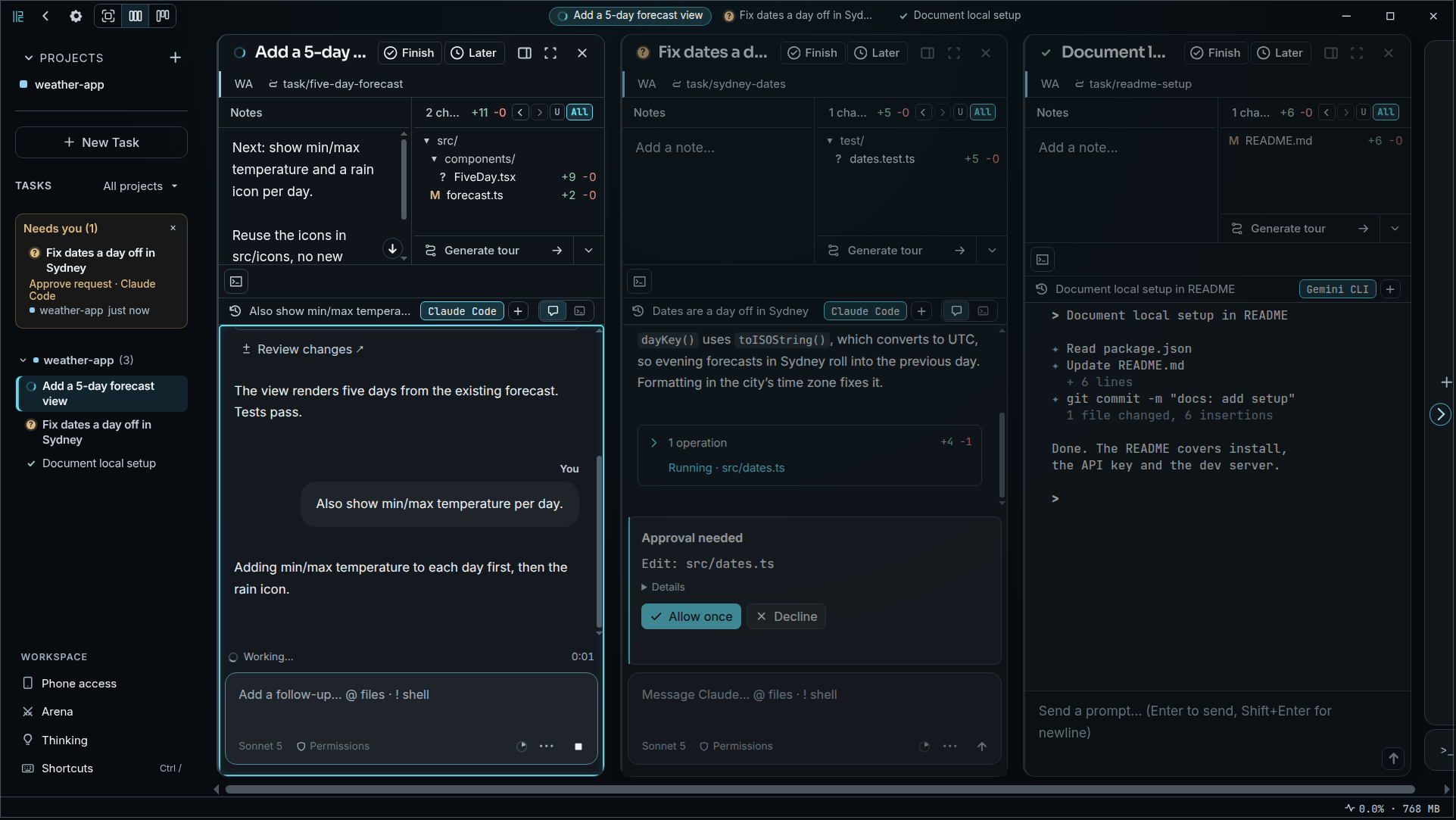
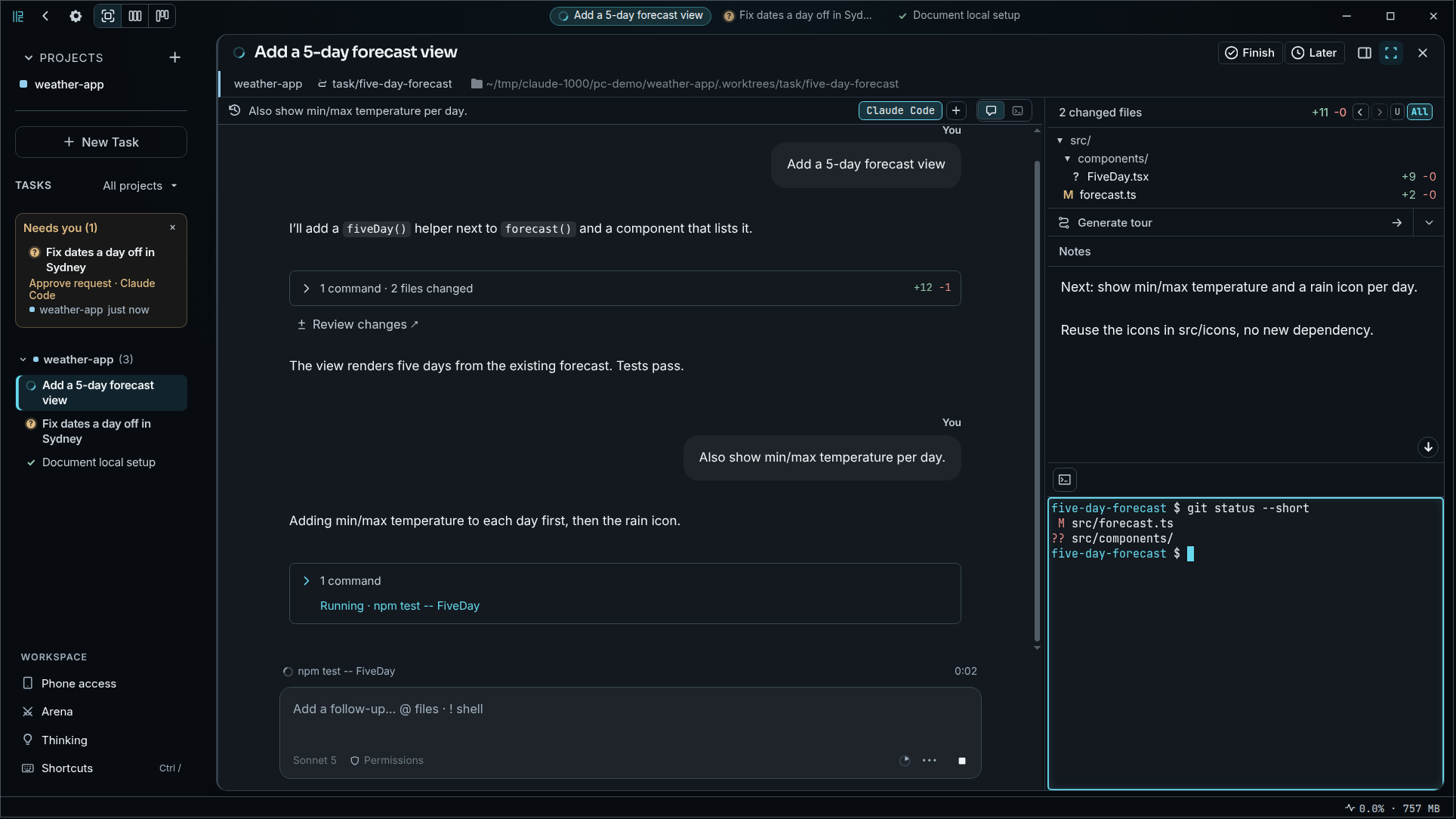
| Agents working, waiting for input, and ready to merge | One task in focus with its chat, files, notes, and shell |
| ----------------------------------------------------- | -------------------------------------------------------- |
|  |  |
| **Inline review comments you send back to the agent** | **A guided tour of what the agent changed** |
|  |  |
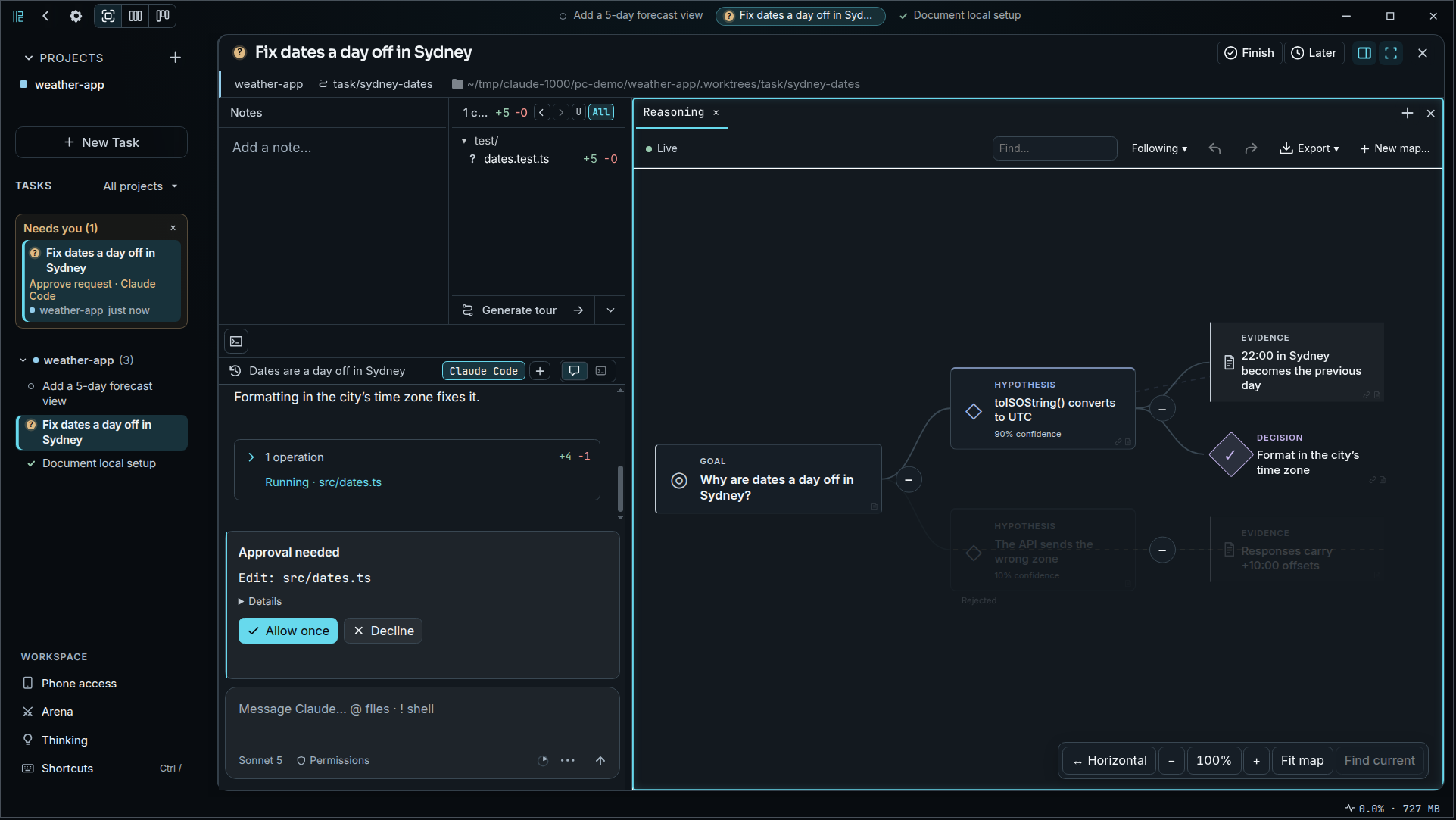
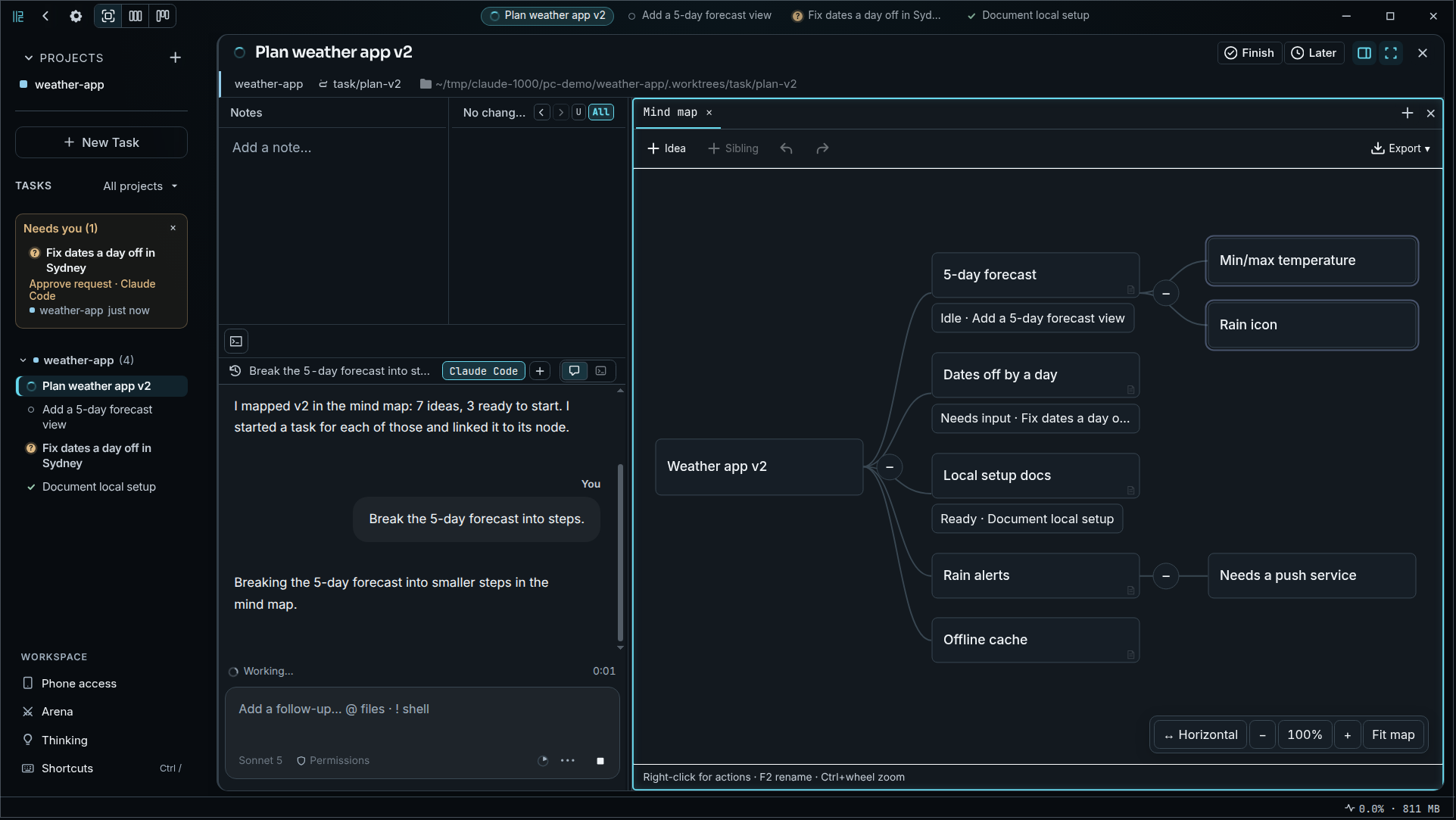
| **The agent's reasoning graph, updated live** | **A mind map with branches linked to live tasks** |
|  |  |
## Why Parallel Code?
- **Mix the agents you already use** — [Claude Code](https://docs.anthropic.com/en/docs/claude-code), [Codex CLI](https://github.com/openai/codex), [OpenCode](https://opencode.ai/), [Copilot CLI](https://docs.github.com/en/copilot/concepts/agents/about-copilot-cli), [Antigravity CLI](https://antigravity.google/), or any other terminal agent, side by side on one board. Each runs as its own CLI, with your own login and plan.
- **Review is built in** — a diff viewer with inline comments you send back to the agent, guided tours of the changes, and an optional second-opinion review by a separate model, so an agent never grades its own work.
- **Every change isolated** — each task gets its own branch and worktree, and optionally its own Docker container.
- **Free, open source, local** — MIT licensed, no account, no extra subscription. Parallel Code has no server of its own: your code goes only to the agent CLIs you run and to the models you choose in Settings.
- **Keyboard-first** — every action has a shortcut.
- **Check in from your phone** — scan a QR code to follow and answer your agents over Wi-Fi or Tailscale.
### Where it fits
| If you use… | Parallel Code adds |
| ----------------------------------------------------- | ---------------------------------------------------------------------------------------------------------------------------------------------------------------- |
| **Several terminals or tmux** | Worktrees, branches and merges handled for you, and one board that shows which agent is waiting for you |
| **One vendor's desktop app** (Claude, Codex, Copilot) | Agents from different vendors on the same board, the same review flow for all of them, and an arena to compare them on one task |
| **Another parallel-agent app** | Free and MIT licensed with no paid tier, macOS and Linux, a review loop you can send back to the agent, and phone access that connects straight to your computer |
**When something else fits better:** Parallel Code runs agents on your computer, so it is not for agents that keep working in the cloud while your laptop is off. There is no Windows build.
## Demo
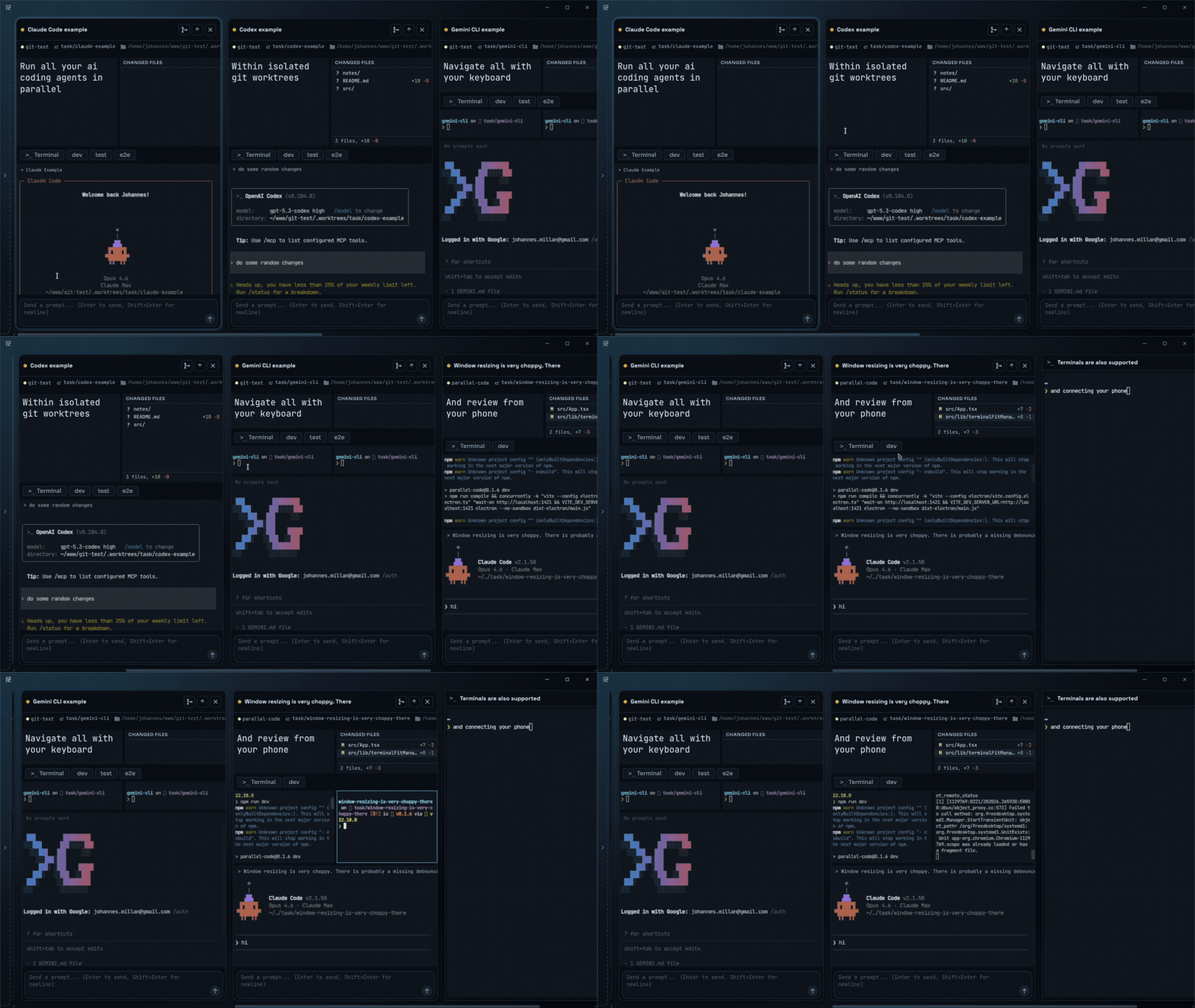
▶ Watch the showcase (MP4)
## Getting started
1. **Download** the latest release from the [releases page](https://github.com/johannesjo/parallel-code/releases/latest):
- **macOS** — `.dmg` (universal, signed and notarized)
- **Linux** — `.AppImage` or `.deb`
2. **Install at least one agent CLI** — Claude Code, Codex CLI, OpenCode, Copilot CLI or Antigravity CLI. The welcome screen shows which ones it found.
3. **Open Parallel Code**, choose a folder with your code (a git repository works best), and start a task.
Build from source
```sh
git clone https://github.com/johannesjo/parallel-code.git
cd parallel-code
npm install
npm run dev
```
Requires [Node.js](https://nodejs.org/) 22.12 or later.
Phone access uses port `8777` in development (`npm run dev`) and `7777` in the installed app, so both can run together. Run `npm run build:remote` after changing the mobile UI, then use **Connect Phone** in the development app to get its connection link or QR code.
## Optional features
Each feature is described in [docs/features.md](docs/features.md).
- **Review** — inline review comments, a guided tour of the changes, confidence ratings from a separate reviewer model, per-file test coverage, before-and-after screenshots of UI changes, and tours that explain a plan or a file
- **Planning** — a Kanban project plan kept in `KANBAN.md`, agents that start and manage their own subtasks, an arena that runs one prompt with two to four agents to compare, a mind map and the agent's live reasoning graph, a live Markdown canvas, notes, and short task briefs
- **Running code** — shell terminals per task, a browser preview of your local app, per-project Docker sandboxes (not for Antigravity), direct mode without a worktree, folders without git, and importing existing worktrees
- **Phone** — a phone UI in any mobile browser, an Android app, and notifications when a task needs you. See [docs/phone.md](docs/phone.md)
- **Integrations** — PR CI status notifications, Super Productivity time tracking, and a choice of model for code Q&A
- **Customization** — Focus, Tiles and Board layouts, configurable shortcuts, custom agents, and 10 themes
Every action has a keyboard shortcut. Press `Ctrl+/` or `F1` in the app to see them all, or read the [shortcut list](docs/features.md#keyboard-shortcuts).
---
If Parallel Code saves you time, consider giving it a [star on GitHub](https://github.com/johannesjo/parallel-code). It helps others find the project.
## License
MIT