
Ten agents.
Ten branches.
One afternoon.
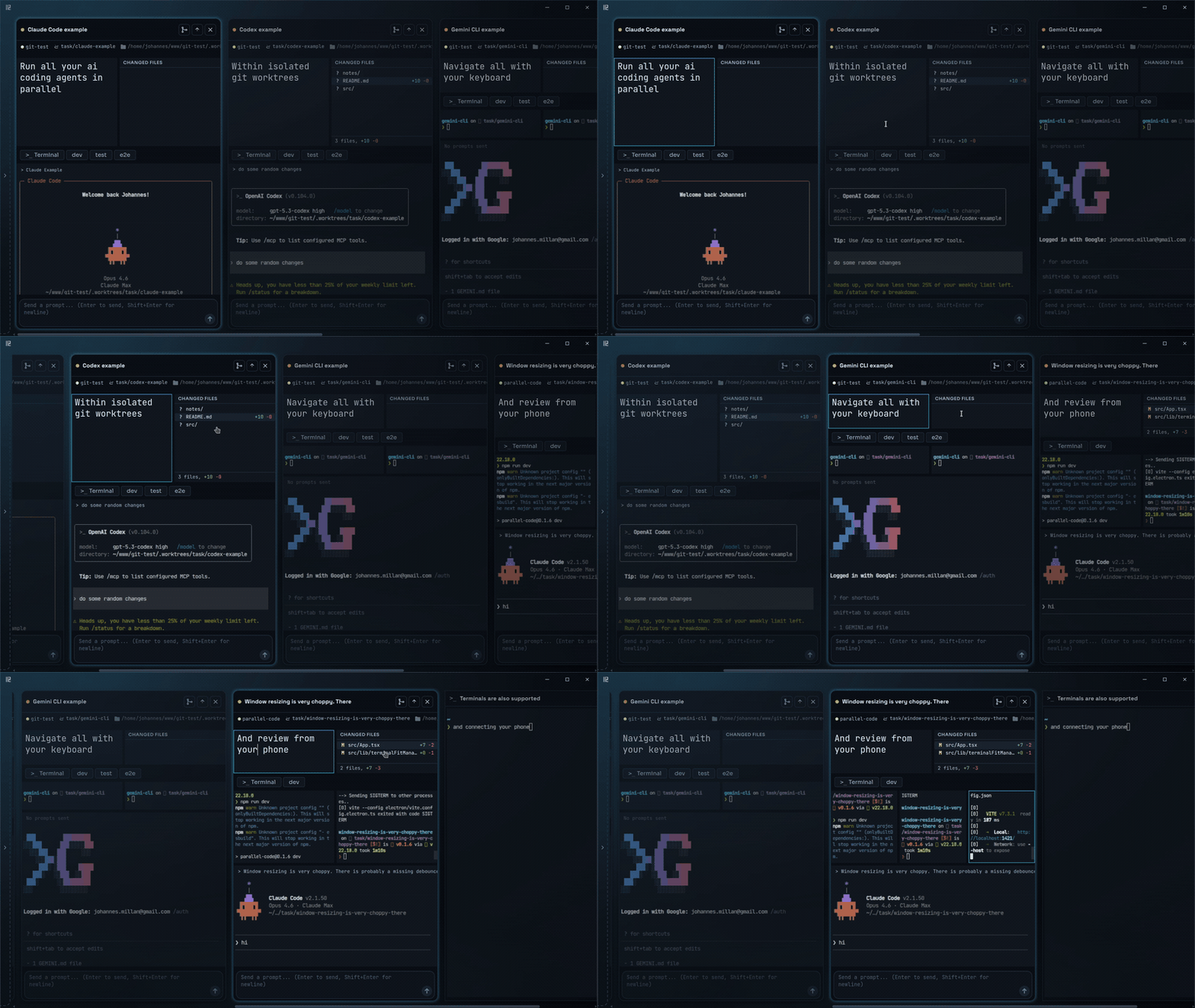
Dispatch AI coding agents in parallel, each in its own worktree.
Review the diffs, merge the wins, toss the rest.
Works with Claude Code, Codex, and Gemini · Every change isolated in its own git worktree · Free, open source, no extra platform fee





## Screenshots
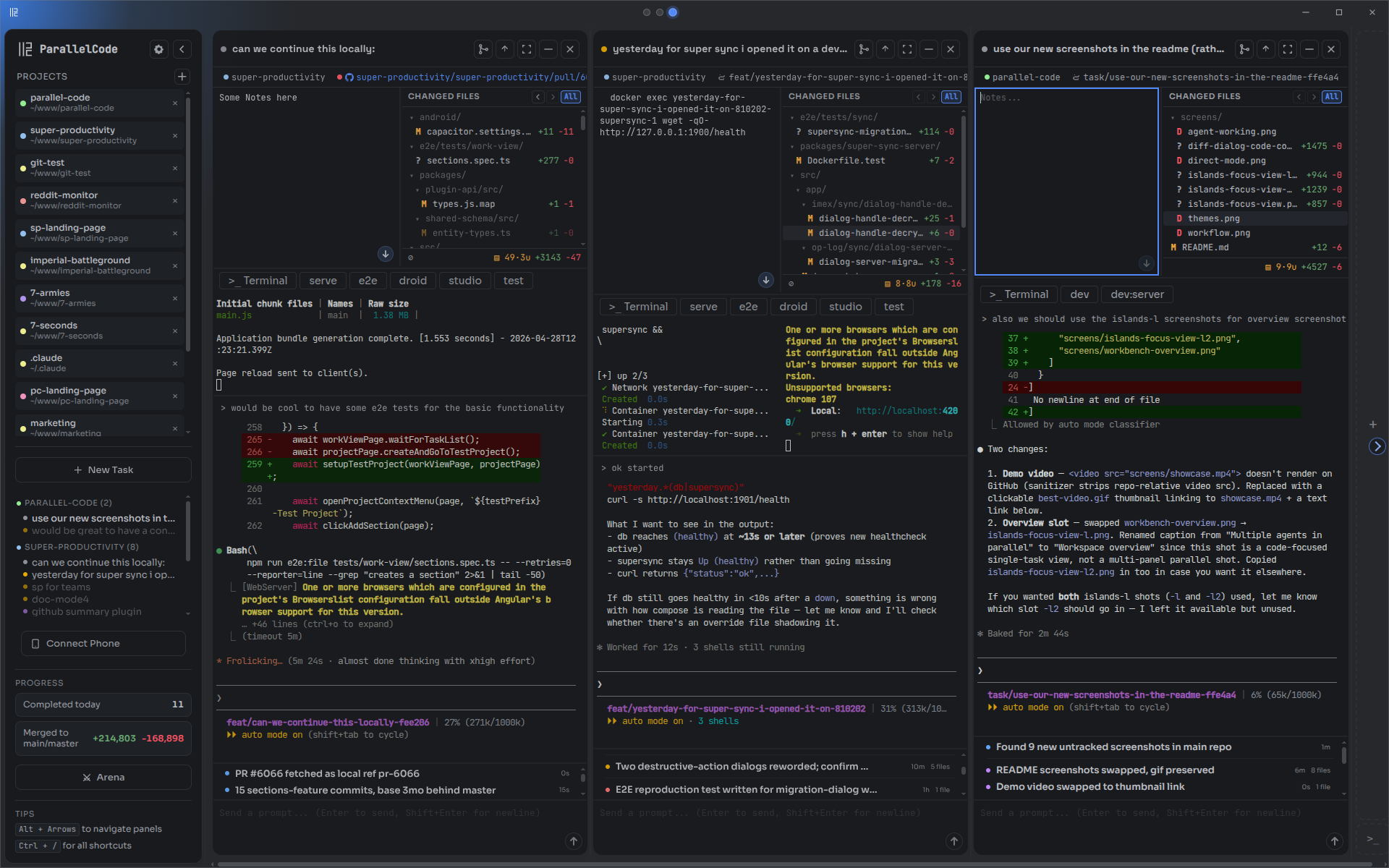
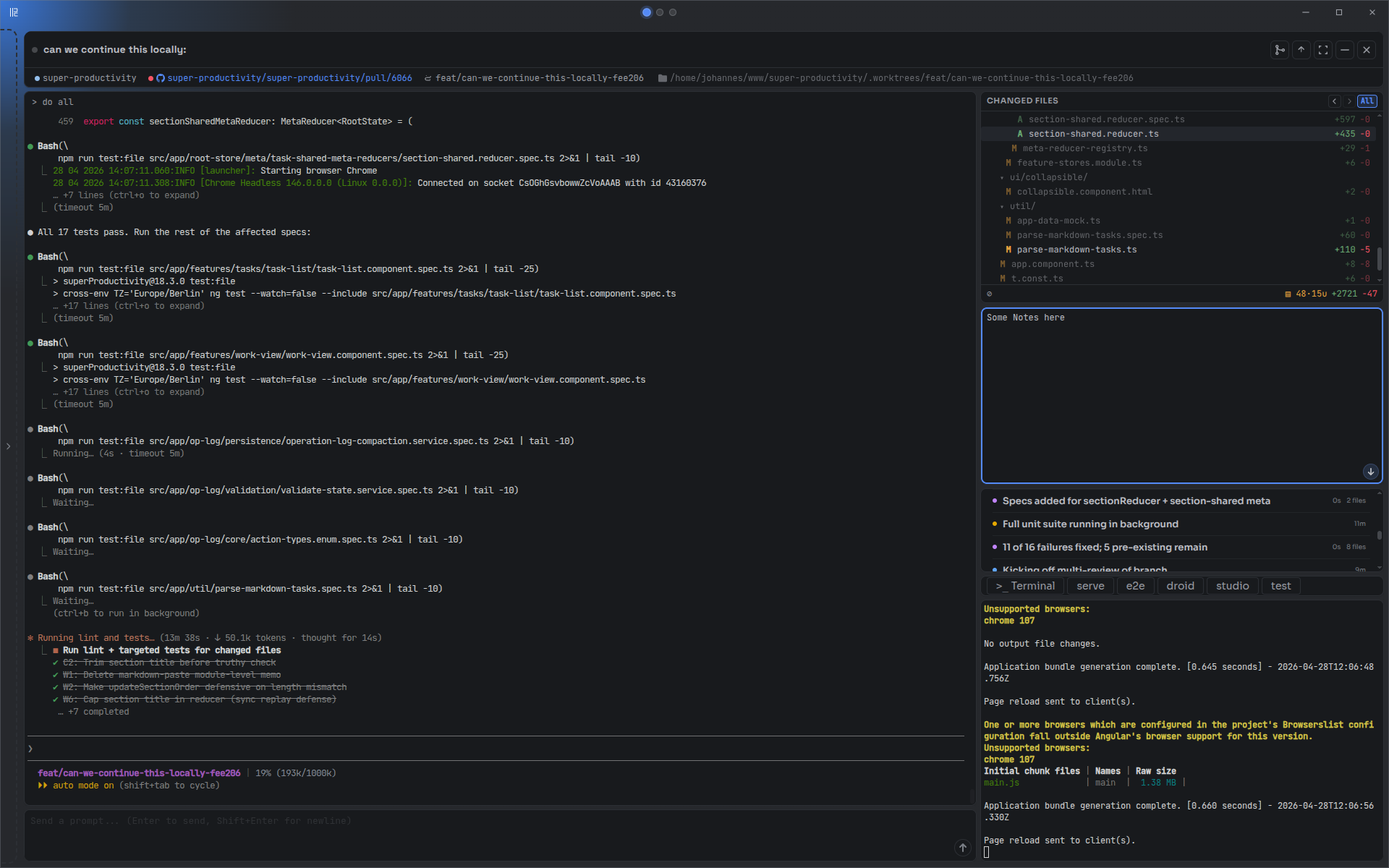
| Multiple agents in parallel | Focused view on a single task |
| ----------------------------------------------------- | --------------------------------------------- |
|  |  |
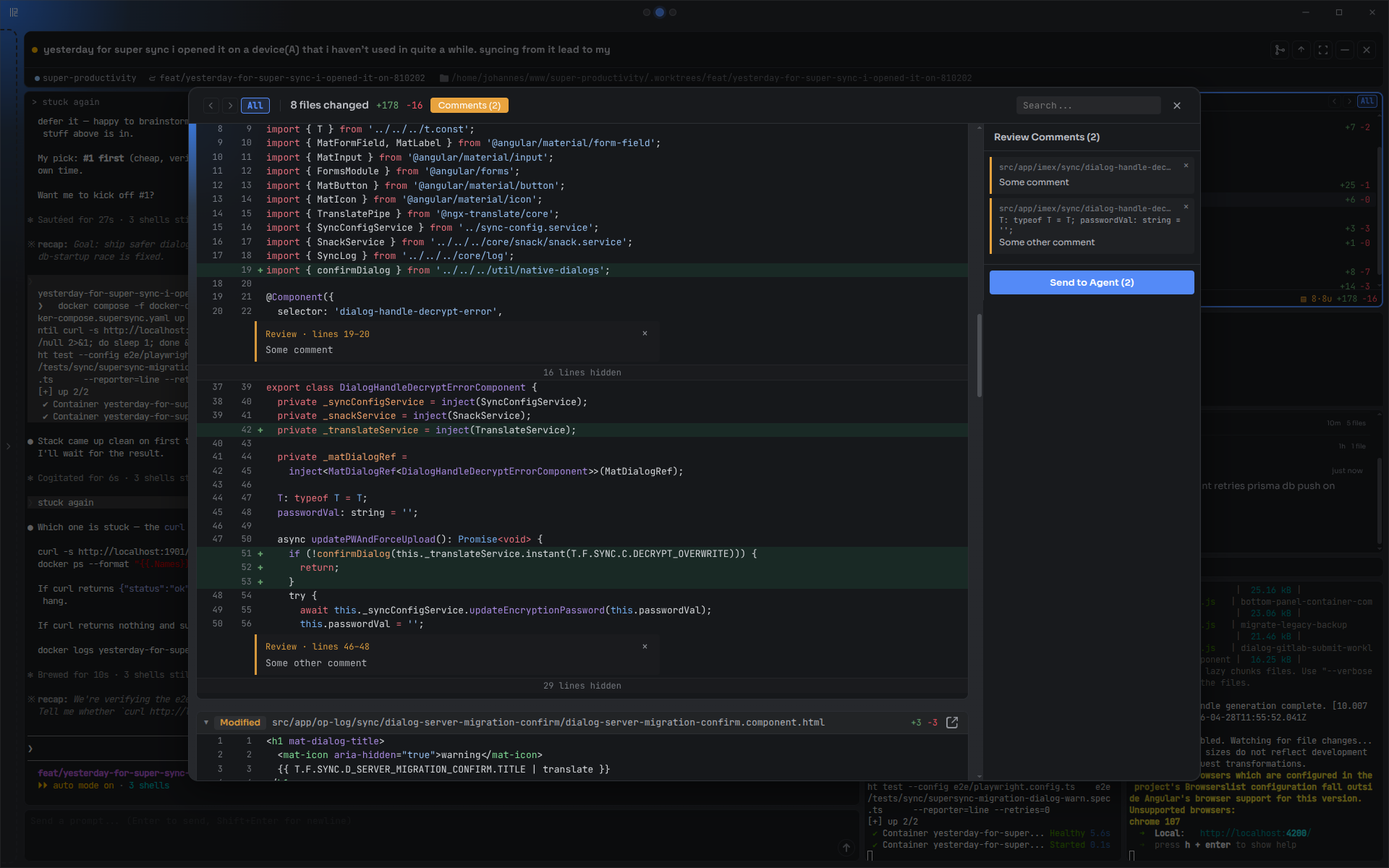
| **Diff review with inline comments** | **AI Arena — race agents head-to-head** |
|  | 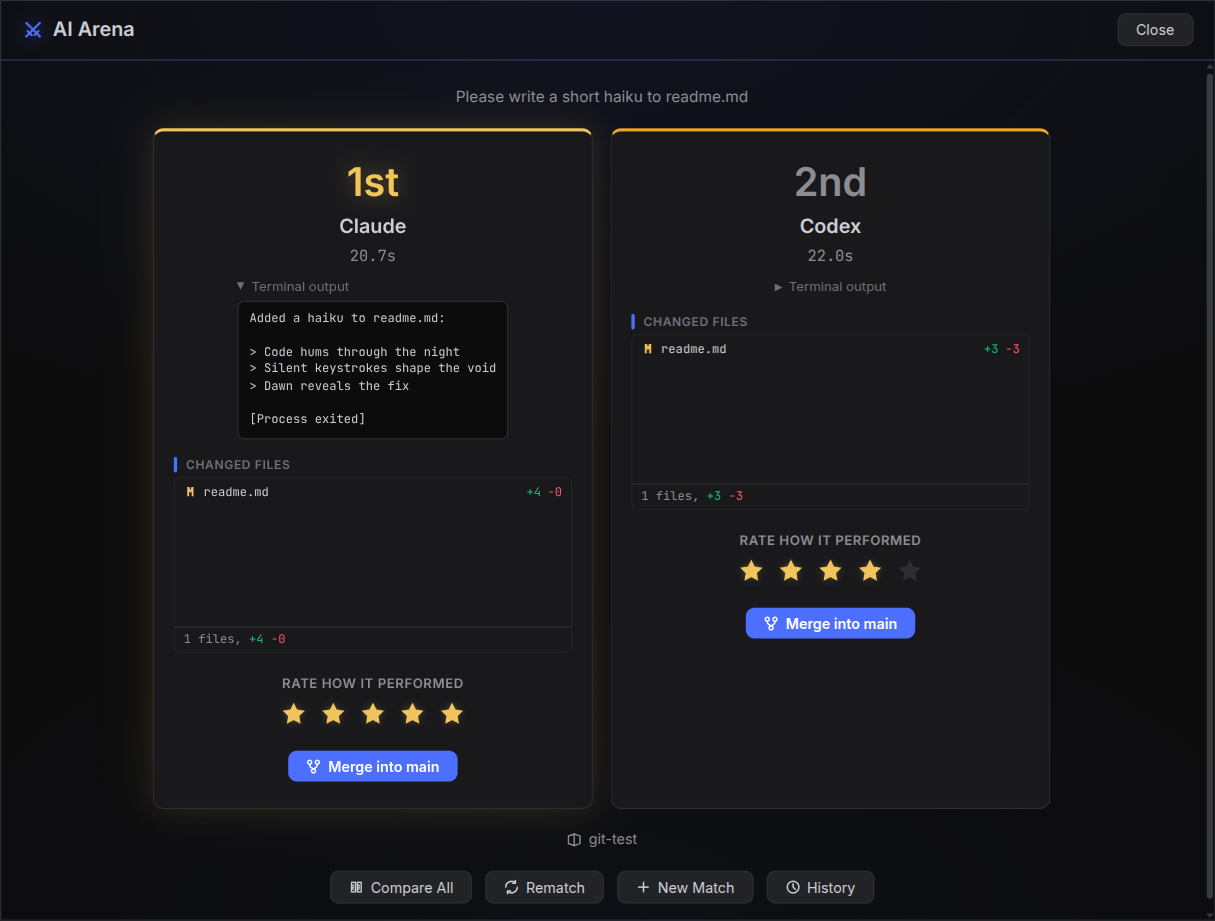 |
## Why Parallel Code?
- **Use the AI coding tools you already trust** — [Claude Code](https://docs.anthropic.com/en/docs/claude-code), [Codex CLI](https://github.com/openai/codex), [Gemini CLI](https://github.com/google-gemini/gemini-cli), and [Copilot CLI](https://docs.github.com/en/copilot/concepts/agents/about-copilot-cli) — all from one interface.
- **Free and open source** — no extra subscription required. MIT licensed.
- **Keep every change isolated and reviewable** — each task gets its own git branch and worktree automatically.
- **Run agents in parallel, not in sequence** — five agents on five features at the same time, zero conflicts.
- **See every session in one place** — switch context without losing momentum.
- **Control everything keyboard-first** — every action has a shortcut, mouse optional.
- **Monitor progress from your phone** — scan a QR code, watch agents work over Wi-Fi or Tailscale.
- **Ask about code with any LLM** — the inline code Q&A feature supports [Claude Code](https://docs.anthropic.com/en/docs/claude-code) (default) or [MiniMax](https://www.minimax.io/) M2.7 (204K context) — configurable in Settings.
How does it compare?
| Approach | What's missing |
| -------------------------------------------------- | --------------------------------------------------------------------------------------- |
| **Multiple terminal windows / tmux** | No GUI, no automatic git isolation — you manage worktrees, branches, and merges by hand |
| **VS Code extensions** (Kilo Code, Roo Code, etc.) | Tied to VS Code; no true parallel worktree isolation between agents |
| **Running agents sequentially** | One task at a time — blocks your workflow while each agent finishes |
## How it works
When you create a task, Parallel Code:
1. Creates a new git branch from your main branch
2. Sets up a [git worktree](https://git-scm.com/docs/git-worktree) so the agent works in a separate directory
3. Symlinks `node_modules` and other gitignored directories into the worktree
4. Spawns the AI agent in that worktree
When you're happy with the result, merge the branch back to main from the sidebar.
More features
- Tiled panel layout with drag-to-reorder
- **Focus mode** — single-task layout with a clean two-column view on wide screens (`Ctrl+Shift+F`)
- Built-in diff viewer with inline review comments and per-commit navigation
- **Steps tracking panel** — engineering-manager-style timeline of agent progress (writes to `.claude/steps.json`)
- **Notes panel per task** — jot ideas, then send the notes straight to the agent as a prompt
- **PR CI status watcher** — desktop notification when GitHub checks settle
- Shell terminals per task, scoped to the worktree
- **Direct mode** for working on the main branch without isolation, plus support for **folders without a git repo**
- **Existing worktree import** — bring already-created worktrees into Parallel Code
- **Sandboxing with project-specific Dockerfiles** — drop a `.parallel-code/Dockerfile` into the project and tasks run inside it
- **Coverage radar** — per-file test-coverage badges in the Changed Files panel
- **Configurable keyboard shortcuts** with per-agent presets
- 10 themes — Islands Dark, Minimal, Graphite, Midnight, Classic, Indigo, Ember, Glacier, Zenburnesque, Workbench
- State persists across restarts
- macOS and Linux
## Demo
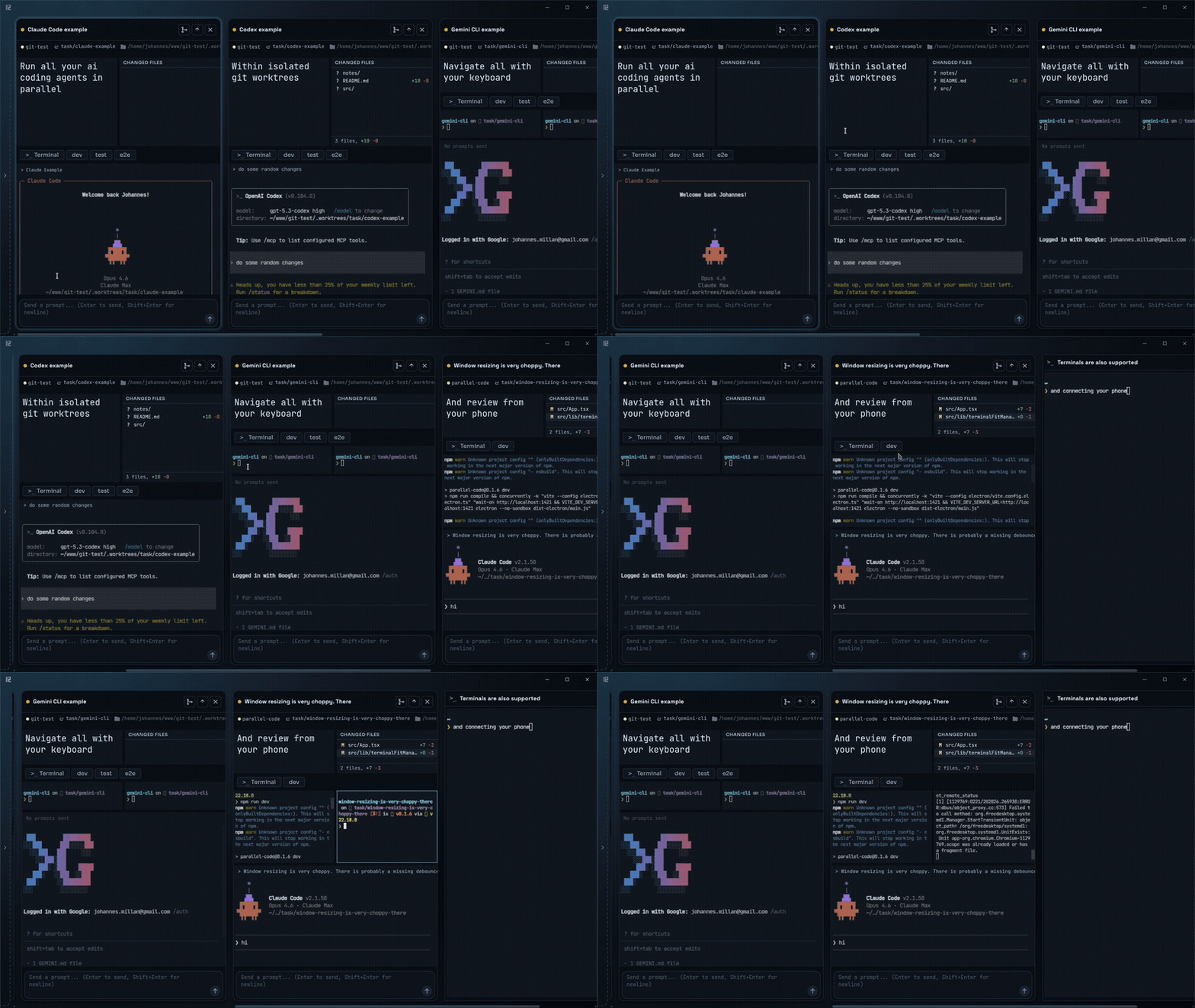
▶ Watch the showcase (MP4)
## Getting Started
1. **Download** the latest release for your platform from the [releases page](https://github.com/johannesjo/parallel-code/releases/latest):
- **macOS** — `.dmg` (universal)
- **Linux** — `.AppImage` or `.deb`
2. **Install at least one AI coding CLI:** [Claude Code](https://docs.anthropic.com/en/docs/claude-code), [Codex CLI](https://github.com/openai/codex), [Gemini CLI](https://github.com/google-gemini/gemini-cli), [Antigravity CLI](https://antigravity.google/), or [Copilot CLI](https://docs.github.com/en/copilot/concepts/agents/about-copilot-cli)
3. **Open Parallel Code**, point it at a git repo, and start dispatching tasks.
Antigravity CLI: run natively, not in Docker isolation
Antigravity (`agy`) signs in interactively and caches credentials in your OS keyring (Keychain/libsecret). The keyring cannot be reached from inside a Linux container — it needs a secret-service daemon the agent container doesn't run — and `agy` has no API-key fallback, so **Docker-isolated Antigravity tasks cannot authenticate. Run Antigravity as a native (non-Docker) task.**
The bundled image still ships the `agy` binary, and `~/.gemini/antigravity-cli` (settings/plugins) is shared when "Share agent auth" is enabled, so Docker support is forward-compatible if a file-based or API-key auth path appears later.
Build from source
```sh
git clone https://github.com/johannesjo/parallel-code.git
cd parallel-code
npm install
npm run dev
```
Requires [Node.js](https://nodejs.org/) v18+.
Keyboard Shortcuts
`Ctrl` = `Cmd` on macOS.
| Shortcut | Action |
| ---------------------- | ---------------------------------- |
| **Tasks** | |
| `Ctrl+N` | New task |
| `Ctrl+Shift+A` | New task (alternative) |
| `Ctrl+Enter` | Send prompt |
| `Ctrl+Shift+M` | Merge task to main |
| `Ctrl+Shift+P` | Push to remote |
| `Ctrl+W` | Close focused terminal session |
| `Ctrl+Shift+W` | Close active task |
| **Navigation** | |
| `Alt+Arrows` | Focus pane/task in arrow direction |
| `Alt+Shift+Left/Right` | Move task (macOS: `Ctrl+Shift`) |
| `Ctrl+B` | Toggle sidebar |
| `Ctrl+Shift+F` | Toggle focus mode |
| **Terminals** | |
| `Ctrl+Shift+T` | New shell terminal |
| `Ctrl+Shift+D` | New standalone terminal |
| **App** | |
| `Ctrl+,` | Open settings |
| `Ctrl+/` or `F1` | Show all shortcuts |
| `Ctrl+0` | Reset zoom |
| `Ctrl+Scroll` | Adjust zoom |
| `Escape` | Close dialog |
---
If Parallel Code saves you time, consider giving it a [star on GitHub](https://github.com/johannesjo/parallel-code). It helps others find the project.
## License
MIT