
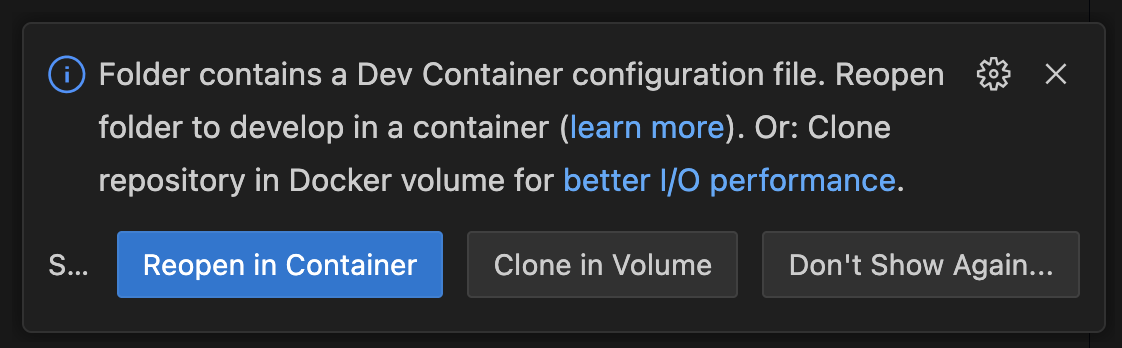
 The installation can take some time, since it downloads all packages as well as models for Whisper/Kokoro and the Chromium browser. At the end, it automatically invokes the [download_assets.py](scripts/download_assets.py) script. If you see errors like `Missing kokoro-v1.0.onnx`, run this script manually using:
```bash
uv run scripts/download_assets.py
```
We'd love to see what you are using it for or building with it. Showcase your work on our [discord](https://discord.com/invite/AN5NEBkS4d)
# :pencil2: Roadmap
**Meeting**
- [x] Meeting chat access
- [ ] Camera in video call with status updates
- [ ] Enable screen share during video conferences
- [ ] Participant metadata and joining/leaving
- [ ] Improve browser agent capabilities
**Conversation**
- [x] Speaker attribute for transcription
- [ ] Improve client memory: reduce token usage, allow persistence across meetings
events
- [ ] Improve End-of-Utterance/turn-taking detection
- [ ] Human approval mechanism from inside the meeting
**Integrations**
- [ ] Showcase how to add agents using the A2A protocol
- [ ] Add more provider integrations (STT, TTS)
- [ ] Integrate meeting platform SDKs
- [ ] Add alternative open-source meeting provider
- [ ] Add support for Speech2Speech models
# :busts_in_silhouette: Contributing
Contributions are always welcome! Feel free to open issues for bugs or submit a feature request. We'll do our best to review all contributions promptly and help merge your changes.
Please check our [Roadmap](#pencil2-roadmap) and don't hesitate to reach out to us!
# :memo: License
This project is licensed under the MIT License ‒ see the [LICENSE](LICENSE) file for details.
# :speech_balloon: Getting help
If you have questions or feedback, or if you would like to chat with the maintainers or other community members, please use the following links:
- [Join our Discord](https://discord.com/invite/AN5NEBkS4d)
- [Explore our GitHub Discussions](https://github.com/joinly-ai/joinly/discussions)
The installation can take some time, since it downloads all packages as well as models for Whisper/Kokoro and the Chromium browser. At the end, it automatically invokes the [download_assets.py](scripts/download_assets.py) script. If you see errors like `Missing kokoro-v1.0.onnx`, run this script manually using:
```bash
uv run scripts/download_assets.py
```
We'd love to see what you are using it for or building with it. Showcase your work on our [discord](https://discord.com/invite/AN5NEBkS4d)
# :pencil2: Roadmap
**Meeting**
- [x] Meeting chat access
- [ ] Camera in video call with status updates
- [ ] Enable screen share during video conferences
- [ ] Participant metadata and joining/leaving
- [ ] Improve browser agent capabilities
**Conversation**
- [x] Speaker attribute for transcription
- [ ] Improve client memory: reduce token usage, allow persistence across meetings
events
- [ ] Improve End-of-Utterance/turn-taking detection
- [ ] Human approval mechanism from inside the meeting
**Integrations**
- [ ] Showcase how to add agents using the A2A protocol
- [ ] Add more provider integrations (STT, TTS)
- [ ] Integrate meeting platform SDKs
- [ ] Add alternative open-source meeting provider
- [ ] Add support for Speech2Speech models
# :busts_in_silhouette: Contributing
Contributions are always welcome! Feel free to open issues for bugs or submit a feature request. We'll do our best to review all contributions promptly and help merge your changes.
Please check our [Roadmap](#pencil2-roadmap) and don't hesitate to reach out to us!
# :memo: License
This project is licensed under the MIT License ‒ see the [LICENSE](LICENSE) file for details.
# :speech_balloon: Getting help
If you have questions or feedback, or if you would like to chat with the maintainers or other community members, please use the following links:
- [Join our Discord](https://discord.com/invite/AN5NEBkS4d)
- [Explore our GitHub Discussions](https://github.com/joinly-ai/joinly/discussions)