# Welcome Banner Plugin for Zsh
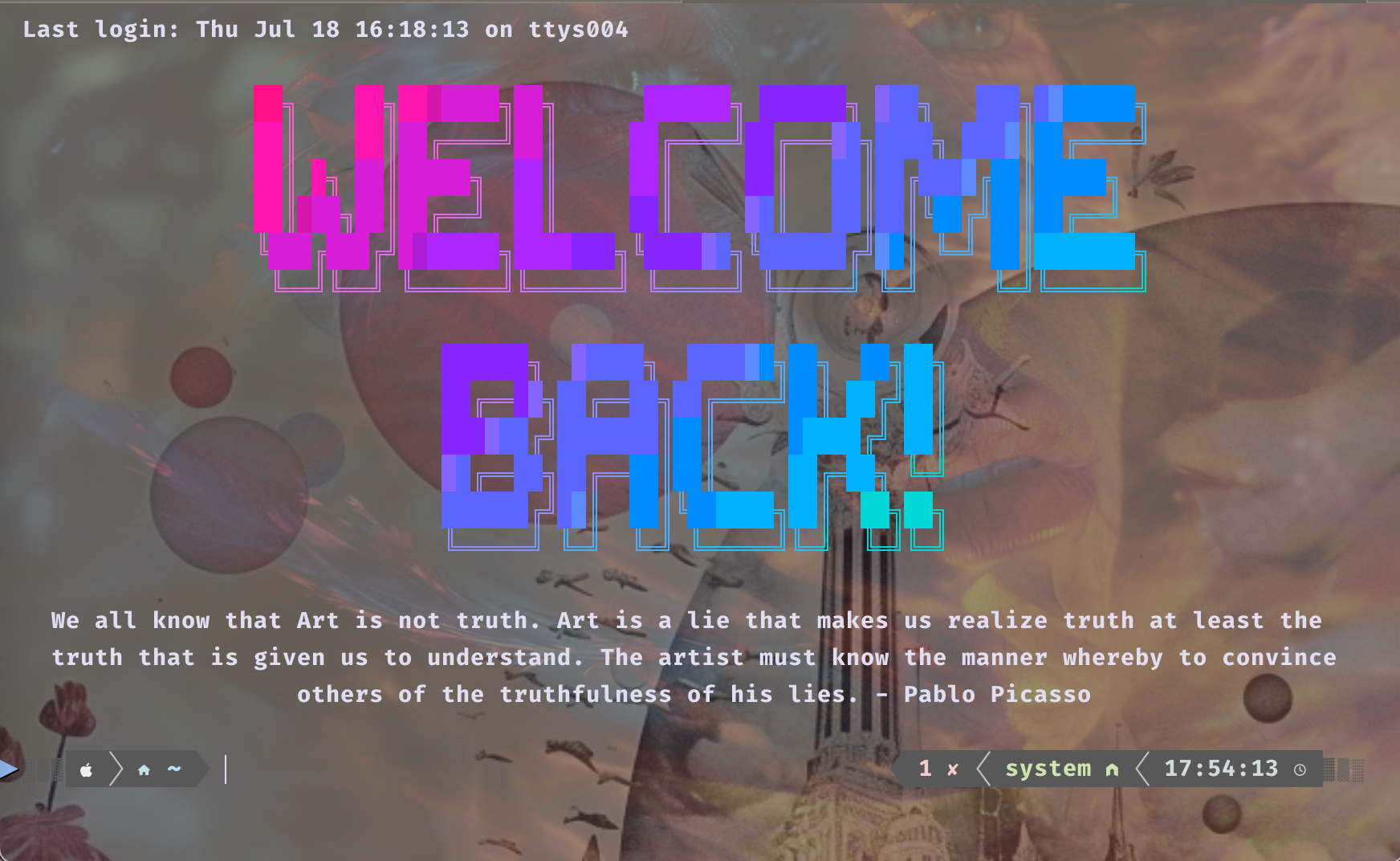
The Welcome Banner Plugin enhances your Zsh terminal experience with a vibrant, colorful welcome message and random inspirational quotes each time you start a new session. This plugin is for Mac and Linux and relies on `lolcat` for rainbow coloring and `figlet` for ASCII art fonts, offering a visually appealing and motivational start to your terminal sessions.
## Dependencies
- **[lolcat](https://github.com/busyloop/lolcat)**: For rainbow coloring the text.
- **[figlet](http://www.figlet.org/)**: For generating ASCII art from text.
- **[figlet-fonts](https://github.com/xero/figlet-fonts)**: A collection of ASCII art fonts necessary for the welcome banner.
### Installation of Dependencies
**lolcat:**
- Linux: `sudo snap install lolcat`
- Mac: `brew install lolcat`
- Ruby Gem: `gem install lolcat`
**figlet:**
- Mac: `brew install figlet`
- Debian-based Linux: `sudo apt update -y && sudo apt install figlet`
**figlet-fonts:**
```bash
mkdir -p ~/.local/share/fonts/figlet-fonts/
git clone https://github.com/xero/figlet-fonts.git ~/.local/share/fonts/figlet-fonts/
```
## Plugin Installation
1. **Clone the Plugin** into your custom plugins directory of Oh My Zsh:
```zsh
git clone https://github.com/joshuadanpeterson/zsh-welcome-banner.git ${ZSH_CUSTOM:-~/.oh-my-zsh/custom}/plugins/welcome-banner.git ${ZSH_CUSTOM:-~/.oh-my-zsh/custom}/plugins/welcome-banner
```
2. **Activate the Plugin** by adding `welcome_banner` to the plugins array in your `.zshrc` file:
```zsh
plugins=(... welcome_banner)
``````
3. **Restart Your Terminal** or source your `.zshrc` file to apply the changes:
```zsh
source ~/.zshrc
```
## Customization
You can customize the welcome banner and quotes according to your preferences. The default font used by the plugin is `Shadow.flf`, but you can change it to any font from the figlet-fonts collection.
## Credits
The `welcome_banner` function draws inspiration from Darko Meszaros's blog post ["Add some color to your terminal with lolbanner"](https://www.rup12.net/posts/2021/colorful-banners-with-lolbanner/) and Tyler J Funk's ["How I Added An ASCII Banner to My Terminal"](https://tyler-j-funk.medium.com/how-i-added-an-ascii-banner-to-my-terminal-34b0a34b898e).
The plugin is equipped to display quotes from a variety of figures, and you're encouraged to customize the `quotes.zsh` file to include your favorite sayings.
## Contribution
Contributions, issues, and feature requests are welcome! Feel free to check [issues page](https://github.com/yourusername/welcome-banner/issues).
## License
This project is licensed under the MIT License - see the [LICENSE](https://github.com/joshuadanpeterson/zsh-welcome-banner/blob/main/LICENSE) file for details.
---
**Note:** Please ensure that `lolcat` and `figlet` are properly installed on your system for the plugin to work correctly. Enjoy a more colorful and inspiring terminal experience with the Welcome Banner Plugin for Zsh!