# D-Force (d4s)
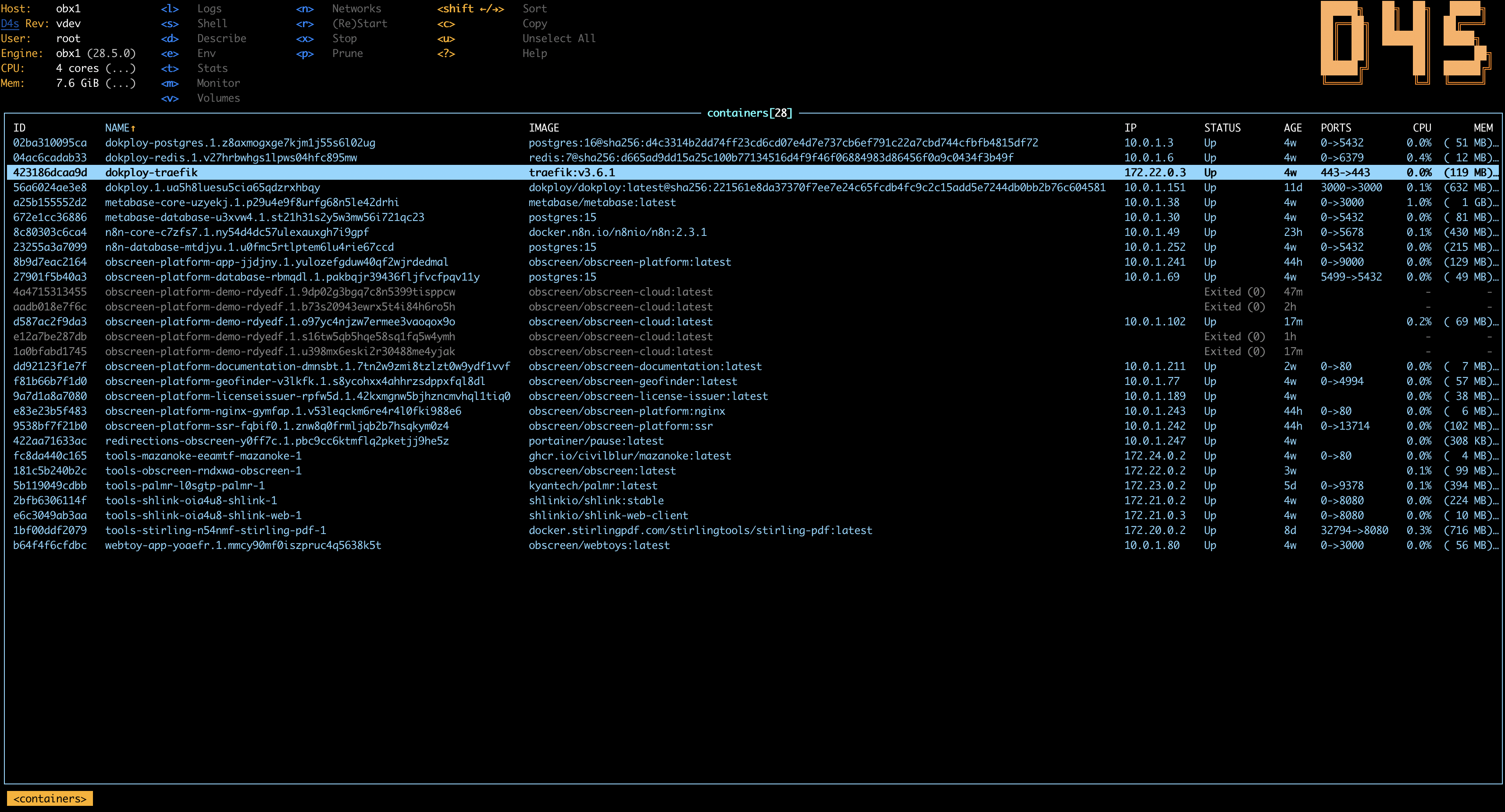
D4S (pronounced *D-Force*) brings the power and ergonomics of [K9s](https://github.com/derailed/k9s) to the local Docker ecosystem. Stop wrestling with verbose CLI commands and start managing your containers like a pro.


 ## Quick install
```bash
curl -fsSL https://d4scli.io/install.sh | sh -s -- ~/.local/bin
```
## Screenshots
## Features
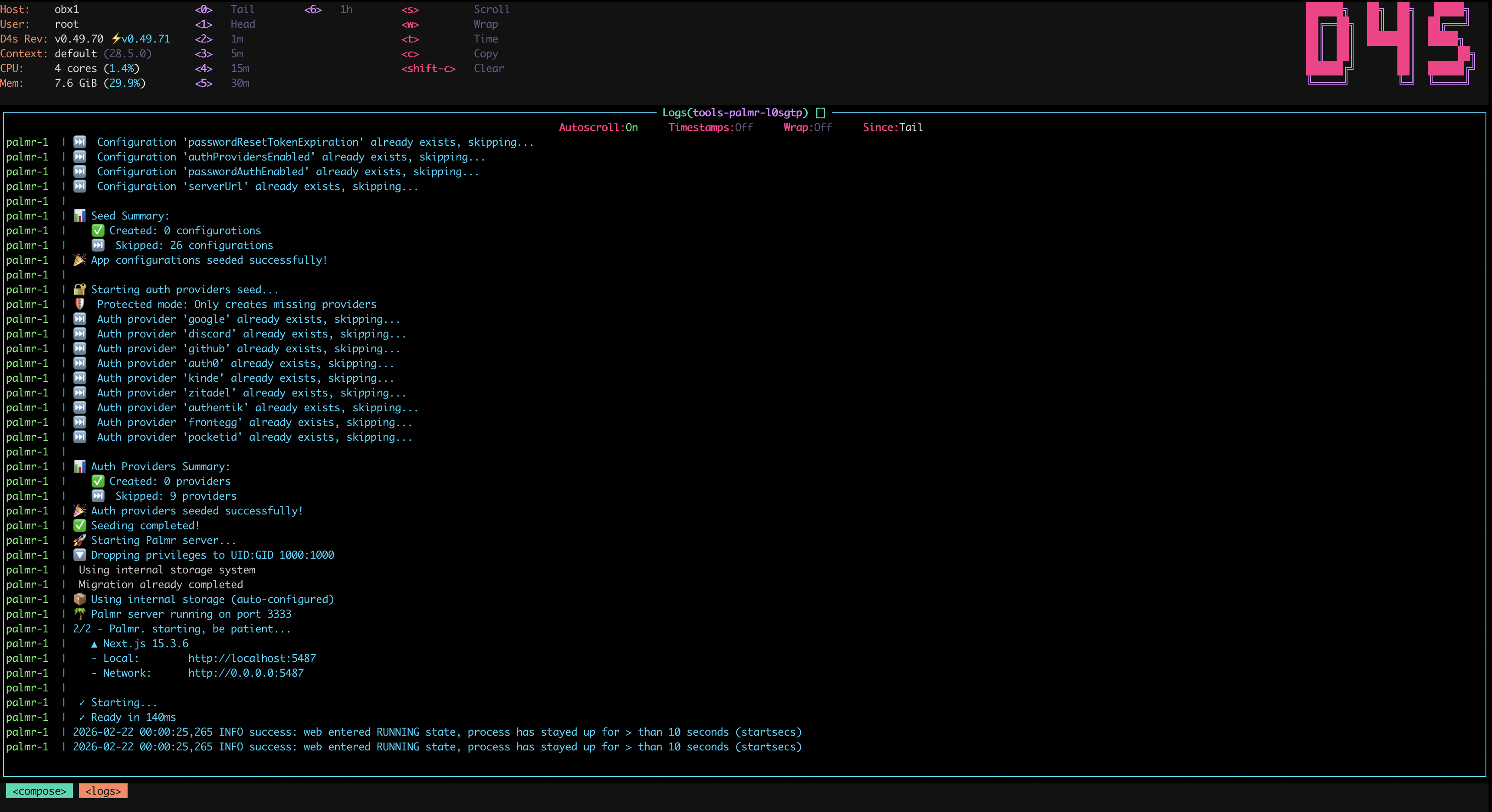
- **Fancy UI**: Modern TUI with Dracula theme, smooth navigation, and live updates.
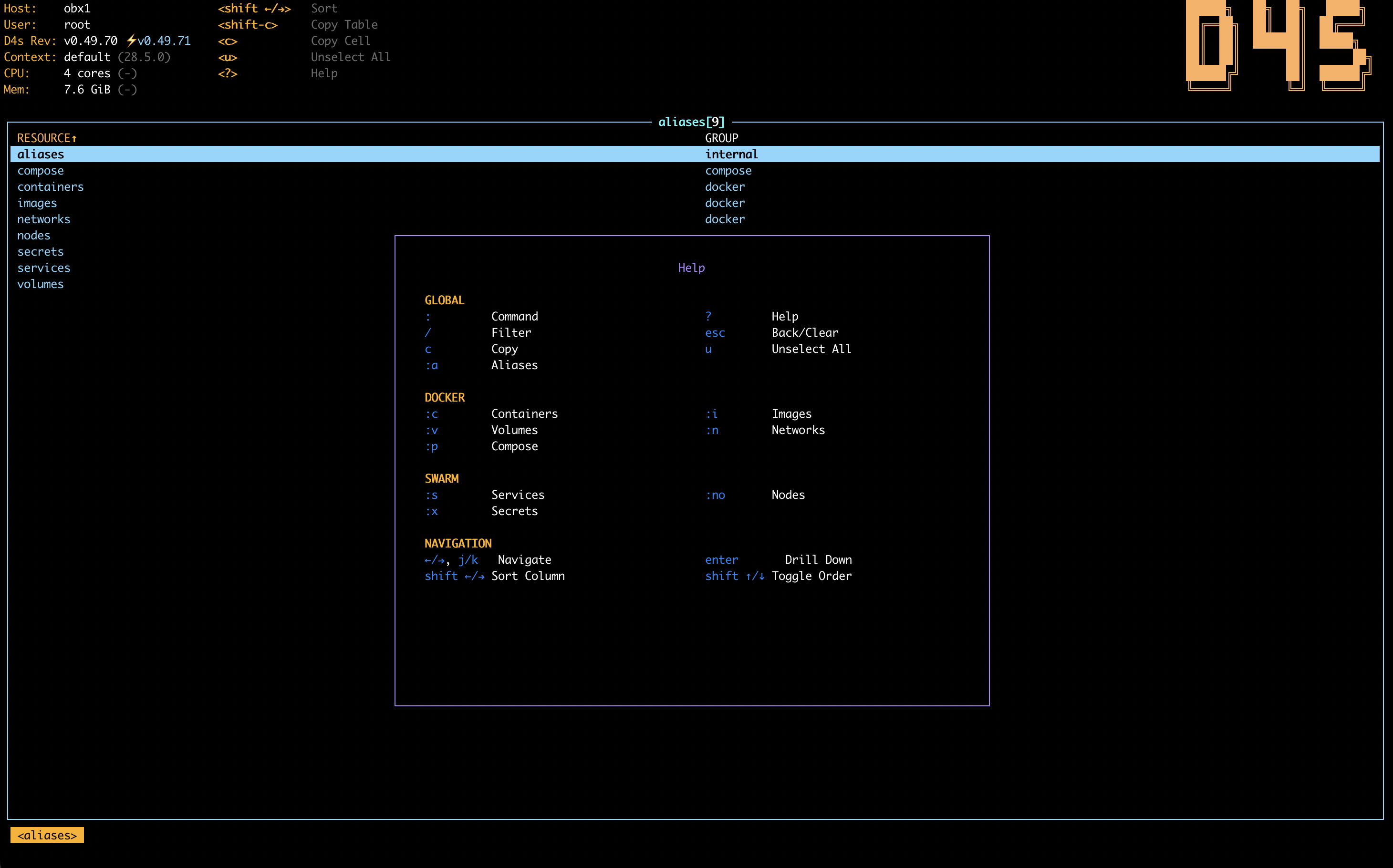
- **Keyboard Centric**: Vim-like navigation (`j`/`k`), shortcuts for everything. No mouse needed.
- **Full Scope**: Supports **Containers**, **Images**, **Volumes**, **Networks**.
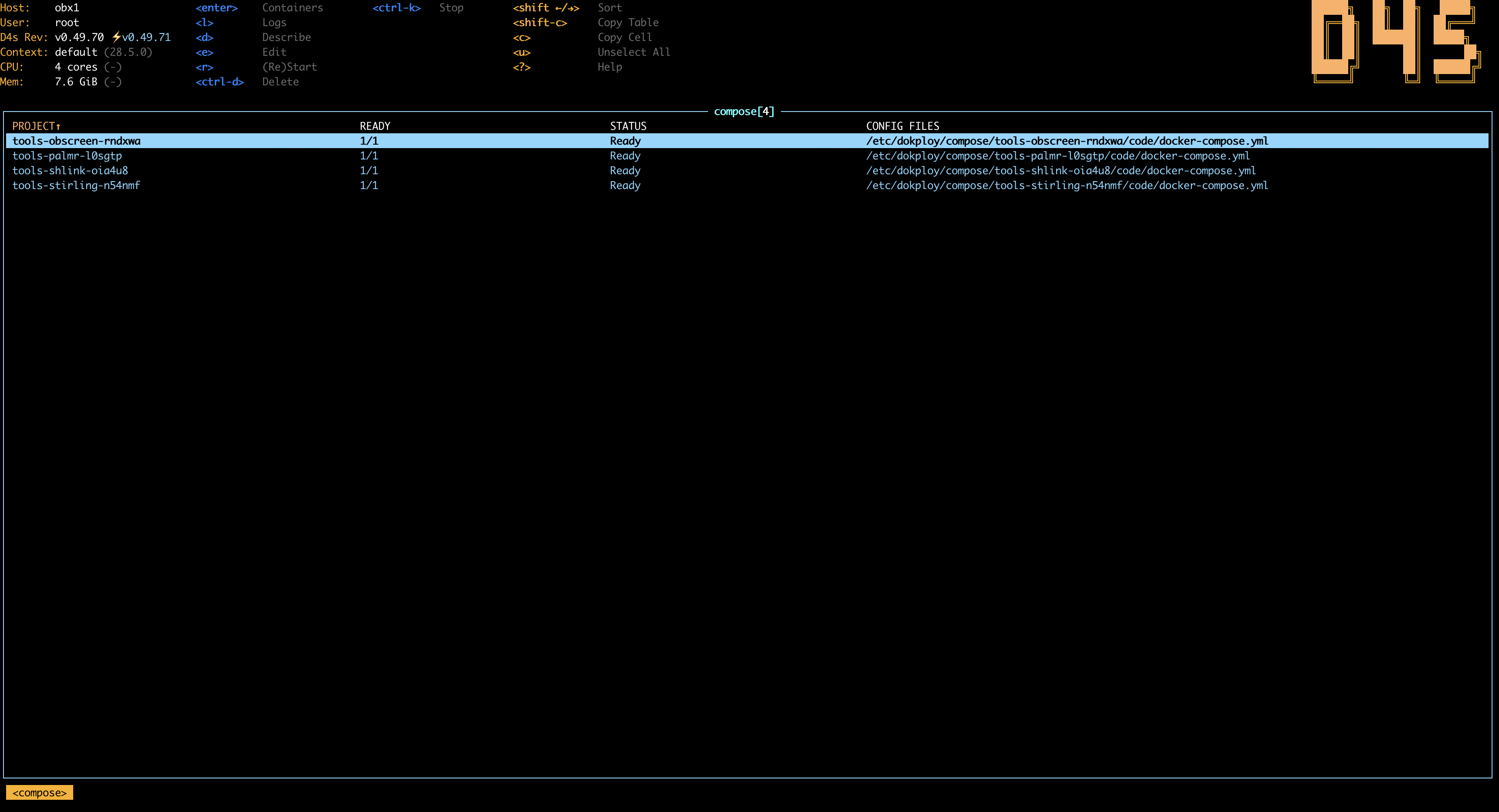
- **Compose Aware**: Easily identify containers belonging to **Compose Projects**.
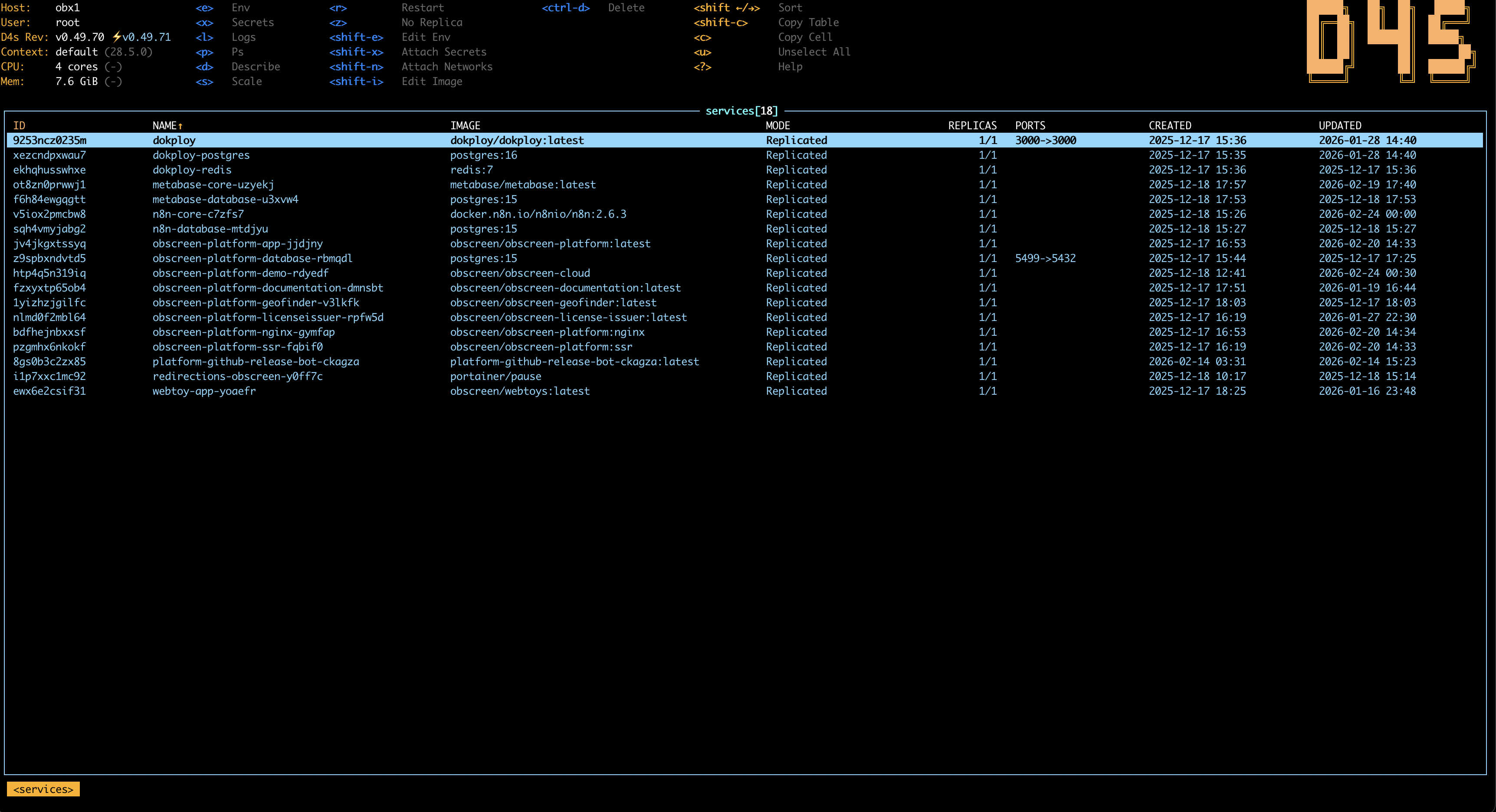
- **Swarm Aware**: Supports **Nodes**, **Stacks**, **Services**, **Tasks**, **Secrets**, **ConfigMaps**.
- **Docker Settings**: Supports **Contexts**, **Plugins**.
- **Remote via SSH Tunnel**: Manage remote Docker daemons over SSH with port-forwarding to localhost.
- **Powerful Search**: Instant fuzzy filtering (`/`) and command palette (`:`).
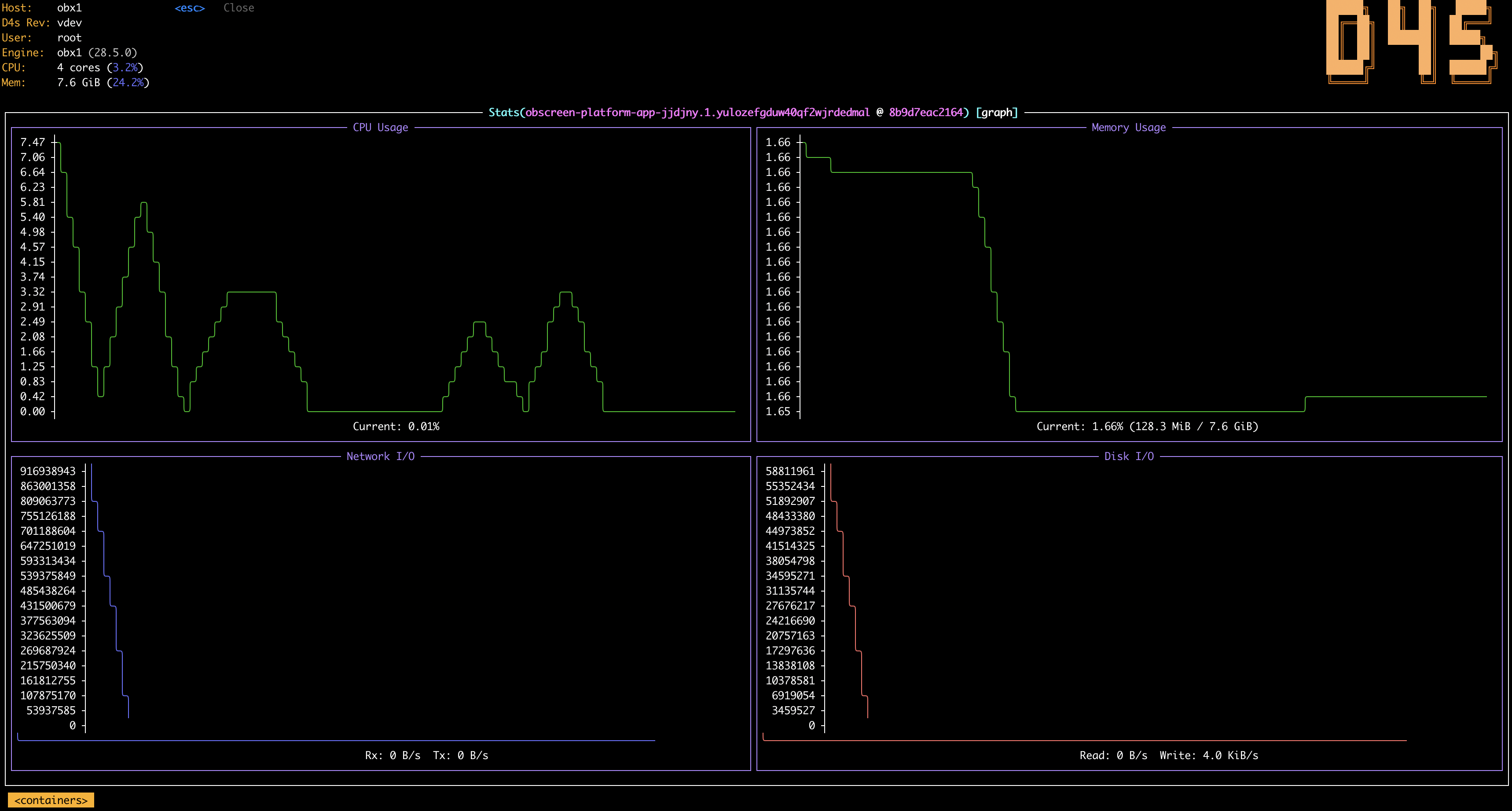
- **Live Stats**: Real-time CPU/Mem usage for containers and host context.
- **Advanced Logs**: Streaming logs with auto-scroll, fullscreen, timestamps toggle, wrap mode, marks and save to file (`ctrl-s`).
- **Quick Shell**: Drop into a container shell (`s`) in a split second.
- **Contextual Actions**: Inspect, Restart, Stop, Prune, Delete with safety confirmations.
## Installation
> ### Generic
## Quick install
```bash
curl -fsSL https://d4scli.io/install.sh | sh -s -- ~/.local/bin
```
## Screenshots
## Features
- **Fancy UI**: Modern TUI with Dracula theme, smooth navigation, and live updates.
- **Keyboard Centric**: Vim-like navigation (`j`/`k`), shortcuts for everything. No mouse needed.
- **Full Scope**: Supports **Containers**, **Images**, **Volumes**, **Networks**.
- **Compose Aware**: Easily identify containers belonging to **Compose Projects**.
- **Swarm Aware**: Supports **Nodes**, **Stacks**, **Services**, **Tasks**, **Secrets**, **ConfigMaps**.
- **Docker Settings**: Supports **Contexts**, **Plugins**.
- **Remote via SSH Tunnel**: Manage remote Docker daemons over SSH with port-forwarding to localhost.
- **Powerful Search**: Instant fuzzy filtering (`/`) and command palette (`:`).
- **Live Stats**: Real-time CPU/Mem usage for containers and host context.
- **Advanced Logs**: Streaming logs with auto-scroll, fullscreen, timestamps toggle, wrap mode, marks and save to file (`ctrl-s`).
- **Quick Shell**: Drop into a container shell (`s`) in a split second.
- **Contextual Actions**: Inspect, Restart, Stop, Prune, Delete with safety confirmations.
## Installation
> ### Generic
Binary Releases
> Automated
```bash
curl -fsSL https://d4scli.io/install.sh | sh -s -- ~/.local/bin
```
*The script installs downloaded binary to `$HOME/.local/bin` directory by default, but it can be changed by setting DIR environment variable.*
> Manual
Grab a release from the [releases page](https://github.com/jr-k/d4s/releases) and install it manually.
Docker
```bash
docker run --rm --pull always -it -v /var/run/docker.sock:/var/run/docker.sock ghcr.io/jr-k/d4s:latest
```
**You might want to create an alias for quicker usage. For example:**
```bash
echo "alias d4s='docker run --rm --pull always -it -v /var/run/docker.sock:/var/run/docker.sock ghcr.io/jr-k/d4s:latest'" >> ~/.zshrc
```
*After running this, either restart your terminal or run `source ~/.zshrc` (or `source ~/.bashrc` for Bash) to enable the alias.*
Go Install
>Requirement: Go 1.25+
```bash
go install github.com/jr-k/d4s@latest
```
The binary lands in `$(go env GOBIN)` (or `$(go env GOPATH)/bin`). Make sure that directory is on your `PATH`.
To upgrade later, just re-run the same command, or use [`gup`](https://github.com/nao1215/gup) to bulk-update all your `go install`-managed binaries:
```bash
gup update
```
From Source
>Requirement: Go 1.25+
```bash
git clone https://github.com/jr-k/d4s.git
cd d4s
go build -o d4s .
sudo mv d4s ~/.local/bin/
```
```bash
# Make the binary accessible then run it
mv d4s ~/.local/bin/
d4s
# Quickly run from source
go run .
```
> ### macOS
Homebrew
```bash
brew install jr-k/d4s/d4s
```
> ### Linux
APT (Debian/Ubuntu)
```bash
sudo apt install -y gpg && curl -fsSL https://apt.d4scli.io/d4s.gpg.key | sudo gpg --dearmor -o /usr/share/keyrings/d4s.gpg
echo "deb [signed-by=/usr/share/keyrings/d4s.gpg] https://apt.d4scli.io stable main" | sudo tee /etc/apt/sources.list.d/d4s.list
sudo apt update
sudo apt install d4s
```
RPM (Fedora/RHEL)
```bash
sudo tee /etc/yum.repos.d/d4s.repo <
Zypper (openSUSE)
```bash
sudo zypper addrepo https://zypper.d4scli.io d4s
sudo zypper refresh
sudo zypper install d4s
```
> ### Windows
Scoop
```powershell
scoop bucket add d4s https://github.com/jr-k/scoop-d4s
scoop install d4s
```
## Usage
```bash
d4s
d4s version
d4s --context my-remote-ctx
```
## Configuration
D4S uses a YAML configuration file located at `$XDG_CONFIG_HOME/d4s/config.yaml` (defaults to `~/.config/d4s/config.yaml`).
### Context Selection Precedence
When deciding which Docker context to use, D4S applies the following precedence:
1. `--context` / `-c`
2. `DOCKER_HOST`
3. `DOCKER_CONTEXT`
4. `d4s.defaultContext` from `config.yaml`
5. Docker CLI's own current/default context behavior
If you select the literal `default` context from `tab`, D4S uses Docker's normal default context resolution rather than a named custom context.
All settings are optional and have sensible defaults. Below is a fully documented example:
```yaml
d4s:
# Refresh interval in seconds. Minimum 2.0 — values below are capped. Default: 2.0
refreshRate: 2
# Docker API server request timeout. Default: 120s
apiServerTimeout: 15s
# Disable all modification commands (delete, kill, restart, etc.). Default: false
readOnly: false
# Default Docker context for d4s when --context, DOCKER_HOST, and DOCKER_CONTEXT are not set. Default: ""
defaultContext: ""
# Default view on startup (containers, images, volumes, networks, services, nodes, compose, aliases, secrets, configs, stacks, tasks, contexts, plugins). Default: "" (containers)
defaultView: ""
# When true, Ctrl+C won't exit — use :quit instead. Default: false
noExitOnCtrlC: false
# Skip checking GitHub for new releases on startup. Default: false
skipLatestRevCheck: false
# Optional visible columns and their order for each resource view.
# Omit a view to keep its default columns.
views:
containers:
columns: [ID, NAME, STATUS, CPU, MEM, AGE]
# UI settings
ui:
# Enable mouse support. Default: false
enableMouse: false
# Hide the entire header bar (stats + shortcuts + logo). Default: false
headless: false
# Hide the D4S ASCII logo from the header. Default: false
logoless: false
# Hide breadcrumb trail in the status bar. Default: false
crumbsless: false
# Invert all theme colors (dark↔light), preserving hue. Default: false
invert: false
# Skin name, loads from $XDG_DATA_HOME/d4s/skins/.yaml. Default: "default" (builtin: default, dracula, monokai, nord, gruvbox, tokyonight)
skin: "default"
# Log viewer settings
logger:
# Number of tail lines to fetch initially. Default: 100
tail: 200
# How far back to go in the log timeline (seconds). -1 = tail mode. Default: -1
sinceSeconds: -1
# Enable line wrapping in log viewer. Default: false
textWrap: false
# Disable auto-scroll when new log lines arrive. Default: false
disableAutoscroll: false
# Show timestamps on each log line. Default: false
showTime: false
# Shell pod used for volume browsing and secret decoding
shellPod:
image: ghcr.io/jr-k/nget:latest
```
View names are `containers`, `images`, `volumes`, `networks`, `services`, `nodes`, `compose`, `aliases`, `secrets`, `tasks`, `stacks`, `configmaps`, `contexts`, `plugins`, and `portforwards`. Column names are case-insensitive. Unknown or duplicate columns are ignored with a warning; an empty list or a list with no valid columns falls back to the view defaults.
Example: pin D4S to a preferred remote context by default:
```yaml
d4s:
defaultContext: "my-remote-ctx"
defaultView: "containers"
```
## Skins
### Built-in Skins
Set skin using `--skin` (or `-s`) flag when running `d4s` or set `d4s.ui.skin` option in the configuration file.
D4S comes with a few built-in skins:
- `default`
- `dracula`
- `monokai`
- `nord`
- `gruvbox`
- `tokyonight`
### Custom Skins
D4S supports custom skins. Skins are stored in `$XDG_DATA_HOME/d4s/skins/.yaml` (defaults to `~/.local/share/d4s/skins`).
The inspector (describe, env, compose files...) takes its syntax colors from the optional `views.inspect` section:
```yaml
d4s:
views:
inspect:
keyColor: "#ff79c6" # keys, variable names
stringColor: "#f1fa8c" # strings
numberColor: "#bd93f9" # numbers
keywordColor: "#ff79c6" # true, false, null
punctuationColor: "#f8f8f2" # brackets, colons, commas
commentColor: "#6272a4" # comments
```
Any color left out is derived from the rest of the skin and adjusted, if needed, to stay readable on `body.bgColor`.
## Remote Management (SSH Tunnel)
D4S can manage remote Docker daemons over SSH. No agent or extra binary is needed on the remote host.
From the Contexts view (`:o`), press `Shift+A` to add an SSH context (key or password auth). Credentials are stored in your OS keychain with an encrypted-file fallback for headless systems. SSH ControlMaster keeps the connection fast.
### Port-Forwarding
| Shortcut | Action |
|----------|--------|
| `Shift+F` | Create a port-forward (container, service, or compose project) |
| `f` | Show active port-forwards for the selected resource |
| `:portforward` | Global view of all active tunnels |
Port-forwards expose a remote container port on your local machine (`localhost:`). They persist across view switches and can be stopped or deleted from the `:portforward` view.
### Limitations in SSH mode
- Volume "Open in Finder" is unavailable (data lives on the remote host, use `s` shell instead)
- Dive runs against the remote daemon but may not support SSH depending on its version
## Command Palette
Use `tab` to open the Docker context picker, switch the current d4s session to a different context, and save that selection as the default context for future d4s launches.
If `DOCKER_HOST` or `DOCKER_CONTEXT` is set in your shell, those environment variables still override the saved D4S default for that launch.
In a container log view, press `ctrl-s` to save the full log of that container to `~/.config/d4s/logs/..log` (or the equivalent `$XDG_CONFIG_HOME/d4s/logs/...` path).
## Contributing
There's still plenty to do! Take a look at the [contributing guide](CONTRIBUTING.md) to see how you can help.
## Discussion / Need help ?
### Open an Issue
[ ](https://github.com/jr-k/d4s/issues/new/choose)
---
*Built with Go & [Tview](https://github.com/rivo/tview). Inspired by [K9s](https://github.com/derailed/k9s).*
*D4s uses several open source libraries. Thanks to the maintainers who make this possible.*
](https://github.com/jr-k/d4s/issues/new/choose)
---
*Built with Go & [Tview](https://github.com/rivo/tview). Inspired by [K9s](https://github.com/derailed/k9s).*
*D4s uses several open source libraries. Thanks to the maintainers who make this possible.*