 # Hold to talk
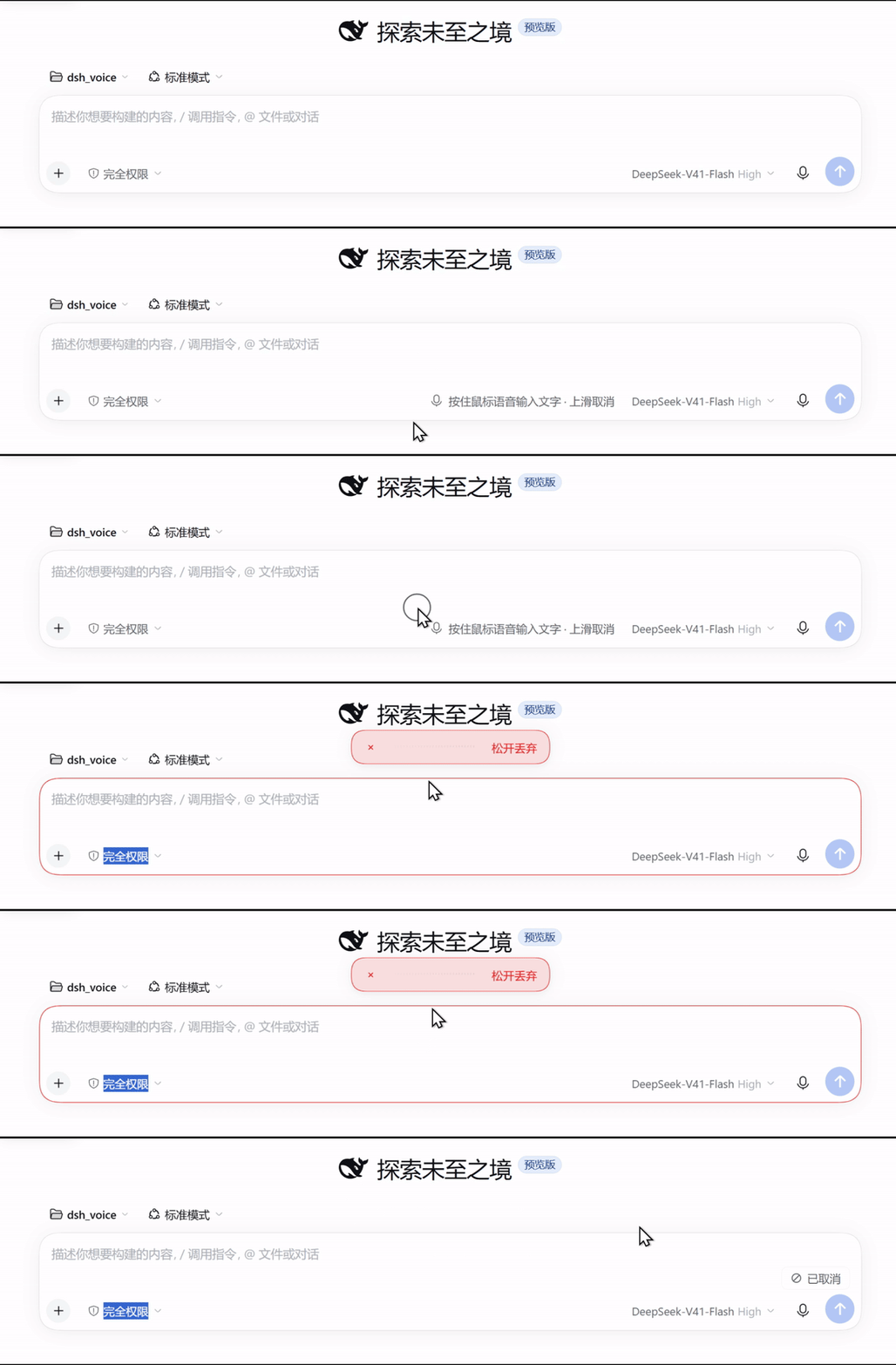
Hold the mouse button in the [DeepSeek Harness](https://github.com/deepseek-ai/deepseek-harness) message box and speak. Release to transcribe into your draft. **Nothing is sent automatically.**
[](https://github.com/jryang1997/dsh-hold-to-dictate/actions/workflows/check.yml)
[](https://github.com/jryang1997/dsh-hold-to-dictate/tags)
[](LICENSE)
[简体中文](README.md) · **English**
# Hold to talk
Hold the mouse button in the [DeepSeek Harness](https://github.com/deepseek-ai/deepseek-harness) message box and speak. Release to transcribe into your draft. **Nothing is sent automatically.**
[](https://github.com/jryang1997/dsh-hold-to-dictate/actions/workflows/check.yml)
[](https://github.com/jryang1997/dsh-hold-to-dictate/tags)
[](LICENSE)
[简体中文](README.md) · **English**
## What it does differently
- **No recognizer of its own.** No dependencies at all: it reuses the local model and language list the official voice-input module already prepared, so there is no second model to download and nothing native to build.
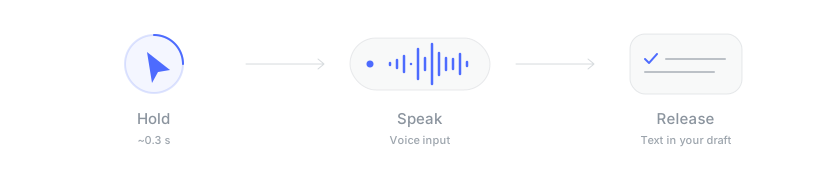
- **Mouse, touch and keyboard.** Hold the mouse for about 0.3 s; touch has its own 450 ms threshold so it does not fight word selection; or hold `Ctrl + Shift + Space`, with `Esc` to cancel.
- **Your edits win.** If you edit the draft during recognition, the result waits in a chip at the lower right until you click it.
- **A failure keeps the audio.** If the speech service is briefly unreachable, **Retry** sends the same recording again.
- **Live dictation (experimental).** Long takes commit at sentence pauses and re-read only the new audio; releasing still finalizes from the whole recording.
- **Never sends.** Text only lands in the draft.
## Before installing: two things have to be in place
This plugin has no recognizer of its own. It uses the official voice-input module's service.
| What you need | How to check |
|---|---|
| `@deepseek-ai/dsh-experimental-voice-input-bundle` | Installed and enabled under **Settings → Plugins** |
| A local recognition model | Click the built-in microphone button beside the message box and run "Download and prepare" |
When the models are missing, the plugin says so on its own recording surface and points you at the right pane. When the whole voice module is missing, it registers nothing at all, by design, so nothing happens on screen. Check the module first.
## Install
### Ask your Agent (recommended)
Switch DeepSeek Harness to **Creator mode**, then copy this into an Agent conversation:
```text
Use plugin_manager to install and enable Hold to talk in my current DeepSeek Harness profile.
First check the official voice-input module:
@deepseek-ai/dsh-experimental-voice-input-bundle
Install it if missing; otherwise make sure it is enabled.
Then install this plugin:
action: install_bundle
target: github:jryang1997/dsh-hold-to-dictate
If already installed, check that it is enabled instead of installing it again.
Check whether the recognition models are ready. If I need to download models or
grant microphone access, tell me where. When done, explain how to reload and test.
```
Reload the page afterwards.
Install from the command line
With the official voice-input module already working, run:
```bash
dsh plugin --profile add github:jryang1997/dsh-hold-to-dictate
```
Replace `` with your profile name. The desktop app manages its `desktop` profile exclusively and the CLI refuses it, so use the Agent prompt above there.
## Use it
Holding the mouse button for about 0.3 seconds starts recording.
| Action | How |
|---|---|
| Record | Hold the mouse button in the message box, or hold `Ctrl + Shift + Space` |
| Transcribe | Release |
| Cancel | Drag upward out of the box and release when the cancel cue appears, or press `Esc` |
| Insert a held-back result | If you edited the draft during recognition, the transcript waits in a small chip at the lower right. Click it to insert at the caret |
Moving the pointer into the composer shows a hint line in the middle of the tool row reading "Hold to dictate · swipe up to cancel". When the free space in that row drops under 48 px, as with a long model label, the hint is dropped rather than drawn over the controls beside it. Light, dark, reduced transparency and increased contrast all keep working.
## Settings
Under **Settings → Plugins → Hold to talk**. These settings apply to this machine only.
| Setting | Default | Options |
|---|---|---|
| Hold duration | 300 ms | 150 to 800 ms. Longer if your hand is slow, shorter if it fires by accident |
| Hold duration on a touch screen | 450 ms | 250 to 1200 ms. Longer than the mouse because a long press also selects a word |
| Recognition language | Host decides | Host decides / Chinese / English / Cantonese / Japanese / Korean |
| Keyboard shortcut | `Ctrl + Shift + Space` | Off / `Ctrl + Shift + Space` / `Ctrl + Shift + D` / `Ctrl + Shift + M` / `Ctrl + Alt + Space` |
| Hover hint | On | On / Off |
| Motion | Full | Full / Calm (drops movement and scale, keeps the cross-fades) |
| Live dictation (experimental) | Off | On / Off, see below |
Naming a fixed recognition language skips the Host's own per-request language detection. Measured faster at most clip lengths, and never slower.
Settings screenshots (v1.5.2, older)
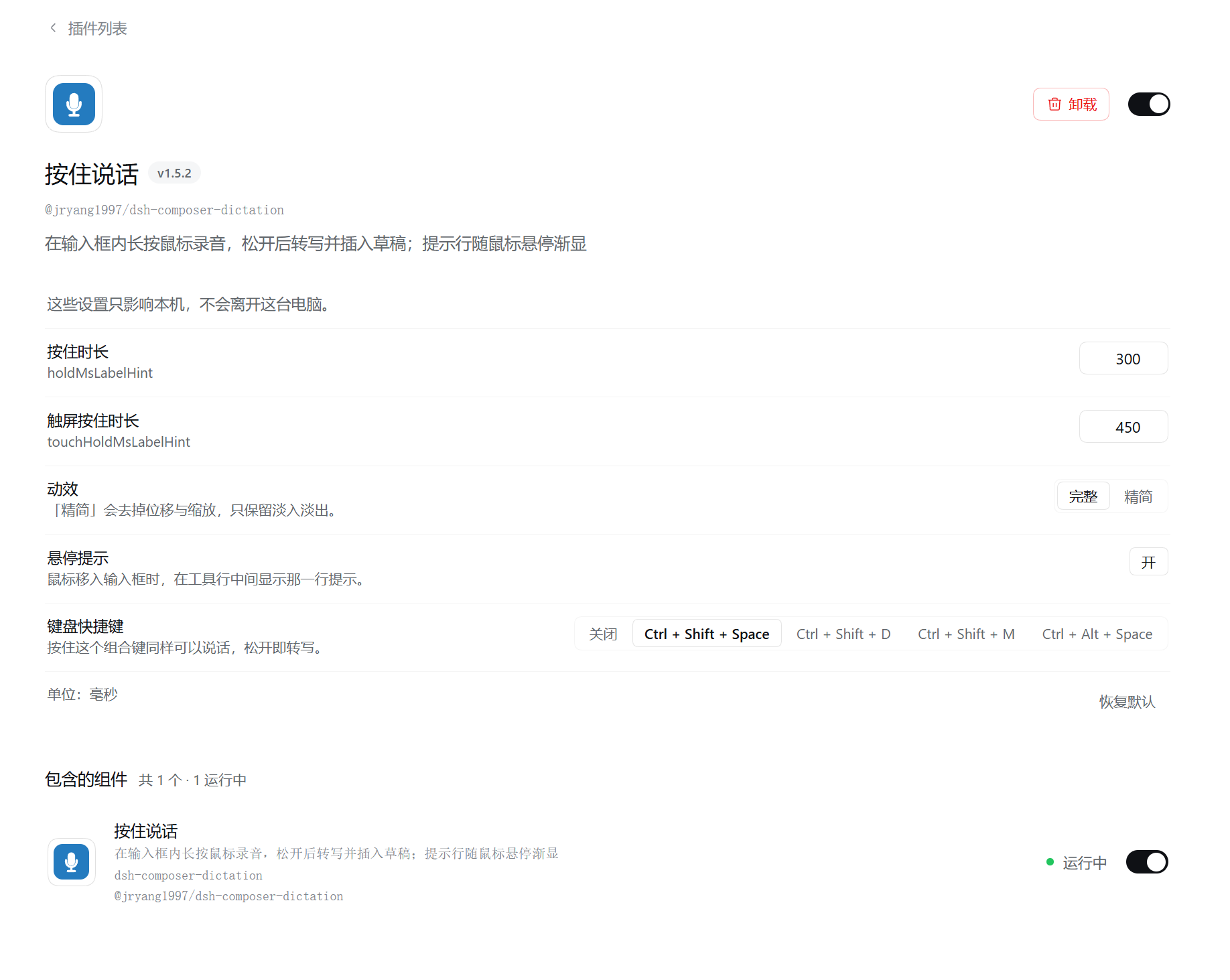
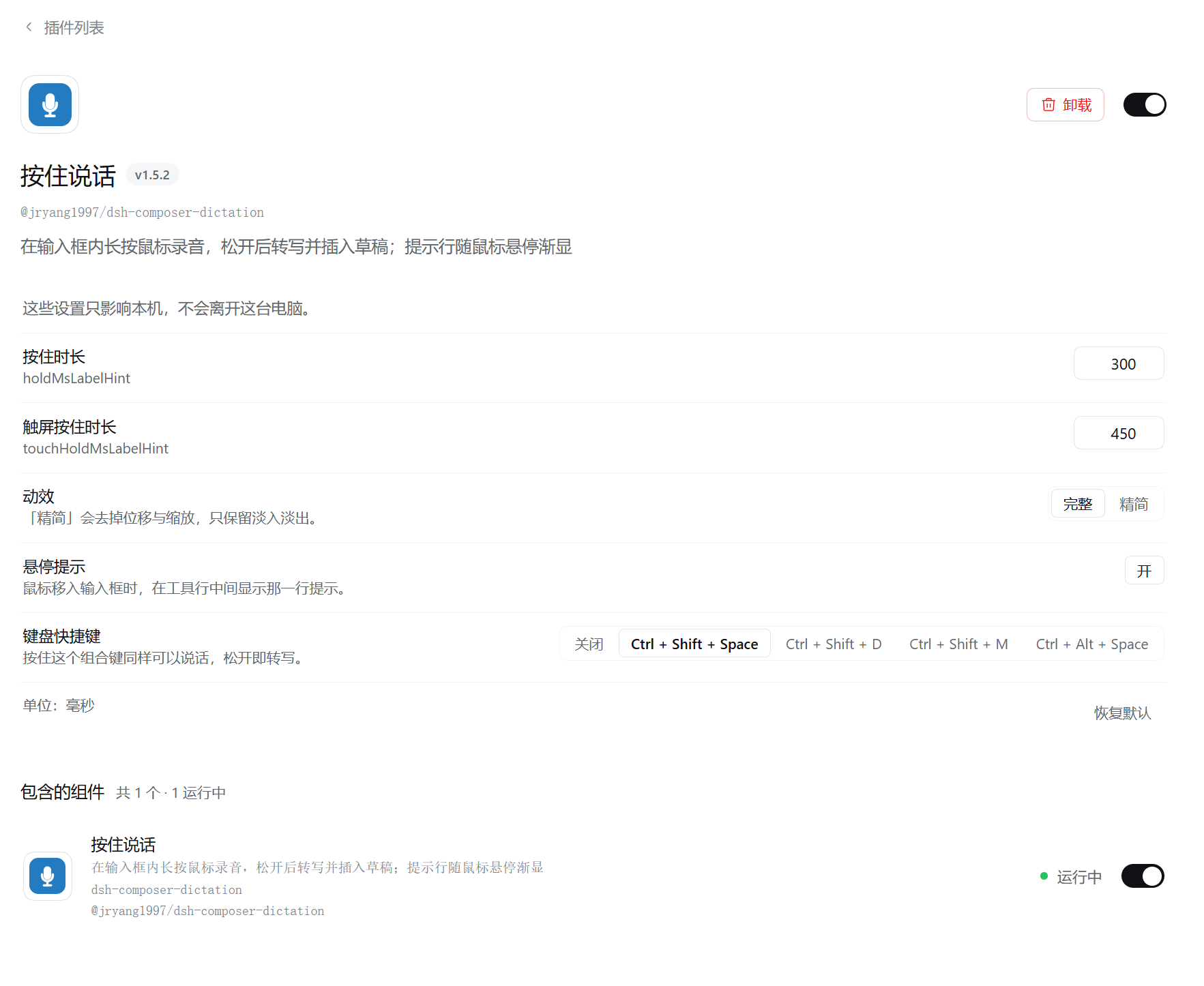
Both screenshots are from v1.5.2. The description text in them was wrong at the time, the plugin name and icon are the old ones, and neither shows the v2.1.0 live-dictation toggle or the v2.2.0 recognition-language row. The table above is current.
## Live dictation (experimental)
Enabled, this calls the official local speech module while you record and writes results into the draft as they arrive. Releasing finalizes the whole recording.
It behaves in two phases:
- **Short takes** re-read the whole recording each time, so later results can revise earlier words.
- **Long takes** switch once a whole-take read costs more than about 0.7 s. From there it commits everything up to the last sentence-length pause and reads only the new audio after it. The pause is found in the recording itself and cut down the middle, so a window never starts on a word. A take with no sentence-length pause never commits and keeps the whole-take behaviour. Committed words are frozen for the rest of that take.
Releasing still finalizes from the complete recording, so neither phase changes the text you keep.
On one 21-second clip with sentence pauses, changing only the code version, previews went from 14 to 46 and the first words appeared at 802 ms instead of 1246 ms. The old slowness came from the plugin's own fixed one-second wait, not from the model.
Live mode requires a local speech provider and a plain-text draft without reference chips. Other environments keep release-to-transcribe. Editing the draft during recognition stops automatic replacement and keeps the final result in the chip for explicit insertion. Neither mode is a native token stream.
## AI polish (experimental)
Off by default; output quality is still being tuned. When on, a finished transcript is cleaned by a model **you already set up in DSH** before it is inserted — no extra API key:
- Drops fillers and stutters (“um”, “uh”, 嗯, 那个, 就是), keeping particles that carry tone
- Keeps only the final wording when you correct yourself (“no wait, I mean…”)
- Fixes misheard words and terms (根木鹿 → 根目录, 脱肯 → Token), adds punctuation and CJK–Latin spacing
- Turns an explicit spoken enumeration (“three things: first… second…”) into a `1. 2. 3.` list; plain narration is left alone
For misheard technical words, fill in **Vocabulary** (shown once polish is on): terms, project names and people you often say, e.g. `Claude Code, DSH, Kubernetes`. Polish uses your spelling when it hears something close, and never inserts a term you did not say. Lists are laid out by code from spoken ordinals (第一 / 首先 / 一是 / first); a reply that changes too much is refused and the original is inserted.
It does not rewrite, translate or answer what you said, and it **never sends** the message. It picks a light model automatically (names with Flash / Mini / Lite first) and turns reasoning off. The text goes to that model's provider, so leave it off if that matters to you.
Any failure — no model, more than 15 s, an empty reply — inserts the original words and says so. Esc cancels polishing like it cancels transcription. The polish step runs on the Host through the official `@deepseek-ai/dsh-llm`; without it the plugin still works and always inserts the original.
The prompt draws on the polish rules of [dsh-better-input](https://github.com/DIAG5/dsh-better-input) (MIT).
## When something goes wrong
| Symptom | Cause and fix |
|---|---|
| Holding does nothing at all | Almost always the official voice-input module being disabled. The plugin degrades silently rather than failing loudly, so there is no message. Check it is enabled under **Settings → Plugins** |
| It says the speech models are not prepared | Open **Settings → Plugins → Voice input** and run "Download and prepare" once |
| It says the microphone is unavailable | Allow Harness to use the microphone in your system settings, then retry |
| Transcription fails, provider unreachable | The speech service was unreachable at that moment. A failure does not consume the audio you recorded. Use **Retry** on the capsule to send the same recording again, or dismiss and record again |
If you edited the draft during recognition, the result steps aside into the chip at the lower right instead of overwriting your edit.
## Known limits
- After a long take commits a segment, those provisional words stop correcting themselves.
- The agreement figures come from one studio clip, one model, one machine and a limited number of runs. They are not a guarantee across material.
- Automated testing uses a fake microphone fed a WAV plus a simplified DOM stub. **A real microphone on the real page has since been tested and works.** Pause detection is still harder on spontaneous speech. In noise it finds no pause and keeps whole-take recognition, so no words are cut mid-sentence.
- Recordings stop at 110 seconds by default (adjustable 15–600 s in settings) and about 4 MiB; neither ever exceeds what the speech service advertises.
## Update or uninstall
GitHub installs do not update automatically. pnpm pins a GitHub dependency to one commit, so a new release in the repository is not picked up. Updating means removing first, then installing:
```text
Update Hold to talk using plugin_manager. First remove the old installation with
action: remove_bundle, target: @jryang1997/dsh-hold-to-dictate.
Then install with action: install_bundle, target: github:jryang1997/dsh-hold-to-dictate.
Remind me to reload the page. Keep the official voice-input module installed.
```
Reload the page afterwards. Your settings are preserved.
If you still have the v1.x package `@jryang1997/dsh-composer-dictation`, remove it first and then install the package above, so both plugins are never active at once. To uninstall, remove `@jryang1997/dsh-hold-to-dictate`.
## Before you dictate
Recognition uses the speech service selected in Harness. The official default is local SenseVoice, and audio stays on this machine. If you configure a cloud provider, recordings are sent to that provider.
Community plugin, unaffiliated with DeepSeek. Tested with DeepSeek Harness `0.2.0-rc.2`.
[Changelog](CHANGELOG.md) · [Contributing](CONTRIBUTING.md) · [Implementation notes](docs/design.md) · [Report an issue](https://github.com/jryang1997/dsh-hold-to-dictate/issues) · [MIT](LICENSE)