.
**Should I self-host or use the hosted version?**
Use the hosted version to start in minutes without running servers. Self-host
if you want your messages and credentials on your own infrastructure, want
full WhatsApp history import without a paid plan, or want to use your own
Evolution API server or Telegram bridge, which only self-hosted deployments
allow.
## Screenshots
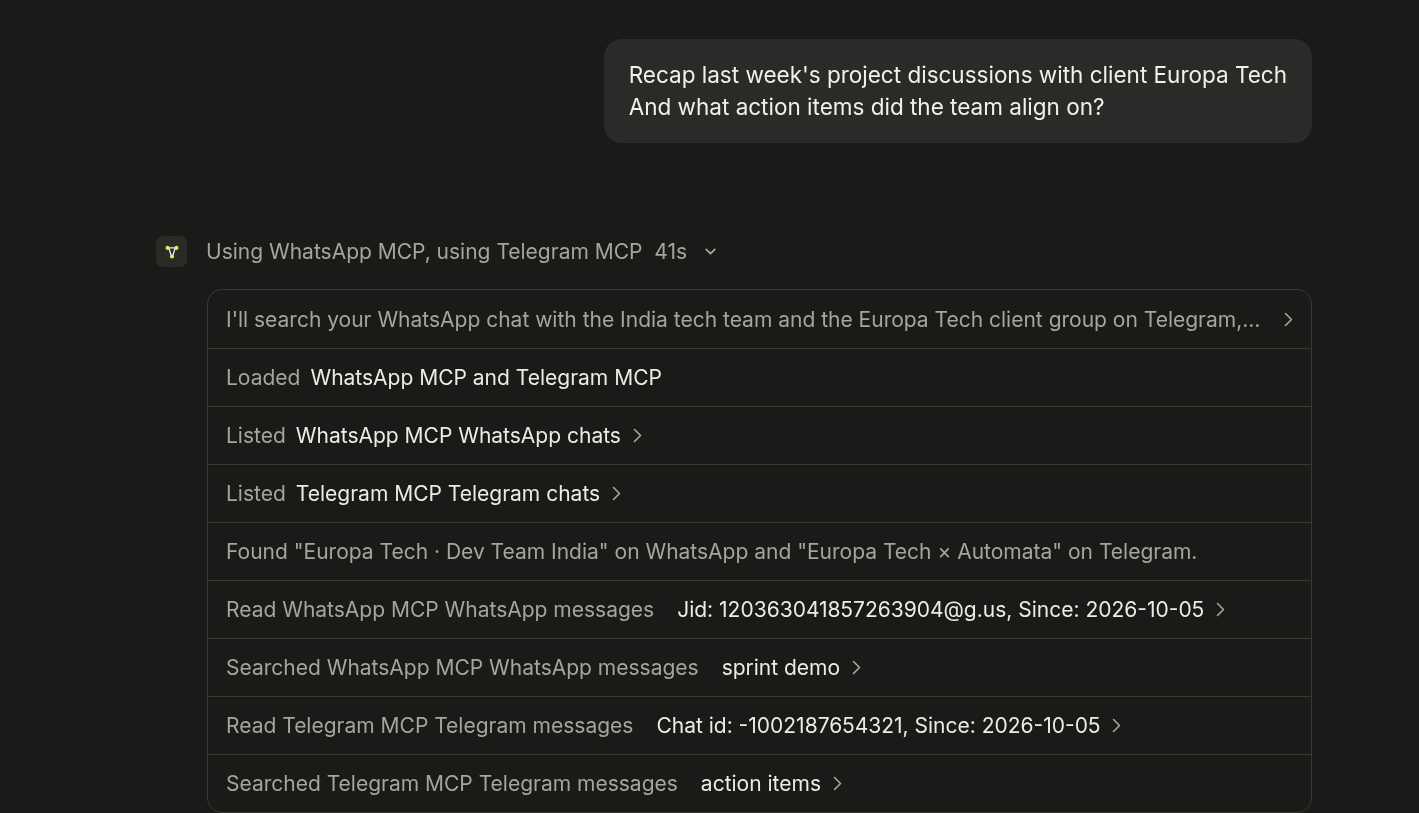
Claude recaps a client project from a WhatsApp group and a Telegram group, in one answer.
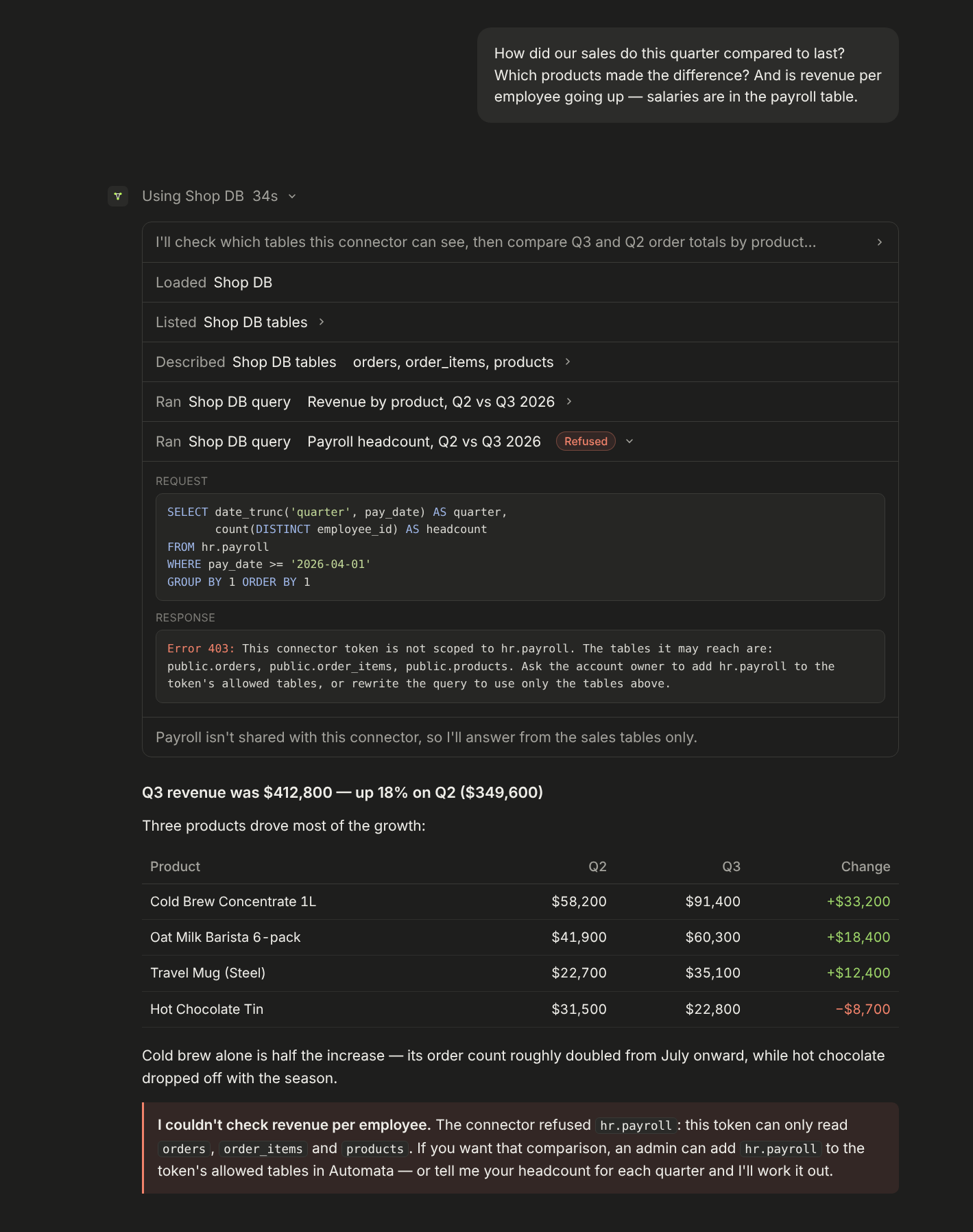
Tables you didn't share, like payroll, stay out of reach.
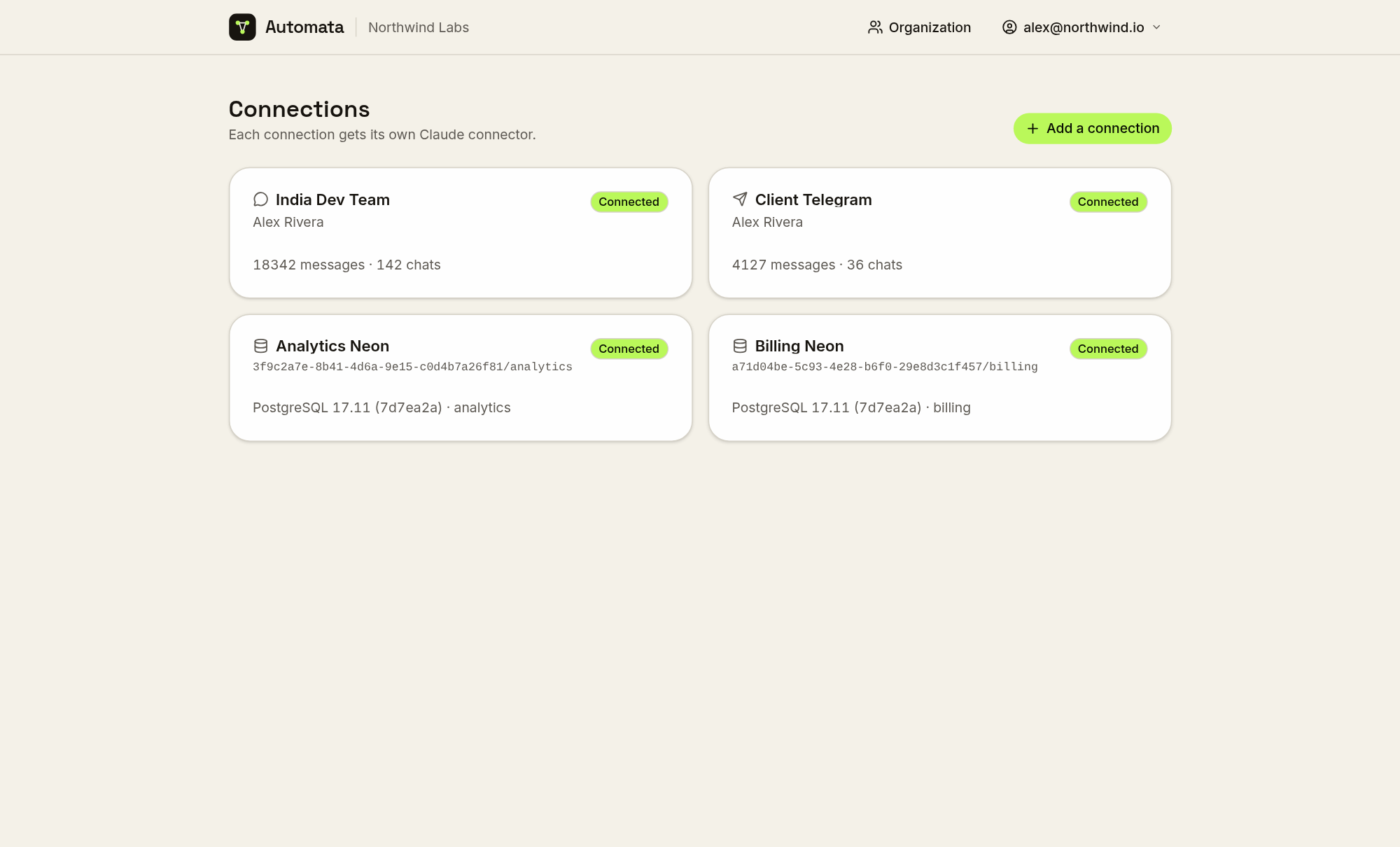
Every connection gets its own connector.
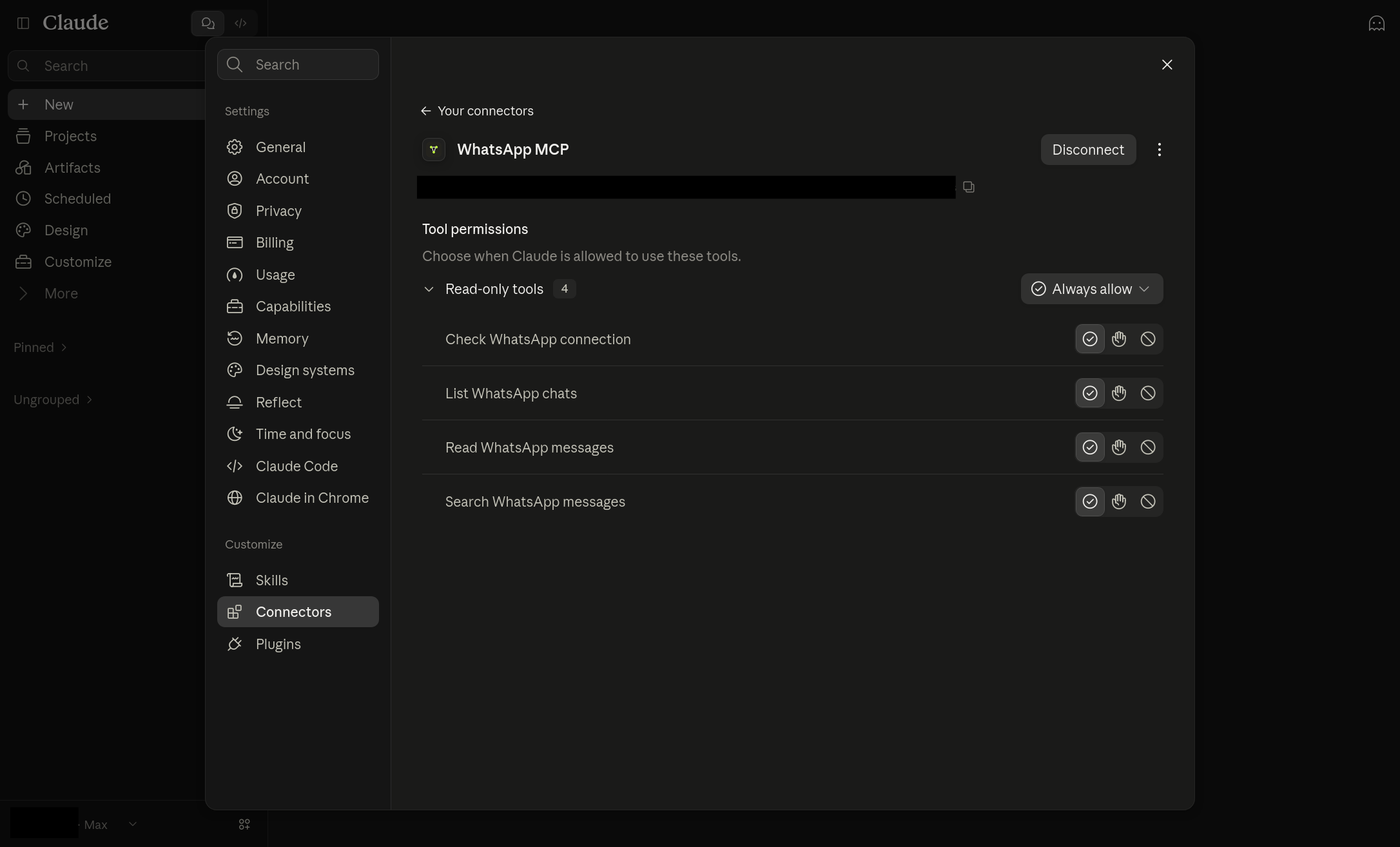
Added to Claude as a custom connector, with per-tool permissions.
## Other features
- **History, not just new messages.** Recent WhatsApp history is imported
when a number is paired, full history on request; Telegram chats are synced and backfilled; email headers are
synced while bodies and attachments are fetched live and never stored.
- **Complete-or-labelled answers.** Every page says when there is more;
reactions and WhatsApp control records are filtered and counted; duplicate
copies of a message are collapsed; @-mentions are resolved to names.
- **Teams.** Organizations with admins and members, email invitations, and
connections assigned to the people who use them.
- **Visibility.** Each token lists the MCP clients that connected with it, and
optional [telemetry](https://www.getautomata.app/docs/telemetry) keeps every
tool call for 30 days with the one-line reason the AI gave for it.
- **Two-factor sign-in** with authenticator apps, passkeys and security keys.
- **Disconnect alerts** by email when a WhatsApp or Telegram connection drops,
and again when it recovers.
- **Bring your own backend** (self-hosted only): point a connection at your own
Evolution API server or Telegram bridge.
## Hosted plans
[Sign up at mcp.getautomata.app](https://mcp.getautomata.app/signup). Free
covers one connection, one connector token and one user, with telemetry always
on, only recent WhatsApp history imported and Telegram history back 90 days. Pro is $19/month after a 7-day
trial, with unlimited connections and tokens and five users included ($10/user
after).
## Self-hosting
Automata is a Nuxt application. A self-hosted deployment runs the web app and
Postgres; Evolution API with Redis is needed only for WhatsApp, and the bundled
Telegram bridge only for Telegram.
### Railway
1. Deploy the [template](https://railway.com/deploy/automata-or-whatsapp-telegram-sql-mcp?referralCode=HxrUPo&utm_medium=integration&utm_source=template&utm_campaign=generic).
2. Open the web service's domain and sign up. The first account is the admin.
3. Optional: set `TELEGRAM_API_ID` / `TELEGRAM_API_HASH` on the bridge for
Telegram, and the `NUXT_SMTP_*` variables on the web service for email.
Every service and variable: [Deploying to Railway](docs/deploy-railway.md).
### Single container
The `docker run` command in [Quick start](#quick-start) runs Postgres, Redis,
Evolution API, the web app and the Telegram bridge in one container. Secrets are
generated into the volume on first boot. Back up the volume; see
[Single container](docs/self-hosting.md#single-container).
### Docker Compose
```bash
git clone https://github.com/ju-li/automata-mcp.git && cd automata-mcp
cp .env.selfhost.example .env
for k in POSTGRES_PASSWORD WEBHOOK_SECRET EVOLUTION_API_KEY TELEGRAM_BRIDGE_ADMIN_KEY TELEGRAM_SESSION_ENCRYPTION_KEY; do
echo "$k=$(openssl rand -hex 32)"; done >> .env
docker compose up -d # database and email connections
docker compose --profile whatsapp up -d # + WhatsApp
docker compose --profile whatsapp --profile telegram up -d # + Telegram
```
Open and sign up. Set `NUXT_PUBLIC_APP_URL` in `.env` to
the public `https://` address before your AI client connects; connector URLs are
built from it. See [Self-hosting](docs/self-hosting.md).
> [!WARNING]
> Pairing binds a real WhatsApp number, and numbers that pair and unpair
> repeatedly can be banned. Use a spare SIM. Never run `docker compose down -v`
> or delete the single container's volume: either deletes every paired session.
### Connecting a client
1. Create a connection and pair it, link it, or enter its credentials.
2. On its dashboard, create a **connector token** and choose what it may reach.
3. In Claude, open **Settings → Customize → Connectors → Add → Add custom connector** and paste the
connector URL. For Claude Code: `claude mcp add --transport http `.
Other clients: .
## Development
The repository is a pnpm workspace: `apps/web` (the Nuxt app and MCP server),
`apps/telegram-bridge` (the Telegram service) and `apps/cloud` (hosted billing
only). One `.env` at the repo root serves everything; `.env.example` documents
every variable.
```bash
pnpm install
pnpm services:up # Postgres (add :whatsapp or :telegram for those stacks)
pnpm dev # web app on http://localhost:3000
pnpm typecheck # also: pnpm bridge:typecheck, pnpm cloud:typecheck
pnpm test:emails # account-email snapshot tests
```
Local setup, networking and the Linux firewall rule are in
[Development](docs/development.md). Configuration reference:
.
## Documentation
- Product documentation:
- Running and developing this repository: [docs/](docs/README.md) —
[self-hosting](docs/self-hosting.md), [Railway](docs/deploy-railway.md),
[using Automata](docs/using-automata.md), [WhatsApp](docs/whatsapp.md),
[Telegram](docs/telegram.md), [email](docs/imap.md),
[PostgreSQL](docs/postgres.md), [alerts](docs/alerts.md),
[two-factor](docs/two-factor.md), [releases](docs/releases.md),
[development](docs/development.md)
## Contributing
Issues and pull requests are welcome at
. Before opening a pull request, run
`pnpm typecheck`, `pnpm bridge:typecheck`, `pnpm cloud:typecheck`,
`pnpm test:emails` and `pnpm listings:check`; these are the repository's
automated checks.
## License
[MIT](LICENSE)

