# QuotaDock
[English](./README.md) | [한국어](./README.ko-KR.md) | [简体中文](./README.zh-CN.md) | [繁體中文(臺灣)](./README.zh-TW.md) | [日本語](./README.ja-JP.md)
QuotaDock is a tiny always-on-top Windows desktop widget that watches your **Claude, OpenAI
Codex, and Google Antigravity** usage limits — session/weekly quotas and reset timers — in one
glance.
[](https://github.com/jungdosa/QuotaDock/releases)
[](LICENSE)
[](https://go.dev/)
[](https://fyne.io/)
[](#supported-platforms)
When you work with Claude Code, Codex CLI, and Antigravity IDE, you keep asking the same
questions: *how much of the 5-hour session is left? when does the weekly limit reset?*
QuotaDock answers both without you having to check.
| Provider | What it shows | How it connects |
|---|---|---|
| **Claude** (Claude Code) | 5-hour session · 7-day weekly · Fable weekly | Uses Claude Code's existing OAuth credentials (credentials file or environment override); no in-app paste or browser-cookie extraction |
| **OpenAI Codex** | Session · weekly limits | Official Codex CLI app-server (stdio JSONL) |
| **Google Antigravity** | Gemini and Claude/GPT group session · weekly | Antigravity CLI read-only usage report; local language server (loopback) when the CLI is unavailable |
If one provider fails, the others keep working. Every row draws a **segmented bar (usage)**
above a **thin continuous bar (time until reset)**, so you can see at a glance whether your
quota is burning faster than the clock. Bars and figures switch to warning colors once your
thresholds are crossed.
## Views
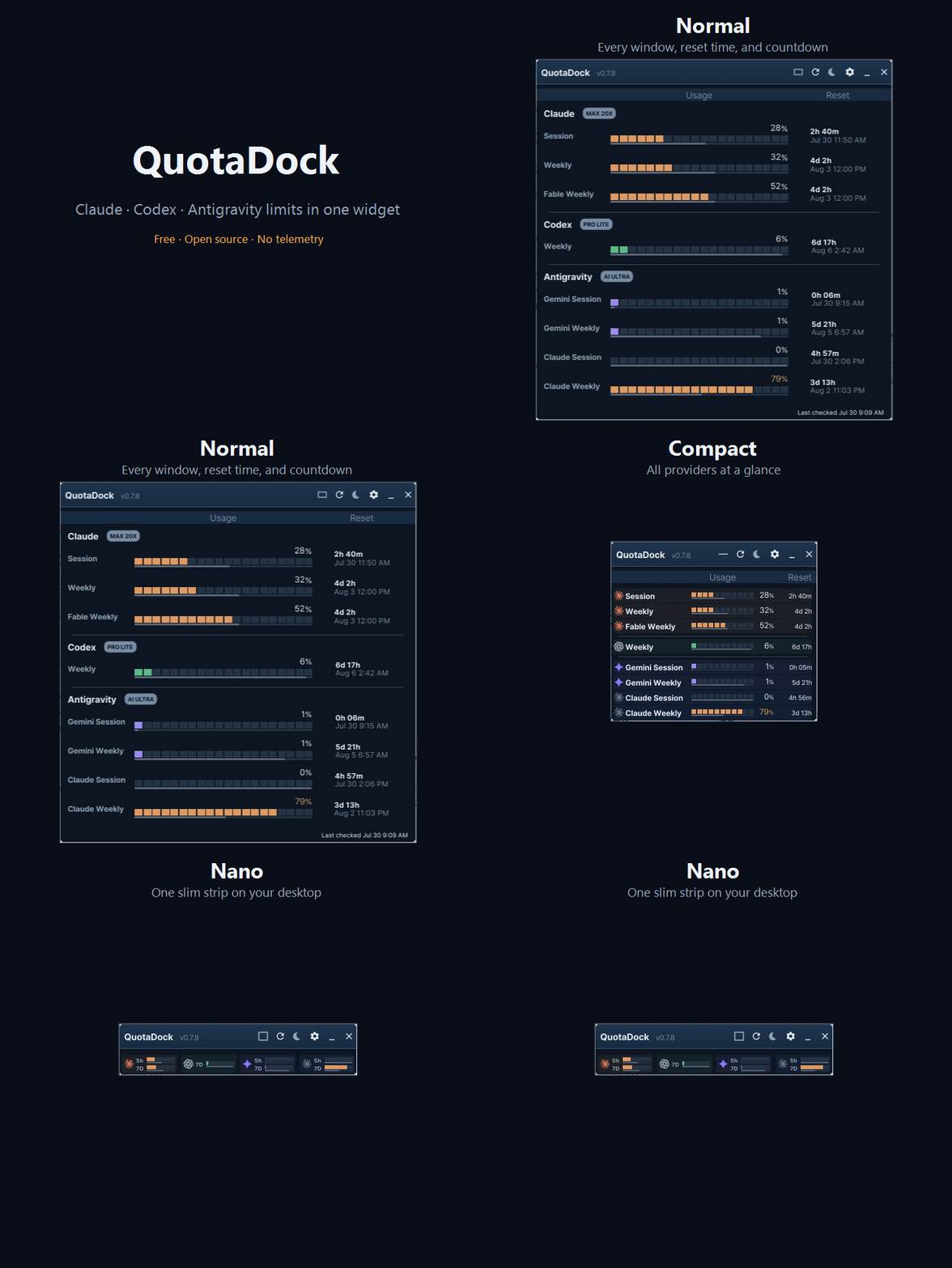
Three widget views plus a settings screen. The toolbar button cycles
`normal → compact → nano`, and a single click returns nano to compact.
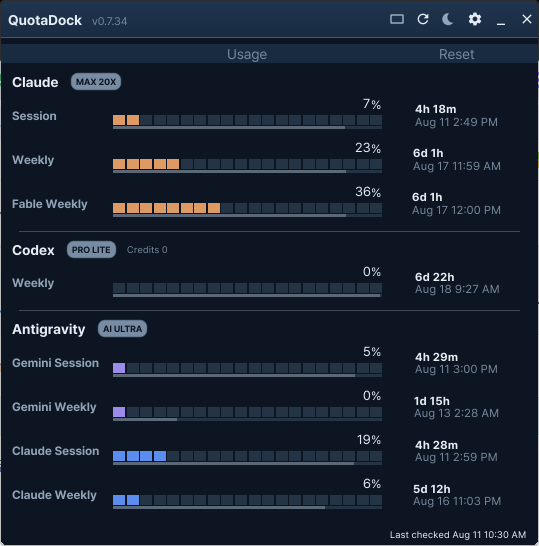
### Normal — everything at once
Provider groups, plan badges, usage bars with reset bars, countdown and reset time.
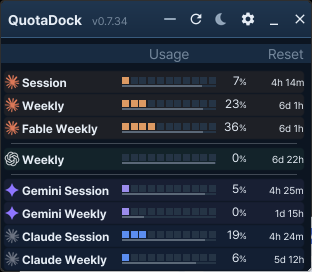
### Compact — one line per row
A narrow view with time-until-reset next to each percentage. Hover a time to get a tooltip
with the exact reset moment.
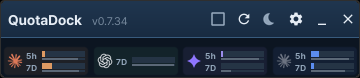
### Nano — a tiny strip
One cell per provider, roughly 78px tall — made for parking in a corner of your monitor.
Hovering a row shows a three-line tooltip: `provider · window / remaining / reset time`.
## Features
- **Light · dark · system themes**, 12/24-hour date formats, per-provider color palettes
and configurable warning thresholds
- **Twelve languages** — English, Korean, German, French, Italian, Indonesian,
Portuguese (Brazil), Spanish (Spain / Latin America), Japanese, Simplified Chinese,
and Traditional Chinese (Taiwan). `System` follows your Windows
display language
- **Connection method buttons** — each provider row shows how it connects (`CLI`, `Auth`,
`IDE`) with its state. If a CLI is missing, clicking the button expands install guidance
right inside the card
- **Built-in updates** — checks GitHub Releases once at startup and whenever you ask.
Downloads are verified against the release asset's SHA-256 **twice**: after download and
again immediately before the installer runs. No periodic polling, no credentials sent
- **Pin to taskbar (Windows 11)** — keeps the tray icon out of the overflow flyout
## Install
The quickest way is the Windows Package Manager:
```powershell
winget install jungdosa.QuotaDock
```
Or grab a file from [**Releases**](https://github.com/jungdosa/QuotaDock/releases):
| File | Purpose |
|---|---|
| `QuotaDock--win-x64-portable.exe` | One executable. Nothing to install, nothing to uninstall. Start here if you are just trying it out. |
| `QuotaDock--win-x64-Setup.exe` | Installer. Adds a Start Menu entry and can launch at startup. |
There is nothing to configure either way. QuotaDock finds the official CLIs and IDE you are
already signed in to and connects on its own.
> The current version is shown by the release badge at the top of this page and on the
> [Releases](https://github.com/jungdosa/QuotaDock/releases) page. It becomes 1.0.0 once
> Windows feature verification is done.
### About the SmartScreen warning
The binaries are not code-signed yet, so the first time you run one Windows will show a blue
"Windows protected your PC" dialog. That is Windows telling you it has not seen this file
before, not that it found anything wrong with it.
You have three options, and I would rather you take one of the first two than click through:
**Check the hash.** Every release ships `SHA256SUMS.txt`. In PowerShell:
```powershell
Get-FileHash .\QuotaDock--win-x64-portable.exe -Algorithm SHA256
```
Compare it with the matching line in `SHA256SUMS.txt` from the same release.
**Build it yourself.** The source is here and the release script is in `build/windows/`. See
[Building from source](#building-from-source).
**Run it anyway.** Click *More info*, then *Run anyway*. If you took the portable
executable, deleting the file is the whole uninstall.
Code signing is being worked on. Until it lands, checksums and a public build are what I can
offer instead of a certificate.
## First run
There is no setup wizard, no login screen, and nothing to paste.
1. Launch **QuotaDock**. It appears as a small always-on-top widget.
2. It looks for the official tools you already use and connects on its own —
Claude Code CLI, Codex CLI, and the Antigravity IDE.
3. Providers you are signed in to start showing usage within a few seconds.
If a row reports a missing CLI, open **Settings → Connections** and click that provider's
`CLI` button. Install guidance expands inside the card — the command to run, how to sign in,
and where QuotaDock looks. Press `Rescan` when you are done; no restart needed.
### Connecting Claude three ways
QuotaDock shows up to five Claude accounts side by side. Press `+` on the last Claude card in
**Settings → Connections** to add one and `−` to remove the last one; each account gets its own
display name and colour. Every Claude card offers three connection methods. Pick one per account:
| Method | What it reads | When to use it |
|---|---|---|
| `CLI` | The credential Claude Code already keeps on this PC | You use Claude Code here. One account only — the CLI holds one login. |
| `Auth` | A Claude login made inside QuotaDock's own browser window | A second account, or a PC without Claude Code. |
| `Other` | The `CLAUDE_CODE_OAUTH_TOKEN` environment variable | A long-lived token you manage yourself, for example on a machine you sign in to over SSH. |
`Other` has no box to paste into — by design, QuotaDock never asks you to type a token.
To use it:
1. In a terminal, run `claude setup-token` and follow the prompt. It prints a long-lived token
(a Claude subscription is required).
2. Set it as a **user environment variable** named `CLAUDE_CODE_OAUTH_TOKEN`
(Windows: *Settings → System → About → Advanced system settings → Environment Variables*).
3. Restart QuotaDock — environment variables are read when a program starts — then click
`Other` on the Claude card. The card reports the variable as configured.
The variable is read by any program you run, so treat it like a password: don't put it in
scripts you share, and revoke it from your Anthropic account if it leaks.
Day to day:
- The toolbar button cycles `normal → compact → nano`; one click returns nano to compact.
- `✕` sends the widget to the tray instead of quitting. Quit from the tray menu.
- Drag the title bar to move it. The position is remembered across restarts.
## Privacy
QuotaDock uses authentication state already established by the official tools; it does not ask
you to paste secrets, extract browser cookies, scrape web pages, send telemetry, or make
billable AI requests.
- **It uses existing sign-ins instead of collecting credentials.** For Claude, QuotaDock reads
Claude Code's OAuth credentials from its local credentials file or an environment override;
when file-based credentials need renewal, it sends the refresh token to Anthropic's token
endpoint and atomically updates that file, then sends the access token to Anthropic's usage
endpoint and, every six hours, to its profile endpoint to read the current plan tier. Codex usage comes from the official Codex CLI app-server over stdio, and
Antigravity usage comes first from the signed-in Antigravity CLI's read-only usage report
(`agy -p "/usage" --output-format json`, at most once every five minutes), which starts no
agent turn and spends no quota; when the CLI is missing or signed out, it comes from the IDE's
verified language server on `127.0.0.1`. A CLI report that cannot be verified as read-only
stops the CLI path for the rest of the session. There is no
credential-entry box, browser-cookie extraction, browser automation, or unofficial web
scraping.
- **Secrets stay out of the interface and logs.** Tokens, cookies, and raw credential-file
contents are never rendered in the UI or written to logs. Only normalized usage rates,
allowlist-validated plan labels, and reset times reach the UI.
- **Local diagnostics only.** A small bounded JSON diagnostic log is kept at
`%LOCALAPPDATA%\QuotaDock\quotadock.log` during normal use. An abnormal exit may also leave
`crash.log` in that folder. Secrets and email addresses are redacted before writing, and
neither log is ever sent anywhere.
- **Outbound traffic is a short allowlist.** Provider requests may only reach
`api.anthropic.com`, `platform.claude.com`, and `grok.com`. The built-in sign-in window may
only open pages on `claude.ai`, `anthropic.com`, `grok.com`, and `x.ai`, and its usage reads
may only reach `claude.ai` and `grok.com`. Update checks may only reach `api.github.com` and
GitHub's release hosts, and they carry no credentials. The official Codex and Antigravity
CLIs that QuotaDock starts talk to their own services. Everything else is loopback. No
telemetry, no analytics, no crash reporting.
- **Your settings stay yours.** Configuration lives in `%APPDATA%\QuotaDock\settings.json`
and survives uninstall. Nothing is synced anywhere.
- **No billable requests.** Refreshing usage never spends your quota or credits.
## Design principles
- **It doesn't ask.** If the official tools are installed and signed in, it connects on its
own. No first-run login wizard, no forced popups.
- **It keeps secrets out of the interface and logs.** Tokens, cookies, and raw credential-file
contents are never rendered in the UI or written to logs. Only normalized usage rates,
allowlist-validated plan labels, and reset times do.
- **It stays local.** No telemetry, no external analytics. Loopback connections are allowed
only to verified processes on fixed endpoints. Outbound requests stay within the allowlist
above; the update check carries no credentials and runs only at startup or when you click.
- **It doesn't spend credits.** Refreshing usage never sends a billable AI request.
- **It stays small.** Native Go + Fyne rendering, 0% idle CPU, actively managed memory.
## Supported platforms
| Priority | Platform | Status |
|---|---|---|
| 1st | Windows 10 22H2+ / 11, x64 | **Working** (0.7.x) |
| 2nd | macOS 14+, Apple Silicon | Planned |
## Building from source
Fyne uses CGO, so Go alone is not enough.
- Go 1.26 or newer
- A C compiler (Windows: MinGW-w64 / macOS: Xcode Command Line Tools)
```sh
git clone https://github.com/jungdosa/QuotaDock.git
cd QuotaDock
go build ./cmd/quotadock
```
Release artifacts (Setup.exe, portable, SHA256SUMS) are produced by
`build/windows/build-release.ps1`.
## Bugs, questions, security
- Something broken, or an idea: [open an issue](https://github.com/jungdosa/QuotaDock/issues)
- Something exploitable: please
[report it privately](https://github.com/jungdosa/QuotaDock/security/advisories/new).
Details in [SECURITY.md](SECURITY.md).
- What changed between versions: [CHANGELOG.md](CHANGELOG.md)
- Sending a patch: [CONTRIBUTING.md](CONTRIBUTING.md)
QuotaDock is maintained by one person, [@jungdosa](https://github.com/jungdosa), so please
treat response times as best effort.
## License
MIT — see [LICENSE](LICENSE).
QuotaDock's source, wording, screen design, and app icon are original work.
Remaining work is tracked in [docs/REMAINING-WORK.md](docs/REMAINING-WORK.md).
### Third-party assets
| Asset | Source | License |
|---|---|---|
| `assets/fonts/Pretendard-*.ttf` | [Pretendard](https://github.com/orioncactus/pretendard) | SIL OFL 1.1 — [`Pretendard-OFL.txt`](assets/fonts/Pretendard-OFL.txt) |
| `assets/providers/*.svg` | [lobe-icons](https://github.com/lobehub/lobe-icons) | MIT — [`LICENSE-lobe-icons.txt`](assets/providers/LICENSE-lobe-icons.txt) |
Provider logos are the trademarks of their respective owners (Anthropic, OpenAI, Google) and
are used solely to identify the services whose usage QuotaDock displays.
---
keywords: Claude usage monitor · Claude Code rate limit · OpenAI Codex quota · Gemini
Antigravity usage · AI quota tracker · desktop widget · system tray · Windows · Go · Fyne