# Alyn
[](https://badge.fury.io/py/alyn)
## Skew detection and correction in images containing text

Image with skew
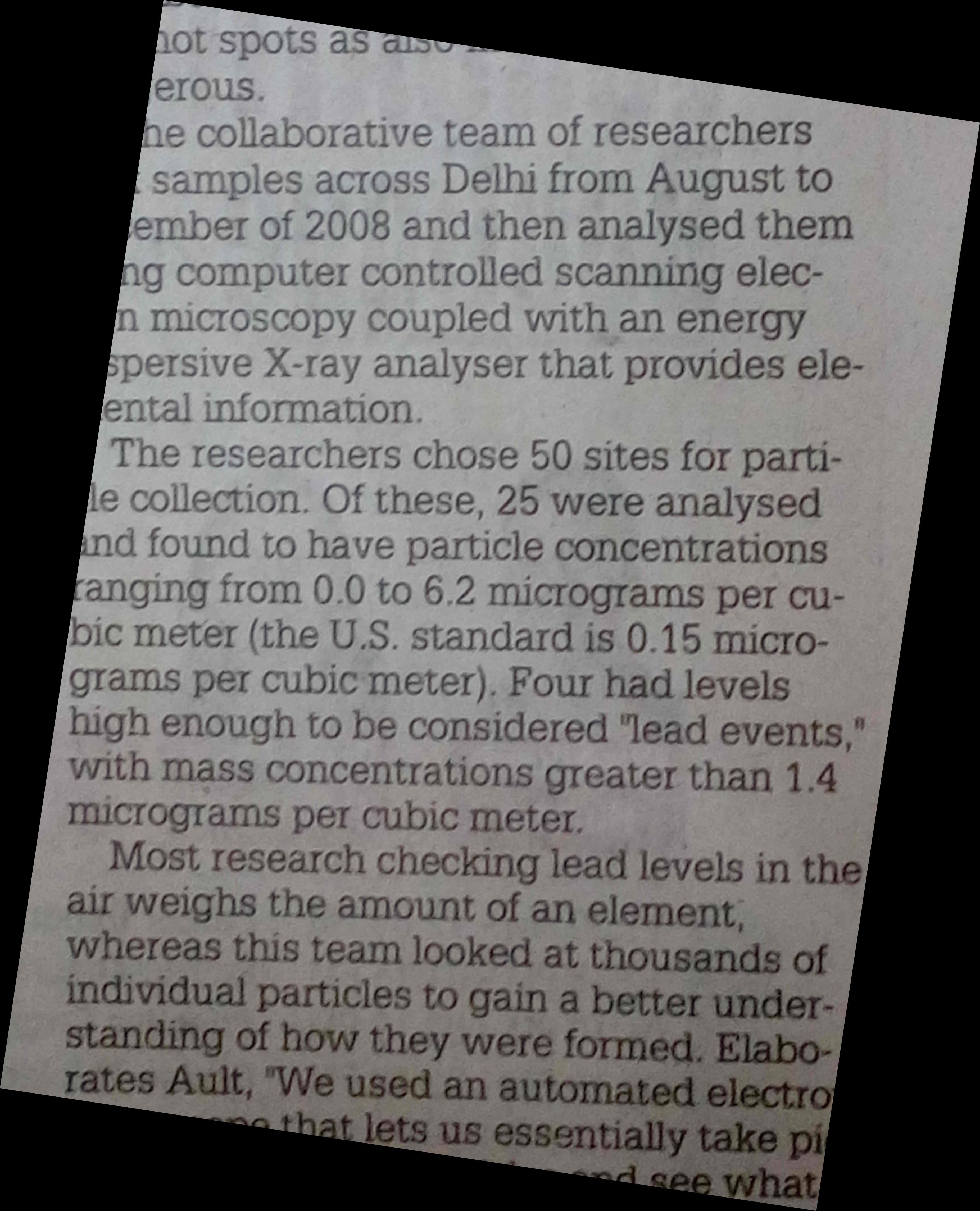
Image after deskew
### Install and use via pip!
Recommended way(using virtualenv):
1. `mkdir alyn-test`
2. `cd alyn test`
3. `mkvirtualenv .`
4. `pip install alyn`
5. `source bin/activate`
#### To detect skew angle in image:
```
from alyn import SkewDetect
sd = SkewDetect(
input_file='path_to_file',
batch_path='optional_batch_processing_path',
output_file='optional_text_file_output_path',
display_output='Yes/No')
sd.run()
```
##### Extra options:
* `sigma`:canny edge detection blurring
* `plot_hough`: display hough lines detected
* `num_peaks`: control the number of hough line peaks
#### To deskew image:
```
from alyn import Deskew
d = Deskew(
input_file='path_to_file',
display_image='preview the image on screen',
output_file='path_for_deskewed image',
r_angle='offest_angle_in_degrees_to_control_orientation')`
d.run()
```
### Requires
* `numpy`
* `matplotlib`
* `scipy`
* `scikit-image`
### Techniques used
* Canny Edge Detection
* Hough Transform
### Features
* Detect the skew in given images
* Display the output
* Save the output to txt file
* Batch process files in a directory
* View Hough Transform of a given image
* Set the number of peaks for Hough Transform and Sigma for Canny Edge detection
* Rotate the image to remove the skew
### How the skew detection works
The skew detection script takes image file as input, then performs the following steps:
* Converts the image to greyscale
* Performs Canny Edge Detection on the Image
* Calculates the Hough Transform values
* Determines the peaks
* Determines the deviation of each peaks from 45 degree angle
* Segregates the detected peaks into bins
* Chooses the probable skew angle using the value in the bins
The deskew script uses the skew angle determined using skew detection script to remove the skew from the image.
### Using scripts directly(older method)
#### Image skew calculation using skew_detect.py
To calculate the skew angle for a given image file, use `-i` option followed by the path to file:
./skew_detect.py -i image.jpg
To save output in a text file add `-o` option followed by the output file name:
./skew_detect.py -i image.jpg -o output.txt
To display output information add `-d` option followed by a string `Yes`:
./skew_detect.py -i image.jpg -d Yes
To batch process files in a directory, use `-b` option followed by the path to directory:
./skew_detect.py -b examples
To display Hough Transform plot for an image,:
./skew_detect.py -i image.jpg -p Yes
##### Output of the Hough Transform:
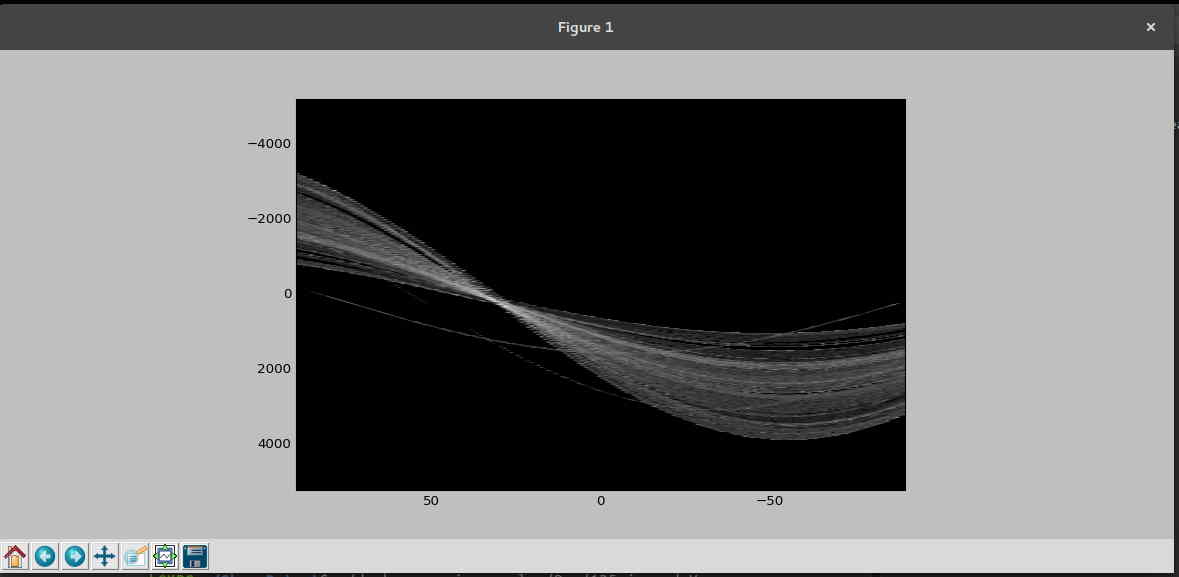 To set the value of sigma for Gaussian blurring in Canny Edge Detection, use `-s` option followed by the desired value:
./skew_detect.py -i image.jpg -s 3
To set the number of peaks collected from Hough Transform, use `-n` option followed by the desired value:
./skew_detect.py -i image.jpg -n 10
### Image Deskew using deskew.py
To perform a simple deskew and display the output:
./deskew.py -i image.jpg -d Yes
To save the deskewed image, use the following:
./deskew.py -i image.jpg -o rotated.jpg
In some cases the result image might be upside down or the text may be running vertical, To fix this, use `-r` followed by the desired angle in `int`:
./deskew.py -i image.jpg -o rotated.jpg -r 90
To generate data for experimental purposes, run the test_img_gen.py in test_data folder. This will generate images containing a white line having angle between 0 to 180 degrees.