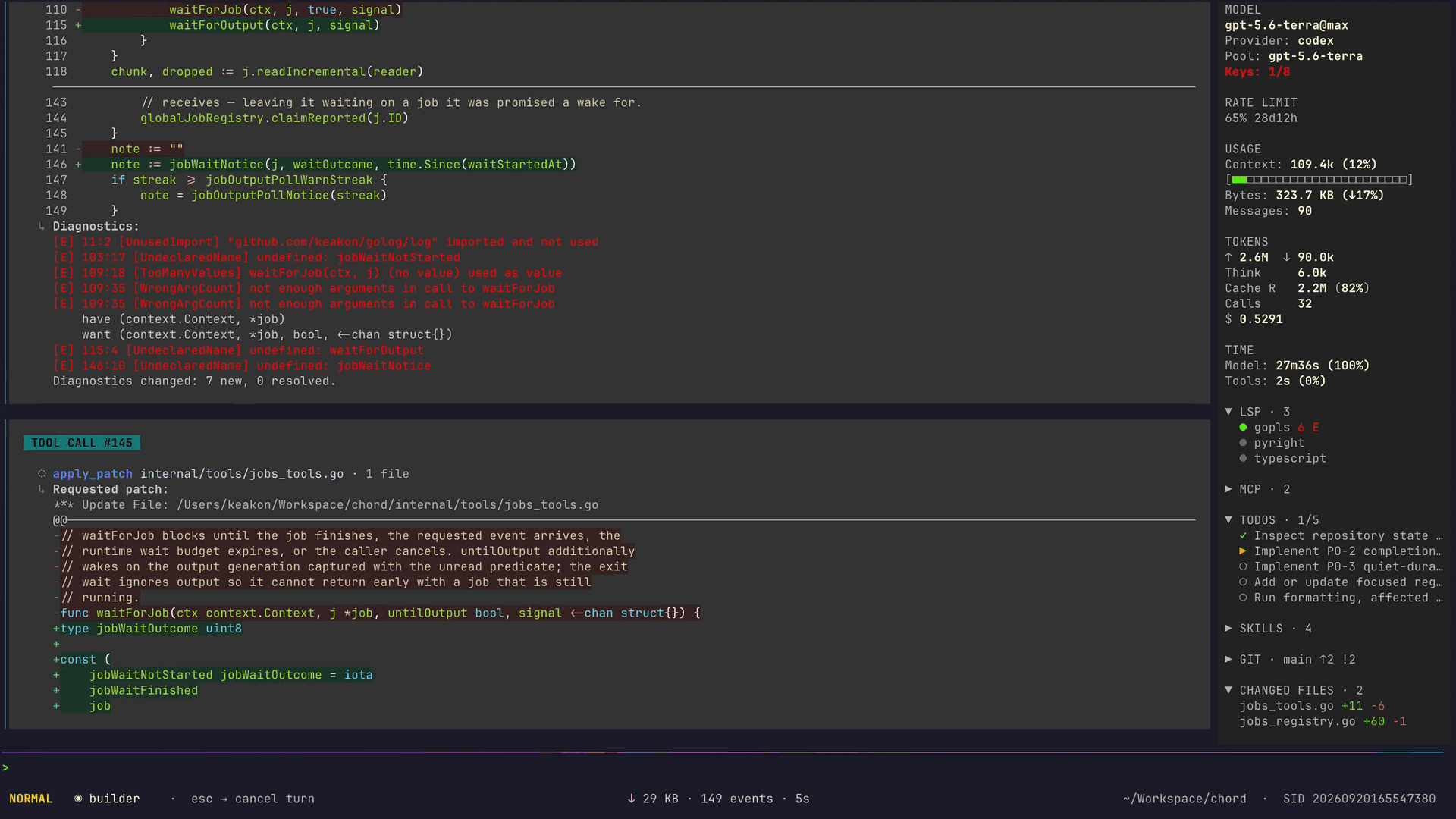
A faster, cheaper, lighter terminal coding agent.
In one measured task: about 1/3 of Claude Code's time and cost.
A session uses tens of megabytes of memory, so you can run several agents at once even on modest hardware.
## Measured results
Six coding agents completed the same [DeepSWE v1.1 task](https://deepswe.datacurve.ai/data/v1.1/tasks/httpx-streaming-json-iteration) with the same model (`DeepSeek-V4.1-Flash-1017`). Chord was fastest and cheapest:
| Harness | Time | Estimated cost |
|---------|------|------|
| Chord 0.8.1 | **6m37s** | **$0.052** |
| deepseek-harness 0.1.5-rc.1 | 9m50s (1.49×) | $0.079 (1.51×) |
| pi 0.85.1 | 10m22s (1.57×) | $0.086 (1.65×) |
| Codex 0.154.0 | 17m01s (2.57×) | $0.139 (2.67×) |
| mini-swe-agent 2.4.6 | 18m29s (2.79×) | $0.125 (2.40×) |
| Claude Code 2.1.272 | 22m25s (3.39×) | $0.166 (3.17×) |
After loading 200 messages, Chord uses 39 MB of memory (Claude Code: 216 MB). These numbers come from one task and one memory test, so yours will differ; see [Performance](./docs/performance.md#measured-results) for token breakdowns and test conditions.
## Three-step setup
### 1. Install
On macOS or Linux with [Homebrew](https://brew.sh):
```bash
brew install keakon/tap/chord
chord --version
```
On Linux and macOS without Homebrew:
```bash
curl -fsSL https://github.com/keakon/chord/releases/latest/download/install.sh | bash
chord --version
```
If that URL returns 404, the latest release does not ship the installer yet; see [Quickstart](./docs/quickstart.md#1-install).
On Windows, download the archive from [GitHub Releases](https://github.com/keakon/chord/releases), extract it, and put `chord` on your `PATH`.
Install with Go
With Go 1.27.0 or newer:
```bash
go install github.com/keakon/chord/cmd/chord@latest
```
`go install` puts the binary in `$(go env GOPATH)/bin`, so make sure that directory is on your `PATH`. See [Quickstart](./docs/quickstart.md#install-with-go) for the PATH fix.
For upgrades and unblocking a downloaded binary on macOS, see [Quickstart](./docs/quickstart.md#1-install).
### 2. Start in your project
Open your project in an interactive terminal:
```bash
cd my-project
chord
```
On the first run, a setup wizard asks for your model API URL, model name, and API key, or lets you sign in with Codex OAuth. See [supported accounts and APIs](./docs/model-choice.md#supported-accounts-and-apis) to check whether your keys or accounts work.
### 3. Send your first task
> [!IMPORTANT]
> By default, Chord edits files and runs commands without asking. File deletions through `delete` and deletions or moves through `apply_patch` require confirmation. To approve other actions first, set up [permission rules](./docs/permissions-and-safety.md) before sending a task.
Describe your task and press Enter. Start by asking about your project:
```text
Explain this project's main modules and how to run its tests. Do not change any files yet.
```
Press Esc to enter Normal mode, then press q twice within two seconds to quit. Run `chord --continue` from the same project directory next time to resume the most recent session.
## Features
- [Parallel agents](./docs/usage.md#multi-agent-focus-switching): after you [define subagent roles and grant the main role delegation permission](./docs/configuration.md#agent-config), the main agent can delegate subtasks to subagents that run in parallel; press Shift+Tab to switch between them.
- [Automatic model fallback](./docs/configuration.md#model-pools-selecting-providermodel): model pools combine several providers and models and move to the next one when a request fails.
- [Long sessions that fit](./docs/context-management.md): Chord trims old tool output before each request and compacts history into a summary near the context limit.
- [Approve before it runs](./docs/permissions-and-safety.md): `allow` / `ask` / `deny` rules per tool and command decide which actions wait for confirmation.
- [Import existing sessions](./docs/usage.md#importing-external-sessions): bring your Claude Code, Codex, or OpenCode history into Chord and continue working.
- [Headless](./docs/headless.md) and [ACP](./docs/acp.md): use `chord headless` for external interfaces or `chord acp` with editors such as Zed.
## Find a guide
- [Quickstart](./docs/quickstart.md): install, connect a model, and complete your first task
- [Usage](./docs/usage.md): everyday controls, session recovery, long tasks, and parallel work
- [Model configuration](./docs/model-configs.md) · [Configuration examples](./docs/examples/index.md): connect models or custom gateways
- [Permissions & Safety](./docs/permissions-and-safety.md): choose which actions need approval
- [Customization](./docs/customization.md): configure multiple agents, skills, code diagnostics, and external tools
- [Headless](./docs/headless.md): control Chord from another interface with `chord headless`
- [ACP agent mode](./docs/acp.md): drive Chord from ACP clients such as Zed with `chord acp`
- [Troubleshooting](./docs/troubleshooting.md) · [Full documentation index](./docs/index.md)
## Project links
- Companion project: [keakon/chord-gateway](https://github.com/keakon/chord-gateway)
- [Contributing](./CONTRIBUTING.md)
- [Changelog](./CHANGELOG.md)
- [Issues](https://github.com/keakon/chord/issues)
## Platform support
Chord is developed and tested primarily on macOS. Linux works well, and Windows mostly works but may have undiscovered bugs. See [Platform support](./docs/platforms.md) for per-feature differences.
## Acknowledgements
Chord is built on [Bubble Tea](https://github.com/charmbracelet/bubbletea), with design and feature inspiration from Claude Code, Codex, OpenCode, and Crush. Most of its development was assisted by GPT-5.4/5.5. Thanks to the many community-run API proxies on [linux.do](https://linux.do/) for providing token access.
## License
MIT License. See [LICENSE](./LICENSE).