



 ## Tip: Avoid Repeating `import Align`
To make Align available throughout your module without writing `import Align` in every file, add a single file (e.g. `Align+Exported.swift`) containing:
```swift
@_exported import Align
```
Any file in the same module can then use Align's APIs directly. This is especially convenient in app targets that lean heavily on Auto Layout.
## Documentation
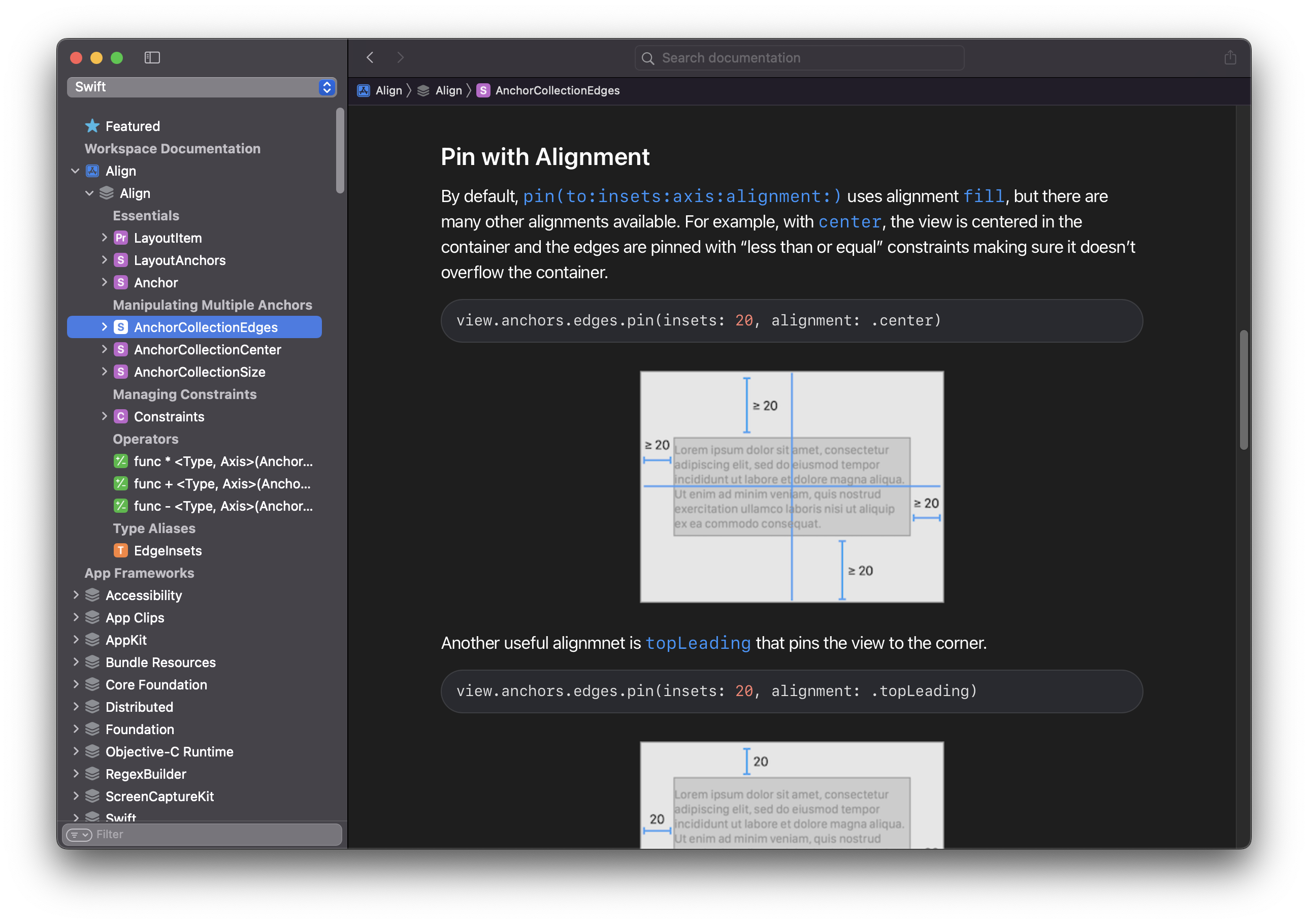
The [**documentation**](https://kean-docs.github.io/align/documentation/align/) for Align is created using DocC and covers all of its APIs in a clear visual way. There is also a [**cheat sheet**](https://github.com/kean/Align/blob/master/Sources/Align.docc/Resources/align-cheat-sheet.pdf) available that lists all of the available APIs.
## Tip: Avoid Repeating `import Align`
To make Align available throughout your module without writing `import Align` in every file, add a single file (e.g. `Align+Exported.swift`) containing:
```swift
@_exported import Align
```
Any file in the same module can then use Align's APIs directly. This is especially convenient in app targets that lean heavily on Auto Layout.
## Documentation
The [**documentation**](https://kean-docs.github.io/align/documentation/align/) for Align is created using DocC and covers all of its APIs in a clear visual way. There is also a [**cheat sheet**](https://github.com/kean/Align/blob/master/Sources/Align.docc/Resources/align-cheat-sheet.pdf) available that lists all of the available APIs.
 ## Requirements
| Align | Swift | Xcode | Platforms |
|----------------|-------------|-------------------|--------------------------------------------|
| Align 4.0 | Swift 6.0 | Xcode 26.0 | iOS 15, tvOS 15, macOS 13, visionOS 1 |
| Align 3.3 | Swift 5.10 | Xcode 15.3 | iOS 14, tvOS 14, macOS 10.16 |
## Why Align
Align strives for clarity and simplicity by following [Swift API Design Guidelines](https://swift.org/documentation/api-design-guidelines/). Although most of the APIs are compact, it is a *non-goal* to enable the most concise syntax possible.
What you get with Align:
- **Fluent, high-level API** for everyday Auto Layout
- **Lightweight** – ~400 lines, zero dependencies
- **Minimal surface area** – a single new property, `anchors`, on every view and layout guide
- **Fast to compile** – built on `NSLayoutConstraint`, with no operator-overload soup
- **No ceremony** – constraints are activated for you, and `translatesAutoresizingMaskIntoConstraints` is handled automatically
## Requirements
| Align | Swift | Xcode | Platforms |
|----------------|-------------|-------------------|--------------------------------------------|
| Align 4.0 | Swift 6.0 | Xcode 26.0 | iOS 15, tvOS 15, macOS 13, visionOS 1 |
| Align 3.3 | Swift 5.10 | Xcode 15.3 | iOS 14, tvOS 14, macOS 10.16 |
## Why Align
Align strives for clarity and simplicity by following [Swift API Design Guidelines](https://swift.org/documentation/api-design-guidelines/). Although most of the APIs are compact, it is a *non-goal* to enable the most concise syntax possible.
What you get with Align:
- **Fluent, high-level API** for everyday Auto Layout
- **Lightweight** – ~400 lines, zero dependencies
- **Minimal surface area** – a single new property, `anchors`, on every view and layout guide
- **Fast to compile** – built on `NSLayoutConstraint`, with no operator-overload soup
- **No ceremony** – constraints are activated for you, and `translatesAutoresizingMaskIntoConstraints` is handled automatically