


A whole shelf of skins for DeepSeek Harness.
One repository, many themes, each installed on its own.
dsh.a2hmarket.ai — see them in action, read the notes, install in one click, no login required
English · 简体中文
If this is useful to you, a Star goes a long way
## Install Start by browsing the [DSH skin market](https://dsh.a2hmarket.ai) — every skin has a full-screen preview and its design notes, and no login is required. The easiest route is to install the [skin market plugin](https://github.com/keman-ai/dsh-skin-market) once; after that every skin is searched, installed and switched from inside dsh: ```sh dsh plugin --profile web add -w github:keman-ai/dsh-skin-market ``` Restart dsh once, open **Settings → Skin Market**, and search, install and switch without going back to the terminal. You can also install a single skin directly — find the version in [Releases](https://github.com/keman-ai/dsh-skin-pack/releases) and copy that `.tgz` URL: ```sh dsh plugin --profile web add -w https://github.com/keman-ai/dsh-skin-pack/releases/download/
 AI Work Mode dark A deep-ocean blue gradient, frosted-glass panels and a white primary action; the empty screen is one slogan packages/dsh-ai-work-slogan
|
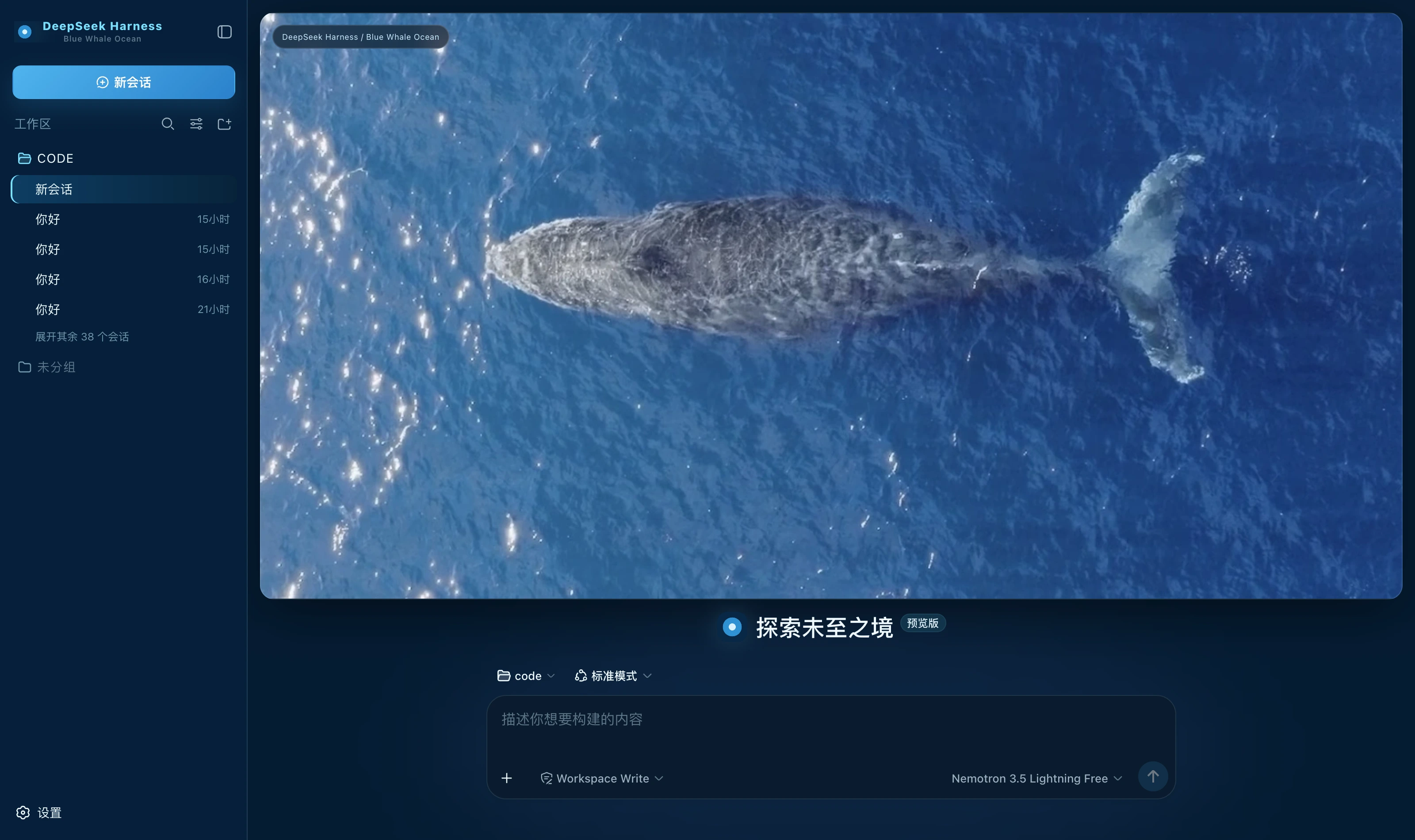 Blue Whale Ocean dark Deep-ocean blue ground, translucent cyan for borders and state, ice white for highlights alone; a whale-at-sea banner on the new-session page packages/dsh-blue-whale-ocean
|
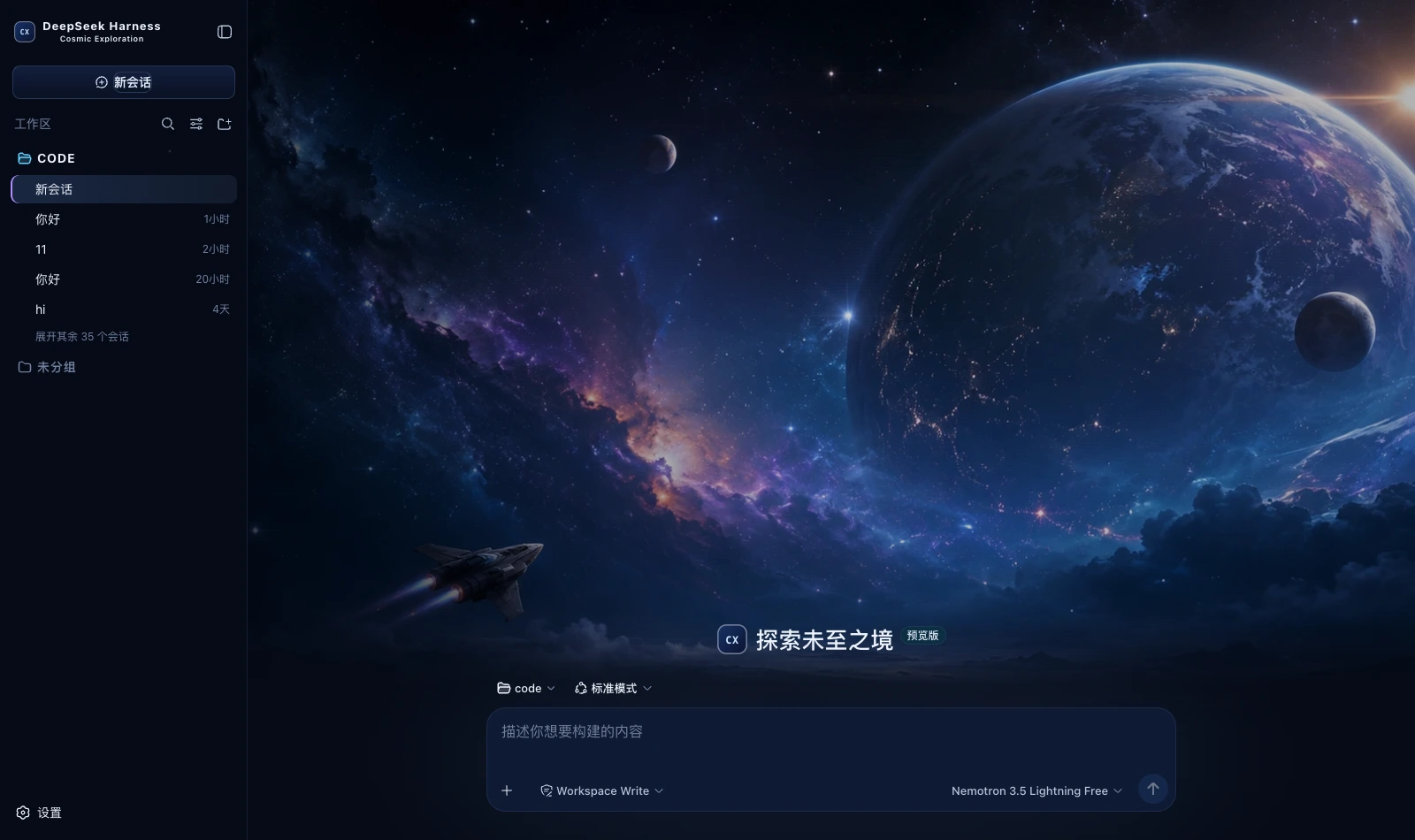 Cosmic Exploration dark A deep blue space ground with cool blue and nebula violet; a full cosmic-exploration cover on the new-session page packages/dsh-cosmic-exploration
|
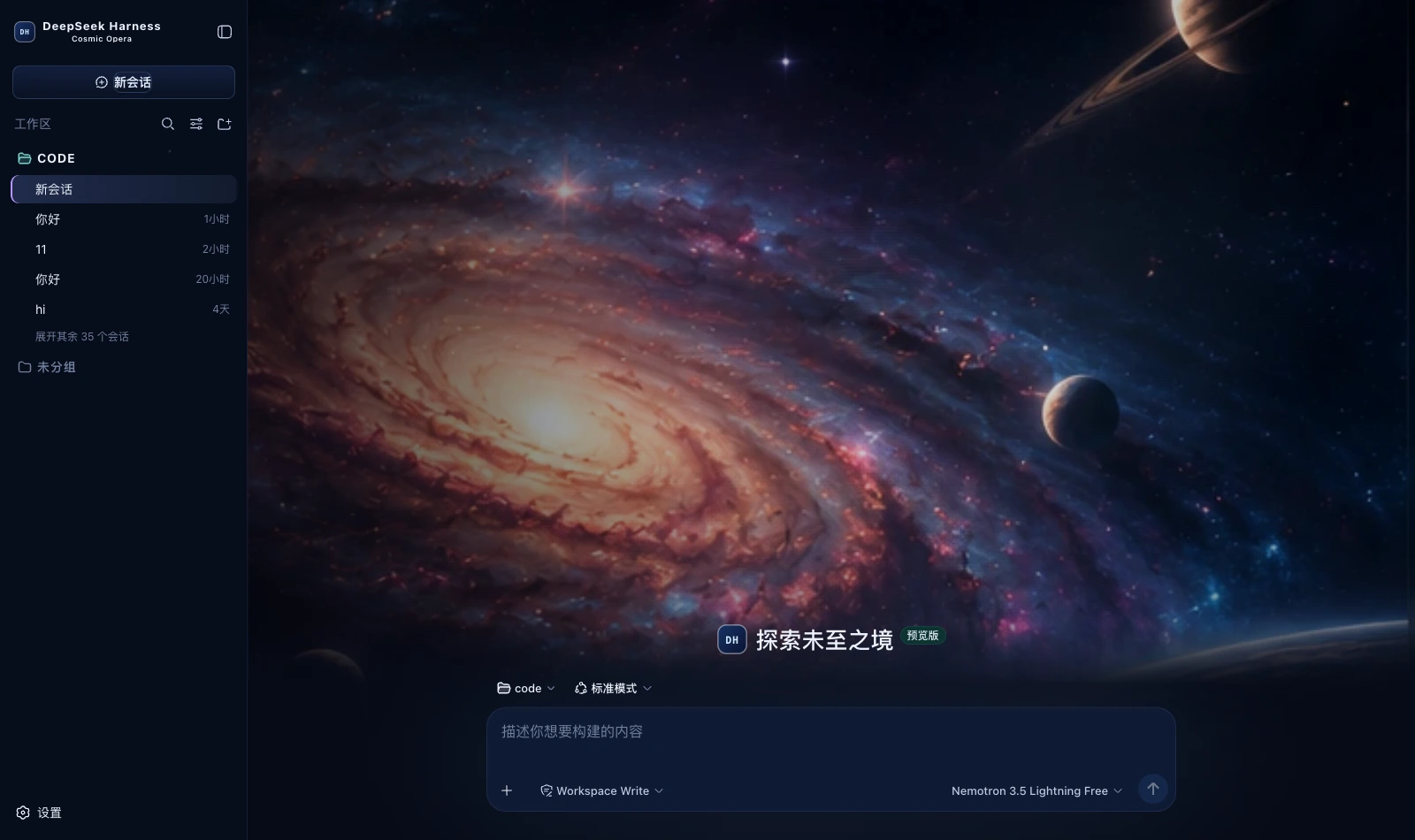 Cosmic Opera dark A deep blue space ground with three accent steps in violet, blue and teal; a spiral-galaxy cover on the new-session page packages/dsh-cosmic-opera
|
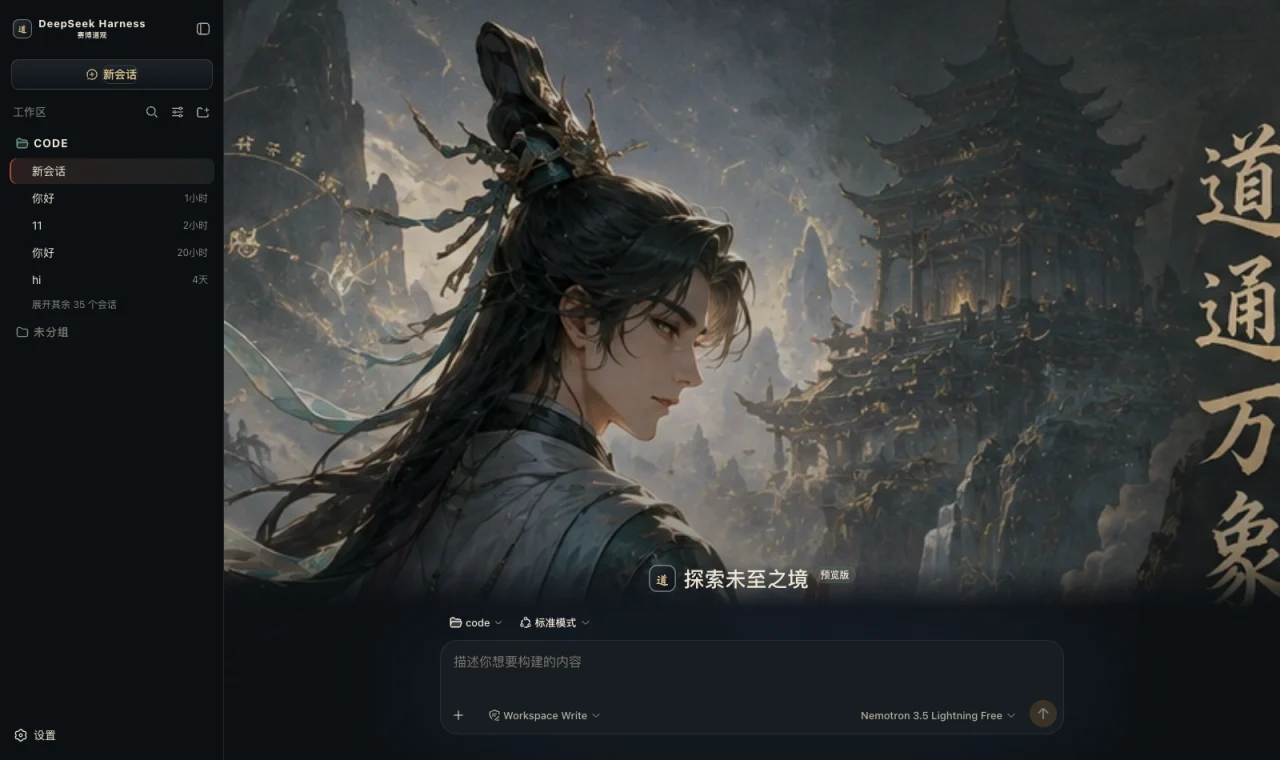 Cyber Tao dark Obsidian ground, bronze borders, rice-paper white text, cinnabar emphasis and jade state; a mountain-gate hero on the new-session page packages/dsh-cyber-tao
|
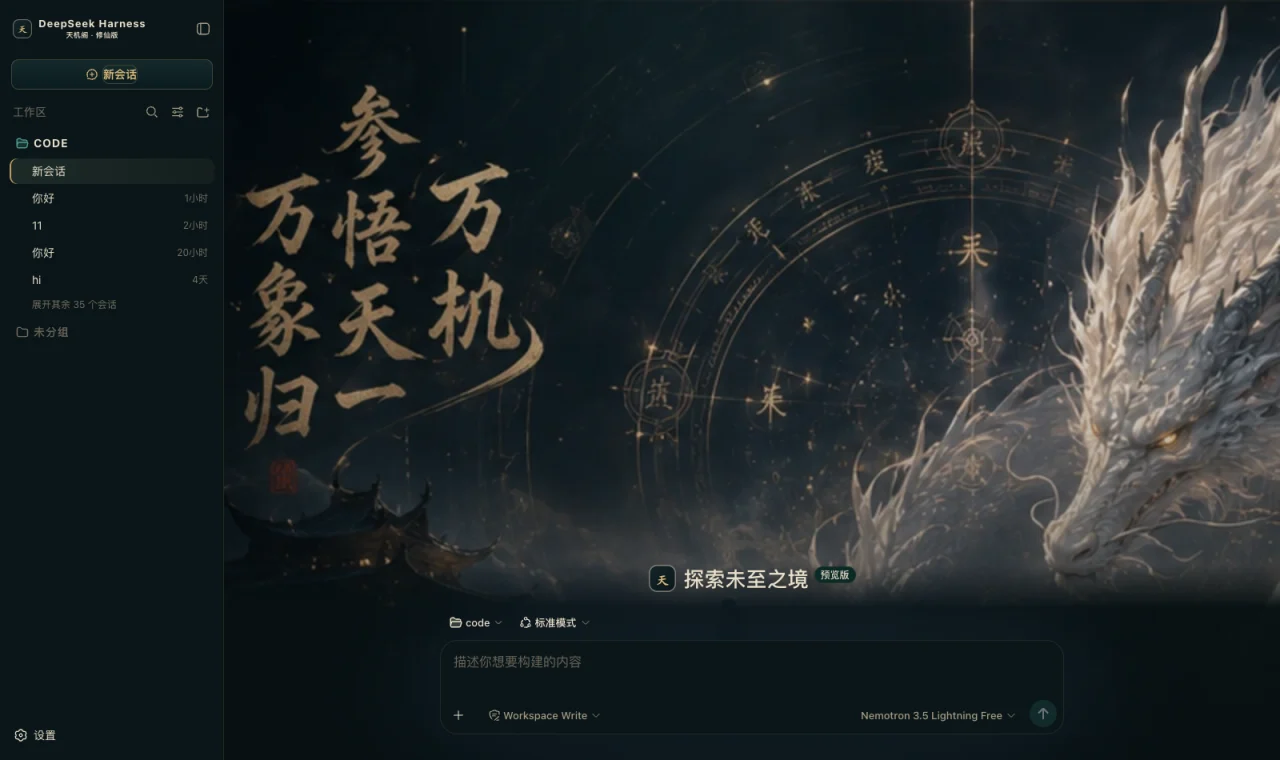 Dark Xianxia dark Ink-teal black ground, antique gold for edges and buttons, jade green only for running, cinnabar only for danger; a divination hero on the new-session page packages/dsh-dark-xianxia
|
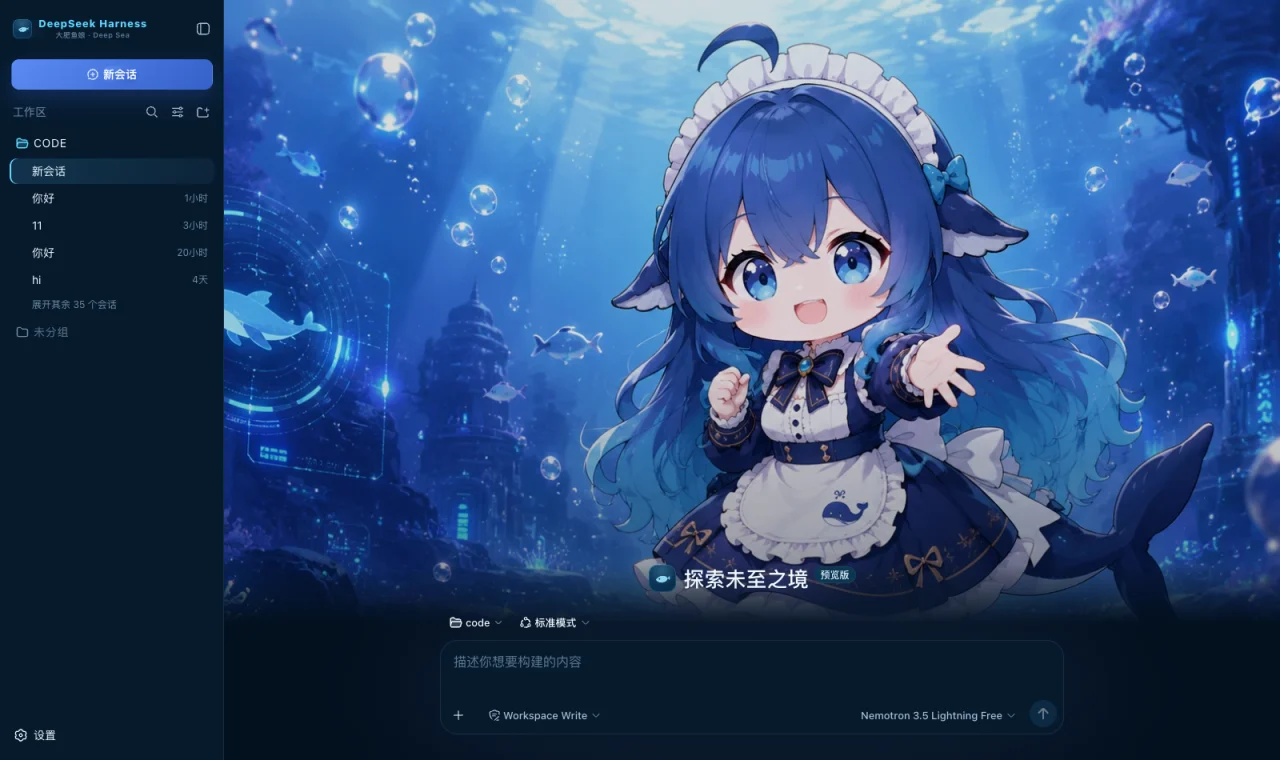 Whale Girl Deep Sea dark Deep-ocean blue ground, cool cyan for borders and state, DeepSeek blue for the primary action; a deep-sea hero on the new-session page packages/dsh-deepseek-deep-sea
|
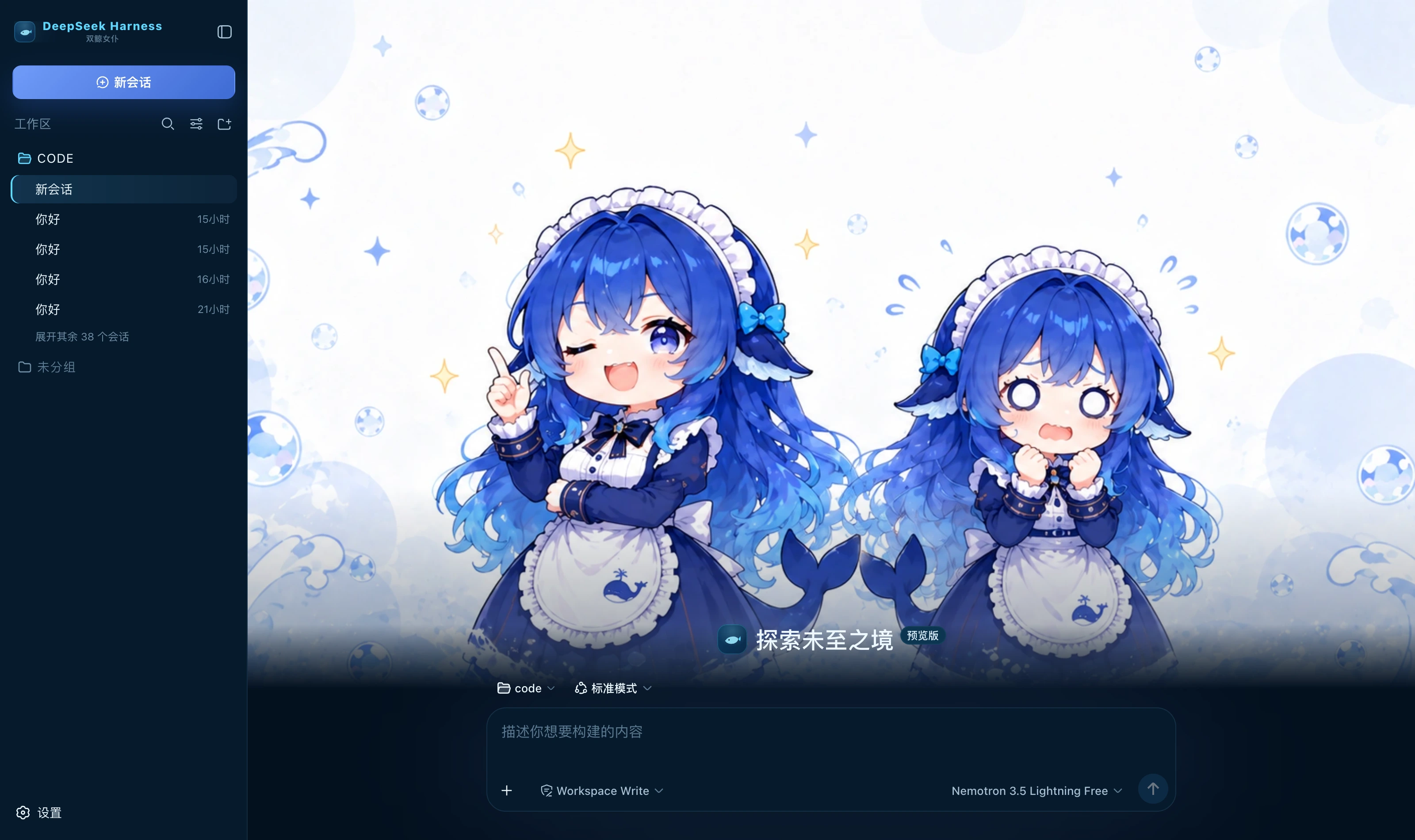 Twin Whale Girl dark Deep-ocean blue ground, cool cyan for borders and state, DeepSeek blue for the primary action; a twin whale-girl hero on the new-session page packages/dsh-deepseek-twin-whale
|
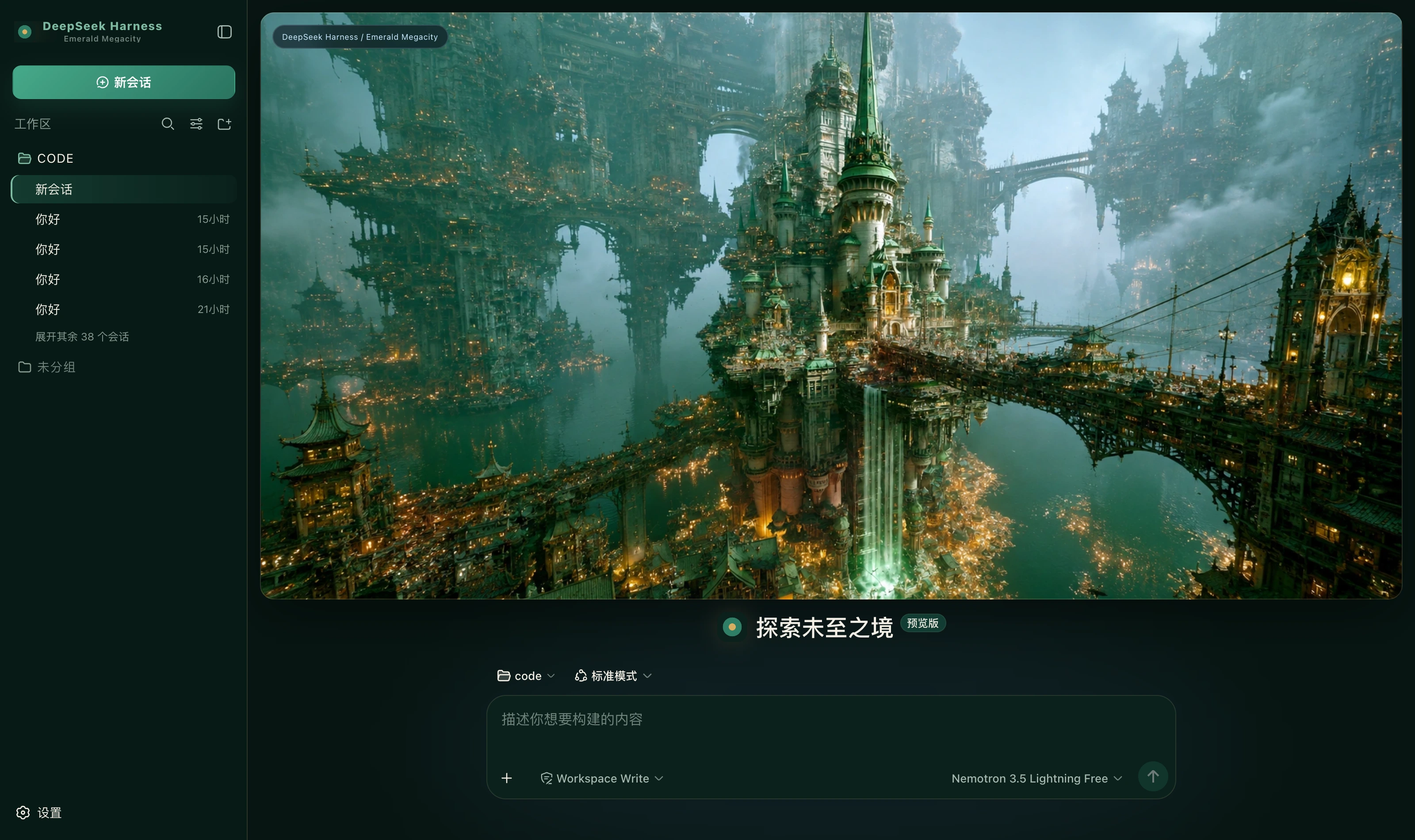 Emerald Megacity dark Ink-green ground, emerald for the primary action, jade green only for running, warm gold only for borders and emphasis packages/dsh-emerald-megacity
|
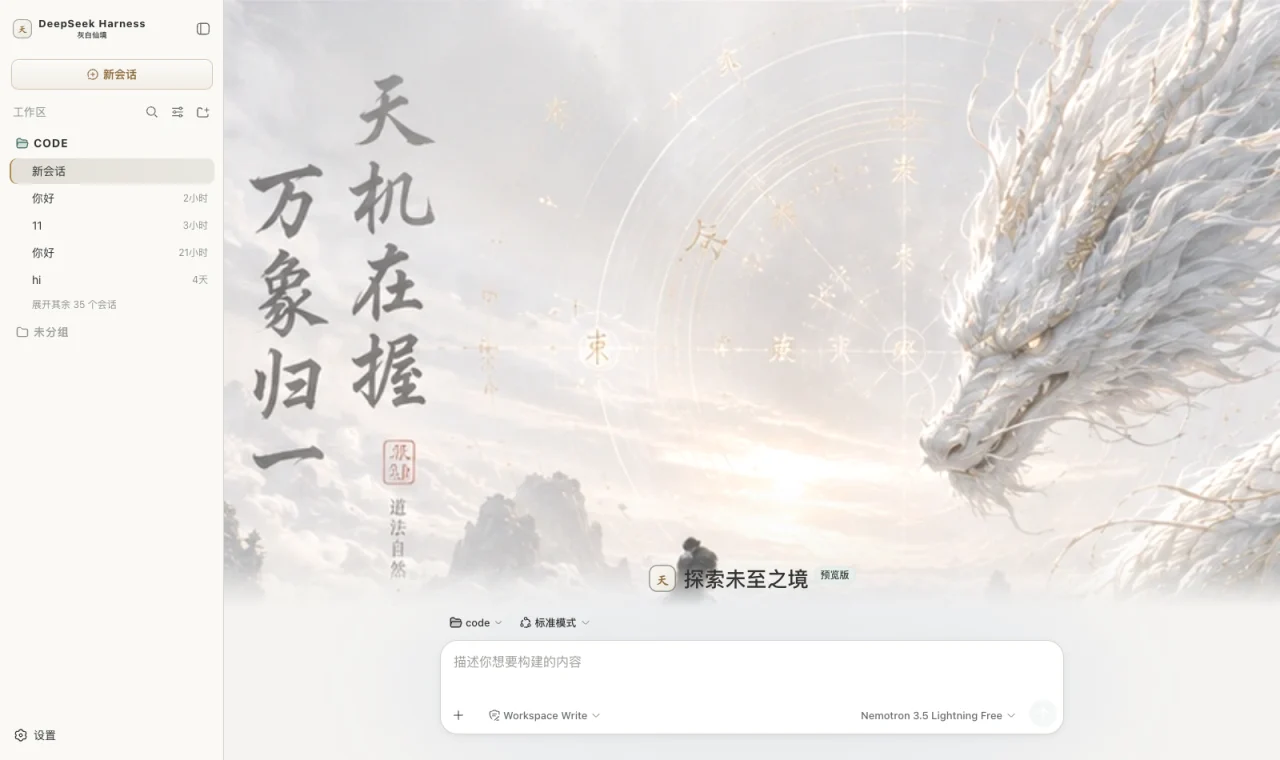 Misty Xianxia light Paper and mist white ground, ink grey for text, pale gold for edges and buttons, jade green only for running; a xianxia hero on the new-session page packages/dsh-extreme-xianxia-light
|
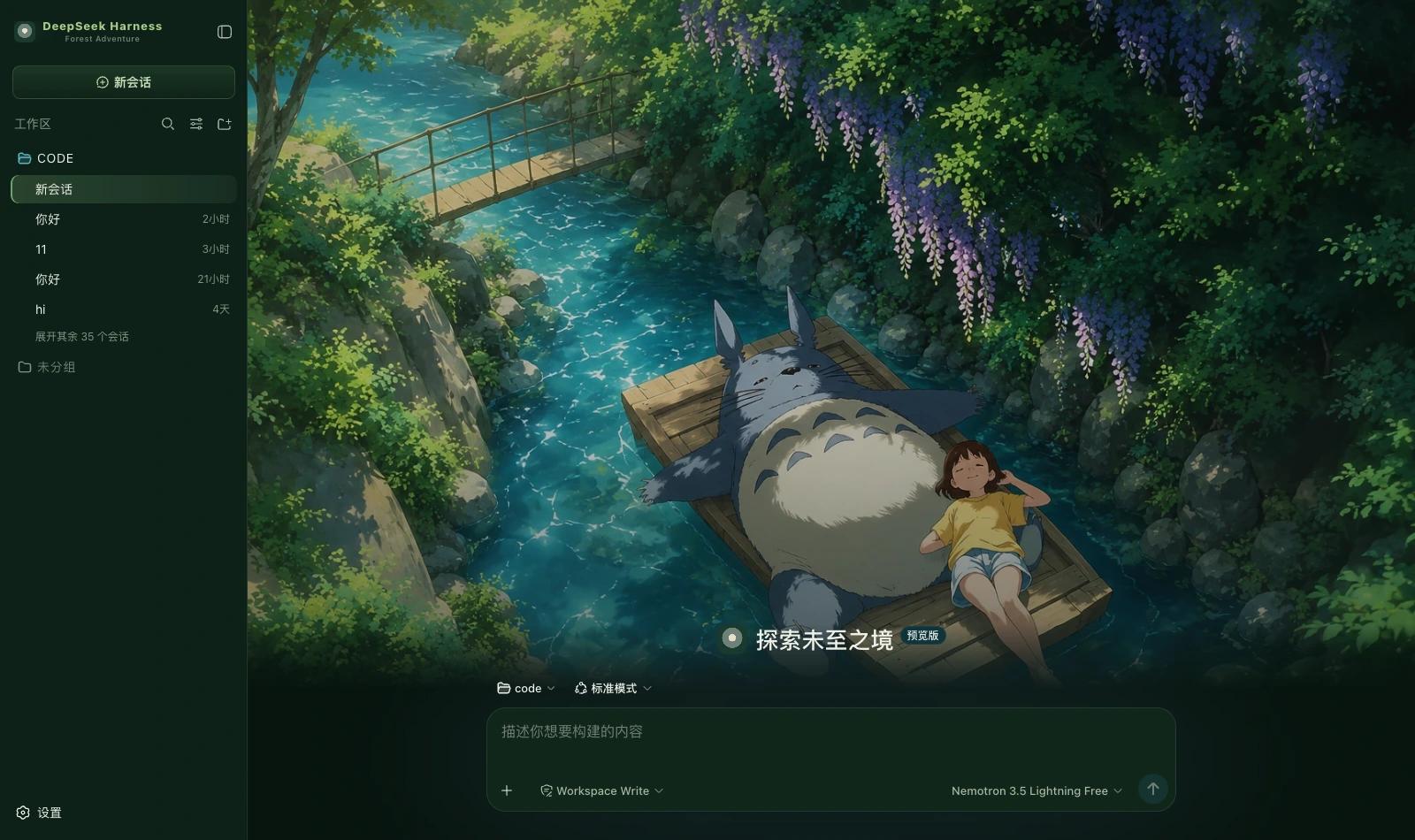 Forest Adventure dark Forest green ground, moss green for the primary action, stream teal only for running, daylight yellow as accent; a forest hero on the new-session page packages/dsh-forest-adventure
|
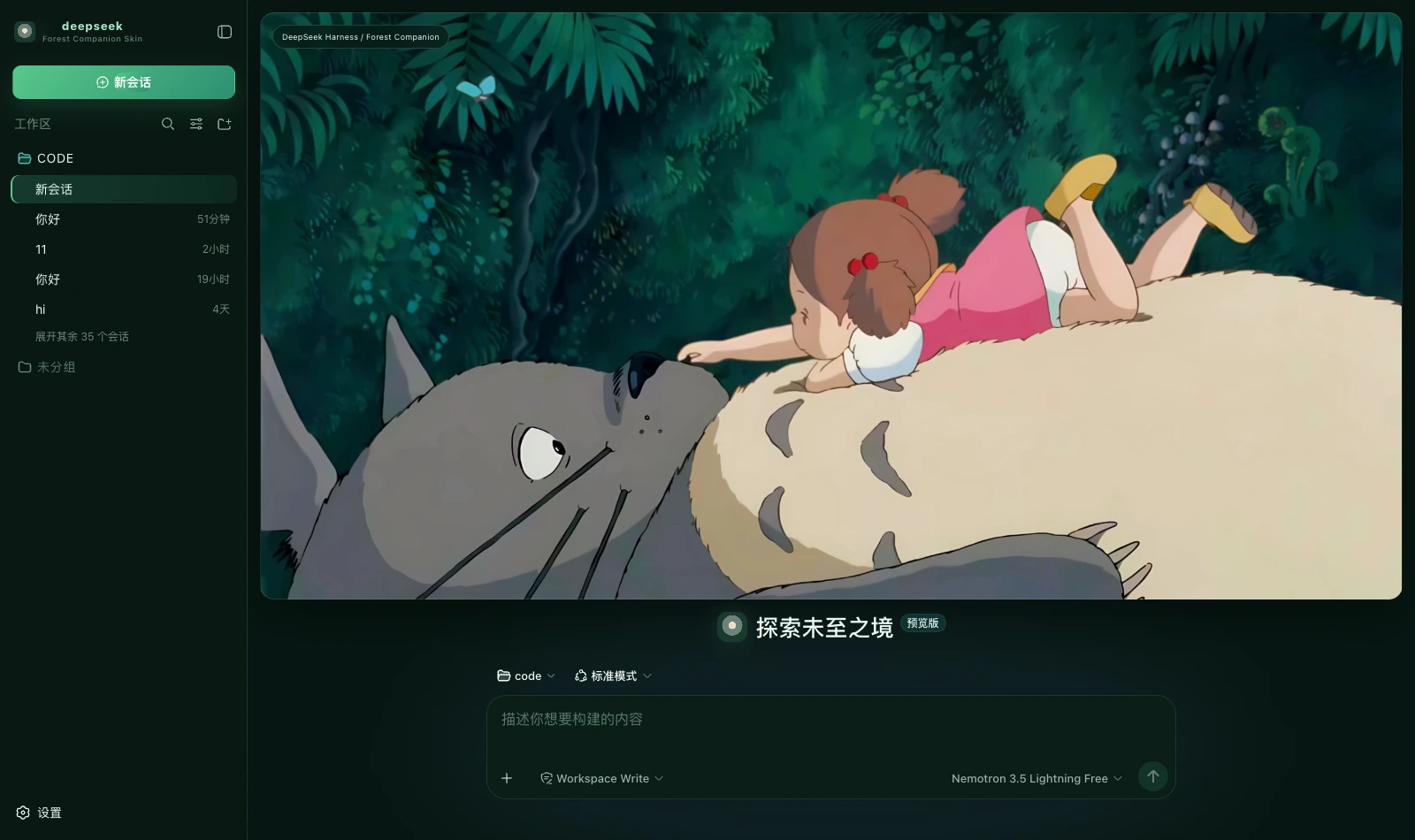 Forest Companion dark Deep forest green, soft cream and a touch of pink; a forest companion cover on the new-session page packages/dsh-forest-companion
|
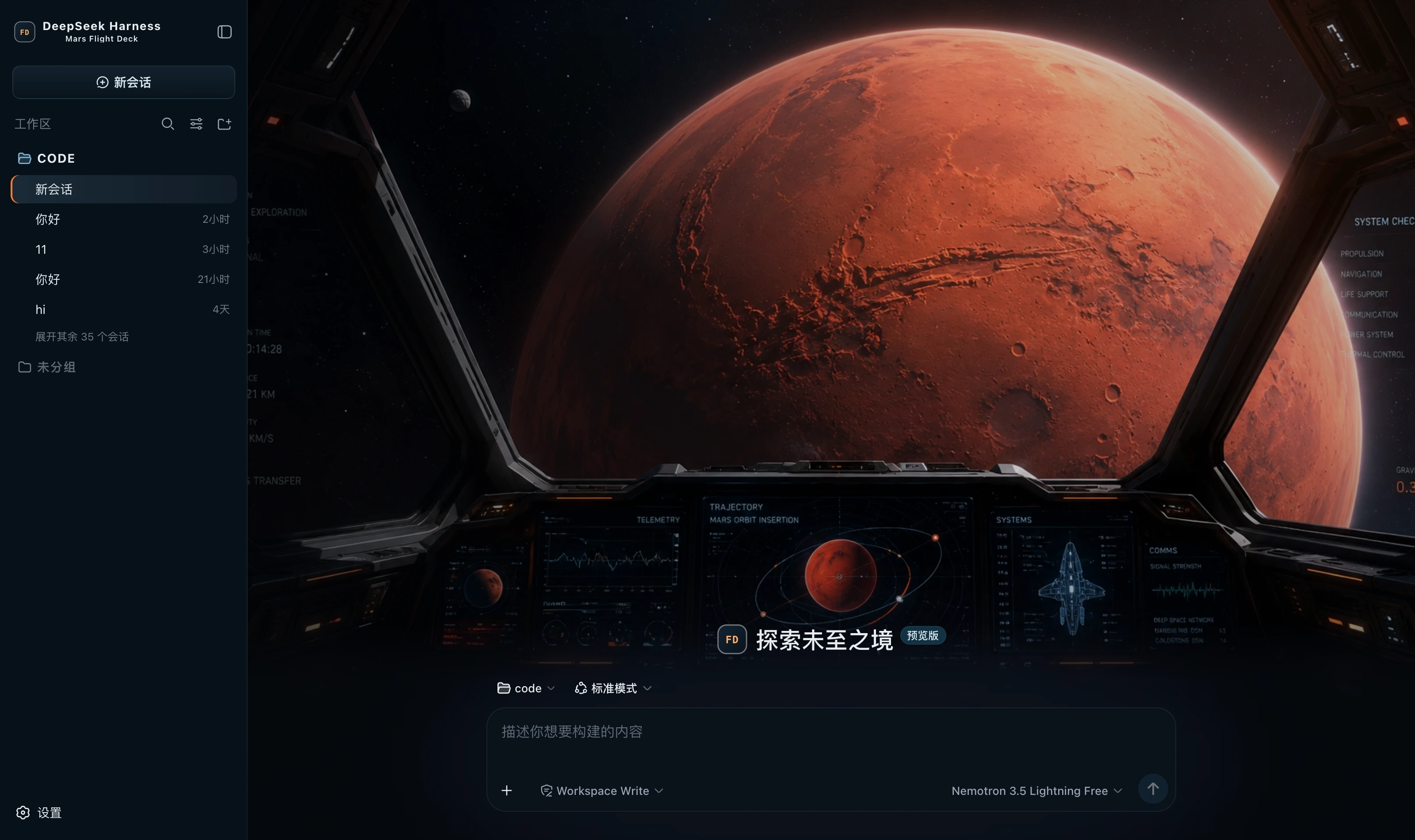 Mars Flight Deck dark Spaceflight black ground, cool blue for telemetry and borders, thruster orange for the primary action, Nominal green only for success; a flight-deck hero on the new-session page packages/dsh-mars-flight-deck
|
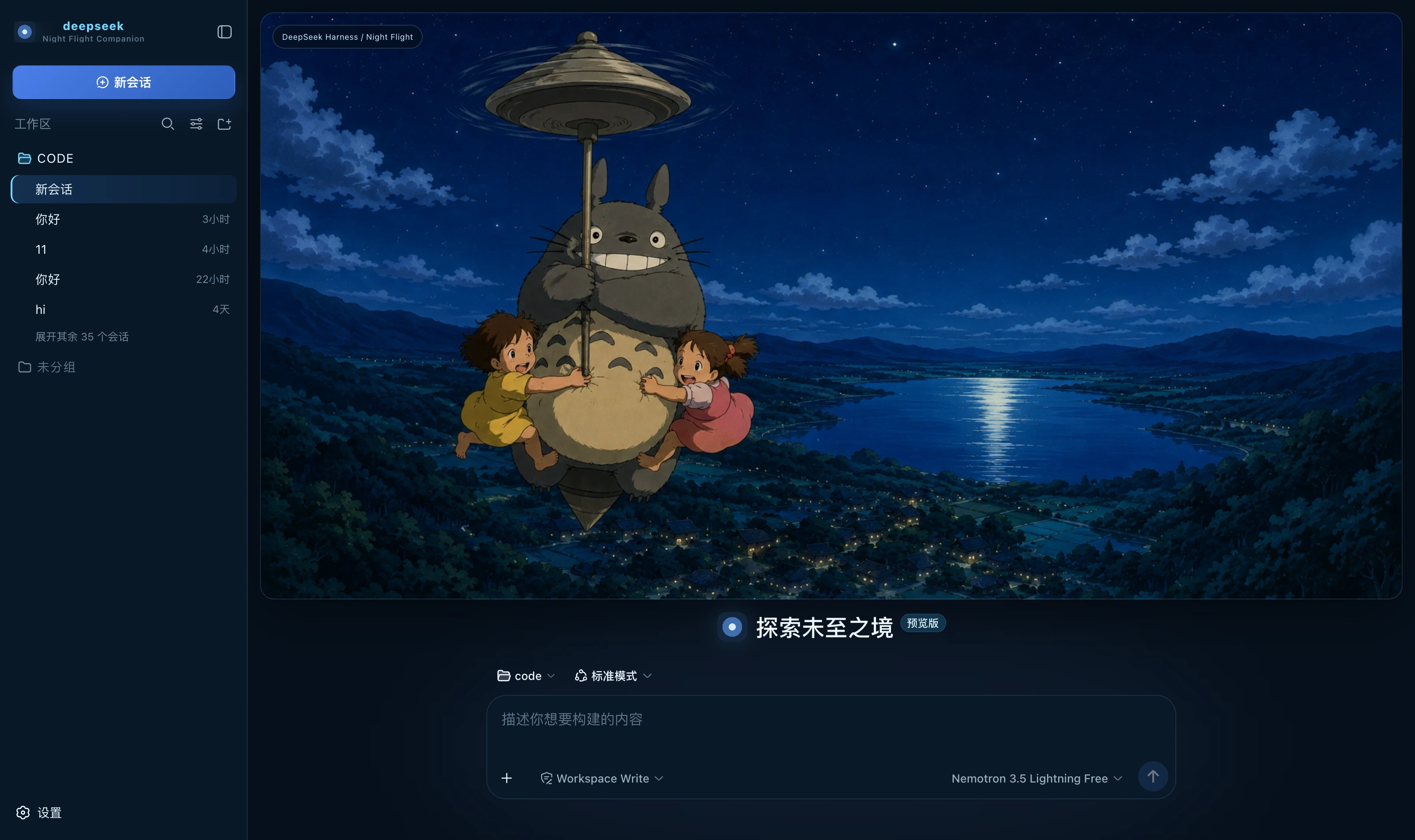 Night Flight Companion dark Deep night blue, moonlight cyan and a touch of warm cream; a night-flight banner on the new-session page packages/dsh-night-flight-companion
|
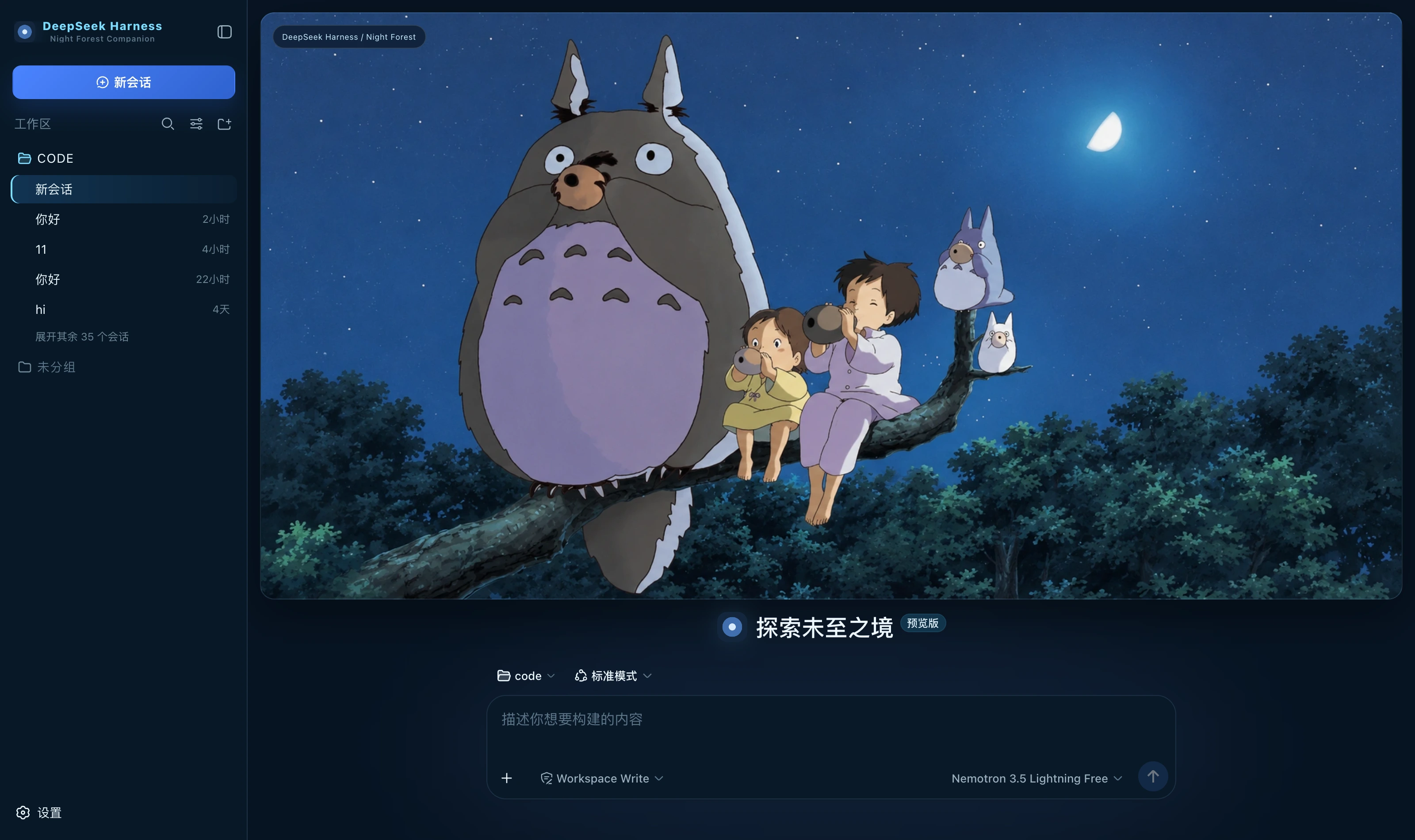 Night Forest Companion dark Moonlit night blue ground, moonlight cyan for borders and state, blue for the primary action; a night-forest banner on the new-session page packages/dsh-night-forest-companion
|
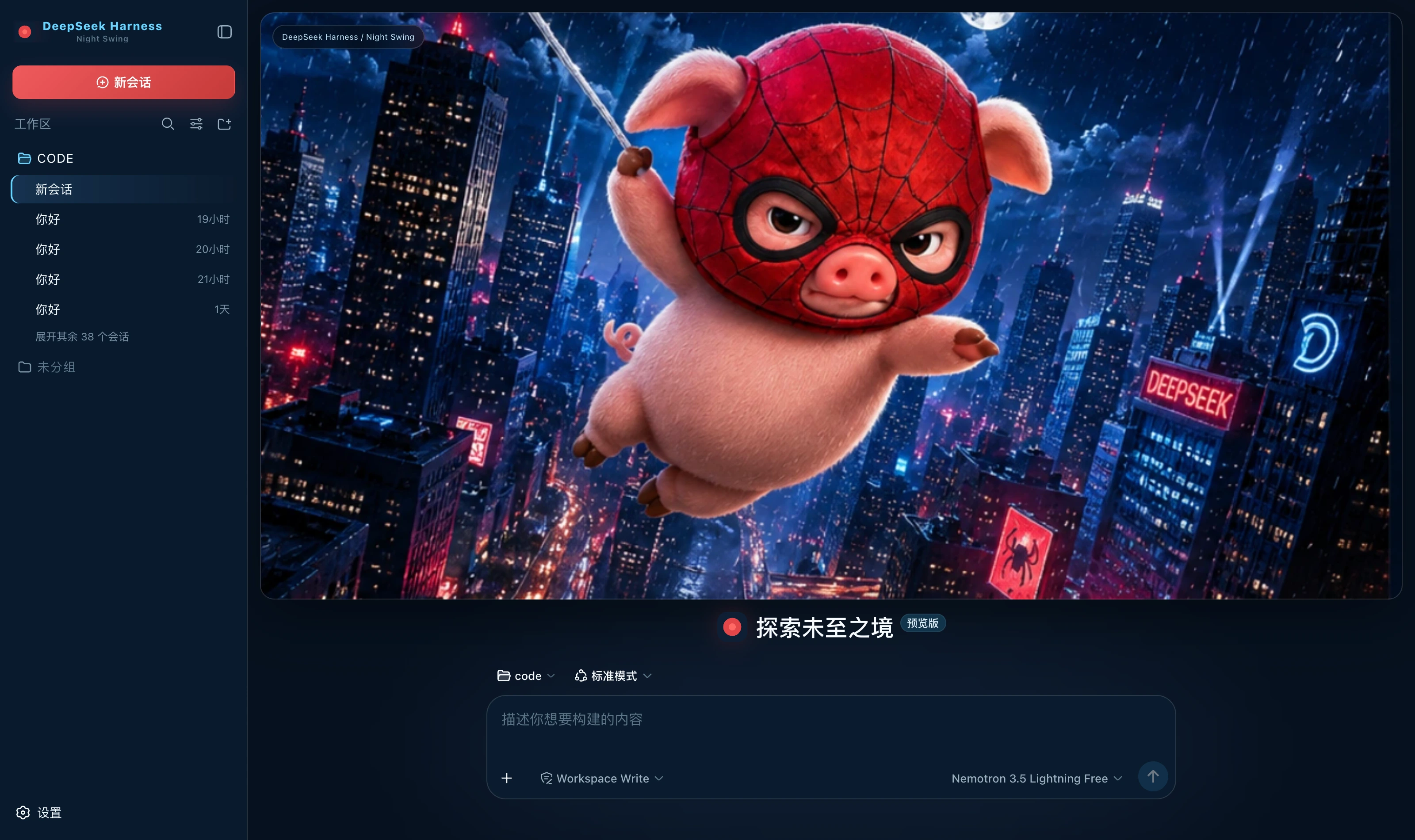 Night Swing dark Rainy-night blue ground, combat red for the primary action, neon cyan only for running, and borders with no tint packages/dsh-night-swing
|
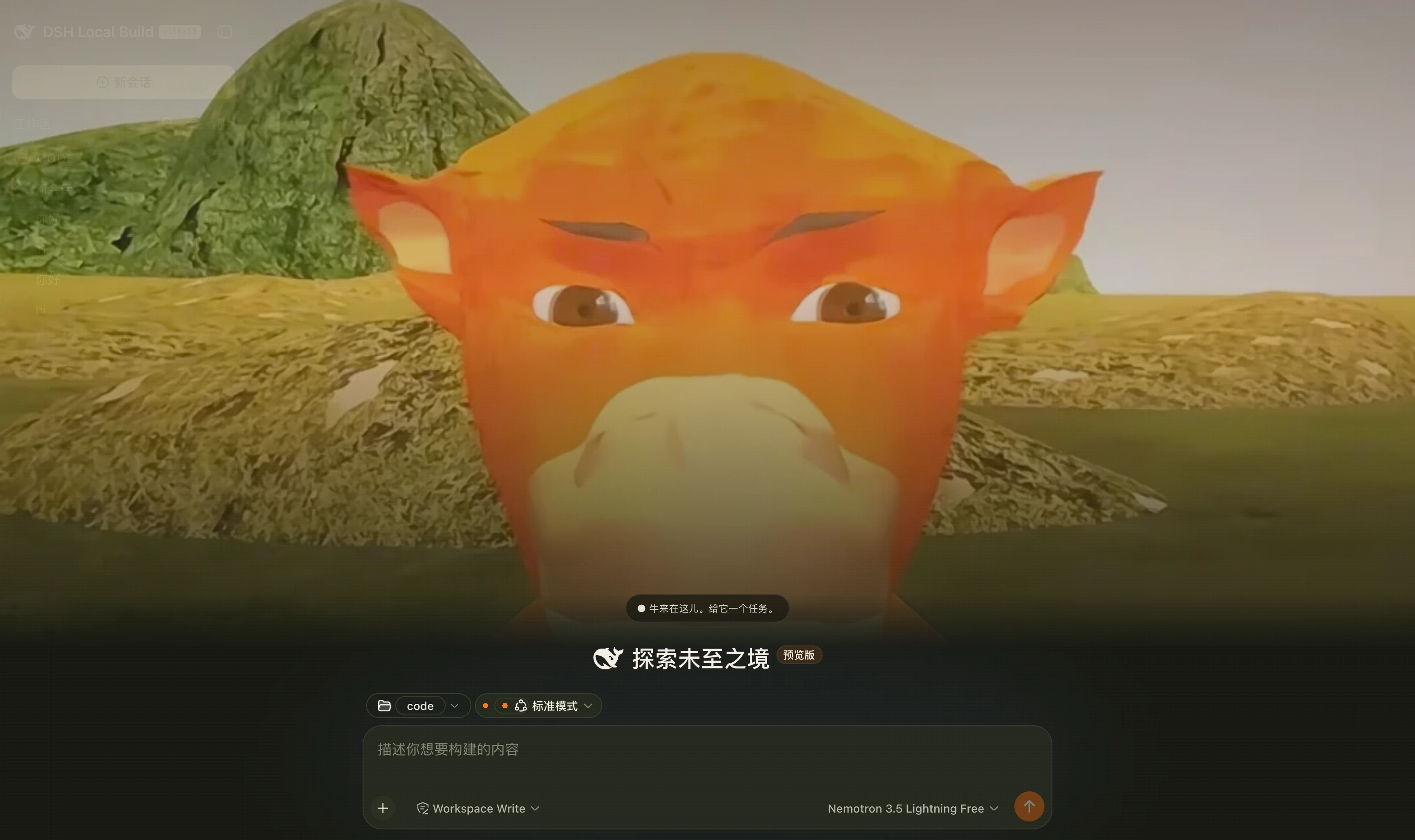 Niulai Field dark A warm-black field palette over a low-poly orange bull; a bull stands beneath your conversation packages/dsh-niulai
|
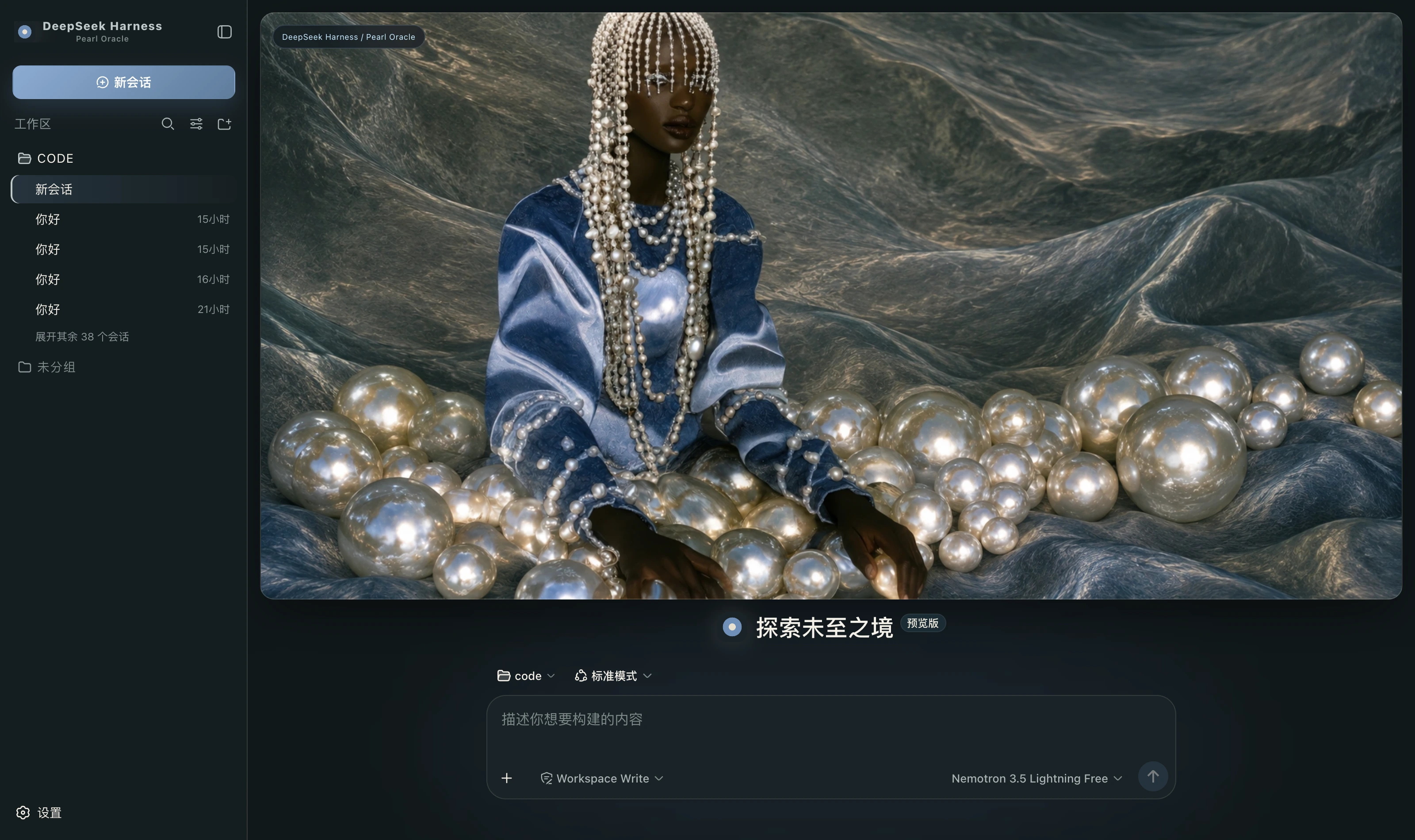 Pearl Oracle dark Warm grey stone ground, pearl white for highlights alone, silver borders, and misty blue as the only chromatic colour packages/dsh-pearl-oracle
|
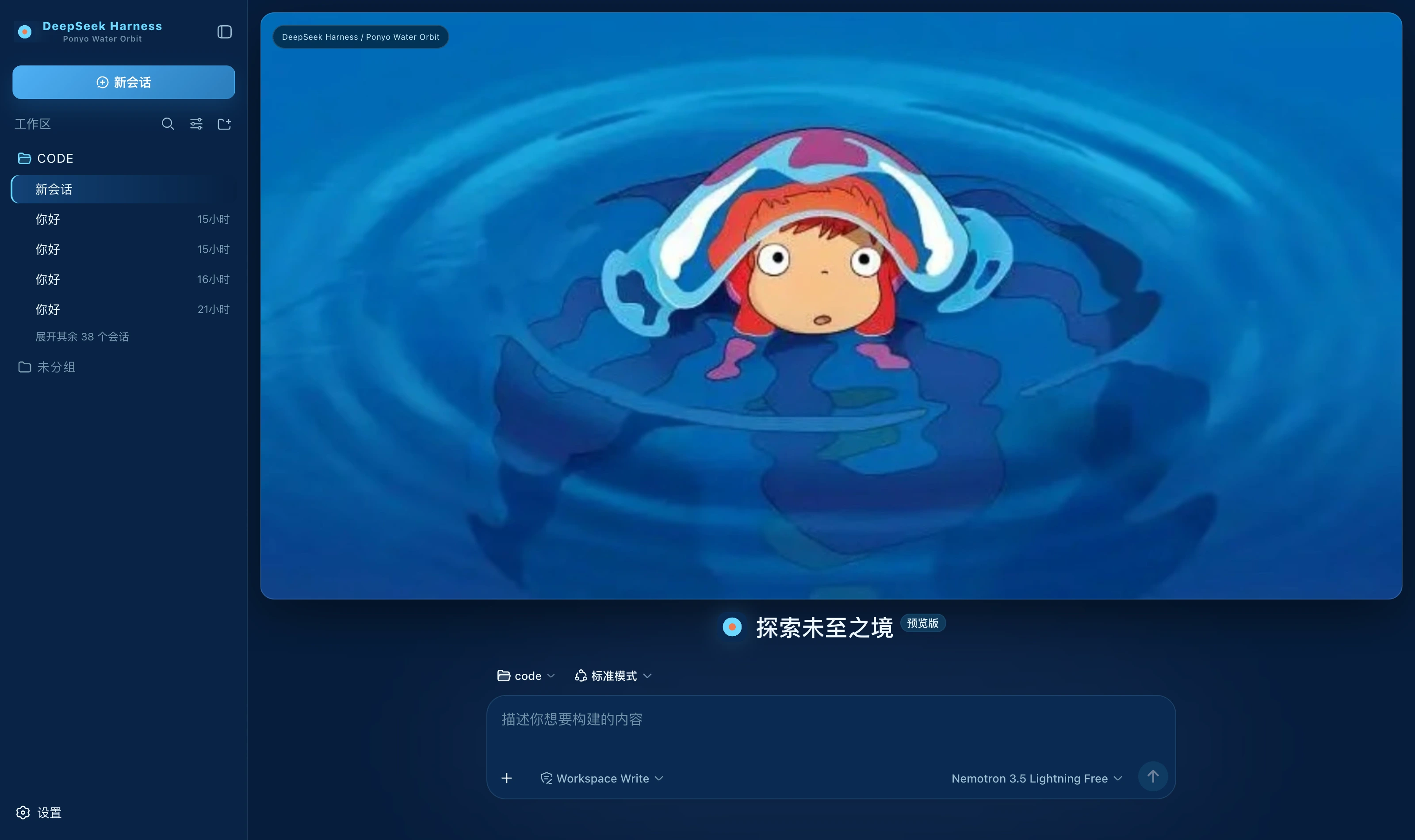 Ponyo Water Orbit dark Sea blue ground, bright blue for the primary action, water cyan only for running, coral as accent alone packages/dsh-ponyo-water-orbit
|
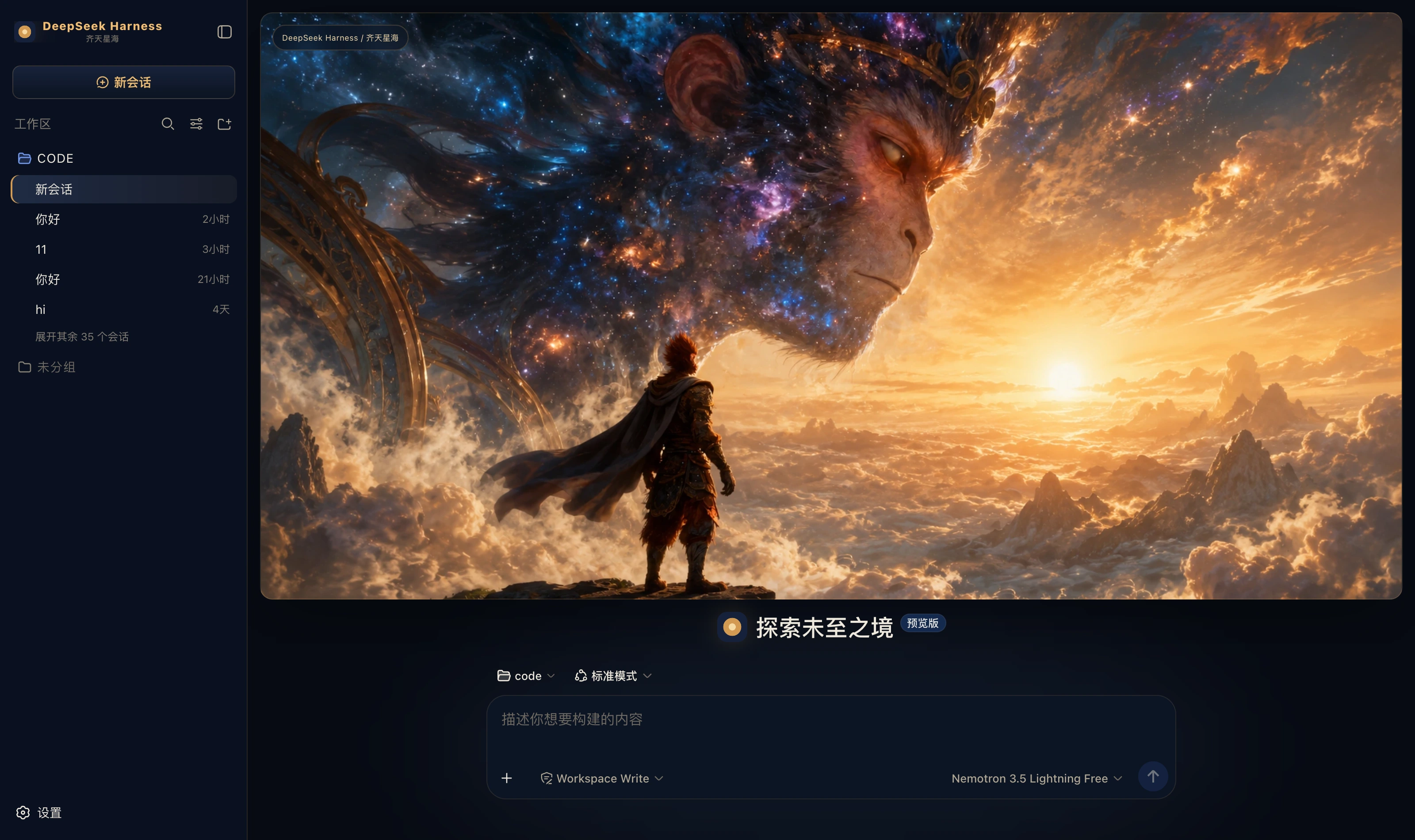 Qitian Cosmic Monkey dark Midnight cosmic blue ground, ember gold for edges and the primary action, starlight blue only for running; a Monkey King hero on the new-session page packages/dsh-qitian-cosmic-monkey
|
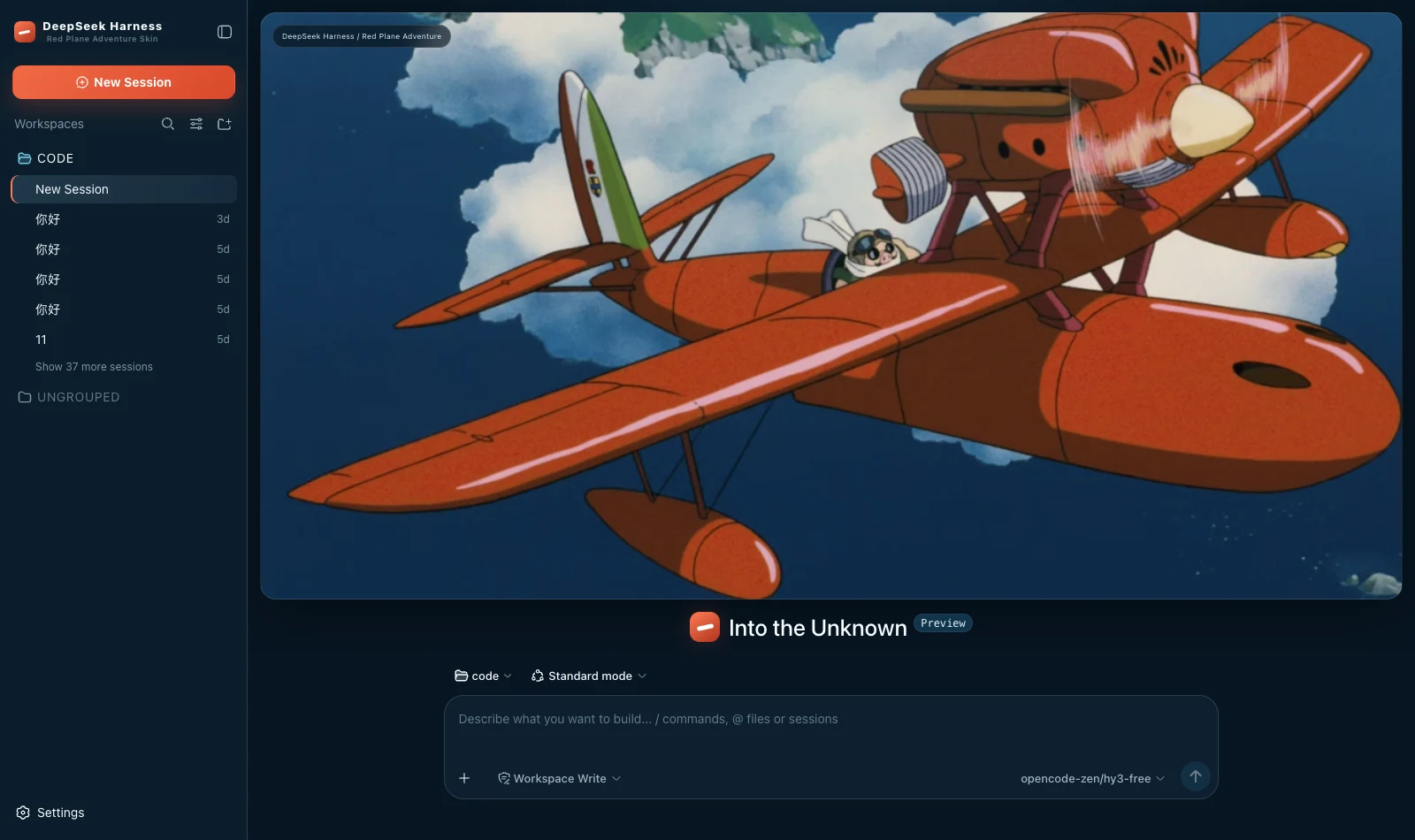 Red Plane Adventure dark Deep navy ground, flight red for the primary action, cream as accent alone and cyan only for running; a red-plane banner on the new-session page packages/dsh-red-plane-adventure
|
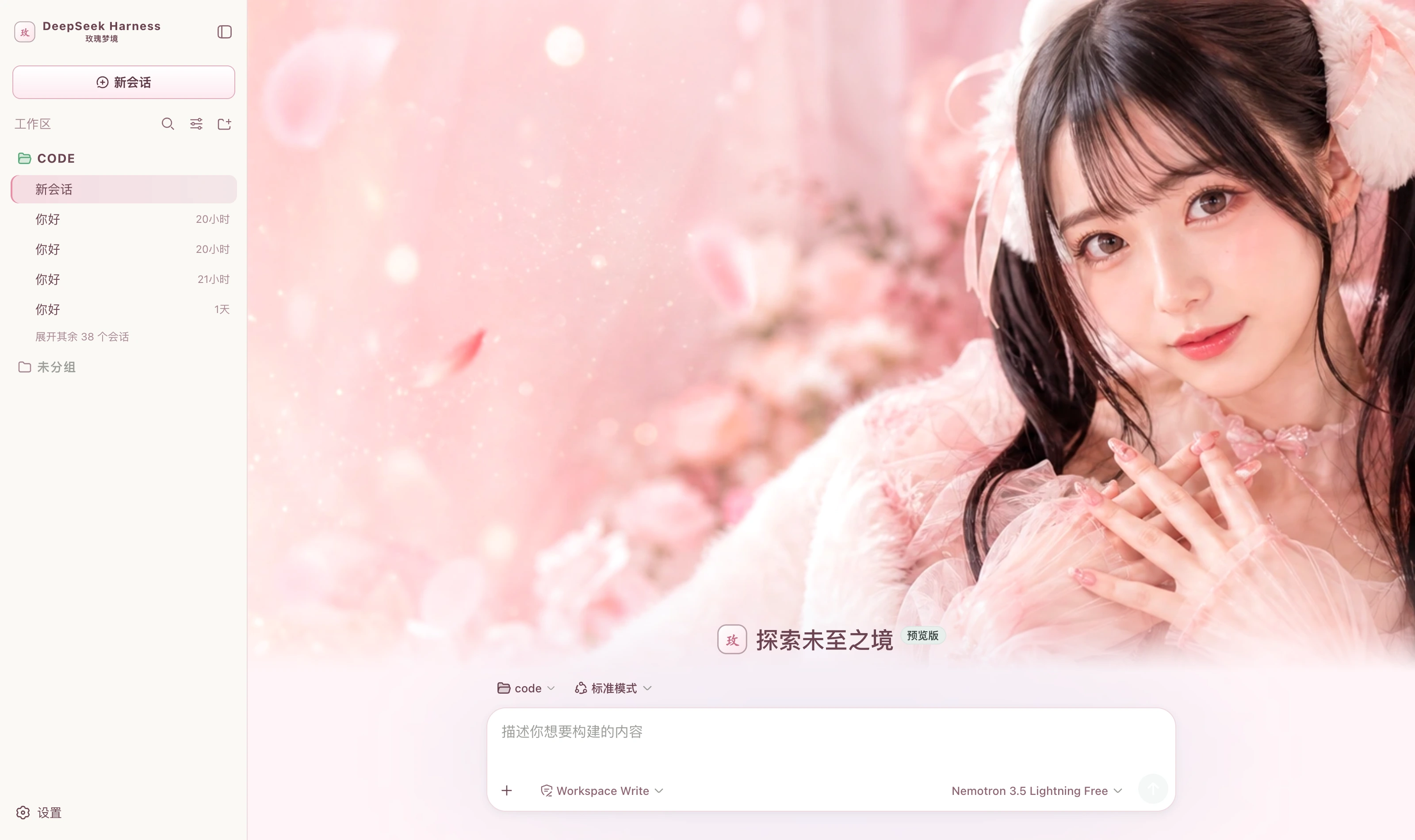 Rose Dream light Pink-white ground, rose brown for body text, rose pink for the primary action, mint green only for success packages/dsh-rose-dream
|
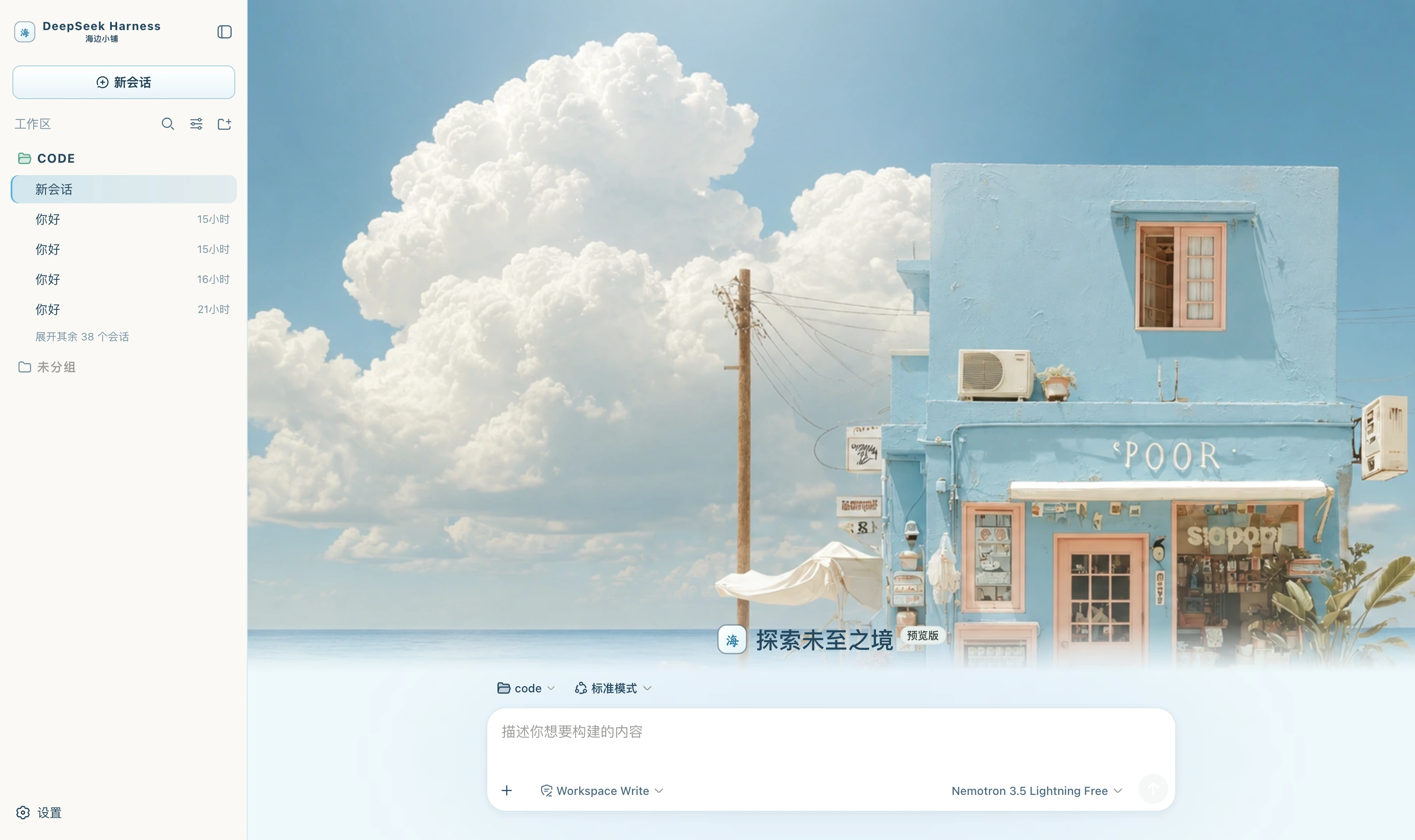 Seaside Boutique light Sea-mist white ground, slate blue for body text, sky blue for the primary action, peach pink as accent alone packages/dsh-seaside-boutique
|
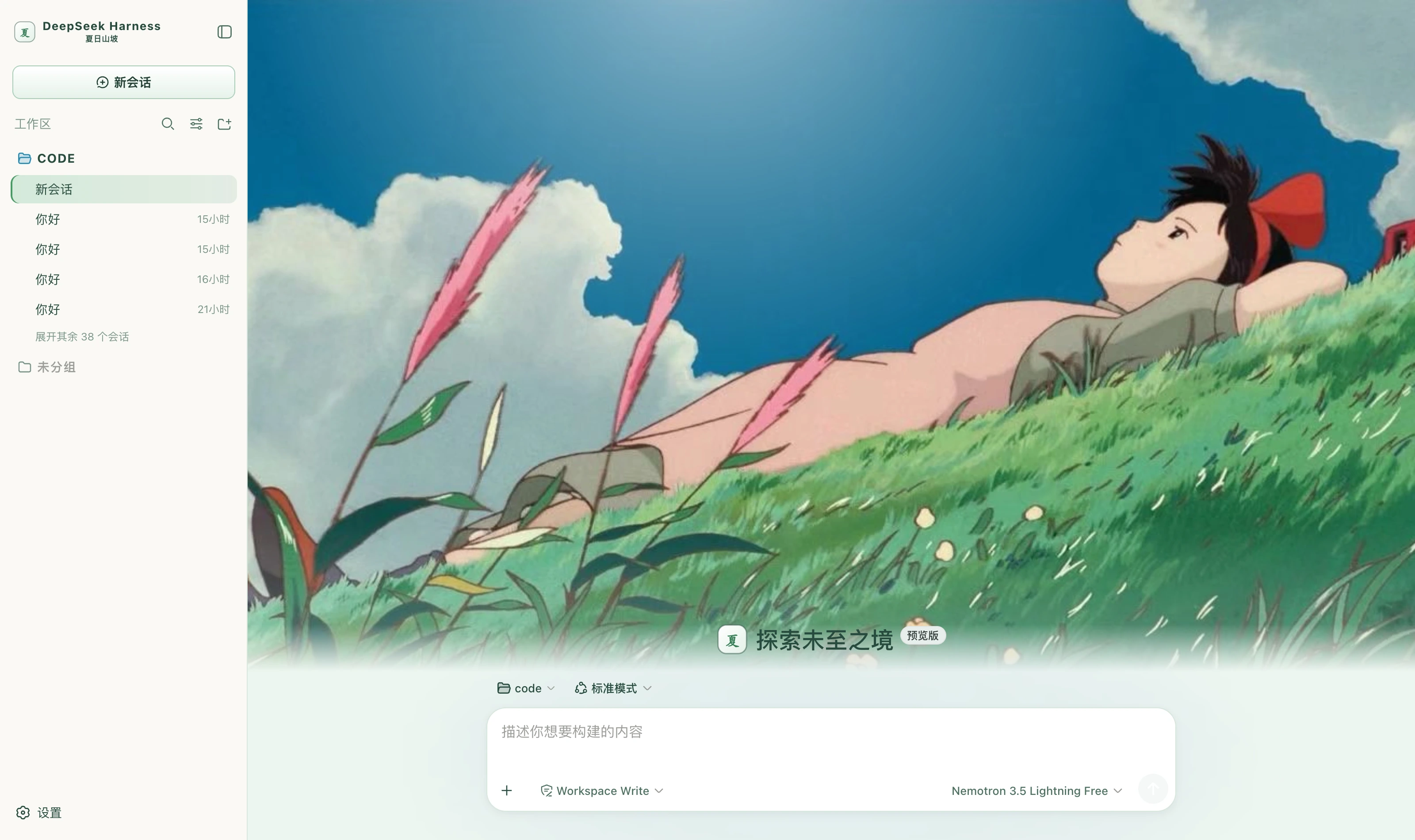 Summer Hillside light Grass-white ground, deep grass green for body text, grass green for the primary action, sky blue for emphasis, seedhead pink as accent packages/dsh-summer-hillside
|
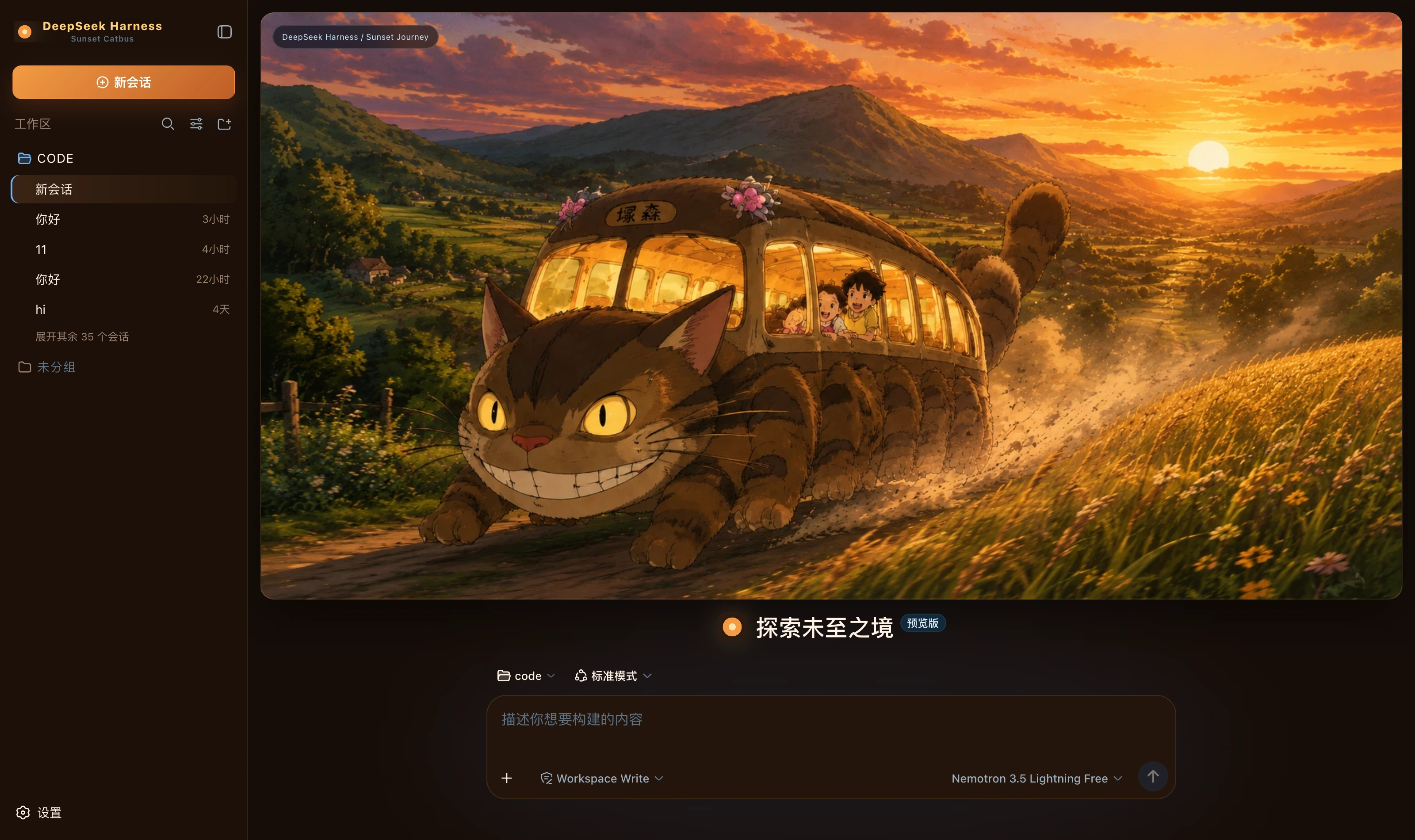 Sunset Catbus dark Deep brown ground, sunset orange for the primary action, wheat gold for borders and emphasis, cool blue only for running; a golden-hour banner on the new-session page packages/dsh-sunset-catbus
|
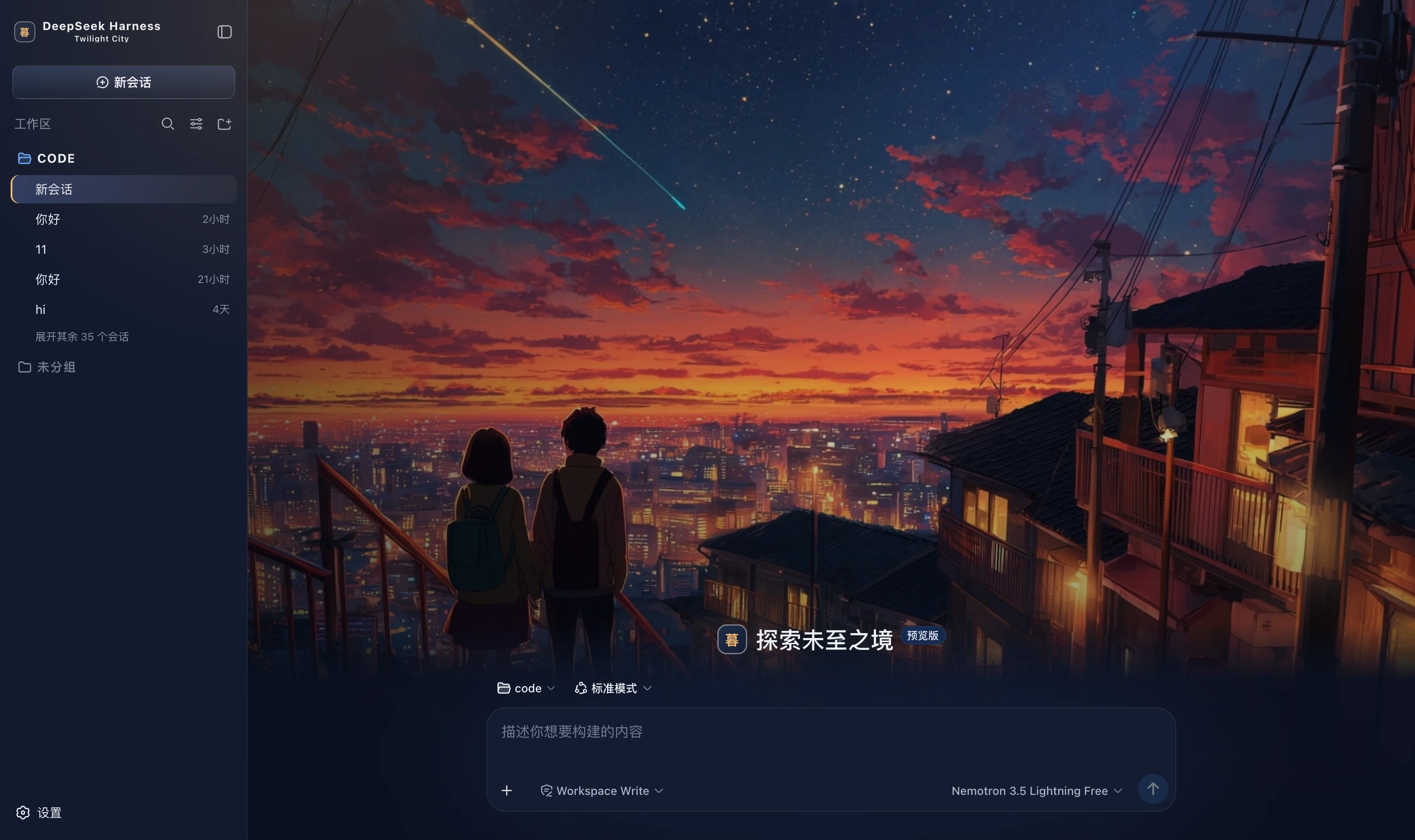 Twilight City dark Night-sky blue ground, sunset orange, purple and pink for atmosphere, warm yellow lighting only the buttons, sky blue only for running; a twilight-city hero on the new-session page packages/dsh-twilight-city
|
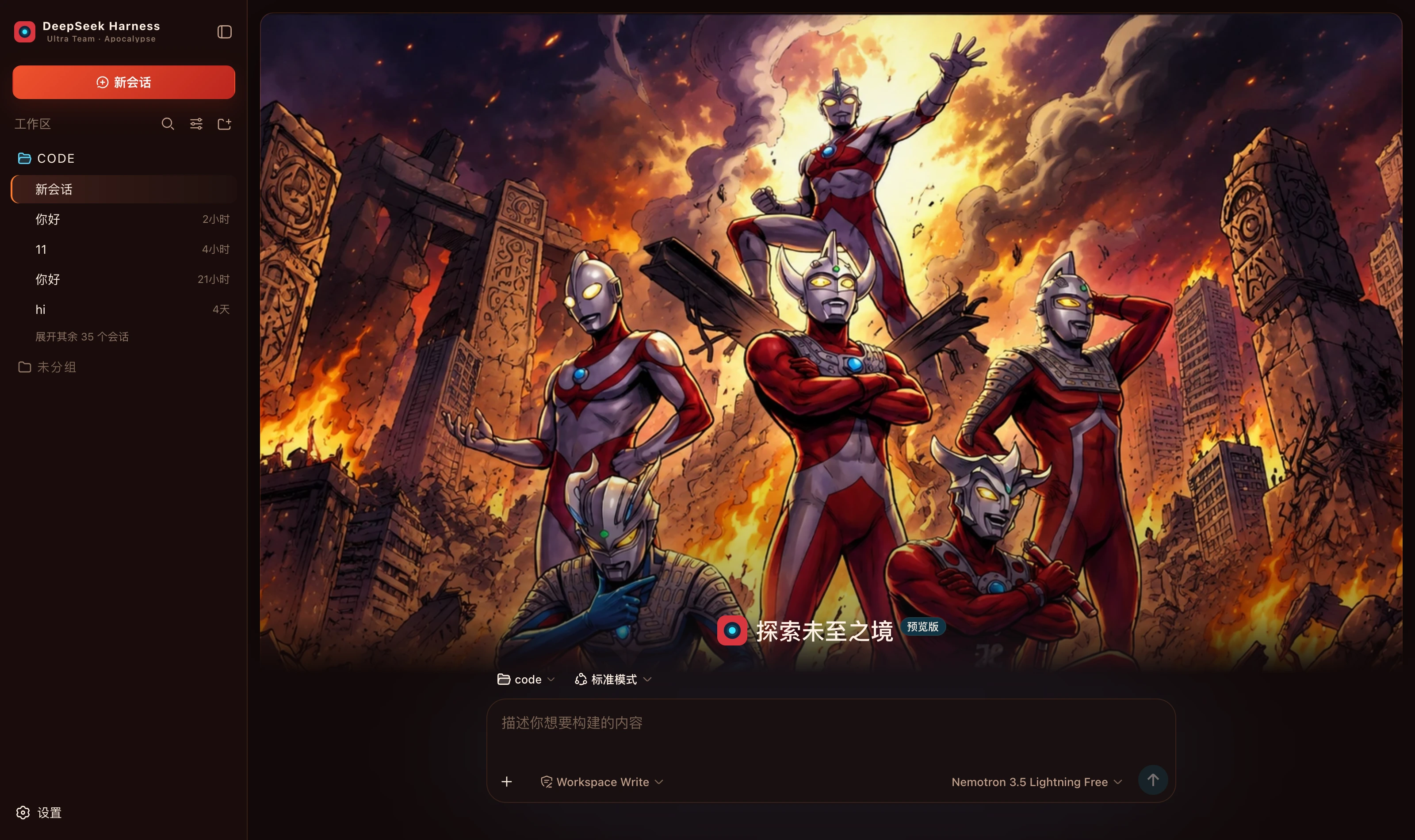 Ultra Team Apocalypse dark Charred black and dark red ground, firelight orange for the primary action, combat red only for failure, energy cyan only for running; an apocalypse-squad hero on the new-session page packages/dsh-ultra-team-apocalypse
|
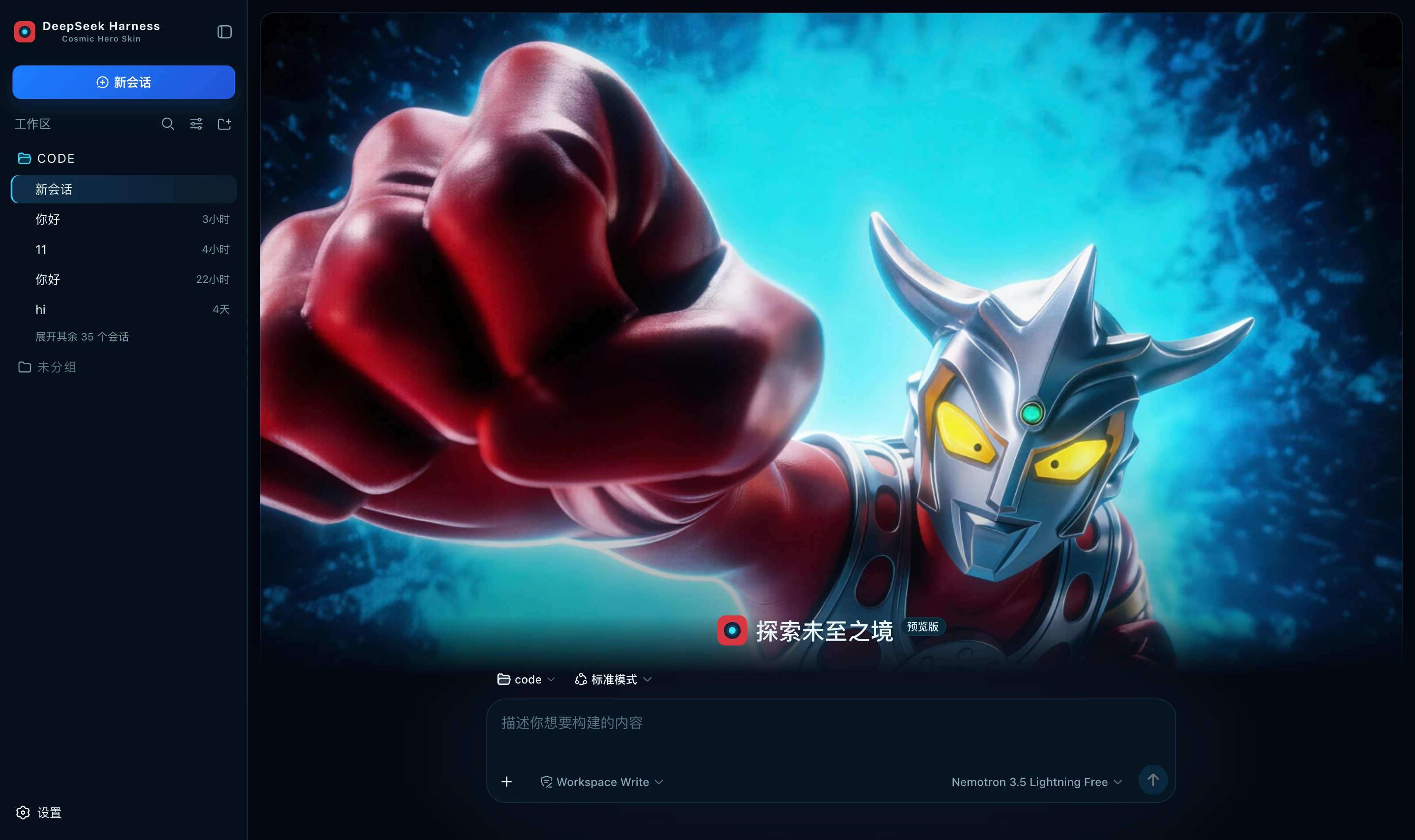 Cosmic Hero dark Deep-space blue-black with the three colour-timer colours; a cosmic-hero visual on the new-session page packages/dsh-ultraman-cosmic-hero
|
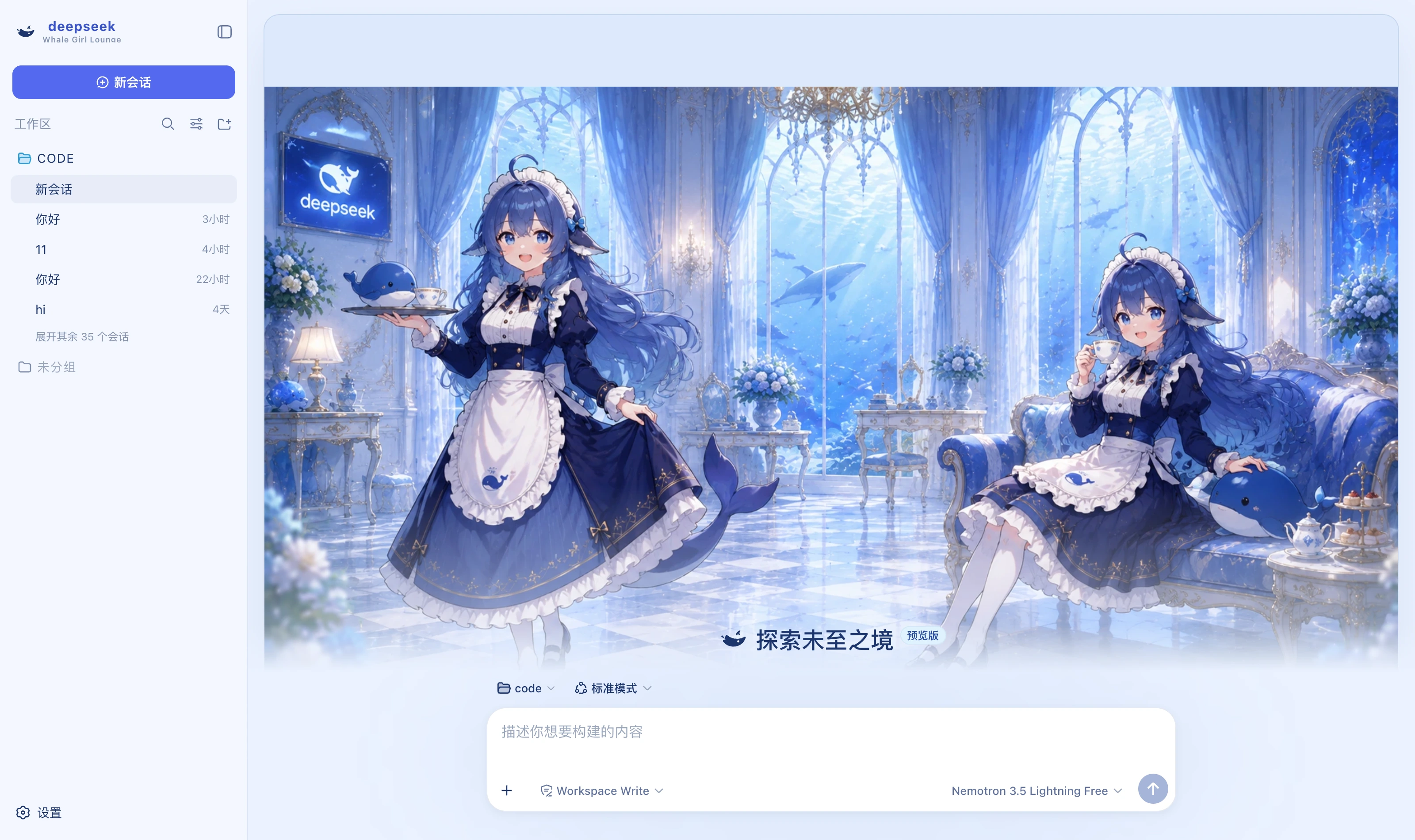 Whale Girl Lounge light A three-step palette of pale blue, pearl white and deep-ocean blue; a whale-girl cover on the new-session page packages/dsh-whale-girl
|
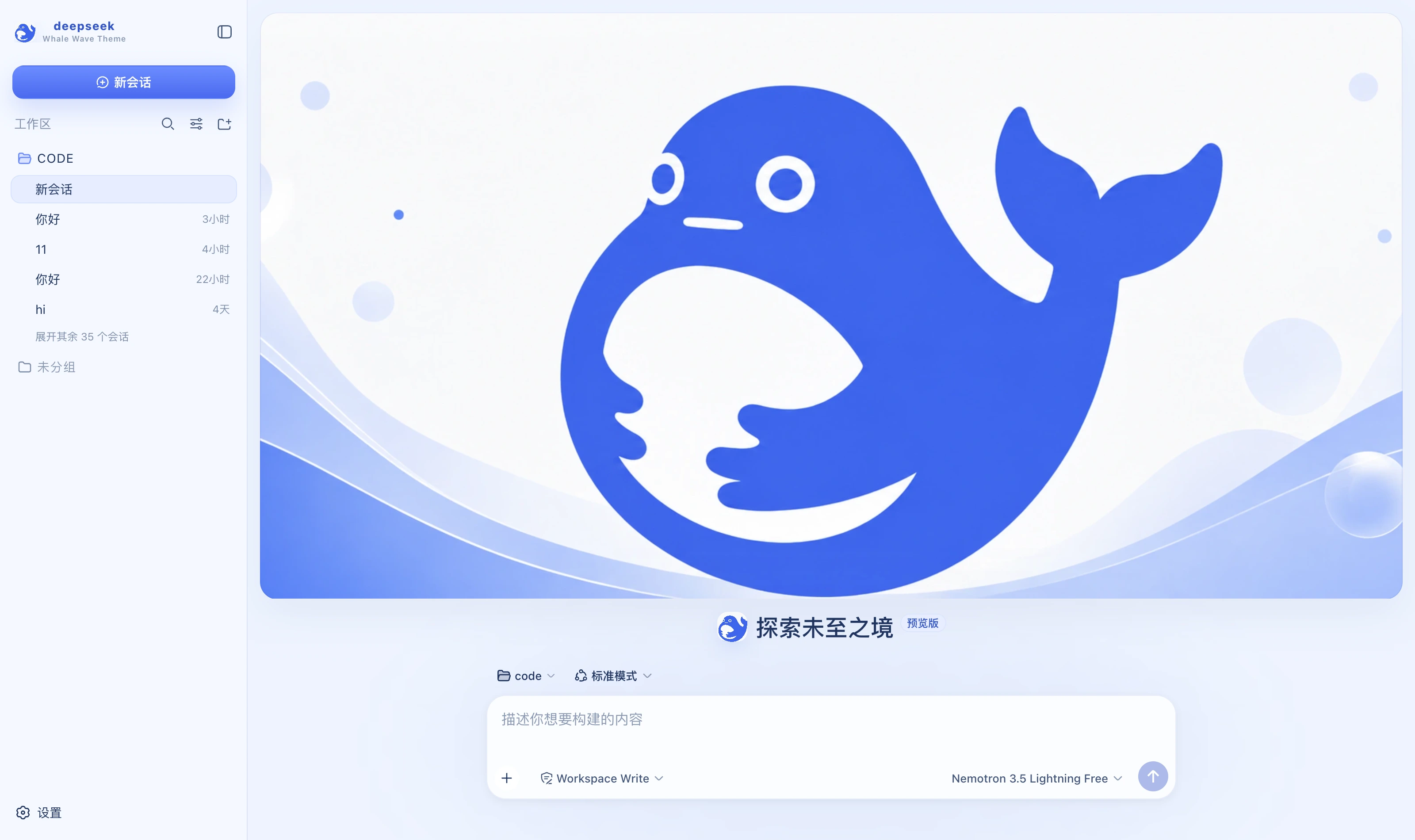 Whale Wave Banner light DeepSeek blue and white; a banner cover on the new-session page with the composer separately below packages/dsh-whale-wave-banner
|
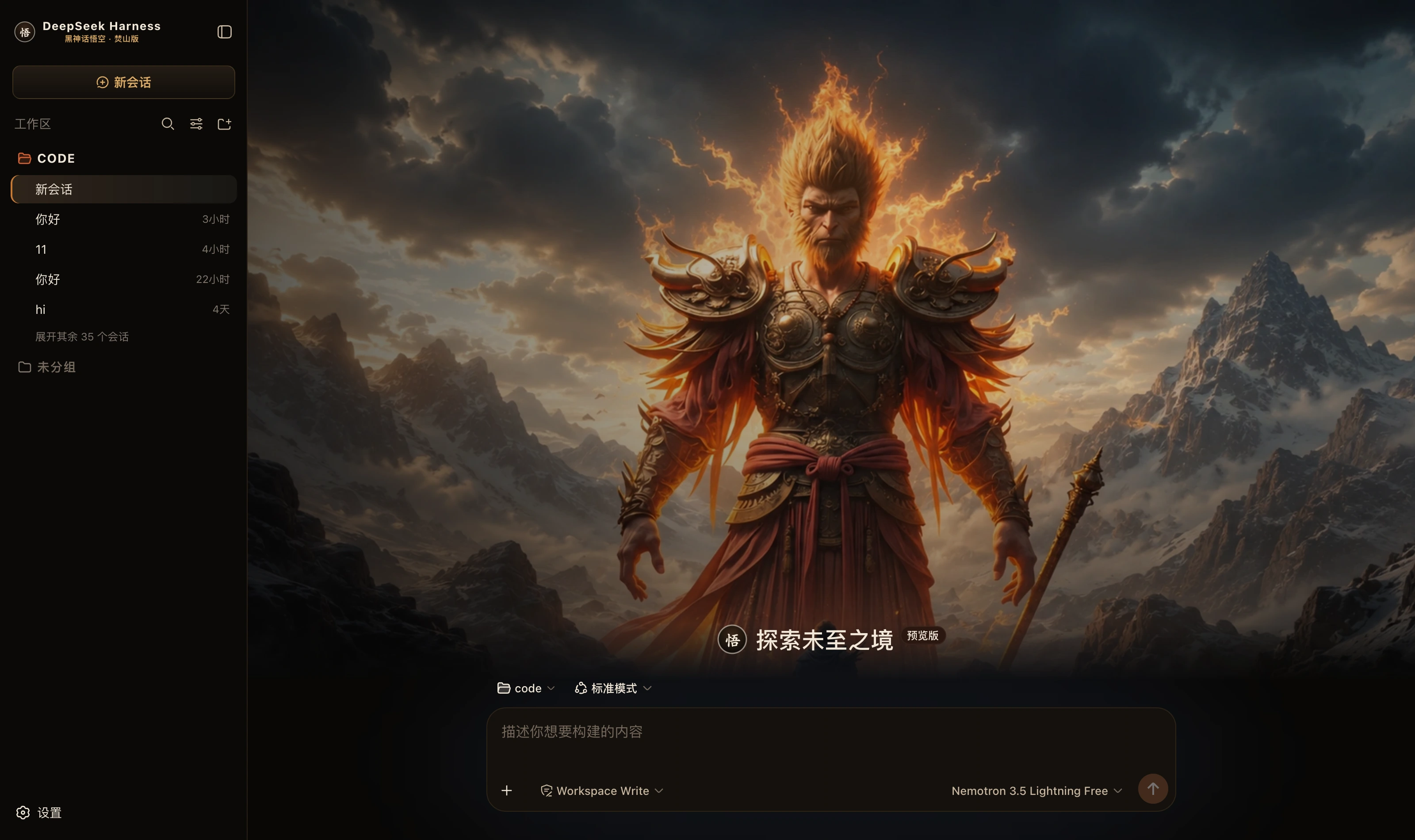 Black Myth Wukong · Flame Mountain dark Black ink, antique gold and ember orange; a burning-mountain hero on the new-session page packages/dsh-wukong-flame-mountain
|
If this is useful to you, a Star goes a long way