

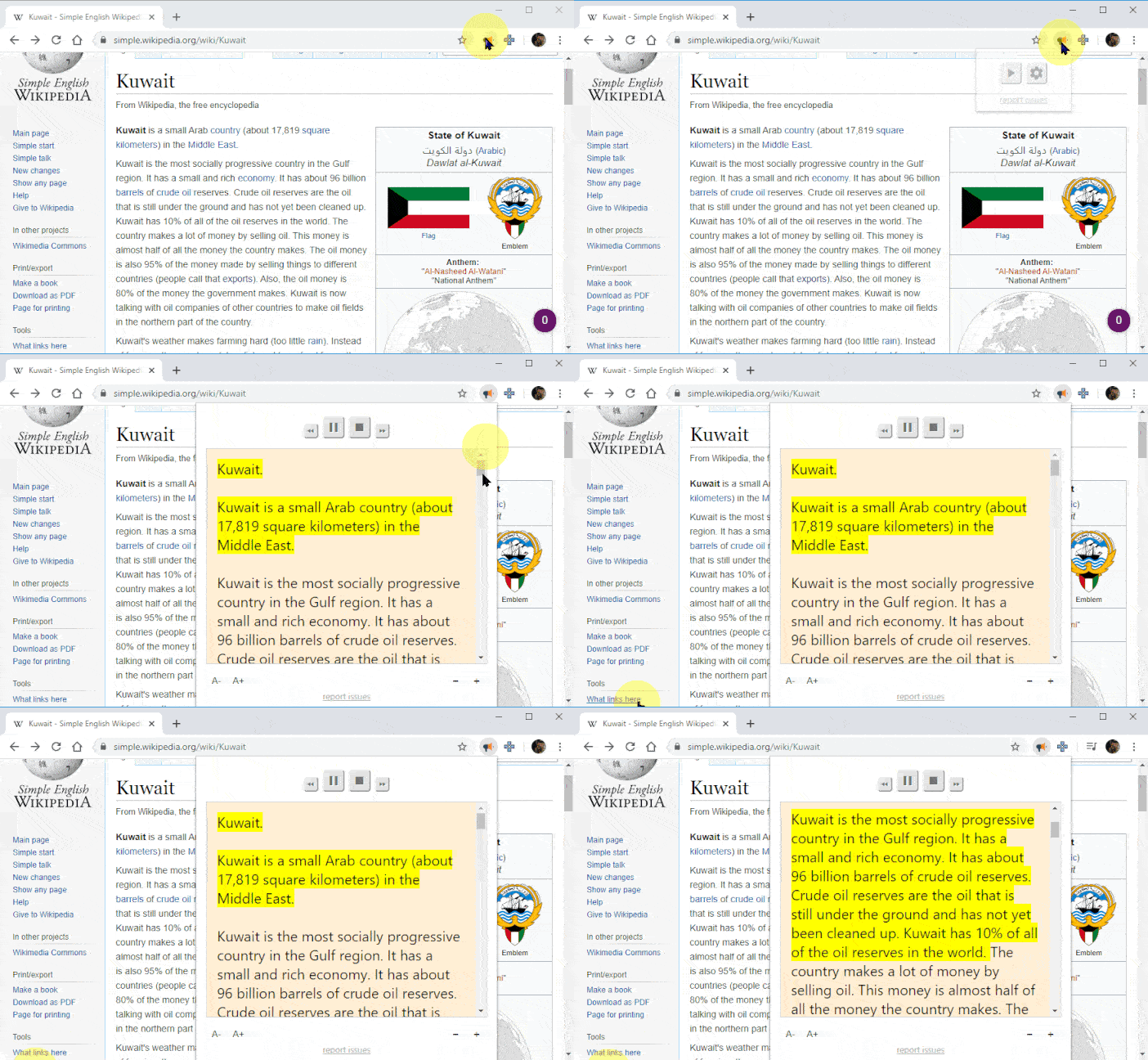
A Text to Speech Voice Reader extension for your browser!
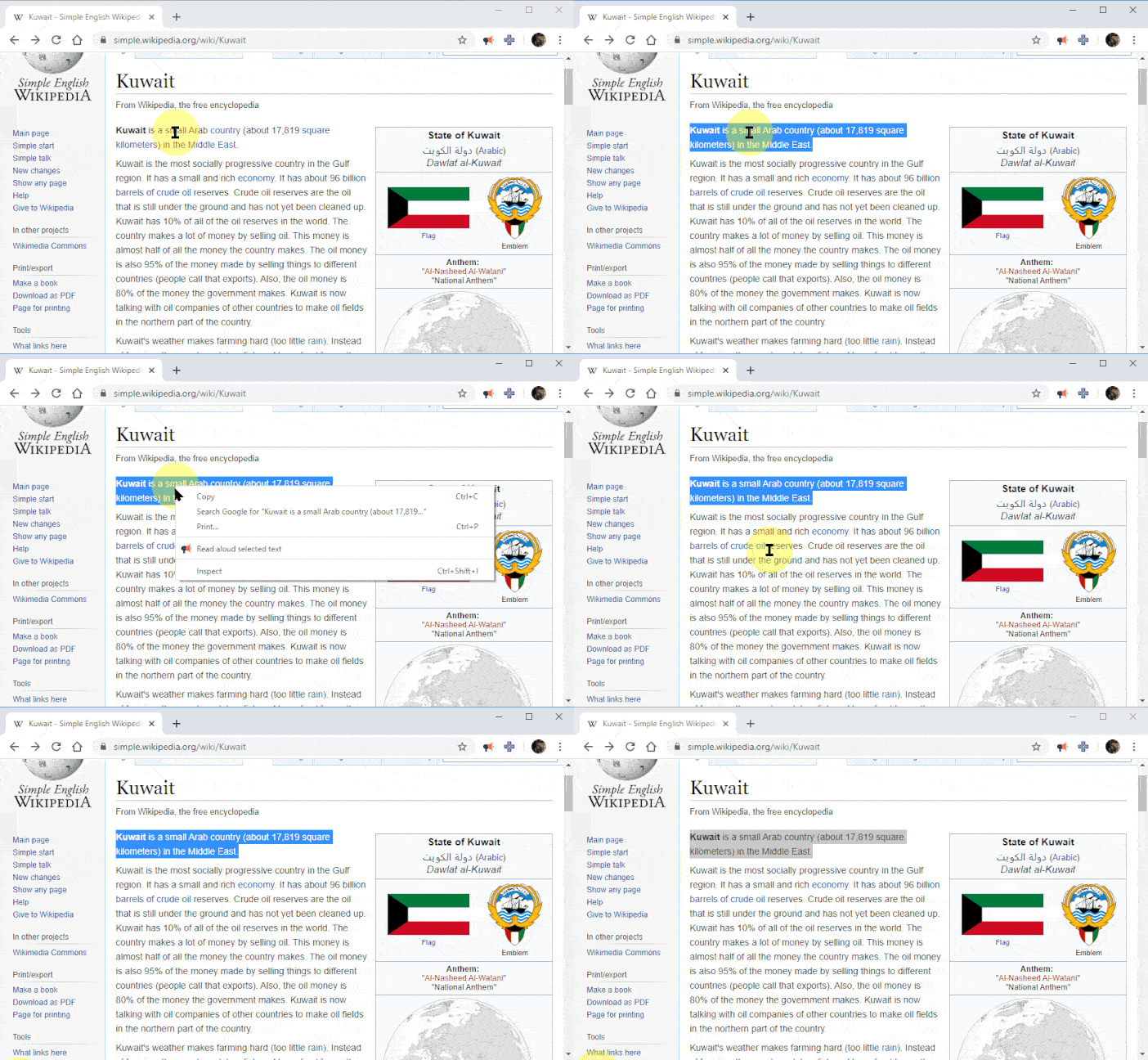
 ### Right Click Menu
 ## Advanced Usage
### Shortcuts
```yaml
ALT/Option + P : Play/Pause
ALT/Option + O : Stop
ALT/Option + Comma : Rewind
ALT/Option + Period : Forward
```
### Customization
You can change the voice, reading speed, pitch, or enable text highlighting:
1. Click the Read Aloud icon on the [Extensions menu](https://i.imgur.com/KTqFZ3Q.png).
2. Stop any text that may be playing.
3. Click on the Gear icon in the Read Aloud context menu. (It may take a second or two for settings to appear)
### Using Premium Voices
[Using Premium Voices (Google Wavenet & Amazon Polly)](docs/usage/premium-voices.md)
## Installation
### Chrome and Chromium-based browsers
You can get the latest available Read Aloud Extension version from the [Chrome Web Store](https://chromewebstore.google.com/detail/read-aloud-a-text-to-spee/hdhinadidafjejdhmfkjgnolgimiaplp).
### Firefox
You can get the latest version of Read Aloud Extension from the [Mozilla Add-ons website](https://addons.mozilla.org/en-US/firefox/addon/read-aloud/).
#### Firefox install from source
1. Create a build directory with `mkdir build`
2. Run `npm run-script package`
3. Extract the resulting zip file. You should see a `manifest.json` which will be used later.
4. In Firefox, first make sure there isn't an existing read-aloud add-on already installed
5. type `about:debugging` in the Address bar and enter.
6. Click on "This Firefox" then click "Load Unpackaged Extension"
7. Select the `manifest.json` file produced earlier.
## Packaging
Run `npm run package` to package the current checkout. Requires Node.js and the
`zip` command. The browser label is inferred from the branch: `master`/`main`
means Chrome; `firefox`, `firefox-mv3`, `edge`, `brave`, and `thunderbird` use
their respective browser names. For feature branches, detached checkouts, or
exported source trees, provide the label explicitly:
```sh
npm run package -- --browser=firefox
```
The browser option labels the package; it does not switch branches or convert
the extension to another browser. Use the appropriate source checkout.
Output is `build/read-aloud-
## Advanced Usage
### Shortcuts
```yaml
ALT/Option + P : Play/Pause
ALT/Option + O : Stop
ALT/Option + Comma : Rewind
ALT/Option + Period : Forward
```
### Customization
You can change the voice, reading speed, pitch, or enable text highlighting:
1. Click the Read Aloud icon on the [Extensions menu](https://i.imgur.com/KTqFZ3Q.png).
2. Stop any text that may be playing.
3. Click on the Gear icon in the Read Aloud context menu. (It may take a second or two for settings to appear)
### Using Premium Voices
[Using Premium Voices (Google Wavenet & Amazon Polly)](docs/usage/premium-voices.md)
## Installation
### Chrome and Chromium-based browsers
You can get the latest available Read Aloud Extension version from the [Chrome Web Store](https://chromewebstore.google.com/detail/read-aloud-a-text-to-spee/hdhinadidafjejdhmfkjgnolgimiaplp).
### Firefox
You can get the latest version of Read Aloud Extension from the [Mozilla Add-ons website](https://addons.mozilla.org/en-US/firefox/addon/read-aloud/).
#### Firefox install from source
1. Create a build directory with `mkdir build`
2. Run `npm run-script package`
3. Extract the resulting zip file. You should see a `manifest.json` which will be used later.
4. In Firefox, first make sure there isn't an existing read-aloud add-on already installed
5. type `about:debugging` in the Address bar and enter.
6. Click on "This Firefox" then click "Load Unpackaged Extension"
7. Select the `manifest.json` file produced earlier.
## Packaging
Run `npm run package` to package the current checkout. Requires Node.js and the
`zip` command. The browser label is inferred from the branch: `master`/`main`
means Chrome; `firefox`, `firefox-mv3`, `edge`, `brave`, and `thunderbird` use
their respective browser names. For feature branches, detached checkouts, or
exported source trees, provide the label explicitly:
```sh
npm run package -- --browser=firefox
```
The browser option labels the package; it does not switch branches or convert
the extension to another browser. Use the appropriate source checkout.
Output is `build/read-aloud-