| Autolayout | FrameLayoutKit |
|
|
|
| Source | Result |
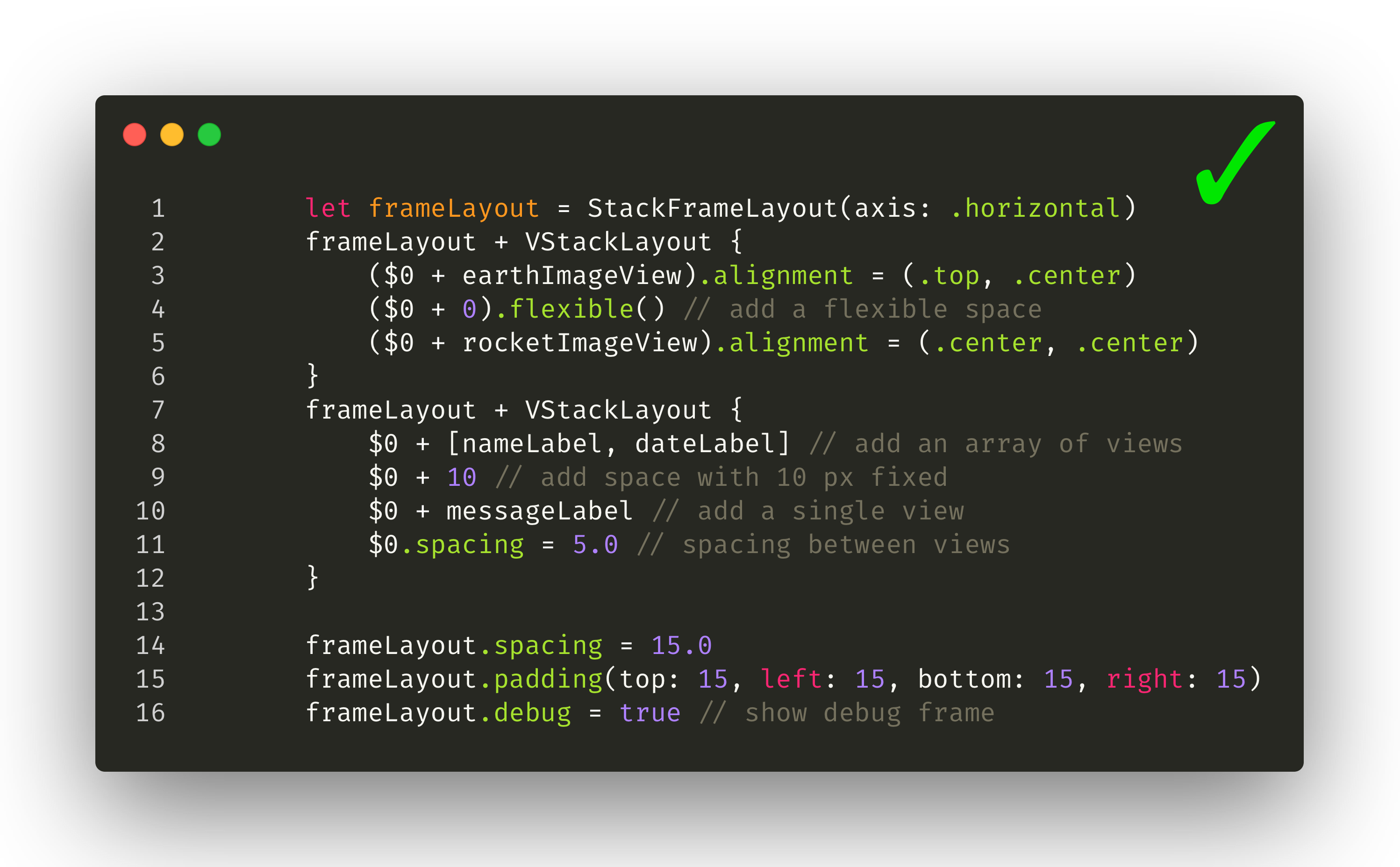
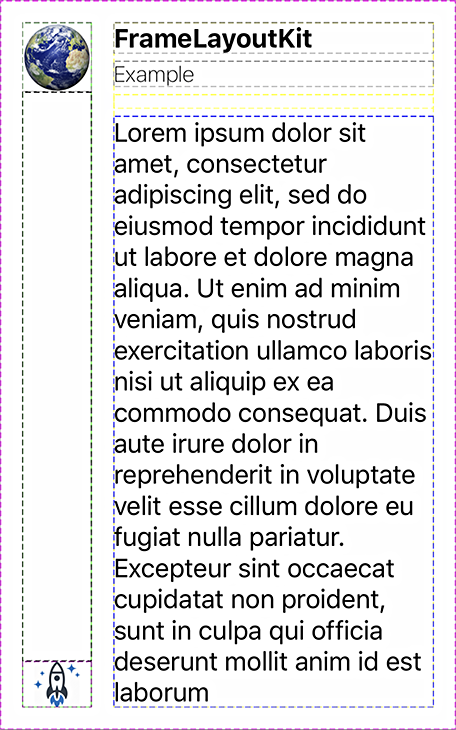
| ```swift let frameLayout = HStackLayout() frameLayout + VStackLayout { ($0 + earthImageView).alignment = (.top, .center) ($0 + 0).flexible() // add a flexible space ($0 + rocketImageView).alignment = (.center, .center) } frameLayout + VStackLayout { $0 + [nameLabel, dateLabel] // add an array of views $0 + 10 // add a space with a minimum of 10 pixels $0 + messageLabel // add a single view }.spacing(5.0) frameLayout .spacing(15) .padding(top: 15, left: 15, bottom: 15, right: 15) .debug(true) // show dashed lines to visualize the layout ```` |
|
| Source | Result |
| ```swift let frameLayout = VStackLayout { ($0 + imageView).flexible() $0 + VStackLayout { $0 + titleLabel $0 + ratingLabel } }.padding(top: 12, left: 12, bottom: 12, right: 12) .distribution(.bottom) .spacing(5) ```` |

|
| Source | Result |
| ```swift let posterSize = CGSize(width: 100, height: 150) let frameLayout = ZStackLayout() frameLayout + backdropImageView frameLayout + VStackLayout { $0 + HStackLayout { ($0 + posterImageView).fixedSize(posterSize) $0 + VStackLayout { $0 + titleLabel $0 + subtitleLabel }.padding(bottom: 5).flexible().distribution(.bottom) }.spacing(12).padding(top: 0, left: 12, bottom: 12, right: 12) }.distribution(.bottom) ``` |

|
| Source | Result |
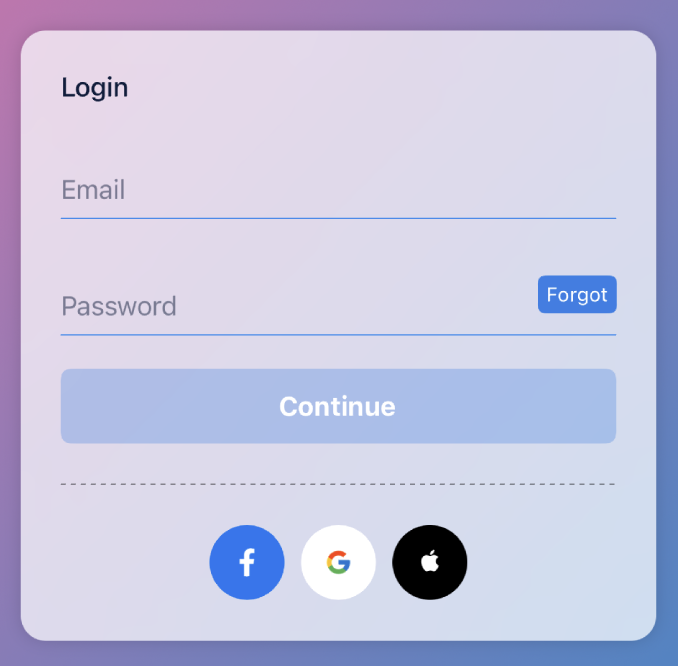
| ```swift let buttonSize = CGSize(width: 45, height: 45) let cardView = VStackLayout() .spacing(10) .padding(top: 24, left: 24, bottom: 24, right: 24) cardView + titleLabel (cardView + emailField).minHeight = 50 (cardView + passwordField).minHeight = 50 (cardView + nextButton).fixedHeight = 45 (cardView + separateLine) .fixedContentHeight(1) .padding(top: 4, left: 0, bottom: 4, right: 40) cardView + HStackLayout { ($0 + [facebookButton, googleButton, appleButton]) .forEach { $0.fixedContentSize(buttonSize) } }.distribution(.center).spacing(10) ``` |
|