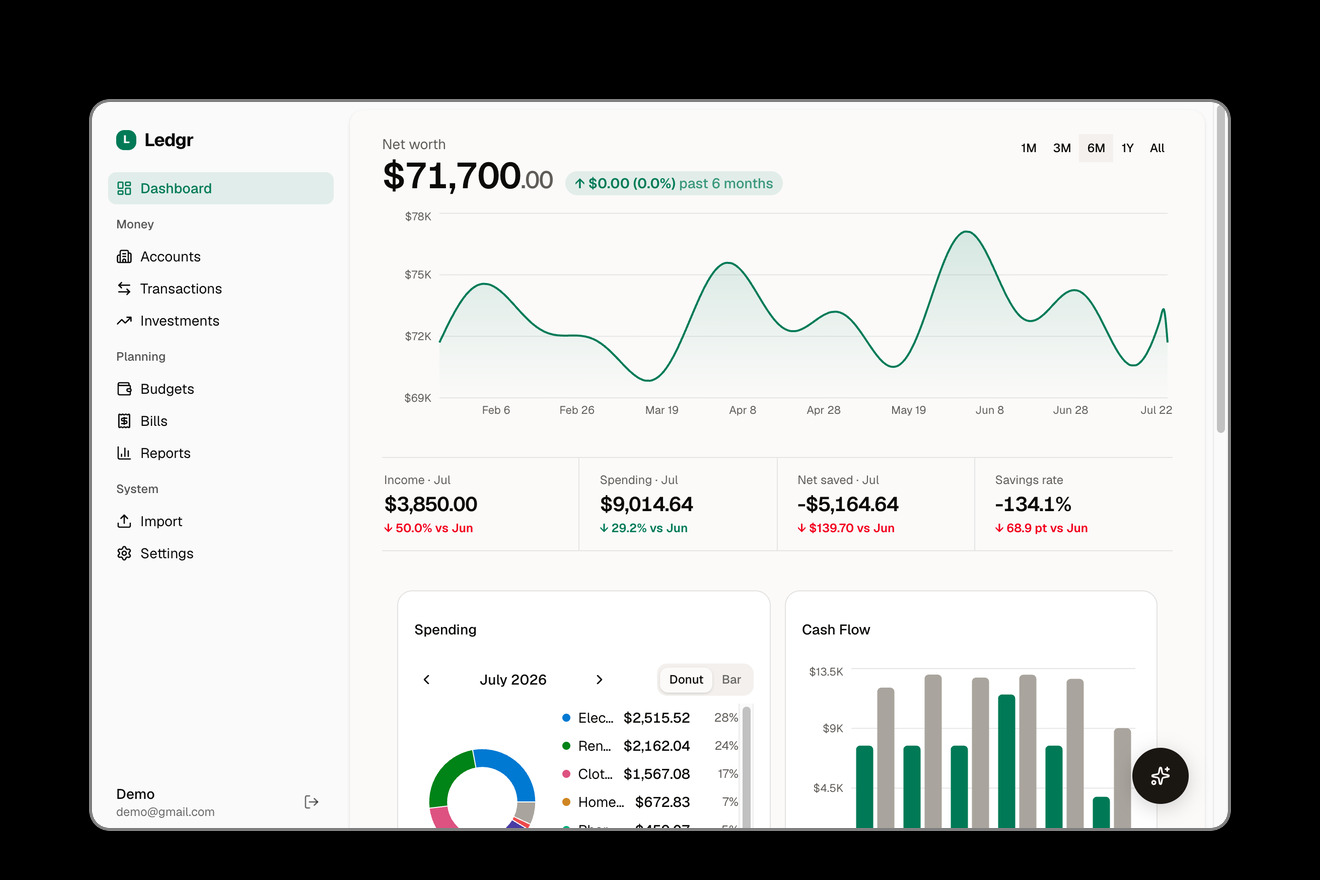
Ledgr # Ledgr **Self-hostable personal finance app with automatic bank sync and AI agent support.** [![License: AGPL v3](https://img.shields.io/badge/License-AGPL_v3-blue.svg)](https://www.gnu.org/licenses/agpl-3.0) [![TypeScript](https://img.shields.io/badge/TypeScript-6.x-blue.svg)](https://www.typescriptlang.org/) [![Next.js](https://img.shields.io/badge/Next.js-16-black.svg)](https://nextjs.org/) [![Docker](https://img.shields.io/badge/Docker-ready-2496ED.svg)](https://www.docker.com/) [![MCP](https://img.shields.io/badge/MCP-enabled-orange.svg)](https://modelcontextprotocol.io) Ledgr Dashboard
--- Ledgr connects to your bank accounts through [Plaid](https://plaid.com) or [SimpleFIN](https://www.simplefin.org), automatically syncs and categorizes transactions, and gives you budgets, investment tracking, bill detection, and financial reports — all running on your own server with your own data. It also exposes an [MCP](https://modelcontextprotocol.io) server, so AI assistants like Claude can query your finances through natural conversation. ``` You: "How much did I spend on dining out last month?" Claude: Based on your transactions, you spent $342.18 on dining out in April... ```
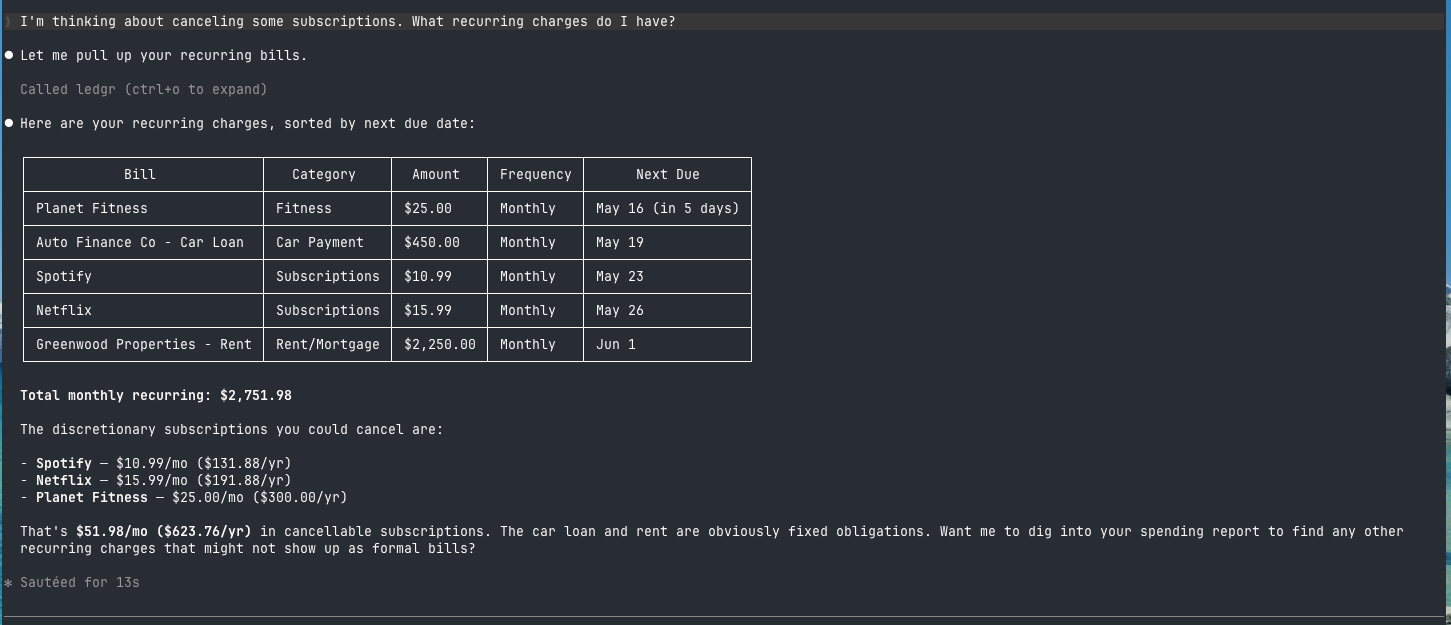
Ledgr MCP demo in Claude Code
Querying your finances from Claude Code via MCP
## Features - **Automatic bank sync** — connect 12,000+ banks via Plaid (real-time webhook sync or scheduled polling), or via SimpleFIN if you'd rather not use a Plaid developer account - **Smart categorization** — four-tier pipeline: your rules > merchant defaults > Plaid categories > AI fallback - **Budgets** — set monthly budgets by category, track progress in real time - **Investment tracking** — portfolio holdings, performance history, and allocation breakdowns, synced automatically from Plaid or SimpleFIN - **Recurring bill detection** — automatically identifies subscriptions and recurring charges - **Financial reports** — spending, income, net worth, and category trends over time - **AI agent interface (MCP)** — query your finances from Claude Code, Claude Desktop, Cursor, or any MCP client - **In-app AI chat** — ask questions about your finances right from the dashboard - **BYOK AI** — bring your own API key (OpenAI, Anthropic, Google, or local models) for chat and categorization - **CSV/OFX/QFX import & CSV export** — for accounts not supported by Plaid, and for getting your data out - **Self-hosted** — Docker Compose with PostgreSQL, your data never leaves your server
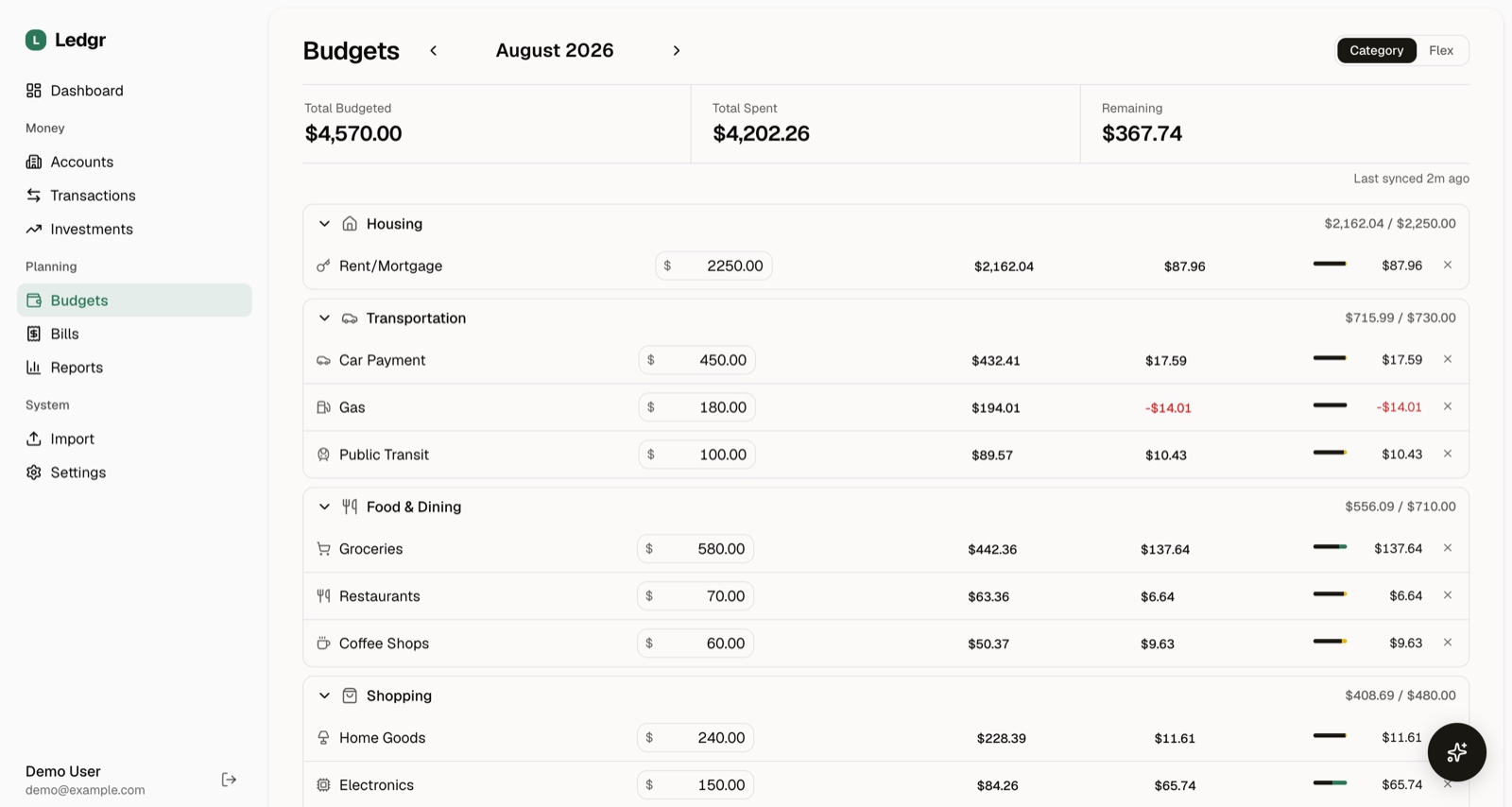
Ledgr budgets screen with per-category spending progress
Monthly budgets by category, tracked against real spending

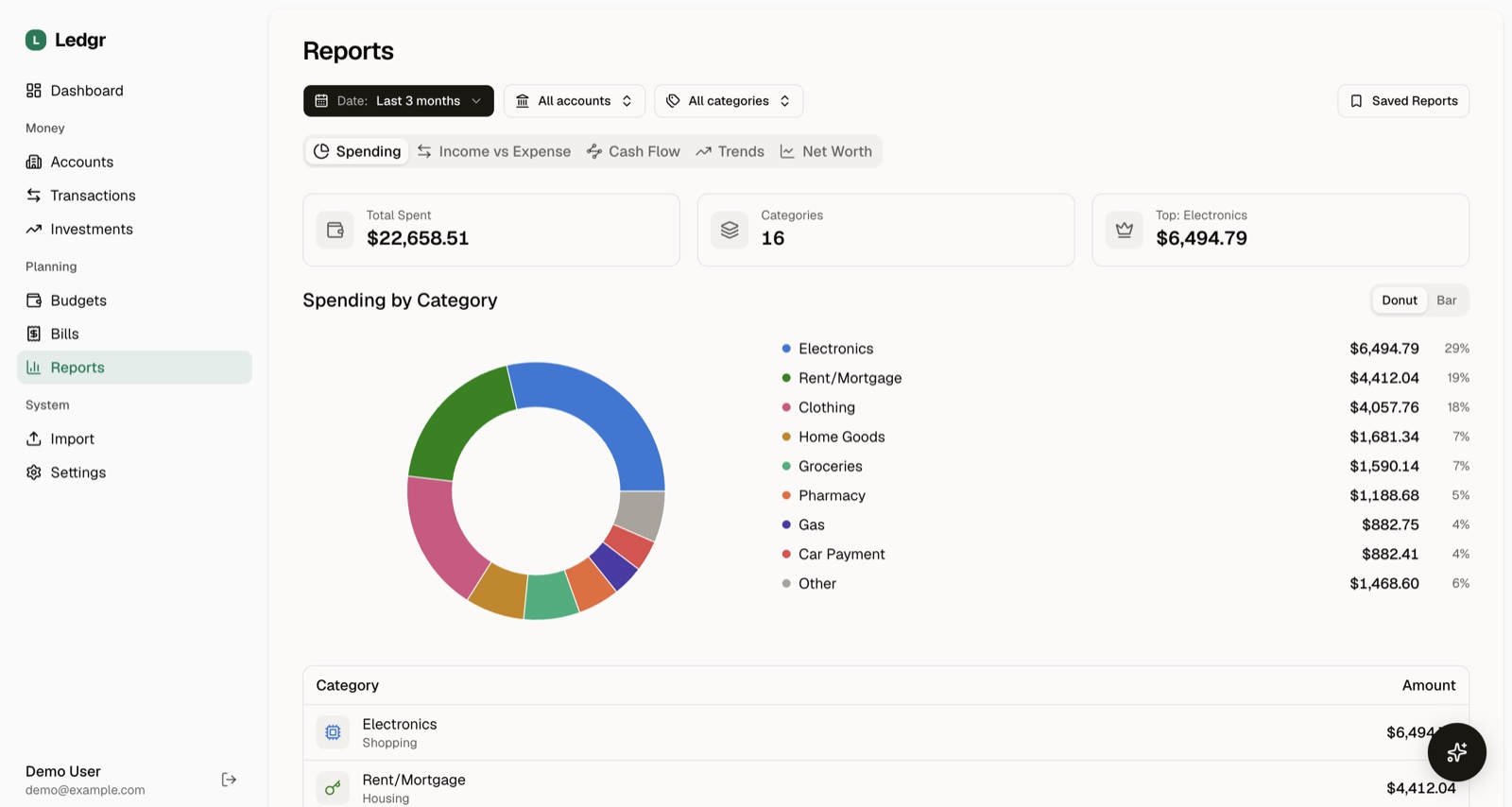
Ledgr spending report with category breakdown
Spending, income, cash flow, trends, and net worth reports
## Quick Start Requires [Docker](https://docs.docker.com/get-docker/) and [Docker Compose](https://docs.docker.com/compose/install/). ```bash curl -fsSL https://raw.githubusercontent.com/KenTaniguchi-R/ledgr/main/scripts/install.sh | sh ``` This creates a `ledgr/` directory, downloads `docker-compose.yml`, and starts the app.
Prefer to see the steps first? ```bash mkdir ledgr && cd ledgr curl -O https://raw.githubusercontent.com/KenTaniguchi-R/ledgr/main/docker-compose.yml docker compose up -d ```
Visit `http://localhost:4200`, create an account, and start exploring. On first boot, Ledgr generates an encryption key and session secret and stores them in the app data volume. **Back up that volume (or the `/data/encryption-key` file) along with your database** — losing the key means losing access to encrypted data like Plaid and SimpleFIN tokens. Prefer to manage the key yourself? Set `ENCRYPTION_KEY` in a `.env` file (see [Configuration](#configuration)) and it takes precedence. > Add your Plaid keys to `.env` to enable bank sync — see [Connect Your Bank](#connect-your-bank) below (or skip the keys and use [SimpleFIN](#or-connect-via-simplefin)). The app works without either via CSV import. ## Connect Your Bank 1. Sign up at [dashboard.plaid.com](https://dashboard.plaid.com/signup) and get your `client_id` and secret from [Developers > Keys](https://dashboard.plaid.com/developers/keys) 2. Add them to a `.env` file next to your `docker-compose.yml` (start from [`.env.example`](.env.example) if you don't have one): ```env PLAID_CLIENT_ID=your_client_id PLAID_SECRET=your_secret PLAID_ENV=production # or sandbox for fake data ``` 3. Restart: `docker compose restart` 4. In the app, go to **Accounts > Link Bank** to connect via Plaid > Plaid's free trial plan includes 10 production connections and unlimited sandbox access. After that, the Launch plan is pay-as-you-go with no contract. Don't have Plaid keys yet? The app still works — import transactions via CSV and add Plaid later.
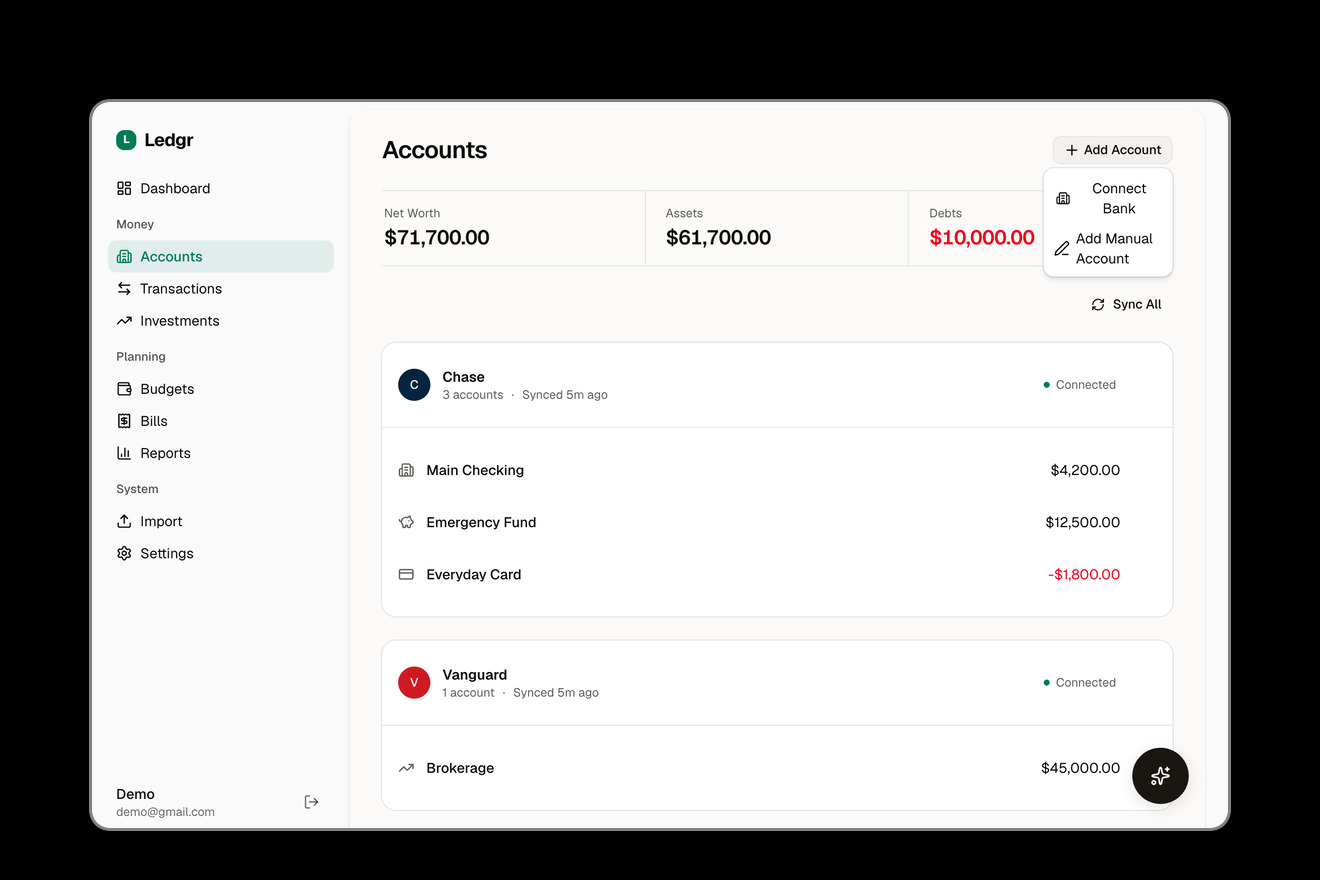
Plaid Link bank connection
Connect any of 12,000+ banks through Plaid
### Or connect via SimpleFIN [SimpleFIN](https://www.simplefin.org) works out of the box — no developer account or `.env` changes needed. 1. Get a SimpleFIN Bridge account and generate a Setup Token from your bridge provider 2. In the app, go to **Accounts > Link Bank** and choose the SimpleFIN option 3. Paste your Setup Token to connect SimpleFIN has no webhooks, so accounts sync on a daily schedule (`SCHEDULER_SIMPLEFIN_SYNC_CRON`, see [Configuration](#configuration)) instead of in real time. Investment holdings sync the same way as they do for Plaid. ## Connect Your AI Agent Ledgr ships with a built-in [MCP](https://modelcontextprotocol.io) server and plugin support. First, enable the MCP endpoint in your `.env` and restart: ```env MCP_ENABLED=true ``` Then pick your tool: **Claude Code** ```bash /plugin marketplace add KenTaniguchi-R/ledgr /plugin install ledgr@ledgr ``` **Codex CLI** ```bash codex plugin marketplace add KenTaniguchi-R/ledgr ``` **OpenCode** — add to `opencode.json`: ```json { "$schema": "https://opencode.ai/config.json", "plugin": ["ledgr"] } ``` **OpenClaw** ```bash openclaw plugins install ledgr --marketplace KenTaniguchi-R/ledgr ``` **Hermes** ```bash hermes plugins install KenTaniguchi-R/ledgr ```
Other MCP clients (Cursor, Windsurf, Cline, etc.) Point any MCP-compatible client to your Ledgr instance: ``` http://localhost:4200/api/mcp ``` On first connection, Ledgr redirects you through an OAuth flow to authorize access.
### Available Tools | Tool | Description | |------|-------------| | `list_accounts` | Linked bank accounts and balances | | `get_account_summary` | Balance totals by account type | | `get_transactions` | Search and filter transactions | | `update_transaction_category` | Recategorize a transaction | | `mark_transaction_transfer` | Mark or unmark a transaction as a transfer | | `get_budget` | Budget progress for a month | | `set_budget_category` | Set a category's budget amount | | `list_categories` | Spending categories | | `get_spending_report` | Spending breakdown over a date range | | `get_income_vs_expense` | Income vs. expense trends | | `get_net_worth_history` | Net worth over time | | `get_holdings` | Investment portfolio holdings | | `get_portfolio_summary` | Portfolio value and allocation | | `get_upcoming_bills` | Recurring transactions and bills | | `get_dashboard_summary` | Overview of your finances | | `show_financial_dashboard` | Interactive dashboard widget | | `sync_accounts` | Trigger a bank sync | Read, write, and sync tools are gated by OAuth scopes (`ledgr:read`, `ledgr:write`, `ledgr:sync`) that you grant during authorization. **Example prompts:** - "How much did I spend on groceries this month?" - "Show me my budget status" - "What recurring bills do I have?" - "Generate a spending report for Q1" - "Sync my accounts and show my balances" ## Comparison | | Ledgr | Actual Budget | Firefly III | |---|:---:|:---:|:---:| | Automatic bank sync | Plaid (12,000+ banks) or SimpleFIN | SimpleFIN (US/CA), GoCardless (EU/UK) | SimpleFIN, GoCardless, Spectre (via Data Importer) | | Built-in MCP server | Yes | -- | -- | | AI categorization | Yes (BYOK) | -- | -- | | Investment tracking | Yes | -- | -- | | Self-hostable | Yes | Yes | Yes | | Database | PostgreSQL | SQLite | MySQL/Postgres | | License | AGPL-3.0 | MIT | AGPL-3.0 | ## Updating ```bash docker compose pull docker compose up -d ``` Migrations run automatically on container startup. ## Configuration | Variable | Required | Default | Description | |----------|----------|---------|-------------| | `ENCRYPTION_KEY` | No | auto-generated | Encrypts Plaid tokens & API keys. Generated on first boot and persisted in the app data volume; set your own with `openssl rand -hex 32` | | `BETTER_AUTH_SECRET` | No | auto-generated | Session secret, persisted in the app data volume. Set your own with `openssl rand -base64 32` | | `PORT` | No | `4200` | Host port for the app | | `POSTGRES_PASSWORD` | No | `ledgr` | Database password (change in production) | | `PLAID_CLIENT_ID` | No | -- | Plaid client ID | | `PLAID_SECRET` | No | -- | Plaid secret key | | `PLAID_ENV` | No | `production` | `production` or `sandbox` | | `PLAID_SYNC_MODE` | No | `poll` | `poll` (scheduled) or `webhook` (real-time) | | `PLAID_WEBHOOK_URL` | No | -- | Public URL for Plaid webhooks (webhook mode) | | `SCHEDULER_SIMPLEFIN_SYNC_CRON` | No | `45 4 * * *` | Daily SimpleFIN account sync (no webhooks, so this is the only sync trigger) | | `AI_PROVIDER` | No | -- | `openai`, `anthropic`, `google`, `openrouter`, or `custom` | | `AI_API_KEY` | No | -- | Provider API key for AI chat & categorization | | `MCP_ENABLED` | No | `false` | Enable the MCP endpoint for AI agents | See [`.env.example`](.env.example) for all options. ## Development > **If you're self-hosting Ledgr, use the [Quick Start](#quick-start) above.** The instructions below are for contributors. ### Prerequisites - [Node.js](https://nodejs.org/) 24+ - [pnpm](https://pnpm.io/) 10+ - PostgreSQL 18 (or `pnpm dev:db` to start one in Docker) ### Setup ```bash git clone https://github.com/KenTaniguchi-R/ledgr.git cd ledgr pnpm install cp .env.example .env # Fill in ENCRYPTION_KEY pnpm dev:setup # Start DB + migrate + dev server ``` To run the full app in Docker from source (instead of pulling the pre-built image): ```bash docker compose -f docker-compose.yml -f docker-compose.dev.yml up -d ``` ### Commands ```bash pnpm dev # Dev server (Turbopack) pnpm test # Unit + integration tests pnpm test:e2e # Playwright E2E tests pnpm lint # ESLint pnpm typecheck # Type checking pnpm db:studio # Drizzle Studio (DB browser) ``` ## Tech Stack | Layer | Choice | |-------|--------| | Framework | Next.js 16 (App Router) | | Language | TypeScript | | UI | shadcn/ui + Tailwind CSS 4 | | Charts | Recharts 3 | | Database | PostgreSQL 18 via Drizzle ORM | | Auth | Better Auth | | Bank Sync | Plaid Node SDK, SimpleFIN | | AI | Vercel AI SDK (BYOK) | | MCP | Model Context Protocol SDK | | Testing | Vitest + Playwright + Stryker | ## Roadmap - [x] Plaid webhook support (real-time sync) - [x] AI chat assistant (in-app) - [x] OFX/QFX import - [x] SimpleFIN bank sync (Plaid alternative) - [x] Automatic transfer detection between accounts - [ ] Mobile-responsive UI - [ ] Multi-currency support - [ ] Custom report builder - [ ] Goal tracking (savings goals, debt payoff) - [ ] Recurring budget templates See [Issues](https://github.com/KenTaniguchi-R/ledgr/issues) for what's being worked on. ## Security Security is critical for a finance app. If you discover a vulnerability, **please do not open a public issue.** Instead, see [SECURITY.md](SECURITY.md) for responsible disclosure instructions. For details on how Ledgr handles your data, see [PRIVACY.md](PRIVACY.md). ## Contributing Contributions are welcome! Please open an issue first to discuss what you'd like to change. See [CONTRIBUTING.md](CONTRIBUTING.md) for setup and workflow details. 1. Fork the repo 2. Create your branch (`git checkout -b feat/my-feature`) 3. Commit your changes 4. Push and open a Pull Request ## License [AGPL-3.0](LICENSE) — you can self-host freely. If you modify and distribute the server, you must open-source your changes.