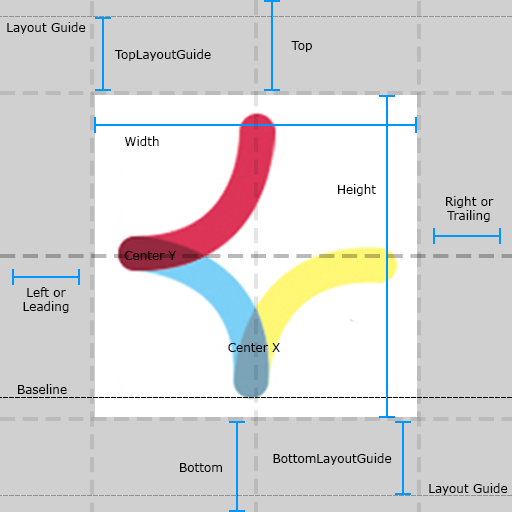
# KVConstraintKit [![CI Status](http://img.shields.io/travis/keshavvishwkarma/KVConstraintKit.svg?style=flat)](https://travis-ci.org/keshavvishwkarma/KVConstraintKit) [![Version](https://img.shields.io/cocoapods/v/KVConstraintKit.svg?style=flat)](http://cocoapods.org/pods/KVConstraintKit) [![Carthage compatible](https://img.shields.io/badge/Carthage-Compatible-brightgreen.svg?style=flat)](https://github.com/Carthage/Carthage) ![Swift 3.x](https://img.shields.io/badge/Swift-3.x-orange.svg) ![Swift 4.x](https://img.shields.io/badge/Swift-4.x-orange.svg) [![License](https://img.shields.io/cocoapods/l/KVConstraintKit.svg?style=flat)](http://cocoapods.org/pods/KVConstraintKit) [![Platform](https://img.shields.io/cocoapods/p/KVConstraintKit.svg?style=flat)](http://cocoapods.org/pods/KVConstraintKit) KVConstraintKit is a DSL to make easy & impressive Auto Layout constraints on iOS, tvOS & OSX with Swift ![KVConstraintKit](./Assets/KVConstraintKit_small_big.png) ## Installation ### Using CocoaPods 1. To integrate `KVConstraintKit` into your Xcode project using [CocoaPods](http://cocoapods.org), specify it to a target in your [Podfile](https://guides.cocoapods.org/using/the-podfile.html): ```ruby use_frameworks! pod 'KVConstraintKit', '~> 2.1' ``` If you want to be on the bleeding edge, replace the last line with: ```ruby pod 'KVConstraintKit', :git => 'https://github.com/keshavvishwkarma/KVConstraintKit.git', :branch => 'master' ``` 2. Run `pod install` and open the open the `{Project}.xcworkspace` instead of the `{Project}.xcodeproj` file to launch Xcode. ### Using Carthage 1. To integrate KVConstraintKit into your Xcode project using Carthage, specify it in your [Cartfile](https://github.com/Carthage/Carthage/blob/master/Documentation/Artifacts.md#cartfile): ```ogdl github "keshavvishwkarma/KVConstraintKit" ~> 2.1 ``` 2. Run `carthage update` and follow [the additional steps](https://github.com/Carthage/Carthage#getting-started) in order to add `KVConstraintKit` to your project. ## Auto Layout Attributes `KVConstraintKit` supports all built-in layout attributes as of iOS, tvOS & OSX, see the [NSLayoutAttribute](https://developer.apple.com/documentation/uikit/nslayoutconstraint.attribute) enum.

## Usage Here's a quick example: ##### Without Using KVConstraintKit ```swift let v = UIView.prepareAutoLayoutView() v.backgroundColor = UIColor.red view.addSubview(v) // Prepare constraints and then add them on superview of view let top = NSLayoutConstraint( item: v, attribute: .top, relatedBy: .equal, toItem: v.superview!, attribute: .top, multiplier: 1.0, constant: 0) let leading = NSLayoutConstraint( item: v, attribute: .leading, relatedBy: .equal, toItem: v.superview!, attribute: .leading, multiplier: 1.0, constant: 0) let trailing = NSLayoutConstraint( item: v, attribute: .trailing, relatedBy: .equal, toItem: v.superview!, attribute: .trailing, multiplier: 1.0, constant: 0) let bottom = NSLayoutConstraint( item: v, attribute: .bottom, relatedBy: .equal, toItem: v.superview!, attribute: .bottom, multiplier: 1.0, constant: 0) v.superview?.addConstraints([top, leading, trailing, bottom]) ``` ##### Using KVConstraintKit ```swift v +== [.top, .leading, .trailing, .bottom] ``` ##### Similarly for margin constraints ```swift v +== [ .leadingMargin, .trailingMargin, .topMargin, .bottomMargin] ``` ### Fit Horizontally ```swift view.fitHorizontallyToSuperview() OR view.fitHorizontallyToSuperview(20) // padding ``` Vertically ```swift view.fitVerticallyToSuperview() OR view.fitVerticallyToSuperview(20) // padding ``` Horizontally & Vertically ```swift view.fitToSuperview() OR view.fitToSuperview(20) // width same padding for all edge ``` Fit with inset ```swift let inset = UIEdgeInsets(top: 4, left: 8, bottom: 12, right: 16) view.fitToSuperview(contentInset:inset) ``` ### Center Horizontally ```swift view.applyCenterX() OR view.applyCenterX(20) // X offset ``` Vertically ```swift view.applyCenterY() OR view.applyCenterY(20) // Y offset ``` Horizontally & Vertically ```swift view.applyCenter() OR view.applyCenter(CGPoint(x:20, y:20)) // XY offset OR view.applyCenterX(4).applyCenterY(16) // XY offset ``` ### Size Width ```swift view.applyWidth(100) OR view.applyAtLeastWidth(100) OR view.applyAtMostWidth(100) ``` Height ```swift view.applyHeight(100) OR view.applyAtLeastHeight(100) OR view.applyAtMostHeight(100) ``` Aspact Ratio ```swift view.applyAspectRatio() ``` #### Quick Reference
Layout Attributes Using Operator Using Method
Leading (subview +== .leading).constant = 20 subview.applyLeading(20)
Trailing (subview +== .trailing).constant = 20 subview.applyTrailing(20)
Top (subview +== .top).constant = 20 subview.applyTop(20)
Bottom (subview +== .bottom).constant = 20 subview.applyBottom(20)
CenterX subview +== .centerX subview.applyCenterX()
CenterY subview +== .centerY subview.applyCenterY()
Height subview +== (.height, 100) subview.applyHeight(100)
Width subview +== (.width, 100) subview.applyWidth(100)
CenterX & CenterY subview +== [.centerX, .centerY] subview.applyCenter()
For more details see the [ApplyViewConstraint](./KVConstraintKit/ApplyViewConstraint.swift) extension and [LayoutRelationable Protocol](./KVConstraintKit/KVConstraintKitProtocol.swift) of `KVConstraintKit`. **Note:** Avoid using **Left** and **Right** attributes. Use **Leading** and **Trailing** instead. This allows the layout to adapt to the view’s reading direction. By default the reading direction is determined based on the current language set by the user. ## Custom Operators The following types of `operators` are provided by `KVConstraintKit`, to `add`, `remove`, `access` and `modify` constraints. | Operator | Meaning | | :--------: |-------| | + | to `add` constraint | | - | to `remove` constraint | | * | to modify `multiplier` of constraint | | ~ | to modify `Priority` ( **UILayoutPriority** ), `Relation` ( **NSLayoutRelation** ) & `Replace` constraint| | <- | to access constraint by attributes ( **eg. NSLayoutAttribute.Height** ) | | +== | to add equal relation ( **NSLayoutRelation.Equal** ) constraint | | +>= | to add greater than or equal relation ( **NSLayoutRelation.GreaterThanOrEqual** ) constraint | | +<= | to add less than or equal relation ( **NSLayoutRelation.LessThanOrEqual** ) constraint | | *== | to add equal relation constraint with `multiplier` | | *>= | to add greater than or equal relation constraint with `multiplier` | | *<= | to add less than or equal relation constraint with `multiplier` | | |==| | to add or equal relation constraint between sibling views | | |>=| | to add greater than or equal relation constraint between sibling views | | |<=| | to add less than or equal relation constraint between sibling views | ## License `KVConstraintKit` is available under the MIT license. See the LICENSE file for more info. ## Contributions Any contribution is more than welcome! You can contribute through pull requests and issues on GitHub. ## Author If you wish to contact me, email at: keshavvbe@gmail.com