
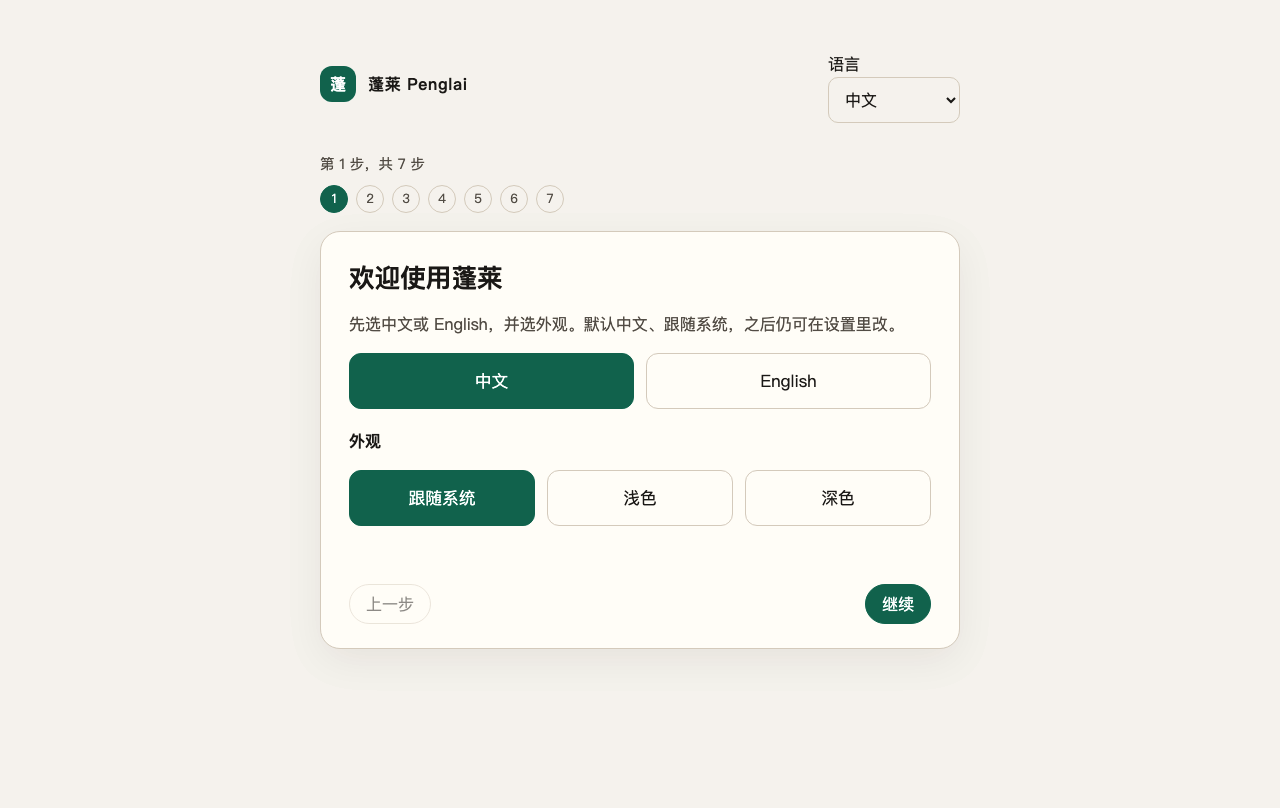
Installed 0.5.5 first-run screen, kept as a UI reference.
## English ### Meet Penglai Penglai is a desktop distribution of DeepSeek Harness. DSH remains the one agent core: it owns models, tools, approvals, Workspaces, Sessions, and the conversation. Penglai gives that core an installer, a guided first launch, careful local paths, updates you approve, and a small set of practical plugins. In other words, you do not need to assemble an agent stack before you can ask it to do useful work. ### Start with one real reply Install the package for your computer, bring your own model key, and follow the seven-step guide. Setup is not called finished until the model has answered. You can go back, retry a failed key, change the Workspace, or close the app and continue later. Once inside, the pieces have straightforward jobs: | Included surface | Starts | What it is for | | --- | --- | --- | | Penglai Office | On | Read, create, preview, edit, and export DOCX, XLSX, PPTX, and PDF | | Penglai Memory | On | Keep project memory inside the current Workspace; personal memory is a separate choice | | Mobile Messaging | Off | Connect Weixin, Feishu, DingTalk, WeCom, QQ, Slack, Telegram, or Discord | | Speech Recognition | Off | Local SenseVoice transcription | | Voice Generation | Off | Local MOSS-TTS on supported Mac and Windows systems | | Companion | Off | Optional scheduled contact with quiet hours and daily limits | Attach a file in chat when you want the assistant to read it with tools. Use Office when you want a document created, previewed, or exported. Writes wait for confirmation tied to that action. Memory follows the Workspace you chose. One project cannot quietly search another. Personal memory is never folded in without a separate choice.
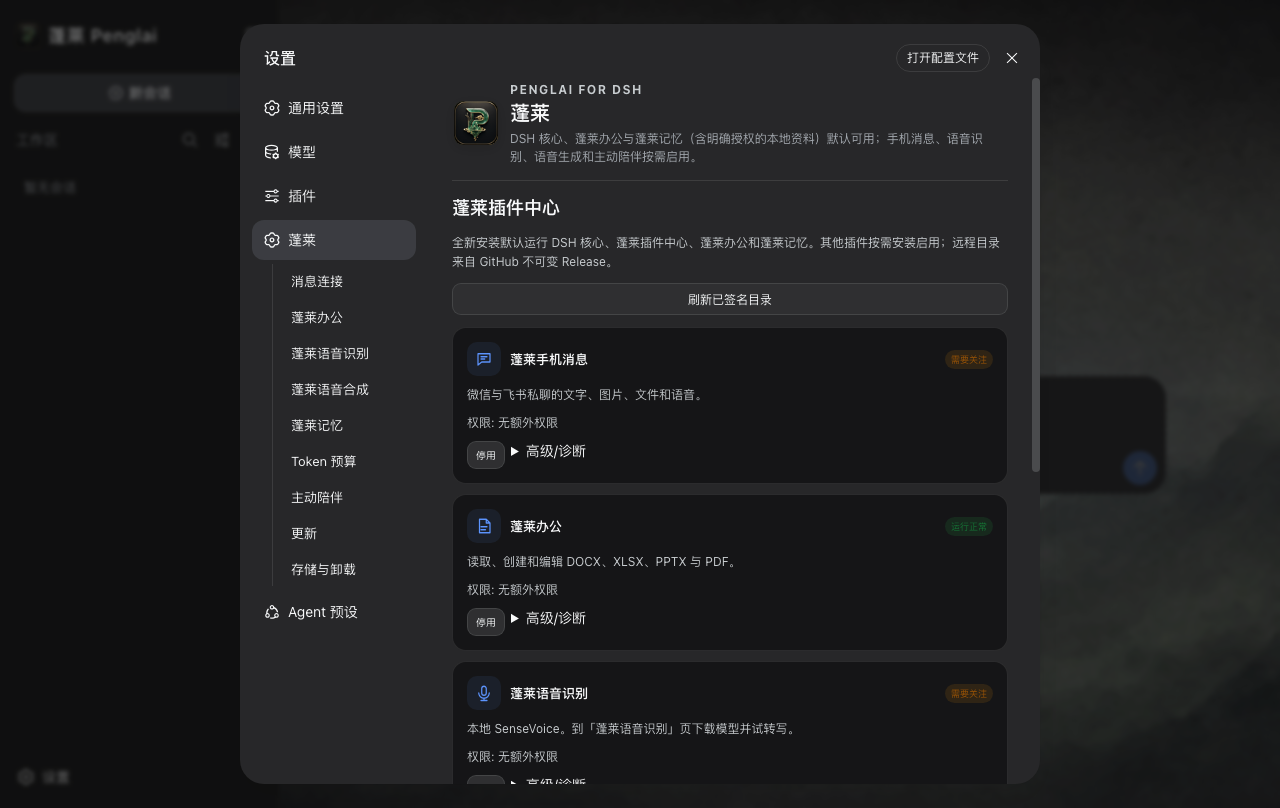
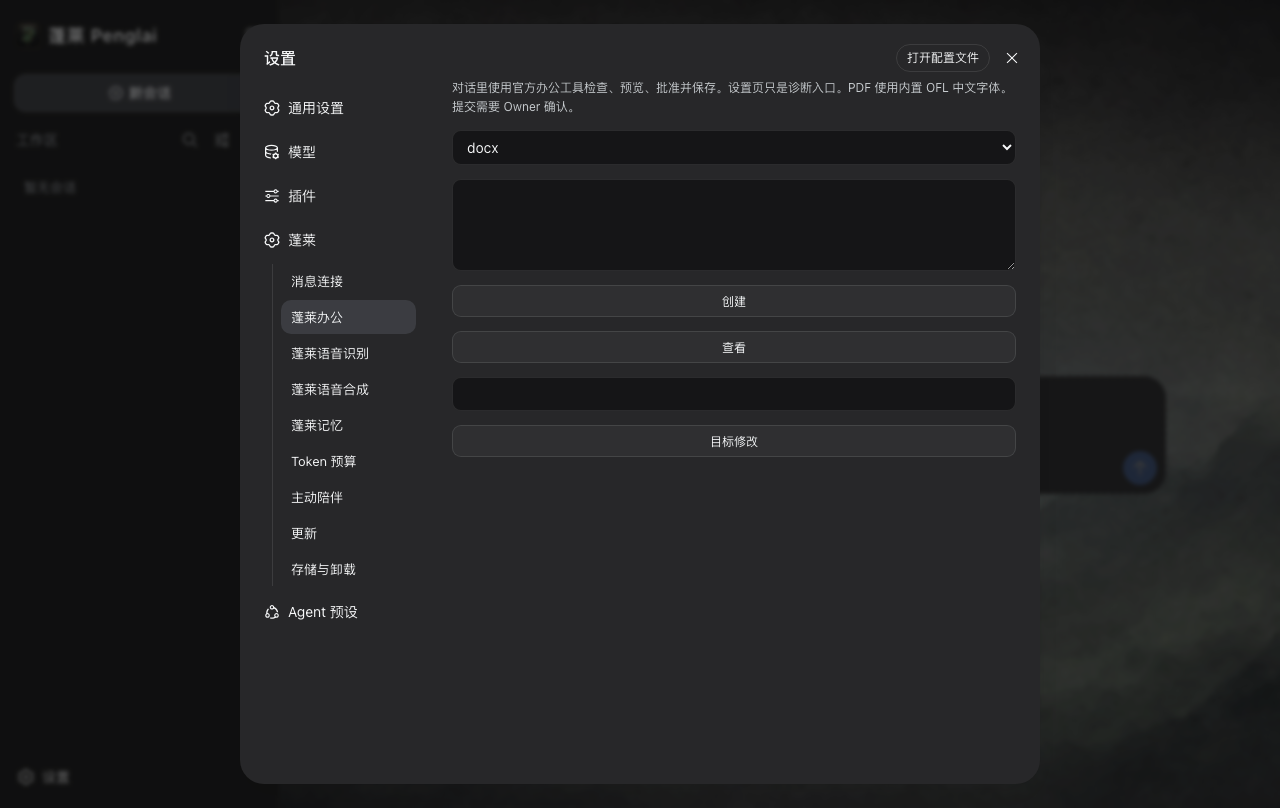
Installed 0.5.5 Plugin Center and Office screens, shown as product references.
### Download 0.6.1 GitHub Releases is the authoritative source. Choose the package that matches the computer and verify it against `SHA256SUMS` on the [`v0.6.1` release](https://github.com/kevinchennewbee/PenglaiAgent/releases/tag/v0.6.1). All three installers were built from source `7ad7c29ecda5d9e867fdde0fe3fefd5c42d3ab1b`. #### Apple Silicon, macOS 13+ [`Penglai_0.6.1_macos_aarch64.dmg`](https://github.com/kevinchennewbee/PenglaiAgent/releases/download/v0.6.1/Penglai_0.6.1_macos_aarch64.dmg) 284,369,412 bytes · SHA-256 `91393e2e760871694e836c2582b903f6fee509e9fa11391724567e472f9946e9` #### Windows 10+ x64 [`Penglai_0.6.1_windows_x64_setup.exe`](https://github.com/kevinchennewbee/PenglaiAgent/releases/download/v0.6.1/Penglai_0.6.1_windows_x64_setup.exe) 371,266,017 bytes · SHA-256 `d4fb670edea847024abcb2a1ac760cc2f7c5814d0c60f77f80ec647c59f51791` #### UnionTech UOS 20 LoongArch [`Penglai_0.6.1_uos_loong64.deb`](https://github.com/kevinchennewbee/PenglaiAgent/releases/download/v0.6.1/Penglai_0.6.1_uos_loong64.deb) 293,074,470 bytes · SHA-256 `cd38c06e37151f226e7f9eb2519dba0800fc9ed7f4449d2b7edd5a282efb5934` ### A few things worth knowing - There is no Penglai account, Penglai telemetry backend, or cloud memory service. Model requests still send the context needed for the task to the provider you chose. - Credentials live in app-private DSH YAML. This is not Keychain or hardware isolation. - macOS is ad-hoc signed and not notarized. Windows has no Authenticode. Do not disable system security to install. - Plugins share the local DSH process. Install only reviewed catalog entries and read their permissions. - iMessage is optional private text on macOS only, default off, and still `LIVE_NOT_RUN`. It requires Full Disk Access and Messages automation. - The UOS package is complete, but native install, startup, UI, file picker, sleep/resume, and functional use remain `OWNER_POST_RELEASE`. UOS requires `libatomic1`; `bubblewrap` is recommended. MOSS-TTS is unavailable on LoongArch. Its Electron 31.7.7 / Chromium 126 runtime is no longer maintained. - Default uninstall removes the app and cache while preserving user data and external Workspaces. Updates are never silent. ### Why Penglai The name comes from the Eight Immortals crossing the sea, each relying on a different skill. Office, memory, messaging, and voice have different jobs too, but they meet around one DSH core. I spent more than ten years around networking, security, and operations, but I was not a software developer when this project began. Penglai started with one stubborn idea: an ordinary person should be able to reach a capable assistant from the computer already on the desk. Version 0.5 made the project simpler and stronger. Instead of building another agent, Penglai became a distribution of a good open-source core. That remains the promise. ### Build and contribute This repository uses Node `22.23.2` and pnpm `11.7.0`. ```bash corepack enable pnpm install --frozen-lockfile pnpm typecheck pnpm test:unit pnpm test:contract pnpm test:integration pnpm test:e2e pnpm test:security pnpm verify:contracts pnpm verify:dependencies pnpm audit:secrets ``` Native packages must be built on their matching hosts. Start with [CONTRIBUTING.md](CONTRIBUTING.md). Give an AI coding tool [AGENTS.md](AGENTS.md) before it works in this repository. Penglai is created and maintained by [Kevin Chen / 陈克文](https://github.com/kevinchennewbee). It is built with DeepSeek Harness, Electron, Node.js, TypeScript, pnpm, SenseVoice, sherpa-onnx, MOSS-TTS-Nano, Mnemon, Lark SDK, openclaw-weixin, PPTFast, ExcelJS, pdf-lib, Noto CJK, and the work of many contributors. DSH-IM and the QQ Bot SDK informed reviewed rewrites inside Penglai; neither runtime is bundled wholesale. Every dependency keeps its own license. ## 中文 ### 认识一下蓬莱 蓬莱是 DeepSeek Harness 的桌面发行版。DSH 始终是唯一的 Agent 核心,负责模型、 工具、审批、Workspace、Session 和会话;蓬莱把安装、首次引导、本地目录、升级、 卸载和一组实用插件收拾妥当。 你不必先学会拼一套 Agent 工程,才开始让它做事。 ### 从第一条真实回复开始 下载适合这台电脑的安装包,填入自己的模型 Key,跟着七步引导往下走。模型没有真的 回复,蓬莱就不会把设置算作完成。Key 不对可以重试,Workspace 可以重选,关掉窗口 以后也能继续。 办公和记忆默认开启。办公可以读取、创建、预览、修改和导出 DOCX、XLSX、PPTX、 PDF,写入前会针对这次动作确认。项目记忆只留在当前 Workspace;个人记忆要你另外 选择。微信、飞书、钉钉、企微、QQ、Slack、Telegram、Discord、语音和主动陪伴都 默认关闭,需要时再打开,不影响普通会话。 聊天里可以直接附上文件,让助手用工具读取。能不能理解图片内容,取决于你选择的 模型是否支持视觉。
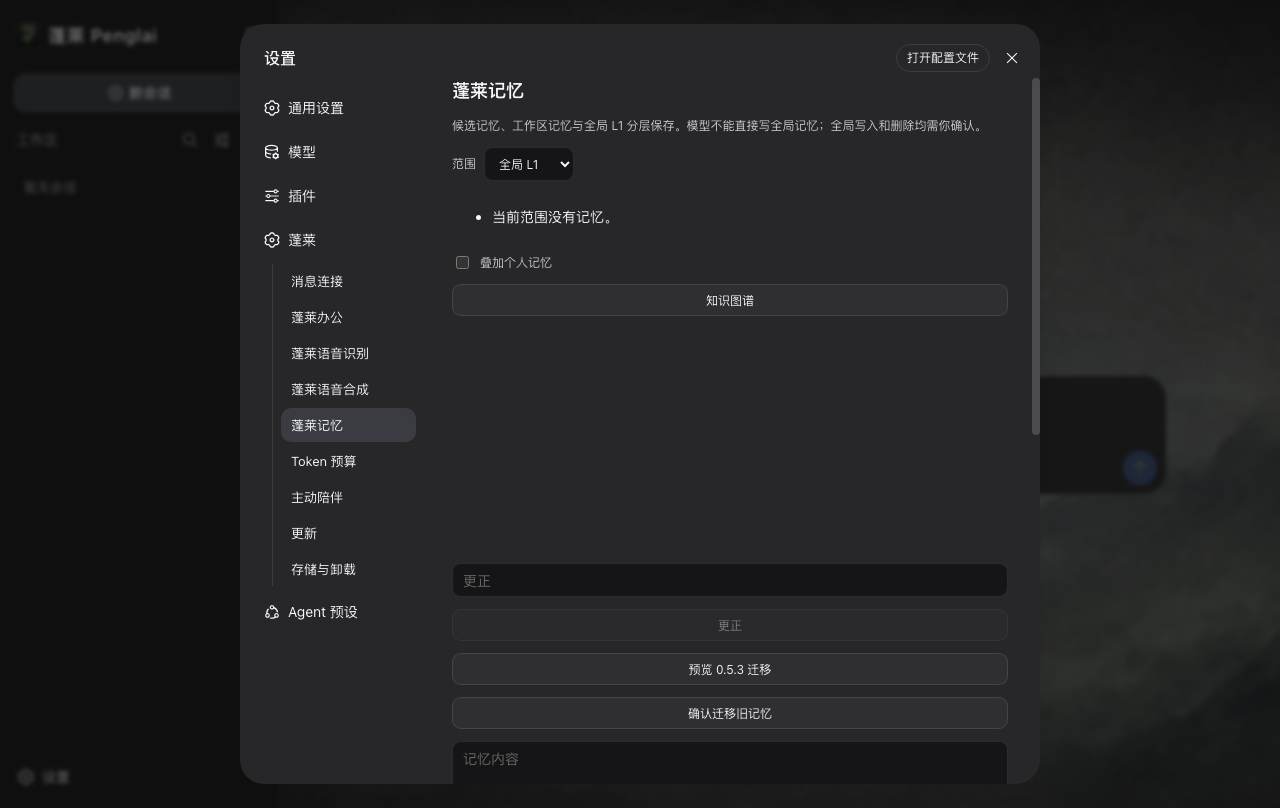
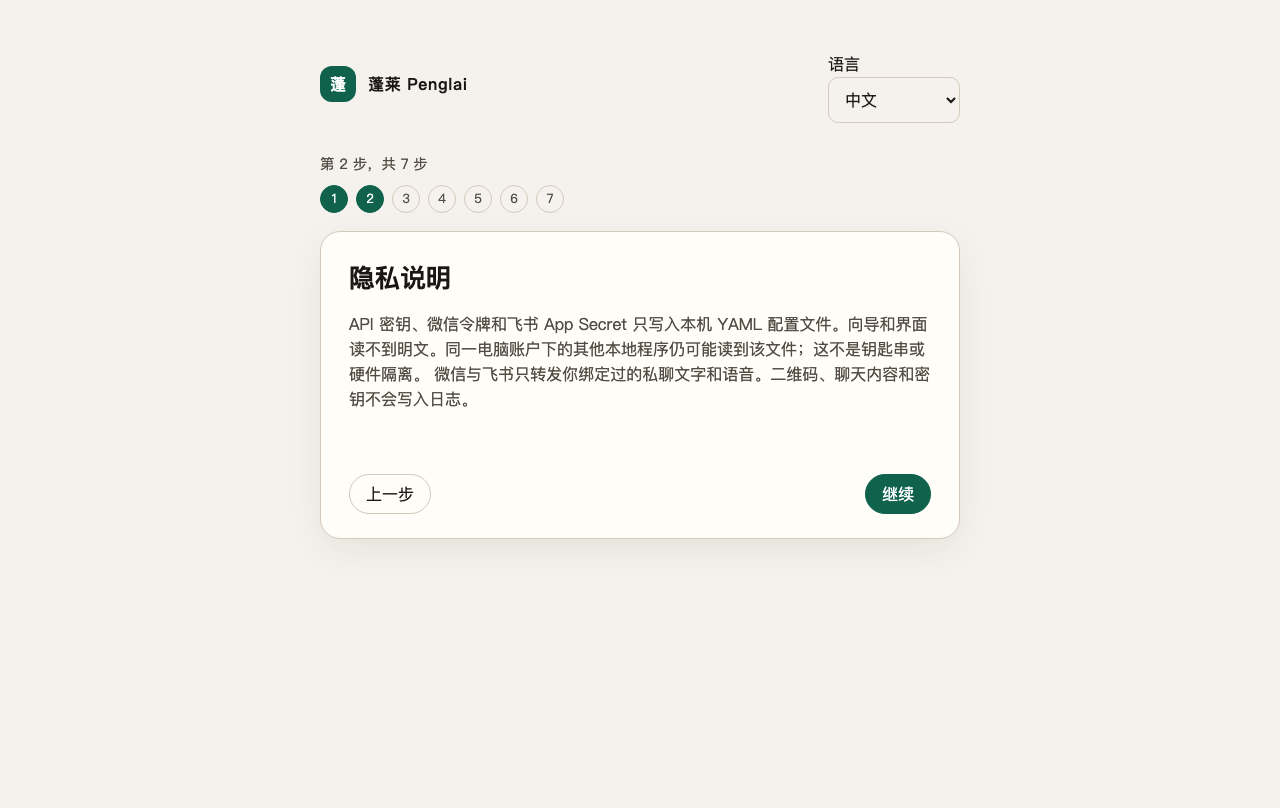
0.5.5 安装版的记忆与隐私界面,作为产品参考。
### 下载 0.6.1 当前公开版是 [`v0.6.1`](https://github.com/kevinchennewbee/PenglaiAgent/releases/tag/v0.6.1)。 请按电脑选择 Apple 芯片、Windows x64 或统信 UOS 20 龙芯安装包,下载后用发行页 里的 `SHA256SUMS` 核对。三个安装包来自同一源码 `7ad7c29ecda5d9e867fdde0fe3fefd5c42d3ab1b`。Intel Mac、Linux amd64 和 Windows ARM 不是本版目标。 - [Apple 芯片安装包](https://github.com/kevinchennewbee/PenglaiAgent/releases/download/v0.6.1/Penglai_0.6.1_macos_aarch64.dmg) - [Windows x64 安装包](https://github.com/kevinchennewbee/PenglaiAgent/releases/download/v0.6.1/Penglai_0.6.1_windows_x64_setup.exe) - [统信 UOS 20 龙芯安装包](https://github.com/kevinchennewbee/PenglaiAgent/releases/download/v0.6.1/Penglai_0.6.1_uos_loong64.deb) ### 安装前值得知道 - 没有蓬莱账号、蓬莱遥测后台或云端记忆同步。模型请求仍会把完成任务需要的上下文 发给你选择的模型供应商。 - 凭据保存在应用私有的 DSH YAML 中,不是 Keychain,也不是硬件隔离。 - macOS 安装包是 ad-hoc 签名,未经公证;Windows 没有 Authenticode。不要为了 安装而关闭系统安全功能。 - iMessage 只支持 Mac 私聊文本,默认关闭,需要完全磁盘访问与 Messages 自动化, 真机 live 仍是 `LIVE_NOT_RUN`。 - UOS 是完整安装包,但真机安装、启动、界面、文件选择器、休眠恢复和功能仍是 `OWNER_POST_RELEASE`。系统需要 `libatomic1`,建议安装 `bubblewrap`; 龙芯不提供 MOSS-TTS。Electron 31.7.7 / Chromium 126 已不再维护。 - 默认卸载会移除应用和缓存,保留用户数据与外部 Workspace;升级不会静默进行。 ### 0.6.2 正在做什么 当前源码已经切换到完整的官方 DSH `0.1.5-rc.2` 依赖组,并恢复 Apple 芯片和 Windows x64 从 0.6.1 升级的安装版验收。0.6.2 还没有公开下载;只有不可变发行 附件完成发布并回读后,这里才会换成真实的大小、哈希和下载地址。 更多资料: [产品](docs/PRODUCT.md) · [架构](docs/ARCHITECTURE.md) · [插件中心](docs/PLUGIN_CENTER.md) · [安全说明](SECURITY.md) · [0.6.2 验收增量](docs/0.6.2/ACCEPTANCE_DELTA.md)