





Documentation •
Installation •
Features •
Usage •
Contributing •
# NCP (NFS Copy)
NCP offers a user-friendly solution for efficiently transferring files and folders between your local machine
and the NFS server without mounting the volume. It enables seamless recursive upload and download operations, supporting both NFS v3 and NFS V4 protocols.
## Features
- :sparkles: Support for NFS **v3** and NFS **v4**
- Easy file transfer to and from an NFS server without mounting volume.
- Multi-architecture binaries available for installation (e.g deb, apk, rpm, exe)
- Compatible with Windows and macOS operating systems
- Option to specify UID and GID for write operations using a global flag
- Display upload and download speeds, file size and elapsed time for write operations.
- Copy a Single file or recursively copy an Entire folder.
 ## Installation
Linux
```bash
# DEB
export NCP_VERSION="0.1.1"
wget -q https://github.com/kha7iq/ncp/releases/download/v${NCP_VERSION}/ncp_amd64.deb
sudo dpkg -i ncp_amd64.deb
# RPM
sudo rpm -i ncp_amd64.rpm
```
- AUR
```bash
yay -S ncp-bin
pamac install ncp-bin
```
Windows
- Chocolatey
```bash
choco install ncp
```
- Scoop
```bash
scoop bucket add ncp https://github.com/kha7iq/scoop-bucket.git
scoop install ncp
```
Bash Install Script
By default, ncp is going to be installed at `/usr/bin/`. Sudo privileges are required for this operation.
If you would like to provide a custom install path, you can do so as an input to the script.
For example, you can run `./install.sh $HOME/bin` to install ncp in the specified directory.
```bash
curl -s https://raw.githubusercontent.com/kha7iq/ncp/master/install.sh | sudo sh
```
or
```bash
curl -sL https://bit.ly/installncp | sudo sh
```
MacOS
```bash
brew install kha7iq/tap/ncp
```
Manual
```bash
# Chose desired version
export NCP_VERSION="0.1.1"
wget -q https://github.com/kha7iq/ncp/releases/download/v${NCP_VERSION}/ncp_linux_amd64.tar.gz && \
tar -xf ncp_linux_amd64.tar.gz && \
chmod +x ncp && \
sudo mv ncp /usr/local/bin/.
```
Alternatively you can head over to [release pages](https://github.com/kha7iq/ncp/releases)
and download binaries for all supported platforms.
## Docker
Docker container is also available on both dockerhub and github container registry.
`latest` tag will always pull the latest version available.
Docker
```bash
docker pull khaliq/ncp:latest
```
```bash
docker pull ghcr.io/kha7iq/ncp:latest
```
- Run
```bash
docker run khaliq/ncp:latest
```
## Usage
### Copying Files/Folders to NFS Server
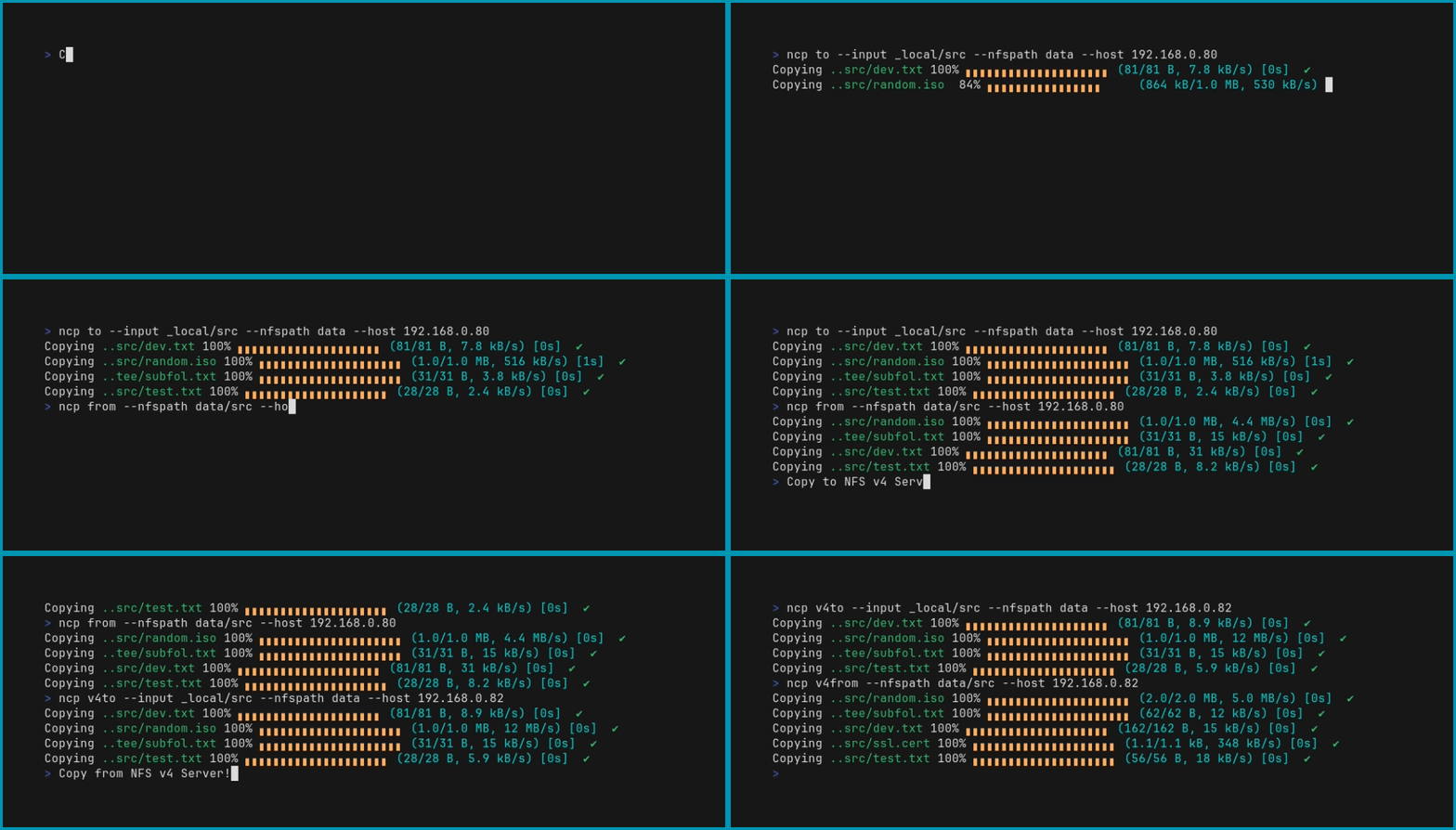
To copy the `_local/src` folder to the NFS server with the IP address `192.168.0.80` and the NFS path `data`, use the following command:
- NFS v3
```bash
ncp to --input _local/src --nfspath data --host 192.168.0.80
```
- NFS v4
```bash
ncp v4to --input _local/src --nfspath data --host 192.168.0.80
```
See [Usage Documentation](https://ncp.lmno.pk/02-usage/) for more details
## Contributing
Contributions, issues and feature requests are welcome!
Feel free to check
[issues page](https://github.com/kha7iq/ncp/issues). You can also take a look
at the [contributing guide](https://github.com/kha7iq/ncp/blob/master/CONTRIBUTING.md).
## Issues
If you encounter any problems or have suggestions for improvements, please [open an issue](https://github.com/username/repo/issues) on GitHub.
### License
NCP is licensed under the MIT License. Please note that it may use third-party libraries that have their own separate licenses. Refer to the individual licenses of those libraries for more information.