[](https://npmjs.org/package/react-id-swiper)
[](https://codecov.io/gh/kidjp85/react-id-swiper)
[](https://npmjs.org/package/react-id-swiper)
[](https://npmjs.org/package/react-id-swiper)
[](https://travis-ci.org/kidjp85/react-id-swiper)
[](https://greenkeeper.io/)
[](http://packagequality.com/#?package=react-id-swiper)
react-id-swiper ( Newest version 3.0.0 )
========================================
> A library to use [Swiper](http://www.idangero.us/swiper/get-started/) as a ReactJs component
What is Swiper?
===============
Swiper - is the free and most modern mobile touch slider with hardware accelerated transitions and amazing native behavior.
It is intended to be used in mobile websites, mobile web apps, and mobile native/hybrid apps. Designed mostly for iOS, but also works great on latest Android, Windows Phone 8 and modern Desktop browsers.
Swiper is not compatible with all platforms, it is a modern touch slider which is focused only on modern apps/platforms to bring the best experience and simplicity. Swiper does work well with [Gatsby](https://www.gatsbyjs.org/).
# Props
| Name | Type | Default value | Description |
| ------------------ | -------- | ---------------- | -------------------------------------------------|
| ContainerEl | String | 'div' | Element type for container |
| containerClass | String | swiper-container | Swiper container class name |
| WrapperEl | String | 'div' | Element type for wrapper |
| wrapperClass | String | swiper-wrapper | Swiper wrapper class name |
| slideClass | String | swiper-slide | Swiper slide class name |
| shouldSwiperUpdate | Boolean | false | Update swiper when component is updated |
| rebuildOnUpdate | Boolean | false | Rebuild swiper when component is updated |
| noSwiping | Boolean | false | Disable swiping by condition |
| activeSlideKey | String | null | Initial slide index |
| renderPrevButton | function | | Render props function for prev button |
| renderNextButton | function | | Render props function for next button |
| renderScrollbar | function | | Render props function for scrollbar |
| renderPagination | function | | Render props function for pagination |
| renderParallax | function | | Render props function for parallax |
| getSwiper | function | | Callback function that returns Swiper instance |
**If you want to use Swiper custom build to reduce bundle size, you need to use extra props below.**
# Custom build extra props
| Name | Type | Default value | Description |
| ------------------ | -------- | ---------------- | -------------------------------------------------|
| Swiper | Class | | Swiper class |
| modules | array | | Array of Swiper necessary modules |
**NOTE:**
* You can also use Swiper's original params too. Swiper API documentation [HERE](http://idangero.us/swiper/api/)
* Find more info about Swiper custom build [HERE](https://idangero.us/swiper/api/#custom-build)
# Documentation
- [Get Started](https://react-id-swiper.ashernguyen.site/doc/get-started)
- [API](https://react-id-swiper.ashernguyen.site/doc/api)
- [Custom Build](https://react-id-swiper.ashernguyen.site/doc/custom-build)
- [Examples](https://react-id-swiper.ashernguyen.site/example/default)
# Installation and setup
- From version 2.0.0, it requires **React & ReactDOM ver >=16.8.0** to use [Hooks](https://reactjs.org/docs/hooks-intro.html)
- From version 2.4.0, it requires **Swiper ver >= 5.0.0**
## Npm package
> By npm
```bash
npm install --save react-id-swiper@latest swiper@latest
```
> By Yarn
```bash
yarn add react-id-swiper@latest swiper@latest
```
## CDN
```html
```
```html
```
# Styling
**Swiper stylesheet file is required**
Use Swiper stylesheet file from CDN
```html
```
```html
```
**For version <=2.3.2**
You can import direct from `react-id-swiper/lib/styles/` (supporting css, scss)
> css
```javascript
import 'react-id-swiper/lib/styles/css/swiper.css'
```
> scss
```javascript
import 'react-id-swiper/lib/styles/scss/swiper.scss'
```
**For version >=3.0.0**
You should import directly from `Swiper` packages which supports css, scss and less
> css
```javascript
import 'swiper/css/swiper.css'
```
> scss
```javascript
import 'swiper/swiper.scss'
```
> less
```javascript
import 'swiper/swiper.less'
```
# Examples
[Numerous live examples](https://react-id-swiper.ashernguyen.site/example/default):
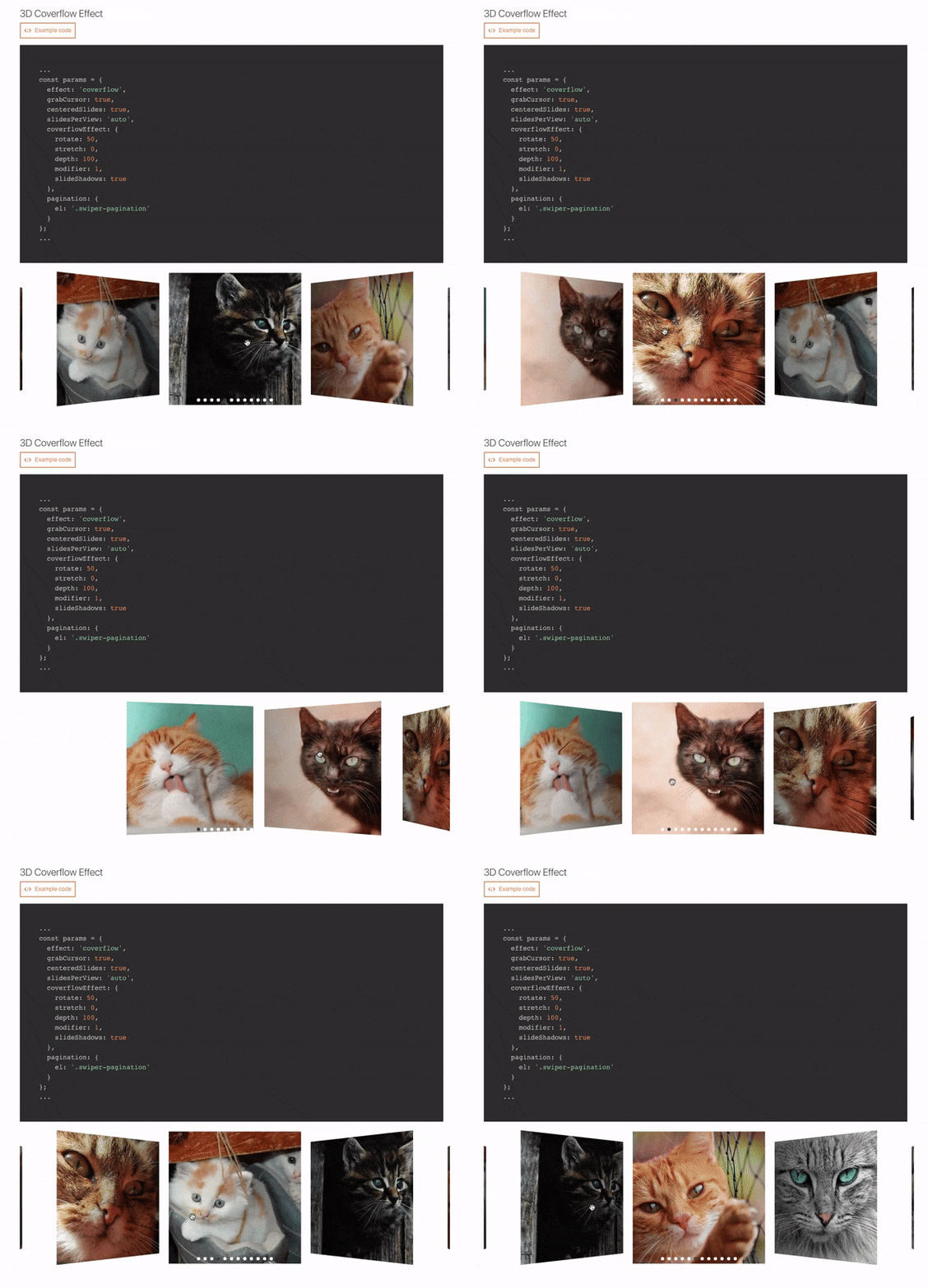
>Navigation, Pagination, Pagination / Dynamic Bullets, Progress Pagination, Fraction Pagination, Custom Pagination, Scrollbar, Vertical slider, Space Between Slides, Mutiple Slides Per View, Auto Slides Per View / Carousel Mode, Centered Slides, Centered Slides + Auto Slides Per View, Free Mode / No Fixed Positions, Scroll Container, Multiple Row Slides Layout, Nested Swipers, Grab Cursor, Loop Mode / Infinite Loop, Loop Mode With Multiple Slides Per Group, Fade Effect, 3D Cube Effect, 3D Coverflow Effect, 3D Flip Effect, Mousewheel-control, Auto Play, Thumbs Gallery With Two-way Control, RTL Layout, Parallax, Lazyload Image, Responsive Breakpoints, Manipulating component outside Swiper, Customized Component
## Default
```javascript
import React from 'react';
import Swiper from 'react-id-swiper';
// Version <= 2.3.2
import 'react-id-swiper/lib/styles/css/swiper.css';
// Version >= 2.4.0
import 'swiper/css/swiper.css';
const SimpleSwiper = () => (
);
};
export default ManipulatingSwiper;
```
## Custom build Swiper
You can find the [WORKING DEMO REPO HERE](https://github.com/kidjp85/react-id-swiper-custom-build)
```javascript
import React from 'react';
import ReactIdSwiperCustom from 'react-id-swiper/lib/ReactIdSwiper.custom';
// For swiper version 4.x
import { Swiper, Navigation, Pagination } from 'swiper/dist/js/swiper.esm';
// For swiper version 5.x
import { Swiper, Navigation, Pagination } from 'swiper/js/swiper.esm';
const CustomBuildSwiper = () => {
const params = {
// Provide Swiper class as props
Swiper,
// Add modules you need
modules: [Navigation, Pagination],
pagination: {
el: '.swiper-pagination',
type: 'bullets',
clickable: true
},
navigation: {
nextEl: '.swiper-button-next',
prevEl: '.swiper-button-prev'
},
spaceBetween: 30
}
return(
Slide 1
Slide 2
Slide 3
Slide 4
Slide 5
)
}
export default CustomBuildSwiper;
```
**NOTE**:
* If you use Webpack & Babel you need to setup Babel loader config in `webpack.config.js` like below:
```javascript
module: {
rules: [
{
exclude: [/node_modules\/(?!(swiper|dom7)\/).*/, /\.test\.js(x)?$/],
test: /\.js(x)?$/,
use: [{ loader: 'babel-loader' }],
}
],
}
```
## Adding customized css classes
```javascript
const params = {
pagination: {
el: '.swiper-pagination.customized-swiper-pagination',
}, // Add your class name for pagination container
navigation: {
nextEl: '.swiper-button-next.customized-swiper-button-next', // Add your class name for next button
prevEl: '.swiper-button-prev.customized-swiper-button-prev' // Add your class name for prev button
},
containerClass: 'customized-swiper-container' // Replace swiper-container with customized-swiper-container
}
```
## Adding customized components
For customized rendering to work, you have to use same classname with params el.
```javascript
const params = {
navigation: {
nextEl: '.swiper-button-next',
prevEl: '.swiper-button-prev'
},
renderPrevButton: () => ,
renderNextButton: () => ,
}
```
## Workable slides
Each slide should be wrapped by HTML element
> BAD CODE :thumbsdown:
```javascript
Slide content
```
> GOOD CODE :thumbsup:
```javascript
Slide content
```
# Bug report
**Please use the prepared Codesanbox below to reproduce your issue. Thank you!!**
[](https://codesandbox.io/s/p8j61y7j7?fontsize=14)
# Authors
* **Asher Nguyen** - *Initial work* - [Asher Nguyen](https://github.com/kidjp85)
See also the list of [contributors](https://github.com/kidjp85/react-id-swiper/contributors) who participated in this project.
# License
This project is licensed under the MIT License - see the [LICENSE](LICENSE) file for details