
# Agent-VScreen





**A background second screen on your Android phone, for any AI agent: on the phone, on a computer or in the cloud.**
[中文](README.zh-CN.md) · English
Agent-VScreen opens and drives other apps on an invisible virtual display so your main screen stays untouched. A small floating window shows what the AI is doing and lets you take over or stop it at any moment. Model-agnostic and works over the `vscreen` CLI, MCP, or plain HTTP.
- Version on `main`: 2.0.1-beta1 (versionCode 75) · [Latest stable APK](https://github.com/kilolonion/agent-vscreen/releases/latest) · [All releases / betas](https://github.com/kilolonion/agent-vscreen/releases)
- Requirements: Android 11+ (arm64, Android 14+ recommended) · Package `com.kilon.agentvscreen` · Privileges: [Shizuku](https://shizuku.rikka.app/) / compatible forks or Root
You keep reading in Chrome while the agent opens Clock on the background screen and starts a 10-minute timer (waits sped up 6x).
More demos, multi-agent screenshot, and 2-minute getting-started video
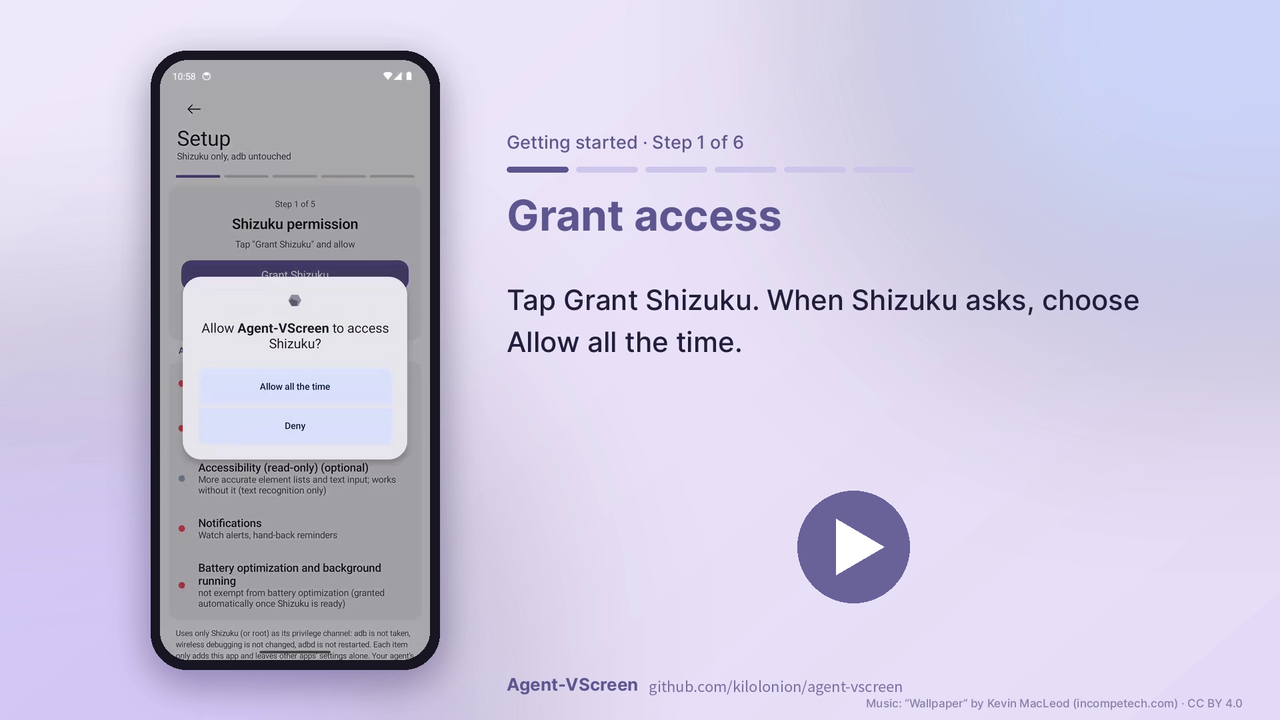
2-minute getting-started video (English UI and voiceover): Download MP4
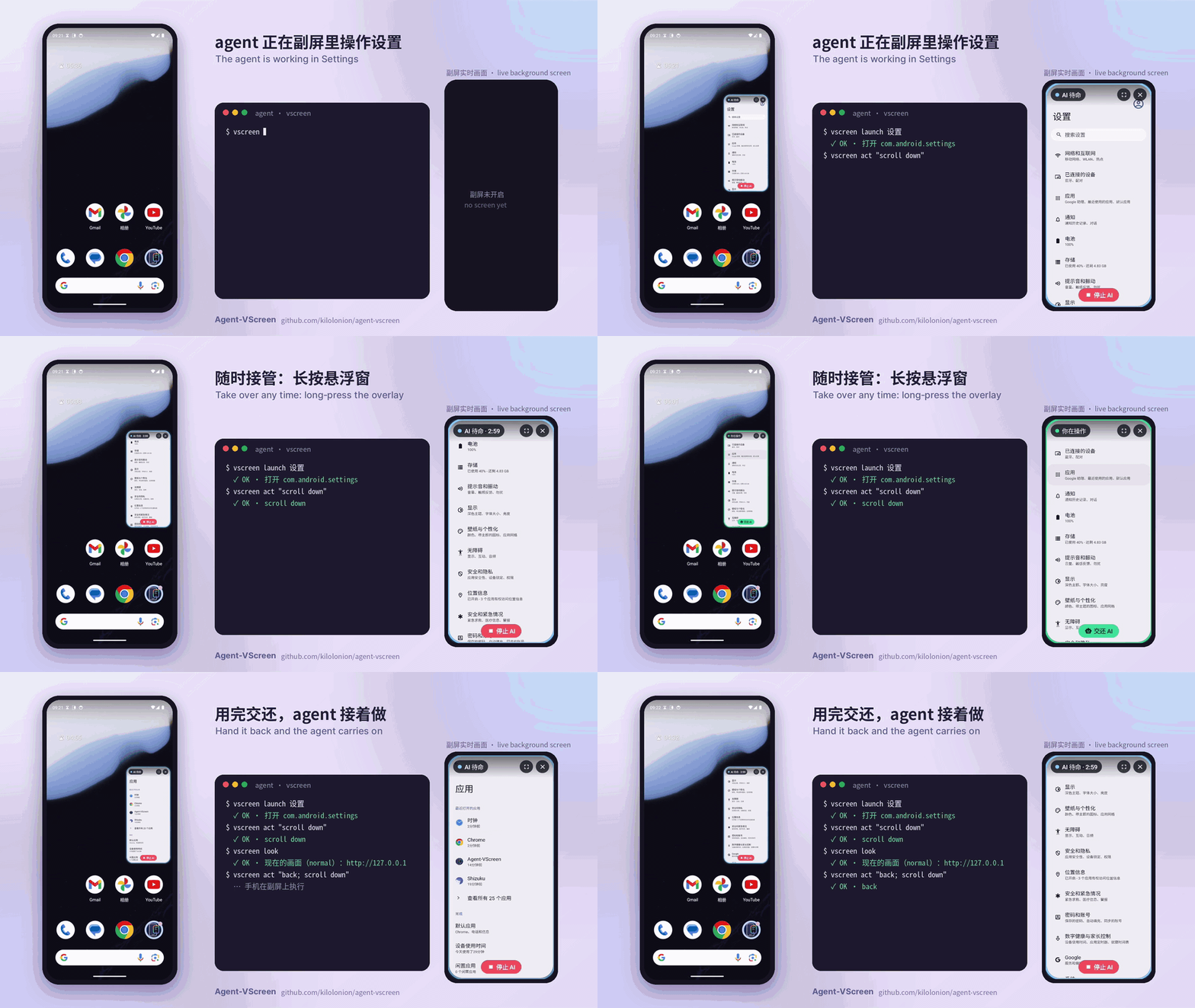
Take over any time: long-press the floating window to drive the background screen yourself, then hand it back. Download MP4
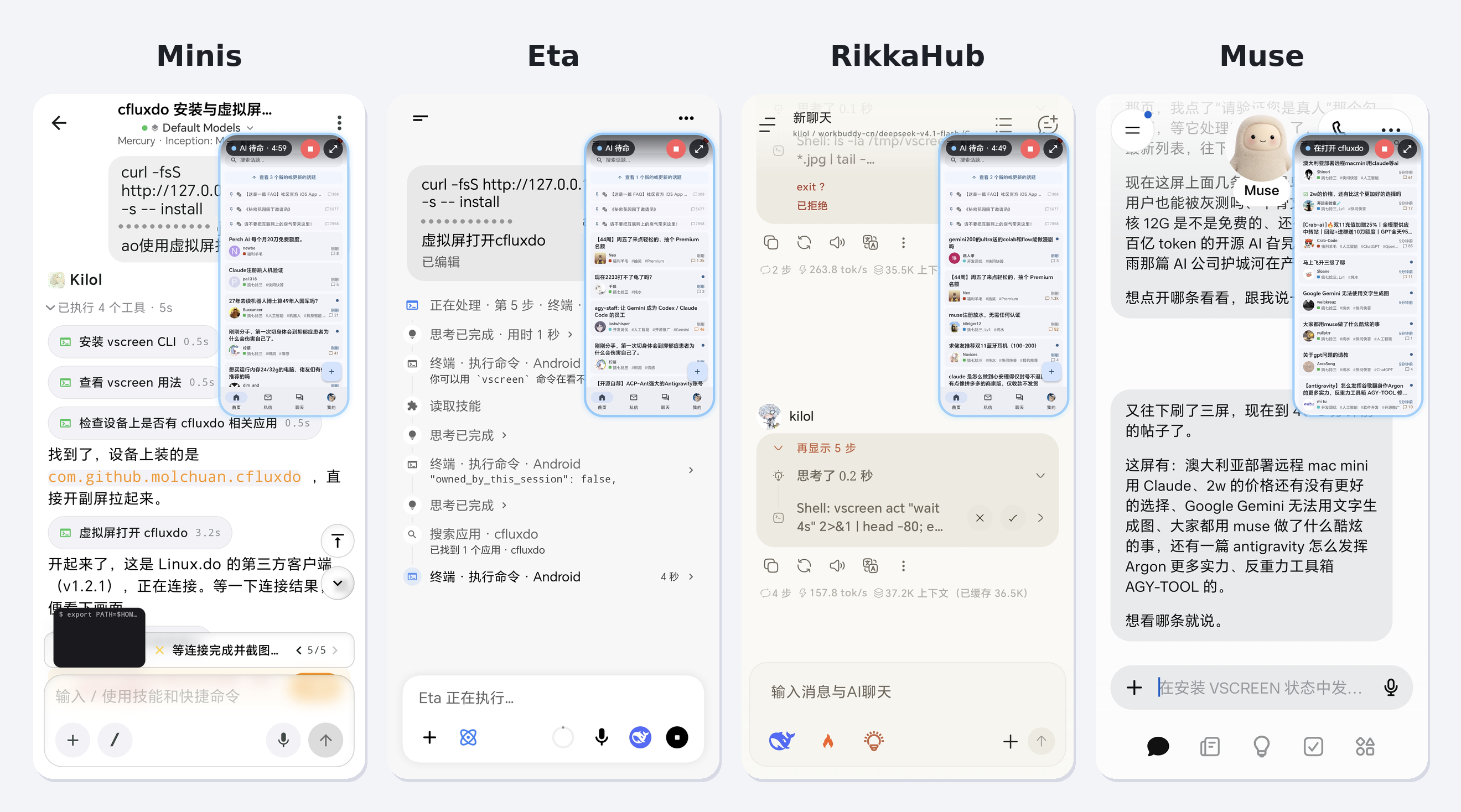
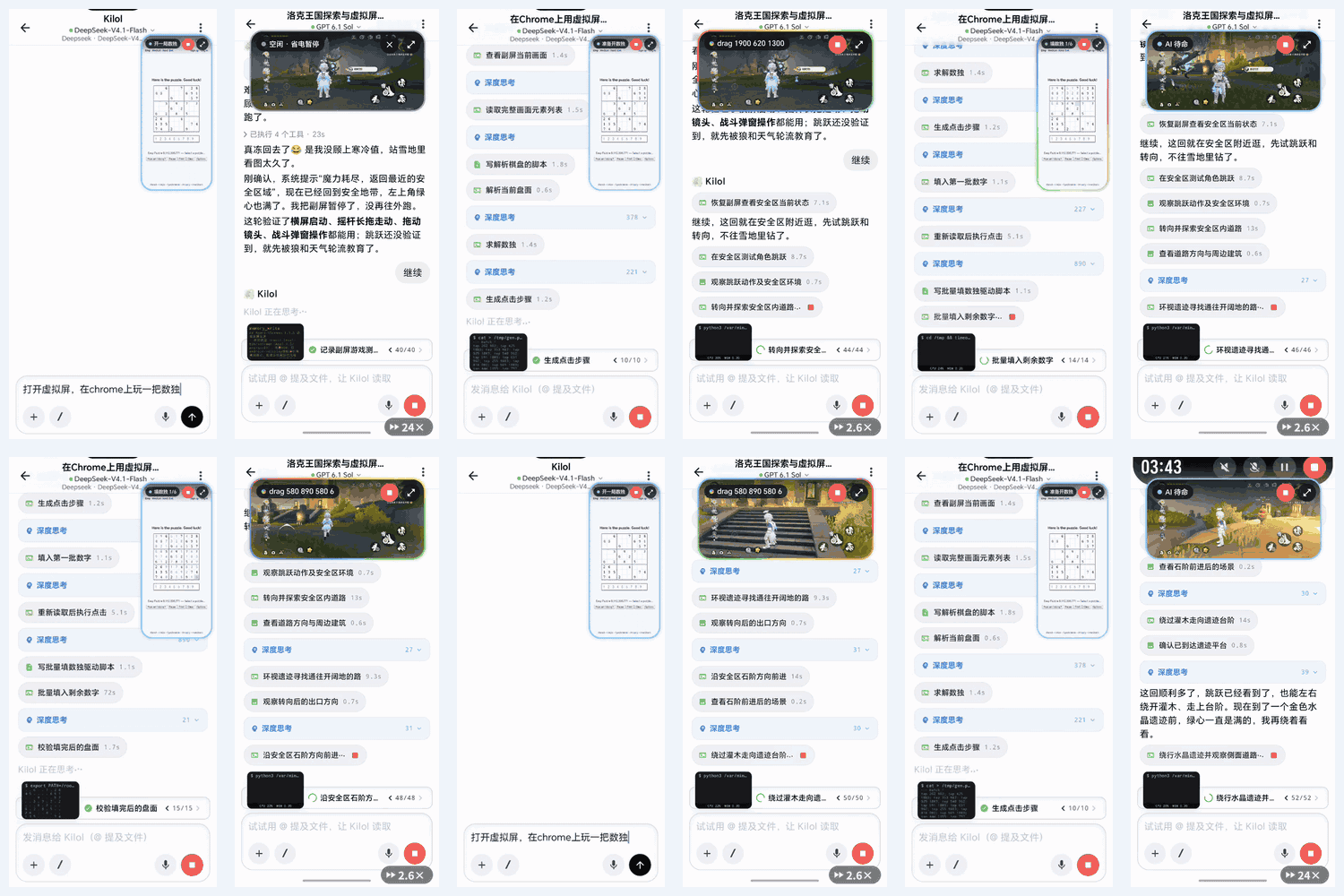
One install command: four different Android agents (Minis, Eta, RikkaHub, Muse) all connect and drive the background screen.
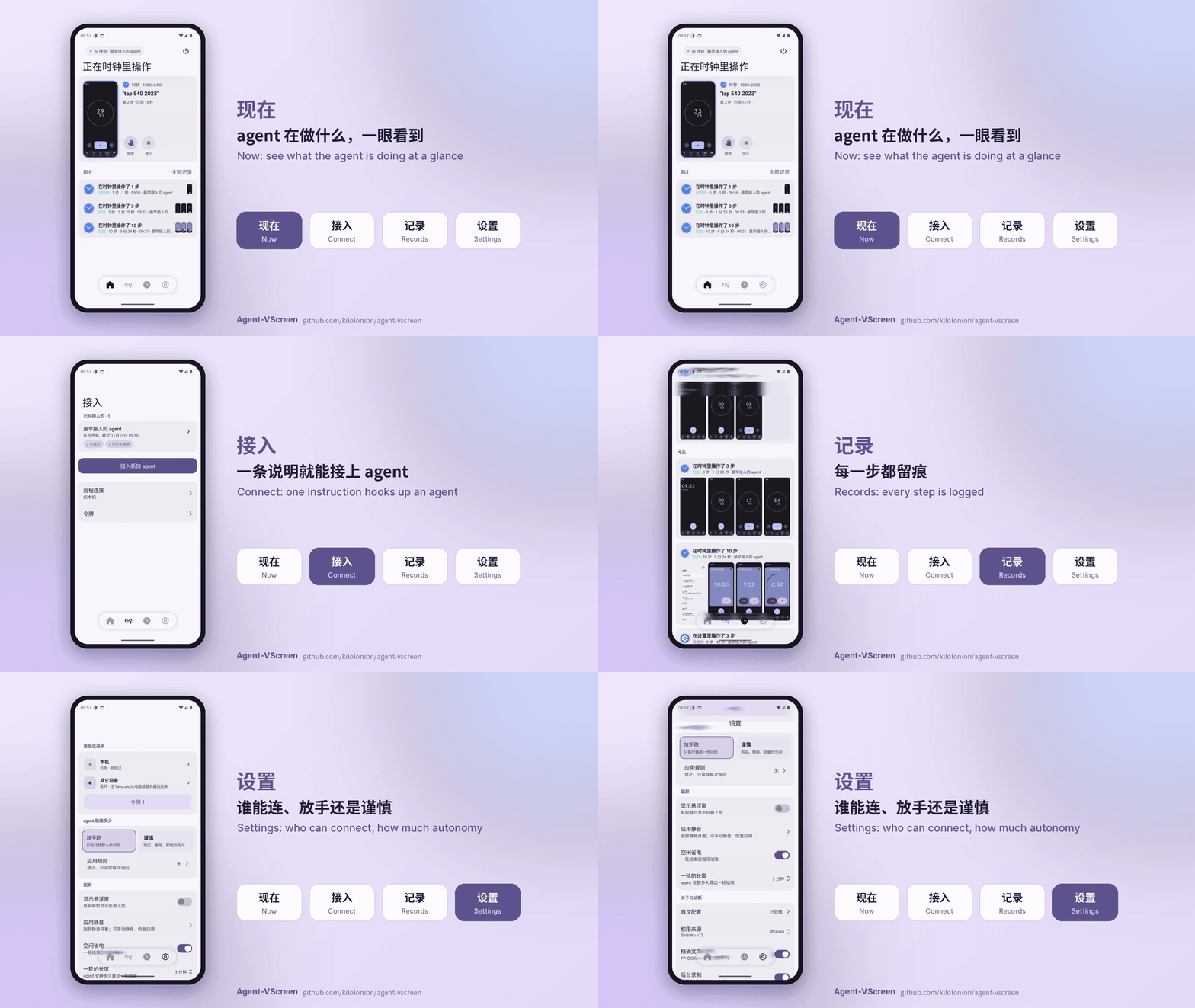
App tour (Download MP4 · Background demo MP4 · 34s combined cut). Music: "Wallpaper" by Kevin MacLeod (incompetech.com), CC BY 4.0.
## Highlights
- **True background execution**: opens apps, taps, swipes, types, presses keys, and verifies every step on an isolated virtual display without taking over adb or wireless debugging.
- **Clear perception & timeline**: merges read-only accessibility with on-device OCR (PP-OCRv6 / ML Kit), reports screen changes and transient popups between turns, and supports zoom, replay, paged collection, and background watches.
- **Human-in-the-loop control**: color-coded floating window shows who owns the screen; hold 0.5s to take over or stop in one tap; supports pointing questions (`ask`), recorded lessons (`teach`), and main-screen handoffs for passwords/codes (`handoff`).
- **Per-agent permissions & strong confirmation**: each agent gets its own token and 6-row permission table (Look only / Steady / Easy / Full), apps can be blocked or read-only, and payments or high-risk actions require biometric/PIN confirmation on the phone.
- **Any agent, any model**: no AI model runs on the phone; anything speaking CLI, MCP, or HTTP can connect.
## Quick start
### 1. Install & setup
1. Download and install the APK, then open Agent-VScreen.
2. In **Setup**, choose one permission source:
- **Shizuku / compatible forks (default)**: start Shizuku (or a compatible `API_V23` fork such as Sui or AXManager), then tap **Grant**. Restart the provider after each reboot.
- **Root**: on a rooted phone (or when official Shizuku is restricted on Android 17+), tap **Use Root instead (no Shizuku needed)** and approve the prompt.
3. Tap **Turn it on** to grant overlay, notifications, read-only accessibility, and battery exemption; on OEM ROMs (Honor, Huawei, Xiaomi, OPPO, vivo), also allow auto-start and background activity.
Verify a downloaded APK signature
Before installing, verify with [`apksigner`](https://developer.android.com/tools/apksigner) from Android SDK Build Tools and match the official release certificate (`CN=Agent-VScreen`) SHA-256 digest:
```sh
apksigner verify --print-certs downloaded.apk
```
`56:B1:48:24:54:9E:69:80:17:EB:A9:07:CB:C3:34:7E:E3:A4:BA:30:90:7E:FB:D6:06:8E:A5:1F:F4:49:57:56`
`apksigner` prints the digest in lowercase without colons. Compare the certificate digest (not the APK file checksum) and do not install if it differs.
### 2. Connect an agent
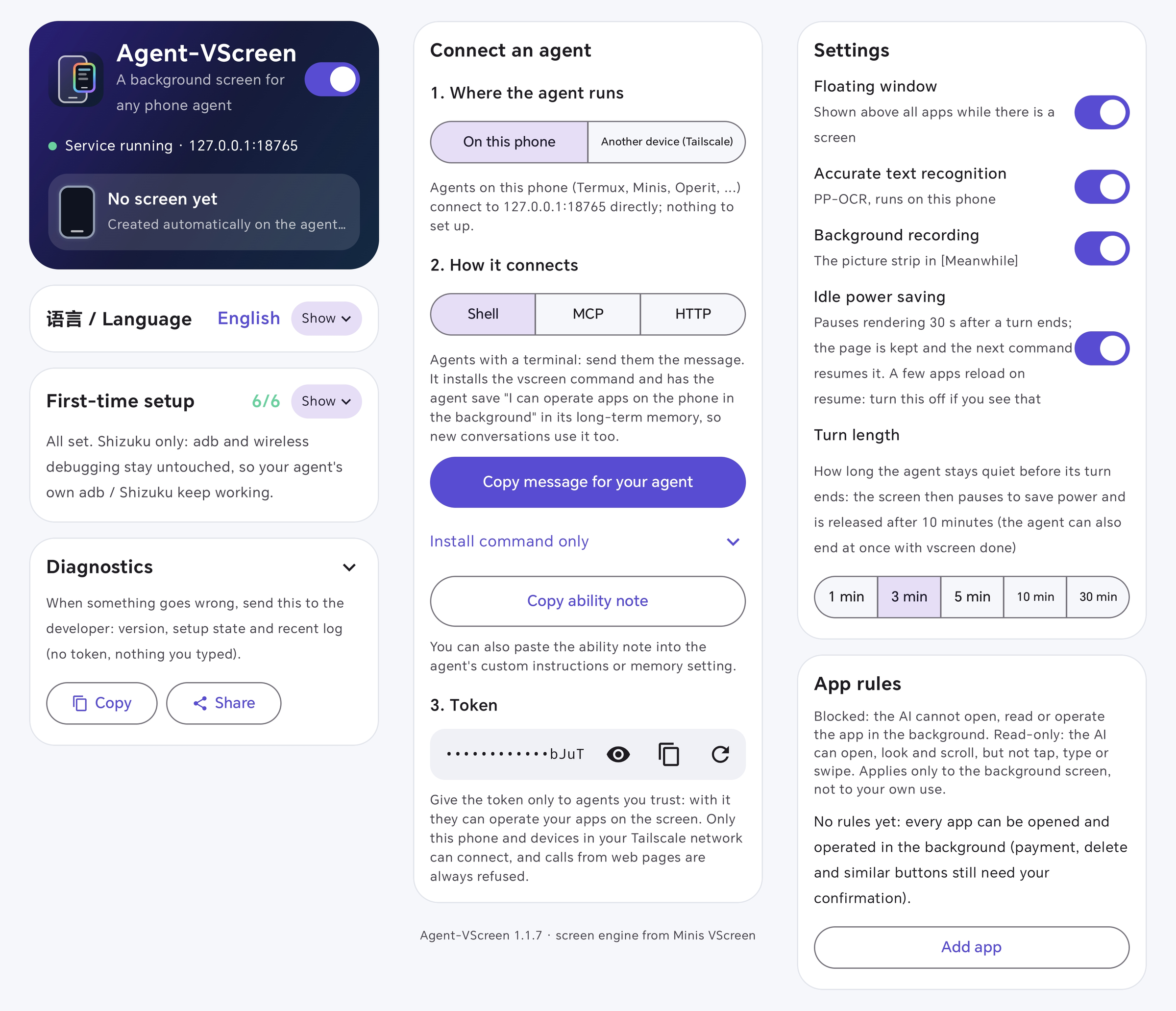
Open **Connect › Connect a new agent**, pick where the agent runs and how it connects, then tap **Copy message for your agent** and send it as is. New tokens are permanent by default; you can pick 30, 7 or 1 day instead, or for CLI, HTTP and Operit a **10-minute one-time onboarding code (`avc_...`)** that keeps the token out of chat logs and shell history. Copied credentials are marked `IS_SENSITIVE` to hide clipboard previews.
| Mode | Transports | Notes |
|---|---|---|
| **Local** (default) | `vscreen` CLI / MCP / HTTP / [Operit ToolPkg](integrations/operit/) | Listens on `127.0.0.1:18765` only; unreachable off-device |
| **Private remote** | Built-in Tailscale (recommended, supports Headscale) / Tailscale app / SSH | Private tailnet only; non-built-in remote calls require signed requests by default |
| **Cloud Public MCP** (Experimental, off by default) | Tailscale Funnel / Cloudflare Tunnel / ngrok + OAuth 2.1 | Pairing card on the phone (shows pairing code and source address, biometric/PIN); `system` never exposed; auto-closes after 24h without authenticated requests |
For full protocol details, security boundaries, ability list, and known limits, see [API.md](API.md).
## Docs
- [API.md](API.md) (Chinese): CLI, MCP, and HTTP reference, ability list, sessions, watches, security model, remote/public MCP, and known limits.
- [docs/REFERENCE.md](docs/REFERENCE.md): every command option and result code (generated from source).
- [docs/CHANGELOG.md](docs/CHANGELOG.md): full release history ([中文](docs/CHANGELOG.zh-CN.md)).
- [docs/TASKS.md](docs/TASKS.md) · [docs/RELEASE-PROCESS.md](docs/RELEASE-PROCESS.md): pre-release device test checklist and release signing gates.
## Build from source
Requires JDK 21 and the Android SDK (compileSdk 37):
```bash
echo "sdk.dir=/path/to/android-sdk" > local.properties
./gradlew :app:assembleRelease
```
To bundle the built-in Tailscale/ngrok (`tsbridge/`) and Cloudflare Tunnel (`cloudflared/`) channels, run `./tsbridge/build.sh` and `./cloudflared/build.sh` first. See [`keystore.properties.example`](keystore.properties.example) for local signing and [docs/RELEASE-PROCESS.md](docs/RELEASE-PROCESS.md) for the release pipeline.
## License & Thanks
MIT. Bundled OCR models (`app/src/main/assets/vscreen-ocr/`) are from PaddleOCR (Apache-2.0). The optional textless-icon detector (`app/src/main/assets/vscreen-detector/model.onnx` and [agent-vscreen-models](https://github.com/kilolonion/agent-vscreen-models)) is a separate AGPL-3.0 data file, enabled only after user consent.
Thanks: [LINUX DO](https://linux.do) · [OpenMinis](https://github.com/OpenMinis)