## Components - ribbon band component projections
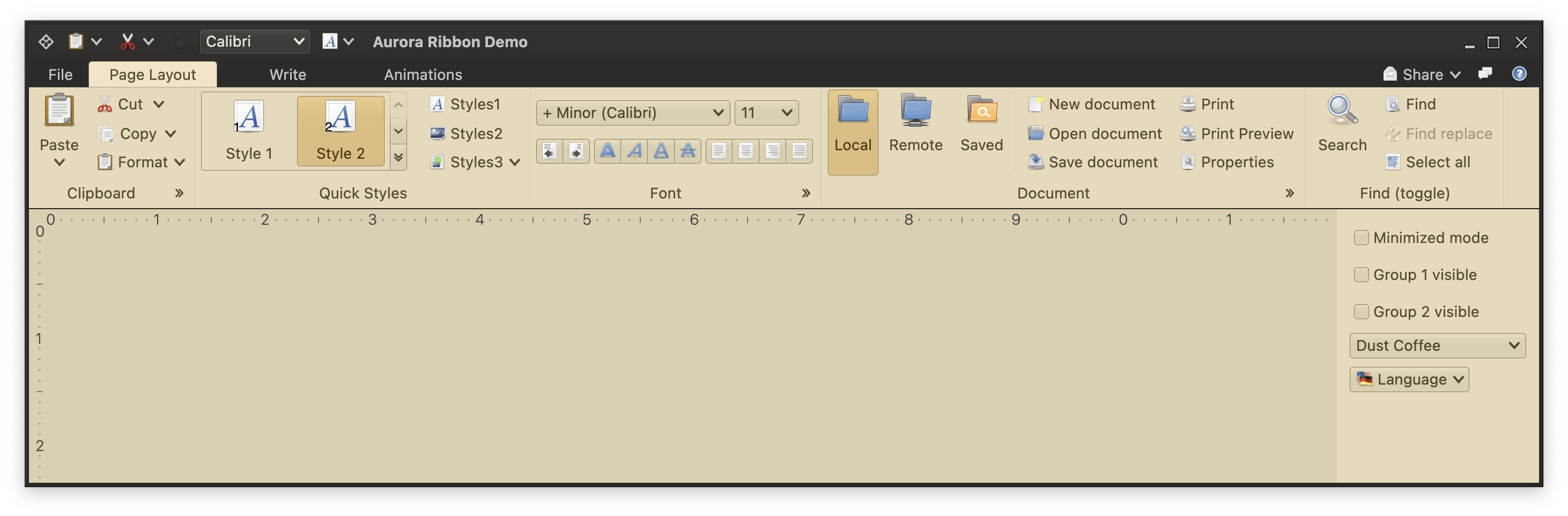 Component projections are the second type of content that can be placed in a ribbon band. In the screenshot above these can be seen in the "Font" ribbon band in the middle of the ribbon. The top row has two comboboxes, and the bottom row has three [command button strips](CommandStrip.md). Let's take a look at the various moving pieces involved in configuring such component projections.
### Component projections
The entry point is the `RibbonBandComponentGroup` data class that extends the sealed `RibbonBandGroup` interface. Here is the complete code for adding the first command strip (with two commands - indent left and indent right) to the "Font" ribbon band:
```kotlin
val indentLeft = Command(
text = "",
icon = format_indent_less(),
action = { println("<- Left") }
)
val indentRight = Command(
text = "",
icon = format_indent_more(),
action = { println("-> Right") }
)
val ribbonBand = FlowRibbonBand(
title = resourceBundle.getString("Font.textBandTitle"),
icon = preferences_desktop_font(),
collapsedStateKeyTip = "ZF",
expandCommandKeyTip = "FN",
expandCommand = ...,
flowComponentProjections = listOf(
RibbonMetaComponentProjection(
projection = CommandButtonStripProjection(
contentModel = CommandGroup(commands = listOf(indentLeft, indentRight)),
presentationModel = CommandStripPresentationModel(
orientation = StripOrientation.Horizontal
),
overlays = mapOf(
indentLeft to BaseCommandButtonPresentationModel.Overlay(actionKeyTip = "AO"),
indentRight to BaseCommandButtonPresentationModel.Overlay(actionKeyTip = "AI")
)
),
enabled = { true },
ribbonComponentPresentationModel = RibbonComponentPresentationModel()
),
)
)
```
The steps are:
- Create commands
- Create the content model (`CommandGroup`) and presentation model (`CommandStripPresentationModel`), and combine them into the projection (`CommandButtonStripProjection`)
- Wrap that projection and presentation overlays for the action key tips in a `RibbonMetaComponentProjection`
- Pass that meta component projection to the `flowComponentProjections` attribute of the `FlowRibbonBand`
Component projections are the second type of content that can be placed in a ribbon band. In the screenshot above these can be seen in the "Font" ribbon band in the middle of the ribbon. The top row has two comboboxes, and the bottom row has three [command button strips](CommandStrip.md). Let's take a look at the various moving pieces involved in configuring such component projections.
### Component projections
The entry point is the `RibbonBandComponentGroup` data class that extends the sealed `RibbonBandGroup` interface. Here is the complete code for adding the first command strip (with two commands - indent left and indent right) to the "Font" ribbon band:
```kotlin
val indentLeft = Command(
text = "",
icon = format_indent_less(),
action = { println("<- Left") }
)
val indentRight = Command(
text = "",
icon = format_indent_more(),
action = { println("-> Right") }
)
val ribbonBand = FlowRibbonBand(
title = resourceBundle.getString("Font.textBandTitle"),
icon = preferences_desktop_font(),
collapsedStateKeyTip = "ZF",
expandCommandKeyTip = "FN",
expandCommand = ...,
flowComponentProjections = listOf(
RibbonMetaComponentProjection(
projection = CommandButtonStripProjection(
contentModel = CommandGroup(commands = listOf(indentLeft, indentRight)),
presentationModel = CommandStripPresentationModel(
orientation = StripOrientation.Horizontal
),
overlays = mapOf(
indentLeft to BaseCommandButtonPresentationModel.Overlay(actionKeyTip = "AO"),
indentRight to BaseCommandButtonPresentationModel.Overlay(actionKeyTip = "AI")
)
),
enabled = { true },
ribbonComponentPresentationModel = RibbonComponentPresentationModel()
),
)
)
```
The steps are:
- Create commands
- Create the content model (`CommandGroup`) and presentation model (`CommandStripPresentationModel`), and combine them into the projection (`CommandButtonStripProjection`)
- Wrap that projection and presentation overlays for the action key tips in a `RibbonMetaComponentProjection`
- Pass that meta component projection to the `flowComponentProjections` attribute of the `FlowRibbonBand`
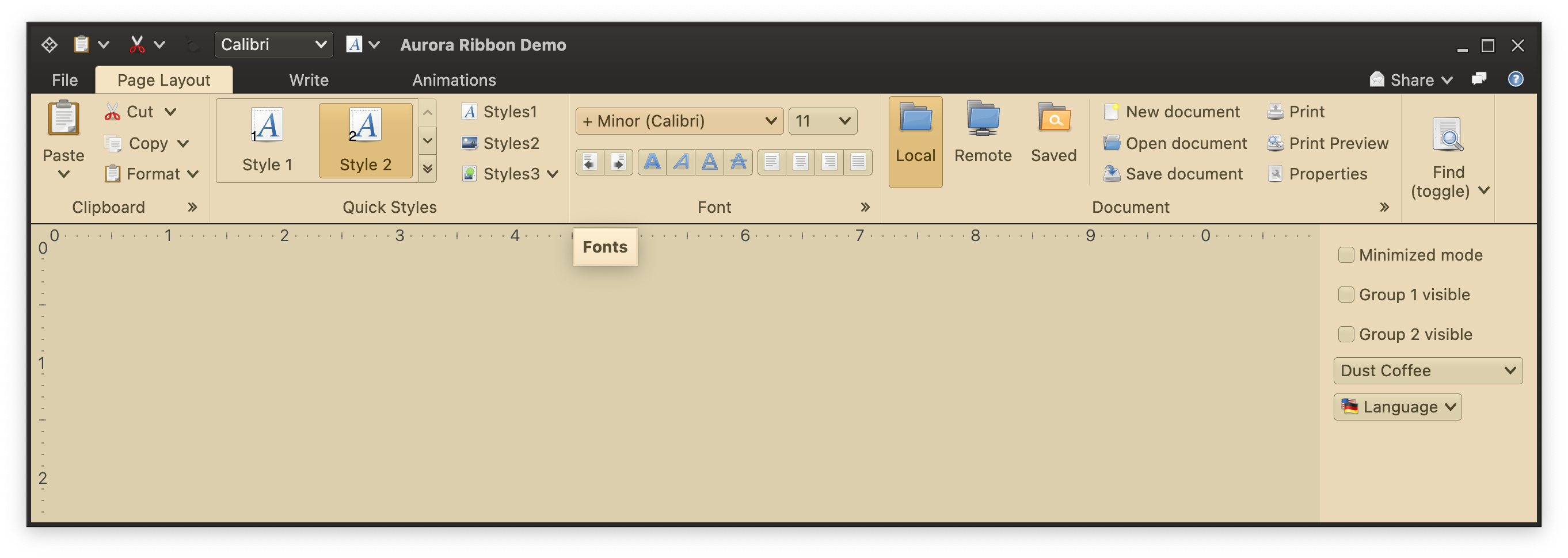 To add a combobox, wrap its content and presentation model in a `RibbonMetaComponentProjection` and pass it to the same `flowComponentProjections`:
```kotlin
flowComponentProjections = listOf(
...
RibbonMetaComponentProjection(
projection = ComboBoxProjection(
contentModel = fontFamilyComboBoxContentModel,
presentationModel = ComboBoxPresentationModel(displayConverter = { "+ Minor ($it) " })
),
enabled = { fontFamilyComboBoxContentModel.enabled },
ribbonComponentPresentationModel = RibbonComponentPresentationModel(keyTip = "SF")
),
...
)
Note that, unlike the `RibbonBandCommandGroup` list properties (`commandProjections` and `galleries`), the `RibbonBandComponentGroup` list property does not take a presentation priority parameter. These components are always projected with however much width they need, and they get one third of the available ribbon band height.
### Next
Continue to the [in-ribbon galleries](RibbonBandGalleries.md).
To add a combobox, wrap its content and presentation model in a `RibbonMetaComponentProjection` and pass it to the same `flowComponentProjections`:
```kotlin
flowComponentProjections = listOf(
...
RibbonMetaComponentProjection(
projection = ComboBoxProjection(
contentModel = fontFamilyComboBoxContentModel,
presentationModel = ComboBoxPresentationModel(displayConverter = { "+ Minor ($it) " })
),
enabled = { fontFamilyComboBoxContentModel.enabled },
ribbonComponentPresentationModel = RibbonComponentPresentationModel(keyTip = "SF")
),
...
)
Note that, unlike the `RibbonBandCommandGroup` list properties (`commandProjections` and `galleries`), the `RibbonBandComponentGroup` list property does not take a presentation priority parameter. These components are always projected with however much width they need, and they get one third of the available ribbon band height.
### Next
Continue to the [in-ribbon galleries](RibbonBandGalleries.md).