# GoogleMaterialIconFont
[](https://github.com/kitasuke/GoogleMaterialIconFont)
[](https://travis-ci.org/kitasuke/GoogleMaterialIconFont)
[](http://cocoapods.org/pods/GoogleMaterialIconFont)
[](http://cocoapods.org/pods/GoogleMaterialIconFont)
[](http://cocoapods.org/pods/GoogleMaterialIconFont)
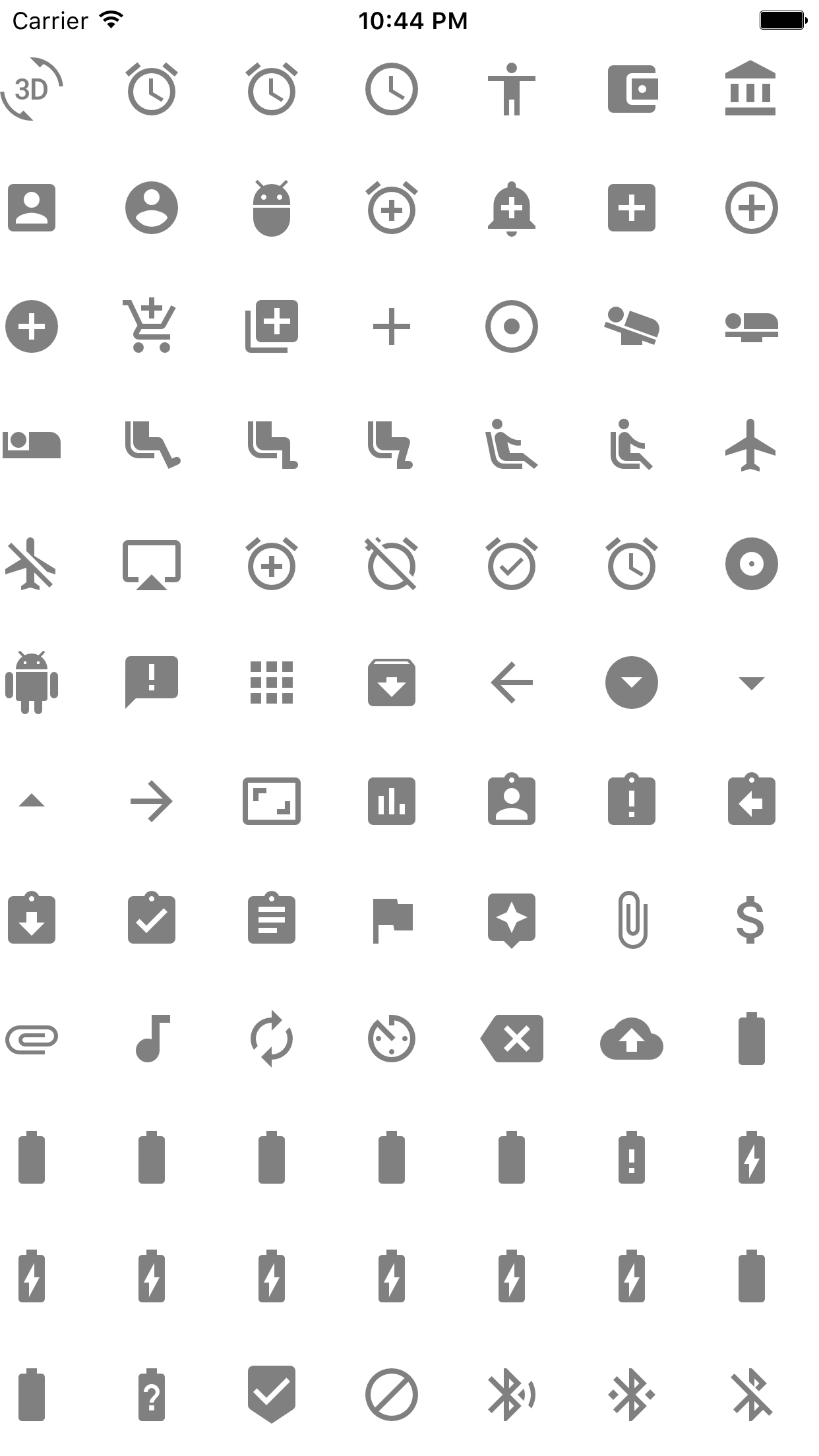
Google Material Design Icons for Swift and ObjC project
This library is inspired by [FontAwesome.swift](https://github.com/thii/FontAwesome.swift)
Both Swift and Objctive-C are supported
See example project or [Material icons](https://www.google.com/design/icons/) more detail
 ## Usage
### Swift
import `GoogleMaterialIconFont`
```swift
label.text = String.materialIcon(.Favorite)
label.font = UIFont.materialIconOfSize(32)
```
### Objective-C
import `#import `
```objc
label.text = [NSString materialIcon:MaterialIconFontFavoriteBorder];
label.font = [UIFont materialIconOfSize:32];
```
## Requirements
iOS8+
Swift 2.3+
Xcode 8.0+
## Installation
### CocoaPods
GoogleMaterialIconFont is available through [CocoaPods](http://cocoapods.org). To install
it, simply add the following line to your Podfile:
```ruby
pod "GoogleMaterialIconFont"
post_install do |installer|
installer.pods_project.targets.each do |target|
target.build_configurations.each do |config|
config.build_settings['SWIFT_VERSION'] = '2.3'
end
end
end
```
Then, run `pod install`
In case you haven't installed CocoaPods yet, run the following command
```terminal
$ gem install cocoapods
```
### Carthage
GoogleMaterialIconFont is available through Carthage.
To install GoogleMaterialIconFont into your Xcode project using Carthage, specify it in your Cartfile:
`github "kitasuke/GoogleMaterialIconFont"`
Then, run `carthage update --toolchain com.apple.dt.toolchain.Swift_2_3`
You can see `Carthage/Build/iOS/GoogleMaterialIconFont.framework` now, so drag and drop it to `Embedded Binaries` in `General` menu tab with your project.
In case you haven't installed Carthage yet, download the latest pkg from [Carthage](https://github.com/Carthage/Carthage/releases)
### Manual
Copy all the files in `Pod` directory into your project.
Make sure that `GoogleMaterialIconFont.ttf` is specified into `Fonts provided by application` in your project's `info.plist`
## License
This library uses [material-design-icons by Google](https://github.com/google/material-design-icons) to create icon font file which is `GoogleMaterialIconFont.ttf`. Therefore, `GoogleMaterialIconFont.ttf` is available under the [Creative Common Attribution 4.0 International License (CC-BY 4.0)](http://creativecommons.org/licenses/by/4.0/)
GoogleMaterialIconFont is available under the MIT license. See the LICENSE file for more info.
## Usage
### Swift
import `GoogleMaterialIconFont`
```swift
label.text = String.materialIcon(.Favorite)
label.font = UIFont.materialIconOfSize(32)
```
### Objective-C
import `#import `
```objc
label.text = [NSString materialIcon:MaterialIconFontFavoriteBorder];
label.font = [UIFont materialIconOfSize:32];
```
## Requirements
iOS8+
Swift 2.3+
Xcode 8.0+
## Installation
### CocoaPods
GoogleMaterialIconFont is available through [CocoaPods](http://cocoapods.org). To install
it, simply add the following line to your Podfile:
```ruby
pod "GoogleMaterialIconFont"
post_install do |installer|
installer.pods_project.targets.each do |target|
target.build_configurations.each do |config|
config.build_settings['SWIFT_VERSION'] = '2.3'
end
end
end
```
Then, run `pod install`
In case you haven't installed CocoaPods yet, run the following command
```terminal
$ gem install cocoapods
```
### Carthage
GoogleMaterialIconFont is available through Carthage.
To install GoogleMaterialIconFont into your Xcode project using Carthage, specify it in your Cartfile:
`github "kitasuke/GoogleMaterialIconFont"`
Then, run `carthage update --toolchain com.apple.dt.toolchain.Swift_2_3`
You can see `Carthage/Build/iOS/GoogleMaterialIconFont.framework` now, so drag and drop it to `Embedded Binaries` in `General` menu tab with your project.
In case you haven't installed Carthage yet, download the latest pkg from [Carthage](https://github.com/Carthage/Carthage/releases)
### Manual
Copy all the files in `Pod` directory into your project.
Make sure that `GoogleMaterialIconFont.ttf` is specified into `Fonts provided by application` in your project's `info.plist`
## License
This library uses [material-design-icons by Google](https://github.com/google/material-design-icons) to create icon font file which is `GoogleMaterialIconFont.ttf`. Therefore, `GoogleMaterialIconFont.ttf` is available under the [Creative Common Attribution 4.0 International License (CC-BY 4.0)](http://creativecommons.org/licenses/by/4.0/)
GoogleMaterialIconFont is available under the MIT license. See the LICENSE file for more info.