Write in Markdown. Manage it in your browser. Publish on your terms.
A blog engine in a single Go binary, with its writing studio built in:
the comfort of a CMS, and files that stay plain Markdown you own.





Website · Documentation · Download · English · 简体中文

A studio in your browserA visual editor that reads and writes Markdown, with the source one click away. Drag in pictures, set categories and tags, keep drafts, schedule posts. |
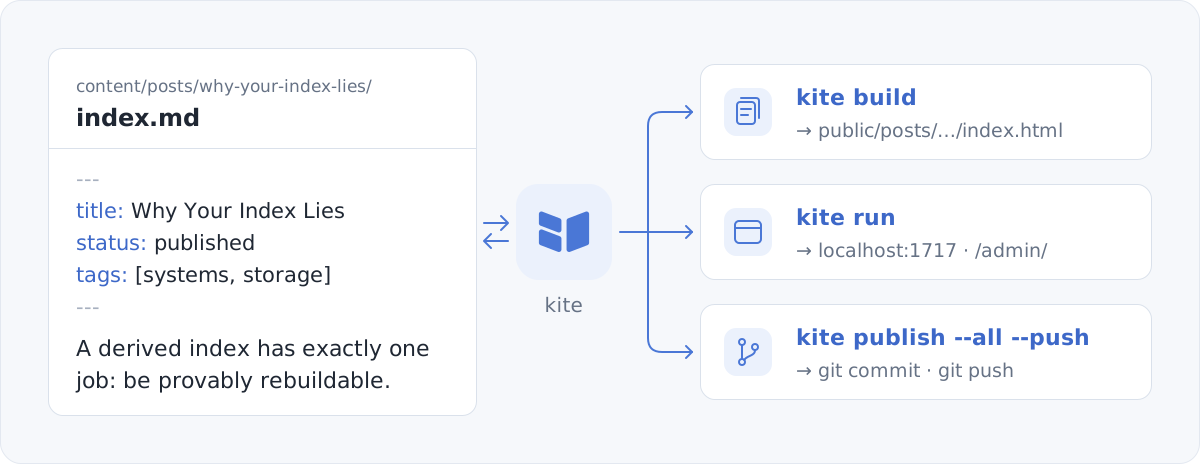
Files that stay yoursEvery post is a Markdown file on disk. Saving rewrites only what changed and keeps your key order and comments, so editing a title is a one-line |
Publish your wayExport static pages for any host, connect GitHub and let Pages deploy every push, or run the site on your own server, in Docker or not. |
One binary, nothing elseThe studio, a default theme in light and dark, and the SQLite driver are compiled in. There is no Node, database server or runtime to install. |
Themes and plugins by nameComments, analytics, search and math come as official plugins, beside documentation and personal themes. The app center installs them and keeps them up to date; a plugin adds code to pages, or runs WebAssembly in a sandbox while the site builds. |
Builds you can repeat
|
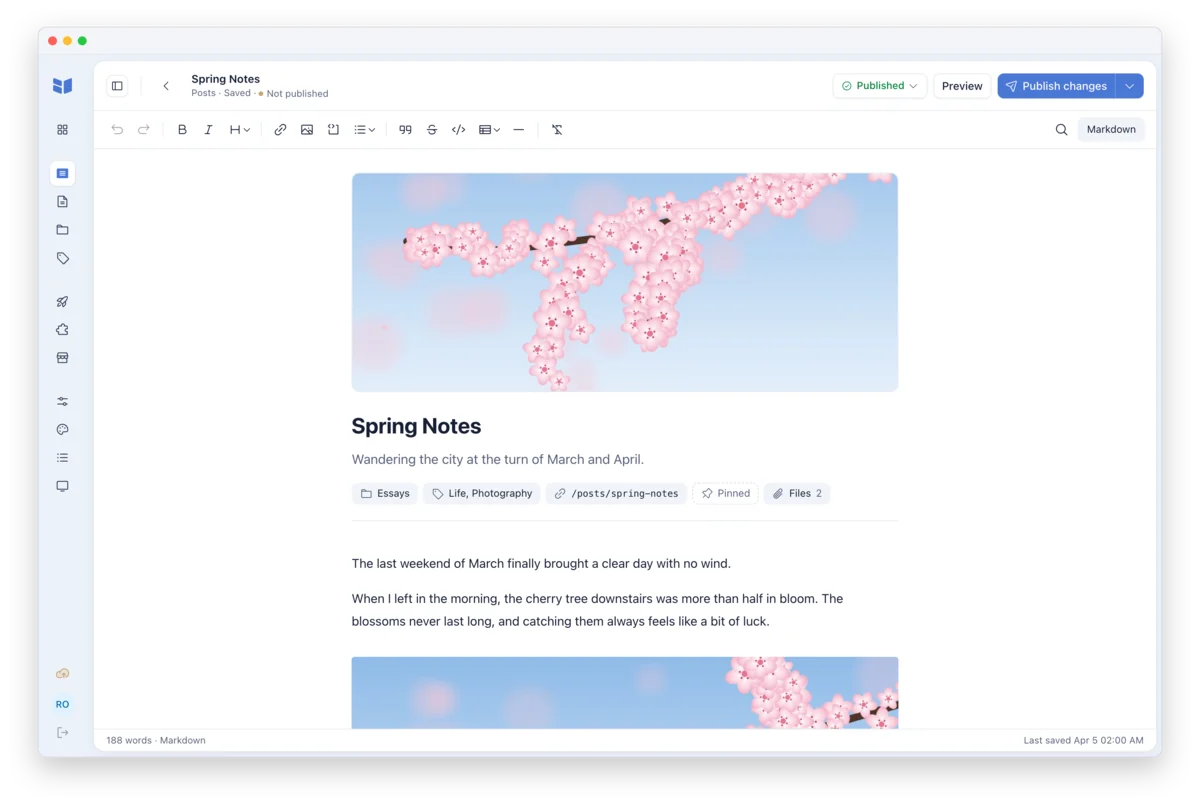
The editor. Cover, summary and properties sit above the text. One button publishes; saving alone is in its menu and on ⌘S. |
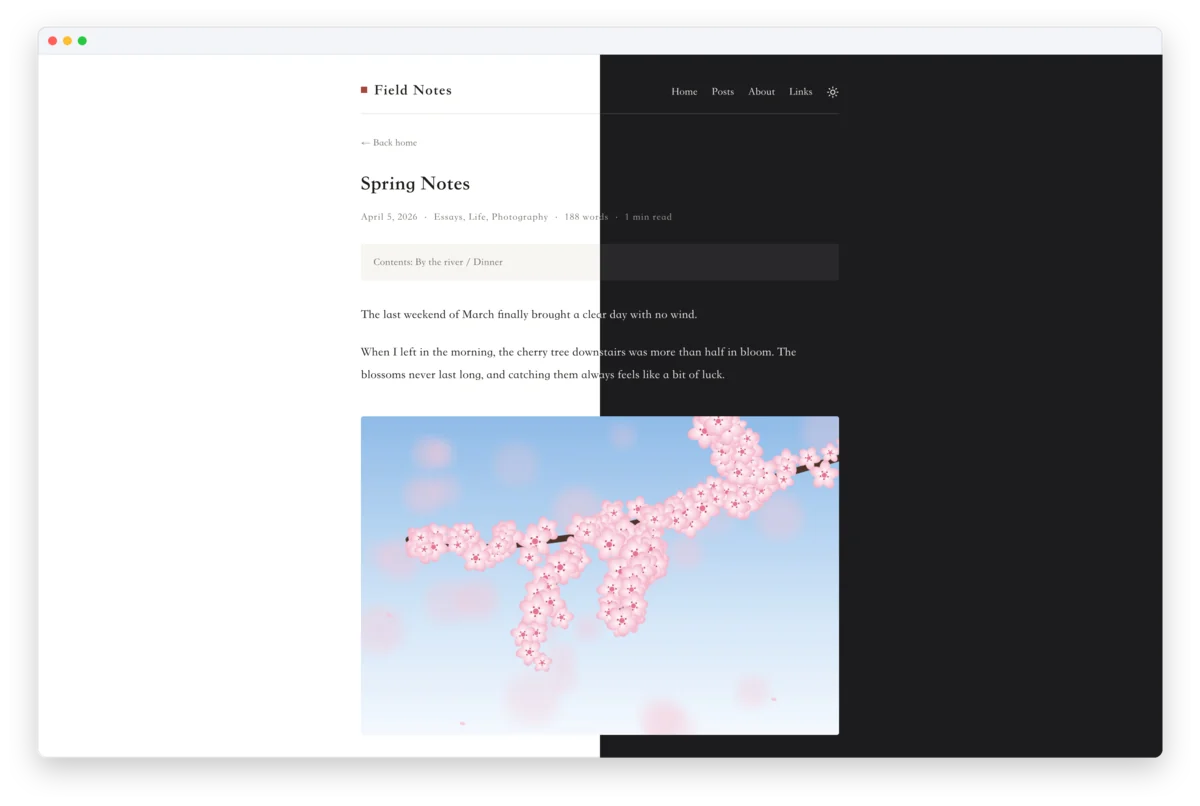
The site. The default theme in light and dark, with a table of contents, reading time and nothing to configure. |
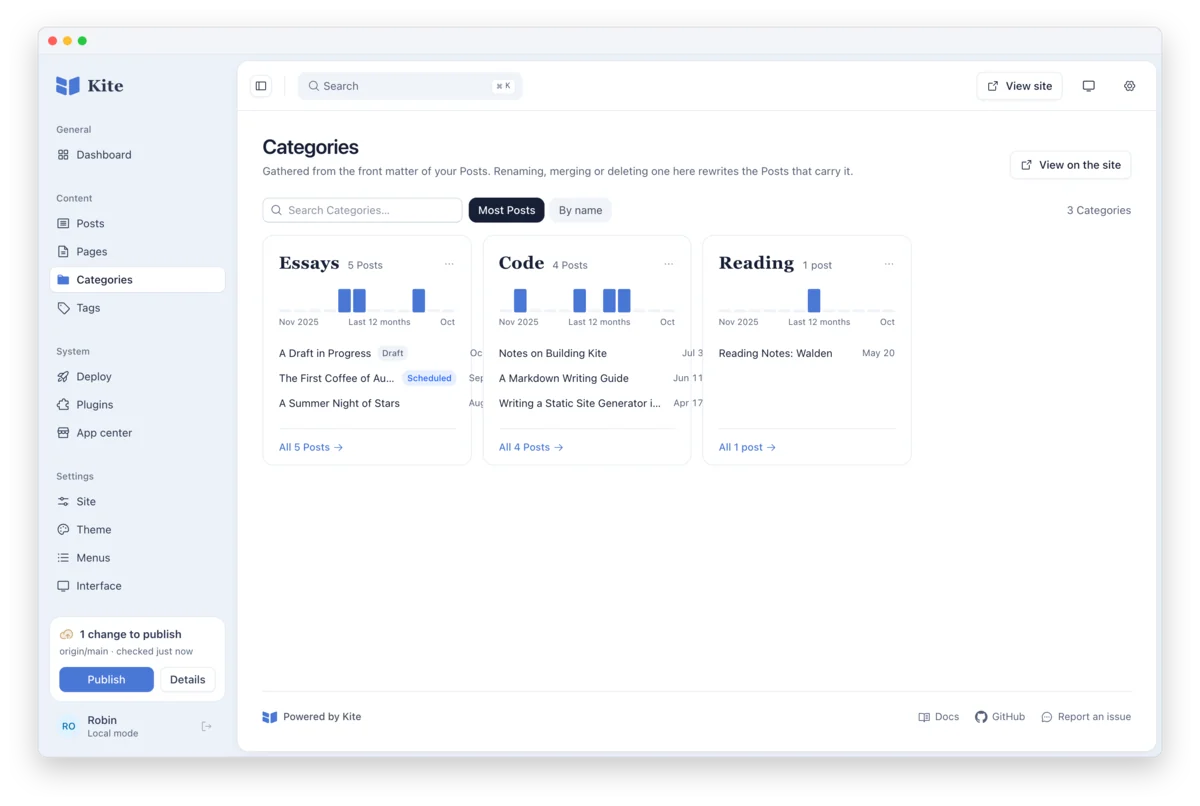
Categories. Each one a card with a year of writing and its newest posts. Rename, merge or remove one, and every post that carries it is rewritten. |
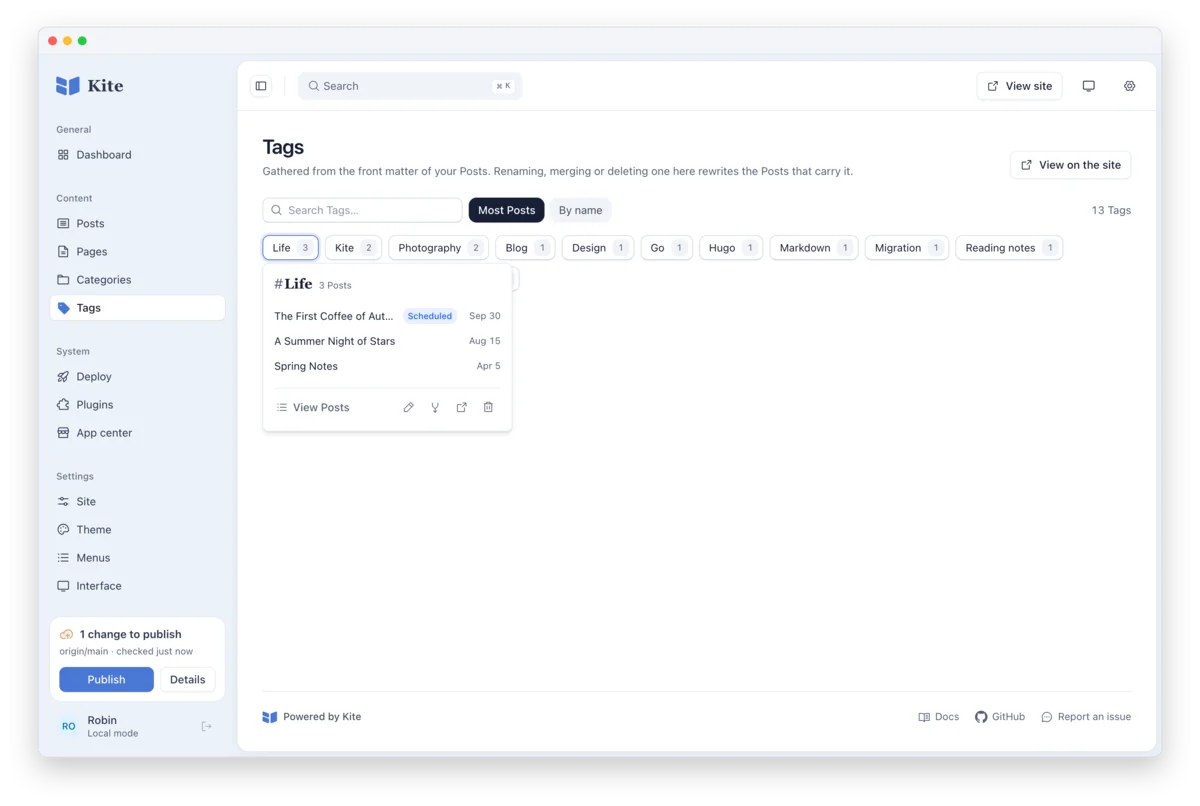
Tags. A wall of chips with their counts; open one to see its posts and change it. |
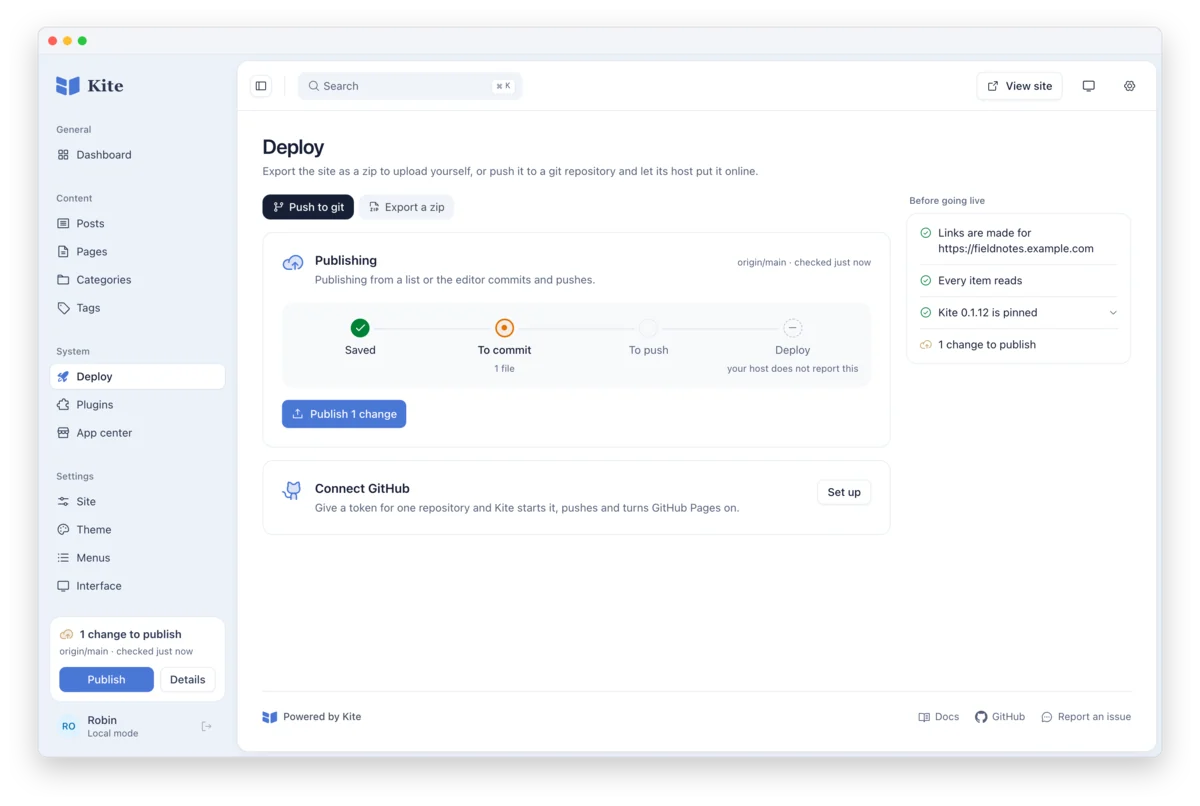
Deploy. Push to Git or export a zip, follow a change from saved to deployed, and check the address, content and Kite release before going live. |
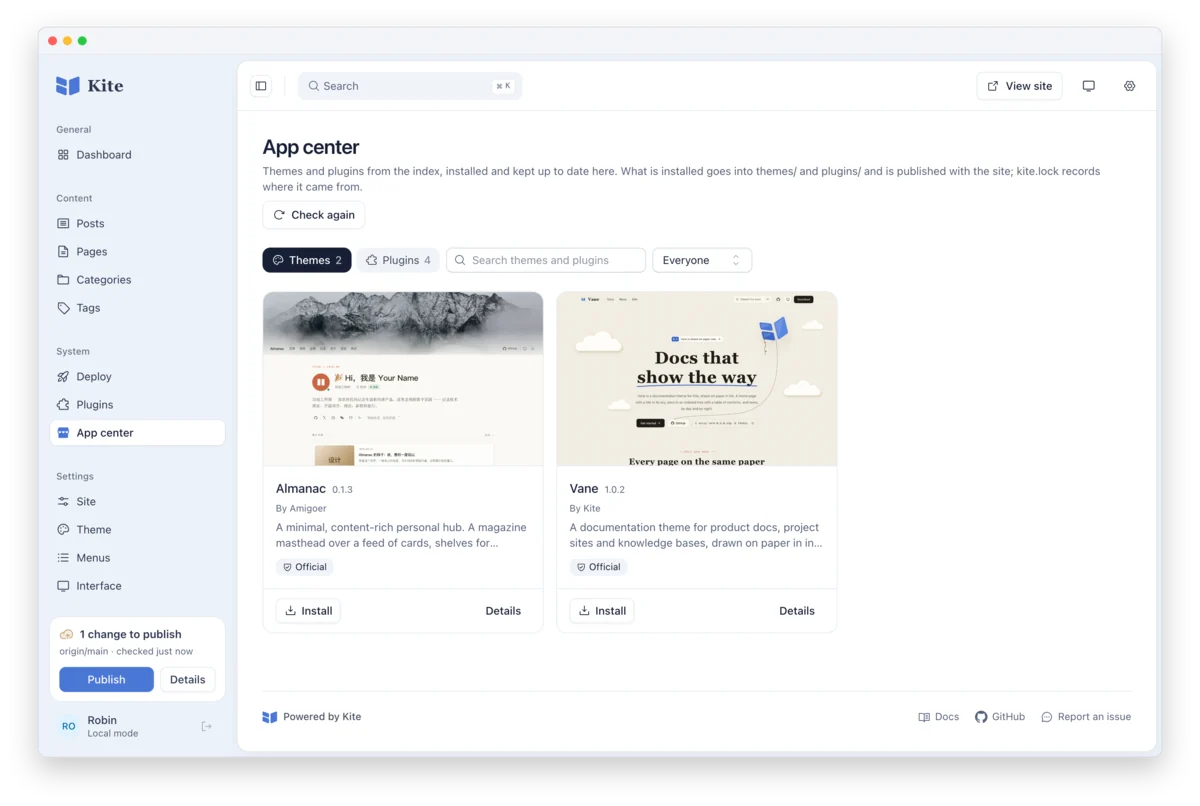
App center. Themes and plugins from a signed index, installed by name and kept up to date, with |