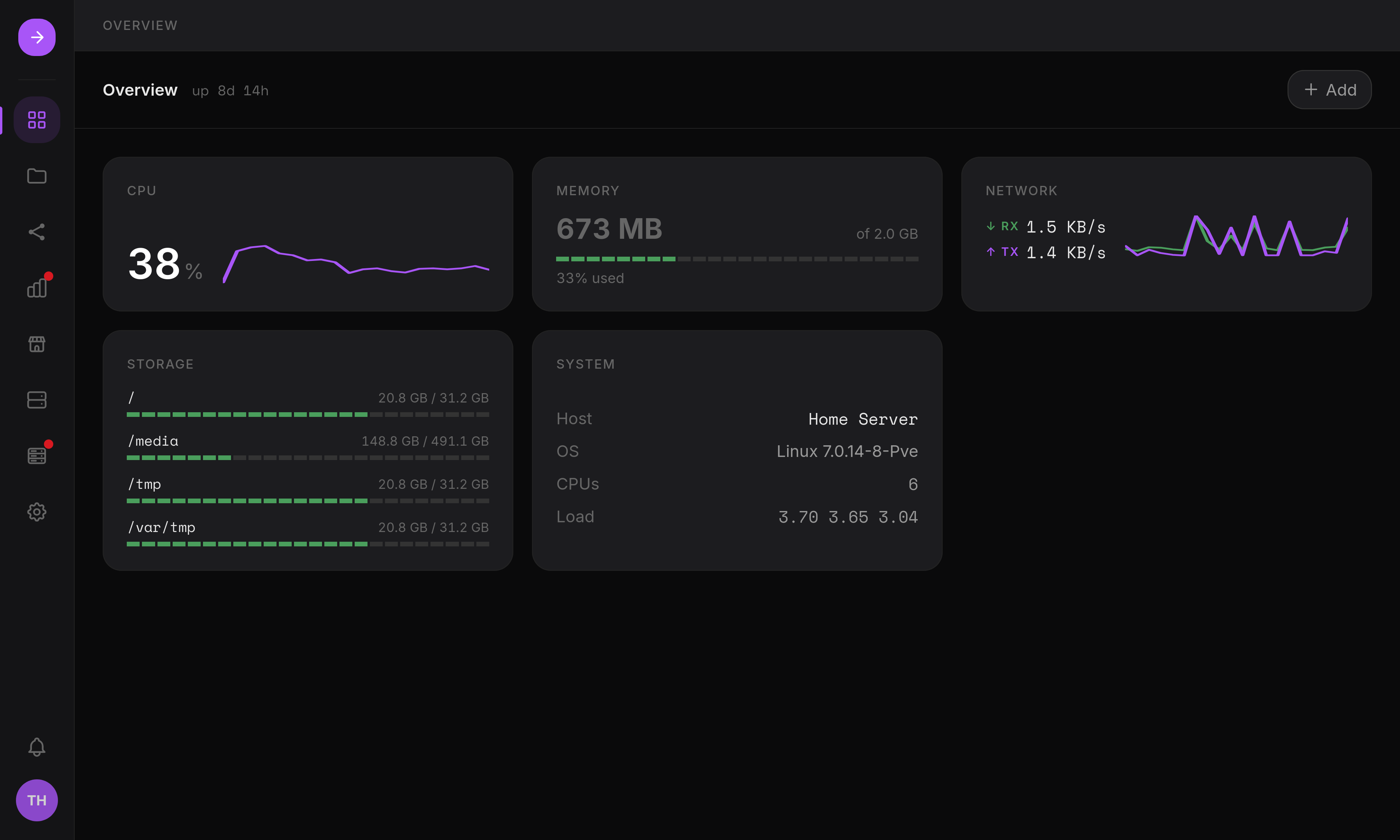
Turn your Linux server into a private cloud, NAS, and app platform.
Home Server Interface (HSI) is an open-source control panel for a single Linux server: manage files, run Docker apps from a built-in App Store, operate real storage (S.M.A.R.T., RAID, LVM), and monitor your hardware, all from one modern dashboard, without giving up shell access to the machine underneath.




Install · Features · Screenshots · Why HSI? · Documentation · Releases
--- ## Quick install One command, on a fresh Ubuntu 24.04 server: ```bash curl -fsSL https://raw.githubusercontent.com/kittyruntime/home-server-interface/main/scripts/install.sh | sudo bash ``` That's it: the installer sets up the app user, Node.js, the message broker, the privileged worker, and the database, then starts HSI's systemd services. Full details, updates and version pinning are in [Install](https://kittyruntime.github.io/home-server-interface/guide/install/). --- ## Features Every area below is real and in daily use, but HSI is still evolving quickly, so nothing here is labeled "Stable" yet. `Beta` means it works and is actively maintained; `Experimental` means it's new enough that interfaces may still change. See [Project status](#project-status) for what that means in practice. **Files** `Beta`: A full file manager in the browser, not an afterthought. - Resumable, pause/resume chunked uploads with integrity checks - Built-in code editor and expiring public share links - "Places" with per-user and per-group permissions **Apps & Docker** `Beta`: Run self-hosted apps and containers without touching a shell. - Curated App Store with guided installs and pinned image versions - Full container lifecycle: create, edit, logs, networks, mounts - Import an existing Compose file to prefill a container - App definitions live as standard Docker Compose files in `/opt/containers`, usable with or without HSI **Storage** `Beta`: Real disk and array management, not just a usage bar. - S.M.A.R.T. health, partitions, and disk formatting - `mdadm` RAID and LVM, with guardrails against destructive actions - Mounts and `/etc/fstab` management **Monitoring** `Beta`: Know what your server is doing, live and over time. - CPU, RAM, network and storage metrics with 1h–7d history - Background alerts for RAID degradation and failing disks - Filterable audit trail of privileged actions **Users & Sharing** `Beta`: Multi-user from day one. - Groups, per-place permissions, and admin/storage delegation - Built-in SMB/Samba sharing, synced with HSI accounts - Rate-limited logins and redacted audit values **Backups** `Beta`: Two layers, so config and data are both covered. - Encrypted (AES-256-GCM) HSI configuration backup and restore - Scheduled rsync backups, local or over SSH, push or pull Full feature details, including the desktop/windowed mode, live in the [Documentation](#documentation). --- ## Screenshots | Desktop mode | App Store | |---|---| | 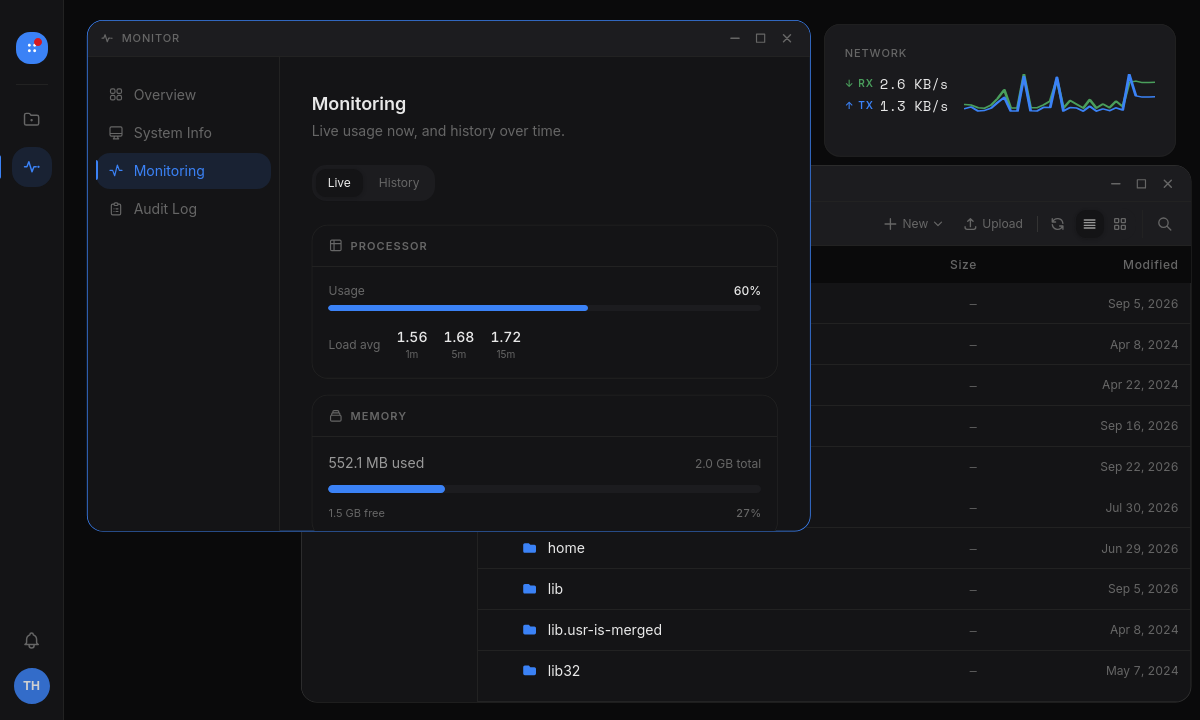 | 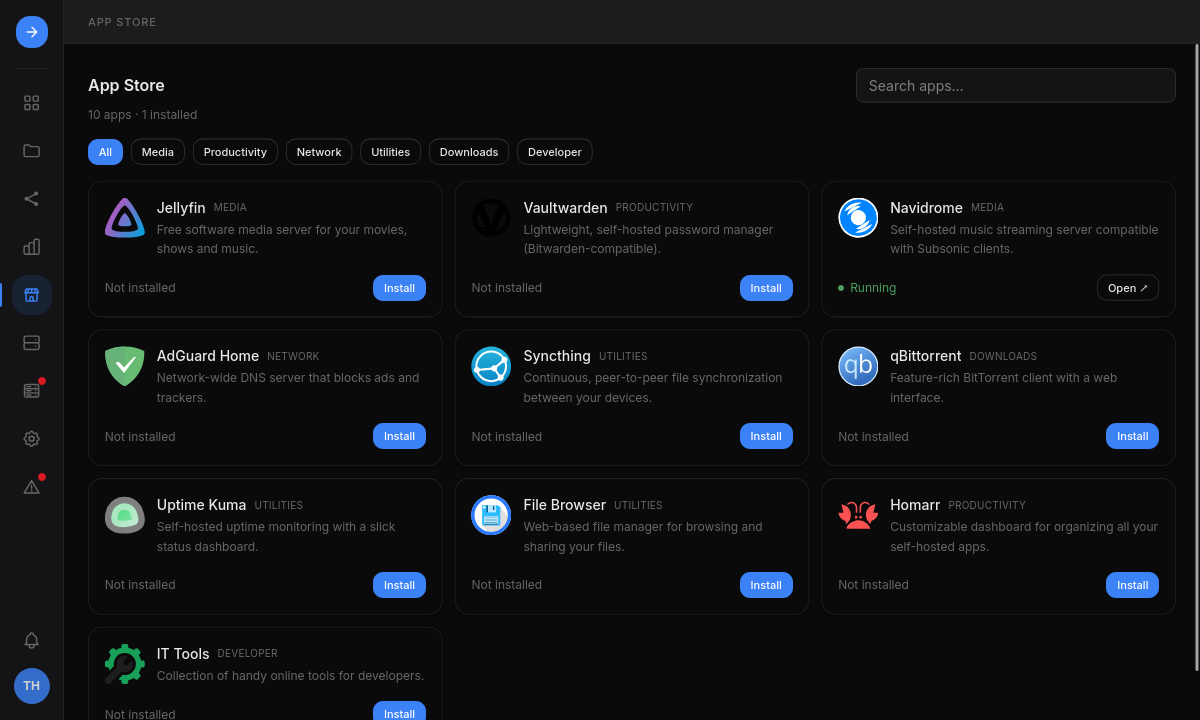 | | Storage | File manager | |---|---| | 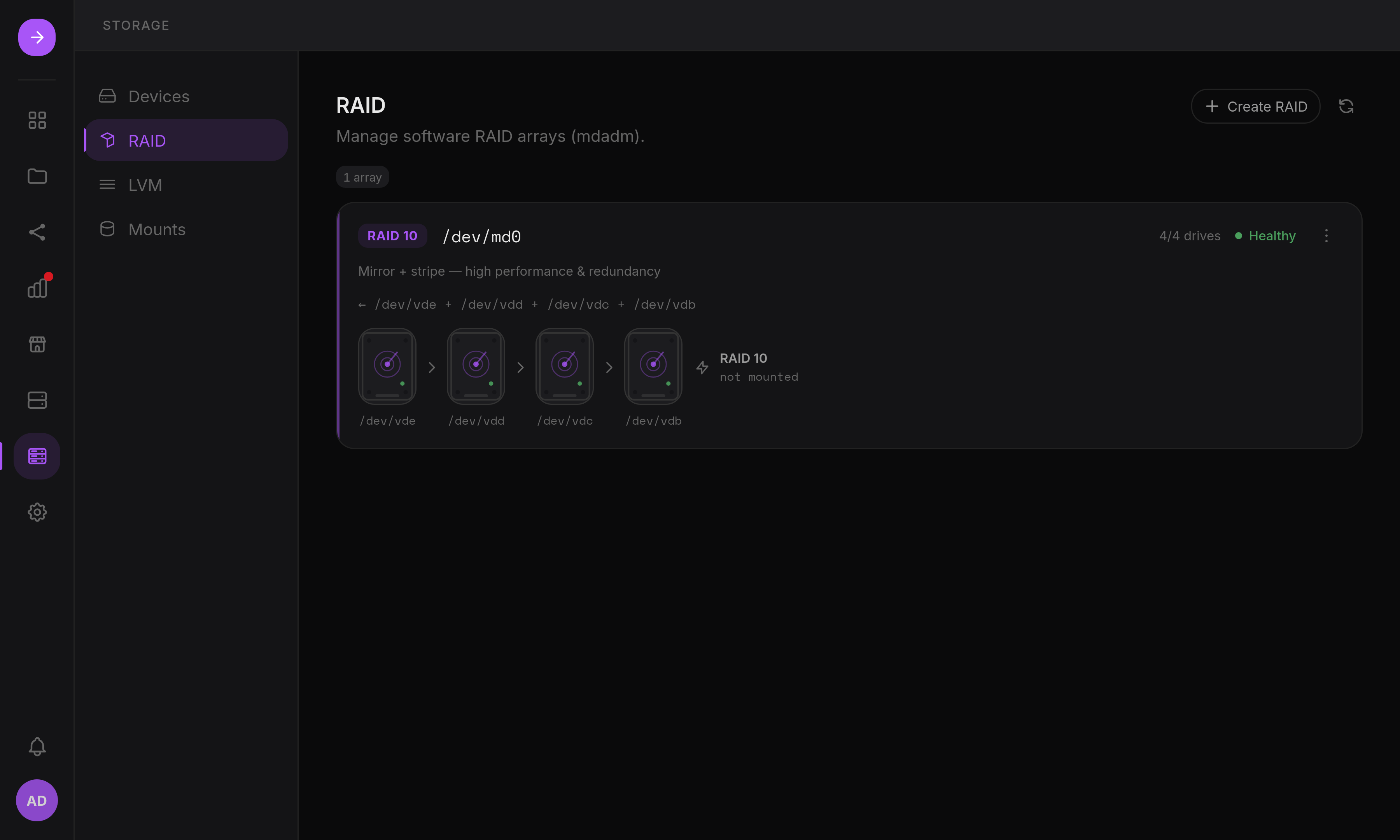 | 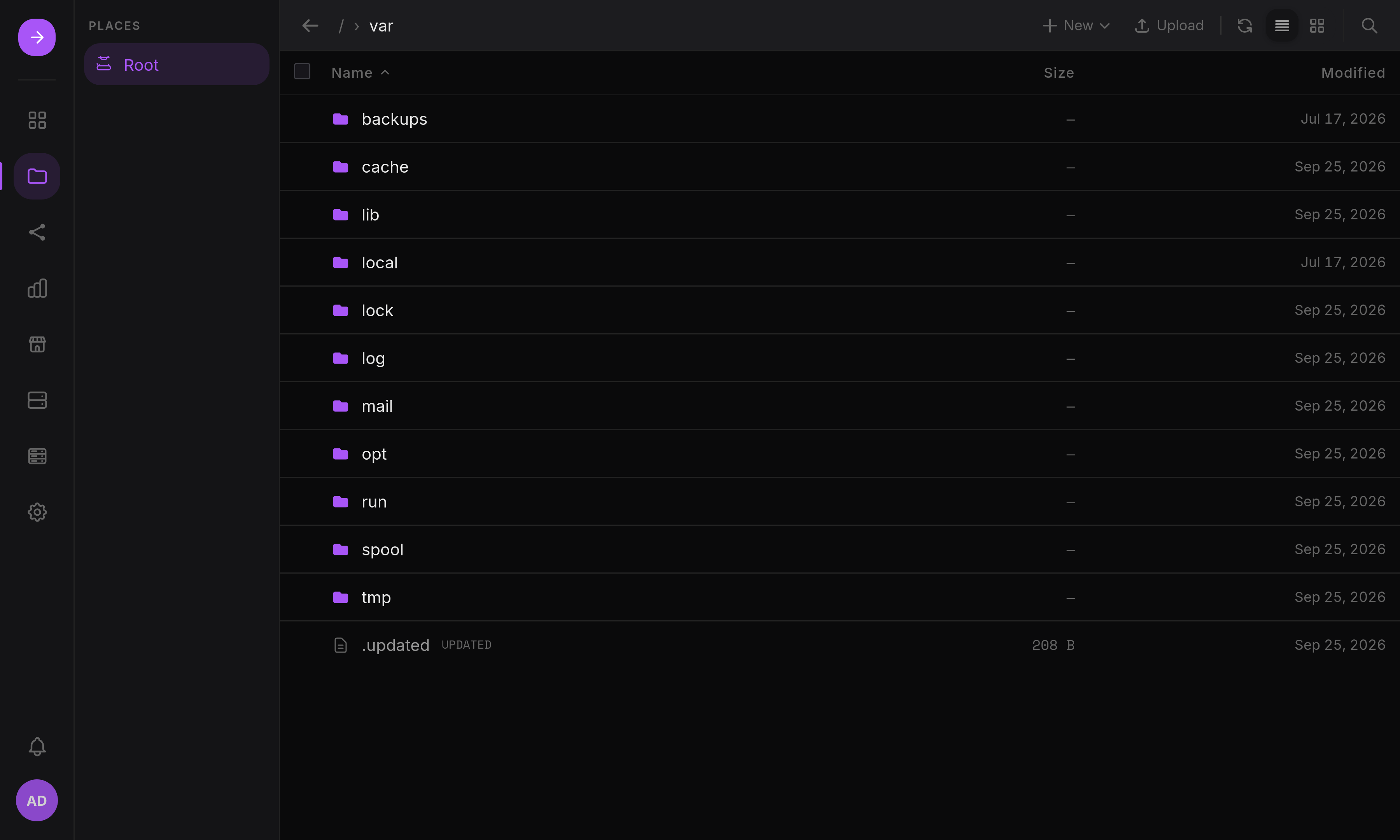 | | Monitoring | | |---|---| | 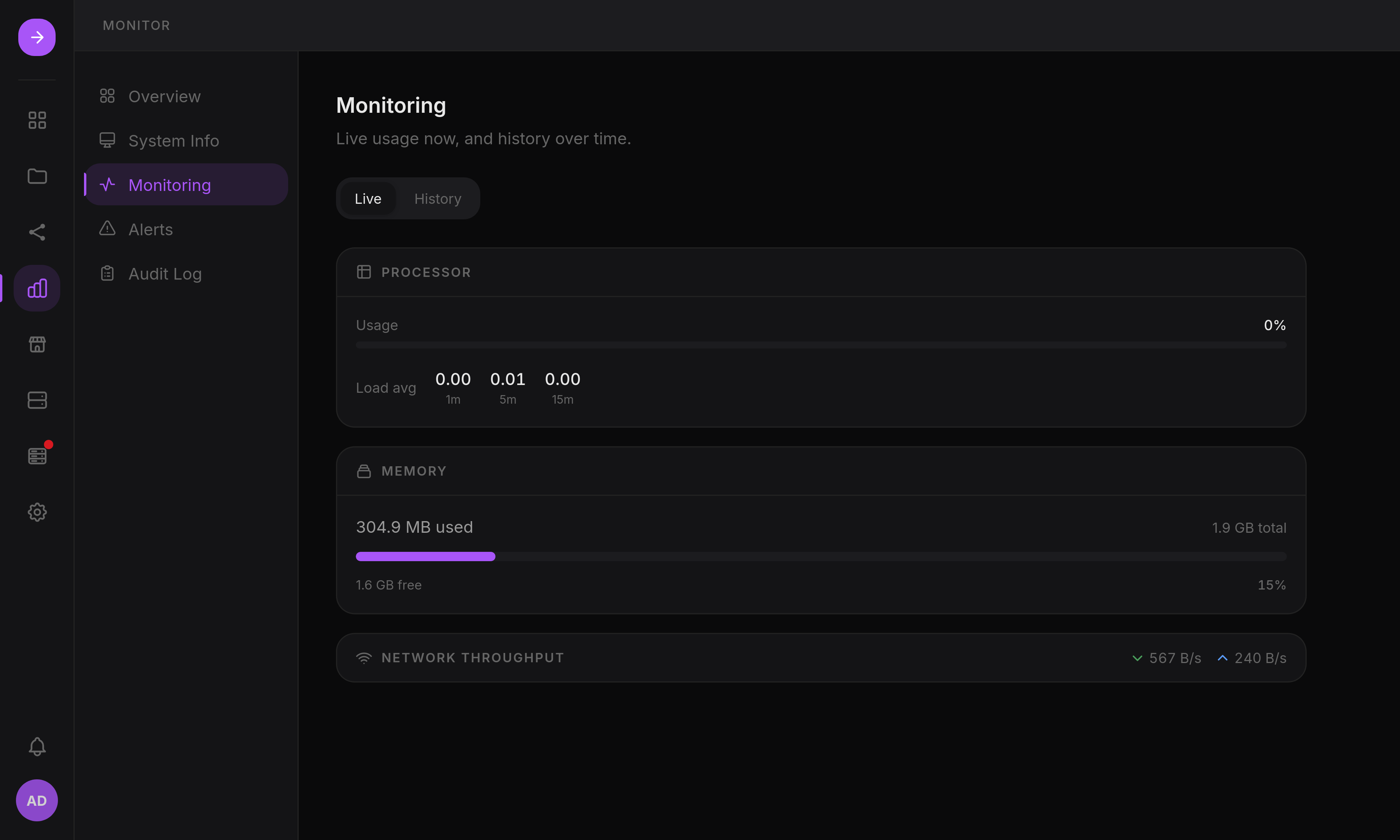 | | See it in motion: [demo.gif](website/src/assets/demo.gif) --- ## Why HSI? Most home-server tooling makes you choose between a friendly dashboard that hides Linux, or a raw admin panel that assumes you already know the command line. HSI aims for the middle ground: - **Built for home servers, not adapted from enterprise infra.** Storage, Docker and Sharing are designed around what a home server actually does. - **A real file manager, not an afterthought.** Chunked resumable uploads, an inline code editor, and shareable links are first-class features. - **Storage you can actually operate.** S.M.A.R.T., partitions, `mdadm` RAID and LVM are managed from the UI, with guardrails against destructive operations. - **Docker and an App Store together.** Run a curated app in one click, or manage any container by hand: same interface, same place. - **Backups included.** Encrypted config backups and scheduled rsync jobs ship with HSI itself, not as a separate tool you have to wire up. - **Security-conscious by design.** The web backend runs unprivileged; every root-level operation goes through a separate, isolated worker process over a message queue, not `sudo` calls from a Node process. - **Linux stays visible.** HSI manages your server without hiding it: the Samba shares, `/etc/fstab` entries and systemd units it creates are things you can inspect and touch yourself. If that sounds like something you'd want to run on your own hardware, a star on GitHub helps more people find the project, and it takes one click. --- ## Project status - **Active development.** New features ship regularly, and some interfaces may still change between releases. - **Tested on Ubuntu 24.04** (x86-64). Other distributions are not officially supported. - **Not security-audited.** Treat it like any early-stage self-hosted project. > [!WARNING] > HSI has not undergone a formal security audit and may contain vulnerabilities, > incomplete protections, or breaking changes without notice. If you run it, keep > it updated, avoid exposing it directly to the internet, and consider network > isolation, especially while the project is this young. --- ## Requirements - Ubuntu 24.04 on x86-64 (other distributions are not officially supported) - `curl` and root access to run the install command (`sudo`, or `curl … | bash` from a root shell) - The installer checks the other host packages it needs (storage tools such as `mdadm`, `smartmontools`, `lvm2`, `parted`, plus `openssl`, `rsync`, an OpenSSH client) and installs missing ones with `apt-get`; see [Host packages](https://kittyruntime.github.io/home-server-interface/reference/configuration/#host-packages) - Optional: Docker for containers and the App Store; Samba for SMB shares - Ports 80 (nginx, optional) and 9001 (backend) reachable from clients --- ## Documentation The documentation site is at **[kittyruntime.github.io/home-server-interface](https://kittyruntime.github.io/home-server-interface/)**: - [Install](https://kittyruntime.github.io/home-server-interface/guide/install/): requirements, install and update, first login, services - [Features](https://kittyruntime.github.io/home-server-interface/guide/features/storage/): storage, files, apps, users and shares, monitoring, maintenance - [Manage without HSI](https://kittyruntime.github.io/home-server-interface/guide/manage-without-hsi/): the files and commands behind Docker, Samba, RAID, mounts and systemd, if HSI is down or gone - [Configuration](https://kittyruntime.github.io/home-server-interface/reference/configuration/): environment variables, services, install/update options, logs - [Architecture](https://kittyruntime.github.io/home-server-interface/development/architecture/) and [Development](https://kittyruntime.github.io/home-server-interface/development/setup/): processes, privilege isolation, local setup, release process Its sources are in [`website/src/content/docs`](website/src/content/docs). --- ## Install / update Re-running the [install command](#quick-install) updates an existing installation and keeps its database and secrets. Version pinning, the systemd services and their logs are covered in [Install](https://kittyruntime.github.io/home-server-interface/guide/install/). > A new installation has no default account: open the setup link the installer > prints to create the administrator. --- ## Build from source Requirements: Node.js 20.19+ or 22.12+, pnpm, Go ≥ 1.25, curl, openssl, rsync and an OpenSSH client. ```bash git clone https://github.com/kittyruntime/home-server-interface cd home-server-interface sudo bash scripts/install.sh --from-source ``` For a local development environment (dev servers, hot reload, project layout, release process) see [Development](https://kittyruntime.github.io/home-server-interface/development/setup/). --- ## Contributing HSI is open source and still shaping its roadmap, so feedback from real usage is genuinely useful at this stage. - **Found a bug?** Open an [issue](https://github.com/kittyruntime/home-server-interface/issues). - **Missing a feature?** Open an issue describing the use case. - **Want to contribute code?** Pull requests are welcome; see [Development](https://kittyruntime.github.io/home-server-interface/development/setup/) for local setup. - **General feedback** on the interface or the direction of the project is welcome via issues too. Please read the [Code of Conduct](CODE_OF_CONDUCT.md) before participating. --- ## License Home Server Interface is open-source software licensed under the [Mozilla Public License 2.0](LICENSE). You may use, modify, distribute and use the software commercially. Modifications to files covered by the MPL must remain available under the MPL-2.0. © 2025–2026 kittyruntime ---If you find HSI useful or want to follow its development, consider giving the project a ⭐.