# NeoCodeMap
This plugin is inspired by [sublime-codemap](https://github.com/oleg-shilo/sublime-codemap/tree/master) but using Sublime Text 4 capabilities.
It displays on the side of the editor. You can jump to symbol definition and references to it.
It supports all languages through native Sublime indexing.
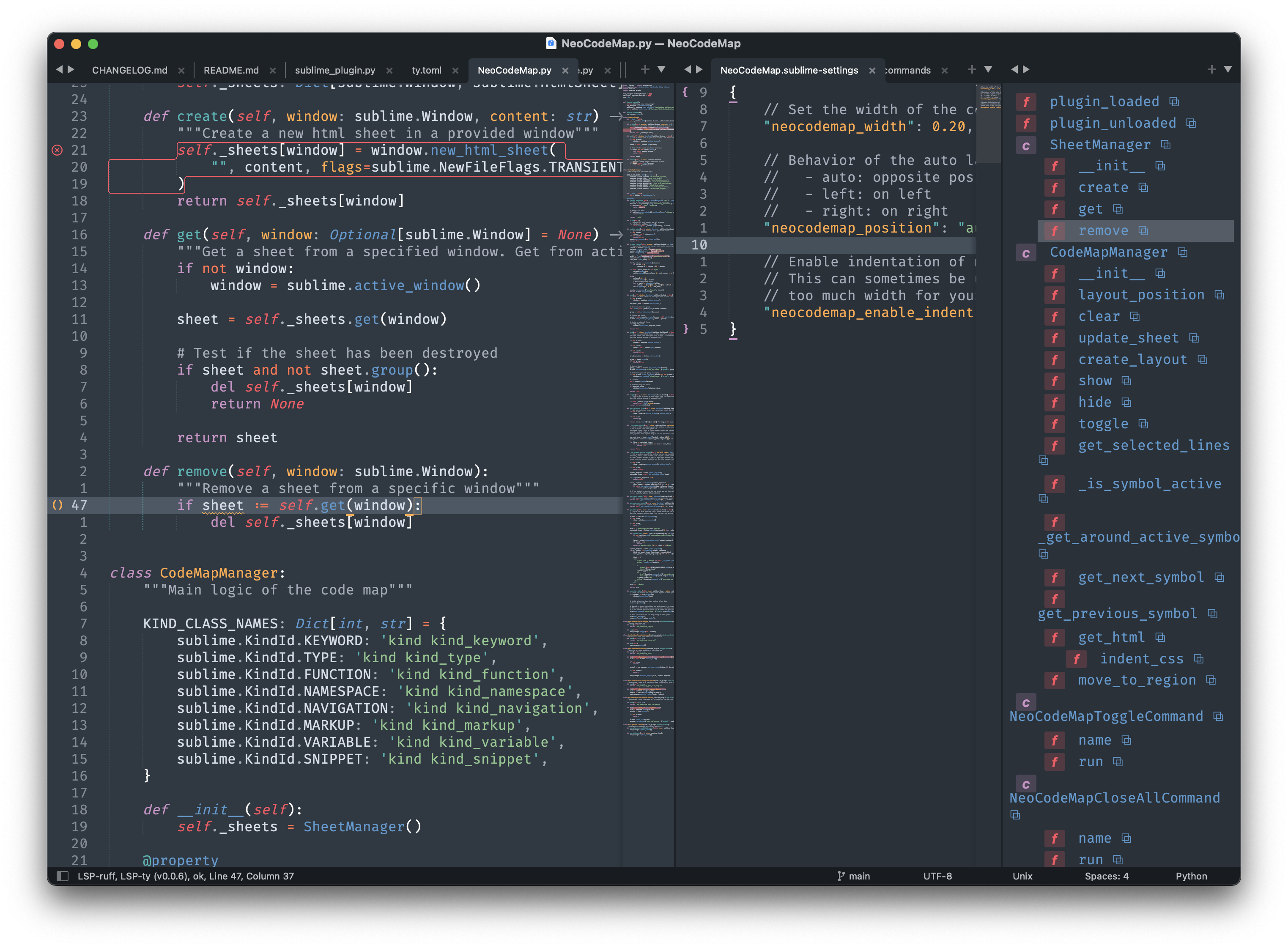
# Specific languages features
## Generic
Nesting level is guessed through indentation level.
## Markdown
The package supports markdown headings.
## Make your own
You can make your own `Indenter` and register it with `register_indenter`.
This looks like this for a markdown indenter:
```python
import sublime
from CodeMapManager import indenter
def my_markdown_indenter(view: sublime.View, symbol: sublime.SymbolRegion) -> int:
# process stuff
return x
indenter.register_indenter("text.html.markdown", my_markdown_indenter)
```
The last registered indenter takes priority.
You can even override the default indenter by overriding `None`.
```python
import sublime
from CodeMapManager import indenter
def my_default_indenter(view: sublime.View, symbol: sublime.SymbolRegion) -> int:
# process stuff
return x
indenter.register_indenter(None, my_default_indenter)
```
# Installation
This plugins is compatible with Sublime Text >= 4132.
## Package Control
The easiest way to install is using [Package Control](https://packages.sublimetext.io/). It's listed as `NeoCodeMap`.
1. Open `Command Palette` using ctrl+shift+P (Linux/Windows) or cmd+shift+P (OSX) or menu item `Tools -> Command Palette...`.
2. Choose `Package Control: Install Package`.
3. Find `NeoCodeMap` and hit Enter.
## Manual install
Clean repository in your `Packages` directory.
# Command Palette
Press ctrl+shift+P (Linux/Windows) or cmd+shift+p (OSX). Type `neocodemap` to see the available commands:
* **Toggle**: Toggle the code map view
* **Close All**: Close all code maps on all windows
* **Move Up**: Move to the next symbol on the current view
* **Move Down**: Move to the previous symbol on the current view
* **Preferences**: Edit preferences (see below)
# Preferences
You can configure the plugin to use:
| Preference | Description | Default |
|-----------------------|-------------------------------------------------------------------------------------------------------------------------------------------------|---------|
| neocodemap_width | Set the default width of the codemap column
The value is a percentage of the layout
It should be compride between 0 and 1 where 1 is 100% | 0.20 |
| neocodemap_position | Position of the codemap
- auto: opposite position of the sidebar
- left: on left
- right: on right | auto |
| neocodemap_max_indent | Choose the maximum indentation level to display
Using a negative value disables the limit | -1 |