# Bingo
**Install a plugin — Bingo takes over from there.**
> "Just restart already."
>
> From remembering that restart, to logging plugin changes, asking whether a trial stays, showing post-boot health, and rolling back when an install goes wrong.
[Install](#install) · [Releases](https://github.com/kongkongya367-glitch/dsh-bingo-ren/releases) · [中文](README.md)
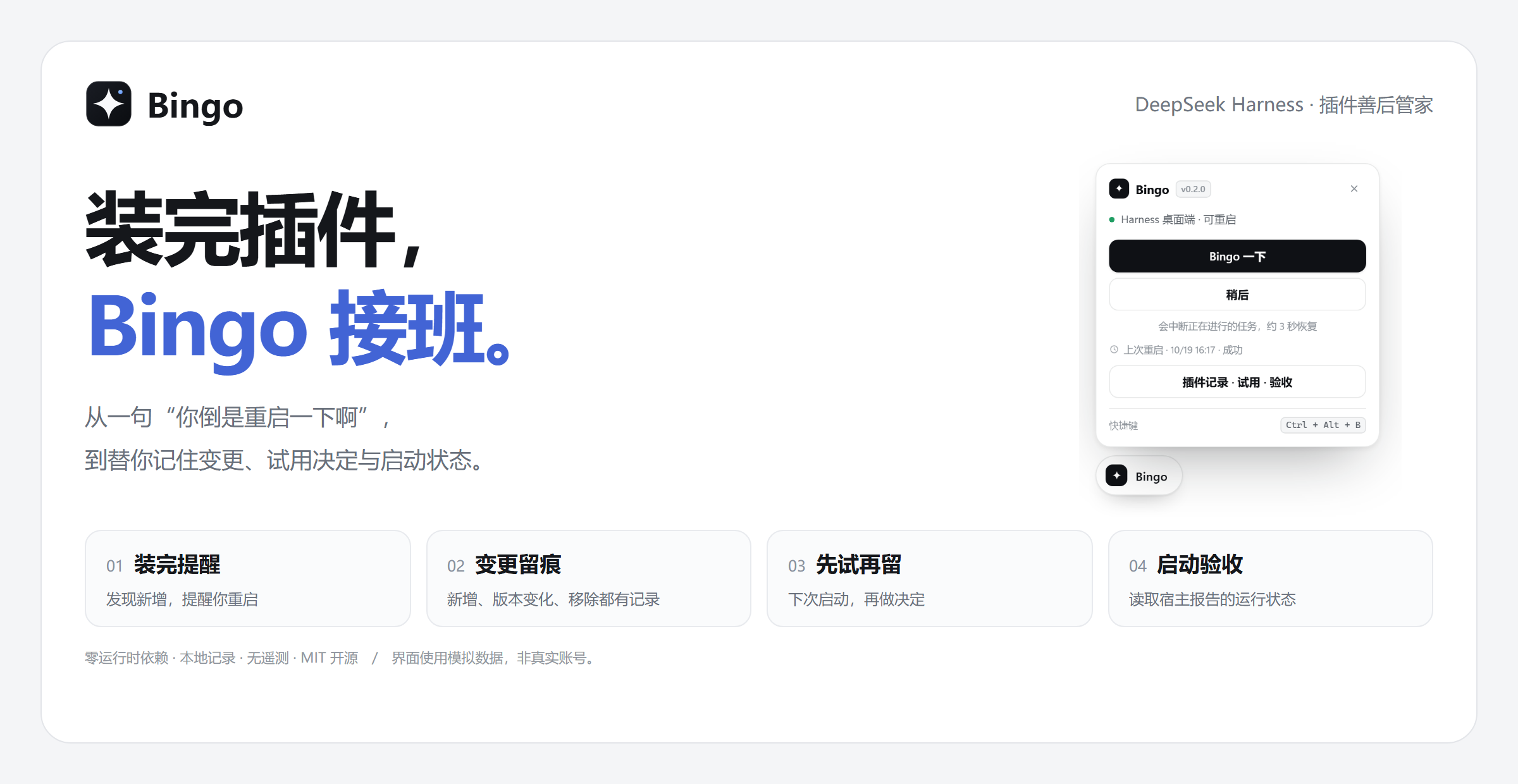
Bingo is the **clean-up crew for DeepSeek Harness plugins**. It lives in one draggable button and picks up the loose ends that appear after you install something.
You install; it records. You hit “later”; it remembers that exact group. Mark a plugin as a trial and it asks again on the next boot: **keep, or remove?** After a restart you can check reported health — and if an install broke something, roll back to the previous list.
## The idea is what happens *after* installing
| What happens to you | Where Bingo picks up |
| --- | --- |
| You installed a plugin and forgot to restart | Watches the local plugin list and prompts on new entries |
| Something broke and you can't recall what changed | Records additions, version changes, enable/disable and removals |
| You installed something to try, then forgot about it | Marks it as a trial and asks on the next boot |
| You restarted and want to confirm health | Reads host-reported state into an acceptance list |
| The app won't even open after an install | Safe mode disables community bundles so it starts again |
| A new version is bad and you want the old one | Rolls the plugin list back to a checkpoint saved before the change |
## Install
In Harness: **Settings → Plugins → Add plugin**, then enter:
```text
dsh-bingo-ren
```
The GitHub URL works too:
```text
https://github.com/kongkongya367-glitch/dsh-bingo-ren
```
**Quit and reopen Harness once after installing or updating** so the new UI loads. Then click **Bingo → plugin manager**.
Stuck on an old version, or seeing a “release age” notice?
The host's pnpm policy may postpone brand-new releases. Pin an exact version in the app (for example `dsh-bingo-ren@0.4.0`), or install from the GitHub URL above. The installed version reported by the app is authoritative.
A running desktop profile should be managed from the in-app plugin page. For CLI development installs, use a separate test profile — see the [development notes](https://github.com/kongkongya367-glitch/dsh-bingo-ren/blob/main/SPEC.md).
## 01 · Someone remembers the restart
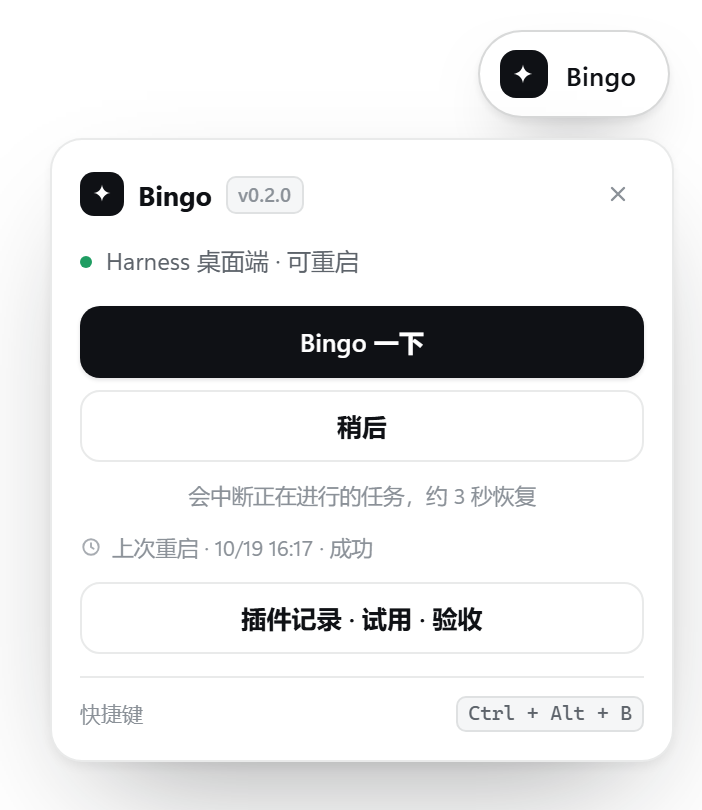
Bingo watches the profile's plugin list and prompts when something new appears.
- **Bingo now** — you confirm, and the whole desktop app restarts.
- **Later** — remembers this exact group; the same group won't nag again, a newer one still will.
- **Mark these as a trial** — leaves a decision for the next boot.
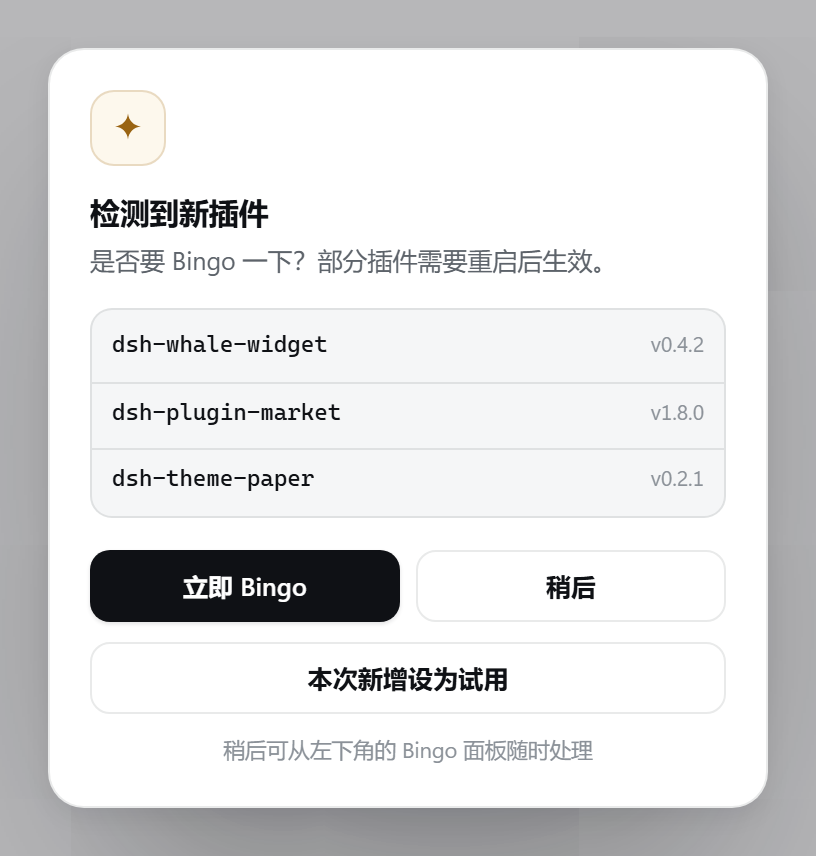
Whether a restart is strictly required depends on how the plugin is loaded. **A restart interrupts running tasks — save your work first.**
## 02 · A history you can actually read
Opens the record of additions, declared version changes, enable/disable toggles, removals and trial decisions. Records are per profile, stored locally, and survive restarts; anything that happened while the app was closed is tagged “found at startup”.
 Recording starts when Bingo is enabled — the first run only establishes a baseline. 200 entries are kept, 100 are shown.
## 03 · Try first, decide later
Mark an installed plugin, or the whole group from the new-plugin prompt. **On the next boot Bingo asks:**
**Keep · Ask again next boot · Remove**
Recording starts when Bingo is enabled — the first run only establishes a baseline. 200 entries are kept, 100 are shown.
## 03 · Try first, decide later
Mark an installed plugin, or the whole group from the new-plugin prompt. **On the next boot Bingo asks:**
**Keep · Ask again next boot · Remove**
 Keep ends the reminder. Remove needs a second confirmation and is delegated to the native plugin manager. If the declared version changed, the trial must be re-marked first.
Trials are a reminder mechanism: they do not isolate permissions and never auto-uninstall. Protected or in-use plugins remain subject to host restrictions.
## 04 · A look after boot
**Active · Load failed · Disabled · Pending · Unknown** — up to 30 recently changed plugins, or the current set when nothing changed.
Keep ends the reminder. Remove needs a second confirmation and is delegated to the native plugin manager. If the declared version changed, the trial must be re-marked first.
Trials are a reminder mechanism: they do not isolate permissions and never auto-uninstall. Protected or in-use plugins remain subject to host restrictions.
## 04 · A look after boot
**Active · Load failed · Disabled · Pending · Unknown** — up to 30 recently changed plugins, or the current set when nothing changed.
 Active means the host entry is running. Business behaviour and the actually loaded code still need separate verification; missing evidence stays **unknown**.
## 05 · Recovery: roll back when an install goes wrong
Four jobs: rollback, safe mode, leftover cleanup, restart history.
### Rollback
Every inventory change saves a checkpoint (last 8). Pick one and confirm — Bingo then removes packages the checkpoint did not have, reinstalls missing or version-changed ones, and restores the enabled state.
**Only the plugin list and enablement move. Plugin data under `~/.dsh//` is kept.** A restart is required.
Everything goes through the native manager (`removeBundle` / `installBundle` / `setBundleEnabled`); Bingo never edits `package.json` directly.
### Safe mode
When a plugin breaks startup, safe mode **actually disables** every community bundle through the native manager, so the next boot keeps only official base packages plus Bingo. Exiting re-enables exactly the bundles it turned off. If any toggle fails, the UI says “safe mode incomplete” instead of claiming success.
### Leftover cleanup
Only two provable kinds are scanned:
- `.ignored` copies pnpm moved aside
- `*_tmp_*` directories from interrupted installs
Data directories are offered **only** for packages the journal recorded as removed and whose directory name matches the package name rules.
**Directories that aren't in the manifest are deliberately not scanned.** With `nodeLinker: hoisted` most `node_modules` entries are dependencies of dependencies; deleting them breaks every plugin. Bingo would rather under-report than guess wrong.
Only scanned paths can be deleted, and symlinks or non-directories are always refused.
### Restart history
Every restart reports **total**, **stop** and **relaunch** durations, the average and the slowest so far, plus which plugins changed around it — from the timestamps the helper writes to `~/.dsh/bingo/restart.log`, not estimates. Rotated logs mean older rows disappear; Bingo only shows what it can prove.
## It never races the plugin market
Before rollback, safe mode, cleanup or trial removal, Bingo checks whether the plugin manager has an install or update in flight (its own `operation-*` logs) and answers 409 if so.
**Only the manager's own operation logs count.** A `.pnpm/lock.yaml` stays on disk forever after the first install; treating it as “busy” would block all three features permanently.
## A small button that stays out of the way
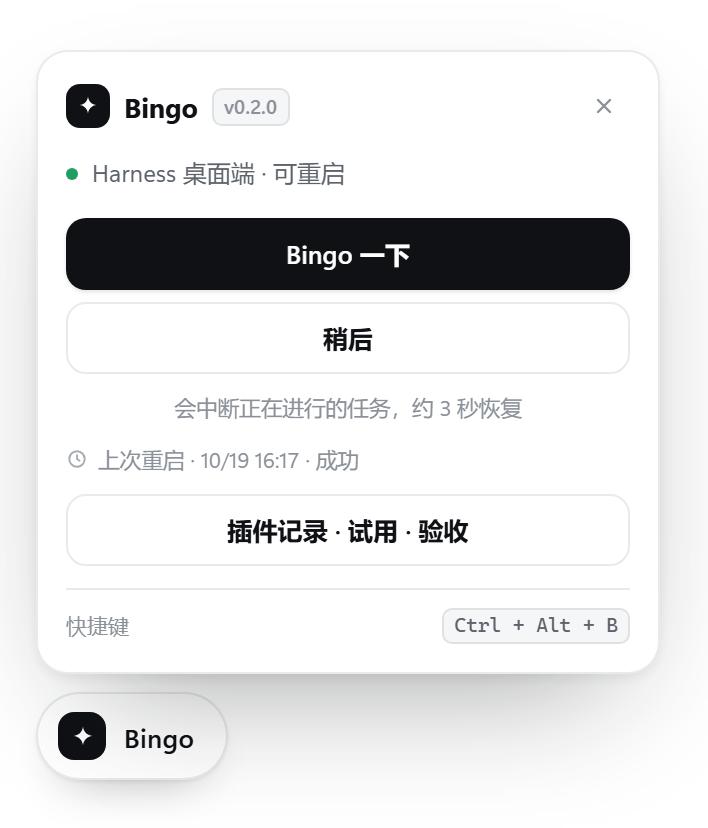
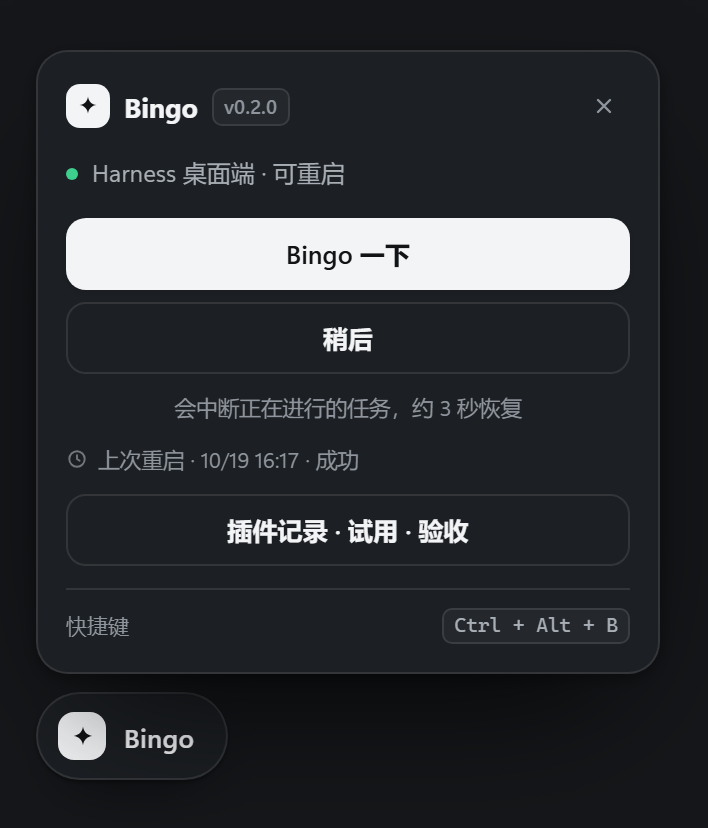
Drag it near an edge to snap; its position survives restarts. Open the panel with `Ctrl+Alt+B` (`Cmd+Alt+B` on macOS). Light and dark themes, web mode refresh, zero runtime dependencies, MIT licensed.
Active means the host entry is running. Business behaviour and the actually loaded code still need separate verification; missing evidence stays **unknown**.
## 05 · Recovery: roll back when an install goes wrong
Four jobs: rollback, safe mode, leftover cleanup, restart history.
### Rollback
Every inventory change saves a checkpoint (last 8). Pick one and confirm — Bingo then removes packages the checkpoint did not have, reinstalls missing or version-changed ones, and restores the enabled state.
**Only the plugin list and enablement move. Plugin data under `~/.dsh//` is kept.** A restart is required.
Everything goes through the native manager (`removeBundle` / `installBundle` / `setBundleEnabled`); Bingo never edits `package.json` directly.
### Safe mode
When a plugin breaks startup, safe mode **actually disables** every community bundle through the native manager, so the next boot keeps only official base packages plus Bingo. Exiting re-enables exactly the bundles it turned off. If any toggle fails, the UI says “safe mode incomplete” instead of claiming success.
### Leftover cleanup
Only two provable kinds are scanned:
- `.ignored` copies pnpm moved aside
- `*_tmp_*` directories from interrupted installs
Data directories are offered **only** for packages the journal recorded as removed and whose directory name matches the package name rules.
**Directories that aren't in the manifest are deliberately not scanned.** With `nodeLinker: hoisted` most `node_modules` entries are dependencies of dependencies; deleting them breaks every plugin. Bingo would rather under-report than guess wrong.
Only scanned paths can be deleted, and symlinks or non-directories are always refused.
### Restart history
Every restart reports **total**, **stop** and **relaunch** durations, the average and the slowest so far, plus which plugins changed around it — from the timestamps the helper writes to `~/.dsh/bingo/restart.log`, not estimates. Rotated logs mean older rows disappear; Bingo only shows what it can prove.
## It never races the plugin market
Before rollback, safe mode, cleanup or trial removal, Bingo checks whether the plugin manager has an install or update in flight (its own `operation-*` logs) and answers 409 if so.
**Only the manager's own operation logs count.** A `.pnpm/lock.yaml` stays on disk forever after the first install; treating it as “busy” would block all three features permanently.
## A small button that stays out of the way
Drag it near an edge to snap; its position survives restarts. Open the panel with `Ctrl+Alt+B` (`Cmd+Alt+B` on macOS). Light and dark themes, web mode refresh, zero runtime dependencies, MIT licensed.
Panel, dark mode and drag examples
## Local data and clear boundaries
History, trials, checkpoints and restart logs live on this machine under `~/.dsh/bingo/`, with no conversation content and no telemetry. Confirmed plugin operations are executed by the host manager, which may contact its configured registry.
All images are **real browser captures using mock data** — no real accounts, chats or installs. Recreate them with the [preview instructions](https://github.com/kongkongya367-glitch/dsh-bingo-ren/blob/main/preview/README.md).
Configuration, compatibility and troubleshooting
Requires **Node.js 20+** and **DeepSeek Harness 0.2.0-rc.1+**. Full restart needs the official Electron desktop app; acceptance, native removal, rollback and safe mode need the matching host APIs. When an API is missing, Bingo says so instead of pretending it worked.
Configure in the profile's `cordis.patch.yml`:
```yaml
- id: dsh-bingo-ren
config:
enabled: true
pollMs: 4000 # 1500-60000 ms
allowRestart: true
position: bottom-left # or bottom-right
debug: false
```
- No button: restart once manually and confirm the plugin is enabled.
- Restart failed: read `~/.dsh/bingo/restart.log`.
- Acceptance says unknown: the host may not report runtime state; check the native plugin page.
- All recovery buttons greyed out: the plugin manager is installing or updating; retry afterwards.
- Uninstall: remove Bingo from the Harness plugin page, then restart. Source-install recovery steps are in the [development notes](https://github.com/kongkongya367-glitch/dsh-bingo-ren/blob/main/SPEC.md).
[Report an issue](https://github.com/kongkongya367-glitch/dsh-bingo-ren/issues) · [Development notes](https://github.com/kongkongya367-glitch/dsh-bingo-ren/blob/main/SPEC.md) · [MIT License](LICENSE)