 *
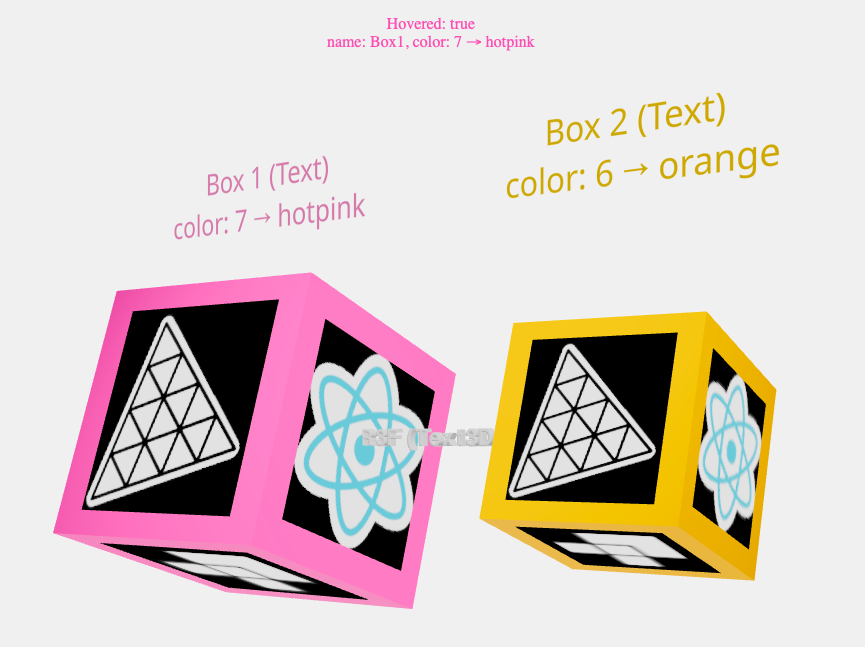
* Two rotating cubes using {@link https://react.dev React} * with {@link https://www.digitalocean.com/community/tutorials/how-to-set-up-a-react-project-with-vite Vite}.
* When the mouse is hovered onto a cube, its color changes from orange to hotpink.We label the cubes and their colors by calling Text, * with Hi-quality rendering w/ signed distance fields (SDF) and antialiasing, * using {@link https://protectwise.github.io/troika/troika-three-text/ troika-3d-text}. * It is also possible to use Text3D, with {@link https://hyper2.com.br/js/fonts/ type face} fonts.
* *
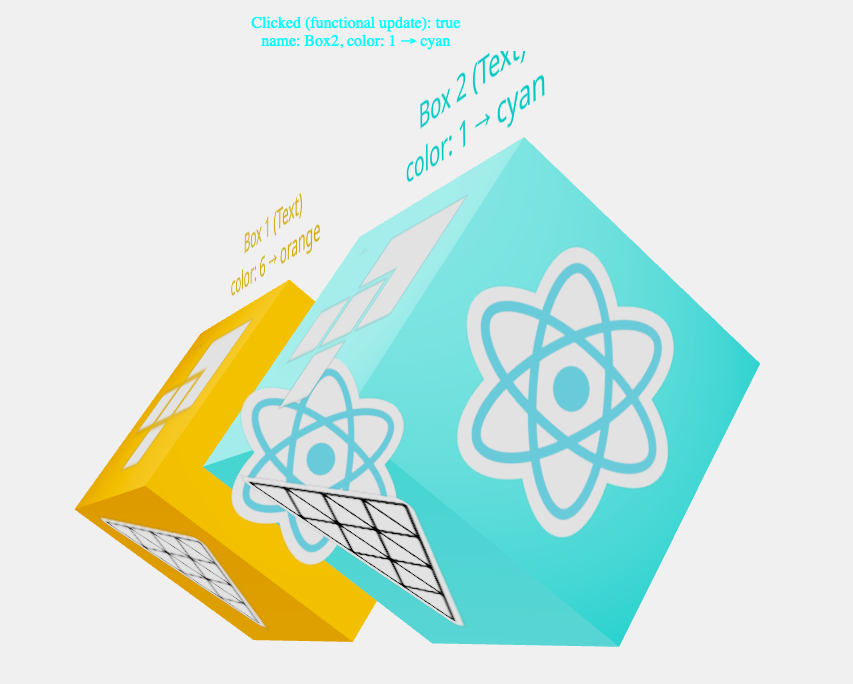
* Finally, {@link https://codesandbox.io/p/sandbox/np6s28 decals} * are applied to each face of the cubes. * * Decals are objects that interfere with the * "{@link https://antongerdelan.net/opengl/raycasting.html mouse picking}" * and to avoid mistakes, * we call {@link https://r3f.docs.pmnd.rs/api/events event.stopPropagation()} * to get only the first intersection when a pick ray is cast. Furthermore, if * {@link http://drei.docs.pmnd.rs/abstractions/decal#decal no material * is specified}, a transparent meshBasicMaterial * with a polygonOffsetFactor of -10 will be created, * producing an awkward effect when the cubes overlap.
* * *
*  *
* Usage:
*React
* The library for web and native user interfaces. * @external react * @see {@link https://react.dev/ React Top-Level API} * @see {@link https://react.dev/reference/react/Suspense Suspense} * @see {@link https://react.dev/reference/react/useState useState} * @see {@link https://react.dev/reference/react/useRef useRef} * @see {@link https://react.dev/reference/react/useEffect useEffect} */ /** *React DOM.
* The react-dom package contains methods that are only supported * for the web applications (which run in the browser DOM environment). *They are not supported for React Native.
* @external react-dom * @see {@link https://react.dev/reference/react-dom React DOM APIs} */ /** *A React renderer for three.js.
* Build your scene declaratively with re-usable, * self-contained components that react to state, * are readily interactive and can participate in React's ecosystem. * @external react-three/fiber * @see {@link https://r3f.docs.pmnd.rs/api/canvas Canvas} * @see {@link https://r3f.docs.pmnd.rs/api/events Events} * @see {@link https://r3f.docs.pmnd.rs/api/hooks Hooks} * @see {@link https://r3f.docs.pmnd.rs/getting-started/introduction R3F introduction} * @see {@link https://byteofdev.com/posts/how-to-use-esm/ How to use ESM} * @see {@link https://www.youtube.com/watch?v=DPl34H2ISsk I wish I knew this before using React Three Fiber} * @see {@link https://r3f.docs.pmnd.rs/tutorials/how-it-works How does it work?} * @see {@link https://dev.to/studio_hungry/notes-on-react-three-fiber-4f8g Notes on react-three-fiber} * @see {@link https://codyb.co/articles/a-technical-breakdown-of-react-three-fiber A technical breakdown of react-three-fiber} */ /** * A growing collection of useful helpers and fully functional, * ready-made abstractions for @react-three/fiber. * @external react-three/drei * @see {@link https://github.com/pmndrs/drei drei} * @see {@link https://drei.docs.pmnd.rs/cameras/perspective-camera PerspectiveCamera} * @see {@link https://drei.docs.pmnd.rs/controls/introduction Controls} * @see {@link https://sbcode.net/react-three-fiber/orbit-controls/ OrbitControls} * @see {@link http://drei.docs.pmnd.rs/misc/select Select} * @see {@link https://drei.docs.pmnd.rs/staging/bounds Bounds} * @see {@link http://drei.docs.pmnd.rs/staging/environment Environment} * @see {@link http://drei.docs.pmnd.rs/staging/lightformer Lightformer} * @see {@link http://drei.docs.pmnd.rs/abstractions/text Text} * @see {@link https://drei.docs.pmnd.rs/abstractions/text3d#text3d Text3D} * @see {@link http://drei.docs.pmnd.rs/abstractions/decal#decal Decal} * @see {@link http://drei.docs.pmnd.rs/staging/matcap-texture-use-matcap-texture#matcaptexture-/-usematcaptexture useMatcapTexture} */ /** *Color table.
* RGB primary colors and their * {@link https://en.wikipedia.org/wiki/Complementary_colors complementary} * colors, CYM, used for printing. * @type {ObjectSubscribe this component to the render-loop, to rotate the mesh in each frame.
* This hook allows you to execute code on every rendered frame, * like running effects, updating controls, and so on. * You receive the state (same as useThree) and a clock delta. * Your callback function will be invoked just before a frame is rendered. * When the component unmounts it is unsubscribed automatically from the render-loop. * @function useFrame * @memberof external:react-three/fiber */ useFrame((state, delta) => (meshRef.current.rotation.x += delta)); /** * Sets the {@link https://developer.mozilla.org/en-US/docs/Web/API/Element/innerHTML innerHTML} * and {@link https://developer.mozilla.org/en-US/docs/Web/API/HTMLElement/style style.color} * properties of the Element {@link output}. * @global * @param {String} txt output setter id. * @param {Number} cor color index. */ const setOutput = (txt, cor) => { if (output) { output.style.color = colors[cor]; output.innerHTML = `${txt}React {@link https://react.dev/reference/react/useState useState} * hook is asynchronous!
*Basically, you don't get update value right after updating state.
* * The {@link https://react.dev/reference/react/useEffect useEffect} * hook executes after the function returns * the generated component instance within it, * which means that any ref or state will be assigned before * the useEffect hook gets called. * *This code will always use the latest value of clicked, * which will be used in the next draw.
* * @function useEffect * @memberof external:react * * @see {@link https://making.close.com/posts/state-management-with-async-functions The Pitfalls of useState with Asynchronous Functions in React} * @see {@link https://dev.to/shareef/react-usestate-hook-is-asynchronous-1hia React useState hook is asynchronous!} */ useEffect(() => { const cor = color === false ? ncolors : nextColor(color); setColor(cor); setOutput("useEffect", cor); console.log( `useEffect: clicked ${clicked}, name: ${meshRef.current.name}, color: ${cor} → ${colors[cor]}`, ); }, [clicked]); return (Gets the hovered object (Box) and sets its color.
*Fired when a pointing device is moved into an element's hit test boundaries.
* The {@link https://developer.mozilla.org/en-US/docs/Web/API/Element/innerHTML innerHTML} * property of the Element {@link output} is also updated. * @param {PointerEvent} event pointer ThreeEvent. * @event pointover * @see {@link https://developer.mozilla.org/en-US/docs/Web/API/Element/pointerover_event Element: pointerover event} */ onPointerOver={(event) => { setColor(ncolors + 1); setOutput("Hovered", ncolors + 1); }} /** * Gets the unhovered object (Box) and sets its color. *Fired when a pointing device is moved out of the hit test boundaries of an element.
* The {@link https://developer.mozilla.org/en-US/docs/Web/API/Element/innerHTML innerHTML} * property of the Element {@link output} is also updated. * @param {PointerEvent} event pointer ThreeEvent. * @event pointout * @see {@link https://developer.mozilla.org/en-US/docs/Web/API/Element/pointerout_event Element: pointerout event} */ onPointerOut={(event) => { setColor(ncolors); setOutput("Unhovered", ncolors); }} >* Box 1 (Text) * color: 5 → yellow ** @param {String} txt text. * @param {Number} color text color index. * @returns {String} composed text. */ function createText(txt, color) { const arrow = txt.includes("3D") ? "-->" : "→"; const cor = colors[color]; const str = `${color} ${arrow} ${cor}`; const len = Math.abs(7 + str.length - txt.length); return `${" ".repeat(len) + txt}\ncolor: ${str}`; } /** * Display a {@link external:react-three/drei 3D text}. * @param {Object} props information that you pass to a JSX tag. * @param {Array
Returns a {@link https://legacy.reactjs.org/docs/introducing-jsx.html JSX} * element with a R3F canvas.
* When you want to aggregate data from multiple children or to have two child components communicate with each other, * move the state upwards so that it lives in the parent component. * The parent can then pass the state back down to the children via props, * so that the child components are always in sync with each other and with the parent. * All of this is possible because of {@link https://levelup.gitconnected.com/unlocking-the-power-of-closures-in-react-components-ba5903f4710a closures}. * @module * @function App * @returns {HTMLCanvasElement} R3F {@link external:react-three/fiber Canvas}. */ export default function App() { const cs1 = useState(false); const cs2 = useState(false); return ( <> ); }