# ExtendFS
ExtendFS is a read-only ext2, ext3, and ext4 driver for macOS using [FSKit](https://developer.apple.com/documentation/fskit) and written in Swift. It's plug-and-play, with no kernel extension or messing with system security settings required.
macOS 15.6 or later is required.
## Download
You can either download the latest version from the [releases page](https://github.com/kthchew/ExtendFS/releases) on GitHub for free, or [purchase it from the Mac App Store](https://apps.apple.com/us/app/extendfs-for-linux-filesystems/id6755664332). There is no difference in functionality.
## Usage
1. Download and run the ExtendFS app.
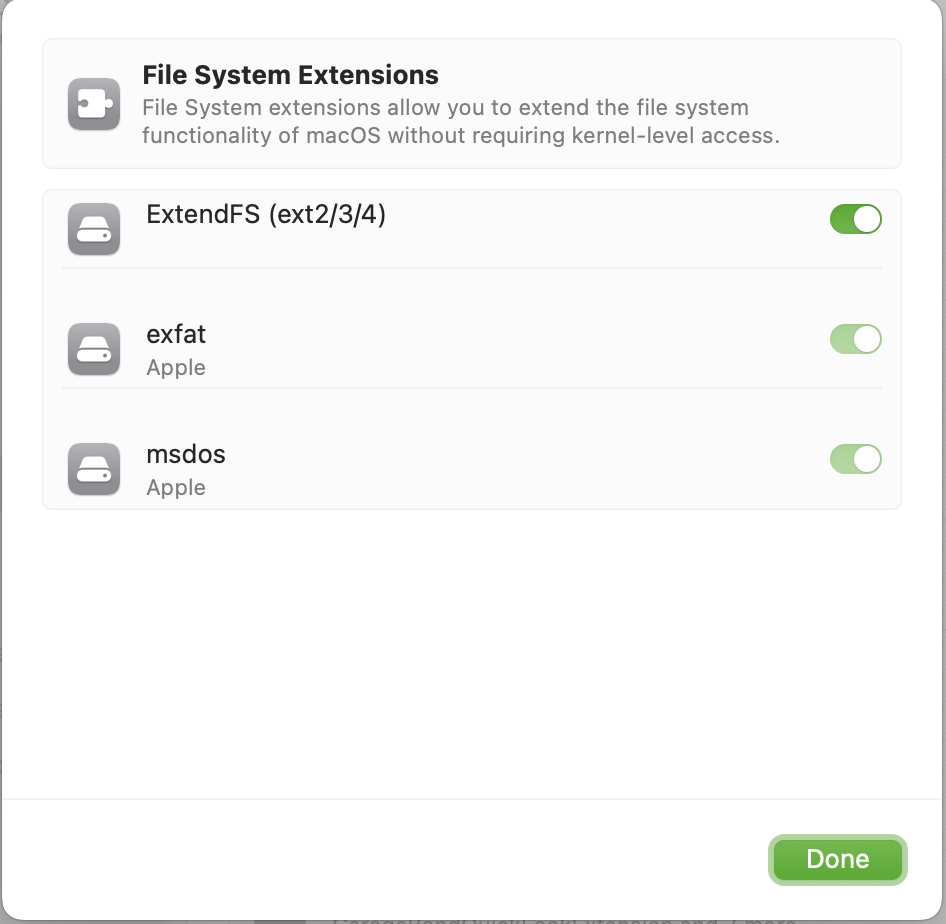
2. Enable ExtendFS's file system extension in System Settings.
Then, once you plug in your ext4-formatted drive or open your disk image, supported volumes will mount automatically, with no command line tools or manual mounting required.
If you do wish to use a command line tool, ExtendFS (like other FSKit extensions) integrates with the system's familiar tools, like the `mount(8)` command:
```shell
mount -t ExtendFS /dev/disk15 /tmp/mnt
```
## Known Limitations
Information on known limitations can be found on [the official website](https://apps.kpchew.com/extendfs/known-limitations).
## FAQ
Other information can be found on [the official website](https://apps.kpchew.com/extendfs/faq).
## Contributing
See the [contributing guidelines](CONTRIBUTING.md).
## License
[GPLv3 or later with app store exception](LICENSE.md)