# RustChat
> Self-hosted live communication infrastructure for technical teams and AI-centric companies.
RustChat is an open-source communication system with a Rust backend and a Vue web client. It is designed for teams that want self-hosted control over live company signals, operational discussions, files, threads, calls, and integrations.
RustChat is part of the broader **Kubedo.io Company Memory Infrastructure** direction, together with RustShare and future permission-aware Company RAG.
**Status:** Public Preview / Active Development
**License:** Apache-2.0 core
**Website:** [rustchat.io](https://rustchat.io)
## What this is
RustChat is a self-hosted communication layer for technical teams that need control over their communication data, deployment model, and operational integrations.
It focuses on:
* live team communication
* channels, threads, files, calls, and search
* self-hosted deployment
* API-driven integrations
* Mattermost-compatible API surfaces where useful
* operational ownership of company communication signals
## What this is not
RustChat is not positioned as a Slack clone or a generic chat app.
It is not presented as a fully mature enterprise communication suite yet. It is a public-preview infrastructure product for teams that are comfortable evaluating and operating self-hosted software.
[](https://github.com/kubedoio/rustchat/actions/workflows/ci.yml)
[](LICENSE)
[](https://www.rust-lang.org/)
[](https://vuejs.org/)
---
## 🖥️ Screenshots
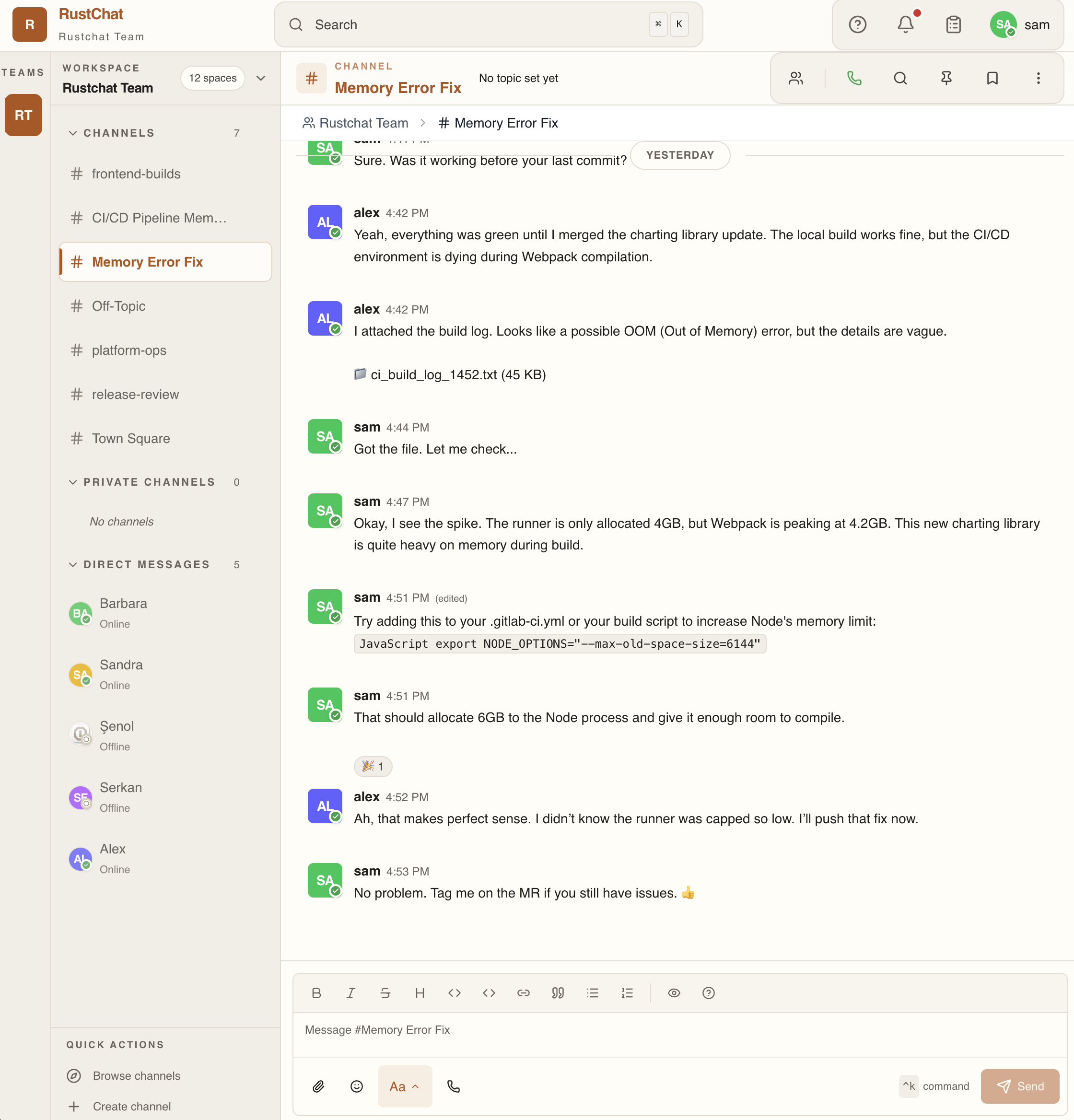
Real-time team messaging — channels, threads, file sharing, and reactions
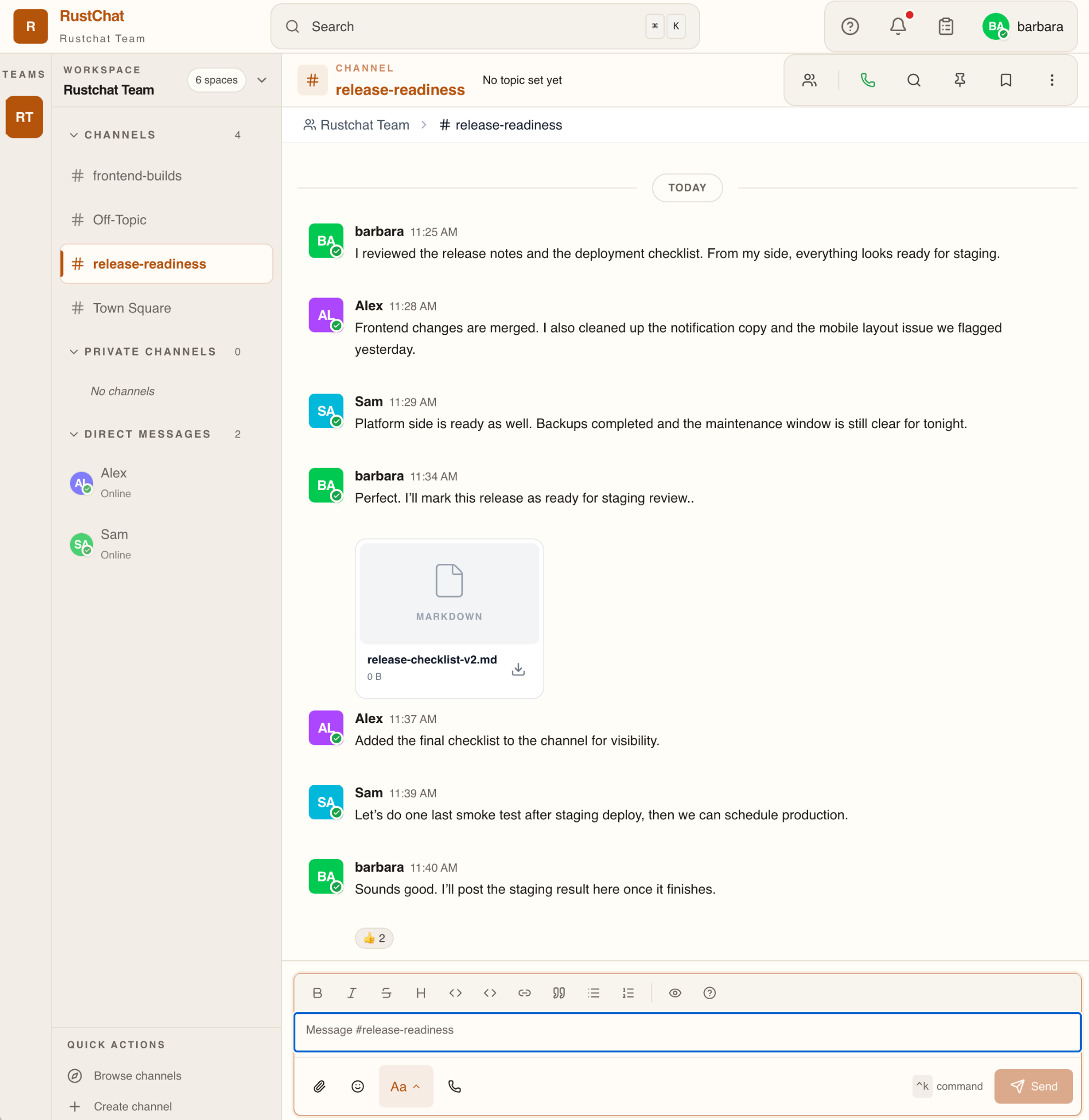
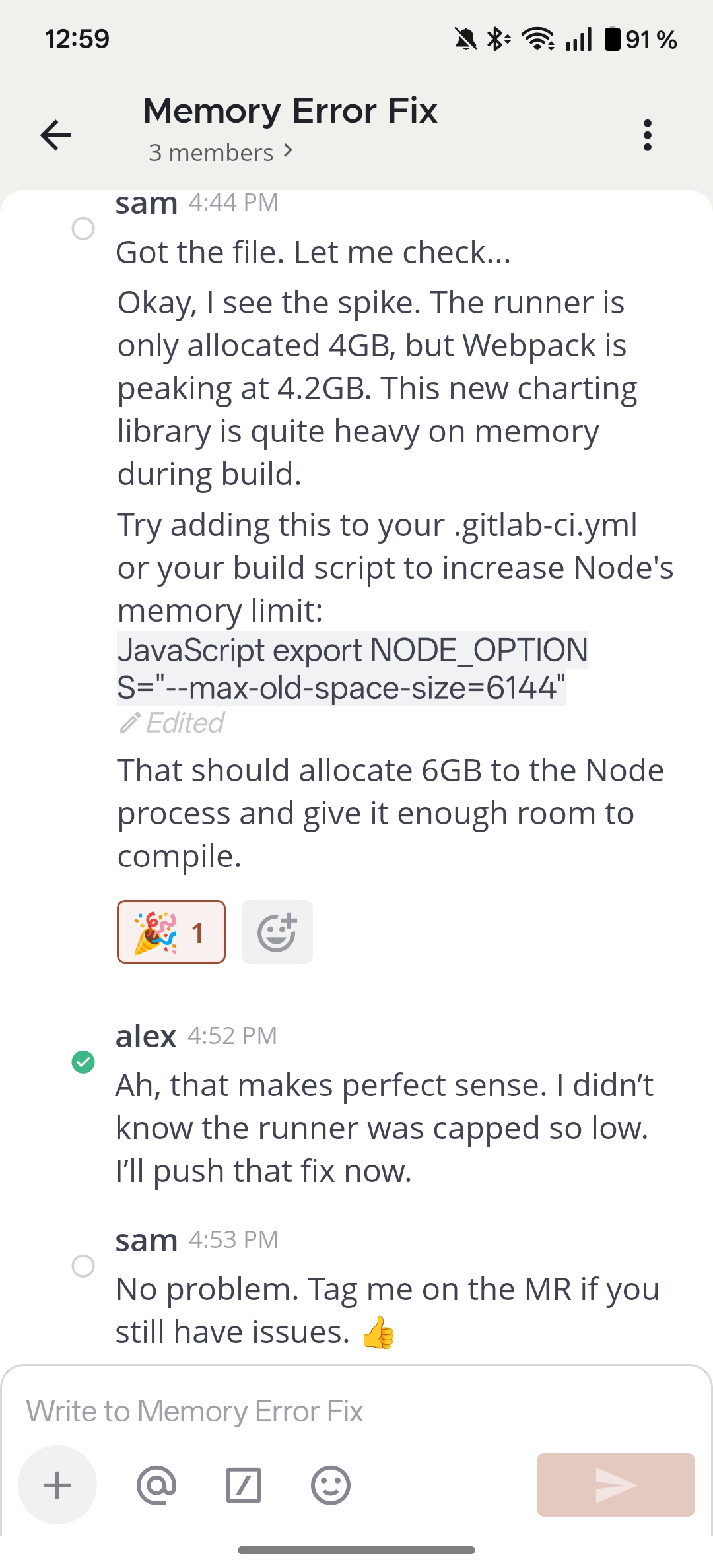
Desktop collaboration with file sharing · Seamless mobile continuity
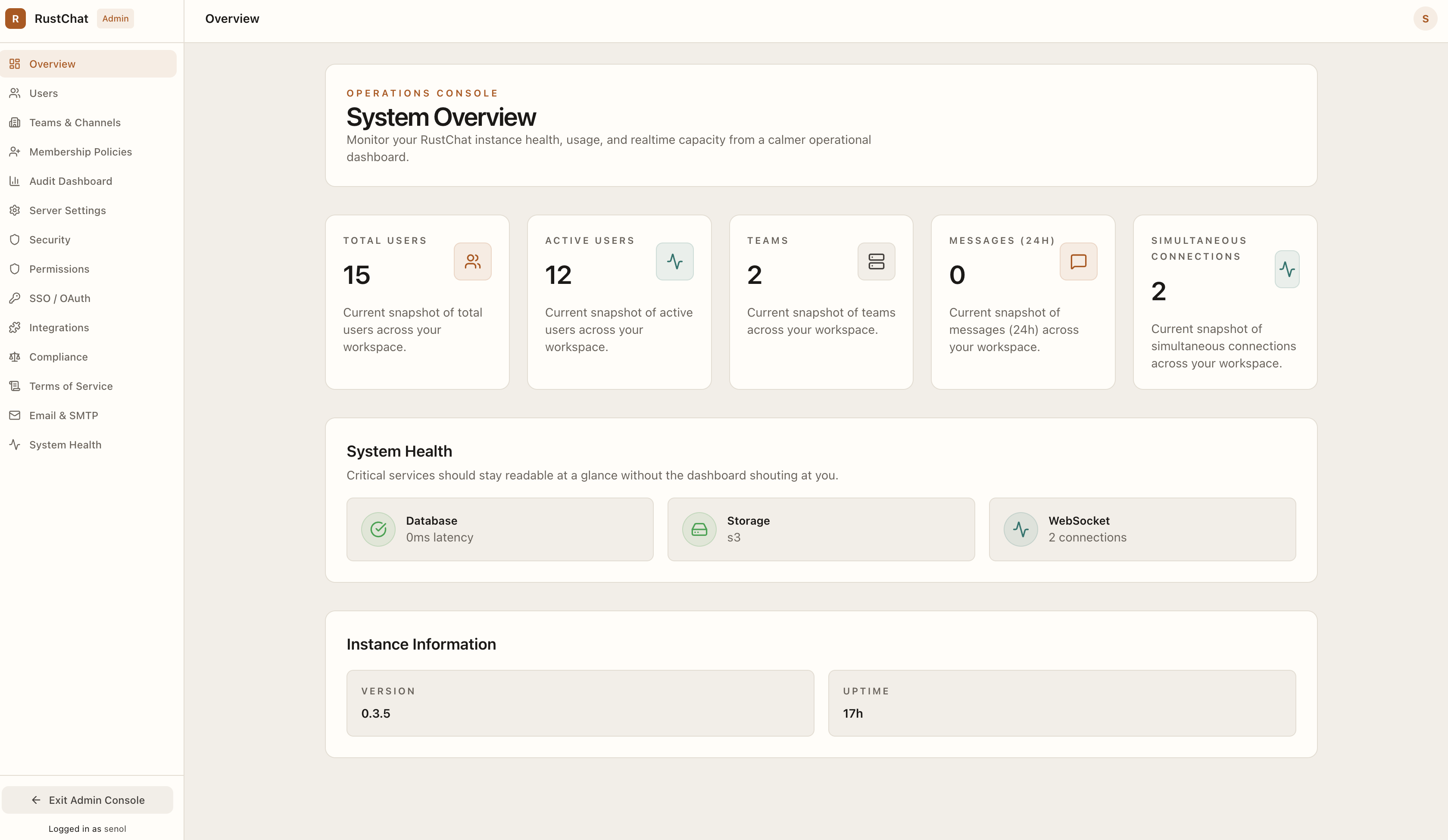
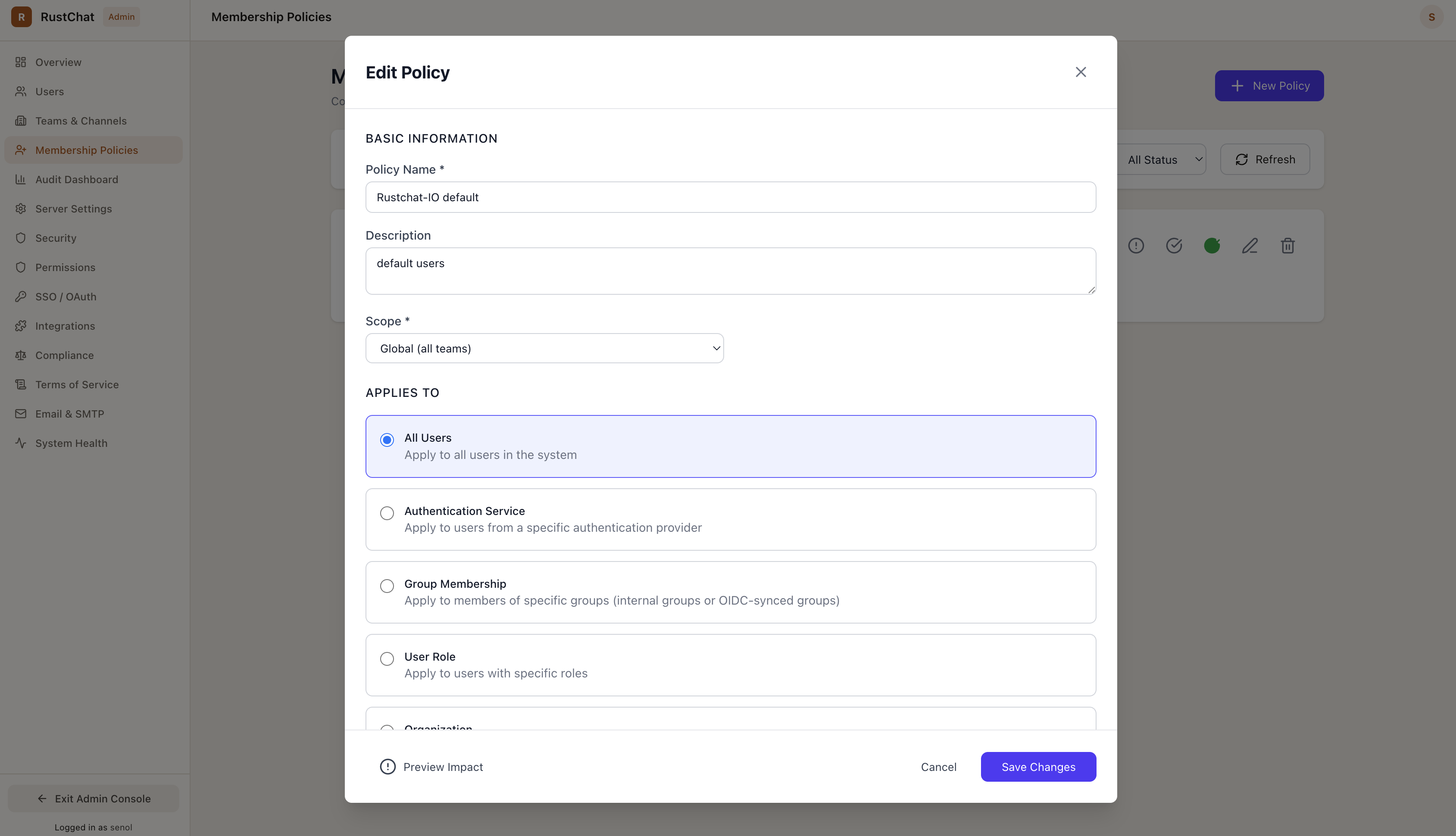
System health at a glance · Granular access policies & SSO
---
## What You Get
RustChat gives your team everything needed for productive communication:
### Messaging
- **Real-time channels** — Public and private channels for team discussions
- **Threaded conversations** — Keep discussions organized and easy to follow
- **Direct & group messages** — 1:1 and small group conversations
- **Rich formatting** — Markdown support with code blocks, mentions, and reactions
- **File sharing** — Drag-and-drop uploads with image previews
### Voice & Video Calls
- **One-click calls** — Start voice or video calls directly in any channel
- **Screen sharing** — Share your screen during calls
- **Mobile ringing** — VoIP push notifications for incoming calls on mobile
### AI Agents & Ecosystem
- **AI Agents** — Custom AI assistants acting as native channel participants responding to mentions or all messages
- **RAG Knowledge Bases** — Sync documents from S3 or external folders (via RustShare) with PGVector semantic search indexing
- **Tavily Web Search Tool** — Operators can enable server-side web search tool capabilities for agents
- **Agent Analytics & Feedback** — Detailed admin reporting on agent usage, cost, token volumes, and user-submitted feedback (thumbs up/down)
### Productivity
- **Powerful search** — Find messages, files, and conversations instantly
- **Keyboard shortcuts** — Navigate without leaving your keyboard (`Ctrl+K` for quick switcher)
- **Unread tracking** — Never miss important messages
- **Pin messages** — Keep important information visible
### Administration
- **Single Sign-On** — OAuth/OIDC integration (GitHub, Google, OIDC). SAML/LDAP compatibility endpoints are present but return not implemented responses in this build.
- **Granular permissions** — Role-based access control
- **Audit logs** — Track user actions and system events
- **API keys** — Programmatic access for bots and integrations
---
## How It Works
RustChat is designed as three focused services working together:
```
┌─────────────────┐ ┌──────────────────┐ ┌─────────────────┐
│ Web Client │────▶│ RustChat API │◀────│ Push Proxy │
│ (Vue.js SPA) │ │ (Rust/Axum) │ │ (Mobile Push) │
└─────────────────┘ └──────────────────┘ └─────────────────┘
│
┌───────────────────┼───────────────────┐
▼ ▼ ▼
┌──────────┐ ┌──────────┐ ┌──────────────┐
│PostgreSQL│ │ Redis │ │S3-compatible │
│(Primary) │ │(Pub/Sub) │ │(File Store) │
└──────────┘ └──────────┘ └──────────────┘
```
**The Backend** — A Rust service handling REST APIs, WebSocket connections, business logic, and the **Agent Runtime** for processing AI assistant workflows (supporting LLM completions, Tavily tools, and analytics). It speaks two protocols:
- `/api/v1/*` — Native API for the web client (including `/api/v1/agents` CRUD and analytics)
- `/api/v4/*` — Mattermost-compatible API for mobile and desktop clients
**The Frontend** — A Vue.js single-page application that works in any modern browser. No Electron, no desktop installers. Includes the Admin Console configuration interface for managing agents, knowledge bases, and sync settings.
**The Push Proxy** — A dedicated service for mobile push notifications (FCM for Android, APNS for iOS).
**PostgreSQL** — Primary data store. Enabled with the `pgvector` extension, it performs semantic vector indexing and retrieval for agent RAG knowledge bases.
---
## Why RustChat?
### For Self-Hosters
- **Simple deployment** — One Docker Compose file, five minutes to running
- **Small resource footprint** — Runs comfortably on a 2GB VPS
- **Data ownership** — Your messages, your files, your database
- **No vendor lock-in** — Mattermost-compatible API means existing mobile apps work
### For Developers
- **Clean architecture** — Rust backend with explicit error handling, compile-time checked SQL
- **Real-time by design** — WebSocket-first with Redis pub/sub for clustering
- **Modern frontend** — Vue 3 Composition API, TypeScript, Pinia state management
- **Extensible** — Webhook and API key support for integrations
### For Security Teams
- **Memory-safe backend** — Rust eliminates entire classes of vulnerabilities
- **Authenticated file access** — No presigned URL leaks, everything goes through auth
- **Audit trails** — Comprehensive logging of user and admin actions
- **Production hardening** — Environment-based security constraints
---
## Quick Start
### Prerequisites
- Docker and Docker Compose
- 2 GB RAM minimum
### One-Command Start
```bash
# 1. Clone
git clone https://github.com/kubedoio/rustchat.git
cd rustchat
# 2. Configure (creates .env from template)
./scripts/dev-setup.sh
# Edit .env and set the secrets marked "replace-me-..."
# 3. Launch
docker compose up -d --build
```
### Access
| Service | URL |
|---------|-----|
| **Web UI** | http://localhost:8080 |
| **API** | http://localhost:3000 |
| **API Health** | http://localhost:3000/api/v1/health/live |
### First Login
The admin user is created automatically on first startup. Log in with:
- **Email:** The value you set for `RUSTCHAT_ADMIN_USER` (default: `admin@rustchat.local`)
- **Password:** The value you set for `RUSTCHAT_ADMIN_PASSWORD`
### Stop / Reset
```bash
# Stop (keeps data)
docker compose down
# Full reset (removes all data)
docker compose down -v
```
For the full quickstart guide with troubleshooting, see [docs/quickstart.md](docs/quickstart.md).
---
## Project Status
**Current: Active Development (Pre-Release)**
RustChat is being actively developed with regular improvements. It is suitable for:
- ✅ Development and testing environments
- ✅ Small teams comfortable with occasional updates
- ✅ Organizations with ops capacity to manage self-hosted software
Use with appropriate caution for production workloads. Always test in a staging environment first.
### Recent Highlights
| Date | Milestone |
|------|-----------|
| 2026-03 | Entity Foundation Complete — API keys, rate limiting, mobile compatibility (95.1%) |
| 2026-02 | VoIP Push Notifications — Mobile call ringing for Android and iOS |
| 2026-01 | V4 API Coverage — Broad Mattermost compatibility for mobile clients |
See [CHANGELOG.md](CHANGELOG.md) for detailed release history and [ROADMAP.md](ROADMAP.md) for upcoming direction.
---
## Documentation
| Audience | Documentation |
|----------|--------------|
| **End Users** | [User Guide](docs/user/) — Using RustChat day-to-day |
| **Administrators** | [Admin Guide](docs/admin/) — Deployment, security, operations |
| **Developers** | [Development Guide](docs/development/) — Contributing, architecture |
| **Reference** | [Architecture](docs/architecture/) — System design and data model |
### Quick Links
- [Installation Guide](docs/admin/installation.md) — Docker Compose deployment
- [Configuration Reference](docs/admin/configuration.md) — All environment variables
- [Mattermost Compatibility](docs/development/compatibility.md) — API compatibility details
- [Architecture Overview](docs/architecture/overview.md) — How the system fits together
---
## Development
```bash
# Automated setup (starts dependencies, installs tools)
./scripts/dev-setup.sh
# Terminal 1 — Backend
cd backend && cargo run
# Terminal 2 — Frontend
cd frontend && npm run dev
```
See [Development Guide](docs/development/README.md) for the full setup, testing, and troubleshooting guide.
Contributors and AI agents should also read [`AGENTS.md`](AGENTS.md) for the full workflow, allowed paths, and validation commands.
---
## What's Implemented
### Core Platform ✅
- Channels (public, private, direct messages)
- Real-time messaging with WebSocket
- Thread replies
- File uploads and previews
- Emoji reactions
- Message search
- User presence and status
### Calls ✅
- Voice and video calls
- Screen sharing
- Mobile VoIP push notifications
- SFU-based media routing
### Administration ✅
- Team and user management
- Role-based permissions
- SSO (OAuth/OIDC)
- Audit logging
- API keys for integrations
### Mobile Support ✅
- Mattermost API v4 compatibility
- Mobile app support (Mattermost mobile apps)
- Push notifications
### AI Agents & Ecosystem ✅
- AI Agent runtime with OpenAI (or custom model overrides) integration
- Knowledge Bases synced via S3 or local folders (RustShare)
- pgvector semantic search indexing and retrieval (RAG)
- Server-side tool execution support (Tavily Web Search)
- Detailed Admin analytics and user feedback collection (thumbs up/down)
See [What rustchat Cannot (Yet) Do](#limitations) for known gaps.
---
## What rustchat Cannot (Yet) Do Completely
We believe in honest communication about capabilities:
### Partial Implementations
- **Plugins** — Plugin framework exists; most plugins are stubs returning `501`
- **SAML/LDAP** — Compatibility endpoints exist, but backend SAML/LDAP operations are not implemented
- **Advanced post actions** — Some Mattermost compatibility actions return explicit `501` until RustChat implements matching behavior
- **Custom Profile Attributes** — UI exists but backend is limited
- **OAuth Apps** — Basic structure, not full marketplace
- **Bots** — Standard bot accounts with API tokens are fully supported; advanced bot management and marketplace integrations are limited
### Known Limits
- **Calls** — Control plane scales via Redis; media plane is instance-local (no distributed SFU mesh)
- **Search** — Full-text search exists but not as advanced as Elasticsearch-backed solutions
### Not Implemented
- **Federation** — No server-to-server messaging
- **Guest Accounts** — No temporary/external user access
- **Data Residency** — No geographic data partitioning
---
## Release Channels
| Channel | Stability | Use For |
|---------|-----------|---------|
| **Stable** (`vX.Y.Z`) | Tagged releases | Evaluation and cautious production use |
| **Latest** (`latest` container tag) | Points to latest stable | Convenience only — pin to a version for reproducibility |
| **Nightly** (`nightly`, `nightly-YYYYMMDD-SHA`) | Built from `main` | Testing new features before stable |
Before 1.0, minor version bumps may include breaking changes. Always review [CHANGELOG.md](CHANGELOG.md) before upgrading.
## Security
To report a vulnerability, see [SECURITY.md](SECURITY.md). Do not open public issues for security problems.
## License
Apache-2.0 — See [LICENSE](LICENSE) for details.
---
## Acknowledgments
RustChat is inspired by the team communication tools we've used over the years. We aim to combine the best of:
- **Slack's** usability and polish
- **Mattermost's** self-hosting philosophy
- **Discord's** real-time performance
Built with [Rust](https://www.rust-lang.org/), [Vue.js](https://vuejs.org/), and gratitude to the open source community.