# look
 A keyboard-first, local-first launcher for macOS, Windows, and Linux. Open apps, files, folders, clipboard history, and quick commands without leaving the keyboard.
[](#install)
[](#macos)
[](#linux)
[](#windows)
[](https://github.com/kunkka19xx/look/releases/latest)
[](https://github.com/kunkka19xx/look/releases)
[](LICENSE)
📘 [Docs](https://noah-code.com/docs/look) · 🎬 [Demo video](https://www.youtube.com/watch?v=NBB5bmjnLFU) · 📖 [User guide](docs/user-guide.md)
https://github.com/user-attachments/assets/167b028b-04b2-4c62-ba93-c2321482ac94
Results land as fast as you can type. A Rust core under a native SwiftUI app on macOS, and Tauri on Windows and Linux, riding the system WebView instead of shipping a browser like Electron does. No background daemons. Your index, clipboard, and history stay on your machine; no telemetry.
A keyboard-first, local-first launcher for macOS, Windows, and Linux. Open apps, files, folders, clipboard history, and quick commands without leaving the keyboard.
[](#install)
[](#macos)
[](#linux)
[](#windows)
[](https://github.com/kunkka19xx/look/releases/latest)
[](https://github.com/kunkka19xx/look/releases)
[](LICENSE)
📘 [Docs](https://noah-code.com/docs/look) · 🎬 [Demo video](https://www.youtube.com/watch?v=NBB5bmjnLFU) · 📖 [User guide](docs/user-guide.md)
https://github.com/user-attachments/assets/167b028b-04b2-4c62-ba93-c2321482ac94
Results land as fast as you can type. A Rust core under a native SwiftUI app on macOS, and Tauri on Windows and Linux, riding the system WebView instead of shipping a browser like Electron does. No background daemons. Your index, clipboard, and history stay on your machine; no telemetry.
How it compares
| | **look** | Spotlight | Raycast | Alfred | ulauncher | rofi |
| --------------- | ----------------------- | ---------- | ------------------ | ------------ | ---------- | ---------- |
| Platform | macOS · Windows · Linux | macOS only | macOS · Win (beta) | macOS only | Linux only | Linux only |
| Open source | ✅ GPLv3 | ❌ | ❌ | ❌ | ✅ | ✅ |
| Local-first | ✅ | ✅ | ❌ cloud sync | ✅ | ✅ | ✅ |
| No Electron | ✅ | ✅ | ❌ | ✅ | ✅ | ✅ |
| No plugin store | ✅ | ✅ | ❌ | ❌ Powerpack | ✅ | ✅ |
> If this is useful, ⭐ star the repo - it's the single biggest signal that helps the project keep shipping.
## Install
### macOS
```bash
brew tap kunkka19xx/tap
brew install --cask look
```
Then bind `Cmd+Space` to Look (disable Spotlight's shortcut in `System Settings > Keyboard > Keyboard Shortcuts > Spotlight`). Release builds are signed and notarized - no Gatekeeper bypass needed.
### Linux
Released artifacts are **x86_64 only**. ARM builds aren't published; if you need one, please open an issue.
**Arch Linux (AUR):**
```bash
yay -S look-bin
# or
paru -S look-bin
```
Or without an AUR helper:
```bash
git clone https://aur.archlinux.org/look-bin.git
cd look-bin
makepkg -si
```
**Ubuntu/Debian:**
```bash
curl -fsSL https://raw.githubusercontent.com/kunkka19xx/look/main/scripts/linux/install-look.sh | bash
```
Or download the `.deb` manually from [Releases](https://github.com/kunkka19xx/look/releases) and run `sudo dpkg -i Look_*.deb`.
**Any distro (AppImage):**
```bash
chmod +x Look_*.AppImage
./Look_*.AppImage
```
After installing, launch with `lookapp` from a terminal, or search "Look" in your app launcher. Press `Alt+Space` to toggle the window at any time. Look autostarts on login by default (on full DEs like GNOME/KDE).
Uninstall:
```bash
# Arch
yay -R look-bin
# Ubuntu/Debian
sudo dpkg -r look
# AppImage - just delete the file
rm Look_*.AppImage
```
**NixOS (flake):**
```bash
# Run directly
nix run 'github:kunkka19xx/look?dir=apps/linows'
# Install to profile
nix profile install 'github:kunkka19xx/look?dir=apps/linows'
```
Declarative (NixOS):
```nix
# flake.nix - add input and cachix config
{
nixConfig = {
extra-substituters = [ "https://look.cachix.org" ];
extra-trusted-public-keys = [ "look.cachix.org-1:8elPCeSVBzlDZXqIRKBK9GyLIK/Hoe1xiWZF0ir7uX4=" ];
};
inputs.look.url = "github:kunkka19xx/look?dir=apps/linows";
# ... your other inputs
}
# configuration.nix - add package
{ pkgs, inputs, ... }:
{
environment.systemPackages = [
inputs.look.packages.${pkgs.system}.default
];
}
```
Pre-built binaries are served via [Cachix](https://look.cachix.org). On first rebuild, nix will ask to trust the cache - say yes. No source compilation needed.
Update to latest release:
```bash
nix flake update look --flake /path/to/your/flake
sudo nixos-rebuild switch --flake /path/to/your/flake#hostname
```
> **Note:** On GNOME desktops, log out and log back in after the first install so the GNOME Shell extension (used for window focusing and hotkey on Wayland) can load.
**Window manager users (i3, sway, Hyprland, niri, etc.):** Autostart via `.desktop` files only works on full DEs (GNOME, KDE). On standalone WMs, add Look to your config manually. On i3, sway, and Hyprland the `Alt+Space` hotkey and window rules (float, no border) are registered automatically at runtime, so you only need the autostart line; niri needs the bind added by hand (see below):
```bash
# i3: ~/.config/i3/config
exec --no-startup-id lookapp
# (Alt+Space works via X11 global shortcut plugin)
# sway: ~/.config/sway/config
exec lookapp
# (Alt+Space, float, and border rules are injected automatically via swaymsg)
# Hyprland: ~/.config/hypr/hyprland.conf
exec-once = lookapp
# (Alt+Space, float, and border rules are injected automatically via hyprctl)
```
niri has no API to add binds at runtime, so `Alt+Space` has to go in `~/.config/niri/config.kdl` yourself. Look shows the exact stanza for your system (the `gdbus` path differs on NixOS) in its setup notice on first run:
```kdl
spawn-at-startup "lookapp"
binds {
Alt+Space { spawn "gdbus" "call" "--session" "--dest" "com.look.Desktop" "--object-path" "/com/look/Desktop" "--method" "com.look.Desktop.Toggle"; }
}
```
Floating is applied at runtime over niri's IPC; add a rule only if you also want the focus ring and shadow off:
```kdl
window-rule {
match app-id="^lookapp$"
open-floating true
focus-ring { off; }
shadow { off; }
}
```
> **Hyprland 0.55+ only.** Focus-existing-window uses the `wlr-foreign-toplevel-management` protocol. Older Hyprland versions relied on the legacy `hyprctl dispatch focuswindow` syntax which was deprecated in 0.55; selecting an already-running app on <0.55 may launch a second instance instead of focusing. Upgrade to 0.55+ for correct behavior.
To build from source, see [apps/linows/BUILDING.md](apps/linows/BUILDING.md).
### Windows
Released artifacts are **x86_64 only**. Windows on ARM (Surface Pro X / Snapdragon X) can run the x64 build under emulation; native ARM builds aren't published - open an issue if you need one.
One PowerShell line, no admin required:
```powershell
iex "& { $(irm https://raw.githubusercontent.com/kunkka19xx/look/main/scripts/windows/install-look.ps1) }"
```
Or with [Scoop](https://scoop.sh/) (if you already have it installed):
```powershell
scoop bucket add extras
scoop install extras/look
```
The script resolves the latest release, downloads the NSIS installer, verifies its SHA256 against the published checksums, and runs it silently into `%LOCALAPPDATA%\Programs\Look`. SmartScreen will warn on the first download while reputation builds - click "More info → Run anyway" if Windows blocks the script itself.
Uninstall:
```powershell
# Scoop
scoop uninstall look
# Installer script
iex "& { $(irm https://raw.githubusercontent.com/kunkka19xx/look/main/scripts/windows/install-look.ps1) } -Uninstall"
# Optional: wipe user data
Remove-Item -Recurse "$env:LOCALAPPDATA\look"
```
The launcher's global hotkey is `Alt+Space` (not user-configurable yet - if it conflicts with another app you use, remap that one). For a manual install: download `Look__x64-setup.exe` from [Releases](https://github.com/kunkka19xx/look/releases/latest), verify the SHA256 against the published `Look--windows-checksums.txt`, then run. Uninstall via Settings → Apps or `%LOCALAPPDATA%\Programs\Look\uninstall.exe`. To wipe user data: `Remove-Item -Recurse "$env:LOCALAPPDATA\look"`.
Other install options (curl, pin version, update/uninstall)
**macOS - Homebrew update / uninstall:**
```bash
# update
brew upgrade --cask kunkka19xx/tap/look
# uninstall
brew uninstall --cask look
```
**macOS - curl installer:**
```bash
curl -fsSL https://raw.githubusercontent.com/kunkka19xx/look/main/scripts/install-look.sh | bash
```
Pin a specific version or repo fork:
```bash
curl -fsSL https://raw.githubusercontent.com/kunkka19xx/look/main/scripts/install-look.sh | bash -s -- --version --repo kunkka19xx/look
```
Direct URL:
```bash
curl -fsSL https://raw.githubusercontent.com/kunkka19xx/look/main/scripts/install-look.sh | bash -s -- --url "https://github.com/kunkka19xx/look/releases/download/v/Look--macOS.zip"
```
CLI naming note: macOS ships `/usr/bin/look`, so terminal command examples use `lookapp`.
If Look is fully quit and Spotlight is still unbound, relaunch from Launchpad, or via:
```bash
open "/Applications/Look.app"
```
## Essential shortcuts
| Action | macOS | Windows | Linux |
| ------------------------------------------------------------- | ---------------- | ------------------- | ---------------- |
| Toggle launcher | `Cmd+Space` | `Alt+Space` | `Alt+Space` |
| Open / run | `Enter` | `Enter` | `Enter` |
| Web search | `Cmd+Enter` | `Ctrl+Enter` | `Ctrl+Enter` |
| Reveal in file manager | `Cmd+F` (Finder) | `Ctrl+F` (Explorer) | `Ctrl+F` (Files) |
| Move to Trash (or empty the Trash folder) | `Cmd+D` | n/a | n/a |
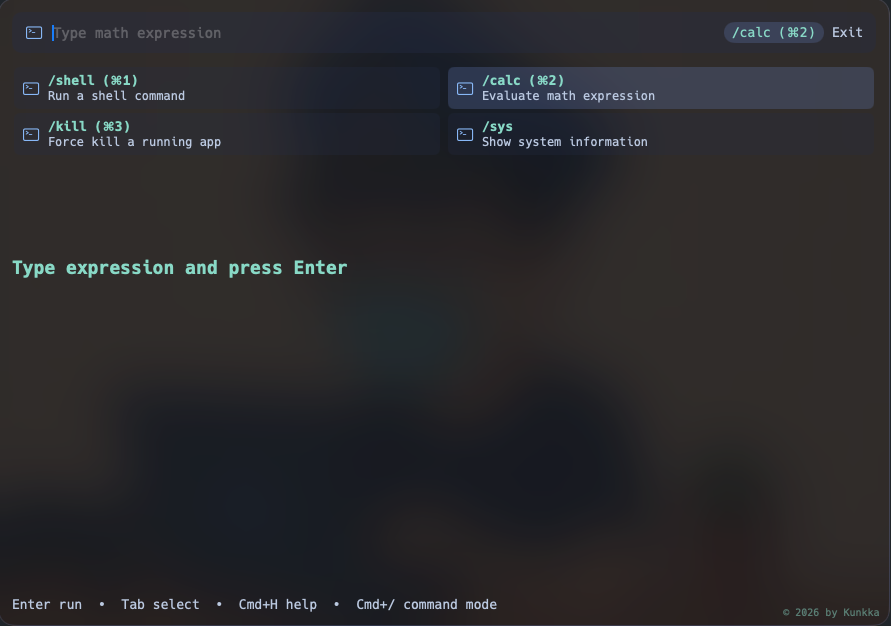
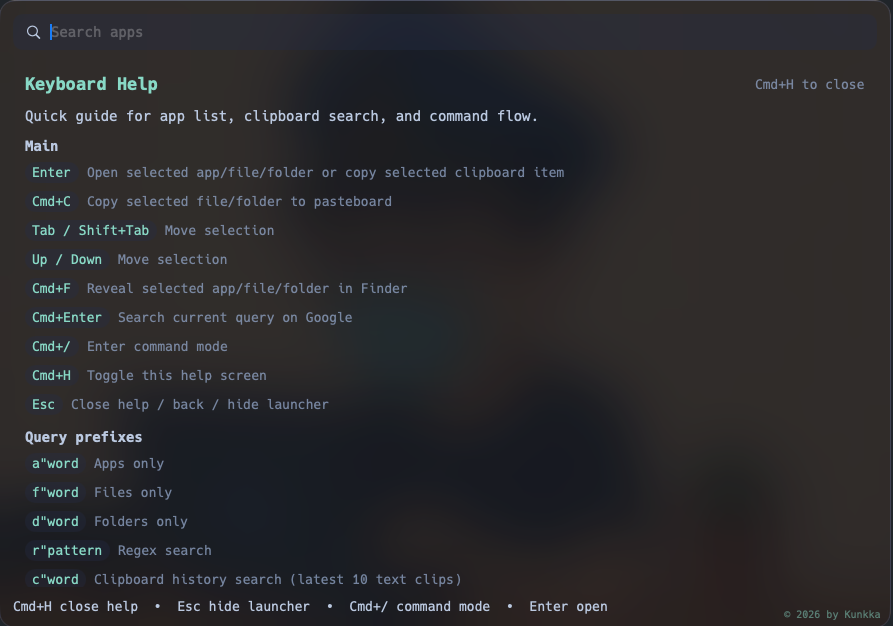
| Command mode (`calc`, `pomo`, `todo`, `speed`, `kill`, `shell`, `sys`) | `Cmd+/` | `Ctrl+/` | `Ctrl+/` |
| Settings | `Cmd+Shift+,` | `Ctrl+Shift+,` | `Ctrl+Shift+,` |
| Back / hide | `Escape` | `Escape` | `Escape` |
| Switch to running app N (home screen) | `Cmd+1`..`Cmd+9` | `Alt+1`..`Alt+9` | `Alt+1`..`Alt+9` |
| Hide selected app from Look | `Cmd+Shift+H` | `Ctrl+Shift+H` | `Ctrl+Shift+H` |
| Run selected app as admin | n/a | `Ctrl+Shift+Enter` | n/a |
| Fire a super action (empty home screen) | `Cmd+` | `Alt+` | `Alt+` |
(Throughout the rest of the docs, `Cmd+X` on macOS maps to `Ctrl+X` on Windows and Linux; the launcher-toggle hotkey uses `Alt+Space` on Windows/Linux instead of `Cmd+Space` because `Win+Space` / `Super+Space` are typically reserved by the OS or desktop environment.)
Full reference: [docs/user-guide.md](docs/user-guide.md).
## Themes
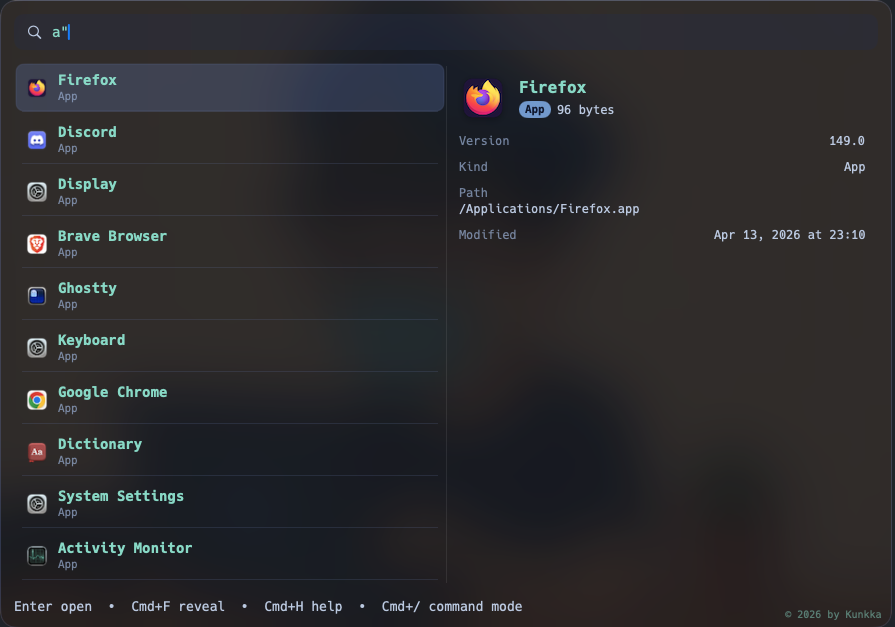
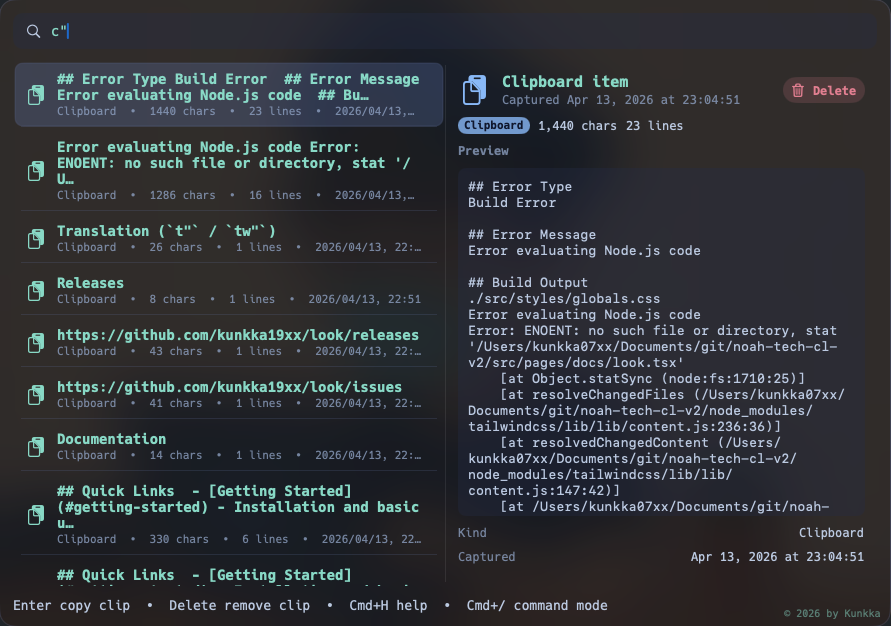
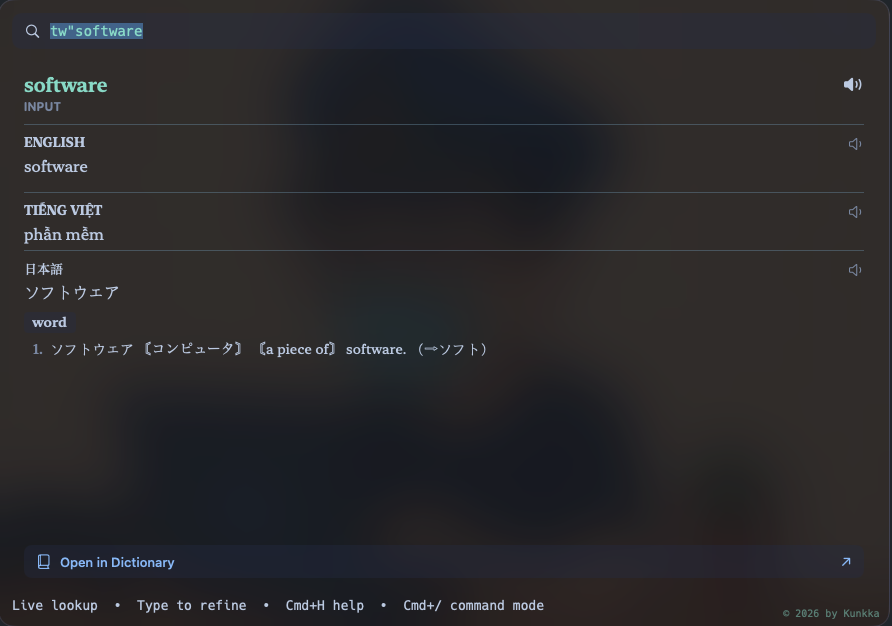
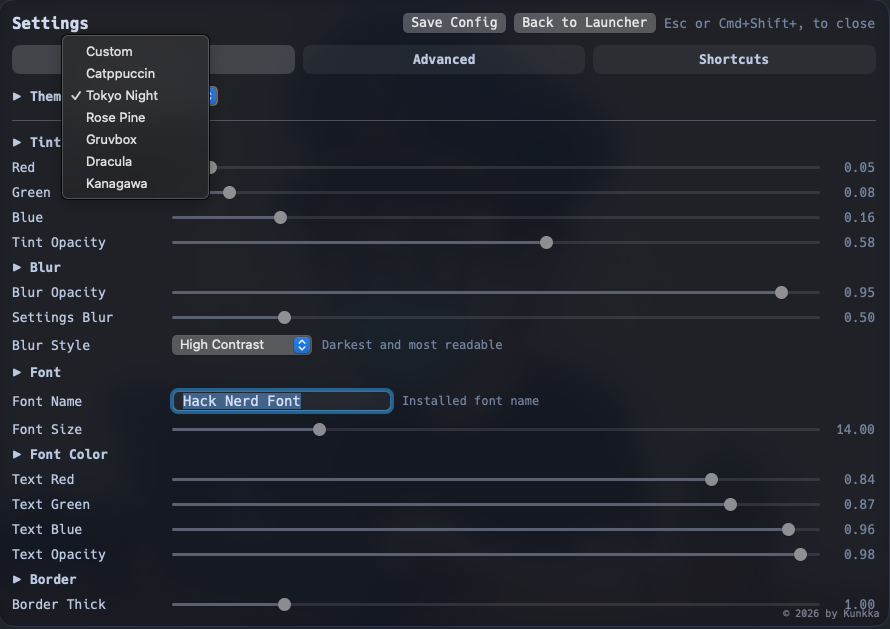
Built-in: Catppuccin, Tokyo Night, Rose Pine, Gruvbox, Dracula, Kanagawa, Kindle, Liquid, plus Custom. Kindle is the one light preset - paper, ink, and a serif face. Liquid renders on macOS 26's Liquid Glass and is hidden on older releases; on Linux and Windows it ships as clear glass - same palette and geometry, a specular rim instead of refraction, plus real behind-window blur wherever the compositor grants it (KDE, Hyprland 0.56+, Niri). Switch in `Settings > Appearance`.
## Documentation
- 📘 [Docs site](https://noah-code.com/docs/look) - hosted, searchable user guide and reference
- [User guide (in-repo)](docs/user-guide.md) - full feature reference, shortcuts, configuration, permissions, troubleshooting
- [Architecture](docs/architecture.md) - how the Swift app + Rust core fit together
- [Features](docs/features.md) - what's shipped, what's planned
- [Contributing](CONTRIBUTING.md) - how to contribute
- [Writing a control](docs/writing-controls.md) - add a Quick Action toggle/button to the panel
- [Development](DEVELOPMENT.md) - building locally, repo layout, release process
## License
Copyright (C) 2026 kunkka19xx
This program is free software: you can redistribute it and/or modify it under
the terms of the GNU General Public License as published by the Free Software
Foundation, either version 3 of the License, or (at your option) any later
version. See [LICENSE](LICENSE) for the full text.
## Contributors
Thanks to everyone who has contributed - see the [contributor graph](https://github.com/kunkka19xx/look/graphs/contributors).