---
## Summary
### ✨ Features
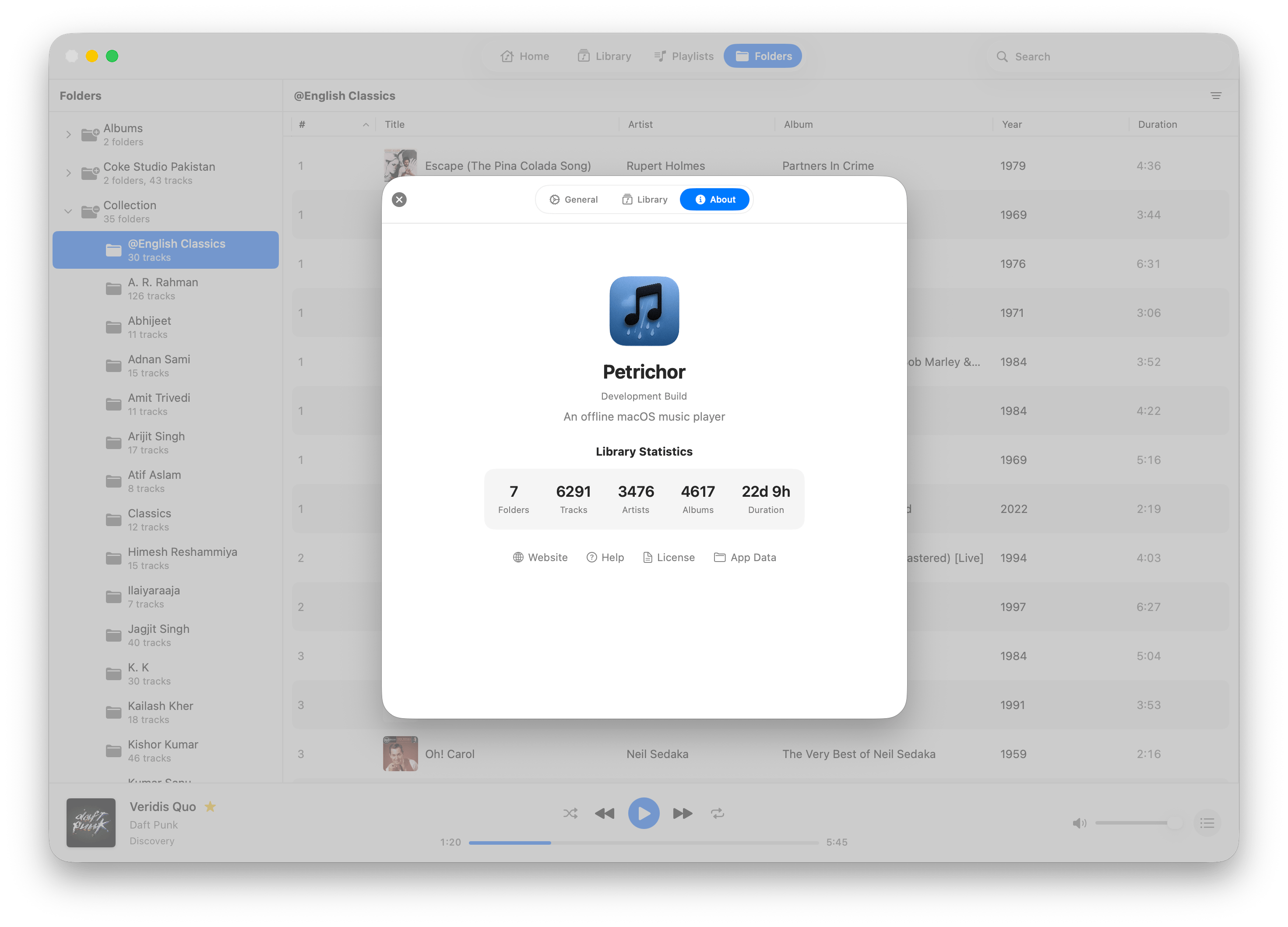
- Everything you'd expect from an offline music player!
- Supports wide variety of audio file formats;
- MP3, AAC/M4A, WAV, AIFF, AIF, ALAC
- Ogg Vorbis, Speex, Opus, and FLAC
- APE (Monkey's Audio)
- MPC (Musepack)
- TTA (True Audio)
- WV (WavPack)
- DSF/DFF (Direct Stream Digital)
- ... MOD, IT, S3M, XM, and AU
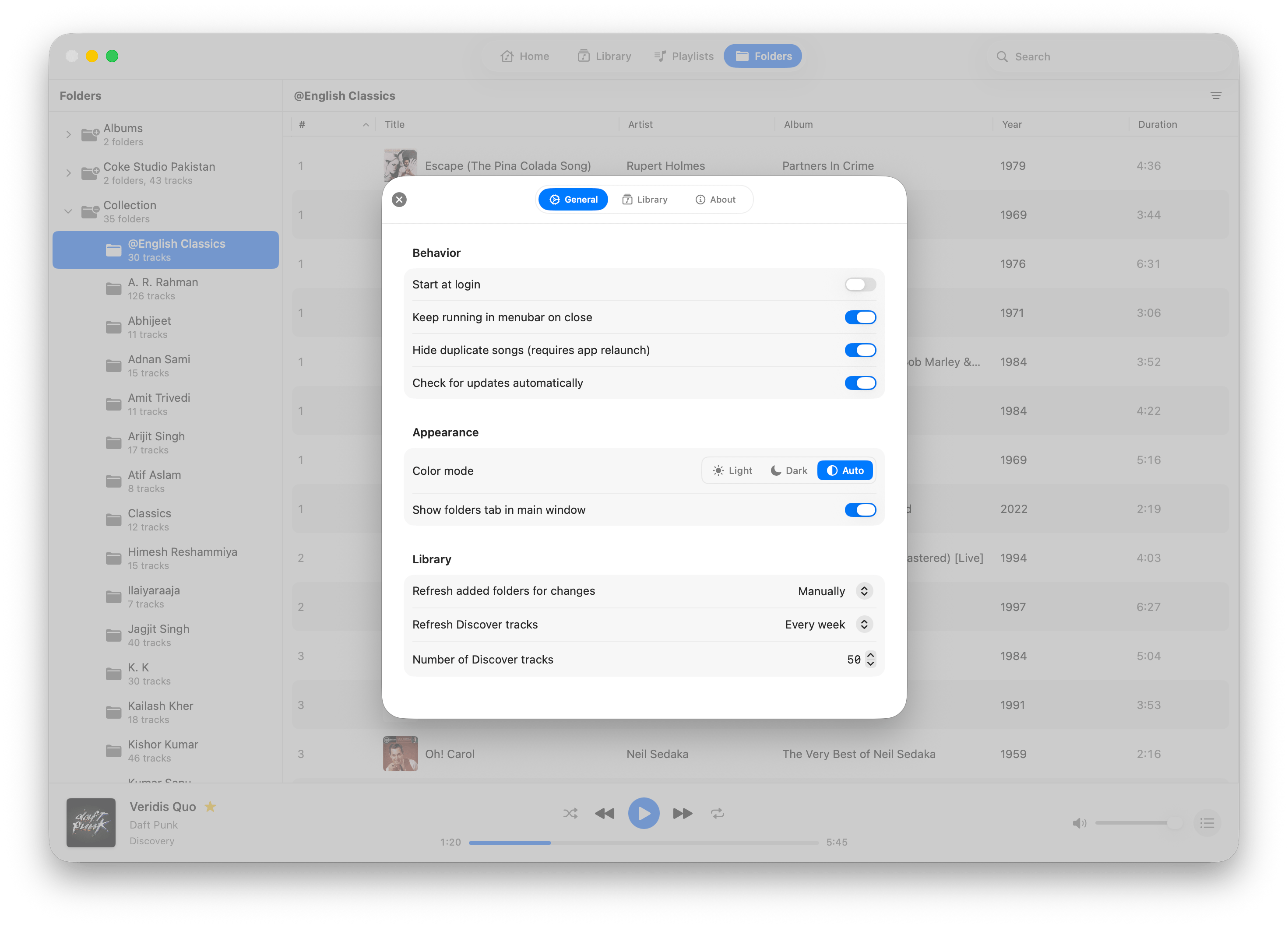
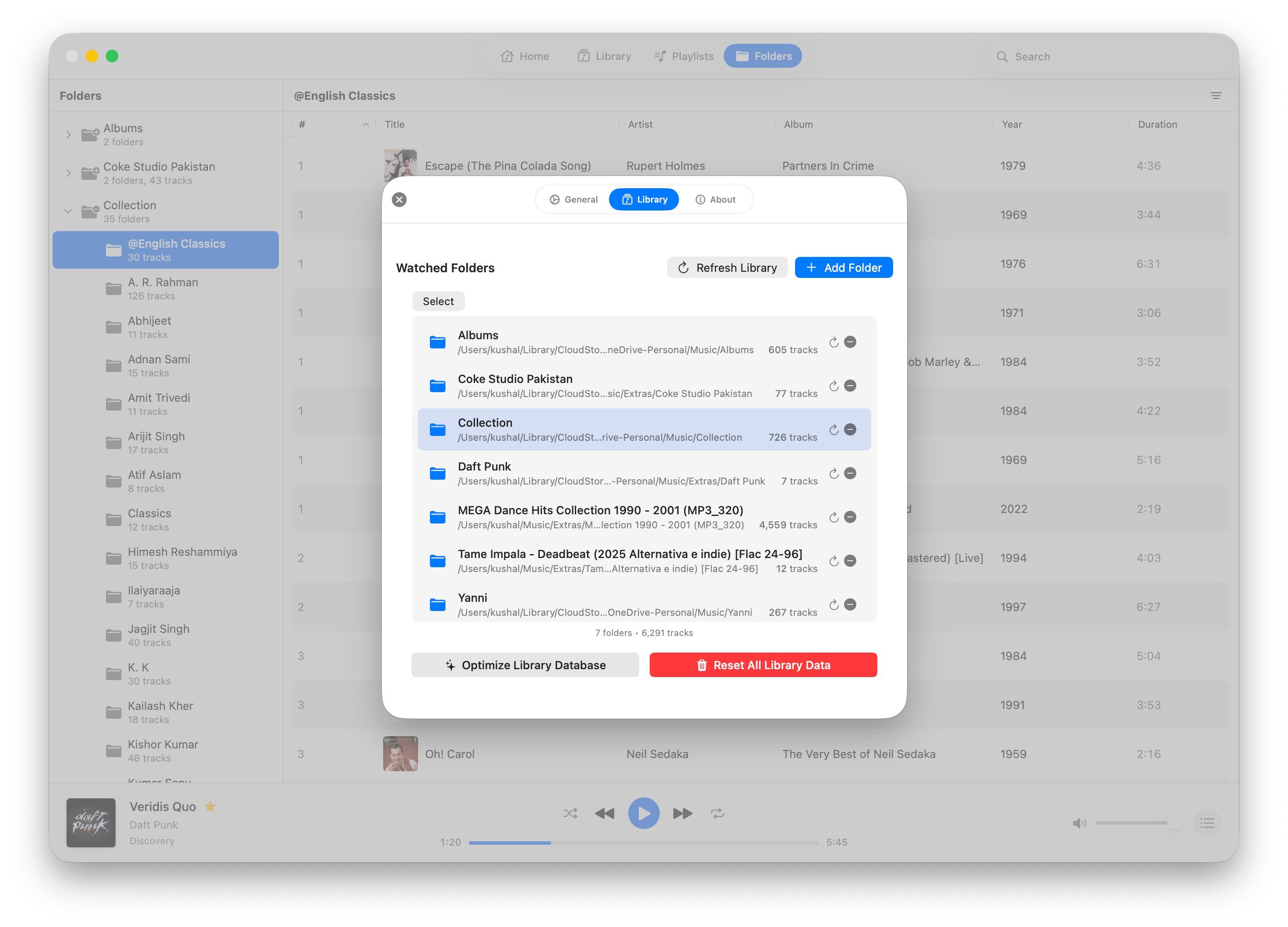
- Map your music folders and browse your library in an organized view.
- Show lyrics of a playing track when available, including ability to download missing lyrics.
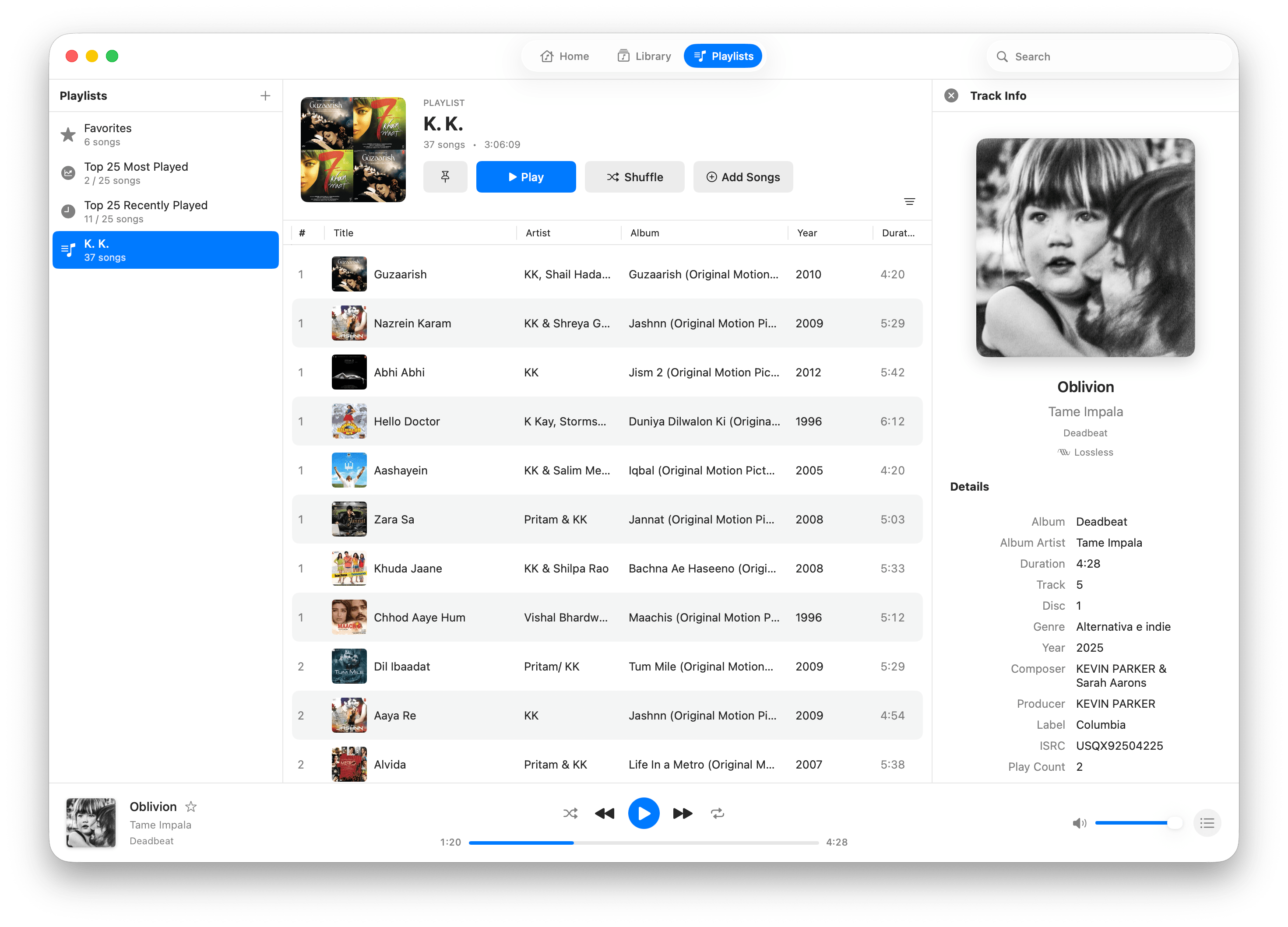
- Create, import or export playlists.
- Manage the play queue interactively using drag and drop
- Browse music using folder view when needed.
- Pin _anything_ (almost!) to the sidebar for quick access to your favorite music.
- Navigate easily: right-click a track to go to its album, artist, year, etc.
- Native macOS integration with menubar and dock playback controls, plus dark mode support.
- Works well with large libraries containing thousands of songs.
- Last.fm scrobbling support
💡 **Tip**: Petrichor relies heavily on tracks having good metadata for all its features to work well.
### ⌛ Upcoming Features
- ~~Automatic in-app updates~~ (✅ [v1.0.0](https://github.com/kushalpandya/Petrichor/releases/tag/v1.0.0) )
- ~~Better file format support (eg; Opus & OGG)~~ (✅ [v.1.2.0](https://github.com/kushalpandya/Petrichor/releases/tag/v1.2.0))
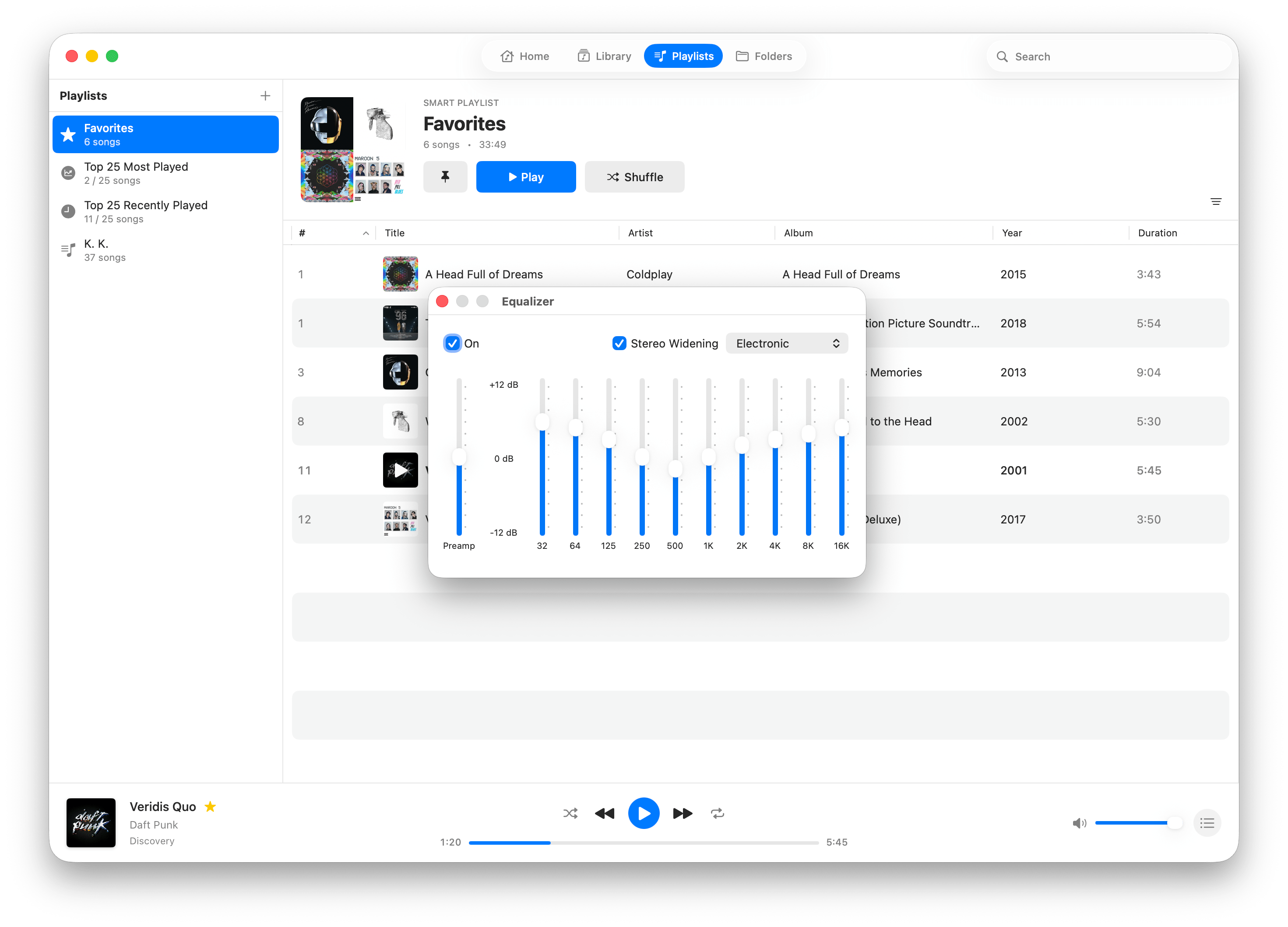
- ~~Audio Equalizer~~ (✅ [v.1.2.0](https://github.com/kushalpandya/Petrichor/releases/tag/v1.2.0))
- AirPlay 2 casting support
- Miniplayer and full-screen modes
- Smart playlists with user-configurable conditional filters
- Online album & artist information fetching
- ... and much more!
### Requirements
- macOS 14 or later
### ⚙️ Installation
#### Manually
- Go to [Releases](https://github.com/kushalpandya/Petrichor/releases) and download the latest `.dmg`.
- Open the it and drag the app icon into the Applications folder.
- In Applications, right-click **Petrichor > Open**.
#### Homebrew
```
brew install --cask petrichor
```
### 🚀 Get Started
[Petrichor User Guide](https://github.com/kushalpandya/Petrichor/wiki)
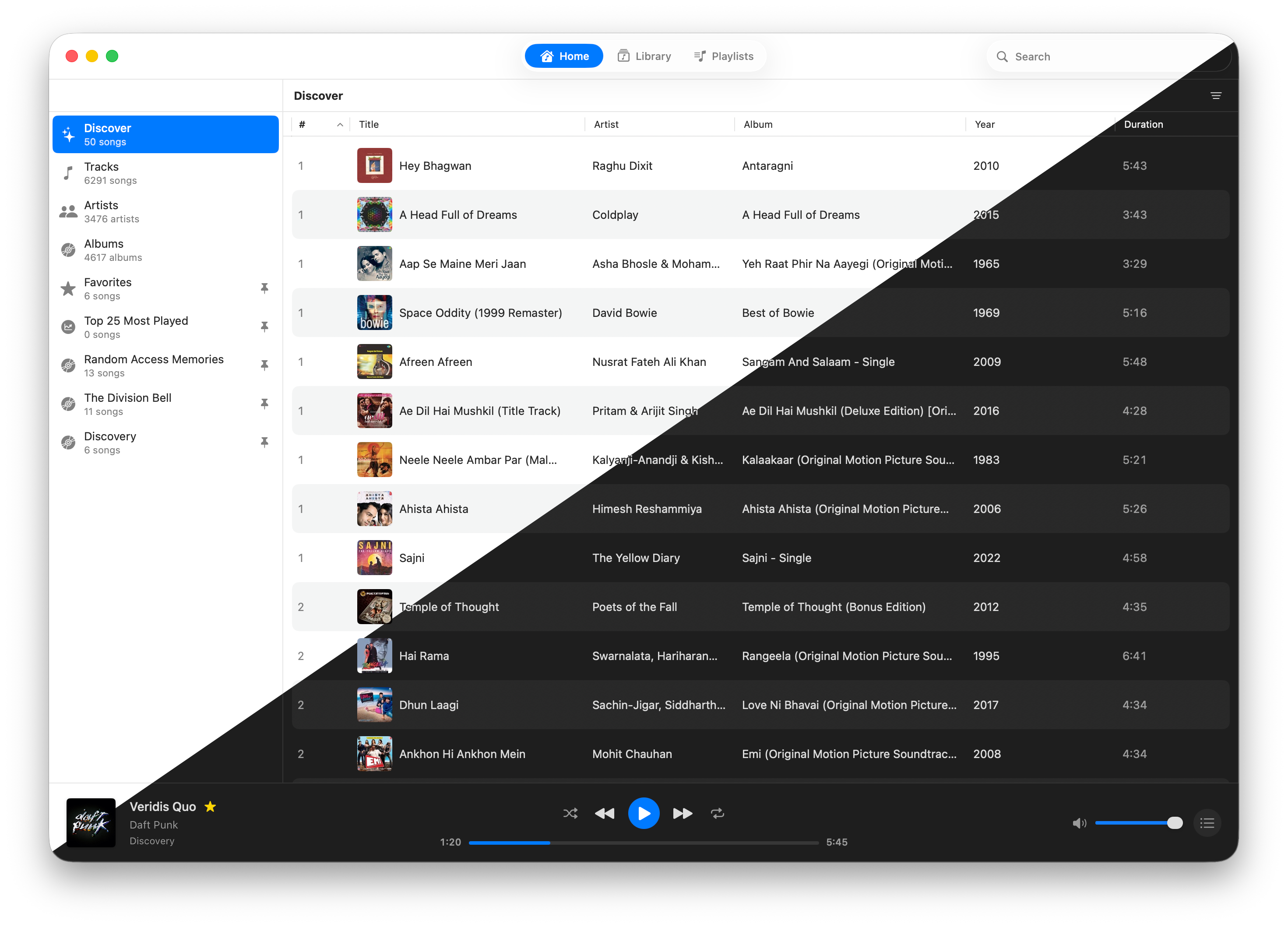
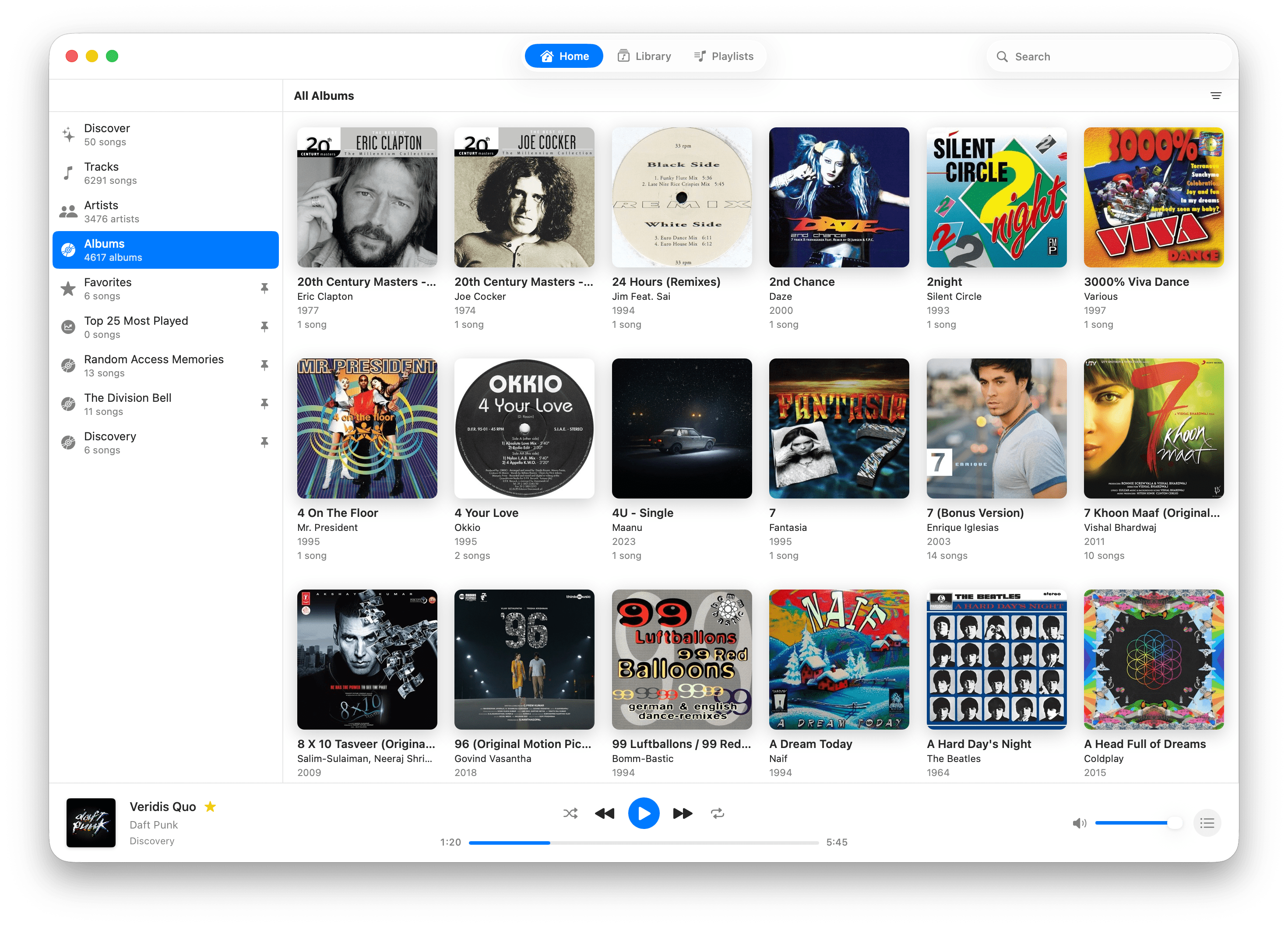
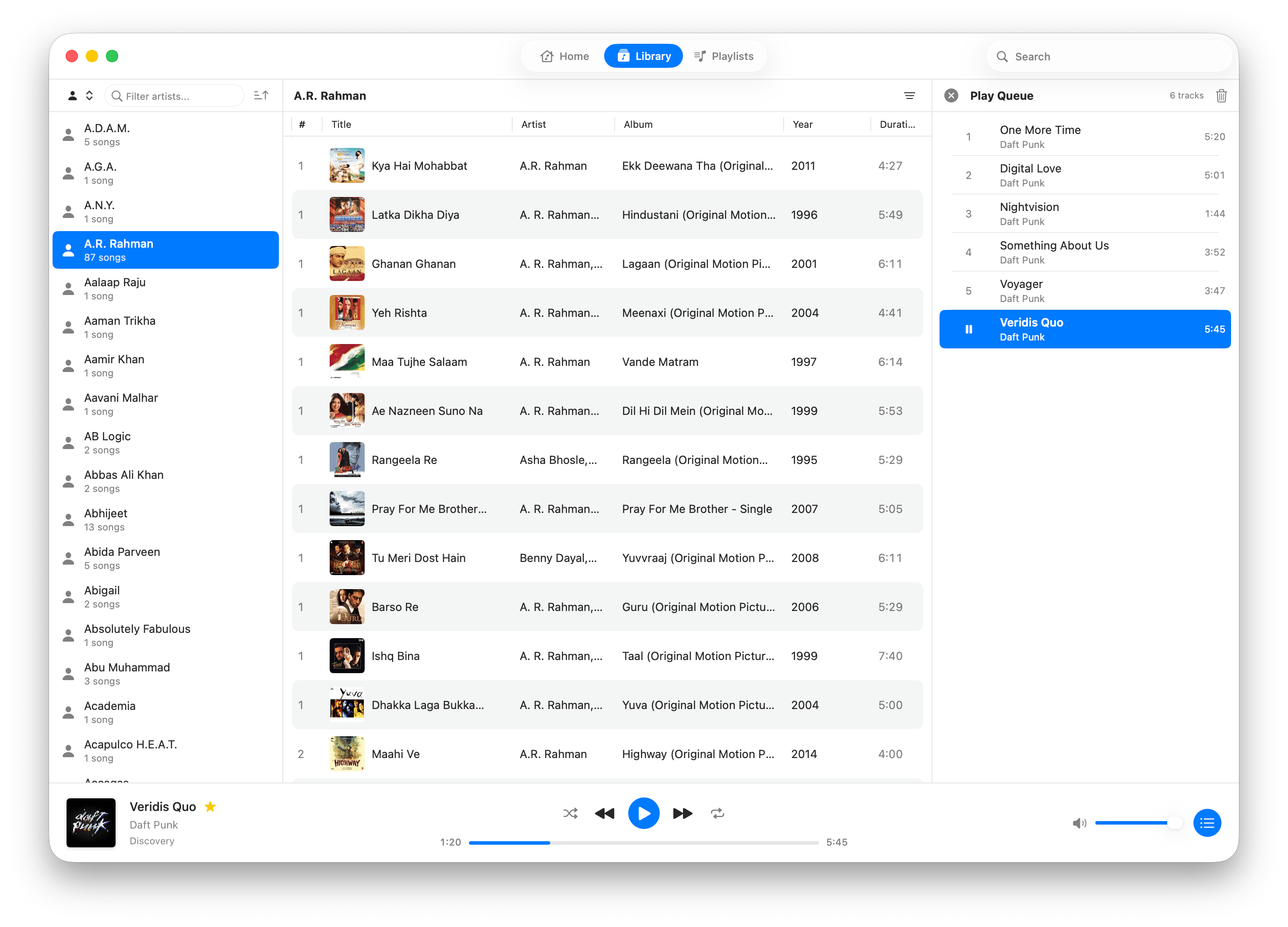
### 📷 Screenshots
**Note:** These may not be up-to-date.
### 🔒 Privacy & Data Access
- Petrichor is sandboxed and notarized by Apple.
- It has two permissions on macOS as follows;
- **Read-write access**
- To read and write into user-selected files and folders,
write access is only used for exporting M3U playlist files.
- **Network access**
- To check for and install app updates.
- Fetch artist images and bios from online sources (disabled by default)
- Download track lyrics from the internet (disabled by default)
- Last.fm scrobbling (disabled by default)
- When enabled, app may ask to store your Last.fm session information in macOS Keychain, if you choose to allow it, macOS will ask for your user account password to store the information in Keychain.
- App **does not** store your Last.fm username or password, you still have to provide it on Last.fm website that opens in browser during configuration, once done, app only receives a session key to scrobble track playbacks with your account.
- It doesn't (and never will) have any analytics on how you use the app.
- It never changes your audio files or folder structure in any way.
- Your library data remains offline always.
## 🏗️ Development
### Motivation
I have a large collection of music files that I’ve gathered over the years, and I missed having a good offline
music player on macOS. I've used several free and paid options but I missed the simplicity and features commonly
found in streaming apps; so I built Petrichor to scratch that itch and learn Swift and macOS app development
along the way!
### Implementation Overview
- Built with Swift and SwiftUI with some parts in AppKit for the best macOS integration.
- Once folders containing music files are added, the app scans them, extracts required metadata, and populates the SQLite database.
- The app does **not** alter your music files, it only reads from the directories you add.
- Tracks searching is handled by [SQLite FTS5](https://www.sqlite.org/fts5.html).
- Playback is handled by [AVFoundation](https://developer.apple.com/av-foundation/) and third-party audio decoders.
View Database Schema
```mermaid
erDiagram
folders {
INTEGER id PK "AUTO_INCREMENT"
TEXT name "NOT NULL"
TEXT path "NOT NULL UNIQUE"
INTEGER track_count "NOT NULL DEFAULT 0"
DATETIME date_added "NOT NULL"
DATETIME date_updated "NOT NULL"
BLOB bookmark_data "Security-scoped bookmark"
}
artists {
INTEGER id PK "AUTO_INCREMENT"
TEXT name "NOT NULL"
TEXT normalized_name "NOT NULL UNIQUE"
TEXT sort_name
BLOB artwork_data
TEXT bio
TEXT bio_source
DATETIME bio_updated_at
TEXT image_url
TEXT image_source
DATETIME image_updated_at
TEXT discogs_id
TEXT musicbrainz_id
TEXT spotify_id
TEXT apple_music_id
TEXT country
INTEGER formed_year
INTEGER disbanded_year
TEXT genres "JSON array"
TEXT websites "JSON array"
TEXT members "JSON array"
INTEGER total_tracks "NOT NULL DEFAULT 0 CHECK >= 0"
INTEGER total_albums "NOT NULL DEFAULT 0 CHECK >= 0"
DATETIME created_at "NOT NULL"
DATETIME updated_at "NOT NULL"
}
albums {
INTEGER id PK "AUTO_INCREMENT"
TEXT title "NOT NULL"
TEXT normalized_title "NOT NULL"
TEXT sort_title
BLOB artwork_data
TEXT release_date
INTEGER release_year "CHECK 1900-2100"
TEXT album_type
INTEGER total_tracks "CHECK >= 0"
INTEGER total_discs "CHECK >= 0"
TEXT description
TEXT review
TEXT review_source
TEXT cover_art_url
TEXT thumbnail_url
TEXT discogs_id
TEXT musicbrainz_id
TEXT spotify_id
TEXT apple_music_id
TEXT label
TEXT catalog_number
TEXT barcode
TEXT genres "JSON array"
DATETIME created_at "NOT NULL"
DATETIME updated_at "NOT NULL"
}
album_artists {
INTEGER album_id FK "NOT NULL"
INTEGER artist_id FK "NOT NULL"
TEXT role "NOT NULL DEFAULT 'primary'"
INTEGER position "NOT NULL DEFAULT 0"
}
genres {
INTEGER id PK "AUTO_INCREMENT"
TEXT name "NOT NULL UNIQUE"
}
tracks {
INTEGER id PK "AUTO_INCREMENT"
INTEGER folder_id FK "NOT NULL"
INTEGER album_id FK
TEXT path "NOT NULL UNIQUE"
TEXT filename "NOT NULL"
TEXT title
TEXT artist
TEXT album
TEXT composer
TEXT genre
TEXT year
REAL duration "CHECK >= 0"
TEXT format
INTEGER file_size
DATETIME date_added "NOT NULL"
DATETIME date_modified
BLOB track_artwork_data
BOOLEAN is_favorite "NOT NULL DEFAULT false"
INTEGER play_count "NOT NULL DEFAULT 0"
DATETIME last_played_date
BOOLEAN is_duplicate "NOT NULL DEFAULT false"
INTEGER primary_track_id FK
TEXT duplicate_group_id
TEXT album_artist
INTEGER track_number "CHECK > 0"
INTEGER total_tracks
INTEGER disc_number "CHECK > 0"
INTEGER total_discs
INTEGER rating "CHECK 0-5"
BOOLEAN compilation "DEFAULT false"
TEXT release_date
TEXT original_release_date
INTEGER bpm
TEXT media_type "Music/Audiobook/Podcast"
INTEGER bitrate "CHECK > 0"
INTEGER sample_rate
INTEGER channels "1=mono, 2=stereo"
TEXT codec
INTEGER bit_depth
TEXT sort_title
TEXT sort_artist
TEXT sort_album
TEXT sort_album_artist
TEXT extended_metadata "JSON"
}
playlists {
TEXT id PK "UUID"
TEXT name "NOT NULL"
TEXT type "NOT NULL (regular/smart)"
BOOLEAN is_user_editable "NOT NULL"
BOOLEAN is_content_editable "NOT NULL"
DATETIME date_created "NOT NULL"
DATETIME date_modified "NOT NULL"
BLOB cover_artwork_data
TEXT smart_criteria "JSON"
INTEGER sort_order "NOT NULL DEFAULT 0"
}
playlist_tracks {
TEXT playlist_id FK "NOT NULL"
INTEGER track_id FK "NOT NULL"
INTEGER position "NOT NULL"
DATETIME date_added "NOT NULL"
}
track_artists {
INTEGER track_id FK "NOT NULL"
INTEGER artist_id FK "NOT NULL"
TEXT role "NOT NULL DEFAULT 'artist'"
INTEGER position "NOT NULL DEFAULT 0"
}
track_genres {
INTEGER track_id FK "NOT NULL"
INTEGER genre_id FK "NOT NULL"
}
pinned_items {
INTEGER id PK "AUTO_INCREMENT"
TEXT item_type "NOT NULL (library/playlist)"
TEXT filter_type "For library items"
TEXT filter_value "Artist/album name"
TEXT entity_id "UUID for entities"
INTEGER artist_id "Database ID"
INTEGER album_id "Database ID"
TEXT playlist_id "For playlist items"
TEXT display_name "NOT NULL"
TEXT subtitle "For albums"
TEXT icon_name "NOT NULL"
INTEGER sort_order "NOT NULL DEFAULT 0"
DATETIME date_added "NOT NULL"
}
tracks_fts {
INTEGER track_id "NOT INDEXED"
TEXT title
TEXT artist
TEXT album
TEXT album_artist
TEXT composer
TEXT genre
TEXT year
}
folders ||--o{ tracks : contains
albums ||--o{ album_artists : "has artists"
artists ||--o{ album_artists : "appears on"
albums ||--o{ tracks : contains
artists ||--o{ track_artists : "appears in"
tracks ||--o{ track_artists : "has artists"
tracks ||--o| tracks : "duplicate of"
genres ||--o{ track_genres : "categorizes"
tracks ||--o{ track_genres : "has genres"
playlists ||--o{ playlist_tracks : contains
tracks ||--o{ playlist_tracks : "appears in"
tracks ||--|| tracks_fts : "searchable in"
```
### Credits
Petrichor wouldn't be possible without following open source projects!
- [SFBAudioEngine](https://github.com/sbooth/SFBAudioEngine)
- [GRDB.swift](https://github.com/groue/GRDB.swift/)
- [Sparkle](https://github.com/sparkle-project/Sparkle)
### Development Setup
- Make sure you’re running macOS 14 or later.
- Install [Xcode](https://developer.apple.com/xcode/).
- Clone the repository and open `Petrichor.xcodeproj`
#### Build & Release
You can build your own `.dmg` installer using the [`build-installer.sh`](Scripts/build-installer.sh) script,
although it requires you to have a paid Apple Developer account to notarize the compiled binary and installer,
you can use `--bypass-notary` option if you don't want to notarize. To use the script, make sure you have
following tools installed along with Xcode;
- [xcpretty](https://github.com/xcpretty/xcpretty)
- [create-dmg](https://github.com/sindresorhus/create-dmg)
## 💖 Sponsors
Thank you to all the sponsors for supporting Petrichor's development!
## 📝 License
- Petrichor is licensed under [MIT](LICENSE)
- Core dependencies (SFBAudioEngine, GRDB, Sparkle) are licensed under MIT
- Audio codec libraries (FLAC, Vorbis, Opus, etc.) are dynamically linked and use various open source licenses including GPL and LGPL
For complete third-party license information, see [ACKNOWLEDGEMENTS.md](ACKNOWLEDGEMENTS.md)