
# MarKing
**Local-first · Zero tracking · Cross-platform — A Markdown editor for sustained writing**
English | [简体中文](./README.md)



[](https://github.com/l06066hb/MarKing/releases)
[](https://github.com/l06066hb/MarKing/stargazers)
`AI Formatting` · `Inline AI` · `AI Writing Flow` · `MCP Server` · `Task System` · `Math Completion` · `Code Fence Completion` · `Responsive Breadcrumb` · `Mermaid 11 Diagrams` · `Paste as Markdown` · `Document Templates` · `Typography` · `Interface Density` · `Web URL Import` · `Import Plugin System` · `Vault Overview` · `WikiLink Backlinks` · `Knowledge Graph` · `Command Palette` · `Focus Mode` · `MathLive Formulas` · `LaTeX Cross-References` · `Excalidraw` · `DOCX/PDF/HTML Export`
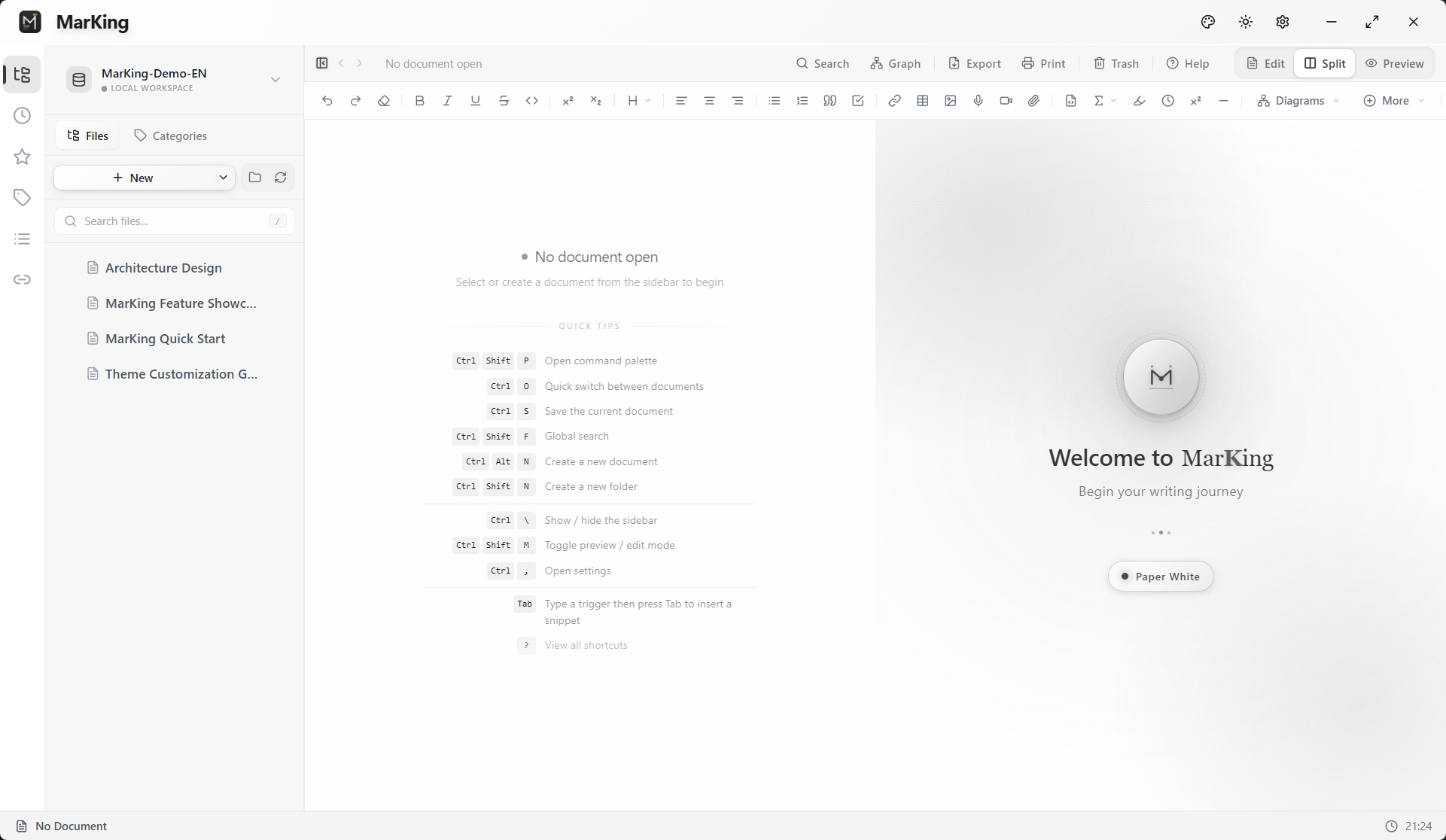
MarKing is a desktop Markdown editor focused on native performance and stability.
**Local-first, zero tracking, ad-free** — your writing stays on your own device.
> **v1.5.0 — AI-assisted writing · MCP Server · Task system · Network drive optimization**: A complete AI writing suite — AI formatting, inline AI, AI writing flow; built-in MCP Server lets Claude Desktop / Cursor / Cline read and write your vault directly; task system auto-syncs todos; fixes for network drive freezing, export issues, and more.
---
## Download & Install
Out-of-the-box desktop clients, natively compiled for every platform — no extra runtime required.
| Platform | Architecture | Installer |
|:---:|:---:|:---:|
| **Windows** | x64 | [EXE / MSI](https://github.com/l06066hb/MarKing/releases/latest) |
| **macOS** | Apple Silicon / Intel | [DMG](https://github.com/l06066hb/MarKing/releases/latest) |
| **Linux** | x64 / ARM64 | [AppImage / Deb / RPM](https://github.com/l06066hb/MarKing/releases/latest) |
> Head to the [Releases](https://github.com/l06066hb/MarKing/releases/latest) page and expand **Assets** for the latest installer for your platform.
---
## Why MarKing?
- **Truly local-first** — Plain `.md` files on your disk. No cloud lock-in, no proprietary formats, no telemetry
- **Native performance** — Natively compiled, < 2 s cold start, smooth scrolling through 100K-word docs
- **Knowledge management** — WikiLink backlinks + interactive knowledge graph turn isolated notes into a connected web
- **Immersive writing** — Focus Mode, Command Palette, Breadcrumb nav for a distraction-free writing environment
- **Professional content** — MathLive formulas, Excalidraw whiteboard, Mermaid diagrams — one-stop technical authoring
- **One-click export** — DOCX template engine v2.0 / PDF / HTML — from academic papers to business reports
- **Cross-platform** — Windows · macOS (Intel & Apple Silicon) · Linux, one consistent experience
---
## Core Features
### 1. Dual-Mode Performance Architecture
* **Lightweight Mode**
Tailored for fast reading and light edits. With sidebars and extra components stripped away, double-click any `.md` file for an instant, ultra-low-memory launch.
**If MarKing has improved your writing workflow, please give it a Star**
It's the most direct encouragement for an independent developer — and helps others discover this tool.
[](https://star-history.com/#l06066hb/MarKing&Date)
### Sponsorship
Sustaining a purely local-first, zero-tracking, ad-free cross-platform app is no small feat.
If you value MarKing's quality, consider becoming an early sponsor:
* **Global** — [Ko-fi](https://ko-fi.com/l06066hb) (Visa / PayPal)
* **China** — [Afdian](https://afdian.com/a/l06066hb) (WeChat / Alipay)
---
*Copyright © 2025-2026 MarKing. All rights reserved.*
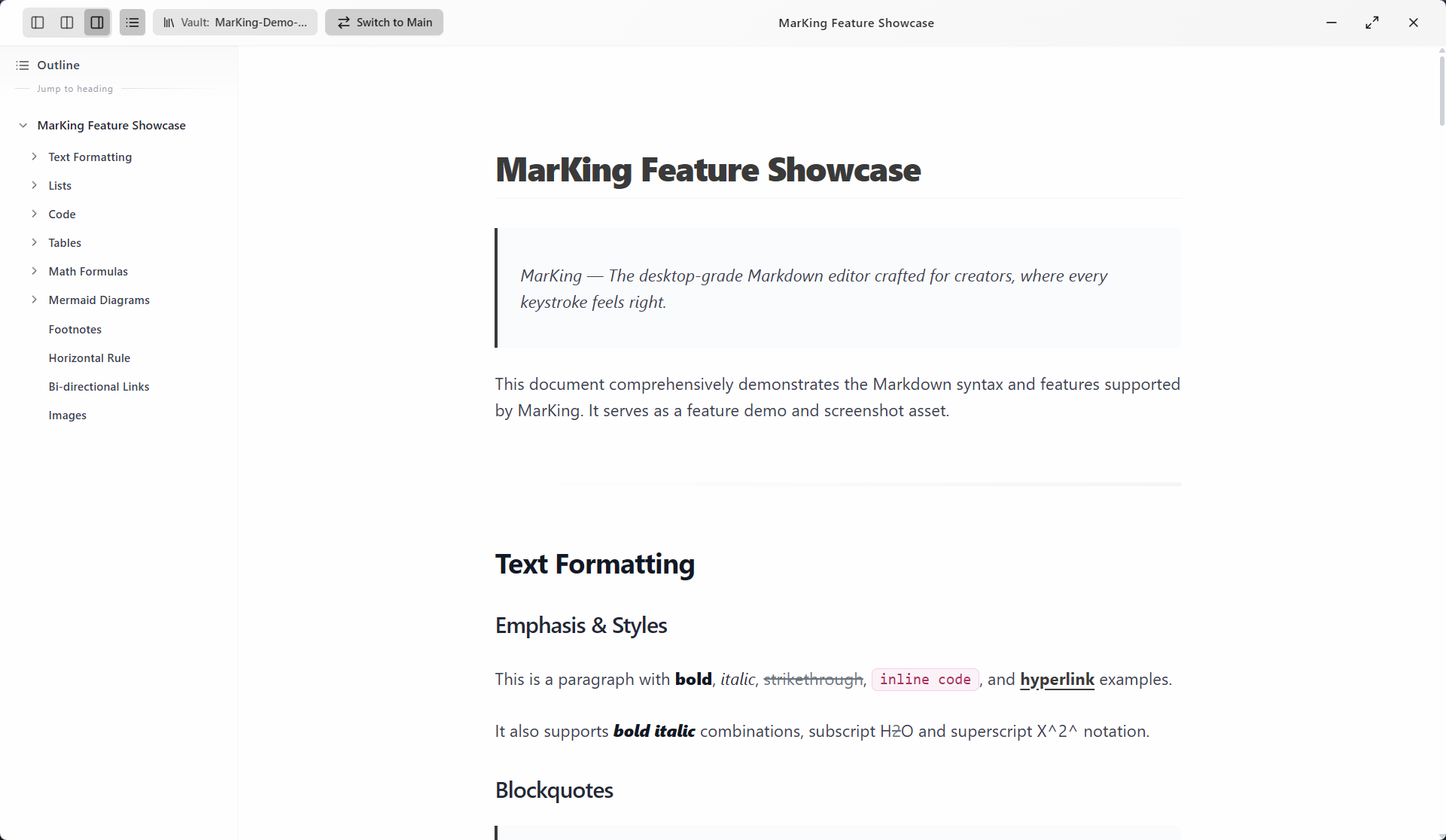 * **Full-Featured Professional Editor**
Handles 100K+ word documents with smooth scrolling. Ships with 70+ Markdown smart snippets and contextual suggestions for a professional editing experience.
* **Full-Featured Professional Editor**
Handles 100K+ word documents with smooth scrolling. Ships with 70+ Markdown smart snippets and contextual suggestions for a professional editing experience.
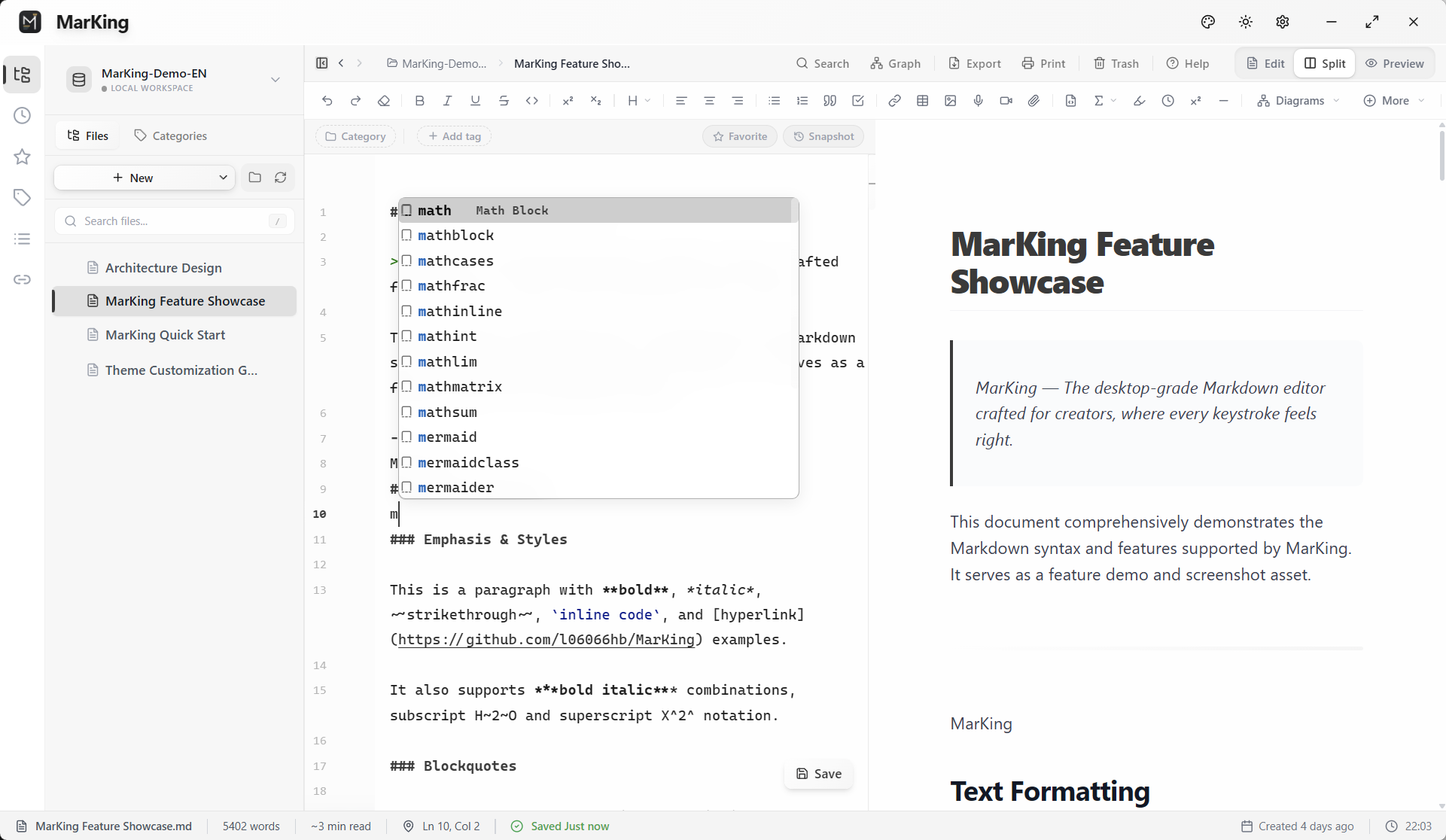 ### 2. Knowledge Management & Productivity
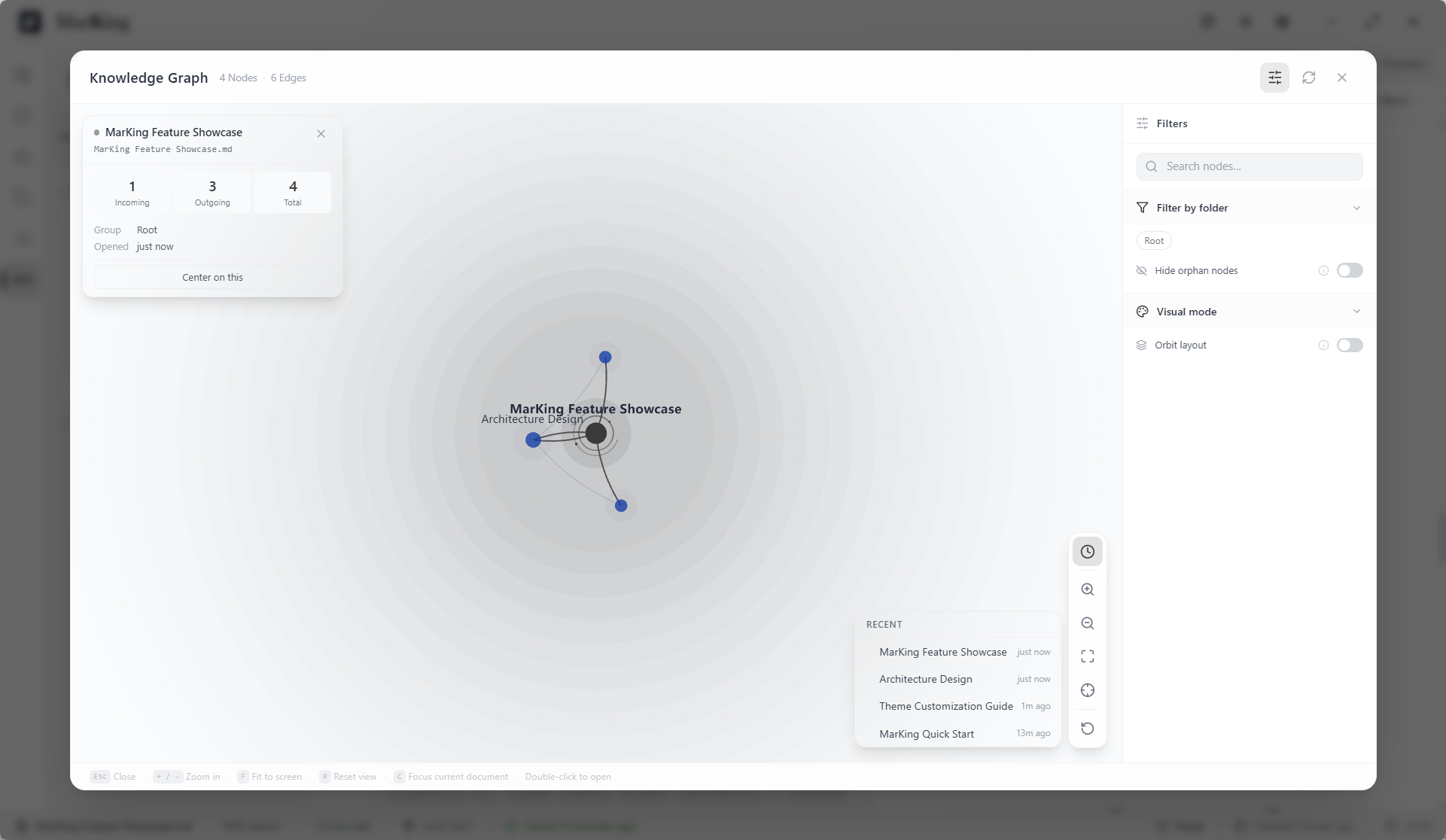
* **Bi-directional Links & Knowledge Graph** `NEW`
Full `[[WikiLink]]` backlink system paired with an interactive knowledge graph. Force-directed layout, zoom & pan, 10K+ node smooth interaction, graph export (PNG/SVG), and immersive fullscreen.
### 2. Knowledge Management & Productivity
* **Bi-directional Links & Knowledge Graph** `NEW`
Full `[[WikiLink]]` backlink system paired with an interactive knowledge graph. Force-directed layout, zoom & pan, 10K+ node smooth interaction, graph export (PNG/SVG), and immersive fullscreen.
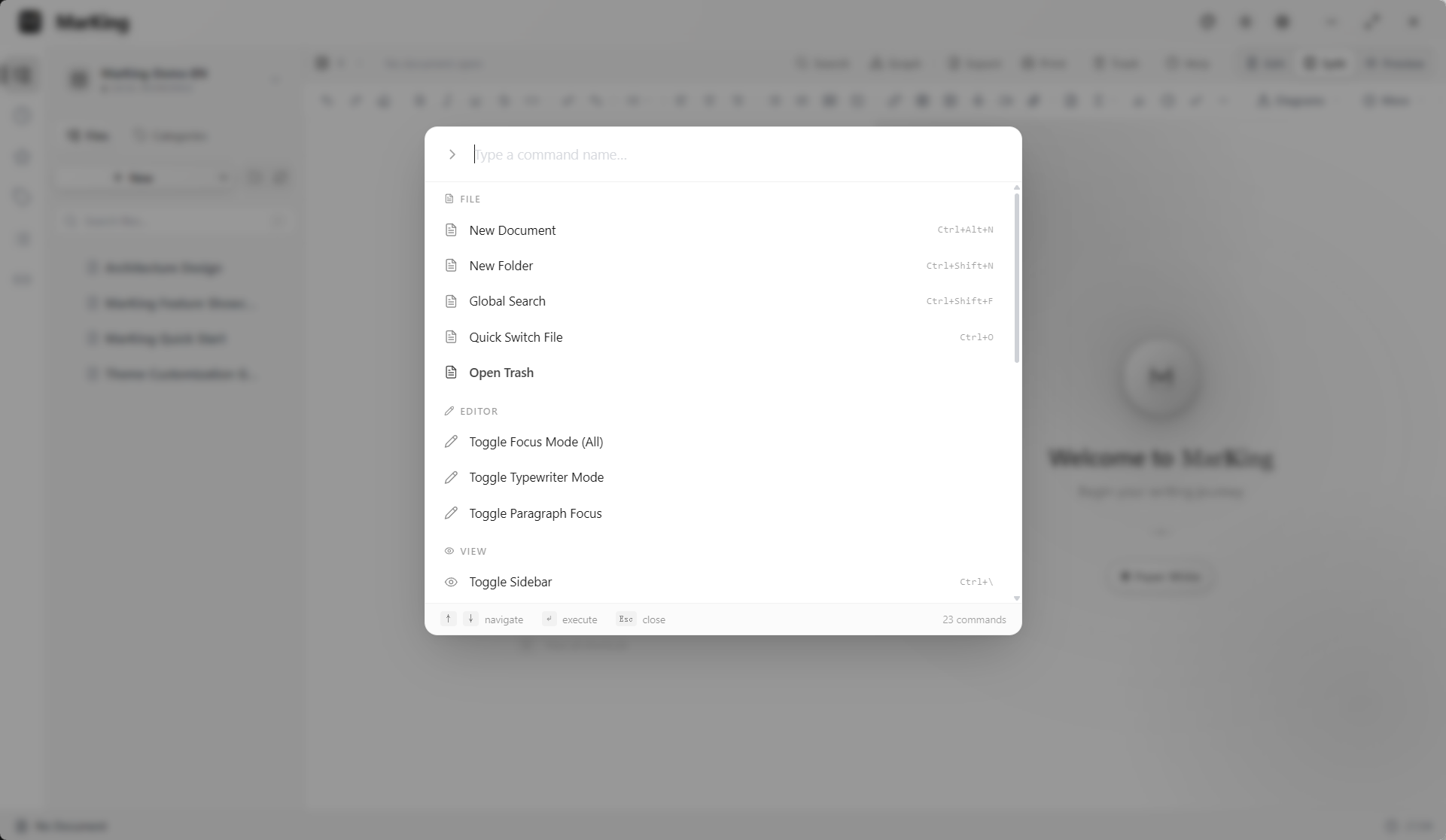
 * **Command Palette & Quick Switcher** `NEW`
`Ctrl+Shift+P` for a global command search panel; `Ctrl+P` for instant fuzzy file-name navigation. Breadcrumb bar above the editor shows the real-time directory path.
* **Command Palette & Quick Switcher** `NEW`
`Ctrl+Shift+P` for a global command search panel; `Ctrl+P` for instant fuzzy file-name navigation. Breadcrumb bar above the editor shows the real-time directory path.
 * **Focus Mode** `NEW`
Typewriter Mode (current line always centered) + Highlight Mode (dims non-active paragraphs) for distraction-free immersive writing.
* **Callout Blocks** `NEW`
Renders `> [!NOTE]`, `> [!WARNING]` and other admonition types in real-time, compatible with both GitHub Alerts and Obsidian Callout syntax.
### 3. Creation & Interaction
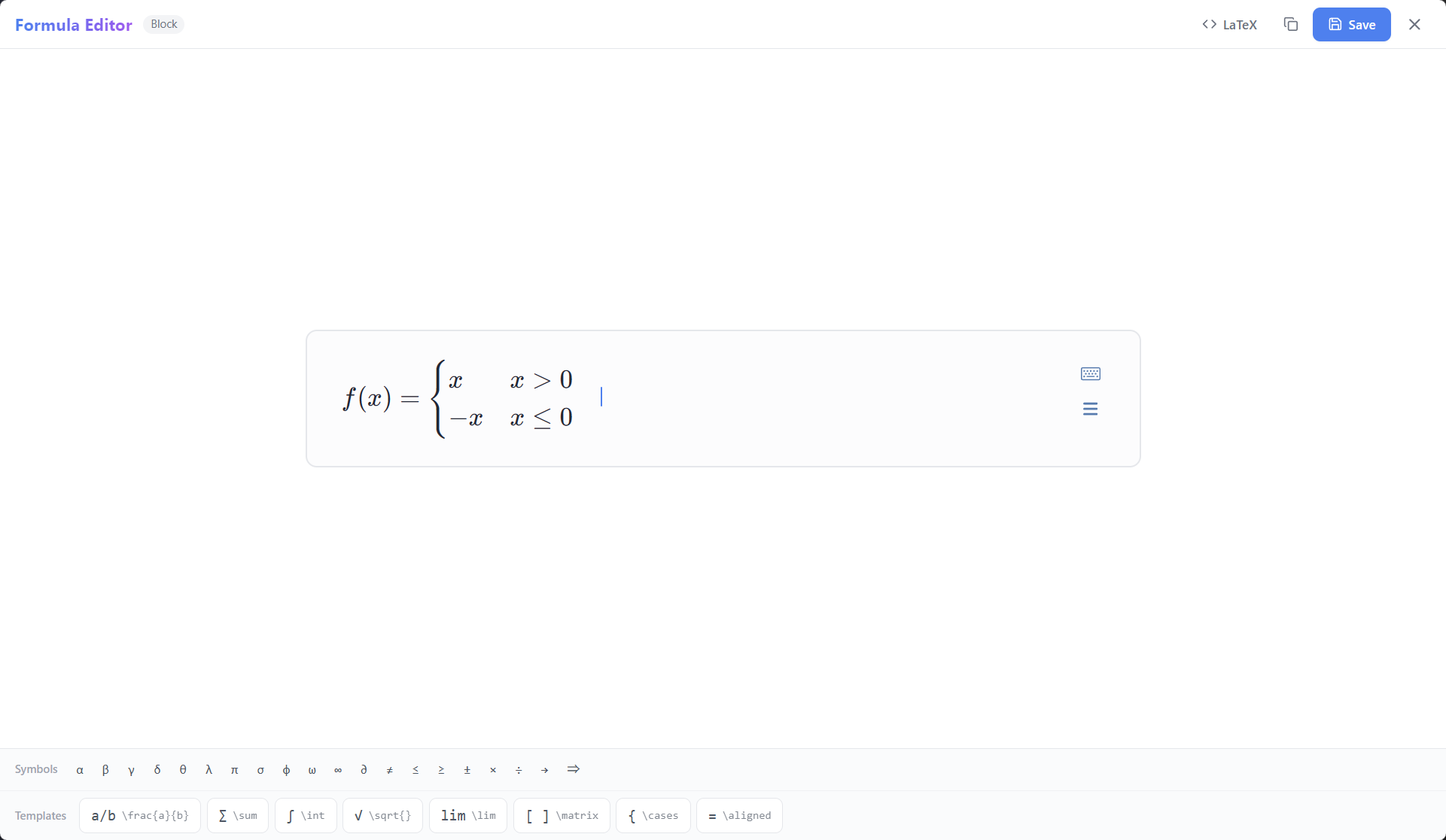
* **MathLive Formula Editor**
Integrated WYSIWYG math formula editor supporting inline and block equations. Comes with a virtual math keyboard, fully offline rendering — no manual LaTeX needed.
* **Focus Mode** `NEW`
Typewriter Mode (current line always centered) + Highlight Mode (dims non-active paragraphs) for distraction-free immersive writing.
* **Callout Blocks** `NEW`
Renders `> [!NOTE]`, `> [!WARNING]` and other admonition types in real-time, compatible with both GitHub Alerts and Obsidian Callout syntax.
### 3. Creation & Interaction
* **MathLive Formula Editor**
Integrated WYSIWYG math formula editor supporting inline and block equations. Comes with a virtual math keyboard, fully offline rendering — no manual LaTeX needed.
 * **LaTeX Cross-References** `NEW`
Support `\label{name}`, `\eqref{name}`, `\ref{name}` syntax for automatic equation numbering and cross-referencing. Block formulas with `\label` are auto-numbered; `\eqref` links are clickable for instant navigation; user `\tag{}` overrides auto-numbering; duplicate labels get independent numbering per formula.
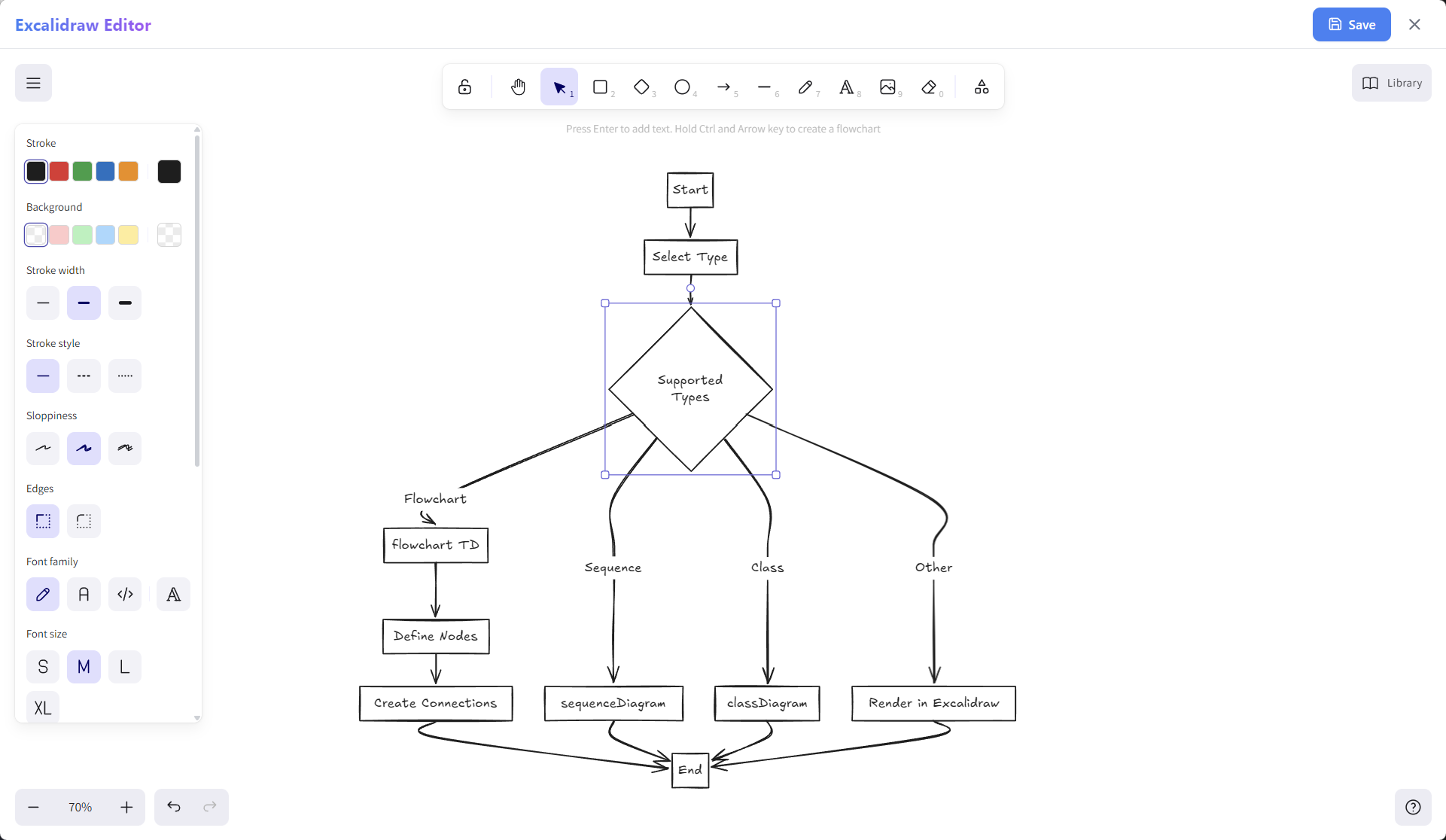
* **Excalidraw Whiteboard** `NEW`
Embed freeform hand-drawn flowcharts, architecture sketches, and diagrams directly within your documents. A hand-drawn aesthetic that brings technical documentation to life.
* **LaTeX Cross-References** `NEW`
Support `\label{name}`, `\eqref{name}`, `\ref{name}` syntax for automatic equation numbering and cross-referencing. Block formulas with `\label` are auto-numbered; `\eqref` links are clickable for instant navigation; user `\tag{}` overrides auto-numbering; duplicate labels get independent numbering per formula.
* **Excalidraw Whiteboard** `NEW`
Embed freeform hand-drawn flowcharts, architecture sketches, and diagrams directly within your documents. A hand-drawn aesthetic that brings technical documentation to life.
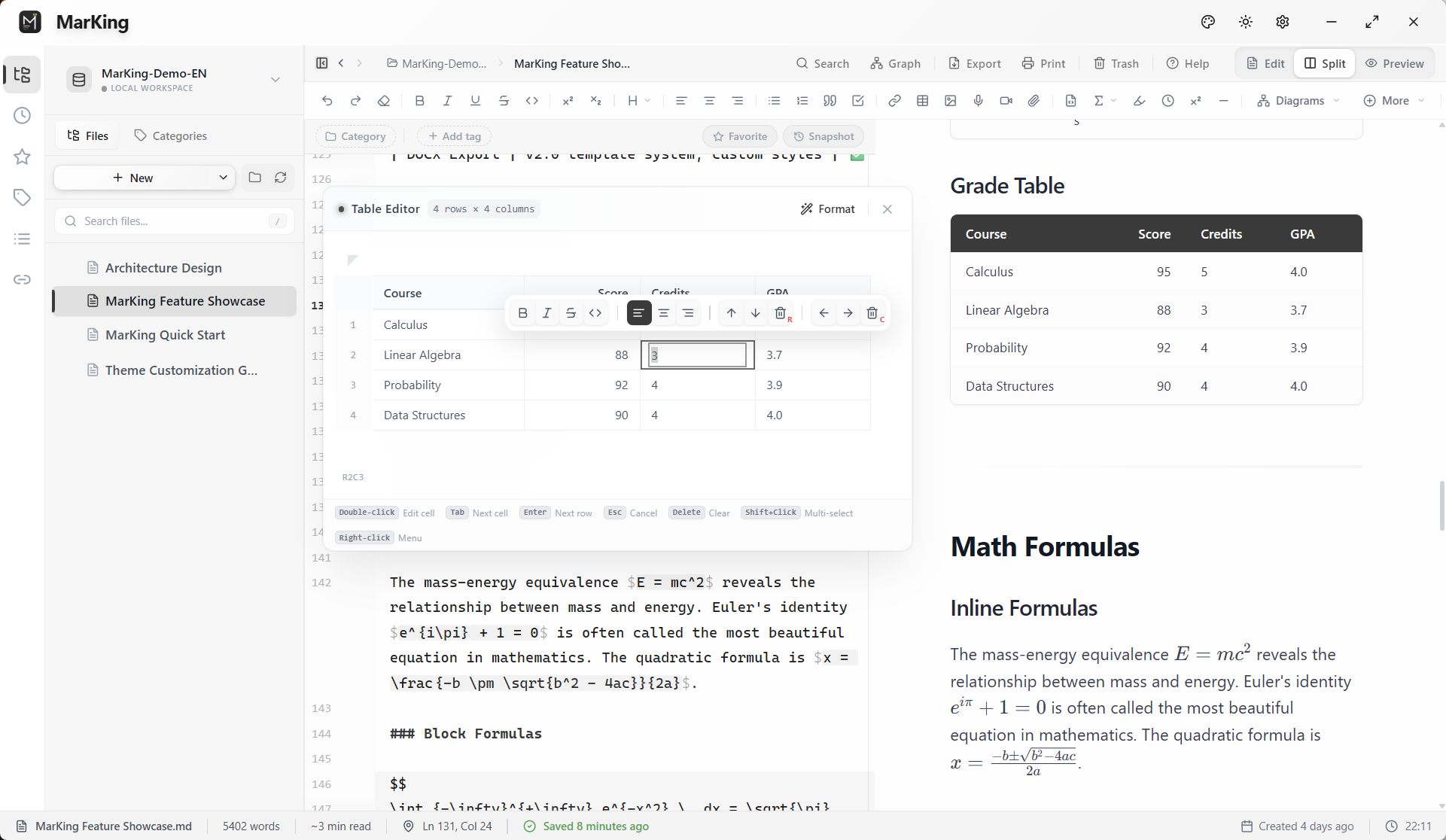
 * **Visual Table Editor**
A floating in-app editor for Markdown tables — no more manual character alignment. Supports Excel-like row/column drag, insert/delete, and content alignment.
* **Visual Table Editor**
A floating in-app editor for Markdown tables — no more manual character alignment. Supports Excel-like row/column drag, insert/delete, and content alignment.
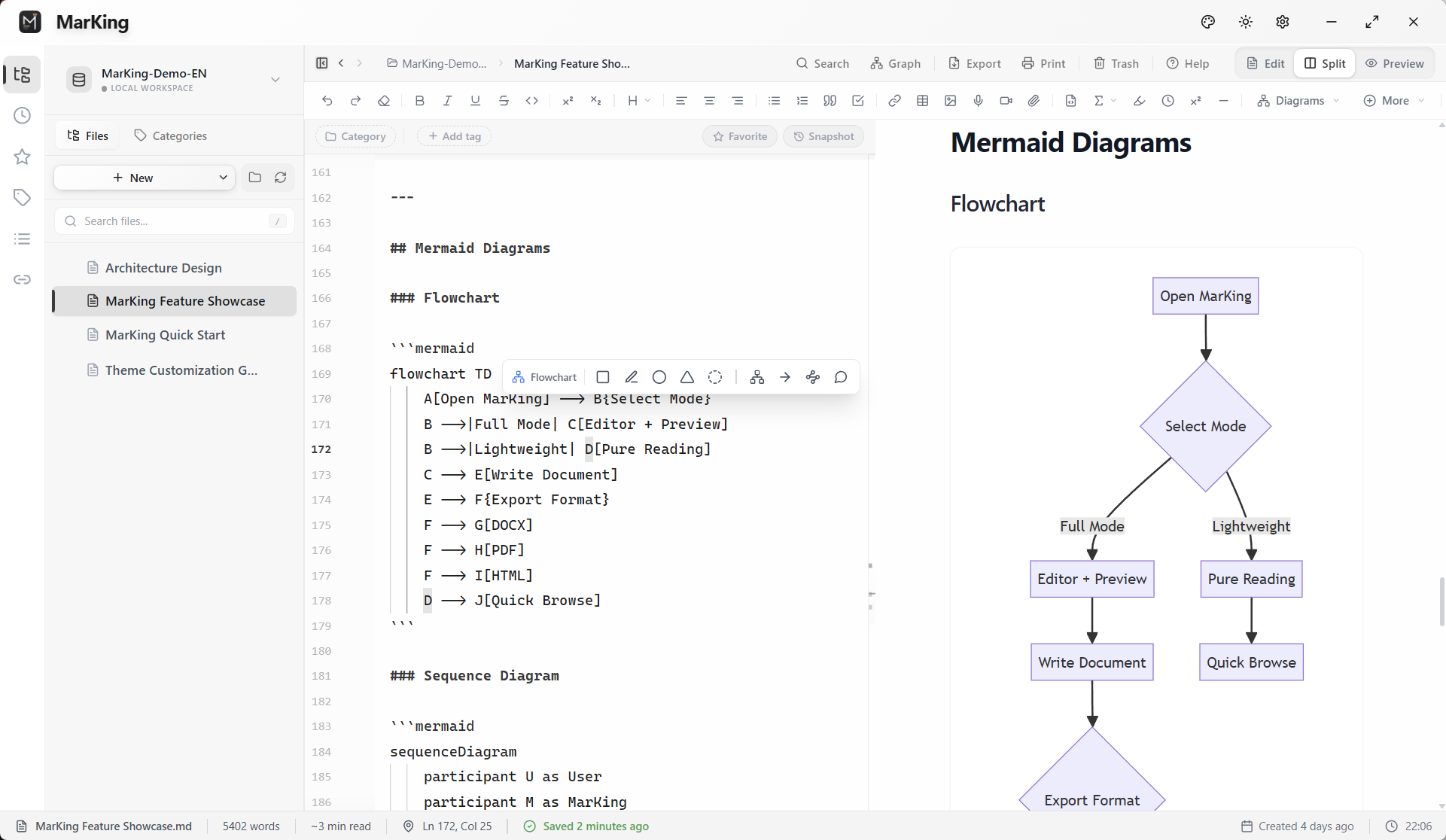
 * **Mermaid Diagram Assistant**
Built-in professional Mermaid rendering support. Flowcharts, sequence diagrams, and architecture diagrams — all with real-time syntax validation and live preview.
* **Mermaid Diagram Assistant**
Built-in professional Mermaid rendering support. Flowcharts, sequence diagrams, and architecture diagrams — all with real-time syntax validation and live preview.
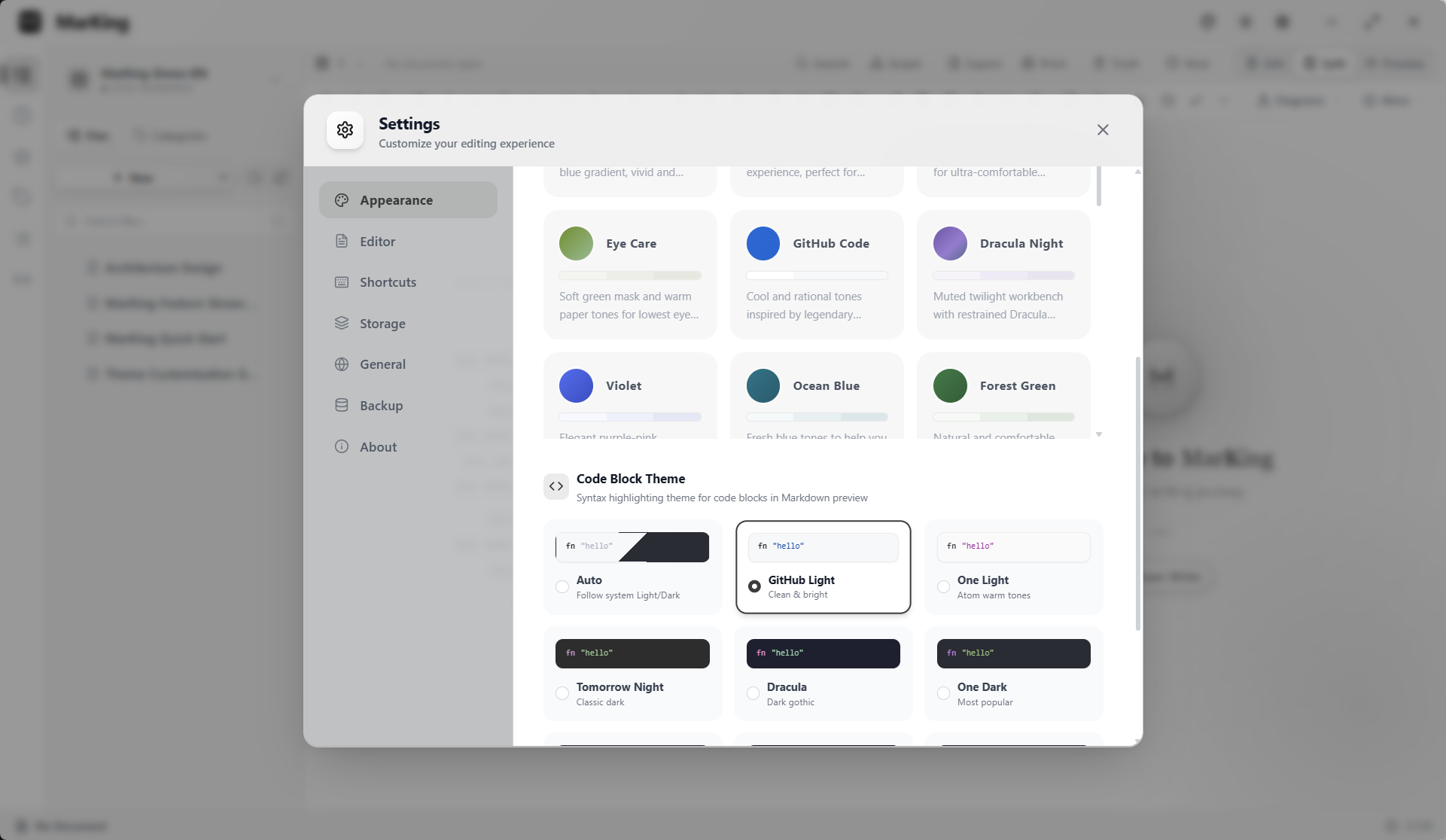
 * **Dual-Domain Themes & Code Highlighting**
12px borderless immersive interface. Beyond global light/dark themes, ships with multiple classic code block presets (Dracula, Nord, Tokyo Night, etc.) for the ultimate syntax highlighting experience.
* **Dual-Domain Themes & Code Highlighting**
12px borderless immersive interface. Beyond global light/dark themes, ships with multiple classic code block presets (Dracula, Nord, Tokyo Night, etc.) for the ultimate syntax highlighting experience.
 ### 4. Safe & Reliable Local Data
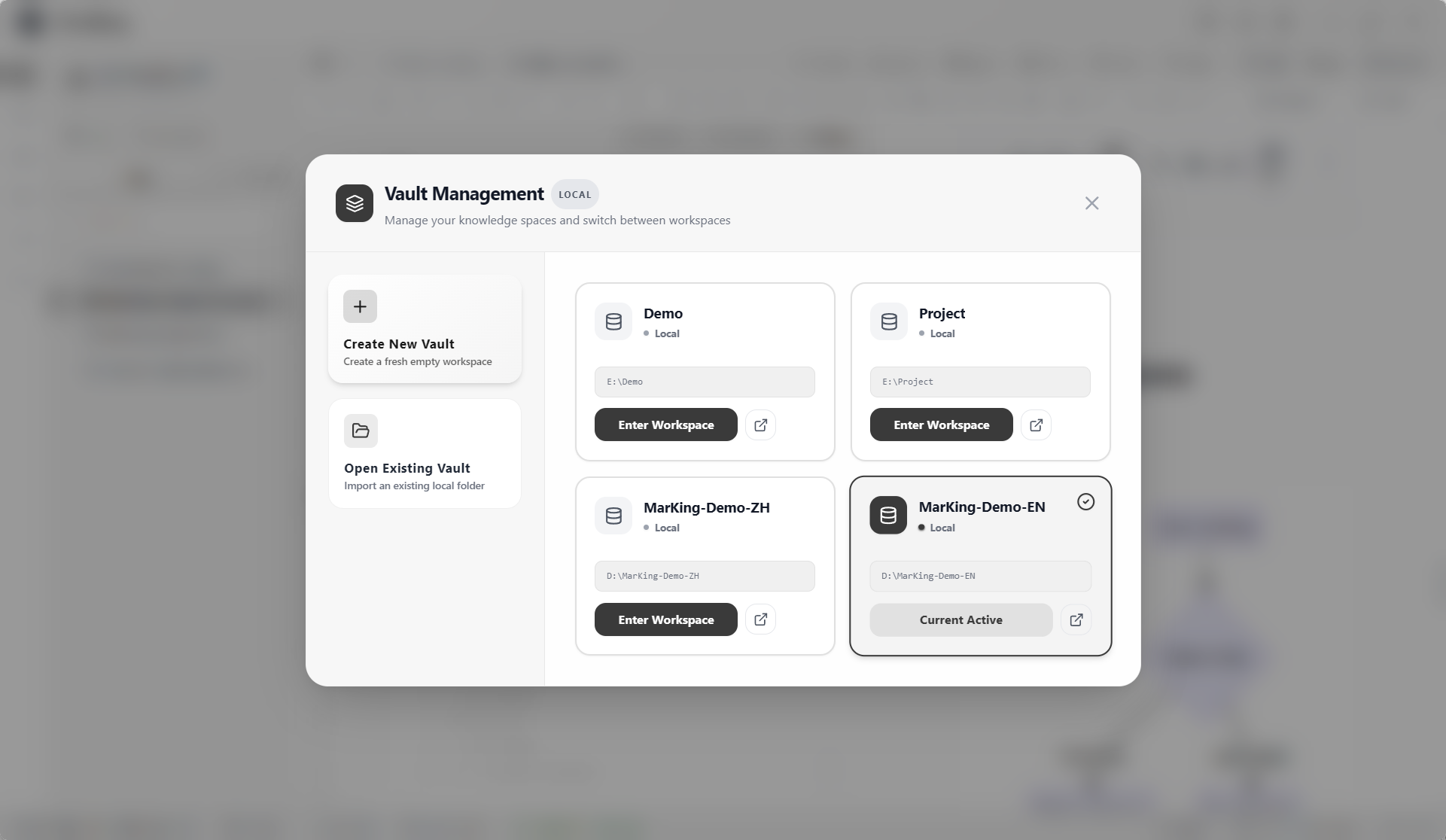
* **Multi-Vault Management**
Physically isolate different document vaults within the app. Personal journals and work documents remain completely independent with zero search interference.
### 4. Safe & Reliable Local Data
* **Multi-Vault Management**
Physically isolate different document vaults within the app. Personal journals and work documents remain completely independent with zero search interference.
 * **Card-Style File Browsing** `NEW`
Brand-new card view with tree/card mode toggle, compact/standard/relaxed density options, breadcrumb navigation and quick folder jump. Full keyboard navigation (arrow keys/Enter/Backspace) and multi-select (Shift+arrow/Ctrl+click/Ctrl+A).
* **Outline Panel Three-Column Layout** `NEW`
Outline panel now supports a right-side independent panel layout mode with draggable width and auto-saved preferences. Defaults to traditional sidebar tab mode for backward compatibility.
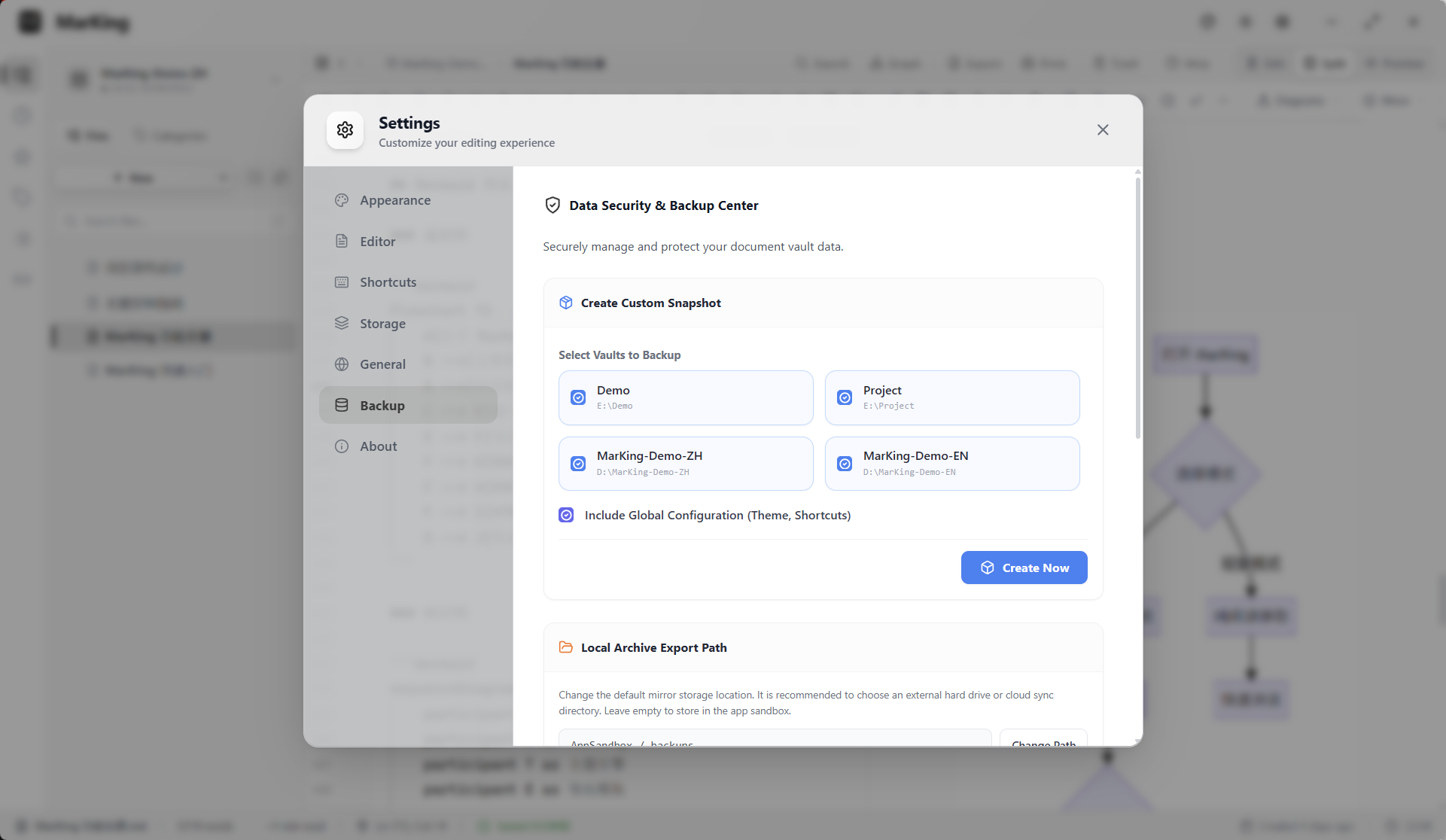
* **Auto-Save & History Snapshots**
2-second silent auto-save + historical snapshot rollback, preventing data loss from accidental edits or power failures.
* **Card-Style File Browsing** `NEW`
Brand-new card view with tree/card mode toggle, compact/standard/relaxed density options, breadcrumb navigation and quick folder jump. Full keyboard navigation (arrow keys/Enter/Backspace) and multi-select (Shift+arrow/Ctrl+click/Ctrl+A).
* **Outline Panel Three-Column Layout** `NEW`
Outline panel now supports a right-side independent panel layout mode with draggable width and auto-saved preferences. Defaults to traditional sidebar tab mode for backward compatibility.
* **Auto-Save & History Snapshots**
2-second silent auto-save + historical snapshot rollback, preventing data loss from accidental edits or power failures.
 * **Clipboard Image Storage**
`Ctrl+V` to paste screenshots — images are automatically saved to a local attachment directory with correct relative markdown references.
### 5. AI-Assisted Writing & Ecosystem Integration `NEW`
* **AI Formatting**
One-click AI optimization for document formatting and structure with per-change diff preview. Shortcut `Ctrl+Alt+F`.
* **Inline AI**
Select text to invoke the AI toolbar for continuation, polishing, translation, or summarization with real-time streaming output.
* **AI Writing Flow**
Select multiple notes to auto-generate a combined article (Compose), or extract outlines from existing notes (Outline). Supports multi-round interactive editing with drafts saved to your vault.
* **AI Service Management**
18+ built-in provider templates, API keys encrypted at rest, one-click connection verification and model list fetching, supports custom compatible APIs.
* **MCP Server**
Built-in standard protocol server — Claude Desktop, Cursor, Cline and other AI clients can directly read and write your vault.
* **Task System**
Automatically recognizes todo markers in documents, unified sidebar view and management, checking a task writes back to the document.
### 6. Professional Document Export
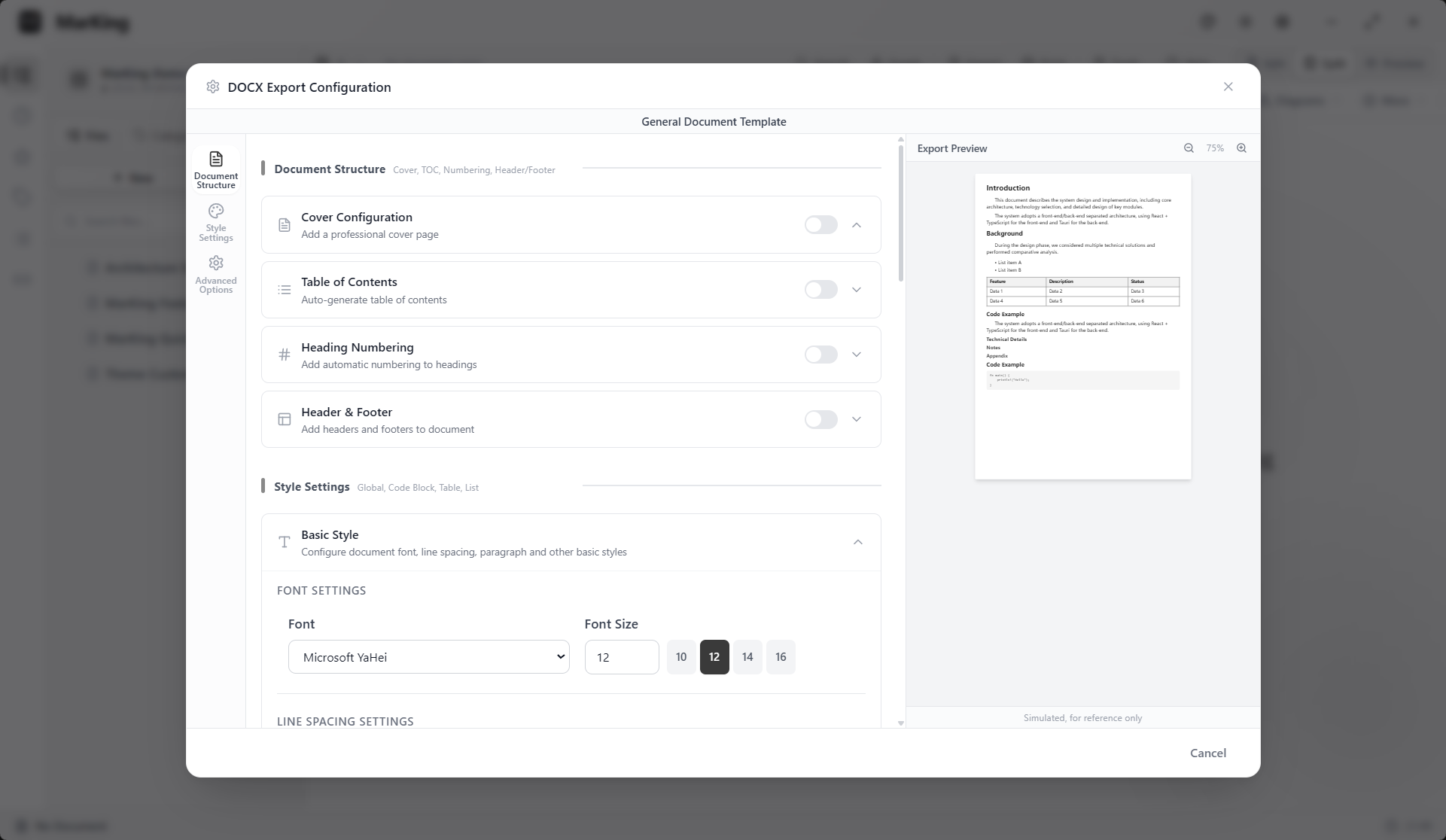
* **DOCX Template Engine v2.0** `NEW`
Brand-new template-based export architecture with live layout preview, fine-grained font and spacing controls. Ships with multiple professional templates for one-click generation of formal reports with cover pages, TOC, and headers/footers.
* **Clipboard Image Storage**
`Ctrl+V` to paste screenshots — images are automatically saved to a local attachment directory with correct relative markdown references.
### 5. AI-Assisted Writing & Ecosystem Integration `NEW`
* **AI Formatting**
One-click AI optimization for document formatting and structure with per-change diff preview. Shortcut `Ctrl+Alt+F`.
* **Inline AI**
Select text to invoke the AI toolbar for continuation, polishing, translation, or summarization with real-time streaming output.
* **AI Writing Flow**
Select multiple notes to auto-generate a combined article (Compose), or extract outlines from existing notes (Outline). Supports multi-round interactive editing with drafts saved to your vault.
* **AI Service Management**
18+ built-in provider templates, API keys encrypted at rest, one-click connection verification and model list fetching, supports custom compatible APIs.
* **MCP Server**
Built-in standard protocol server — Claude Desktop, Cursor, Cline and other AI clients can directly read and write your vault.
* **Task System**
Automatically recognizes todo markers in documents, unified sidebar view and management, checking a task writes back to the document.
### 6. Professional Document Export
* **DOCX Template Engine v2.0** `NEW`
Brand-new template-based export architecture with live layout preview, fine-grained font and spacing controls. Ships with multiple professional templates for one-click generation of formal reports with cover pages, TOC, and headers/footers.
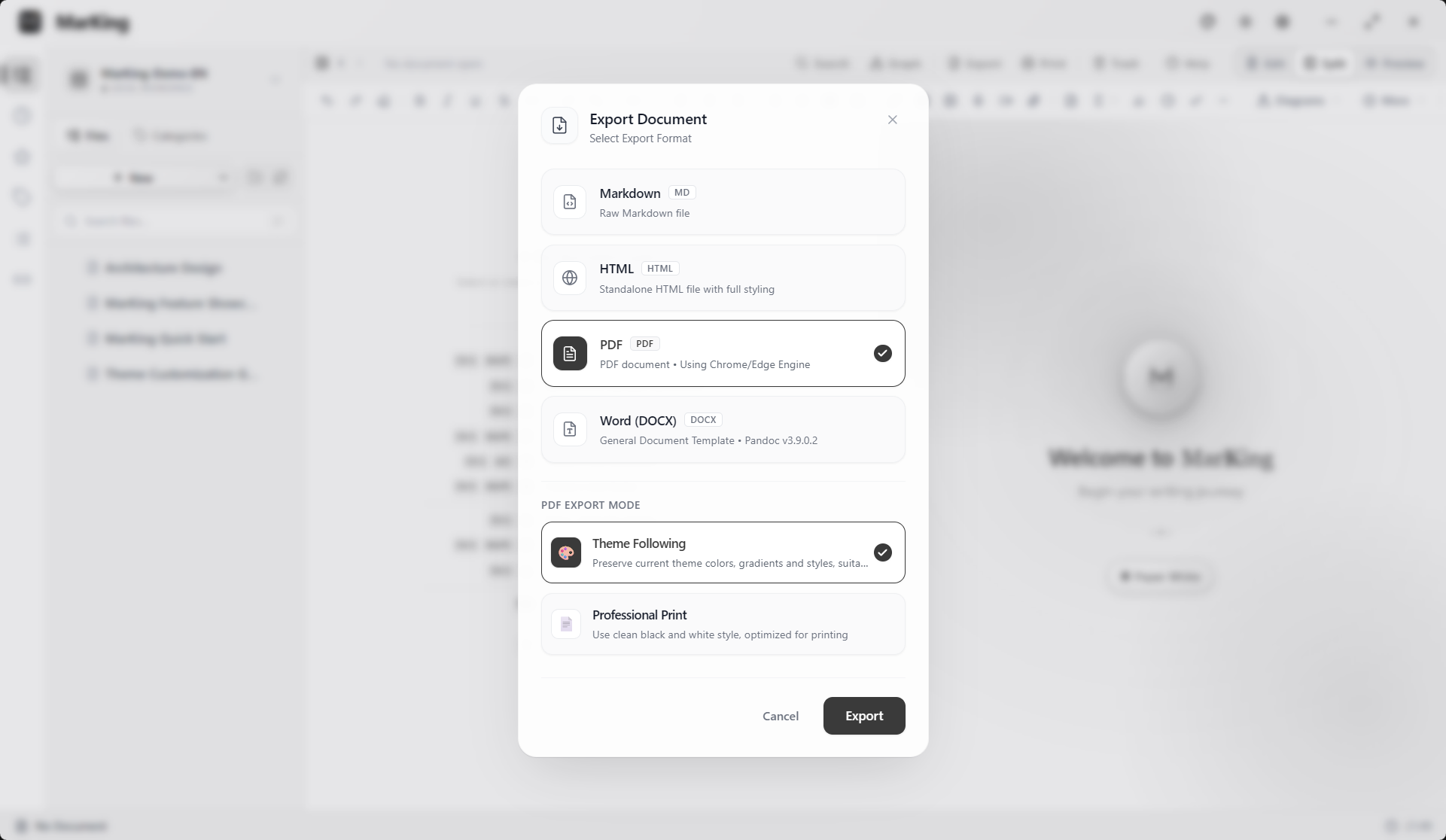
 * **PDF & HTML Export**
Export high-quality PDFs with bookmarked TOC, or render your document as a standalone HTML page for offline sharing.
* **PDF & HTML Export**
Export high-quality PDFs with bookmarked TOC, or render your document as a standalone HTML page for offline sharing.
 ---
## Documentation
* [FAQ & Usage Guide](docs/FAQ.md)
* [Changelog & Version History](CHANGELOG_EN.md)
* [Security Policy & Bug Reporting](SECURITY.md)
---
## Support This Project
---
## Documentation
* [FAQ & Usage Guide](docs/FAQ.md)
* [Changelog & Version History](CHANGELOG_EN.md)
* [Security Policy & Bug Reporting](SECURITY.md)
---
## Support This Project