VoucherVault

Django web application to store and manage vouchers, coupons, loyalty and gift cards digitally


Buy Me A Coffee

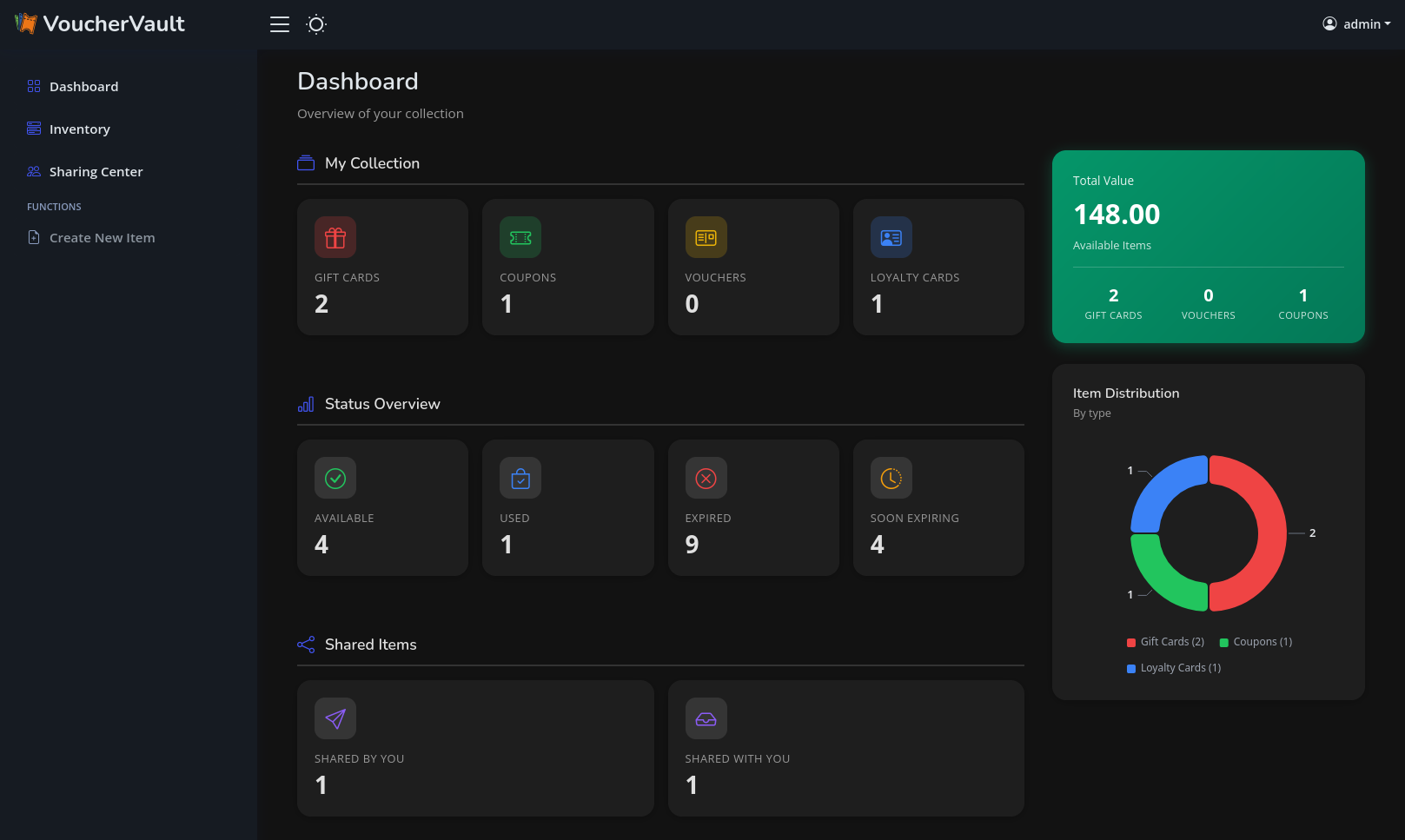
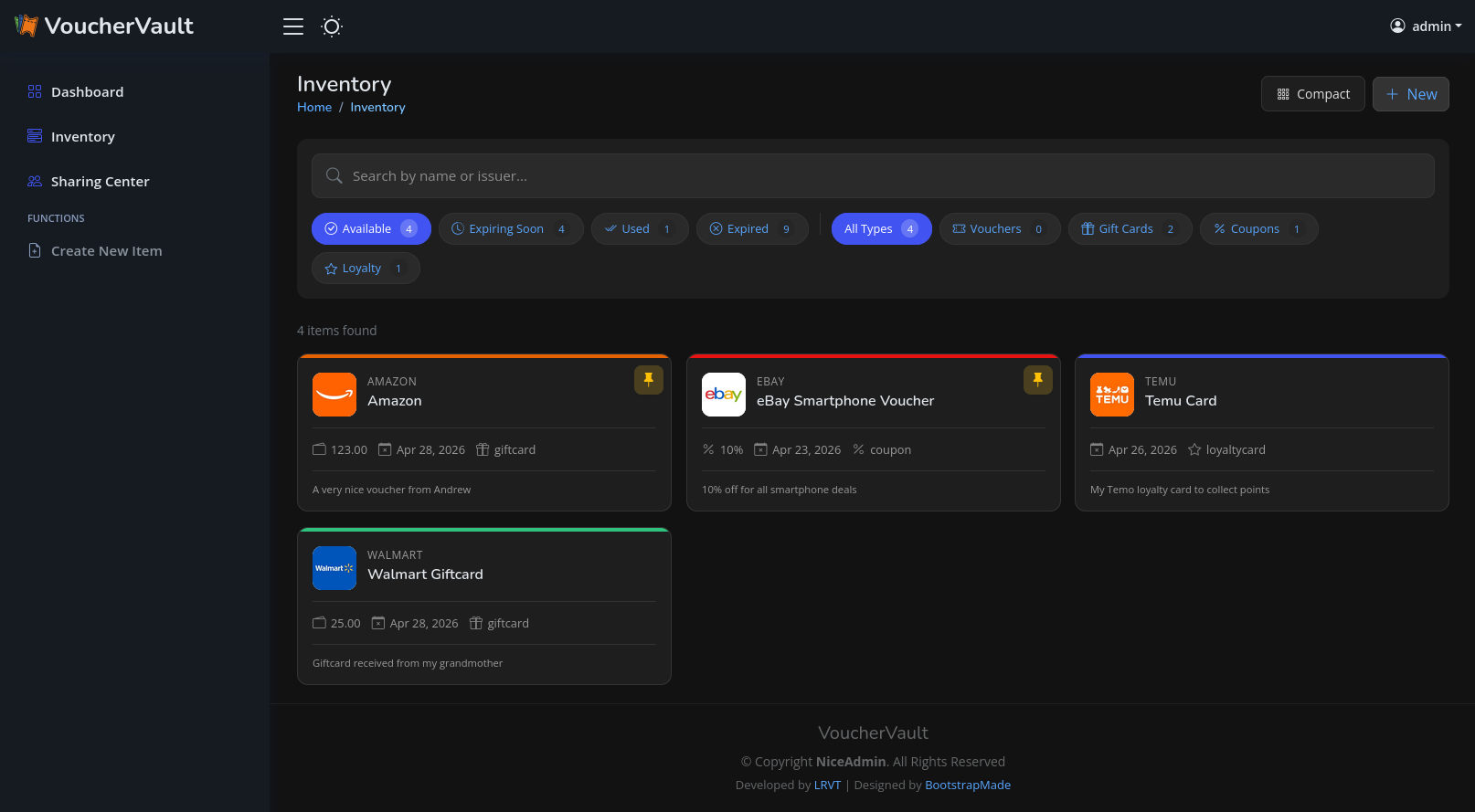
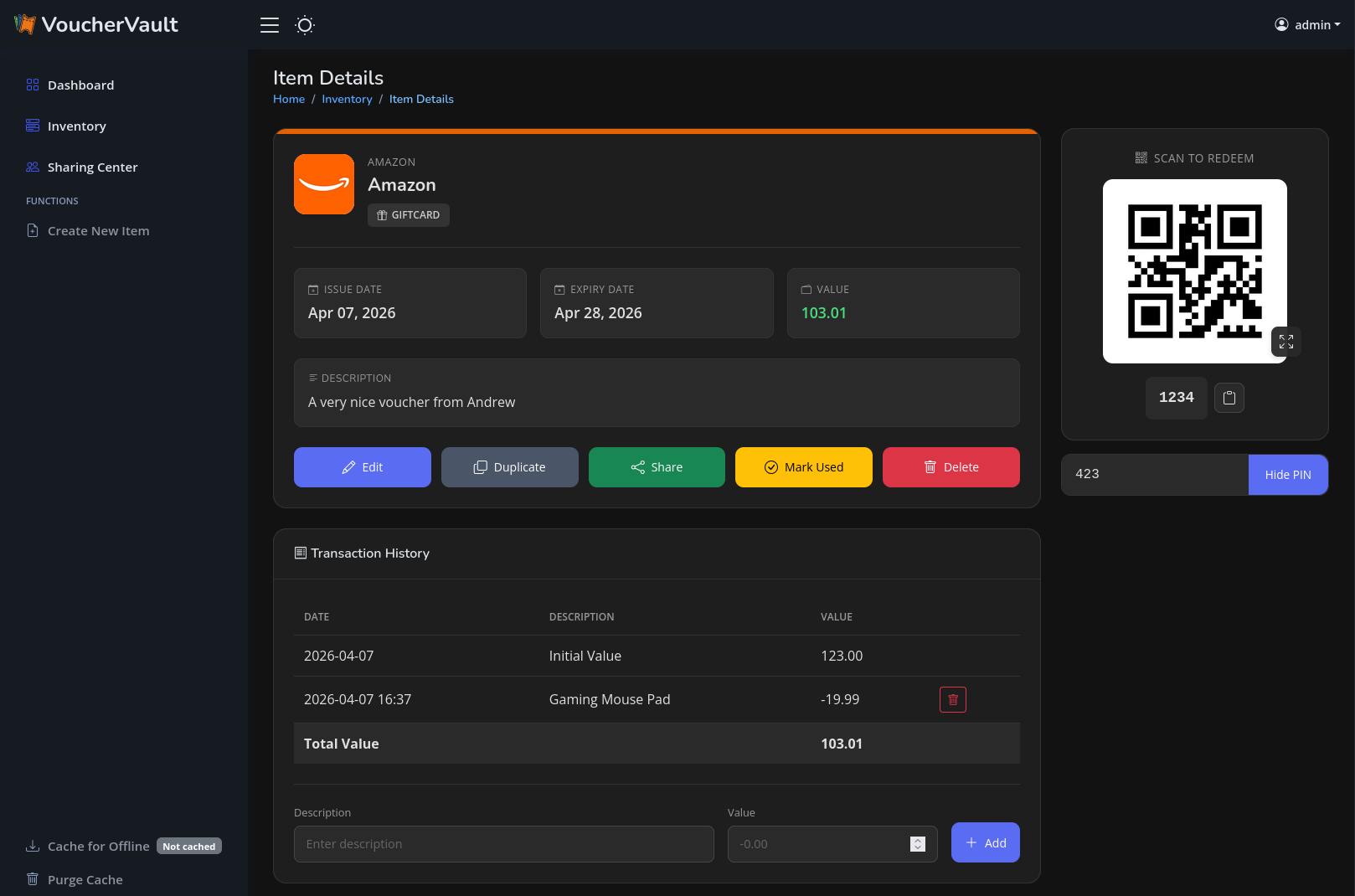
## ⭐ Features - User-friendly, mobile-optimized web portal with PWA support - Manual offline mode with 48h caching supported - Light and dark theme support - Integration of vouchers, coupons, gift cards and loyalty cards - Transaction history tracking (gift cards only) - Item-specific file uploads (images and PDFs) - Item sharing between users - Display of redeem codes as QR codes or barcodes (many types supported) - Client-side redeem code scanning (1D/2D) during item creation with automatic type detection using camera or file upload - Expiry notifications via Apprise - Multi-user support - Multi-language support (English, German, French, Italian) - Single Sign-On (SSO) via OIDC - Database compatibility with SQLite3 and PostgreSQL - REST API endpoint with stats for Home Assisstant (HA) and other dashboards - Multi-currency support via free fixer.io API ## 📷 Screenshots

## 🐳 Usage [READ THE WIKI](https://github.com/l4rm4nd/VoucherVault/wiki/01-%E2%80%90-Installation) - [UNRAID SUPPORTED](https://github.com/l4rm4nd/VoucherVault/wiki/01-%E2%80%90-Installation#unraid-installation) ```` # create volume dir for persistence mkdir -p ./volume-data/database # adjust volume ownership to www-data sudo chown -R 33:33 volume-data/* # spawn the container stack docker compose -f docker/docker-compose-sqlite.yml up -d ```` Once the container is up and running, you can access the web portal at http://127.0.0.1:8000. The default username is `admin`. The default password is auto-generated. You can obtain the auto-generated password via the Docker container logs: ```` docker compose -f docker/docker-compose-sqlite.yml logs -f ```` > [!WARNING] > The container runs as low-privileged `www-data` user with UID/GID `33`. So you have to adjust the permissions for the persistent database bind mount volume. A command like `sudo chown -R 33:33 ` should work. Afterwards, please restart the container. > [!TIP] > This repository follows the Conventional Commits standard. Therefore, you will find `patch`, `minor` and `major` release version tags on DockerHub. > No one stops you from using the `latest` image tag but I recommend pinning a minor version series tag such as `1.29.x`. > > This is safer for automatic upgrades and you still get recent patches as well as bug fixes. ## 🌍 Environment Variables The docker container takes various environment variables: | Variable | Description | Default | Optional/Mandatory | |----------------------------------|-----------------------------------------------------------------------------------------------------------------|----------------------------|---------------------| | `DOMAIN` | Your Fully Qualified Domain Name (FQDN) or IP address. Used to define `ALLOWED_HOSTS` and `CSRF_TRUSTED_ORIGINS` for the Django framework. May define multiple ones by using a comma as delimiter. | `localhost` | Mandatory | | `SECURE_COOKIES` | Set to `True` if you use a reverse proxy with TLS. Enables the `secure` cookie flag and `HSTS` HTTP response header. | `False` | Optional | | `SESSION_EXPIRE_AT_BROWSER_CLOSE`| Set to `False` if you want to keep sessions valid after browser close. | `True` | Optional | | `SESSION_COOKIE_AGE` | Define the maximum cookie age in minutes. | `30` | Optional | | `EXPIRY_THRESHOLD_DAYS` | Defines the days prior item expiry when an Apprise expiry notification should be sent out. | `30` | Optional | | `EXPIRY_LAST_NOTIFICATION_DAYS` | Defines the days prior item expiry when another final Apprise expiry notification should be sent out. | `7` | Optional | | `TZ` | Defines the `TIME_ZONE` variable in Django's settings.py. | `Europe/Berlin` | Optional | | `SECRET_KEY` | Defines a fixed secret key for the Django framework. If missing, a secure secret is auto-generated on the server-side each time the container starts. | `` | Optional | | `PORT` | Defines a custom port. Used to set `CSRF_TRUSTED_ORIGINS` in conjunction with the `DOMAIN` environment variable for the Django framework. Only necessary, if VoucherVault is operated on a different port than `8000`, `80` or `443`. | `8000` | Optional | | `REDIS_URL` | Defines the Redis URL to use for Django-Celery-Beat task processing. | `redis://redis:6379/0` | Optional | | `CSP_FRAME_ANCESTORS` | Comma-separated list of allowed sources for the CSP `frame-ancestors` directive. | `'none'` | Optional | | `OIDC_ENABLED` | Set to `True` to enable OIDC authentication. | `False` | Optional | | `OIDC_AUTOLOGIN` | Set to `True` if you want to automatically trigger OIDC flow on login page | `False` | Optional | | `OIDC_CREATE_USER` | Set to `True` to allow the creation of new users through OIDC. | `True` | Optional | | `OIDC_RP_SIGN_ALGO` | The signing algorithm used by the OIDC provider (e.g., RS256, HS256). | `HS256` | Optional | | `OIDC_OP_JWKS_ENDPOINT` | URL of the JWKS endpoint for the OIDC provider. Mandatory if `RS256` signing algo is used. | `None` | Optional | | `OIDC_RP_CLIENT_ID` | Client ID for your OIDC RP. | `None` | Optional | | `OIDC_RP_CLIENT_SECRET` | Client secret for your OIDC RP. | `None` | Optional | | `OIDC_OP_AUTHORIZATION_ENDPOINT` | Authorization endpoint URL of the OIDC provider. | `None` | Optional | | `OIDC_OP_TOKEN_ENDPOINT` | Token endpoint URL of the OIDC provider. | `None` | Optional | | `OIDC_OP_USER_ENDPOINT` | User info endpoint URL of the OIDC provider. | `None` | Optional | | `DB_ENGINE` | Database engine to use (e.g., `postgres` for PostgreSQL or `sqlite3` for SQLite3). | `sqlite3` | Optional | | `POSTGRES_HOST` | Hostname for the PostgreSQL database. | `db` | Optional | | `POSTGRES_PORT` | Port number for the PostgreSQL database. | `5432` | Optional | | `POSTGRES_USER` | PostgreSQL database user. | `vouchervault` | Optional | | `POSTGRES_PASSWORD` | PostgreSQL database password. | `vouchervault` | Optional | | `POSTGRES_DB` | PostgreSQL database name. | `vouchervault` | Optional | | `CELERY_WORKER_CONCURRENCY` | Celery worker concurrency. | `1` | Optional | | `CELERY_WORKER_PREFETCH_MULTIPLIER` | Celery worker prefetch multiplier. | `1` | Optional | | `DEBUG` | Enable HTTP debug logging. | `False` | Optional | You can find detailed instructions on how to setup OIDC SSO in the [wiki](https://github.com/l4rm4nd/VoucherVault/wiki/02-%E2%80%90-Authentication#oidc-authentication). ## 🔔 Notifications Notifications are handled by [Apprise](https://github.com/caronc/apprise). May read the [wiki](https://github.com/l4rm4nd/VoucherVault/wiki/03-%E2%80%90-Notifications). You can define custom Apprise URLs in the user profile settings. The input form takes a single or a comma-separated list of multiple Apprise URLs. The interval, how often items are checked against a potential expiry, is pre-defined (daily at 9AM) in the Django admin area. Here, we are utilizing Django-Celery-Beat + a Redis instance for periodic task execution. An item will trigger an expiry notification if the expiry date is within the number of days defined by the environment variable `EXPIRY_THRESHOLD_DAYS`. By default, this threshold is set to 30 days. Additionally, a final reminder is sent out another time if the item expires within the next 7 days. ## 🔐 Multi-User Setup VoucherVault is initialized with a default superuser account named `admin` and a secure auto-generated password. This administrative account has full privileges to the Django admin panel, located at `/admin`. Therefore, all database model entries can be read and modified by this user. Additionally, new user accounts and groups can be freely created too. Finally, Single-Sign-On (SSO) via OIDC is supported. Check out the environment variables above as well as the [wiki](https://github.com/l4rm4nd/VoucherVault/wiki/02-%E2%80%90-Authentication#oidc-authentication). ## 💾 Backups All application data is stored within a Docker bind mount volume. This volume is defined in the example Docker Compose files given. The default location is defined as `./volume-data/database`. Therefore, by backing up this bind mount volume, all your application data is saved. > [!WARNING] > Read the official [SQLite3 documentation](https://sqlite.org/backup.html) or [PostgreSQL documentation](https://www.postgresql.org/docs/current/backup.html) regarding backups. ## 🤖 Repo Statistics ![Alt](https://repobeats.axiom.co/api/embed/a8e369506f50bb08a3295b495639d42f7e20d1ba.svg "Repobeats analytics image")