









Kendalikan alat CLI (Claude Code, GitHub Copilot, terminal apa pun) dari jarak jauh melalui mobile/desktop via PWA.
> **Termote** = Terminal + Remote
>
> 🇬🇧 [English](README.md) | 🇻🇳 [Tiếng Việt](README.vi.md) | 🇨🇳 [简体中文](README.zh-CN.md) | 🇯🇵 [日本語](README.ja.md) | 🇰🇷 [한국어](README.ko.md) | 🇪🇸 [Español](README.es.md) | 🇧🇷 [Português (BR)](README.pt-BR.md) | 🇫🇷 [Français](README.fr.md) | 🇩🇪 [Deutsch](README.de.md) | 🇷🇺 [Русский](README.ru.md)
## Fitur
- **Pergantian session**: Banyak tmux sessions dengan buat/edit/hapus
- **Tab session**: Bilah tab horizontal untuk berpindah jendela dengan cepat
- **Ramah mobile**: Toolbar keyboard virtual (Tab/Ctrl/Shift/panah, dapat diperluas)
- **Dukungan gestur**: Geser untuk Ctrl+C, Tab, navigasi riwayat
- **Riwayat perintah**: Panggil ulang perintah yang pernah dikirim dengan pencarian
- **Aksi cepat**: Menu mengambang untuk operasi umum (clear, cancel, exit)
- **Indikator koneksi**: Status server real-time, deteksi otomatis koneksi terputus
- **Pemeriksa pembaruan**: Notifikasi otomatis versi baru dari GitHub releases
- **PWA**: Dapat dipasang di homescreen, tersedia offline
- **Session persisten**: tmux menjaga session tetap hidup
- **Sidebar dapat dilipat**: UI desktop dengan sidebar session yang bisa ditampilkan/disembunyikan
- **Mode layar penuh**: Pengalaman terminal secara layar penuh
- **Penyimpanan konfigurasi**: Otomatis menyimpan pengaturan instalasi dengan password terenkripsi AES-256
## Tangkapan Layar
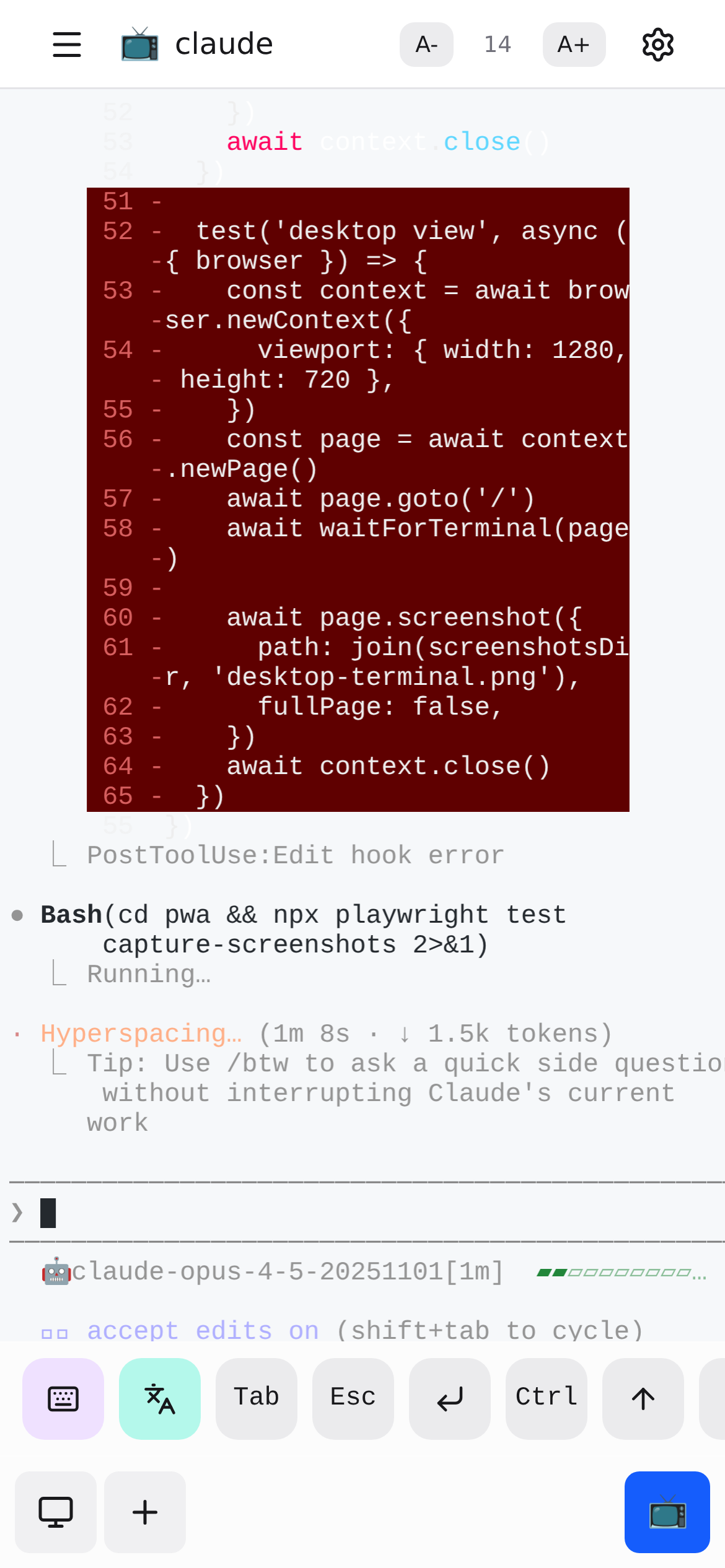
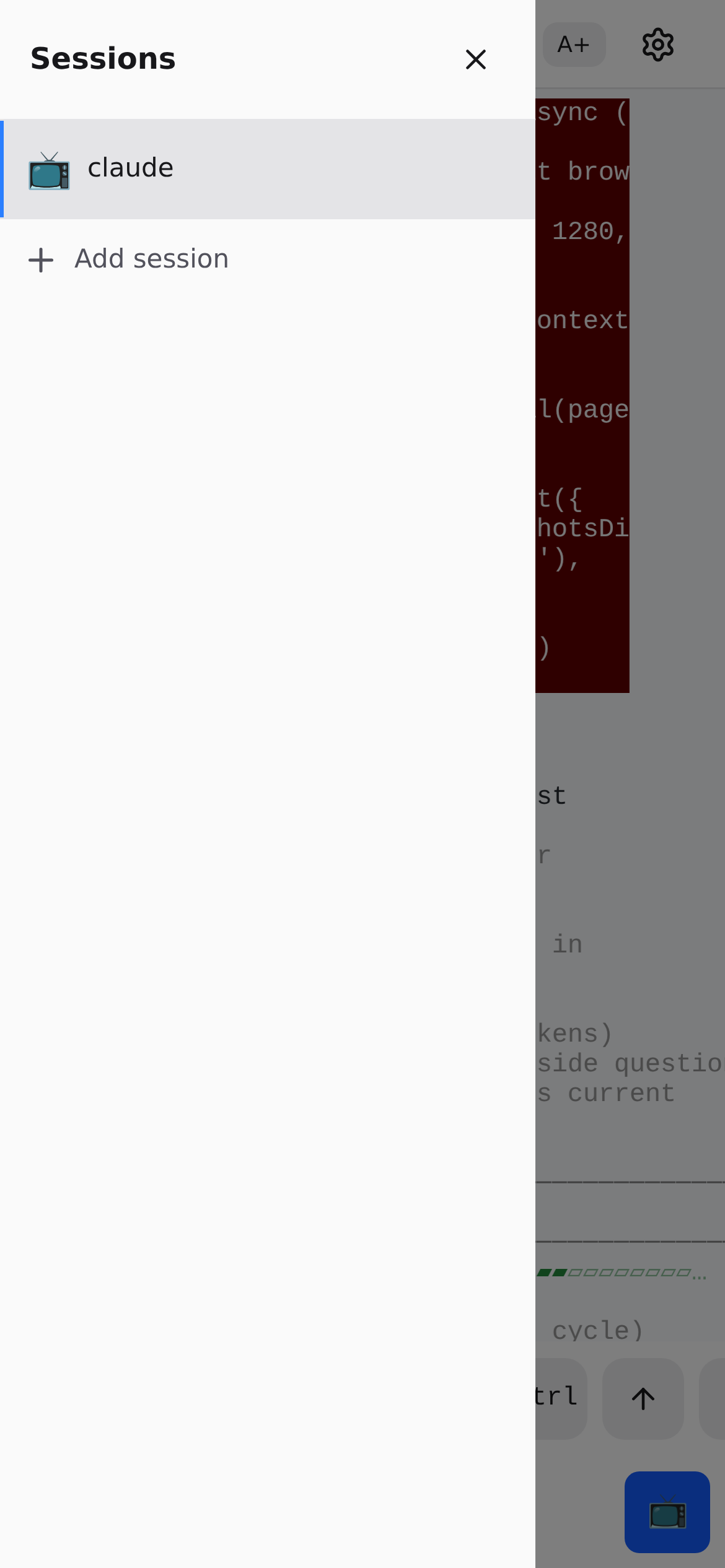
## Arsitektur
```mermaid
flowchart TB
subgraph Client["Client (Mobile/Desktop)"]
PWA["PWA - React + TypeScript"]
Gestures["Kontrol Gestur"]
Keyboard["Keyboard Virtual"]
end
subgraph Server["tmux-api Server :7680"]
Static["Static Files"]
Proxy["WebSocket Proxy"]
API["REST API /api/tmux/*"]
Auth["Basic Auth"]
end
subgraph Backend["Layanan Backend"]
ttyd["ttyd :7681"]
tmux["tmux"]
Shell["Shell"]
Tools["CLI Tools"]
end
Gestures --> PWA
Keyboard --> PWA
PWA --> Static
PWA <--> Proxy
PWA --> API
Auth -.-> Static & Proxy & API
Proxy <--> ttyd
API --> tmux
ttyd --> tmux --> Shell --> Tools
```
## Mulai Cepat
> 📖 **Baru mengenal Termote?** Lihat [Panduan Memulai](docs/getting-started.md) untuk panduan lengkap dengan contoh.
```bash
./scripts/termote.sh # Menu interaktif
./scripts/termote.sh install container # Mode container (docker/podman)
./scripts/termote.sh install native # Mode native (alat host)
./scripts/termote.sh link # Buat perintah 'termote' global
make test # Jalankan tes
```
> Setelah `link`, gunakan `termote` dari mana saja: `termote health`, `termote install native --lan`
>
> **Tips**: Instal [gum](https://github.com/charmbracelet/gum) untuk menu interaktif yang lebih baik (opsional, tersedia fallback bash)
## Instalasi
### Satu baris perintah (direkomendasikan)
**macOS/Linux:**
```bash
# Unduh dan tanya sebelum instal (default mode native)
curl -fsSL https://raw.githubusercontent.com/lamngockhuong/termote/main/scripts/get.sh | bash
# Instal otomatis tanpa bertanya
curl -fsSL .../get.sh | bash -s -- --yes
# Hanya unduh (tanpa instal)
curl -fsSL .../get.sh | bash -s -- --download-only
# Pembaruan otomatis dengan config tersimpan
curl -fsSL .../get.sh | bash -s -- --update
# Instal versi tertentu
curl -fsSL .../get.sh | bash -s -- --version 0.0.4
# Dengan mode dan opsi tertentu
curl -fsSL .../get.sh | bash -s -- --yes --container --lan
curl -fsSL .../get.sh | bash -s -- --yes --native --tailscale myhost
# Paksa password baru (abaikan config tersimpan)
curl -fsSL .../get.sh | bash -s -- --yes --container --fresh
```
**Windows (PowerShell):**
> **Catatan:** Jika eksekusi skrip dinonaktifkan di sistem Anda, jalankan perintah ini terlebih dahulu:
>
> ```powershell
> Set-ExecutionPolicy -Scope CurrentUser -ExecutionPolicy RemoteSigned
> ```
```powershell
# Unduh dan tanya sebelum instal (default mode native)
irm https://raw.githubusercontent.com/lamngockhuong/termote/main/scripts/get.ps1 | iex
# Instal otomatis tanpa bertanya
$env:TERMOTE_AUTO_YES = "true"; irm .../get.ps1 | iex
# Dengan mode tertentu
$env:TERMOTE_MODE = "container"; irm .../get.ps1 | iex
# Pembaruan otomatis dengan config tersimpan
$env:TERMOTE_UPDATE = "true"; irm .../get.ps1 | iex
```
### Docker
```bash
# Semua dalam satu (credentials otomatis, lihat logs: docker logs termote)
docker run -d --name termote -p 7680:7680 ghcr.io/lamngockhuong/termote:latest
# Dengan credentials khusus
docker run -d --name termote -p 7680:7680 \
-e TERMOTE_USER=admin -e TERMOTE_PASS=secret \
ghcr.io/lamngockhuong/termote:latest
# Tanpa autentikasi (hanya dev lokal)
docker run -d --name termote -p 7680:7680 \
-e NO_AUTH=true \
ghcr.io/lamngockhuong/termote:latest
# Dengan volume untuk penyimpanan
docker run -d --name termote -p 7680:7680 \
-v termote-data:/home/termote \
ghcr.io/lamngockhuong/termote:latest
# Mount direktori workspace khusus
docker run -d --name termote -p 7680:7680 \
-v ~/projects:/workspace \
ghcr.io/lamngockhuong/termote:latest
# Dengan Tailscale HTTPS (memerlukan Tailscale di host)
docker run -d --name termote -p 7680:7680 \
-e TERMOTE_USER=admin -e TERMOTE_PASS=secret \
ghcr.io/lamngockhuong/termote:latest
sudo tailscale serve --bg --https=443 http://127.0.0.1:7680
# Akses di: https://your-hostname.tailnet-name.ts.net
```
### Dari Release
```bash
# Unduh release terbaru
VERSION=$(curl -s https://api.github.com/repos/lamngockhuong/termote/releases/latest | grep tag_name | cut -d '"' -f4)
wget https://github.com/lamngockhuong/termote/releases/download/${VERSION}/termote-${VERSION}.tar.gz
tar xzf termote-${VERSION}.tar.gz
cd termote-${VERSION#v}
# Instal (menu interaktif atau dengan mode)
./scripts/termote.sh install
./scripts/termote.sh install container
```
### Dari Source
```bash
git clone https://github.com/lamngockhuong/termote.git
cd termote
./scripts/termote.sh install container
```
> **Catatan**: `termote.sh` adalah CLI terpadu yang mendukung `install` (build dari source, menggunakan artifacts yang tersedia jika ada), `uninstall`, dan `health`.
## Mode Deployment
```mermaid
flowchart LR
subgraph Container["Mode Container"]
direction TB
C1["Docker/Podman"] --> C2["tmux-api :7680"] --> C3["ttyd :7681"] --> C4["tmux"]
end
subgraph Native["Mode Native"]
direction TB
N1["Sistem Host"] --> N2["tmux-api :7680"] --> N3["ttyd :7681"] --> N4["tmux + Alat Host"]
end
User["Pengguna"] --> Container & Native
```
| Mode | Deskripsi | Kasus Penggunaan | Platform |
| ------------- | -------------- | ------------------------------------------- | ------------ |
| `--container` | Mode container | Deployment sederhana, lingkungan terisolasi | macOS, Linux |
| `--native` | Semua native | Akses alat host (claude, gh) | macOS, Linux |
### Opsi
| Flag | Deskripsi |
| --------------------------- | ----------------------------------------------------- |
| `--lan` | Buka akses LAN (default: hanya localhost) |
| `--tailscale ` | Aktifkan Tailscale HTTPS |
| `--no-auth` | Nonaktifkan autentikasi dasar |
| `--port ` | Port host (default: 7680, Windows: 7690) |
| `--fresh` | Paksa prompt password baru (abaikan config tersimpan) |
| `--update` | Pembaruan otomatis dengan config tersimpan |
| `--version ` | Instal versi tertentu (dengan atau tanpa `v`) |
| Variabel Lingkungan | Deskripsi |
| ------------------- | --------------------------------------------------- |
| `WORKSPACE` | Direktori host untuk mount (default: `./workspace`) |
| `TERMOTE_USER` | Username autentikasi (default: otomatis dibuat) |
| `TERMOTE_PASS` | Password autentikasi (default: otomatis dibuat) |
| `NO_AUTH` | Atur ke `true` untuk menonaktifkan autentikasi |
### Mode Container (direkomendasikan untuk kemudahan)
Skrip otomatis mendeteksi `podman` atau `docker` -- keduanya bekerja sama.
```bash
./scripts/termote.sh install container # localhost dengan basic auth
./scripts/termote.sh install container --no-auth # localhost tanpa auth
./scripts/termote.sh install container --lan # Dapat diakses via LAN
# Akses: http://localhost:7680
# Direktori workspace khusus (dimount ke /workspace di container)
WORKSPACE=~/projects ./scripts/termote.sh install container
WORKSPACE=/path/to/code make install-container
```
> **Catatan keamanan**: Hindari mount langsung `$HOME` -- direktori sensitif seperti `.ssh`, `.gnupg` akan dapat diakses di container. Mount direktori proyek tertentu saja.
### Native (direkomendasikan untuk akses binary host)
Gunakan ketika Anda memerlukan akses ke binary host (claude, git, dll.):
```bash
# Linux
sudo apt install ttyd tmux
# Atau: sudo snap install ttyd
./scripts/termote.sh install native
# macOS
brew install ttyd tmux go
./scripts/termote.sh install native
# Akses: http://localhost:7680
```
### Dengan Tailscale HTTPS (semua mode)
Menggunakan `tailscale serve` untuk HTTPS otomatis (tanpa manajemen sertifikat manual):
```bash
# Hanya Tailscale (port default 443)
./scripts/termote.sh install container --tailscale myhost.ts.net
# Port khusus
./scripts/termote.sh install native --tailscale myhost.ts.net:8765
# Tailscale + akses LAN
./scripts/termote.sh install container --tailscale myhost.ts.net --lan
# Akses: https://myhost.ts.net (atau :8765 untuk port khusus)
```
### Hapus Instalasi
```bash
./scripts/termote.sh uninstall container # Mode container
./scripts/termote.sh uninstall native # Mode native
./scripts/termote.sh uninstall all # Semuanya
```
### Pembaruan
```bash
# Opsi 1: Pembaruan otomatis dengan config tersimpan
curl -fsSL .../get.sh | bash -s -- --update
# Opsi 2: Jalankan ulang one-liner (bandingkan versi, tanya sebelum instal)
curl -fsSL .../get.sh | bash
# Opsi 3: Pembaruan manual
./scripts/termote.sh uninstall [container|native]
git pull origin main # Jika diinstal dari source
./scripts/termote.sh install [container|native] [--lan] [--tailscale ...]
```
## Dukungan Platform
| Platform | Container | Native | CLI Script |
| -------- | ----------------- | ----------------- | ----------- |
| Linux | ✓ | ✓ | termote.sh |
| macOS | ✓ | ✓ | termote.sh |
| Windows | ⚠️ (eksperimental) | ⚠️ (eksperimental) | termote.ps1 |
> **⚠️ Dukungan Windows (Eksperimental)**: Dukungan Windows saat ini masih dalam tahap awal dan memerlukan pengujian lebih lanjut. Mode container memerlukan Docker Desktop, mode native memerlukan psmux. Silakan laporkan masalah di GitHub.
### Mode Native Windows
Mode native Windows menggunakan [psmux](https://github.com/psmux/psmux) (terminal multiplexer yang kompatibel dengan tmux untuk Windows):
```powershell
# Instal psmux
winget install psmux
# Jalankan Termote
.\scripts\termote.ps1 install native
.\scripts\termote.ps1 install container # Atau mode container dengan Docker Desktop
```
## Penggunaan Mobile
| Aksi | Gestur |
| ---------------- | ------------------- |
| Batal/interupsi | Geser kiri (Ctrl+C) |
| Tab completion | Geser kanan |
| Riwayat ke atas | Geser ke atas |
| Riwayat ke bawah | Geser ke bawah |
| Tempel | Tekan lama |
| Ukuran font | Cubit masuk/keluar |
Toolbar virtual menyediakan: Tab, Esc, Ctrl, Shift, tombol panah, dan kombinasi tombol umum. Mendukung kombinasi Ctrl+Shift (tempel, salin). Beralih antara mode minimal dan diperluas untuk tombol tambahan (Home, End, Delete, dll.).
## Struktur Proyek
```
termote/
├── Makefile # Perintah build/test/deploy
├── Dockerfile # Docker mode (tmux-api + ttyd)
├── docker-compose.yml
├── entrypoint.sh # Docker entrypoint
├── docs/ # Dokumentasi
│ └── images/screenshots/ # Tangkapan layar aplikasi
├── pwa/ # React PWA
│ └── src/
│ ├── components/
│ ├── contexts/
│ ├── hooks/
│ ├── types/
│ └── utils/
├── tmux-api/ # Go server
│ ├── main.go # Entry point
│ ├── serve.go # Server (PWA, proxy, auth)
│ └── tmux.go # tmux API handlers
├── scripts/
│ ├── termote.sh # Unix CLI (install/uninstall/health)
│ ├── termote.ps1 # Windows PowerShell CLI
│ ├── get.sh # Unix online installer (curl | bash)
│ └── get.ps1 # Windows online installer (irm | iex)
├── tests/ # Suite tes
│ ├── test-termote.sh
│ ├── test-termote.ps1 # Tes Windows
│ ├── test-get.sh
│ └── test-entrypoints.sh
└── website/ # Situs docs Astro Starlight
└── src/content/docs/ # Dokumentasi MDX
```
## Pengembangan
```bash
make build # Build PWA dan tmux-api
make test # Jalankan semua tes
make health # Periksa health service
make clean # Hentikan containers
# Tes E2E (memerlukan server yang berjalan)
./scripts/termote.sh install container # Mulai server terlebih dahulu
pnpm --filter termote test:e2e # Jalankan tes Playwright
pnpm --filter termote test:e2e:ui # Jalankan dengan UI debugger
```
**Pengujian Manual:** Lihat [Daftar Periksa Self-Test](docs/self-test-checklist.md)
## Pemecahan Masalah
### Session tidak tersimpan
- Periksa tmux: `tmux ls`
- Verifikasi ttyd menggunakan flag `-A` (attach-or-create)
### Error WebSocket
- Periksa log tmux-api: `docker logs termote`
- Verifikasi ttyd berjalan di port 7681
### Masalah keyboard mobile
- Pastikan viewport meta tag tersedia
- Uji di perangkat nyata, bukan emulator
### Mode native: proses tidak berjalan
```bash
ps aux | grep ttyd # Periksa apakah ttyd berjalan
ps aux | grep tmux-api # Periksa apakah tmux-api berjalan
lsof -i :7680 # Verifikasi port sedang digunakan
```
## Catatan Keamanan
- **Default: hanya localhost** - tidak terbuka ke LAN kecuali menggunakan flag `--lan`
- **Basic auth aktif secara default** - gunakan `--no-auth` untuk menonaktifkan di dev lokal
- **Proteksi brute-force bawaan** - rate limiting (5 percobaan/menit per IP)
- Gunakan HTTPS (Tailscale) untuk production
- Batasi ke jaringan tepercaya/VPN
## Proyek Lainnya
| Proyek | Deskripsi |
| ----------------------------------------------------------- | -------------------------------------------------------------------------------------------------------------------------------------------- |
| [GitHub Flex](https://github.com/lamngockhuong/github-flex) | Ekstensi lintas browser (Chrome & Firefox) yang meningkatkan antarmuka GitHub dengan fitur produktivitas |
| [TabRest](https://github.com/lamngockhuong/tabrest) | Ekstensi Chrome yang secara otomatis melepaskan tab tidak aktif untuk membebaskan memori |
| [Specpin](https://github.com/lamngockhuong/specpin) | Menyematkan spesifikasi bisnis hidup yang diversikan dengan Git ke elemen antarmuka web yang sedang berjalan (ekstensi browser + Go sidecar) |
## Lisensi
MIT