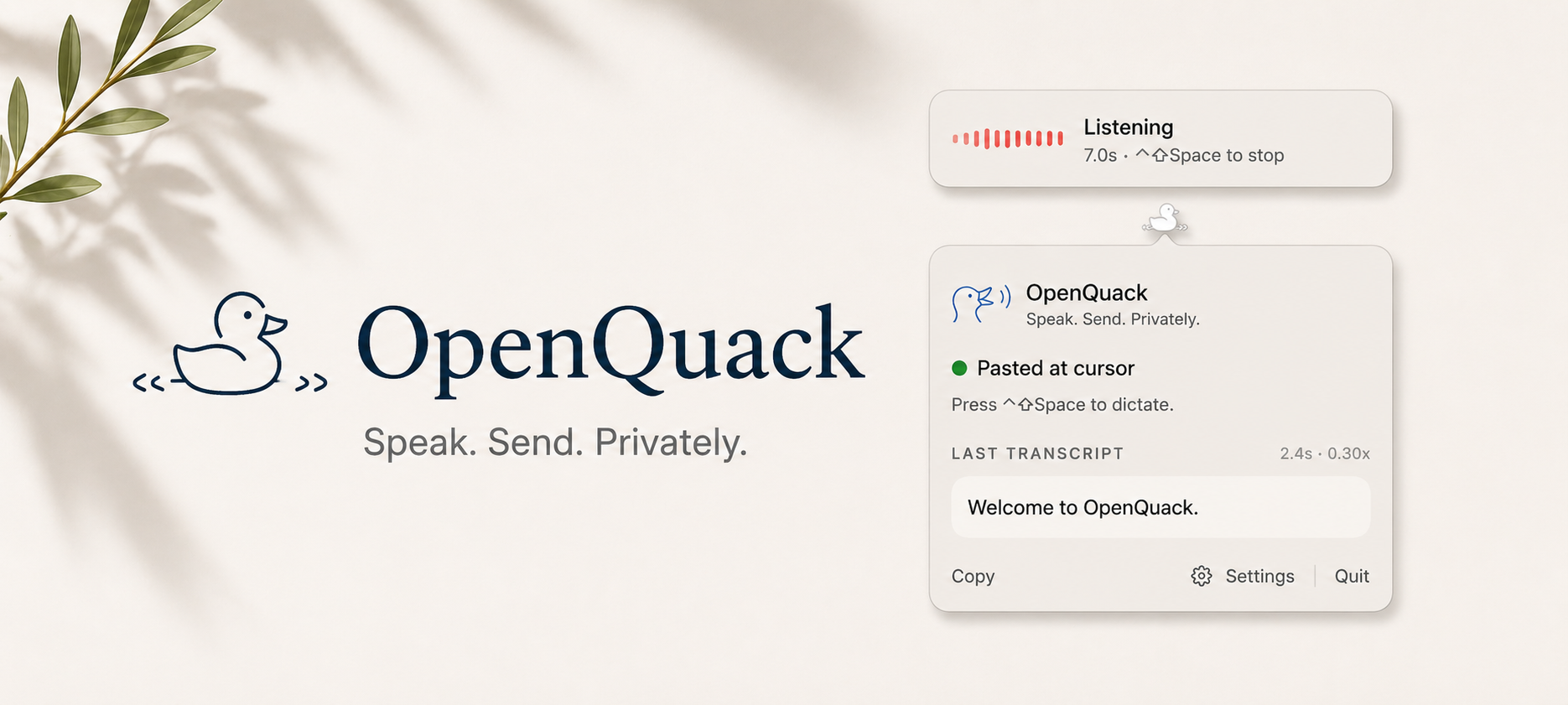
**OpenQuack** *Speak. Send. Privately.*
Voice dictation for macOS. Nothing leaves your device — audio, text, nothing.
[](LICENSE)
[](docs/INSTALL.md)
[](docs/ROADMAP.md)
English ·
简体中文 ·
日本語 ·
한국어 ·
Français ·
Español ·
Deutsch
> 🌐 Translations are machine-translated stubs. Native-speaker contributions very welcome — open a PR or see [`CONTRIBUTING.md`](CONTRIBUTING.md).
---
> 📢 **What's new** — full notes on the [Releases page →](https://github.com/larryxiao/openquack/releases)
>
> - ✨ **[v2.0.0-alpha.21](https://github.com/larryxiao/openquack/releases/tag/v2.0.0-alpha.21) — faster transcription + opt-in AI polish.** ANE performance restored (transcription speed regression fixed), plus onboarding now walks you through enabling on-device LLM polish so you can try it without hunting through settings.
> - 🛡️ **[v2.0.0-alpha.20](https://github.com/larryxiao/openquack/releases/tag/v2.0.0-alpha.20) — it doesn't freeze on you anymore.** If your mic changes mid-recording — AirPods connecting, switching devices — OpenQuack stops cleanly and keeps what you said instead of locking up. Plus on-device transcript polish, in-app model switching, and a faster first launch.
> - 🌏 **[v2.0.0-alpha.18](https://github.com/larryxiao/openquack/releases/tag/v2.0.0-alpha.18) — code-switch without the chaos.** Start a sentence in English and finish it in 中文: your Chinese now comes back as Chinese across a whole recording, not a garbled English "translation," and it's tidied into your system's script (简体 or 繁體).
## What it is
OpenQuack is a tiny menu-bar app for macOS. Press a hotkey, speak, press it again — your transcript appears at the cursor. Wherever you can type, you can talk.
Speech recognition happens on your Mac. No cloud, no account, no signup, no telemetry.
## Why
**Local.** Everything runs on your device — recording, transcription, optional polish. Nothing leaves: no audio, no text, no telemetry, no signup. Confidential work stays confidential, by construction. And because there's no API call in the loop, it just keeps working — offline, on a plane, behind a corporate firewall.
**Fast, especially on long clips.** Whisper streams while you speak, so a 5-minute dictation finishes in about 3 seconds after you stop — the wait doesn't grow with length. ~2.6% word-error rate on real human speech on a baseline M4 / 16 GB, ~6.3% in realistic office noise. Full bench matrix in [`docs/BENCHMARKS.md`](docs/BENCHMARKS.md).
**Quiet on resources.** ~120 MB of RAM while idle. ~8 MB app bundle. The Whisper model lives on disk and only loads when you press the hotkey.
**Open.** MIT-licensed. Every line is auditable; every change happens in public. The version running in your menu bar is the version in this repo.
## What you get
- **One-key dictation.** Pick a hotkey (default ⌃⇧Space, or bind `fn` / Globe). Press once to start, press again to stop.
- **Auto-paste at the cursor** in any app. Falls back to your clipboard if you'd rather paste yourself.
- **99 languages.** English, Chinese, Japanese, Korean, Spanish, French, German, Italian, and Portuguese are right in Settings; auto-detect on by default.
- **Smart formatting** — capitalisation, end-punctuation, "um/uh" cleanup.
- **Custom dictionary** — teach it the proper nouns and project names you actually use.
- **Auto-stop after silence.** Finish speaking, OpenQuack wraps up on its own.
- **Launch at login** — show up in the menu bar after every restart with one toggle.
## Privacy, in one screen
1. **Nothing leaves your device — audio, text, nothing.** Recording and transcription are fully local. Always.
2. **No analytics, no telemetry, no signup.**
The full privacy contract is in [`docs/VISION.md`](docs/VISION.md#privacy-contract).
## Coming next
- **In-context transcription** — OpenQuack reads the surrounding text before transcribing, so domain terms get disambiguated by what you're actually doing.
- **Thinking mode** — an opt-in second pass through a small local LLM (Ollama or MLX-LM, your pick) that turns a raw spoken sentence into one you'd press send on.
Both deferred while the adoption foundations land. See [`docs/ROADMAP.md`](docs/ROADMAP.md) for what's queued; [`docs/VISION.md`](docs/VISION.md) for where this is going overall.
## Install
```sh
brew tap larryxiao/openquack https://github.com/larryxiao/openquack
brew install --cask openquack
```
Or [download the DMG](https://github.com/larryxiao/openquack/releases) and drag into Applications. First launch: right-click → **Open** → **Open** (one-time Gatekeeper bypass).
Grant **Microphone** when macOS asks, pick a hotkey in **Settings → Shortcut** (default ⌃⇧Space).
Want a guided walkthrough? See [`docs/TUTORIAL.md`](docs/TUTORIAL.md) — five minutes from install to first dictation.
### Or tell your AI agent
Point it at this repo and ask it to follow [`docs/INSTALL.md`](docs/INSTALL.md).
## Got stuck? Want a feature?
Drop a comment in **[Discussions](https://github.com/larryxiao/openquack/discussions/43)** — it's the lowest-friction way to reach me. Bugs, feature ideas, "I'm using it for X" workflow stories, or quick questions about Whisper / model choice / paste behavior in a specific app all welcome. Issues are fine for structured reports too, but no need to format.
Common questions (install, accuracy, languages, offline behaviour, Mac requirements) live in the [**FAQ on the docs site**](https://larryxiao.github.io/openquack/#faq).
## Acknowledgements
OpenQuack stands on the shoulders of generous open-source work. Huge thanks to:
- [**OpenAI Whisper**](https://github.com/openai/whisper) — the speech model that makes any of this possible.
- [**WhisperKit**](https://github.com/argmaxinc/WhisperKit) by Argmax — Whisper, fast and native on Apple Silicon.
- [**KeyboardShortcuts**](https://github.com/sindresorhus/KeyboardShortcuts) by Sindre Sorhus — the hotkey machinery you press every day.
- [**voxt**](https://github.com/hehehai/voxt) — a kindred project we learned a lot from on the technical side.
- [**Typeless**](https://www.typeless.com/) and [**Wispr Flow**](https://wisprflow.ai/) — the closed-source apps that proved how delightful voice-first input can feel; we're aiming for the same feel, locally and openly.
And to everyone filing issues, opening PRs, and telling friends: thank you. The duck quacks because of you.
## Contribute
OpenQuack is **AI-native open source** — every PR cites a SPEC, atomic tasks come from the roadmap, the workflow is friendly to coding agents at scale (and humans on the same path).
Start with [`AGENTS.md`](AGENTS.md), pick a 🔵 task in [`docs/ROADMAP.md`](docs/ROADMAP.md), open a draft PR.
Under the hood: [`TUTORIAL`](docs/TUTORIAL.md) · [`DEVELOPMENT`](docs/DEVELOPMENT.md) · [`ARCHITECTURE`](docs/ARCHITECTURE.md) · [`BENCHMARKS`](docs/BENCHMARKS.md) · [`DESIGN`](docs/DESIGN.md) · [`INSTALL`](docs/INSTALL.md) · [`BLOG`](docs/blog/README.md).
## License
MIT — see [LICENSE](LICENSE).