# Clui CC — Command Line User Interface for Claude Code
A lightweight, transparent desktop overlay for [Claude Code](https://docs.anthropic.com/en/docs/claude-code) on macOS. Clui CC wraps the Claude Code CLI in a floating pill interface with multi-tab sessions, a permission approval UI, voice input, and a skills marketplace.
## Demo
[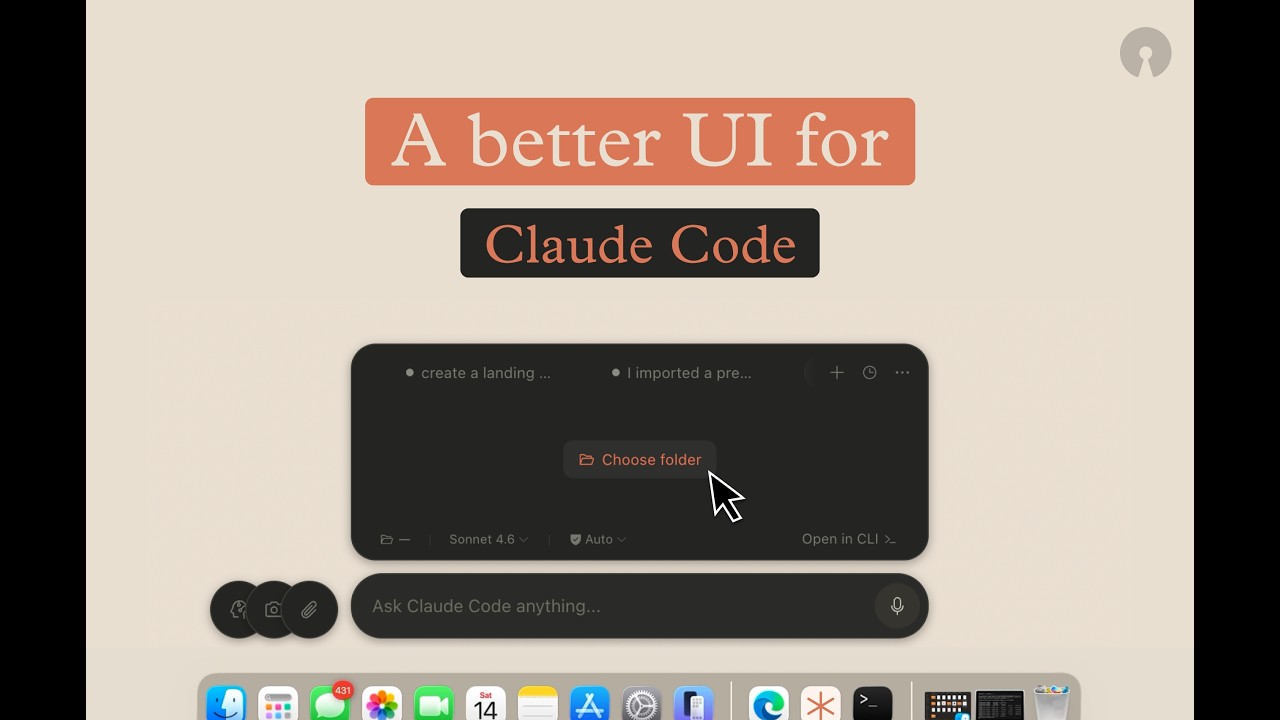](https://www.youtube.com/watch?v=NqRBIpaA4Fk)
▶ Watch the full demo on YouTube
## Features
- **Floating overlay** — transparent, click-through window that stays on top. Toggle with `⌥ + Space` (fallback: `Cmd+Shift+K`).
- **Multi-tab sessions** — each tab spawns its own `claude -p` process with independent session state.
- **Permission approval UI** — intercepts tool calls via PreToolUse HTTP hooks so you can review and approve/deny from the UI.
- **Conversation history** — browse and resume past Claude Code sessions.
- **Skills marketplace** — install plugins from Anthropic's GitHub repos without leaving Clui CC.
- **Voice input** — local speech-to-text via Whisper (required, installed automatically).
- **File & screenshot attachments** — paste images or attach files directly.
- **Dual theme** — dark/light mode with system-follow option.
## Why Clui CC
- **Claude Code, but visual** — keep CLI power while getting a fast desktop UX for approvals, history, and multitasking.
- **Human-in-the-loop safety** — tool calls are reviewed and approved in-app before execution.
- **Session-native workflow** — each tab runs an independent Claude session you can resume later.
- **Local-first** — everything runs through your local Claude CLI. No telemetry, no cloud dependency.
## How It Works
```
UI prompt → Main process spawns claude -p → NDJSON stream → live render
→ tool call? → permission UI → approve/deny
```
See [`docs/ARCHITECTURE.md`](docs/ARCHITECTURE.md) for the full deep-dive.
## Install App (Recommended)
The fastest way to get Clui CC running as a regular Mac app. This installs dependencies, voice support (Whisper), builds the app, copies it to `/Applications`, and launches it.
**1) Clone the repo**
```bash
git clone https://github.com/lcoutodemos/clui-cc.git
```
**2) Double-click `install-app.command`**
Open the `clui-cc` folder in Finder and double-click `install-app.command`.
> **First launch:** macOS may block the app because it's unsigned. Go to **System Settings → Privacy & Security → Open Anyway**. You only need to do this once.
> **Folder cleanup:** the installer removes temporary `dist/` and `release/` folders after a successful install to keep the repo tidy.
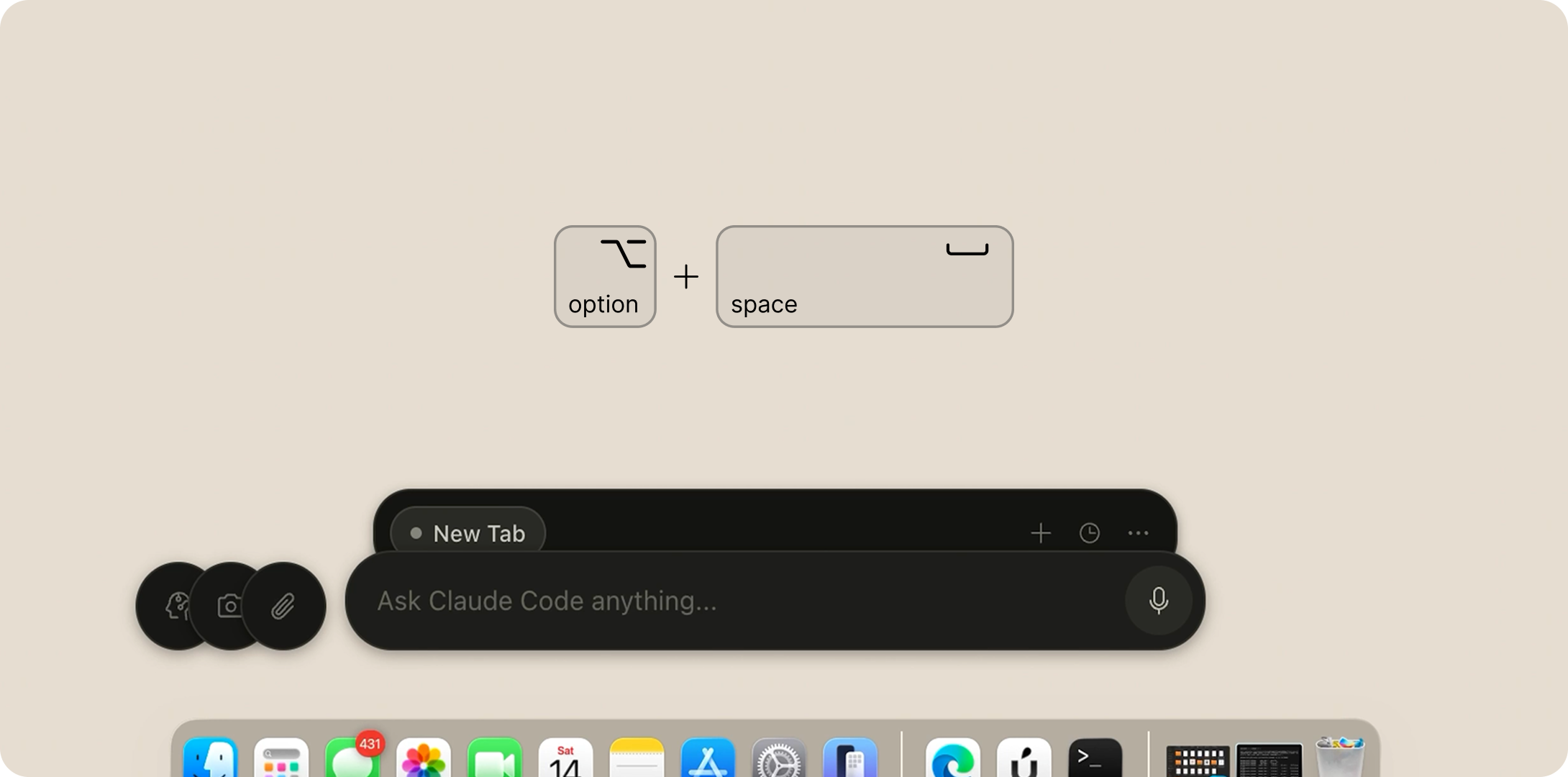
After the initial install, just open **Clui CC** from your Applications folder or Spotlight.
Terminal / Developer Commands
Only `install-app.command` is kept at root intentionally for non-technical users. Developer scripts live in `commands/`.
### Quick Start (Terminal)
```bash
git clone https://github.com/lcoutodemos/clui-cc.git
```
```bash
cd clui-cc
```
```bash
./commands/setup.command
```
```bash
./commands/start.command
```
> Press **⌥ + Space** to show/hide the overlay. If your macOS input source claims that combo, use **Cmd+Shift+K**.
To stop:
```bash
./commands/stop.command
```
### Developer Workflow
```bash
npm install
```
```bash
npm run dev
```
Renderer changes update instantly. Main-process changes require restarting `npm run dev`.
### Other Commands
| Command | Purpose |
|---------|---------|
| `./commands/setup.command` | Environment check + install dependencies |
| `./commands/start.command` | Build and launch from source |
| `./commands/stop.command` | Stop all Clui CC processes |
| `npm run build` | Production build (no packaging) |
| `npm run dist` | Package as macOS `.app` into `release/` |
| `npm run doctor` | Run environment diagnostic |
Setup Prerequisites (Detailed)
You need **macOS 13+**. Then install these one at a time — copy each command and paste it into Terminal.
**Step 1.** Install Xcode Command Line Tools (needed to compile native modules):
```bash
xcode-select --install
```
**Step 2.** Install Node.js (recommended: current LTS such as 20 or 22; minimum supported: 18). Download from [nodejs.org](https://nodejs.org), or use Homebrew:
```bash
brew install node
```
Verify it's on your PATH:
```bash
node --version
```
**Step 3.** Make sure Python has `setuptools` (needed by the native module compiler). On Python 3.12+ this is missing by default:
```bash
python3 -m pip install --upgrade pip setuptools
```
**Step 4.** Install Claude Code CLI:
```bash
npm install -g @anthropic-ai/claude-code
```
**Step 5.** Authenticate Claude Code (follow the prompts that appear):
```bash
claude
```
**Step 6.** Install Whisper for voice input:
```bash
# Apple Silicon (M1/M2/M3/M4) — preferred:
brew install whisperkit-cli
# Apple Silicon fallback, or Intel Mac:
brew install whisper-cpp
```
> **No API keys or `.env` file required.** Clui CC uses your existing Claude Code CLI authentication (Pro/Team/Enterprise subscription).
Architecture and Internals
### Project Structure
```
src/
├── main/ # Electron main process
│ ├── claude/ # ControlPlane, RunManager, EventNormalizer
│ ├── hooks/ # PermissionServer (PreToolUse HTTP hooks)
│ ├── marketplace/ # Plugin catalog fetching + install
│ ├── skills/ # Skill auto-installer
│ └── index.ts # Window creation, IPC handlers, tray
├── renderer/ # React frontend
│ ├── components/ # TabStrip, ConversationView, InputBar, etc.
│ ├── stores/ # Zustand session store
│ ├── hooks/ # Event listeners, health reconciliation
│ └── theme.ts # Dual palette + CSS custom properties
├── preload/ # Secure IPC bridge (window.clui API)
└── shared/ # Canonical types, IPC channel definitions
```
### How It Works
1. Each tab creates a `claude -p --output-format stream-json` subprocess.
2. NDJSON events are parsed by `RunManager` and normalized by `EventNormalizer`.
3. `ControlPlane` manages tab lifecycle (connecting → idle → running → completed/failed/dead).
4. Tool permission requests arrive via HTTP hooks to `PermissionServer` (localhost only).
5. The renderer polls backend health every 1.5s and reconciles tab state.
6. Sessions are resumed with `--resume ` for continuity.
### Network Behavior
Clui CC operates almost entirely offline. The only outbound network calls are:
| Endpoint | Purpose | Required |
|----------|---------|----------|
| `raw.githubusercontent.com/anthropics/*` | Marketplace catalog (cached 5 min) | No — graceful fallback |
| `api.github.com/repos/anthropics/*/tarball/*` | Skill auto-install on startup | No — skipped on failure |
No telemetry, analytics, or auto-update mechanisms. All core Claude Code interaction goes through the local CLI.
## Troubleshooting
For setup issues and recovery commands, see [`docs/TROUBLESHOOTING.md`](docs/TROUBLESHOOTING.md).
Quick self-check:
```bash
npm run doctor
```
## Tested On
| Component | Version |
|-----------|---------|
| macOS | 15.x (Sequoia) |
| Node.js | 20.x LTS, 22.x |
| Python | 3.12 (with setuptools installed) |
| Electron | 33.x |
| Claude Code CLI | 2.1.71 |
## Known Limitations
- **macOS only** — transparent overlay, tray icon, and node-pty are macOS-specific. Windows/Linux support is not currently implemented.
- **Requires Claude Code CLI** — Clui CC is a UI layer, not a standalone AI client. You need an authenticated `claude` CLI.
- **Permission mode** — uses `--permission-mode default`. The PTY interactive transport is legacy and disabled by default.
## License
[MIT](LICENSE)