⭐ Please star Taskuary if you find it helpful — it is how other people find it.
## Your work manager. Locally. Securely. In control. **A personal AI assistant for your job.** Mail, chats and tickets become tasks, the agents you already use (Claude Code, Codex, Gemini) do the work, and nothing goes out until you approve. Open source, runs on your machine, no subscription.  Taskuary is early—currently **v0.3.9.7**—so breaking changes are still possible before 1.0.
One guided task: an email request, checked figures, and your simulated approval. Fictional data and scripted agent work; nothing connects or sends.
Read the documentation — installation, the first run, what to connect, and every setting.
## What Taskuary can do One request, from arrival to your approval. Follow Ruth's request for the latest vendor spend numbers through the real app, using fictional demo data. ### 1. Everything lands in one place Mail, chats, issue trackers, alerts, and reports arrive on one rail, sorted by what they need: **Urgent**, **On you**, **Goals**, **Agents working**, **For later**, **Reports**, the Advisor's ideas, and **FYI**. Beside it, the day opens on one card: what changed since last night, what was learned, the morning digest, your meetings, and what waits in each section - so you never open each system in turn. A goal is a task whose steps are tasks: triage opens one for an open-ended ask, and files later mail under the step it serves. 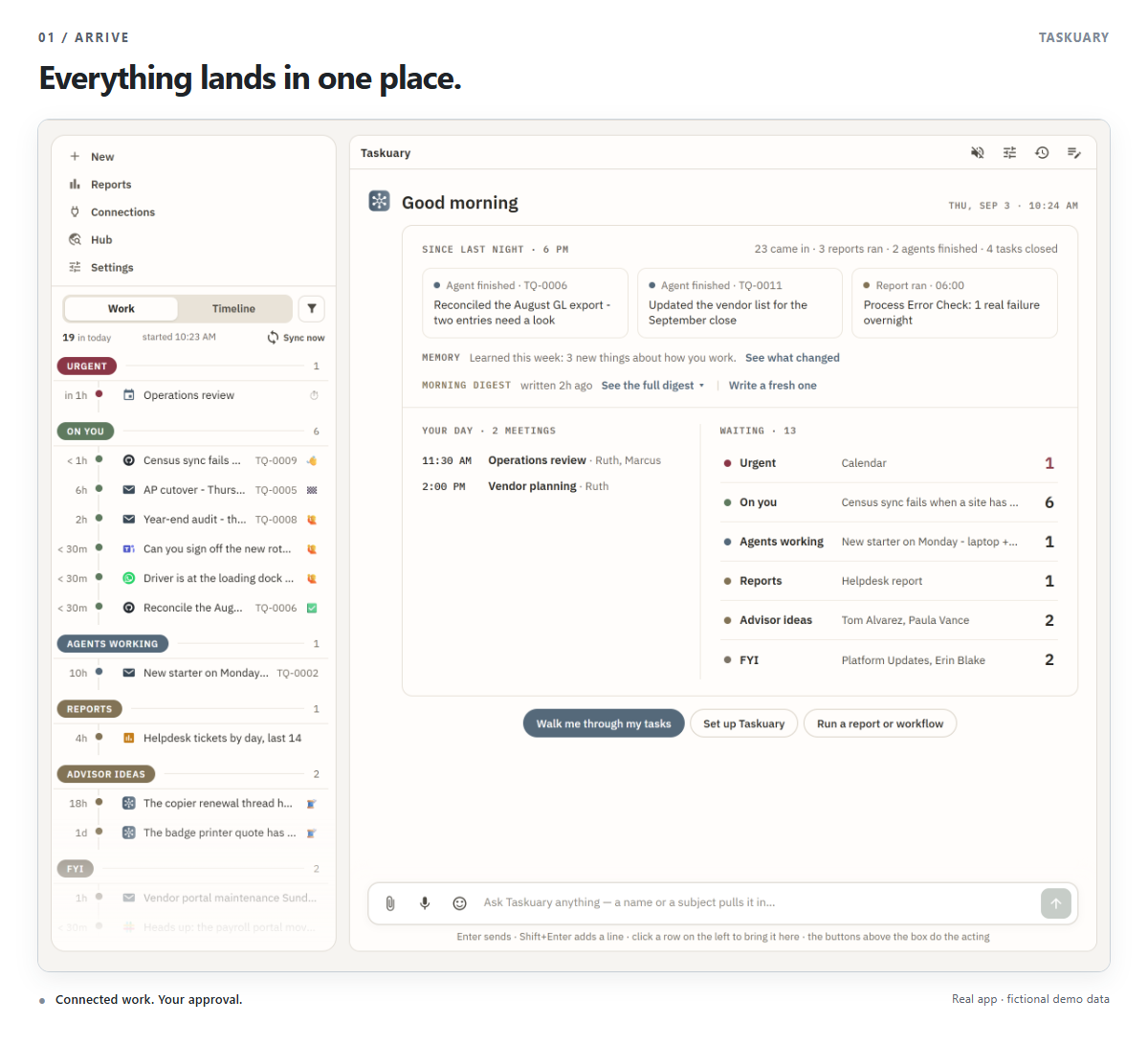 ### 2. Let the Assistant walk you through it Choose **Walk me through my tasks**. The Assistant puts one item on the table at a time, as the same task card you would open yourself, with the next actions under it: **Next**, **Write reply**, **Send to agent**, **Mark done**. The buttons always do the same thing; the chat line is for everything else, and the Assistant already has the message, the thread, and your past decisions to answer from. 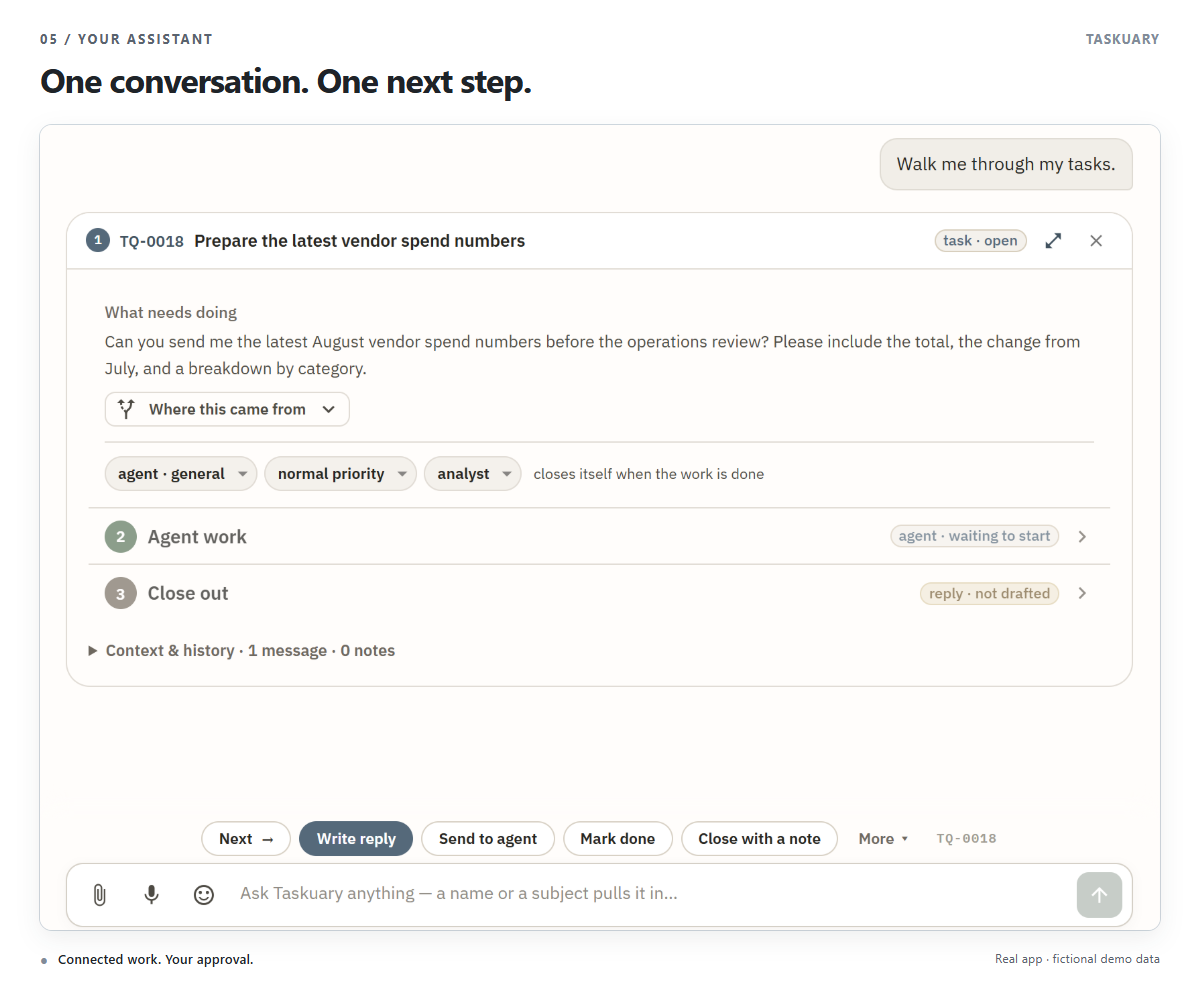 Assistant look-ups clamp result limits to a safe range and use their default when a limit is invalid. ### 3. Every request becomes a task with its whole story Open any item to see how it got here: the message, what triage decided and why, which agent has it, and where the reply stands. 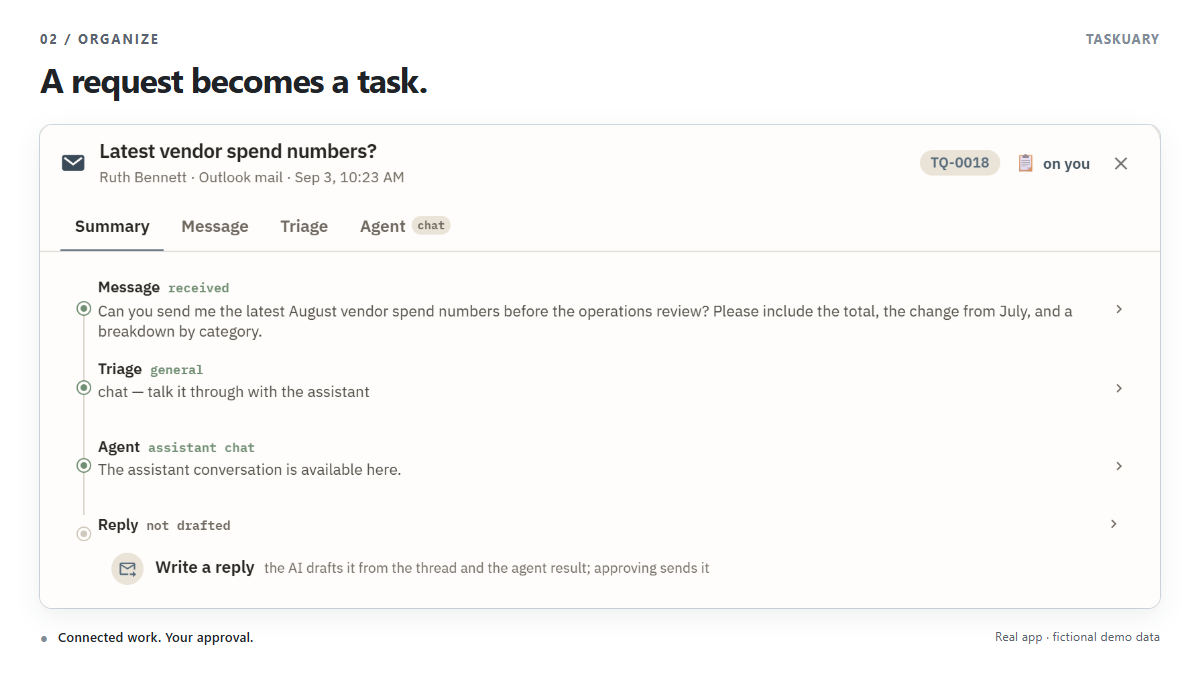 ### 4. The agent works inside the chat **Send to agent** and it works in the same card. Here the analyst prepares the numbers, checks that the categories add up, names its source, and drafts the reply. Nothing is sent. 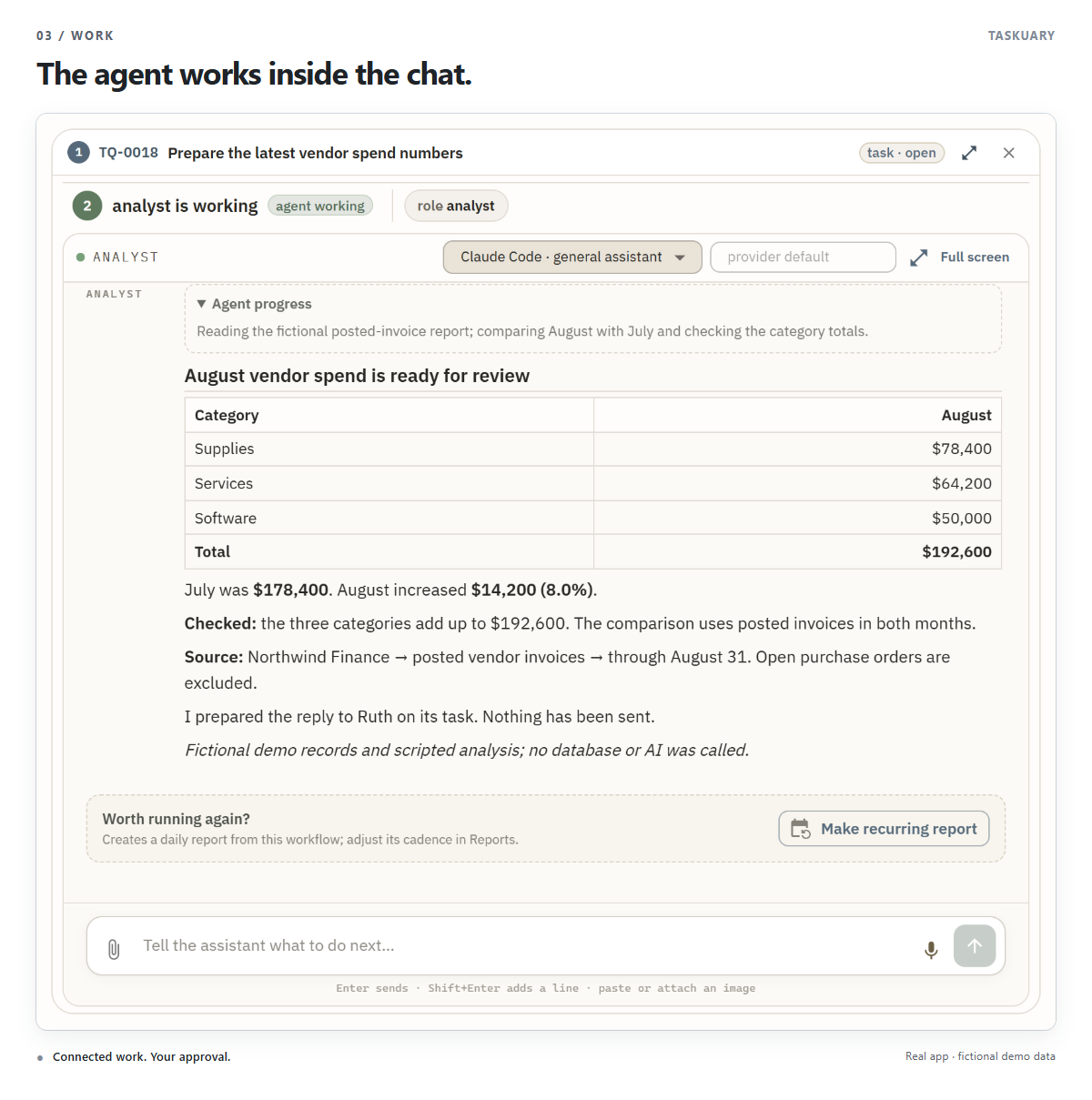 ### 5. The last word is yours The prepared reply waits on the task, beside the request that started it. Read it, edit it, and choose **Approve & send** when it is ready. 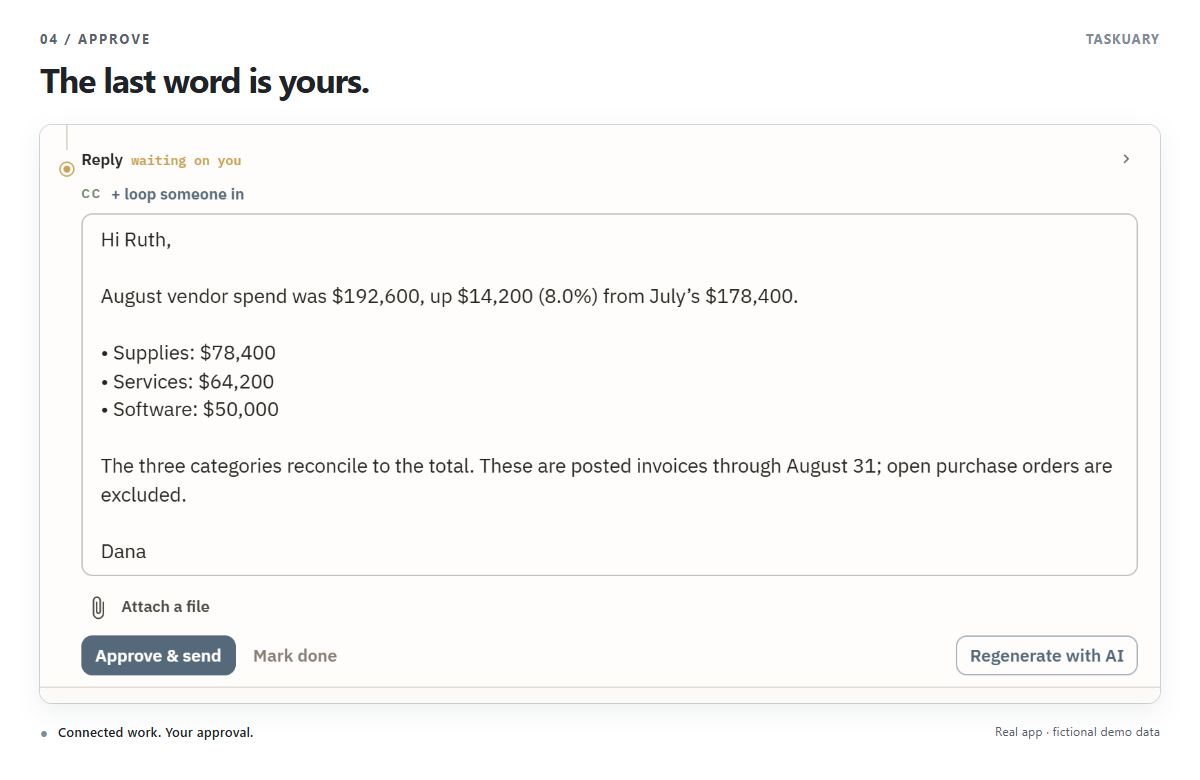 ### 6. Start your day before it gets busy Each morning the Assistant opens on what changed since last night, what it learned, today's meetings, and what waits in each section - and the morning digest unfolds in place, so it is never stale by the time you reach it. Ruth's request has a clear deadline: the 11:30 operations review. 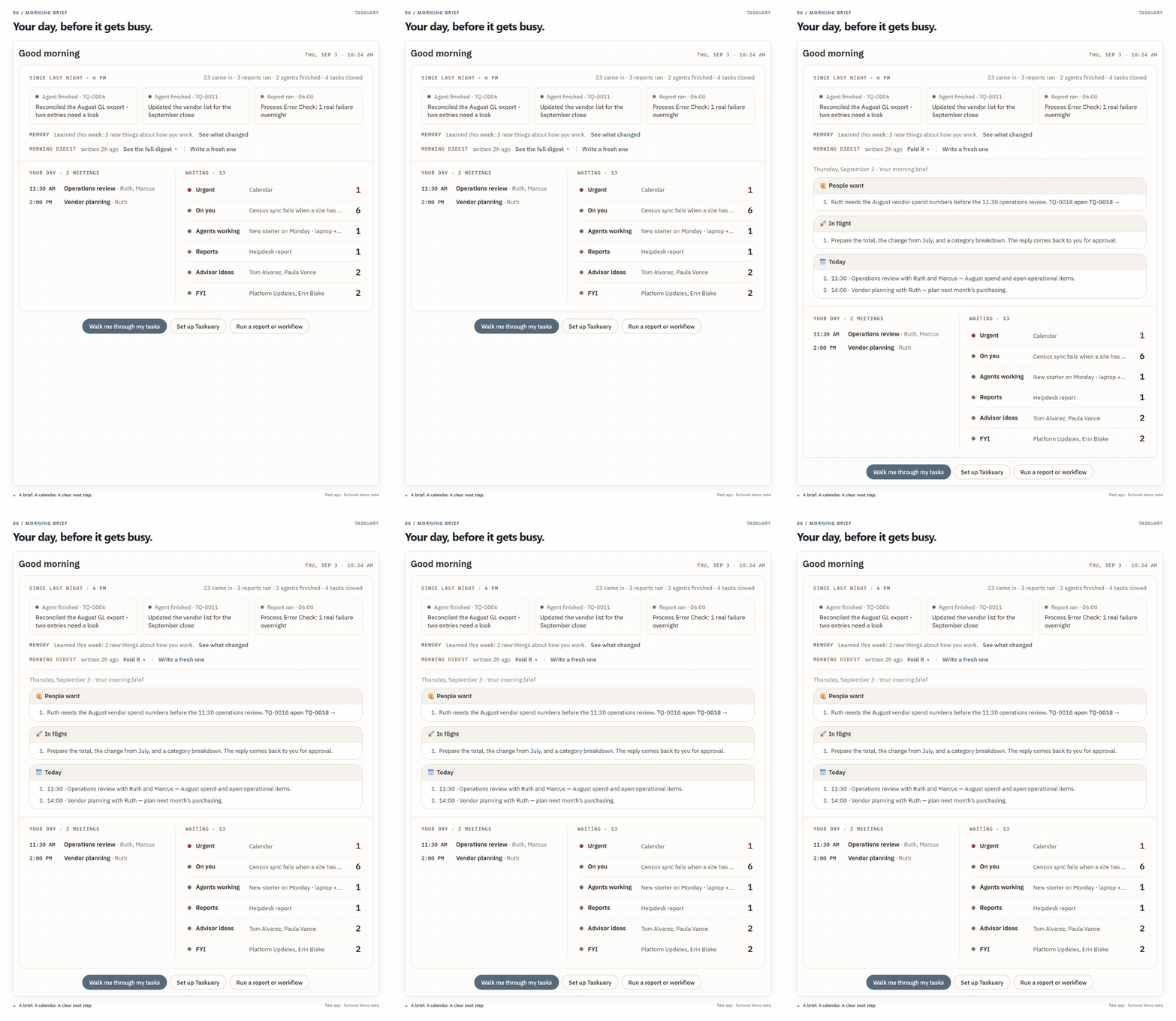 ## Key features ### Use your coding CLI Connect Claude Code, Codex, Qwen Code, OpenCode, Kimi Code, Gemini, Cursor, Copilot, Muse Code, or another CLI. Set up the connection once, then give your agents profiles with their own instructions. Follow their sessions, answer questions, and review the result from Taskuary. For Qwen Code, see the [setup and compatibility guide](docs/qwen-code.md). Use DeepSeek, GLM, or MiniMax through OpenCode, or connect Moonshot's Kimi Code: [setup steps and supported roles](docs/chinese-coding-clis.md).  ### A shared Hub for what agents learn Keep discoveries, decisions, and useful warnings by topic. Agents can find what earlier work uncovered, discuss it, and correct it instead of starting from scratch.  ### Agents leave notes for each other The Board's **Live handoffs** show what agents are working on, what is blocked, and what is ready. An agent leaves a note; the next one reads it before picking up the work.  ### Memory that learns how you work Every draft you edit and task you reclassify gives Taskuary evidence about your preferences. Repeated patterns become lessons in **LEARNED.md**: how you write, what you own, and what deserves a task. For example, repeatedly moving the numbers to the top of a reply can teach it to lead with the total next time. Open **Docs → LEARNED.md** to read, edit, or delete those lessons. Your written instructions in `SOUL.md` take precedence. It also learns from what came *after*. The **outcome ledger** records one row per action Taskuary took or proposed - a reply sent, a task closed, an agent stopping and your next move in your own words, a pull request merged, a promise made, a sender ignored - and a daily sweep fills in what followed from facts already in the store: more rounds on the thread, a task reopened, a promise delivered late. Reflection reads those rows as evidence, so a lesson can say "green PR from the coding agent: you merge it, 8 of 8". A learned line never acts on its own; it changes which button comes first. It also keeps a page per person it deals with, compiled from the same ledger: how fast they answer, whether a chase is needed, who on copy moves them - and a thread gone quiet past that person's own day is *slipped*, on your rail under On you, with Chase, Let it go, They answered elsewhere and Remind me under it. See [The Advisor](https://taskuary.com/docs/advisor).