---
yovoice is an open-source, local-first audio and music creation studio for macOS and Windows.
Turn text into expressive speech, natural cloned voices, complete vocal songs, and multi-track scores right on your machine. Featuring zero-shot voice cloning, emotional performance controls, AI music generation with lyrics, and General MIDI score arranging—**all running 100% locally with zero cloud API calls, zero per-character fees, and zero Python environment headaches.**
---
## Why yovoice?
- 🔒 **100% Local Privacy**: Runs entirely on your local GPU/CPU. Your manuscripts, reference voices, and creations never leave your computer.
- 💸 **Zero Recurring Fees**: Say goodbye to per-character/per-minute meters and expensive cloud voice/music subscriptions.
- ⚡ **Native C++ Performance (No Python Hell)**: Powered by [audio.cpp](https://github.com/0xShug0/audio.cpp) v0.9.1. Ships with bundled Windows CUDA 12.4/13.3 runtimes and native macOS Metal support. Double-click and create—no Conda or PyTorch conflicts.
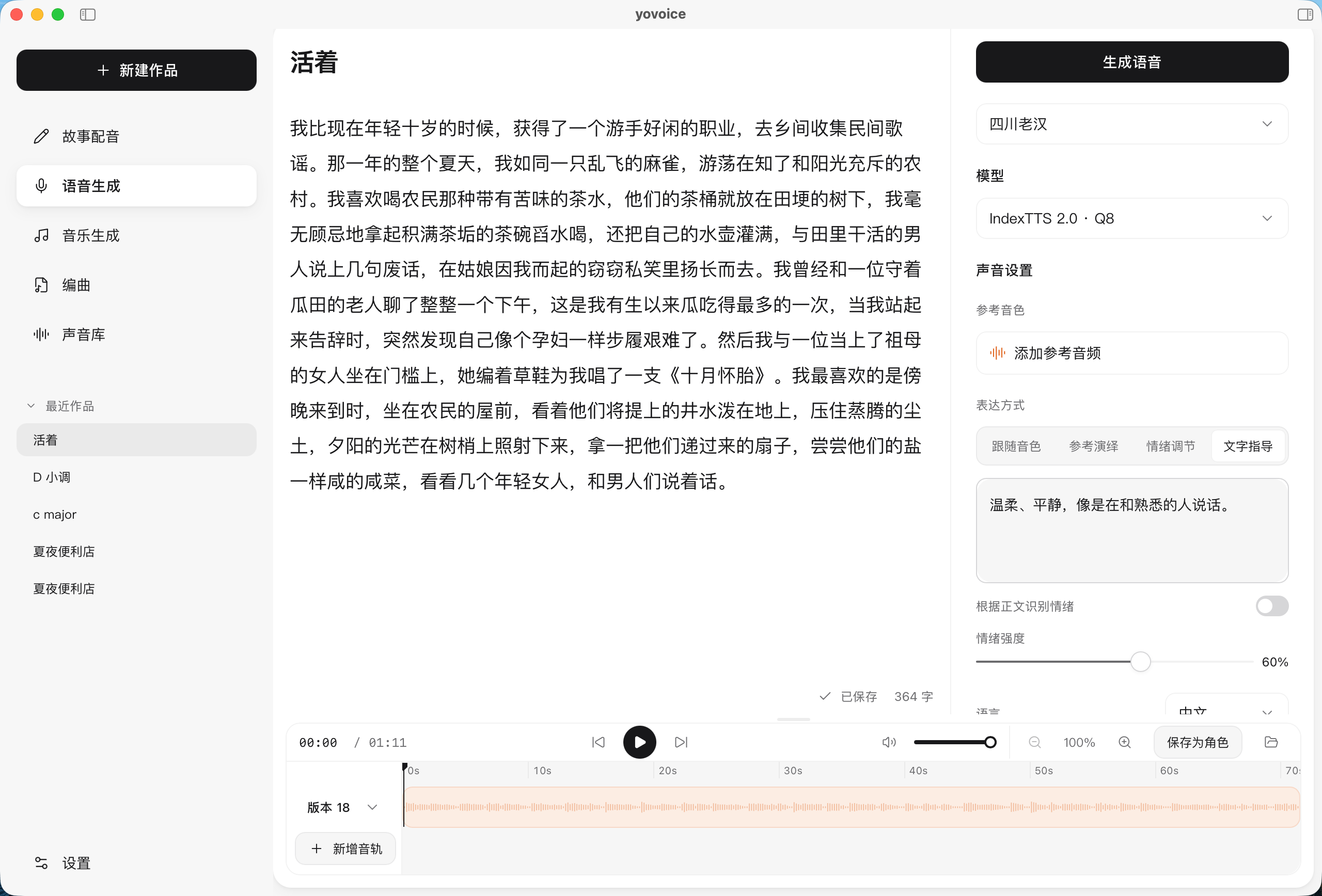
- 🎛️ **Creator Workstation**: Multi-take versioning for side-by-side comparison, waveform trimming, timeline scrolling, and clean stems/MIDI export.
- 🤖 **MCP & AI Agent Ecosystem**: Connect DeepSeek, Qwen, Claude, OpenAI, or local Ollama to write scores and lyrics in seconds. Includes a native Model Context Protocol (MCP) server for Cursor and Claude Code.
---
## Features
- **Voice and expression** — use a reference voice, match a reference performance, adjust emotions, or describe the delivery in words.
- **A complete audio workflow** — import or record reference audio, trim clips, preview speech, and export your work.
- **Voice design and cloning** — VoxCPM2 offers text-guided voice design, controllable cloning, and transcript-assisted cloning with automatic multilingual handling, and 48 kHz output.
- **Music generation** — describe a style, write lyrics with section markers, and generate full songs or instrumentals with ACE-Step 1.5; every take is kept as a version to compare.
- **Score** — write each part by bar and beat, import MIDI or let an Agent write the score, then render it with a General MIDI sound font and a role-based mix; results are exactly repeatable and export to MIDI and stems. See [Score](docs/score.md).
- **Optional AI service** — connect DeepSeek, Qwen, Kimi, OpenAI, Anthropic, Ollama or any compatible API to let AI write arrangements and lyrics; keys stay on this computer. See [AI service](docs/ai.md).
- **Local models** — run IndexTTS 2.0 / 2.5, VoxCPM2, OmniVoice, Qwen3-TTS, Breeze TTS 2 and Kokoro through audio.cpp, with resumable, verified model downloads.
- **Hardware acceleration** — Metal on Apple Silicon; CPU, NVIDIA CUDA, and experimental Vulkan on Windows.
- **Agent Skill & MCP** — ask your AI agent to set up local speech generation and create voiceovers from text and reference audio.
---
## Hardware & VRAM Quick Guide
| Use Case | Recommended Hardware | Recommended Models |
| --- | --- | --- |
| 🟢 **Lightweight & Blazing Fast** | Any CPU / 4 GB+ RAM | **Kokoro-82M** (only 189 MB Q8, millisecond latency, runs great on CPU) |
| 🟡 **High-Fidelity Voice Cloning** | 4 GB – 6 GB VRAM / 8 GB+ Apple Silicon | **VoxCPM2** (2B, 48 kHz), **IndexTTS 2.0/2.5**, **Qwen3-TTS** |
| 🔴 **Full Song & Music Generation** | 12 GB+ VRAM / 16 GB+ Apple Silicon | **ACE-Step 1.5 Turbo** (BF16, 10 GB), **YuE2 3B** |
---
## Supported Models
| Model | Parameters | Model file size by precision | Core capabilities |
| --- | --- | --- | --- |
| IndexTTS 2.0 | — | Q8 · 3.63 GB F16 · 4.65 GB ORIG · 8.08 GB | Chinese/English voice cloning, emotion control, reference performance |
| IndexTTS 2.5 | — | Q8 · 3.50 GB F16 · 4.55 GB ORIG · 7.89 GB | Multilingual voice cloning, emotion control, pronunciation editing |
| VoxCPM2 | 2B | Q8 · 2.96 GB BF16 · 4.77 GB ORIG · 4.96 GB | Text-guided voice design, voice cloning, transcript-assisted cloning |
| OmniVoice | 0.6B | Q8 · 1.35 GB BF16 · 1.64 GB F16 · 1.64 GB | Attribute-based voice design, voice cloning, non-verbal sound tags |
| Qwen3-TTS Base | 0.6B | Q8 · 1.99 GB BF16 · 2.52 GB | Reference voice cloning, optional transcript guidance, multilingual speech |
| Qwen3-TTS Base | 1.7B | Q8 · 2.70 GB BF16 · 4.20 GB ORIG · 4.54 GB | Reference voice cloning, optional transcript guidance, multilingual speech |
| Qwen3-TTS CustomVoice | 1.7B | Q8 · 2.82 GB BF16 · 4.18 GB | 9 built-in voices, text-guided style and emotion |
| Qwen3-TTS VoiceDesign | 1.7B | Q8 · 2.82 GB BF16 · 4.18 GB | Voice design from natural-language descriptions, no reference audio required |
| Breeze TTS 2 | ~3B | Q4 · 3.79 GB Q8 · 5.08 GB BF16 · 7.34 GB | Chinese and English voice design, cloning and voice direction; GPU recommended, requires the v0.9.1 engine |
| Kokoro-82M 1.0 Official | 82M | Q8 · 189.55 MB BF16 · 211.95 MB | 49 built-in voices, multilingual speech excluding Japanese |
| Kokoro-82M 1.1-zh | 82M | Q8 · 255.32 MB | 100 Chinese and 3 English voices; experimental |
| ACE-Step 1.5 Turbo | — | BF16 · 10.09 GB | Songs and instrumentals from a style prompt and lyrics, 50+ vocal languages; requires engine v0.9.1 |
All models are available in the App and CLI. See [model selection](docs/models.md) for input requirements and examples. OmniVoice (CC-BY-NC) and Breeze TTS 2 (BreezeBlue Research and Non-Commercial License) weights are restricted to non-commercial use.
---
## Installation
Choose the package for your platform from the repository’s [Releases](../../releases) tab or visit the [official website](https://yovoice.leemysw.com).
| Platform | Package | Install |
| --- | --- | --- |
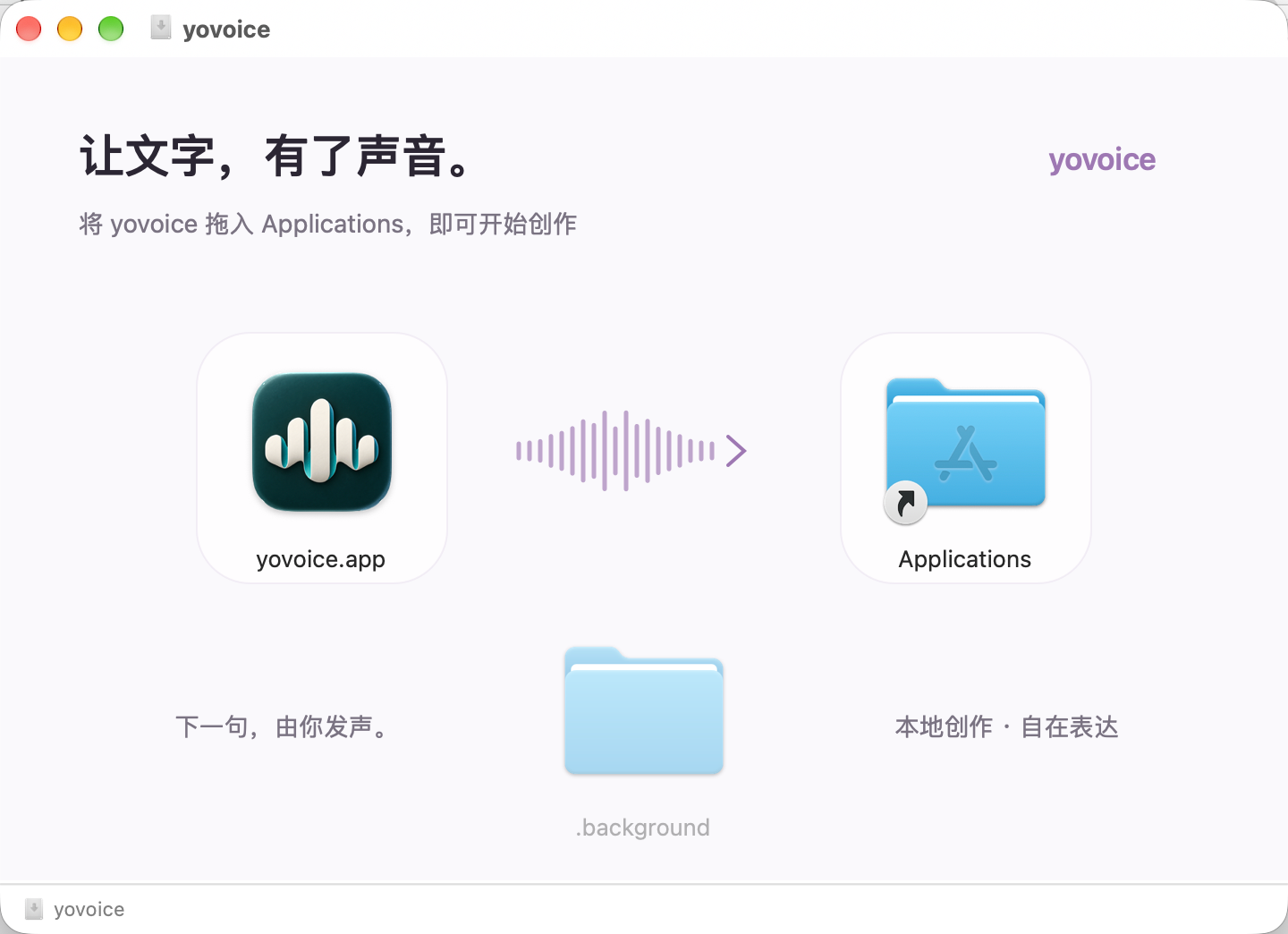
| macOS 14+ · Apple Silicon | `.dmg` | Open the disk image and drag yovoice to Applications |
| Windows 10/11 · x64 | `-setup.exe` | Run the installer, then open yovoice from the Start menu |
| Windows 10/11 · x64 · NVIDIA GPU | `-cuda12.4-setup.exe` | Bundles the CUDA 12.4 runtime; works with older GPUs and drivers and uses the GPU from first launch |
| Windows 10/11 · x64 · NVIDIA GPU | `-cuda13.3-setup.exe` | Bundles the CUDA 13.3 runtime; needs a newer driver, smaller download |
The Windows installer downloads and installs [WebView2 Runtime](https://developer.microsoft.com/microsoft-edge/webview2/) if needed. Models are downloaded inside the app; uninstalling preserves user data in `~/.yovoice`.
Check for updates from the app menu on macOS or Windows. Updates are also checked and downloaded in the background; restart to install when ready. Windows updates download only the app (`-update.exe`) and keep the installed runtime; when a release recommends a newer runtime you can upgrade it in Settings → Inference engine.
---
## Quick Start
1. **Set up a model.** Download a model in Settings (e.g. Kokoro-82M for fast narration, or VoxCPM2 for cloning).
2. **Create a project.** Choose Story dubbing, Speech generation, Music, or Score.
3. **Add content.** Enter text, lyrics, or notes, then pick a character and adjust style.
4. **Generate audio.** Select Generate, then preview, compare takes, edit, and export.
---
## CLI & Agent Skill
Give your agent the [yovoice Skill](https://github.com/leemysw/yovoice/tree/main/skills/yovoice) link and ask it to install the Skill and set up the local CLI, engine, and model:
> Install this Skill and set up yovoice for local speech generation: https://github.com/leemysw/yovoice/tree/main/skills/yovoice
Then describe what you want:
> Read narration.txt using voice.wav as the reference voice, with a calm delivery, and save it as narration.wav.
The agent runs the standalone CLI without opening the desktop app. See the [CLI guide](docs/cli.md) for details.
---
Run `yovoice serve` to provide an authenticated HTTP API and MCP inference service for other machines. See the [API / MCP deployment guide](docs/api.md) for deployment and client examples.
## Development
```sh
make install
make app-run
```
See the [development guide](docs/development.md) for prerequisites. It also covers browser preview, tests, and project structure.
---
## Contributing
Bug reports, feature suggestions, and pull requests are welcome. Include your platform, model, and steps to reproduce when reporting a problem. Run `make check` before submitting code changes.
---
## Acknowledgements
- [audio.cpp](https://github.com/0xShug0/audio.cpp) by ShugoAI — the local audio inference engine.
- [VoxCPM](https://github.com/OpenBMB/VoxCPM) — voice design and cloning models, licensed under Apache-2.0.
- [IndexTTS](https://github.com/index-tts/index-tts) — the speech synthesis models behind yovoice.
- [OmniVoice](https://github.com/k2-fsa/OmniVoice) — voice design and cloning models.
- [Qwen3-TTS](https://github.com/QwenLM/Qwen3-TTS) — voice cloning, built-in voices, and text-guided voice design.
- [ACE-Step](https://github.com/ace-step/ACE-Step-1.5) — music generation from style prompts and lyrics.
- [go-meltysynth](https://github.com/sinshu/go-meltysynth), [MuseScore General](https://musescore.org/en/handbook/3/soundfonts-and-sfz-files#gm_soundfonts), [GeneralUser GS](https://www.schristiancollins.com/generaluser) and SGM-V2.01 by David Shan — the SoundFont synthesizer and sound fonts behind score rendering.
- Kokoro — lightweight speech synthesis with built-in voices: [Kokoro-82M](https://huggingface.co/hexgrad/Kokoro-82M) and [Kokoro-82M-v1.1-zh](https://huggingface.co/hexgrad/Kokoro-82M-v1.1-zh).
---
## Star History
---
## License
[Apache-2.0](LICENSE). Dependencies retain their [original licenses](THIRD_PARTY_NOTICES.md); IndexTTS models are covered separately by their [model license](web/public/model-license.txt).