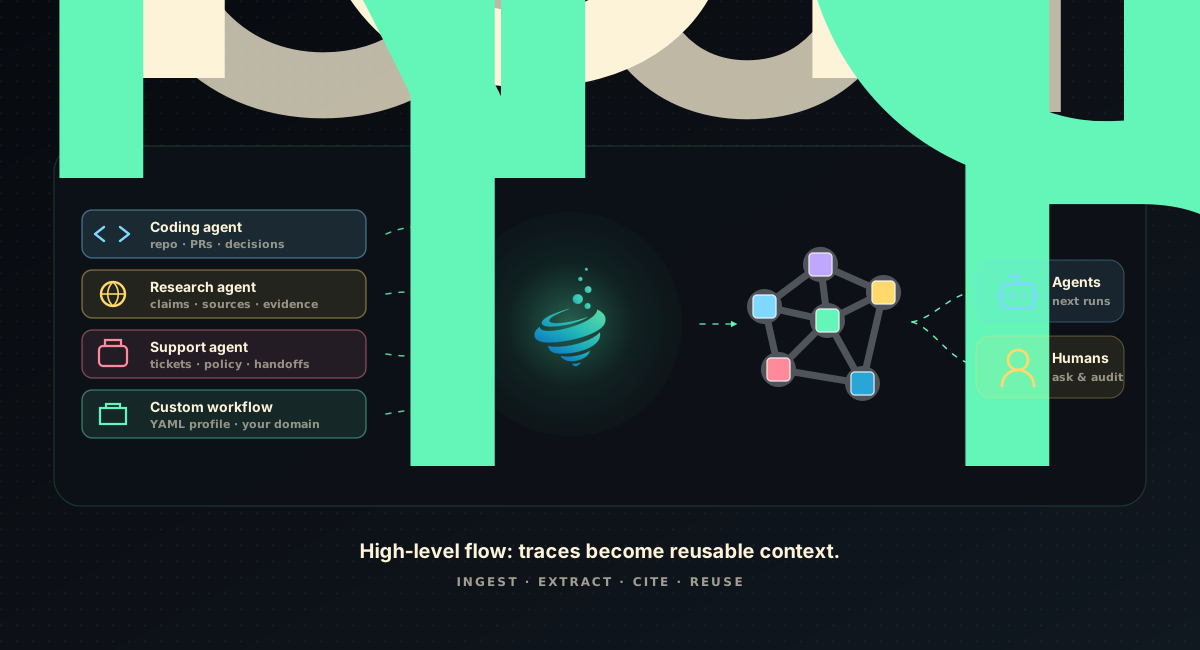
Lerim sits above agent traces, compiles the useful signal into cited context, and gives the next agent the operating memory it needs before work begins.





Website · Docs · Benchmarks · Examples · PyPI · License
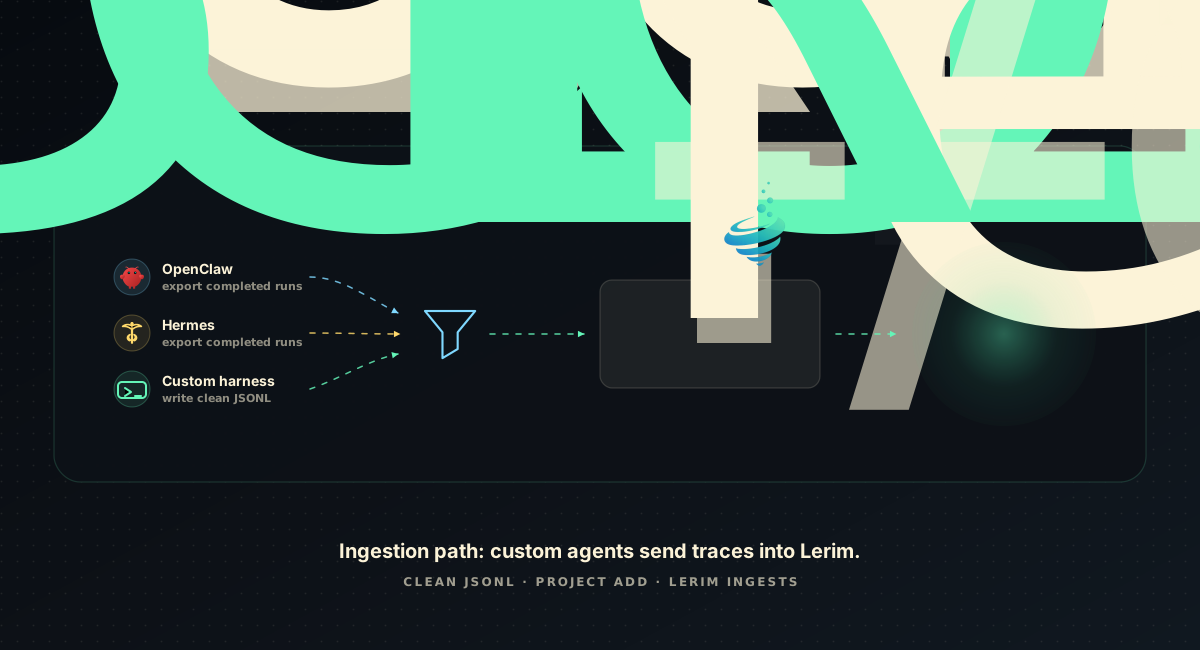
Any trace-producing workflow can register clean JSONL and enter the same compiler path.
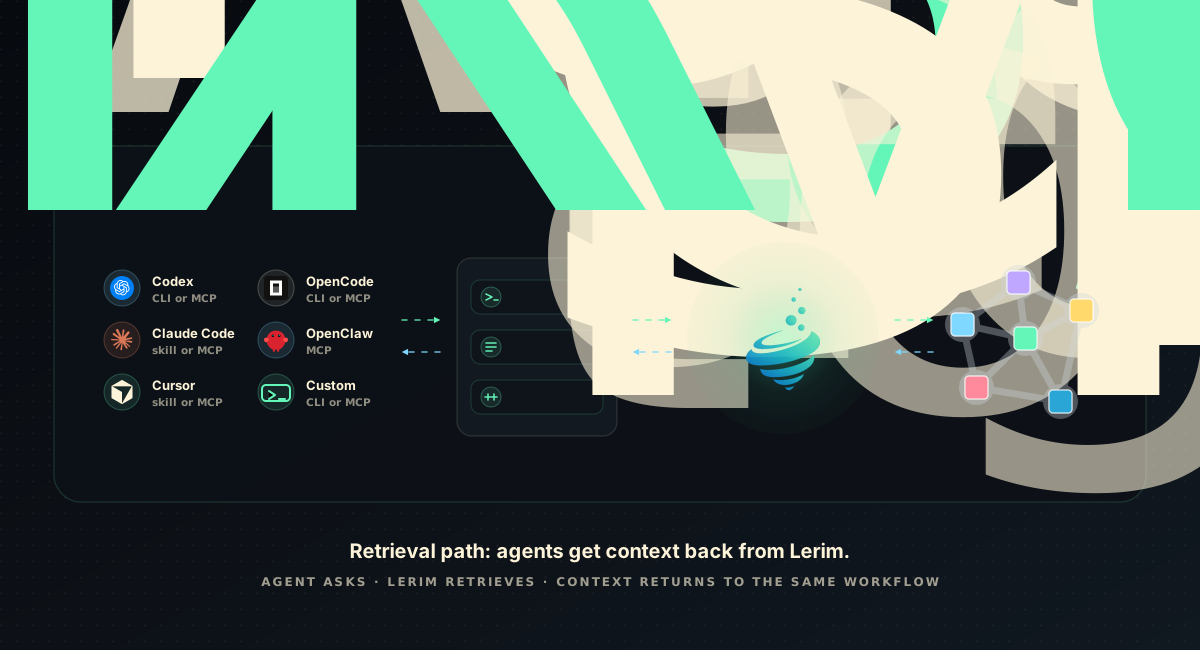
Agents and humans ask through CLI, skill, or MCP; Lerim retrieves scoped, cited context.
# Lerim Lerim is a context compiler for AI agent workflows. Agents leave traces everywhere: terminals, tools, tickets, code reviews, support cases, research runs. Most of that history is too noisy to reuse directly. Lerim filters those traces into evidence-backed context records: the decisions, constraints, facts, preferences, and handoffs future agents should not have to rediscover. Instead of replaying raw traces or losing useful context between workflows, Lerim keeps: - decisions - constraints - preferences - facts - handoffs - evidence linked back to the source session ## What The Demo Shows | Moment | Lerim does | Future agents get | | --- | --- | --- | | A completed agent run lands | Imports a source session from an adapter, MCP submit, or clean custom JSONL | A stable source boundary instead of a transcript paste | | The trace is noisy | Compacts the run and filters for reusable decisions, constraints, facts, preferences, and handoffs | Durable context, not another log index | | Someone asks later | Retrieves relevant records and answers with citations back to stored evidence | A shorter start with less re-explaining | ## Quick Install ```bash pip install lerim lerim init lerim connect auto --mode auto lerim project add . lerim up ``` Native adapters let Lerim ingest completed local sessions where a stable trace store exists. MCP setup writes Lerim tool entries for compatible agents; live recall or trace-submit acceptance is claimed only where the integration matrix lists installed-client/tool-call evidence: ```bash lerim connect auto --mode mcp --dry-run lerim connect auto --mode mcp ``` Then ask Lerim what a future agent should know: ```bash lerim answer "What context should I know before working in this project?" ``` ## Why Lerim AI agents now triage tickets, investigate incidents, research markets, prepare handoffs, review policies, and change software. Every run leaves a trace. Most traces are too long, too noisy, and too platform-specific for the next agent to reuse directly. Without a durable context layer: - decisions get re-debated - constraints get rediscovered - preferences get ignored - every new session starts too close to zero Lerim fixes that by turning raw traces into reusable context records and making them queryable from agent tools and product workflows. Lerim is meant for any trace-producing agent workflow. Today, native source adapters are strongest for coding agents, and documented custom-trace paths cover support and incident workflows: - coding agents: repo conventions, architecture decisions, setup facts, failed paths, test lessons, release handoffs - support operations: customer constraints, known fixes, failed fixes, escalation reasons, policy evidence, handoffs - operations and incidents: root causes, mitigations, rejected hypotheses, runbook gaps, incident handoffs, follow-up risks ## Key Capabilities - Trace-to-context extraction. `ingest` reads supported sources and custom clean-trace folders, extracts reusable signal, and can archive routine runs without creating noisy durable records. - Shared context across agents. What one agent learns can become useful context for a different agent or workflow later. - MCP access for compatible agents. `lerim mcp` exposes context tools, and `lerim connect
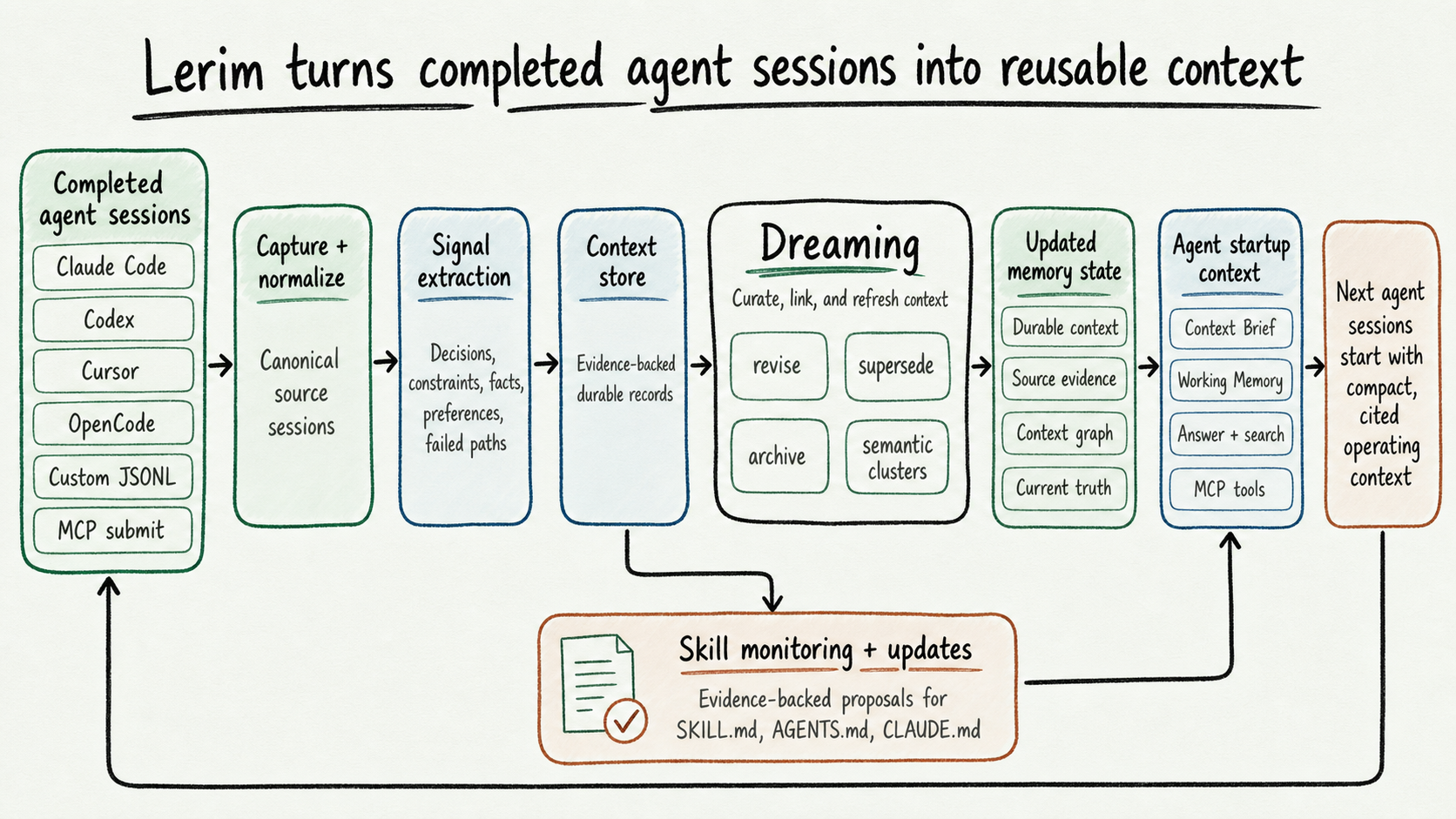
Completed sessions become cited context, startup memory, and reviewable instruction updates for future agents.
## Agent Support Lerim has two integration layers: - **Native trace adapters** read completed local sessions and feed Lerim's compiler. - **MCP support** lets compatible agents query Lerim context and explicitly submit completed sessions through `lerim_trace_submit`; it is not automatic local-history capture. | Support level | Agents and sources | | --- | --- | | Native adapter plus MCP config writer | Claude Code, Codex CLI, Cursor, OpenCode | | MCP config writer; live recall/submit only where verified | Gemini CLI, Cline, Claude Desktop, OpenClaw, Hermes, Goose, Roo Code, Kilo Code, Windsurf | | Native adapter, no MCP claim | pi | | Experimental or user-owned path | OpenHuman, custom JSONL, generic MCP trace submit | MCP support is not the same as native trace ingestion. Native adapters are best when the agent has a stable local session store. MCP config entries expose Lerim tools; live recall or completed-session submission is claimed only where the matrix lists installed-client/tool-call evidence. See the [integration matrix](docs/integrations/matrix.md) for the exact public support boundary and evidence level per agent. ## MCP Quickstart Install Lerim and register your project: ```bash pip install lerim lerim init lerim connect auto lerim project add . ``` Install Lerim into an MCP client: ```bash lerim connect gemini-cli --mode mcp --dry-run lerim connect gemini-cli --mode mcp ``` Or use a generic MCP client config: ```json { "mcpServers": { "lerim": { "command": "/absolute/path/to/python", "args": ["-m", "lerim.mcp_server"] } } } ``` `lerim connect` writes the absolute Python command automatically. That avoids client startup failures when an MCP client launches with a smaller `PATH` than your shell. Available MCP tools: - `lerim_context_brief` - `lerim_context_answer` - `lerim_context_search` - `lerim_records_list` - `lerim_trace_submit` - `lerim_ingest_status` Lerim intentionally does not expose a broad `memory_save` primitive. Completed sessions go through `lerim_trace_submit`, then Lerim's extraction pipeline decides what is durable. ## Benchmarks Benchmark numbers live in docs, not in a marketing scoreboard inside the README. Start with [Benchmark Overview](docs/benchmarks/index.md) for the map and reporting rules: - [Benchmark Suite](docs/benchmarks/benchmark-suite.md): plain-English explanation of each benchmark surface and boundary. - [Lerim Results](docs/benchmarks/lerim-results.md): first-party raw artifacts, commands, and boundaries. - [Market Comparison](docs/benchmarks/market-comparison.md): source-backed market rows with provenance for each external number. Current public artifacts are backed by raw `report.json` files and were validated with the clean/tracked public benchmark gate for the `v0.3.0` release. Retrieval and context-budget artifacts are retrieval-only, not official LongMemEval QA scores. The extraction artifact is an aggregate-only diagnostic from an internal MiniMax M2.7 run, not a public market-comparison score. | Surface | Current evidence | | --- | --- | | LongMemEval-S retrieval | Full 500-question hybrid and lexical retrieval-only artifacts | | Context budget | Full 500-question context-selection artifact with recall beside token reduction | | Retrieval latency | Local search timing over LongMemEval-S sessions | | Trace ingestion cost/performance | Small public-trace sample with measured LLM calls and unavailable-cost disclosure | | MCP integration | Config writers, local stdio tools/context probes, trace-submit idempotency, 0 trace-submit extraction acceptances in the current artifact, and one Gemini CLI live context-tool call | | Extraction quality | Aggregate-only 47-case diagnostic report; competitors not run on this private eval | Before publishing a benchmark claim, require the exact command, git commit, dataset snapshot, raw `report.json`, generated report, model/provider, hardware/runtime metadata, and failure count. ## Focused Workflows - Support operations: documented custom-trace path; preserve triage decisions, escalation evidence, policy-backed facts, known fixes, and customer constraints. - Operations and incidents: documented custom-trace path; preserve root causes, mitigations, rejected hypotheses, runbook gaps, owner decisions, and follow-up risks. - Coding agents: retain architecture decisions, failed paths, repo conventions, setup facts, release handoffs, and constraints. Research, revenue, security, and other verticals can use the same custom-trace path today when the user owns export, cleaning, and redaction. The first product wedge and strongest examples are coding plus support and incident operations. ## Skill Updates Lerim can also update the instructions future agents use. Register a skill directory, `SKILL.md`, `AGENTS.md`, `CLAUDE.md`, or another instruction artifact you want Lerim to monitor. Lerim scans scoped context records from past traces and proposes small, evidence-backed updates. The dashboard Skills tab shows registered targets and pending proposals. Open a proposal to inspect the unified diff and full-file preview, then apply or reject the change. Applying writes the original skill or instruction file only after validation, guard checks, and stale-file baseline checks pass. Targets default to review mode. Auto-apply is opt-in and bounded by policy limits for risk, changed files, added lines, removed lines, and allowed file surfaces. ```bash lerim skill target add ~/.agents/skills/clean-code \ --description "Keep simplification guidance current" lerim skill refresh clean-code lerim dashboard ``` See [Skill Updates](docs/guides/skill-updates.md) for the dashboard workflow and [CLI: lerim skill](docs/cli/skill.md) for command details. ## Custom Agent Traces Built-in `connect` adapters monitor the supported sources available today: Claude Code, Codex CLI, Cursor, OpenCode, and pi. For another agent or business workflow, register already-clean Lerim canonical JSONL traces: ```bash python clean_to_lerim_jsonl.py \ --input ./raw-support-agent-traces \ --output ~/lerim-traces/support-clean lerim project add ~/lerim-traces/support-clean --type custom lerim ingest --agent custom ``` Each `.jsonl` file is one completed source session. Each line must be a canonical user or assistant event: ```json {"type":"user","message":{"role":"user","content":"Customer asked for renewal approval."},"timestamp":"2026-05-16T09:00:00Z"} {"type":"assistant","message":{"role":"assistant","content":"Agent found approval is required above EUR 500."},"timestamp":"2026-05-16T09:02:00Z"} ``` Custom mode has no Lerim adapter and no compaction step. The source owner owns export, cleaning, redaction, and retention before files enter the custom folder. For explicit business traces, import with a source profile and domain scope: ```bash lerim trace import docs/examples/traces/support-agent-run.jsonl \ --source-name support-agent \ --source-profile support \ --scope-type domain \ --scope support-ops lerim context records --profile support lerim context records --profile support --type fact ``` ## Common Commands ```bash lerim status lerim status --live lerim logs --follow lerim queue lerim queue --failed lerim ingest lerim curate lerim context-brief show lerim context-brief status lerim working-memory show lerim working-memory status lerim answer "What decisions exist about caching?" ``` Setup and management: ```bash lerim connect auto lerim project list lerim project remove