# 🖥️ terminal-setup
One-script terminal environment setup for **macOS**, **Debian/Ubuntu**, and **Windows (WSL)**. Run on a fresh machine, get a fully configured terminal in minutes.
**🇨🇳 [中文版文档](README_CN.md)**


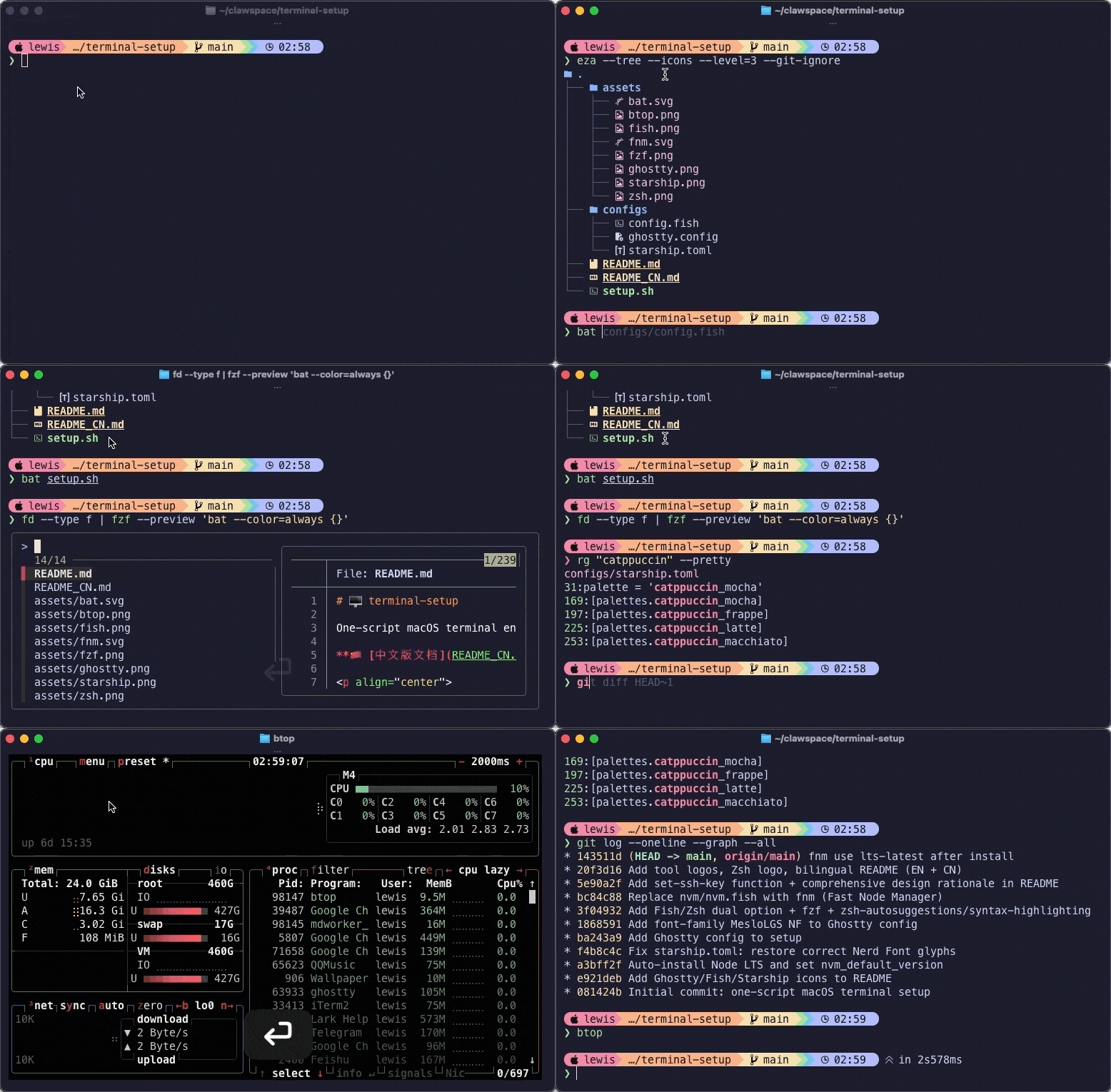
## Supported Platforms
| Platform | Status | Package Manager |
|----------|--------|----------------|
| 🍎 **macOS** | ✅ Primary — battle-tested | Homebrew |
| 🐧 **Debian / Ubuntu** | 🧪 Experimental — works but not extensively tested | apt + bundled binaries |
| 🪟 **Windows (WSL)** | 🧪 Experimental — works but not extensively tested | apt (inside WSL) |
| 🪟 **Windows (native)** | ⛔ Not supported | Use WSL instead |
> **Note:** This script is primarily developed and tested on macOS. Linux (Debian/Ubuntu) and WSL support has been added and works, but has not gone through long-term usage testing. Issues and PRs welcome!
## Quick Start
### macOS
```bash
git clone https://github.com/lewislulu/terminal-setup.git
cd terminal-setup && ./setup.sh
```
### Debian / Ubuntu
```bash
git clone https://github.com/lewislulu/terminal-setup.git
cd terminal-setup && ./setup.sh
```
### Windows (WSL)
First install WSL if you haven't:
```powershell
# In PowerShell (Admin)
wsl --install
```
Then inside WSL:
```bash
git clone https://github.com/lewislulu/terminal-setup.git
cd terminal-setup && ./setup.sh
```
### Options
```bash
./setup.sh --fish # Fish shell
./setup.sh --zsh # Zsh + fish-like plugins
./setup.sh --dry-run # Preview what would be done (no changes)
```
One-liner (auto-clones):
```bash
bash <(curl -fsSL https://raw.githubusercontent.com/lewislulu/terminal-setup/main/setup.sh)
```
## Choose Your Shell
| | 🐟 Fish | 🐚 Zsh |
|---|---------|---------|
| **POSIX** | ❌ Own syntax | ✅ Compatible |
| **Autosuggestions** | ✅ Built-in | ✅ via plugin |
| **Syntax Highlighting** | ✅ Built-in | ✅ via plugin |
| **Node Manager** | fnm (shared) | fnm (shared) |
| **Config** | `~/.config/fish/config.fish` | `~/.zshrc` |
| **Best for** | Clean defaults, no fuss | Scripting, POSIX compat |
## Stack
| Component | What |
|-----------|------|
| **[Ghostty](https://ghostty.org)** | GPU-accelerated terminal emulator |
| **Fish** or **Zsh** | Shell (your choice) |
| **[Starship](https://starship.rs)** | Cross-shell prompt (Catppuccin Mocha theme) |
| **MesloLGS NF** | Nerd Font for icons & powerline glyphs |
| **[bat](https://github.com/sharkdp/bat)** | `cat` with syntax highlighting & line numbers |
| **[eza](https://github.com/eza-community/eza)** | `ls` with icons, git status, tree view |
| **[fd](https://github.com/sharkdp/fd)** | `find` but fast & intuitive |
| **[ripgrep](https://github.com/BurntSushi/ripgrep)** | `grep` but orders of magnitude faster |
| **[fzf](https://github.com/junegunn/fzf)** | Fuzzy finder (Ctrl+R / Ctrl+T / Alt+C) |
| **[btop](https://github.com/aristocratos/btop)** | Beautiful system monitor |
| **[zoxide](https://github.com/ajeetdsouza/zoxide)** | Smart `cd` that learns your habits |
| **[jq](https://github.com/jqlang/jq)** | JSON processor |
| **[tldr](https://github.com/tldr-pages/tldr)** | Simplified man pages with examples |
| **[delta](https://github.com/dandavison/delta)** | Beautiful git diffs with syntax highlighting |
| **[lazygit](https://github.com/jesseduffield/lazygit)** | Git TUI |
| **[fnm](https://github.com/Schniz/fnm)** | Fast Node Manager (Rust) |
| **[Zellij](https://zellij.dev)** | Modern terminal multiplexer (optional) |
## What It Does
1. Installs **package manager** (Homebrew on macOS, apt on Linux)
2. Installs **Ghostty** terminal (macOS; Linux users install separately)
3. Downloads **MesloLGS NF** nerd fonts
4. Installs your **shell** of choice + plugins
5. Installs all **CLI tools** (Homebrew on macOS, apt + GitHub releases on Linux)
6. Installs **Starship** prompt with Catppuccin Mocha config
7. Installs **fnm** + **Node.js** LTS (optional)
8. Installs **Zellij** terminal multiplexer (optional)
9. Deploys all config files (existing configs are backed up with timestamps)
## Platform Notes
### macOS
- Full support, everything installs via Homebrew
- Ghostty installs as a native macOS app
### Debian / Ubuntu
- CLI tools install via apt where available, GitHub releases for others (delta, lazygit, eza)
- `bat` → `batcat`, `fd` → `fdfind` — symlinks are created automatically
- Fonts install to `~/.local/share/fonts/`
- Ghostty is not in apt — install manually via [snap, build from source](https://ghostty.org/docs/install), or use another terminal
- Zsh plugins install via apt or git clone
### Windows (WSL)
- Everything runs inside WSL (Ubuntu/Debian layer)
- Terminal emulator runs on the Windows side — use [Windows Terminal](https://aka.ms/terminal) or [Ghostty for Windows](https://ghostty.org)
- Script detects WSL automatically and adapts
- If run in native Windows (MINGW/Git Bash), the script will prompt you to install WSL
## Aliases / Abbreviations
| Shortcut | Expands To |
|----------|-----------|
| `ls` | `eza --icons --group-directories-first` |
| `ll` | `eza -la --icons --group-directories-first` |
| `lt` | `eza --tree --icons --level=2` |
| `cat` | `bat` |
| `find` | `fd` |
| `grep` | `rg` |
| `top` | `btop` |
| `lg` | `lazygit` |
## fzf Keybindings
| Key | What |
|-----|------|
| `Ctrl+R` | Fuzzy search command history |
| `Ctrl+T` | Fuzzy find files (uses `fd` as backend) |
| `Alt+C` | Fuzzy cd into directory |
## fnm — Node Version Manager
```bash
fnm install 22 # Install Node 22
fnm install --lts # Install latest LTS
fnm default 22 # Set default version
fnm use 22 # Switch in current shell
echo "22" > .node-version # Auto-switch when entering this directory
```
## SSH Key Switcher
Both shell configs include a `set-ssh-key` function for quick SSH key switching:
```bash
set-ssh-key my-key-name # Clears agent, loads ~/.ssh/my-key-name
set-ssh-key # Shows available keys on error
```
> **Best practice:** Prefer `~/.ssh/config` with `Host` aliases and `IdentitiesOnly yes` for automatic key selection. The `set-ssh-key` function is a fallback for edge cases.
---
## Design Decisions
### Why Ghostty?
GPU-accelerated, native macOS app, fast startup, clean config format. It's what iTerm2 should have been — modern, minimal, and doesn't try to do everything. Still early but moving fast.
### Why Starship over Powerlevel10k?
- **Cross-shell:** Same prompt config works in both Fish and Zsh. p10k is Zsh-only.
- **TOML config:** Declarative and readable vs p10k's wizard-generated mess.
- **Rust binary:** Fast, no shell framework dependency.
- **Catppuccin theme:** Consistent with the rest of the stack.
If you only use Zsh and want maximum prompt speed, p10k's instant prompt is technically faster. But Starship is fast enough and works everywhere.
### Why Fish AND Zsh? Why not just one?
Different people have different needs:
- **Fish:** Best out-of-box experience. Autosuggestions, syntax highlighting, completions — all built-in, zero config. But it's not POSIX-compatible, so `bash` scripts won't work directly, and some tools assume POSIX shell syntax.
- **Zsh:** POSIX-compatible, so all bash scripts and one-liners work. With plugins (autosuggestions + syntax-highlighting), you get 90% of Fish's UX. The trade-off: more moving parts.
If you're primarily a user/developer who runs other people's scripts → **Zsh**.
If you want the cleanest shell experience and don't mind the occasional `bash script.sh` → **Fish**.
### Why Homebrew for Zsh plugins? Why not zinit/antidote/sheldon?
We only install 3 Zsh plugins: `zsh-autosuggestions`, `zsh-syntax-highlighting`, `zsh-completions`.
For 3 plugins, a plugin manager is overkill:
- **zinit:** Original author abandoned it. Community fork (zdharma-continuum) exists but adds complexity for no gain at this scale. Turbo mode and ice modifiers are powerful but unnecessary here.
- **antidote/sheldon:** Good tools, but still an extra layer. More things that can break.
- **Oh My Zsh:** Framework, not a plugin manager. Loads 100+ files on startup. Slow.
- **Homebrew:** Already installed, `brew install` + one `source` line in `.zshrc`. Updates via `brew upgrade`. Zero extra dependencies. Done.
**Rule of thumb:** If you have <5 plugins, Homebrew direct install. If you have 10+, consider antidote or sheldon.
> **On Linux:** Zsh plugins install via apt (`zsh-autosuggestions`, `zsh-syntax-highlighting` packages) or git clone as fallback.
### Why fnm over nvm?
| | fnm | nvm |
|---|-----|-----|
| **Language** | Rust | Bash |
| **Shell startup** | ~1ms | ~200-400ms (or lazy-load hack) |
| **Fish support** | ✅ Native | ❌ Needs nvm.fish (separate project) |
| **Zsh support** | ✅ Native | ✅ Native |
| **Auto-switch** | ✅ `--use-on-cd` (reads `.node-version`, `.nvmrc`) | ⚠️ Needs hook script |
| **Install** | `brew install fnm` / `curl` | curl script, modifies shell rc |
| **Shared across shells** | ✅ Same Node installs for Fish & Zsh | ❌ nvm.fish and nvm-sh use different paths |
The killer reasons:
1. **Speed:** nvm adds 200-400ms to shell startup. fnm adds ~1ms. This matters when you open terminals frequently.
2. **Unified:** One tool, one Node install location (`~/.local/share/fnm/`), works identically in Fish and Zsh. With nvm, you'd need nvm-sh for Zsh and nvm.fish for Fish — two different tools with incompatible storage paths.
3. **Auto-switch:** `fnm env --use-on-cd` reads `.node-version` or `.nvmrc` files and switches automatically when you `cd` into a project. No extra hooks needed.
4. **nvm.fish is a community project**, not official nvm. It works well but it's another dependency with its own quirks (custom `nvm_data` path, `set --universal nvm_default_version`).
If you have existing `.nvmrc` files in your projects, fnm reads them — fully compatible.
### Why MesloLGS NF specifically?
- Designed for terminal use (monospace, clear at small sizes)
- Includes all Nerd Font glyphs (icons, powerline, devicons)
- Same font used by Powerlevel10k — battle-tested in terminals
- Available in Regular/Bold/Italic/Bold Italic
Alternatives: JetBrains Mono Nerd Font, Fira Code Nerd Font. All good choices. MesloLGS just has the widest compatibility.
### Why git-delta for diffs?
Git's default diff output is functional but ugly. Delta adds:
- Syntax highlighting in diffs
- Line numbers
- Side-by-side view
- Proper word-level diff highlighting
- Navigate between files with `n`/`N`
Configured globally — works with `git diff`, `git log -p`, `git show`, etc. Zero behavior change, just better output.
### Why zoxide over plain cd?
zoxide learns your most-used directories. After a few days:
```bash
z proj # jumps to ~/projects (or wherever you go most with "proj" in the path)
z doc # jumps to ~/Documents
zi # interactive fuzzy selection with fzf
```
It's `cd` with a brain. Falls back to regular `cd` behavior for explicit paths.
### Why fzf?
The single most impactful CLI tool you can install:
- **Ctrl+R:** Fuzzy search through command history (replaces the terrible default reverse-i-search)
- **Ctrl+T:** Find any file by fuzzy name match
- **Alt+C:** cd into any directory by fuzzy match
- Integrates with `fd` automatically (faster than `find`, respects `.gitignore`)
Once you use fzf for a week, you can't go back.
## License
MIT