# LangChain ReAct Agent · 智能客服
**基于 LangChain + ReAct 范式 + RAG 检索增强的智能客服系统,以扫地机器人为示例场景**
[](https://www.python.org/)
[](https://www.langchain.com/)
[](https://github.com/langchain-ai/langgraph)
[](https://streamlit.io/)
[](./LICENSE)
---
## 项目简介
基于 LangChain 框架实现的 **ReAct(Reasoning + Acting)Agent**,集成 RAG 检索增强、多工具调用和动态提示词切换。系统能根据用户意图自动判断任务类型(知识问答 / 报告生成),调用合适的工具和知识库完成推理,并通过 Streamlit 流式界面实时展示 Agent 的思考与执行过程。
## 效果展示
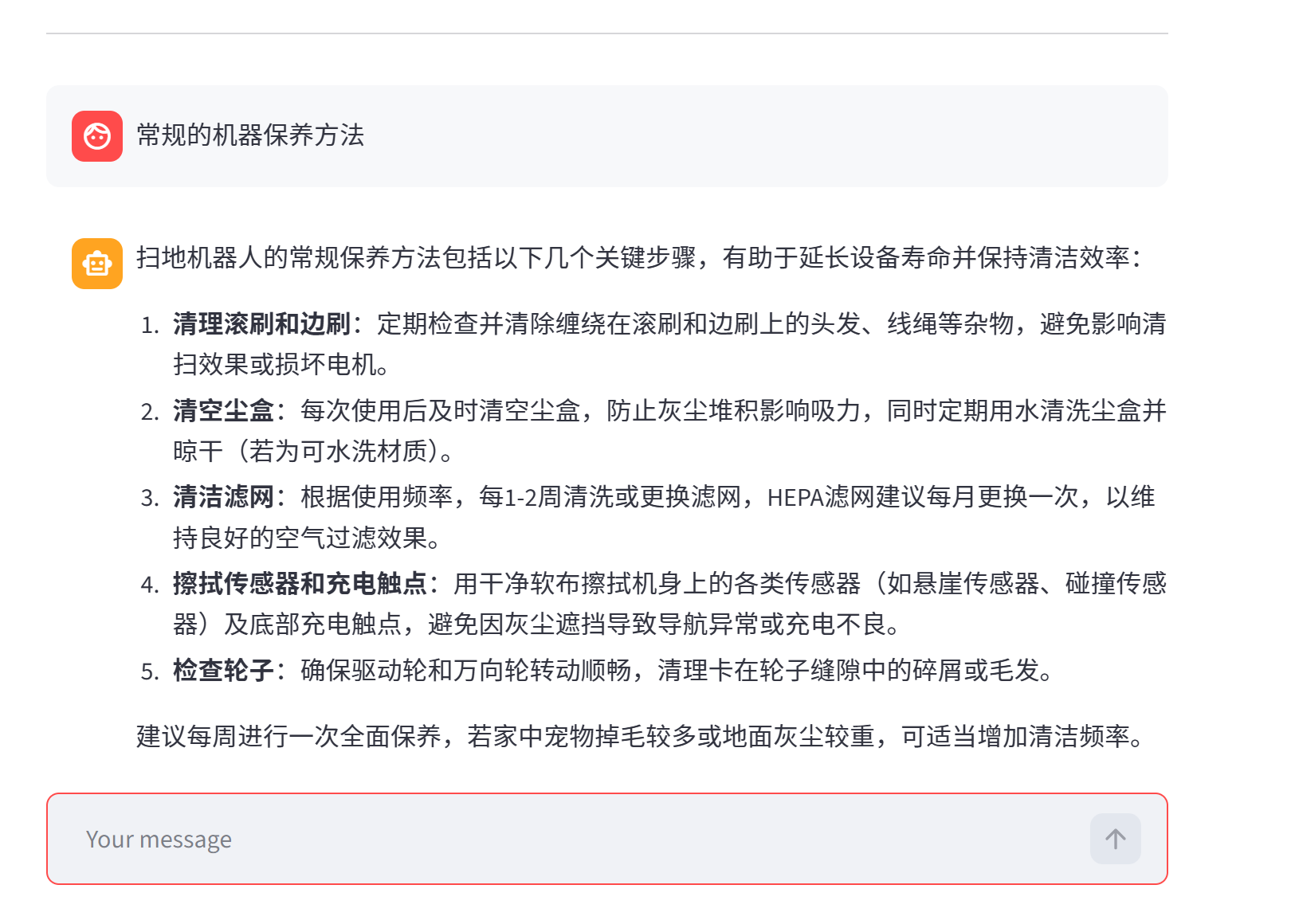
*图1. 普通问答 — RAG 检索知识库回复*
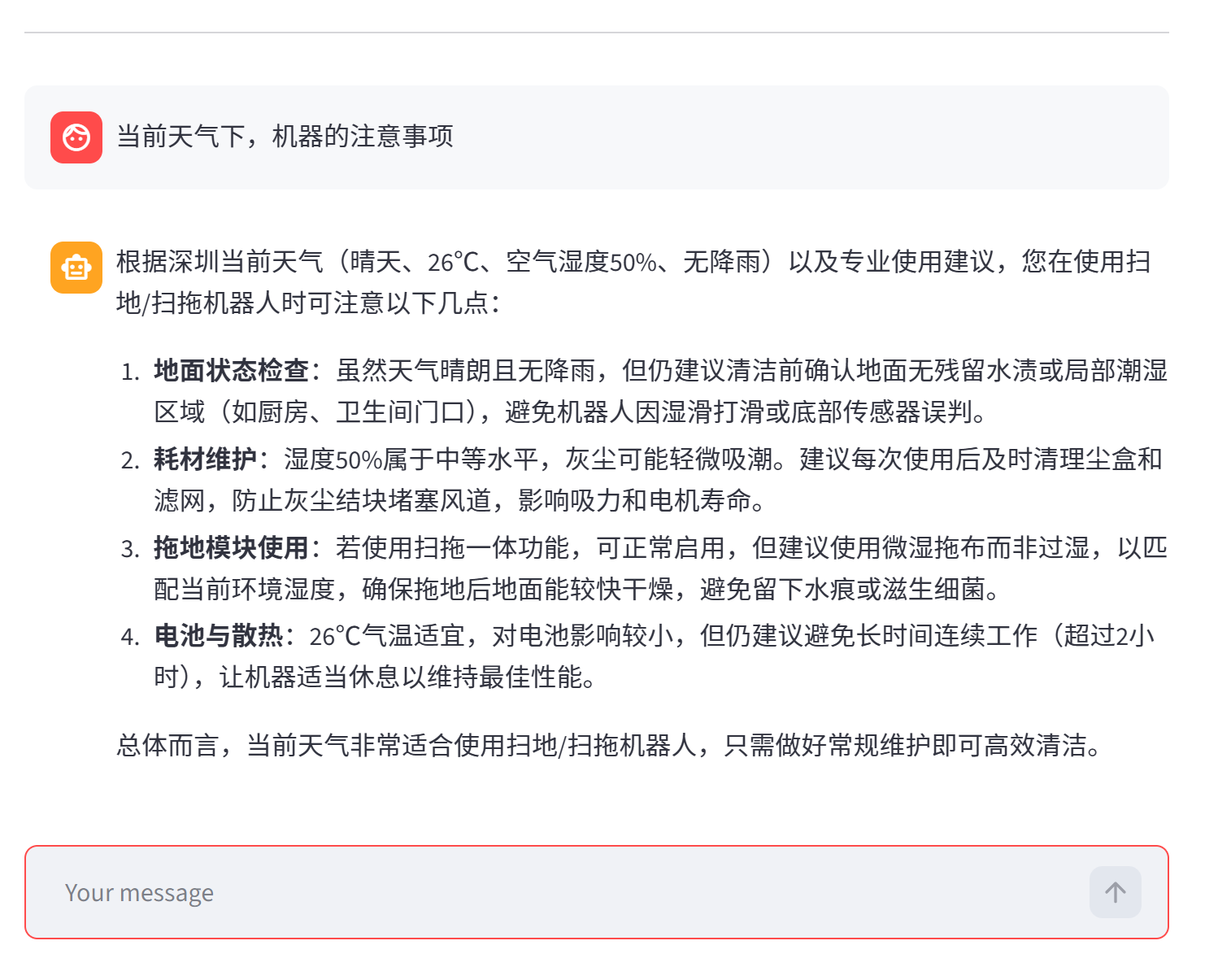
*图2. Agent 工具调用 — 实时展示推理与工具执行链路*
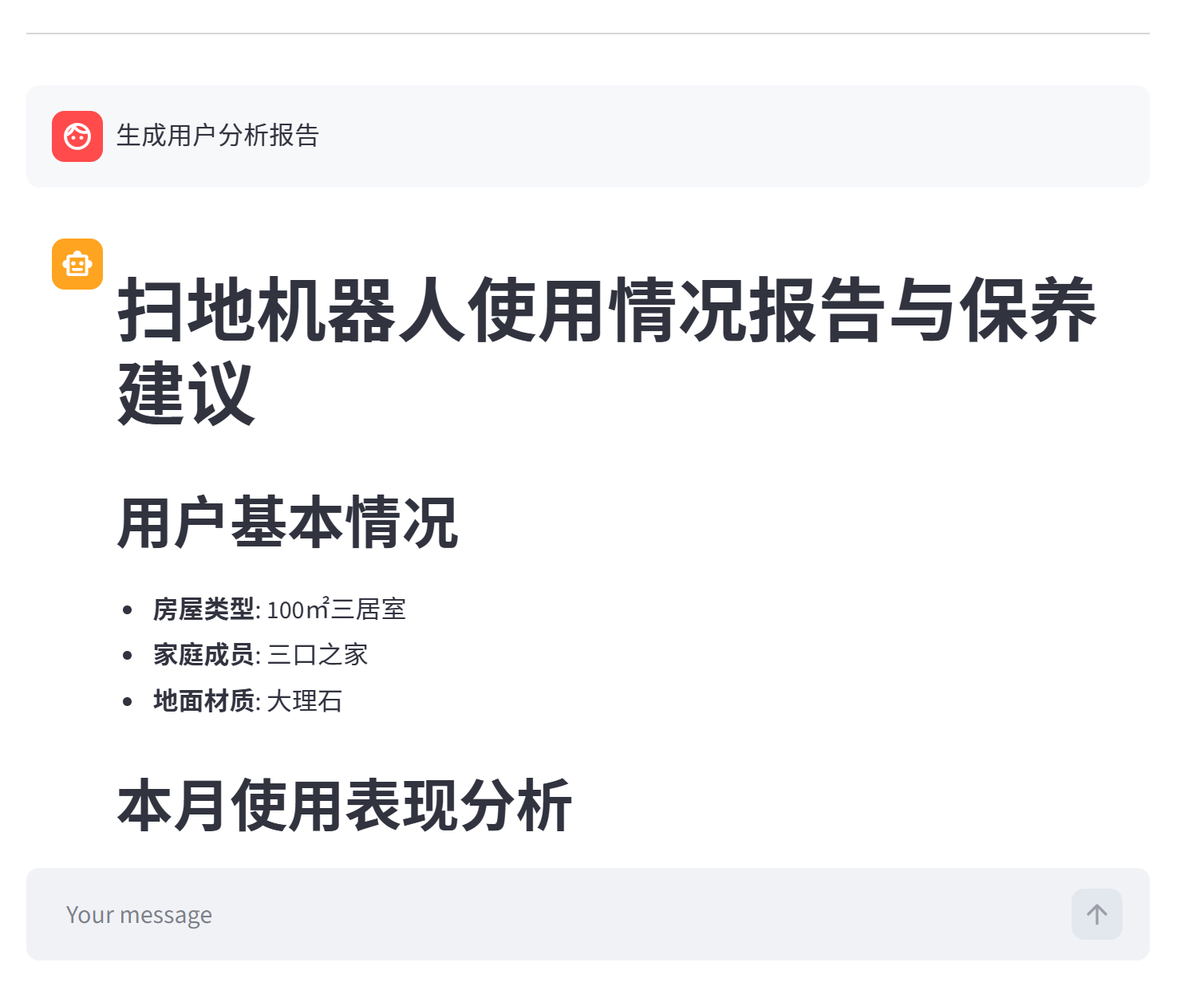
*图3. 工具调用详情 — 多步推理与中间结果可视化*
## 技术架构
```
用户输入 (Streamlit)
│
▼
┌─────────────────────────────────────────┐
│ ReAct Agent │
│ │
│ ┌──────────┐ ┌──────────────────┐ │
│ │ Thought │───→│ Action │ │
│ │ (推理) │ │ (工具调用 / RAG) │ │
│ └──────────┘ └────────┬─────────┘ │
│ ↑ │ │
│ └─── Observation ◄──┘ │
│ │
│ Middleware: 工具监控 · 动态提示词切换 │
└─────────────────────────────────────────┘
│ │ │
▼ ▼ ▼
┌──────────┐ ┌────────────┐ ┌──────────┐
│ RAG │ │ Tools │ │ Prompt │
│ Chroma │ │ 天气/用户 │ │ 动态切换 │
│ 向量检索 │ │ 数据/报告 │ │ 模板管理 │
└──────────┘ └────────────┘ └──────────┘
```
### 核心特性
| 特性 | 说明 |
|---|---|
| **ReAct 范式** | Thought → Action → Observation 循环,Agent 自主推理并决定调用哪个工具 |
| **RAG 检索增强** | Chroma 向量库 + DashScope Embedding,MD5 文件去重,支持 txt/pdf 混合加载 |
| **多工具调用** | 天气查询 / 用户定位 / 外部数据检索 / 报告上下文填充,Agent 按需自动选择 |
| **动态提示词切换** | Middleware 根据运行时上下文自动切换「普通问答」与「报告生成」两套 System Prompt |
| **流式对话界面** | Streamlit 构建,支持流式逐字输出、历史消息留存、Agent 推理过程可见 |
| **模块化结构** | Agent / RAG / Model / Tools / Middleware 独立模块,配置 YAML 驱动 |
## 技术栈
| 层级 | 技术 |
|---|---|
| LLM | 通义千问(DashScope / ChatTongyi) |
| Agent 框架 | LangChain + LangGraph |
| 向量数据库 | Chroma |
| 文档处理 | PyPDF + RecursiveCharacterTextSplitter |
| 前端 | Streamlit |
| 配置 | YAML 驱动(Agent / RAG / Chroma / Prompts) |
## 快速开始
### 环境要求
- **Python** ≥ 3.10
- **DashScope API Key**([阿里云百炼](https://bailian.console.aliyun.com/) 申请)
### 1. 克隆仓库
```bash
git clone https://github.com/lhh737/LangChain-ReAct-Agent.git
cd LangChain-ReAct-Agent
```
### 2. 安装依赖
```bash
pip install -r requirements.txt
```
### 3. 配置 API Key
参考 `.env.example`,设置阿里云百炼 API Key:
```bash
# Linux / macOS
export DASHSCOPE_API_KEY="your-api-key"
# Windows (CMD)
set DASHSCOPE_API_KEY=your-api-key
```
> 申请地址:[阿里云百炼控制台](https://bailian.console.aliyun.com/)
### 4. 初始化知识库(首次运行)
```bash
python -c "from rag.vector_store import VectorStoreService; VectorStoreService().load_document()"
```
### 5. 启动应用
```bash
streamlit run app.py
```
浏览器自动打开 http://localhost:8501
### 验证运行
启动后在聊天框输入以下测试问题:
- *扫地机器人有哪些主要功能?*(RAG 知识库问答)
- *如果机器人无法正常回充,该如何处理?*(故障排查)
- *请根据用户数据生成一份个性化使用报告*(报告生成 + 工具调用)
## 项目结构
```
LangChain-ReAct-Agent/
│
├── agent/ # Agent 核心
│ ├── react_agent.py # ReAct Agent 主逻辑(流式执行)
│ └── tools/
│ ├── agent_tools.py # 工具函数(RAG检索/天气/用户数据/报告)
│ └── middleware.py # 中间件(工具监控/动态提示词切换)
│
├── rag/ # RAG 检索增强
│ ├── vector_store.py # Chroma 向量库 · 文档加载 · MD5 去重
│ └── rag_service.py # RAG 检索 → LLM 总结服务
│
├── model/
│ └── factory.py # 模型工厂(ChatTongyi + DashScopeEmbedding)
│
├── config/ # YAML 配置文件
│ ├── agent.yml # Agent 行为与工具配置
│ ├── chroma.yml # 向量库与检索参数
│ ├── prompts.yml # 提示词模板
│ └── rag.yml # RAG 模型与参数
│
├── prompts/ # 提示词模板
│ ├── main_prompt.txt # 普通问答 System Prompt
│ ├── rag_summarize.txt # RAG 总结 Prompt
│ └── report_prompt.txt # 报告生成 System Prompt
│
├── utils/ # 工具函数
│ ├── config_handler.py # YAML 配置加载
│ ├── file_handler.py # 文件解析(PDF/TXT)
│ ├── logger_handler.py # 日志管理
│ ├── path_tool.py # 路径工具
│ └── prompt_loader.py # 提示词加载
│
├── data/ # 知识库文档(扫地机器人相关)
├── assets/ # 效果展示截图
├── app.py # Streamlit 应用入口
├── requirements.txt
└── README.md
```
## 配置说明
项目通过 `config/` 目录下的 YAML 文件统一管理配置:
| 文件 | 说明 |
|---|---|
| `rag.yml` | 对话模型名称、Embedding 模型名称 |
| `chroma.yml` | Chroma 持久化路径、分块大小、检索 Top-K、支持的文件类型 |
| `prompts.yml` | 各场景提示词模板文件路径 |
| `agent.yml` | Agent 超时时间、外部数据路径等 |
首次运行只需确保 **DashScope API Key 已设置** 且 `data/` 目录下有知识库文档即可。
## License
MIT © [lhh737](https://github.com/lhh737)