
HarnessMate —— DeepSeek Harness 插件
把跑在你自己电脑上的 DeepSeek Harness 智能体装进手机。
English · 中文



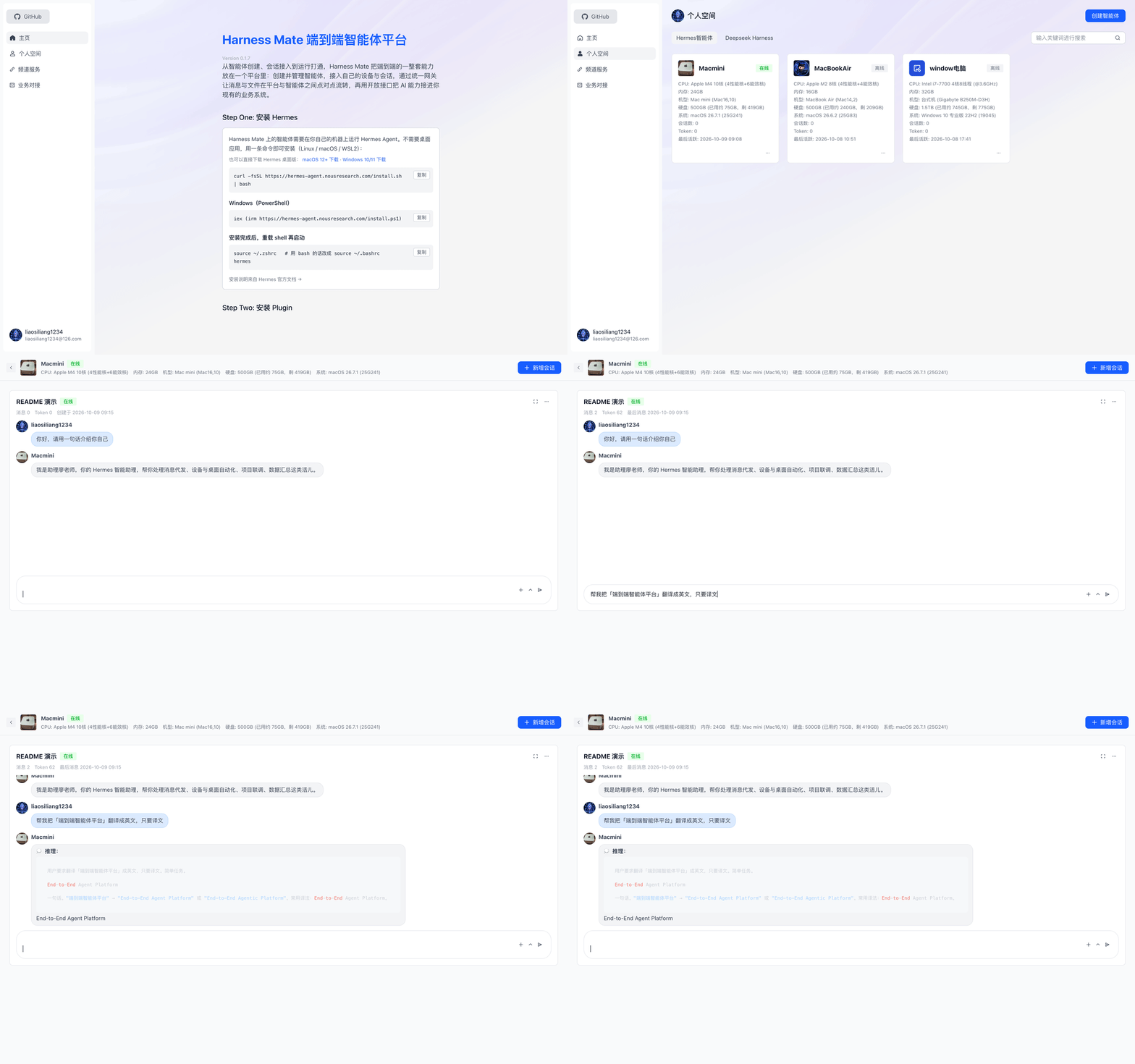
`harness-mate` 是一个 [DeepSeek Harness](https://github.com/deepseek-ai/deepseek-harness)(`dsh`)插件。它把你电脑上跑着的 DSH 智能体接到 **[HarnessMate](https://github.com/liaosiliangCodeLife/harness-mate-plat)** 平台——这个平台给智能体配了手机 App 和浏览器入口。
智能体始终跑在你自己电脑上,用你的文件、你的授权;HarnessMate 只是那扇门:在口袋里掏出手机,或从任意浏览器打开就能用。
## 它能做什么
- **随时随地对话。** 手机上、浏览器里发消息,回复带「思考中」状态流式送达。
- **文件双向。** 手机可以把文件交给智能体;智能体也能把文件发回来。
- **审批落到手机。** 智能体要执行高风险工具时会推送请求,你在聊天里点同意/拒绝,不用被绑在电脑前。
- **权限仍在你手里。** 工具始终在本机以你的身份、按你的 DSH profile 执行,平台自己不会代替你跑任何东西。
- **与模型无关、跟着 profile 走。** 你的 profile 配的什么模型,它就用什么模型。
- **支持 macOS 与 Windows。**
## 安装
先拿到一个 HarnessMate 智能体(`bot_id` + `bot_key`):
打开平台(默认 `https://harness.alltman.com`)→ 登录 → **个人空间 → 创建智能体**,复制这两个值。**密钥只显示一次。**
> 前置条件:DeepSeek Harness 桌面版 **v0.2.0-rc.2 及以上**,且至少启动过一次。
### 方式 A —— 按插件安装(推荐)
```sh
dsh plugin --profile web add github:liaosiliangCodeLife/harness-mate-dsh
```
发布到 npm 之后,可简写为 `dsh plugin --profile web add harness-mate`。
然后把凭据写进 **profile** 配置——`~/.dsh/profiles/desktop/cordis.patch.yml`(macOS)/ `%USERPROFILE%\.dsh\profiles\desktop\cordis.patch.yml`(Windows):
```yaml
- insert:
- id: harness-mate
name: 'harness-mate'
config:
gatewayUrl: 'wss://ws-agent.alltman.com:1443/ws'
botId: '你的 bot_id'
botKey: '你的 bot_key'
```
### 方式 B —— 跑一键安装脚本
下载 Release 压缩包解压,在插件目录里运行安装脚本:它会注册插件、链接进 profile、写入凭据,并自动备份改前的配置——三步搞定,不用手动编辑。
```bash
# macOS
cd harness-mate
./install.sh # 或:./install.sh
```
```powershell
# Windows
powershell -ExecutionPolicy Bypass -File .\install.ps1
```
### 两种方式收尾一样
**完全退出** DeepSeek Harness(菜单栏 / 托盘图标 → 退出,不是只关窗口),再重新打开。然后在手机 App 或网页上给这个智能体发一条消息:**能收到回复就说明通了。** 日志在 `~/.harness-mate-trace.log`(Windows 为 `%USERPROFILE%\.harness-mate-trace.log`)。
详细步骤、FAQ 与完整配置表见 **[INSTALL.md](INSTALL.md)**。
## 配置项
所有字段都在插件 `cordis.patch.yml` 的 `config` 下,改完重启 DSH 生效。
| 字段 | 默认 | 说明 |
|---|---|---|
| `gatewayUrl` | HarnessMate 网关 | 插件连接的 WebSocket 网关地址 |
| `botId` / `botKey` | — | 智能体在平台上的身份(**必填**) |
| `workspace` | 用户主目录 | 智能体可读写的根目录 |
| `dmPolicy` | `open` | `open` · `allowlist`(配合 `allowFrom`)· `disabled` |
| `approvalTimeoutMs` | `300000` | 工具审批超时(超时按拒绝处理) |
| `maxReplyChars` | `4000` | 单条回复最大字符数 |
| `forwardReasoning` | `false` | 是否把思考过程也发到聊天里 |
## 界面截图
| 主页 | 个人空间 | 对话 |
|---|---|---|
| 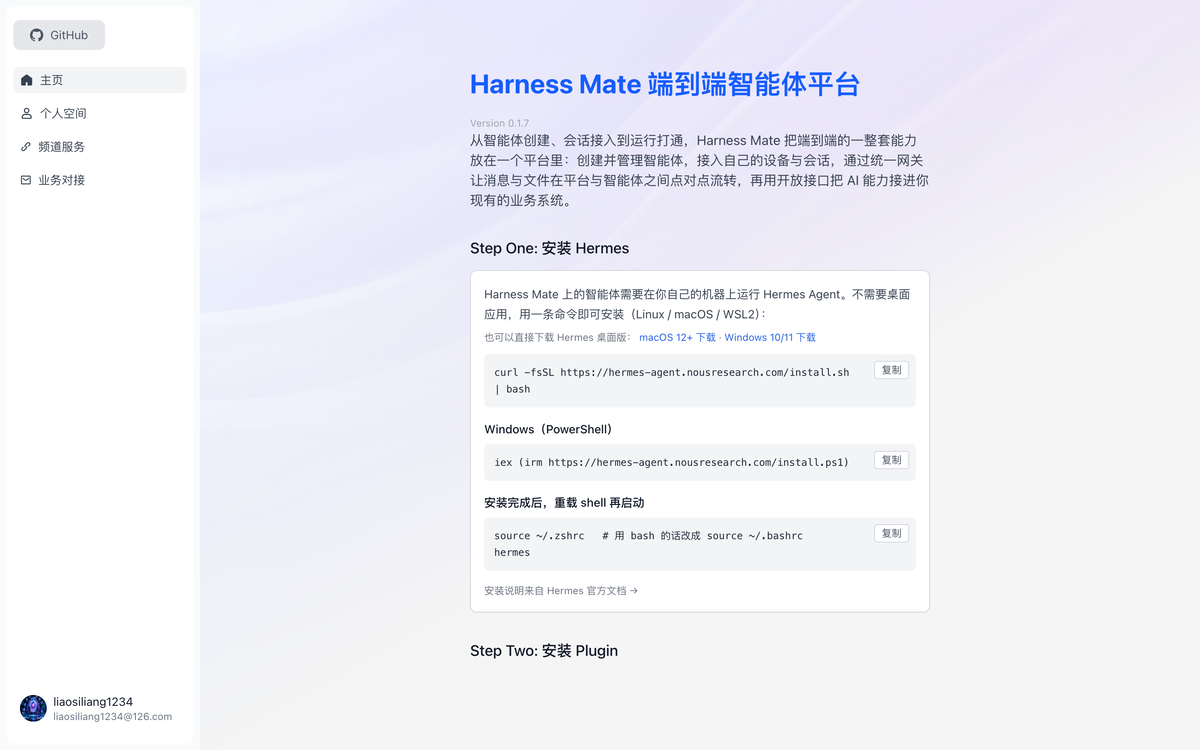 | 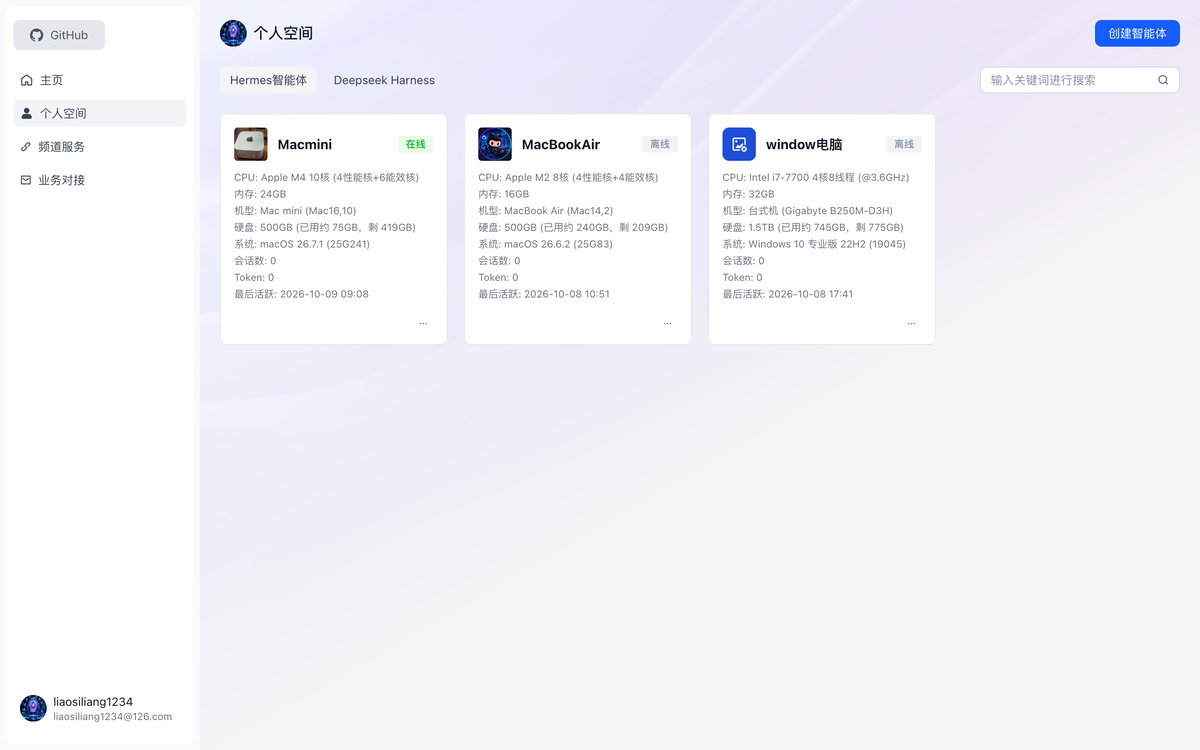 | 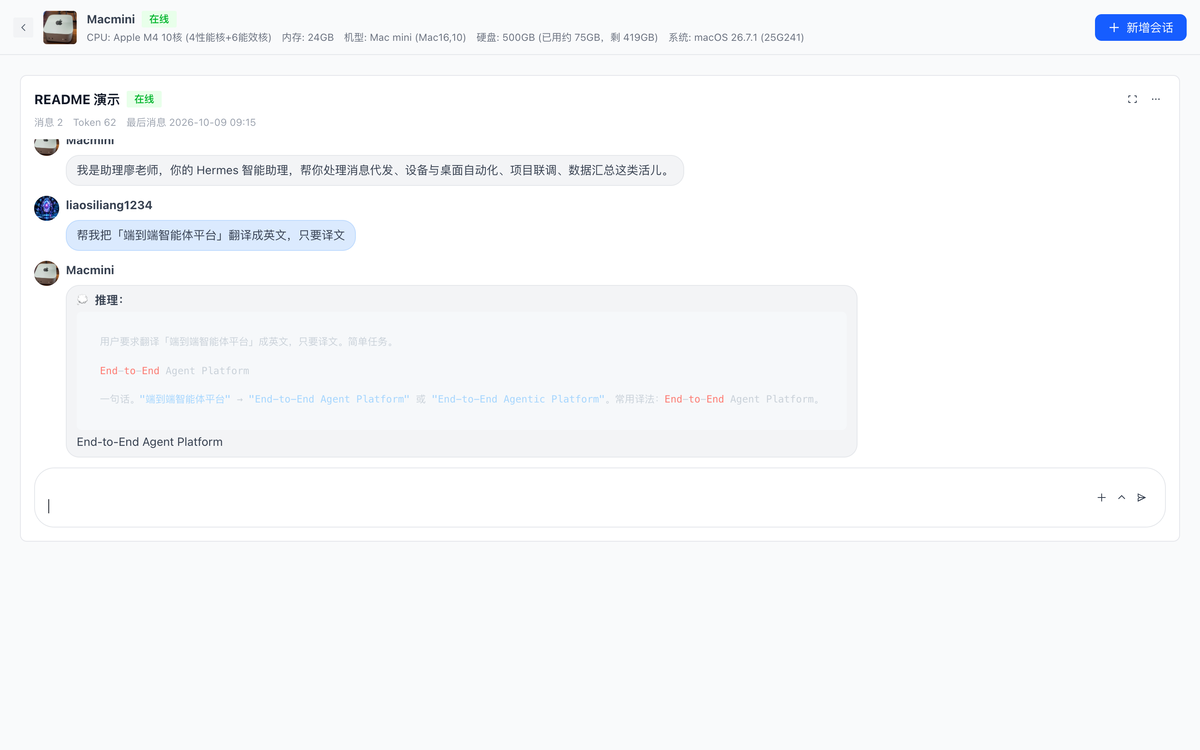 |
## 仓库结构
```
harness-mate-dsh/
├── index.js # 插件主程序(DSH / Cordis)
├── package.json # 插件清单:dsh.bundle patch + 图标
├── cordis.patch.yml # 插件默认配置
├── icon.svg # DSH 插件页显示的图标
├── locale/ # 中英双语标题与描述
├── install.sh # macOS 安装脚本
├── install.ps1 # Windows 安装脚本(PowerShell)
└── INSTALL.md # 完整安装指南、FAQ、手动安装
```
## 相关项目
- **[harness-mate-plat](https://github.com/liaosiliangCodeLife/harness-mate-plat)** —— 平台本体(Vue 3 + Flask + Go WebSocket 网关 + Docker),MIT 协议、可自托管。
- 与之并列的 **Hermes** 通道适配器在该仓库的 `plugin/hermes/` 下。
## 许可
[MIT](LICENSE)