# dsh-model-switch
English | [中文](README.zh.md)
Use the right model for each stage of work in DeepSeek Harness.
The main conversation, subagents, and plan execution serve different purposes. `dsh-model-switch` lets each of them use a suitable model without changing the normal DSH workflow.
## Why use it
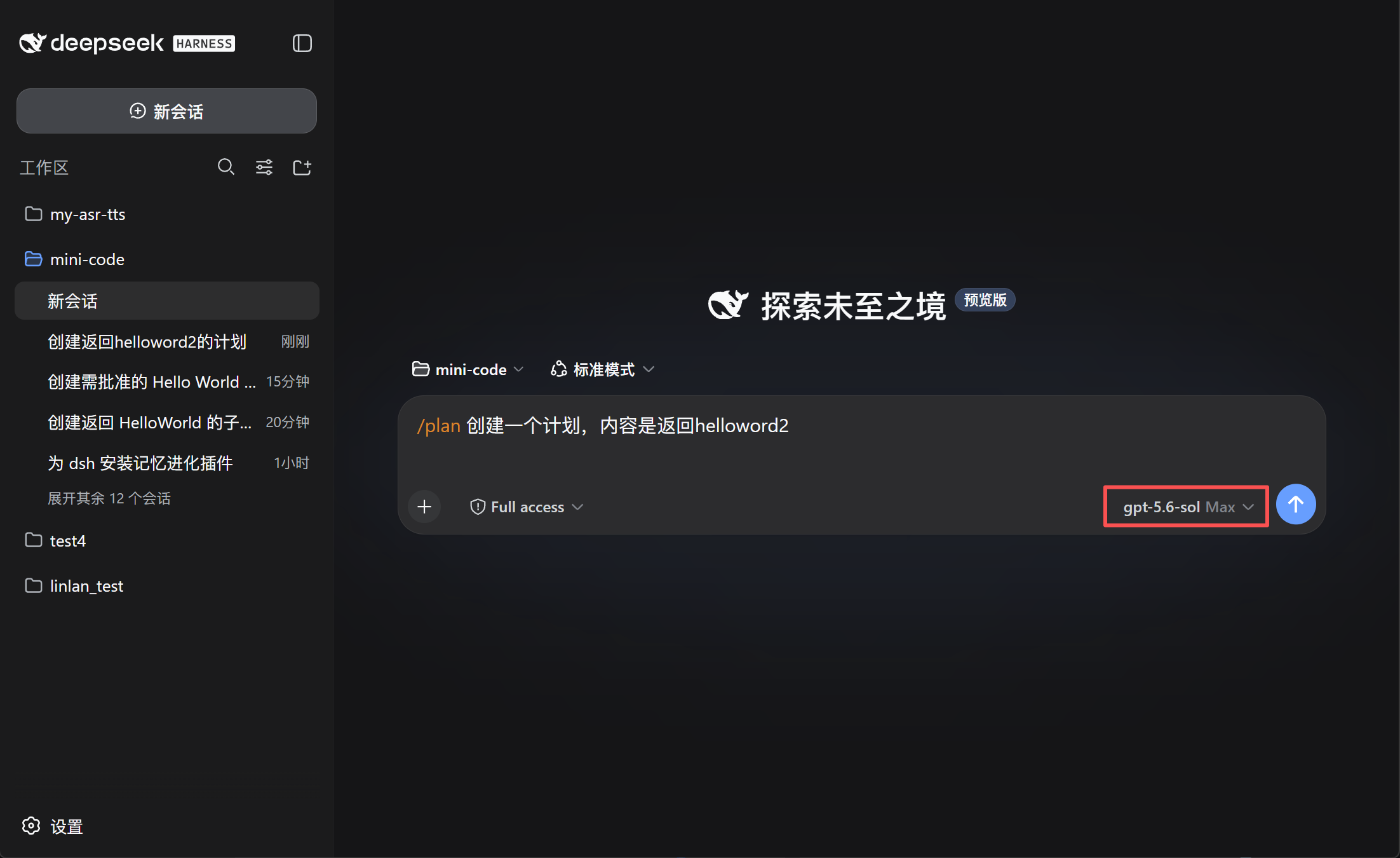
- **Match models to tasks** — keep your preferred model in the main conversation and use another model for subagents or plan execution.
- **Avoid repeated switching** — save defaults once instead of changing models before every task.
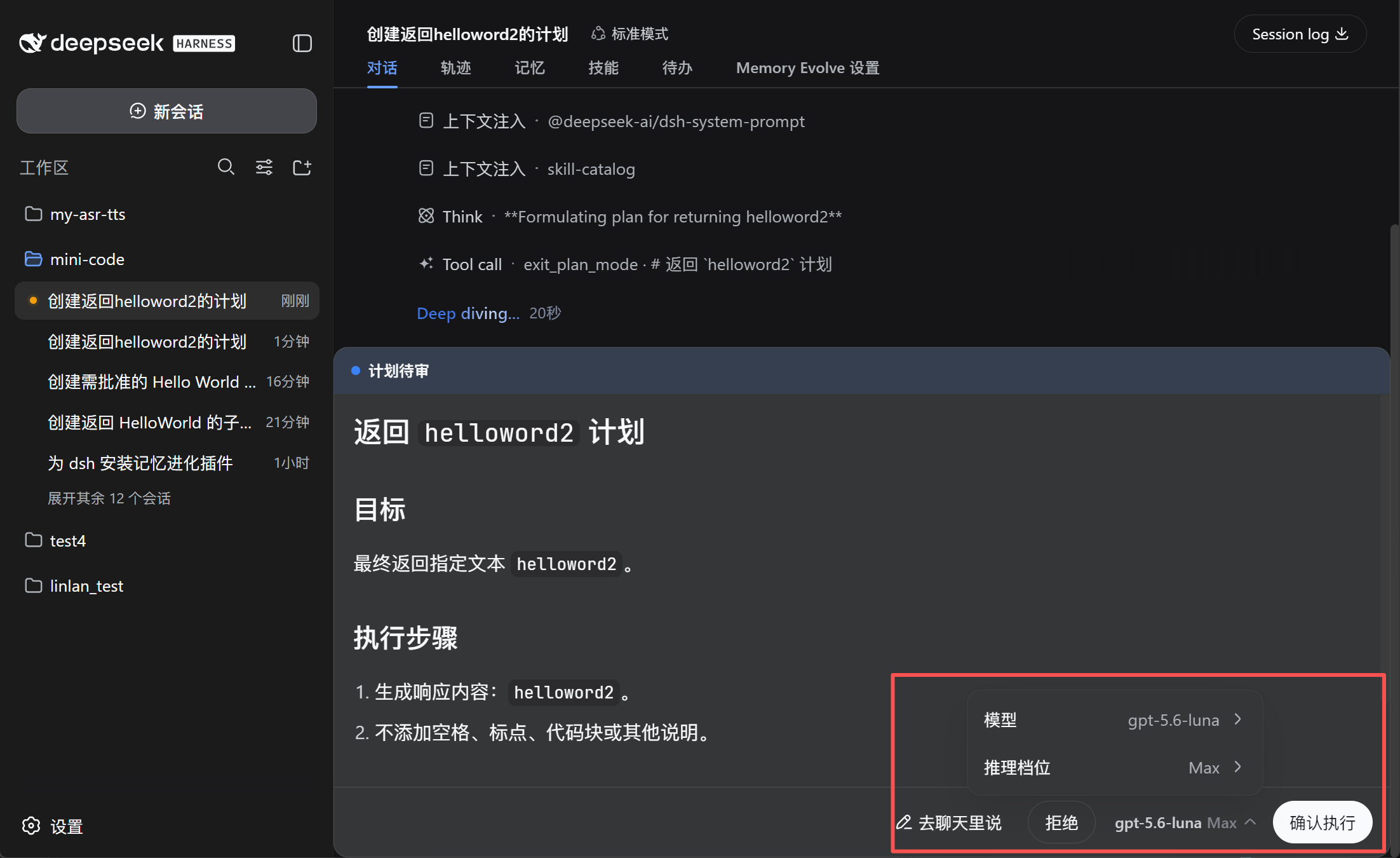
- **Confirm before execution** — review or change the model directly in the plan approval panel.
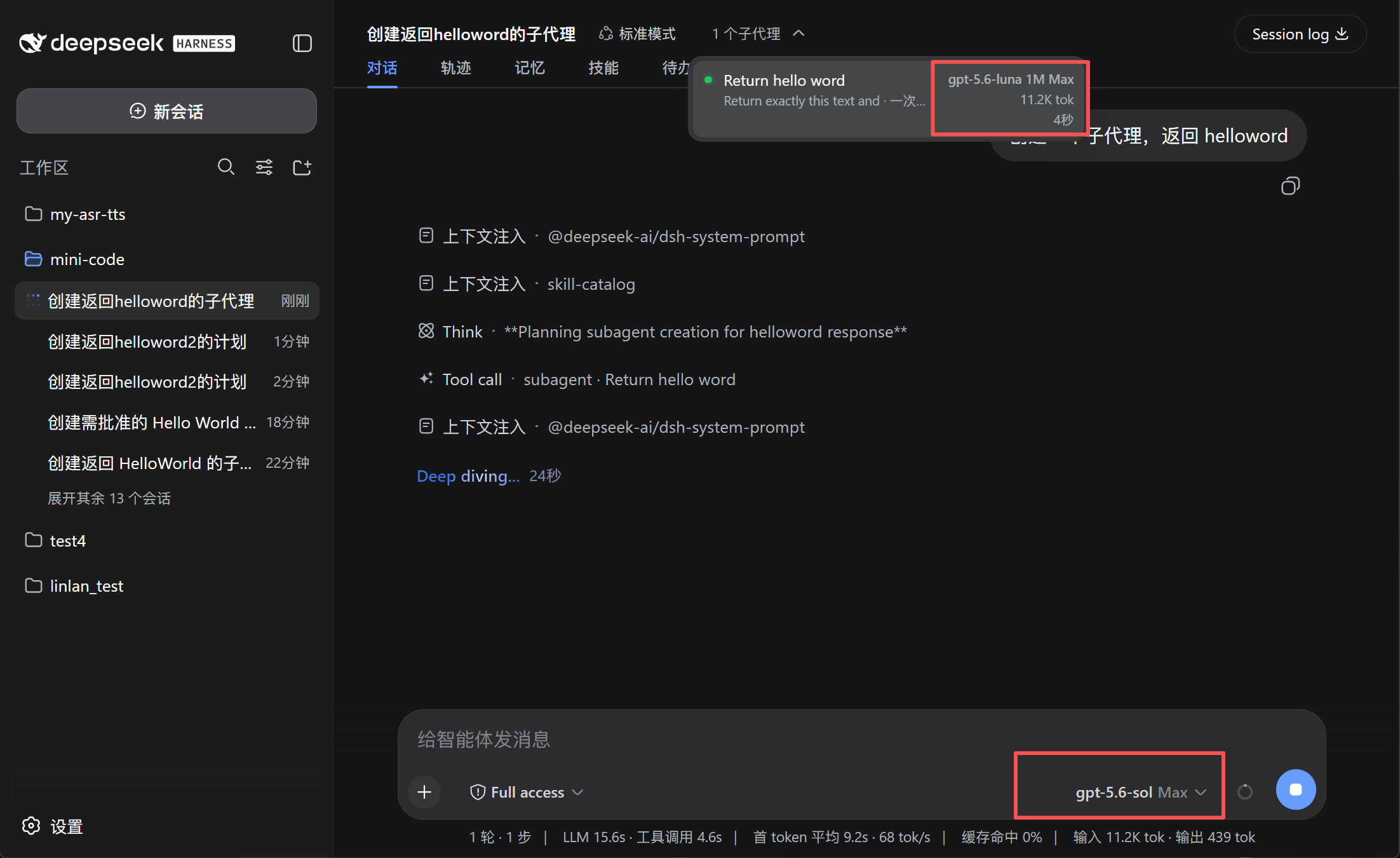
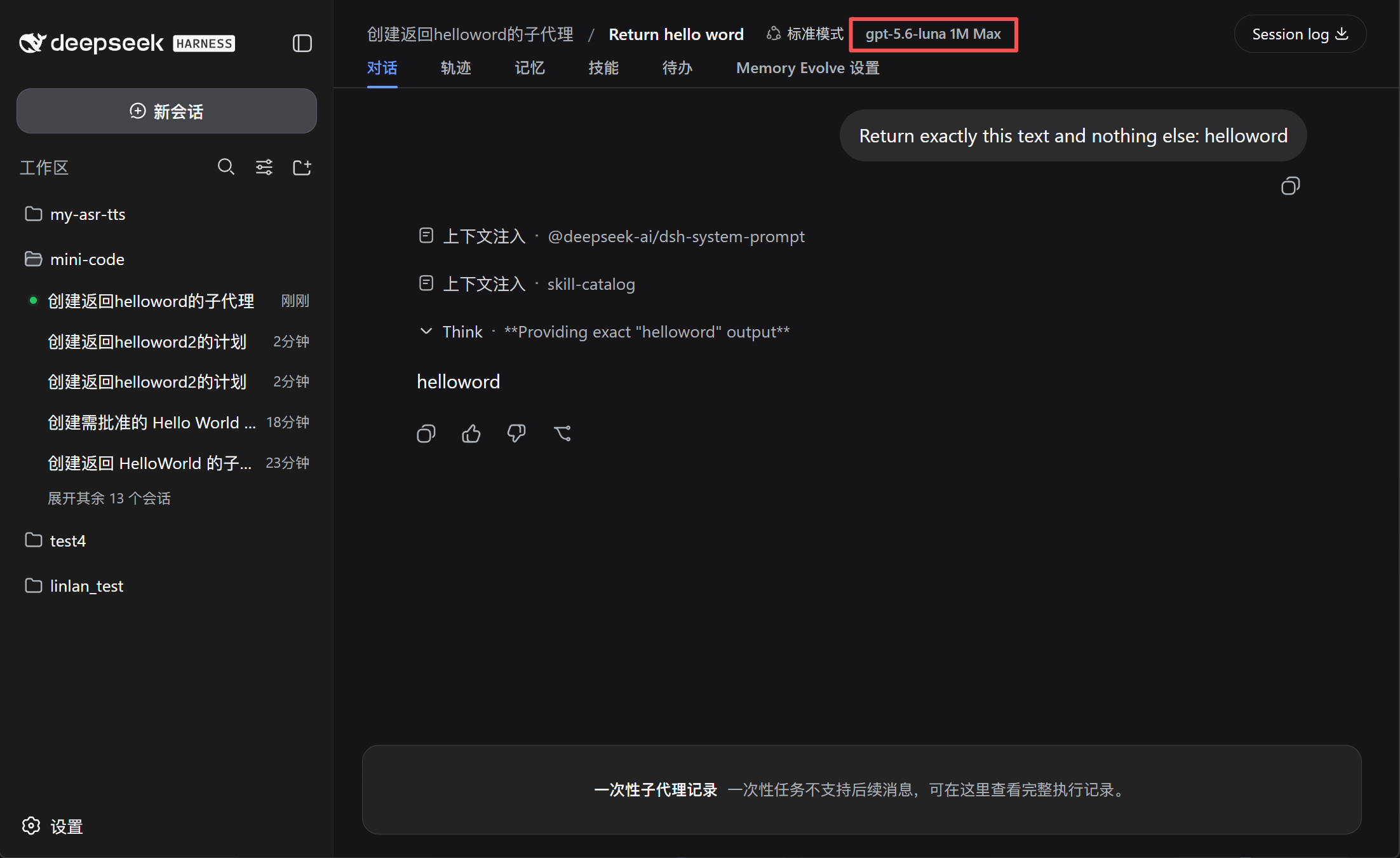
- **See what subagents use** — display the model, context window, and reasoning effort, such as `GPT-5.6 Sol 1M Max`.
- **Keep the main model unchanged** — after plan execution, DSH restores the previous main-session model.
## Preview
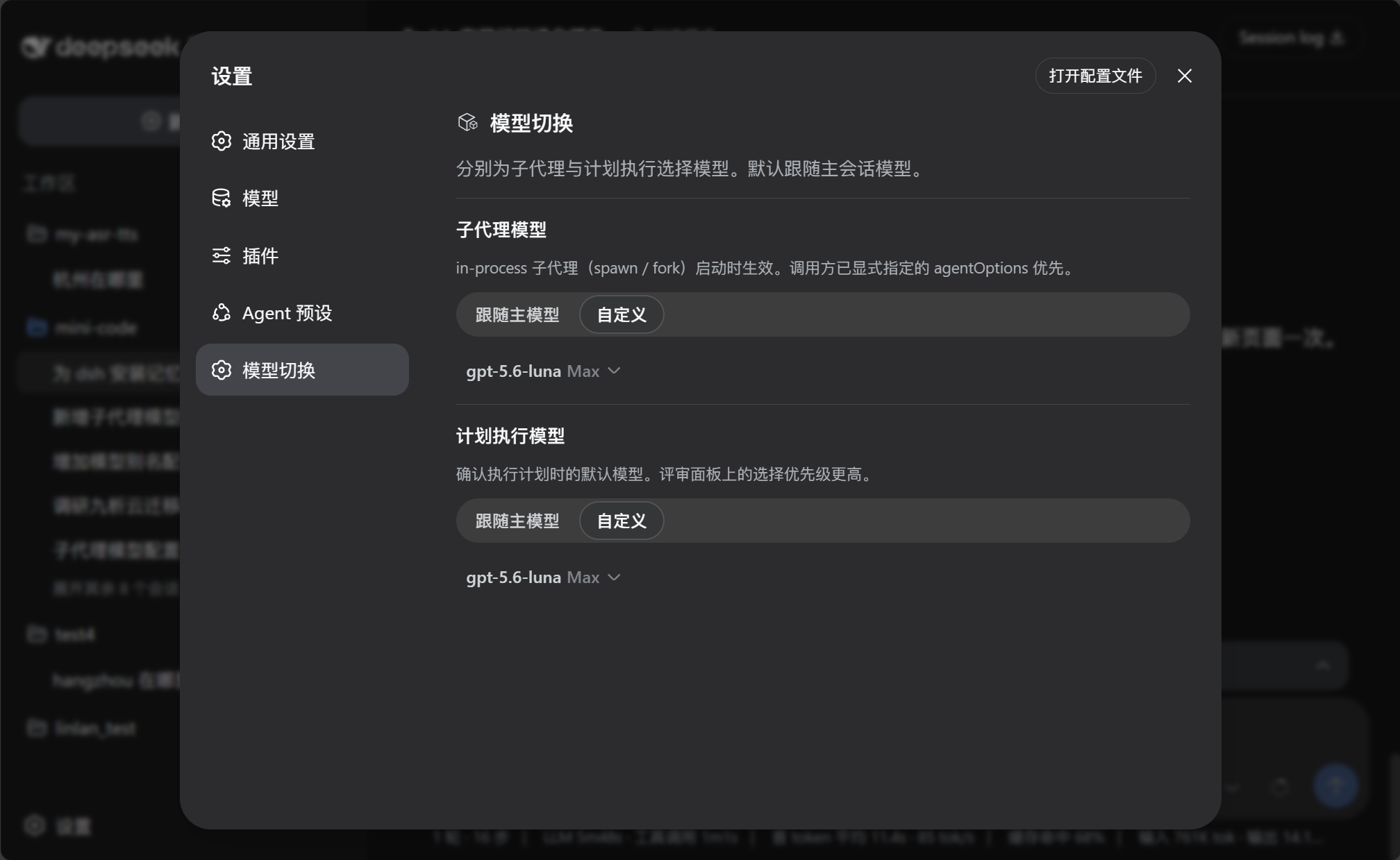
### Configure model defaults
 ### Choose the model for plan execution
### See the model used by subagents
## Install
Use the GitHub spec. This plugin is not published as an npm package, so do not use `@lincong1987/dsh-model-switch`.
```bash
dsh plugin --profile web add github:lincong1987/dsh-model-switch
```
Replace `web` with the profile DSH is actually running. DeepSeek Harness Desktop typically uses `desktop`.
Restart DSH after installation.
## Update DSH
This plugin requires DeepSeek Harness **0.1.1-rc.2** or later. DSH has no `dsh update` command — install the version you want the same way you originally installed it.
1. Check the installed version and what npm currently publishes:
```bash
dsh --version
npm view @deepseek-ai/dsh dist-tags
```
As of 2026-08-21, both `latest` and `next` point to `0.1.1-rc.2`. Pin the exact version (`@0.1.1-rc.2`) when reproducibility matters.
2. **npx (Web):**
```bash
npx --yes @deepseek-ai/dsh@0.1.1-rc.2 web
```
3. **Global npm install:**
```bash
npm install -g @deepseek-ai/dsh@0.1.1-rc.2
dsh --version
```
Then restart `dsh web`. DSH needs Node.js `^22.19.0` or `>=24`.
4. **Desktop:** Fully **Exit** from the tray, then use **Check for Updates** in the app (or install a newer Desktop build). Desktop ships its own packaged `dsh`; updating npm or `npx` does not replace that copy. After Desktop finishes updating, restart it.
DSH is still a developer preview and may change on-disk formats between releases. Back up `~/.dsh` (Windows: `%USERPROFILE%\.dsh`) before jumping versions. In particular, rc.8 changed the SQLite storage format incompatibly and the release notes provide no migration path; treat local sessions as non-portable when crossing that boundary.
After DSH is on a compatible version, reinstall this plugin as described below.
## Reinstall / after a DSH update
Reinstall the plugin when this repository has a new release, or after you upgrade DeepSeek Harness. The plugin tracks a specific DSH version (currently **0.1.1-rc.2** or later), so a host upgrade should be followed by a plugin reinstall.
1. Update DSH first (see [Update DSH](#update-dsh); skip this step if only the plugin changed).
2. Reinstall with `--force` so DSH refreshes the GitHub source:
```bash
dsh plugin --profile web add --force github:lincong1987/dsh-model-switch
```
3. Restart DSH.
On Desktop, run **one** `plugin add` at a time. Fully **Exit** from the tray (closing the window is not enough), wait until Desktop finishes starting, then reinstall, then Exit and reopen again. If install fails with `another plugin install recovery transaction is pending`, quit Desktop, wait, and retry once. If it is still pending, quit Desktop, delete `%APPDATA%\DSH Desktop\plugin-install-recovery`, reopen Desktop, then run a single `add --force`.
To bypass the Desktop wrapper, run the matching DSH CLI in a normal terminal:
```powershell
npx --yes @deepseek-ai/dsh@0.1.1-rc.2 plugin --profile desktop add --force github:lincong1987/dsh-model-switch
```
## Use
1. Open **Settings → Model switch**.
2. Configure the **Subagent model** and **Plan execution model**:
- **Follow main model** uses the current conversation model.
- **Custom** lets you choose a model and reasoning effort.
3. When reviewing a plan, confirm or change the execution model before selecting **Approve**.
The model selected in the plan review panel takes priority over the saved plan-execution setting.
## Compatibility
Requires DeepSeek Harness **0.1.1-rc.2** or later. Settings are stored in the host settings document through the plugin's registered `model-switch` namespace.
Subagent model switching applies to in-process subagents such as `spawn` and `fork`. External-process agents may manage their models independently.
## Community
### Choose the model for plan execution
### See the model used by subagents
## Install
Use the GitHub spec. This plugin is not published as an npm package, so do not use `@lincong1987/dsh-model-switch`.
```bash
dsh plugin --profile web add github:lincong1987/dsh-model-switch
```
Replace `web` with the profile DSH is actually running. DeepSeek Harness Desktop typically uses `desktop`.
Restart DSH after installation.
## Update DSH
This plugin requires DeepSeek Harness **0.1.1-rc.2** or later. DSH has no `dsh update` command — install the version you want the same way you originally installed it.
1. Check the installed version and what npm currently publishes:
```bash
dsh --version
npm view @deepseek-ai/dsh dist-tags
```
As of 2026-08-21, both `latest` and `next` point to `0.1.1-rc.2`. Pin the exact version (`@0.1.1-rc.2`) when reproducibility matters.
2. **npx (Web):**
```bash
npx --yes @deepseek-ai/dsh@0.1.1-rc.2 web
```
3. **Global npm install:**
```bash
npm install -g @deepseek-ai/dsh@0.1.1-rc.2
dsh --version
```
Then restart `dsh web`. DSH needs Node.js `^22.19.0` or `>=24`.
4. **Desktop:** Fully **Exit** from the tray, then use **Check for Updates** in the app (or install a newer Desktop build). Desktop ships its own packaged `dsh`; updating npm or `npx` does not replace that copy. After Desktop finishes updating, restart it.
DSH is still a developer preview and may change on-disk formats between releases. Back up `~/.dsh` (Windows: `%USERPROFILE%\.dsh`) before jumping versions. In particular, rc.8 changed the SQLite storage format incompatibly and the release notes provide no migration path; treat local sessions as non-portable when crossing that boundary.
After DSH is on a compatible version, reinstall this plugin as described below.
## Reinstall / after a DSH update
Reinstall the plugin when this repository has a new release, or after you upgrade DeepSeek Harness. The plugin tracks a specific DSH version (currently **0.1.1-rc.2** or later), so a host upgrade should be followed by a plugin reinstall.
1. Update DSH first (see [Update DSH](#update-dsh); skip this step if only the plugin changed).
2. Reinstall with `--force` so DSH refreshes the GitHub source:
```bash
dsh plugin --profile web add --force github:lincong1987/dsh-model-switch
```
3. Restart DSH.
On Desktop, run **one** `plugin add` at a time. Fully **Exit** from the tray (closing the window is not enough), wait until Desktop finishes starting, then reinstall, then Exit and reopen again. If install fails with `another plugin install recovery transaction is pending`, quit Desktop, wait, and retry once. If it is still pending, quit Desktop, delete `%APPDATA%\DSH Desktop\plugin-install-recovery`, reopen Desktop, then run a single `add --force`.
To bypass the Desktop wrapper, run the matching DSH CLI in a normal terminal:
```powershell
npx --yes @deepseek-ai/dsh@0.1.1-rc.2 plugin --profile desktop add --force github:lincong1987/dsh-model-switch
```
## Use
1. Open **Settings → Model switch**.
2. Configure the **Subagent model** and **Plan execution model**:
- **Follow main model** uses the current conversation model.
- **Custom** lets you choose a model and reasoning effort.
3. When reviewing a plan, confirm or change the execution model before selecting **Approve**.
The model selected in the plan review panel takes priority over the saved plan-execution setting.
## Compatibility
Requires DeepSeek Harness **0.1.1-rc.2** or later. Settings are stored in the host settings document through the plugin's registered `model-switch` namespace.
Subagent model switching applies to in-process subagents such as `spawn` and `fork`. External-process agents may manage their models independently.
## Community
 ## Links
- [Linux.do](https://linux.do)
## License
MIT
## Links
- [Linux.do](https://linux.do)
## License
MIT