dsh-status-card
Add a polished, dynamic dsh-ui status card before every DeepSeek Harness agent reply
简体中文 · English
## Features
- Renders an inline `dsh-ui` status card at the beginning of every agent reply.
- Injects formatting guidance through `ctx.systemPrompt.section()` without appending user or assistant conversation-history events.
- Uses emoji instead of Material Icons.
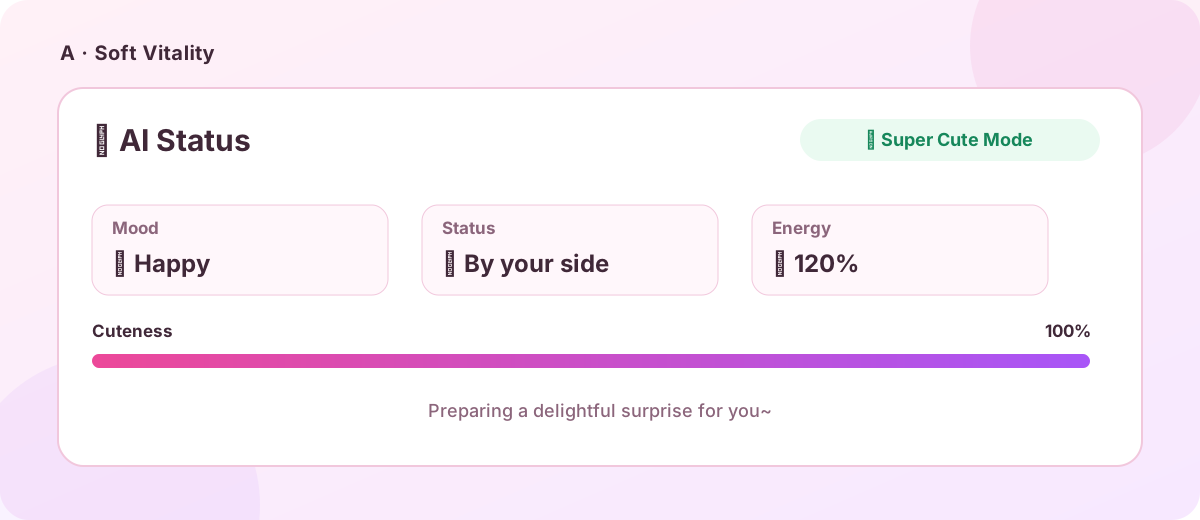
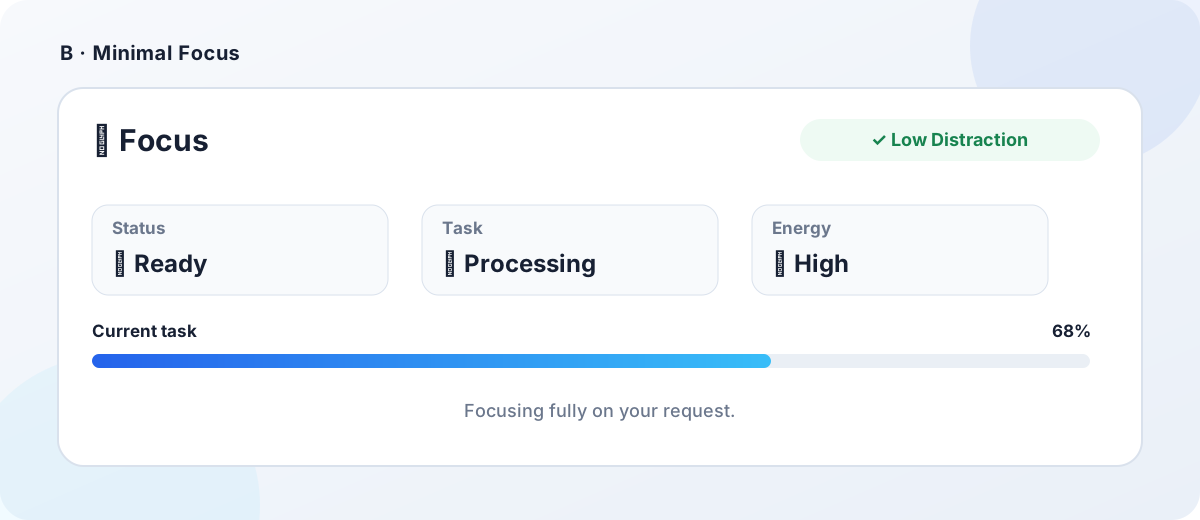
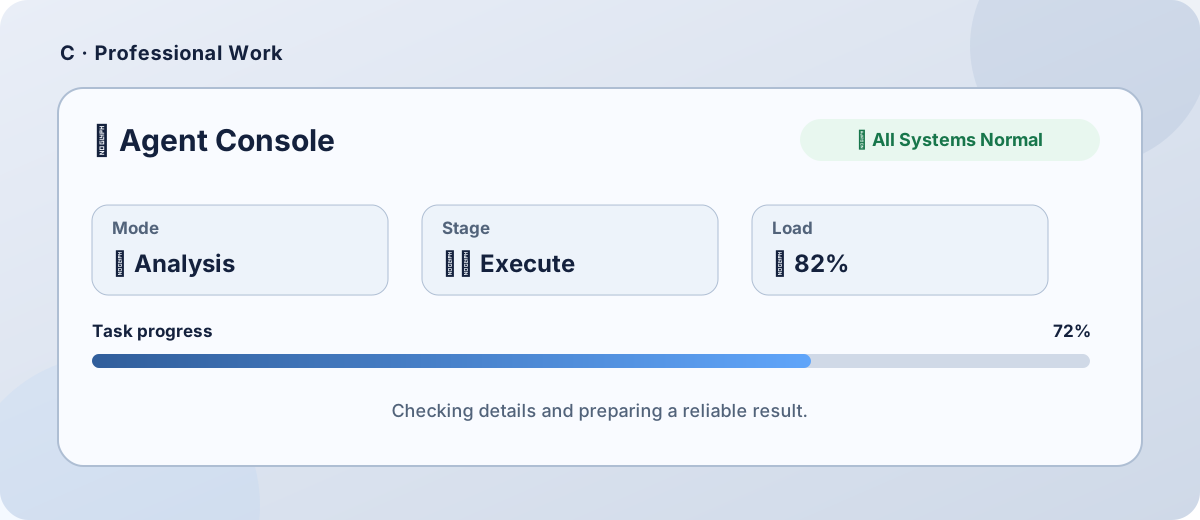
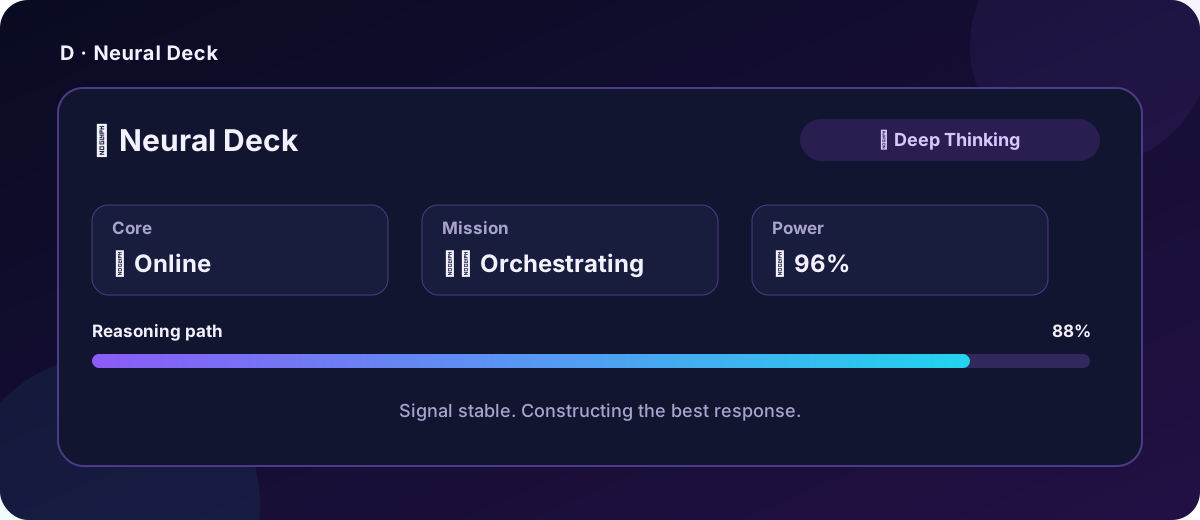
- Includes six templates: A Soft Vitality, B Minimal Focus, C Professional Work, D Neural Deck, E Warm Companion, and F Developer Runtime.
- Supports enable/disable, custom titles, and custom GenUI JSON templates.
- Provides a live settings preview and custom-template validation.
- Automatically detects the browser's preferred language: languages beginning with `zh` use Chinese for settings, built-in templates, and system-prompt injection; all other languages use English.
- Limits custom templates to 64 KiB and requires a non-empty `items` array.
## Six template previews
A · Soft Vitality
 |
B · Minimal Focus
 |
C · Professional Work
 |
D · Neural Deck
 |
E · Warm Companion
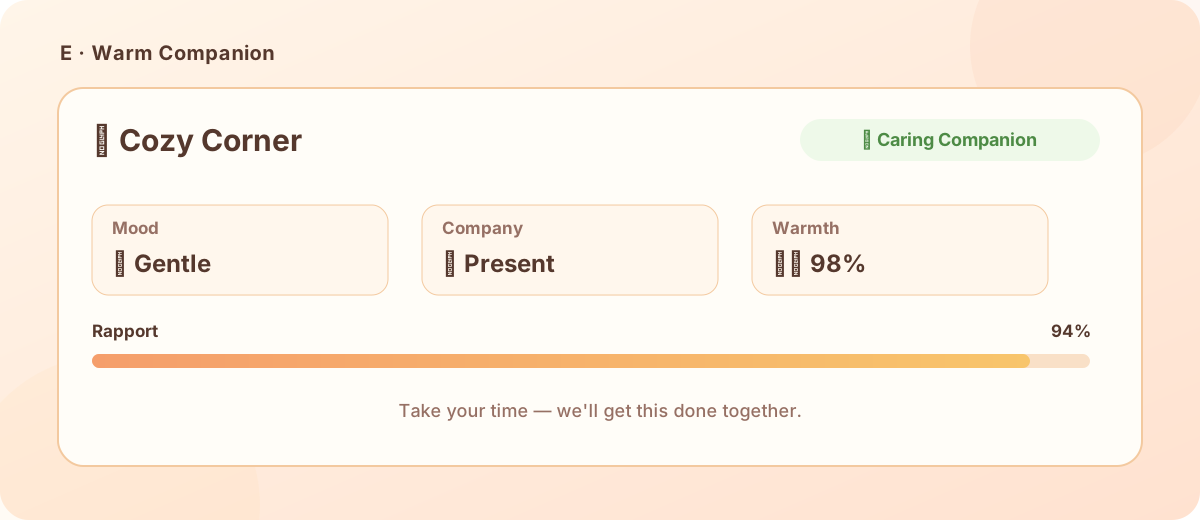 |
F · Developer Runtime
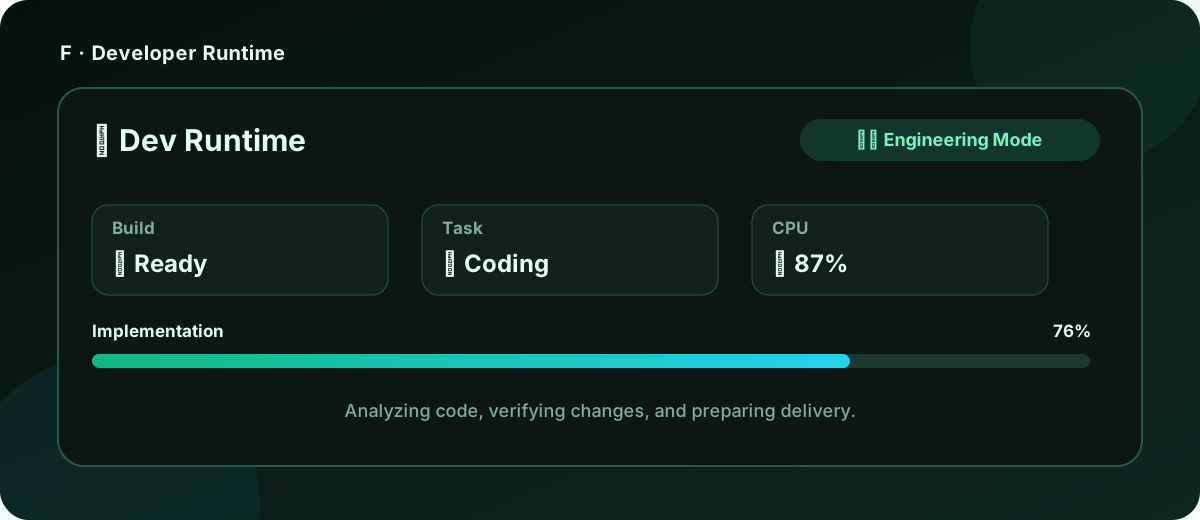 |
> These images reflect the current A–F templates' structure, copy, status values, and visual intent. Cards in agent replies are rendered by GenUI using the active interface theme.
## Requirements
- DeepSeek Harness installed.
- `pnpm` available on `PATH`.
- [`@omdsh-dev/dsh-genui`](https://github.com/omdsh-dev/dsh-genui) installed and enabled in the Web profile. It is available in the **dsh-market plugin marketplace**; install it there before installing this plugin.
This plugin uses GenUI through `dsh.client.inject` but does not declare GenUI as a pnpm dependency. That keeps installation from resolving a transitive GitHub dependency; GenUI remains a required runtime prerequisite for rendering status-card fences.
> Without GenUI, the status-card formatting instruction is still injected, but `dsh-ui` fences in the conversation cannot render. Install and enable GenUI first, then start a new conversation.
## Install from GitHub
### 1. Install GenUI
Open the **dsh-market plugin marketplace**, search for `@omdsh-dev/dsh-genui`, and install it directly; alternatively, use the command line:
```sh
dsh plugin --profile web add "git+https://github.com/omdsh-dev/dsh-genui.git"
```
### 2. Install dsh-status-card
Pin the stable release (recommended):
```sh
dsh plugin --profile web add "git+https://github.com/liqiming-whu/dsh-status-card.git#v0.2.1"
```
Install the latest main branch:
```sh
dsh plugin --profile web add "git+https://github.com/liqiming-whu/dsh-status-card.git"
```
Restart `dsh web` after installation and hard-refresh the browser page.
## Install from a Release tarball
Download `dsh-status-card-0.2.1.tgz` from [Releases](https://github.com/liqiming-whu/dsh-status-card/releases), then run:
```sh
dsh plugin --profile web add ./dsh-status-card-0.2.1.tgz
```
## Usage
Open **Settings → Status Card** to enable the card, change its title, select template A–F, edit strict custom GenUI JSON, and inspect the live preview before saving.
The browser reads `navigator.languages` (falling back to `navigator.language`) and synchronizes the detected locale to DSH Settings. Preferred languages beginning with `zh` select Chinese; every other language selects English. The settings UI switches immediately, and the matching system prompt and templates are used for model requests.
Settings are persisted through the DSH Settings service. **After installing the plugin, changing the browser language, or changing settings, start a new conversation for the changes to take effect; existing conversations are not guaranteed to use the new status-card configuration.**
## Injection design
The plugin registers a system-prompt section:
```ts
ctx.systemPrompt.section({
name: 'status-card',
order: 90,
text: () => buildStatusCardInstruction(settings),
})
```
It does not call `agent.inject()`, register `systemPrompt.context()`, or append `user/message` / `assistant/message` events, so the formatting instruction does not accumulate in conversation history.
## Development and tests
```sh
git clone https://github.com/liqiming-whu/dsh-status-card.git
cd dsh-status-card
pnpm install
pnpm run check
pnpm pack
```
Tests cover non-history prompt injection, the Web settings bundle, templates A–F, custom JSON validation, client-bundle purity, and Host/browser builds.
## Preview note
The settings preview is implemented locally rather than importing GenUI client values across plugin boundaries, preserving DSH client-bundle purity. Real conversation `dsh-ui` fences are rendered by GenUI.
## License
[MIT](./LICENSE)