 # Eustia
[![NPM version][npm-image]][npm-url]
[![Build status][ci-image]][ci-url]
[![License][license-image]][npm-url]
[npm-image]: https://img.shields.io/npm/v/eustia.svg
[npm-url]: https://npmjs.org/package/eustia
[ci-image]: https://img.shields.io/github/actions/workflow/status/liriliri/eustia/ci.yml?branch=master
[ci-url]: https://github.com/liriliri/eustia/actions/workflows/ci.yml
[license-image]: https://img.shields.io/npm/l/eustia.svg
Eustia 是一个用于生成 JavaScript 函数库的工具。它能够扫描代码实时生成只包含所需方法的函数库。
目前默认函数库除了 underscore 中使用较多的 each 、template 等函数外,还包含类创建、cookie 操作、Dom 操作、日期格式化等实用的小库,共150+个模块,日常不断更新中,详细列表可 [点此](http://eustia.liriliri.io/module.html) 查看。
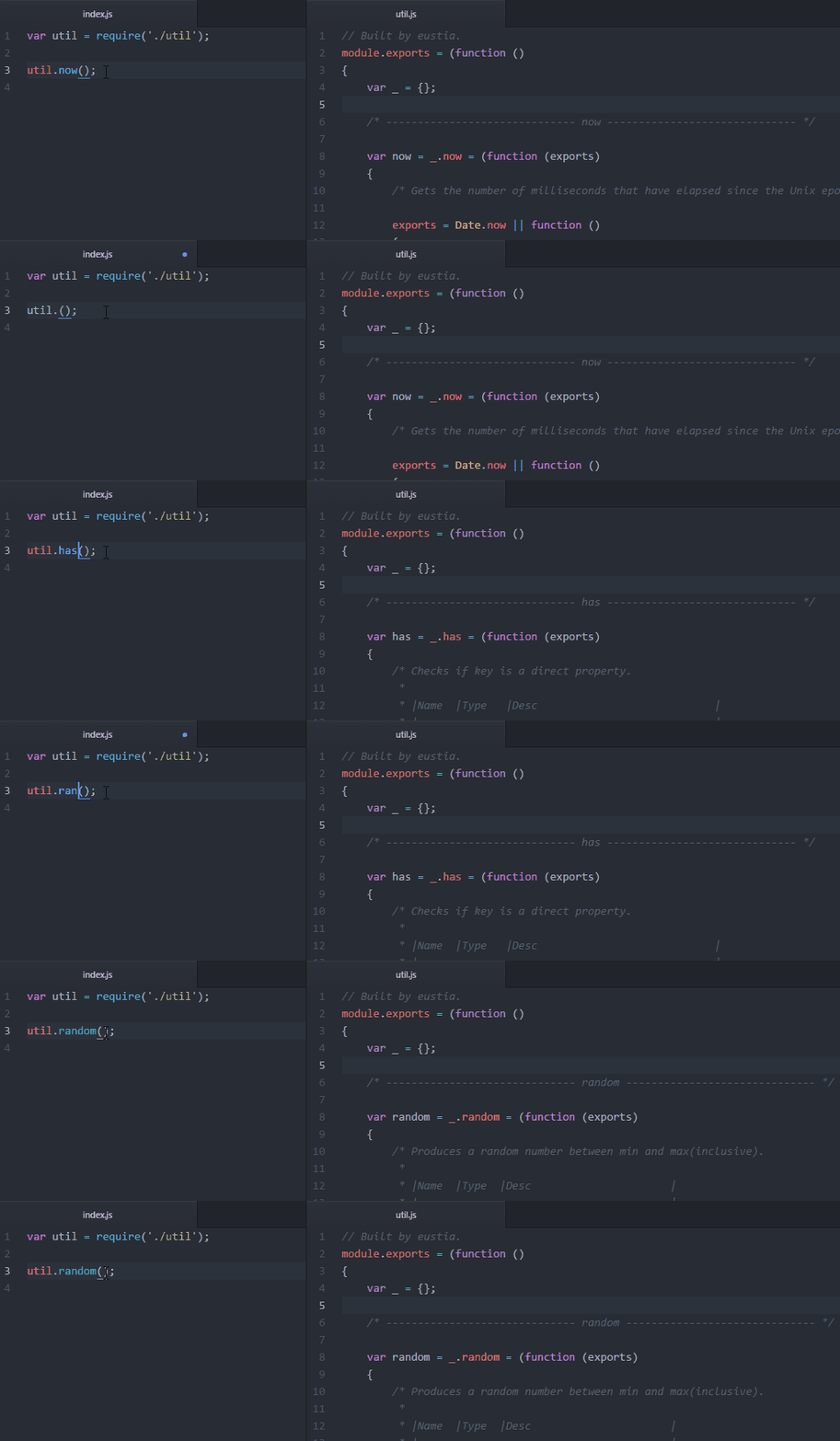
## 安装
你可以通过 npm 安装 Eustia。
```bash
npm install -g eustia
```
## 快速上手
假设你想 html 文件中使用 trim 方法,先直接在代码中使用:
```html
Eustia
```
然后跑下命令:
```bash
eustia build
```
该工具会扫描你的 html 代码并生成一个 util.js (默认文件名)文件,大功告成!
## 使用配置文件
你可以只通过命令行来运行这个工具:
```bash
eustia build -o util.js index.html *.js ...
# Eustia
[![NPM version][npm-image]][npm-url]
[![Build status][ci-image]][ci-url]
[![License][license-image]][npm-url]
[npm-image]: https://img.shields.io/npm/v/eustia.svg
[npm-url]: https://npmjs.org/package/eustia
[ci-image]: https://img.shields.io/github/actions/workflow/status/liriliri/eustia/ci.yml?branch=master
[ci-url]: https://github.com/liriliri/eustia/actions/workflows/ci.yml
[license-image]: https://img.shields.io/npm/l/eustia.svg
Eustia 是一个用于生成 JavaScript 函数库的工具。它能够扫描代码实时生成只包含所需方法的函数库。
目前默认函数库除了 underscore 中使用较多的 each 、template 等函数外,还包含类创建、cookie 操作、Dom 操作、日期格式化等实用的小库,共150+个模块,日常不断更新中,详细列表可 [点此](http://eustia.liriliri.io/module.html) 查看。

## 安装
你可以通过 npm 安装 Eustia。
```bash
npm install -g eustia
```
## 快速上手
假设你想 html 文件中使用 trim 方法,先直接在代码中使用:
```html
Eustia
```
然后跑下命令:
```bash
eustia build
```
该工具会扫描你的 html 代码并生成一个 util.js (默认文件名)文件,大功告成!
## 使用配置文件
你可以只通过命令行来运行这个工具:
```bash
eustia build -o util.js index.html *.js ...
```
当然也可以使用一个配置文件来保存参数。这样做还可以让你同时保存多份配置文件生成不同的函数库。
在你的项目根目录创建一个命名为 .eustia 的文件。
```json
{
"page": {
"files": "./layout/**/*.jade",
"output": "./static/js/eustia.js"
},
"node": {
"files": ["./lib/*.js", "./tool/**/*.js"],
"output": "./lib/util.js"
}
}
```
如果不传入子命令,Eustia 会在当前目录下寻找配置文件执行 build 命令。
> 关于所有可用的配置项,请查看 [相关文档](https://eustia.liriliri.github.io/docs.html#commands)。
## 编写模块
Eustia本身自带了多个常用的 [工具函数](https://eustia.liriliri.github.io/module.html)。
如果需要添加其它函数,请在根目录下创建名为 eustia 的文件夹。
比如说,我想要一个能比较版本号大小的函数。首先在 eustia 文件夹下边创建名为 compareVersion 的文件,然后再在里面编写实际的代码。
```javascript
// eustia/compareVersion.js
_('isStr each'); // 模块依赖
function exports(v1, v2)
{
if (!isStr(v1) || !isStr(v2)) return;
...
}
```
之后你就可以在项目中的任何文件中使用 compareVersion 函数了。
使用 library 选项可以指定函数查找路径,这对于项目间共享工具函数十分有用。另外你还可以通过 [eustia-lodash](https://github.com/liriliri/eustia-lodash) 插件使用 lodash 方法。